

Quick answer
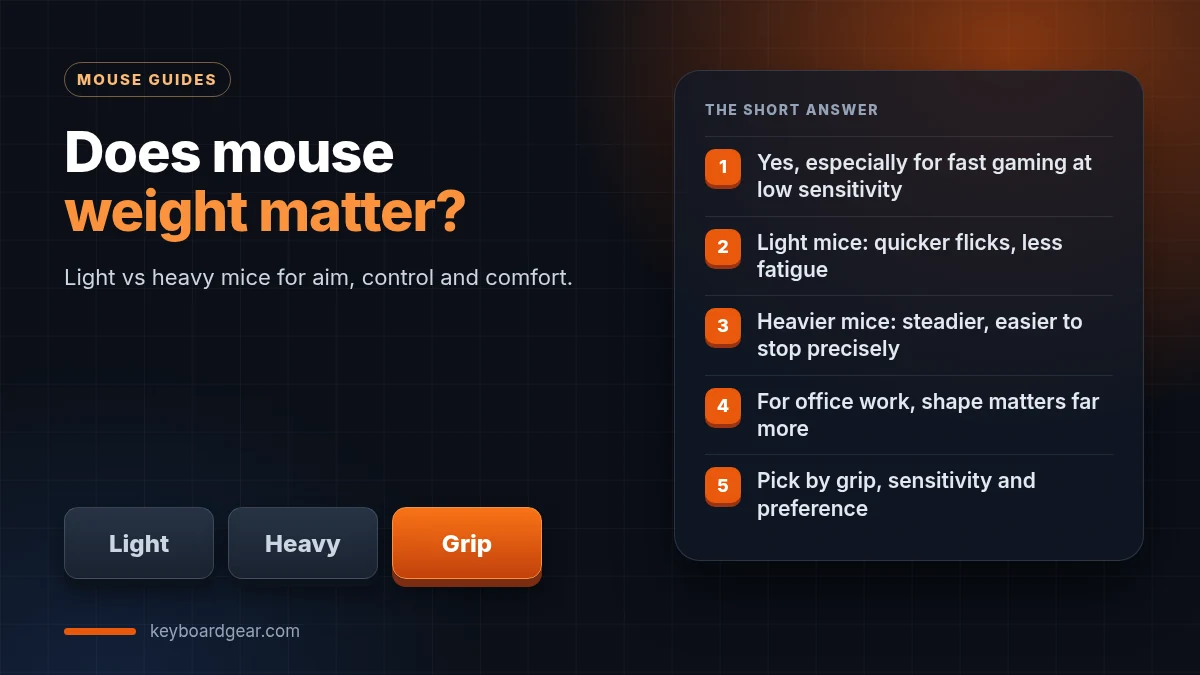
Yes, mouse weight matters, mainly for fast gaming. A lighter mouse (roughly under 70 g) is easier to start and stop, which helps quick flicks and reduces arm fatigue, especially at low sensitivity where you move your whole arm. A heavier mouse can feel steadier and easier to stop precisely, which some players and many office users prefer.
For everyday work, shape, size and comfort matter more than weight. Choose based on your grip, your sensitivity and what feels controllable to you.
Over the past several years, gaming mice have shed a lot of weight. Many flagship wireless gaming mice now weigh around 60 grams: Logitech describes its PRO X Superlight 2 as a 60 g mouse, and Razer lists the DeathAdder V3 Pro at 64 g. That trend raises an obvious question: does weight actually matter, or is it marketing?
The honest answer is that weight affects how a mouse moves and feels, and the impact depends on how you use it.
How weight affects a mouse
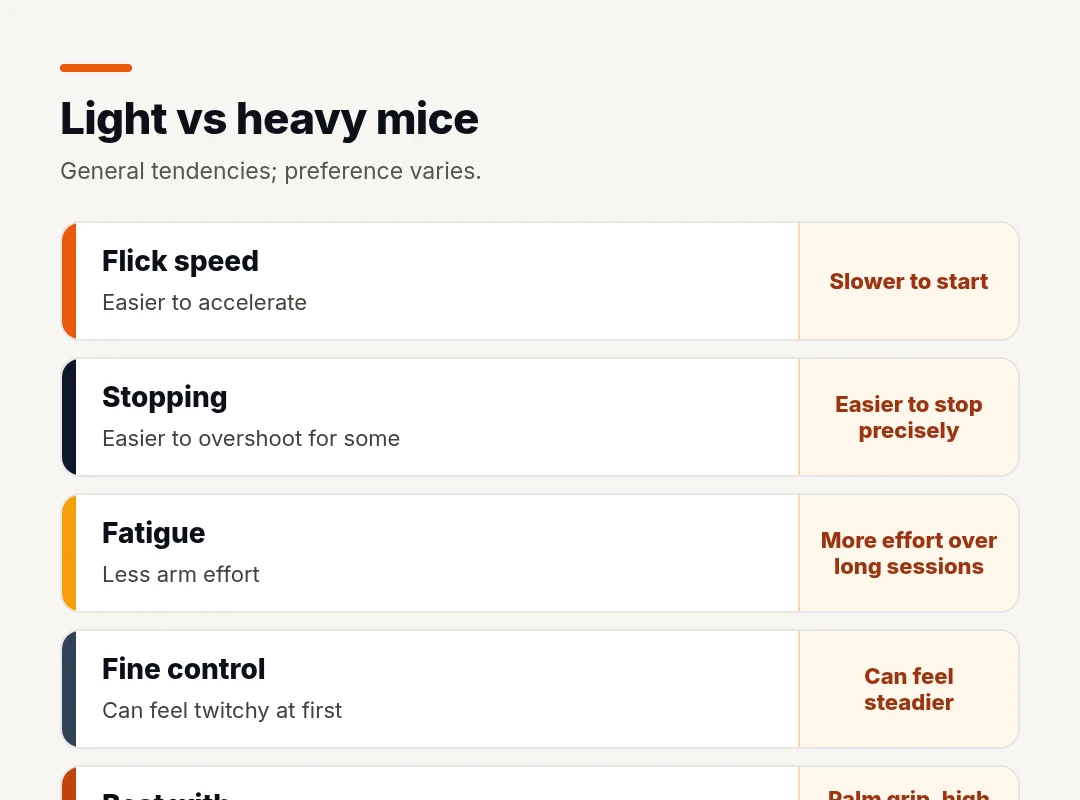
Physics is simple here: a heavier object takes more force to accelerate and more force to stop. With a mouse, that shows up in three ways:
- Starting a movement: a light mouse responds to a smaller push, so quick flicks feel effortless.
- Stopping: a heavier mouse carries more momentum, which some people find easier to stop at a precise point, while others overshoot less with a light mouse because it responds immediately to their braking.
- Fatigue: moving a heavy mouse thousands of times over a long session takes more effort.
Gaming: where weight matters most
In fast games, especially first-person shooters, you make rapid flicks and corrections constantly. A light mouse makes those movements quicker and less tiring, which is why lightweight mice dominate competitive gaming.
Sensitivity changes the picture. If you play at low sensitivity, you move the mouse a long way with your whole arm, and weight makes a real difference to effort and speed. At high sensitivity, small wrist and finger movements do most of the work, so weight matters less. Our explainer on mouse DPI vs sensitivity covers how to set it.
That doesn’t mean lighter is always better. Some players find very light mice twitchy and prefer a bit of heft for tracking moving targets smoothly. Plenty of skilled players use mid-weight mice.
Grip style and weight
How you hold the mouse also affects the ideal weight:
- Fingertip and claw grips use fingers and wrist for fine movements and tend to favour light mice.
- Palm grip rests the whole hand on the mouse and moves more with the arm; many palm grippers are comfortable with a little more weight and a larger shape.
Our guide to mouse grip styles explains each grip and the shapes that suit them.
Office work: weight matters less
For documents, browsing and spreadsheets, movements are slower and less frequent, so weight is rarely noticeable. Comfort, shape, size, buttons and features matter much more. A heavier, contoured ergonomic mouse that fits your hand well is a better choice than a featherweight one that doesn’t. If you get wrist or forearm discomfort, consider shape first; see our vertical vs regular mouse comparison.
Wired vs wireless weight
Wireless mice carry a battery, which used to make them noticeably heavier. Modern lightweight wireless mice have largely closed the gap, and with no cable drag, many feel lighter in use than a wired mouse of the same weight. Our wired vs wireless mouse guide covers the other trade-offs.
Honeycomb shells and other weight-saving tricks
Some lightweight mice use shells with holes, which saves weight but lets dust and crumbs in and may feel different under your palm. Many newer light mice use thin solid shells instead. Other tricks include lighter cables, smaller batteries and minimal internal structures. If you use a holed mouse, cleaning matters; see our guide on how to clean a mouse.
Mouse pad and skates interact with weight
A light mouse on a slow, high-friction pad can still feel sluggish to start, while a heavy mouse on a fast pad may glide past your target. Your pad’s surface and the mouse’s feet change how weight feels. Our cloth vs hard mouse pad guide explains the differences in speed and control.
Adjustable weights
Some mice include removable weights so you can add heft. They’re a good choice if you’re unsure: try the mouse at its lightest, then add weight until it feels controlled.
How to choose the right weight
| If you… | Consider |
|---|---|
| Play fast shooters at low sensitivity | A light mouse, around 60–70 g or lighter |
| Play at high sensitivity or slower games | Weight matters less; choose shape first |
| Use a palm grip and like a planted feel | A mid-weight or heavier mouse |
| Use fingertip or claw grip | A light, smaller mouse |
| Mostly do office work | Prioritise comfort and features over weight |
| Aren’t sure | A mouse with removable weights |
Is your mouse too heavy or too light?
| Sign | What it suggests |
|---|---|
| Your arm or shoulder tires during long gaming sessions | The mouse may be heavier than you need |
| You overshoot targets on quick flicks and struggle to stop | Try a slightly heavier mouse, a slower pad or lower sensitivity |
| Small adjustments feel shaky or twitchy | A little more weight or a slower pad can steady it |
| The mouse feels sluggish to start moving | A lighter mouse or faster pad may help |
| You grip the mouse hard to control it | Shape or size may be wrong, not just weight |
Weight rarely works alone. If something feels off, change one thing at a time, such as the mouse, the pad or your sensitivity, so you can tell what actually helped.
Balance matters as much as total weight
Two mice with the same weight can feel very different. A mouse with its weight centred near the sensor feels neutral and easy to control. One that’s heavy at the back or front tends to pivot as you move it. Wireless mice put the battery somewhere inside the shell, and well-designed ones place it near the middle. Adjustable-weight mice often let you move weights forward, back or to the sides, not just add them.
Weight for office mice
Productivity mice such as large ergonomic or multi-button models are often noticeably heavier than gaming mice, because they include bigger batteries, metal scroll wheels and more buttons. That’s not a problem for documents and spreadsheets, where you make slower, shorter movements. A heavier office mouse can even feel more stable and less likely to slide when you click. If you also game on the same mouse, weight becomes more of a trade-off.
Getting used to a new weight
Switching from a heavy mouse to a very light one, or the other way round, usually feels strange for the first few days. Your muscle memory expects a certain amount of effort to start and stop. Give a new mouse at least a week of regular use before judging it, and avoid changing sensitivity at the same time, so you’re only adjusting to one change.
Weight, skates and glide
The mouse feet, or skates, affect how weight feels. Smooth PTFE skates on a fast pad make even a heavier mouse glide easily, while worn or rough skates add friction that can make a light mouse feel heavy. If your mouse suddenly feels slower than it used to, check the skates and clean the pad; our guide to cloth vs hard mouse pads covers how surfaces change glide.
FAQ
Is a lighter mouse better for gaming?
For many players, yes, especially in fast shooters at low sensitivity. But some prefer a bit more weight for steady tracking. It’s personal.
What counts as a lightweight mouse?
Roughly under 70 g is generally considered light today, with many flagship wireless gaming mice around 60 g.
Does a heavier mouse improve accuracy?
Some people find a heavier mouse steadier for small, slow adjustments. Others are more accurate with a light mouse. There’s no universal answer.
Do heavier mice cause more fatigue?
Over long gaming sessions with lots of arm movement, a heavier mouse takes more effort. For office use, the difference is small.
How long does it take to adjust to a lighter mouse?
Usually a few days to a couple of weeks. You may overshoot at first.
Bottom line
Mouse weight matters most for fast gaming at low sensitivity, where a light mouse makes flicks quicker and long sessions less tiring. At high sensitivity or for office work, shape and comfort matter more. Pick by your grip and play style, and if you’re unsure, choose a mouse with adjustable weights or a mid-weight option.
Related guide: Mouse Lift-Off Distance (LOD): What It Is and the Best Setting
Sources

Experience is what matters at the end!!
Hi! This is Jacob Jay – founder of Keyboardgear.com! From childhood to adulthood, I’ve always remained passionate about IT, and the revolution in this industry, especially gaming on the PC can’t go out of my way. Since I’m an enthusiastic gamer, and I love to experience various gaming accessories, particularly mechanical keyboards, that really boost my gaming adventure manifolds. So, my nerve cells hit me to transfer my experiences into word form and share with others to identify the ideal keyboards perfectly fit for their gaming modes.
I know very well how hard it is to find the high-quality items available on the internet that ought to be exactly the same as seen as on the screen. But the counterfeiters have ruined the user’s trust. As I have passed all such situations, I’m obliged to deliver the genuinity and express the same as what I am saying.
So, now, I’m working on the mission to provide very helpful and frankly but trustworthy reviews and guides about various mechanical keyboards, mouses, and other gaming accessories as per my personal experiences and sound knowledge.