
Keyboard Gear earns from qualifying purchases through Amazon links.
Short answer: Yes for most people who type or game for hours every day. A mechanical keyboard is usually worth it if you care about consistent key feel, long-term durability, and the option to repair or swap parts. It is often not worth it if you barely use a keyboard, need the cheapest possible input device, or must stay nearly silent with zero tuning. In 2026 the floor has dropped: usable hot-swap boards start in the budget tier, so the old “mechanical equals expensive hobby” story is outdated.
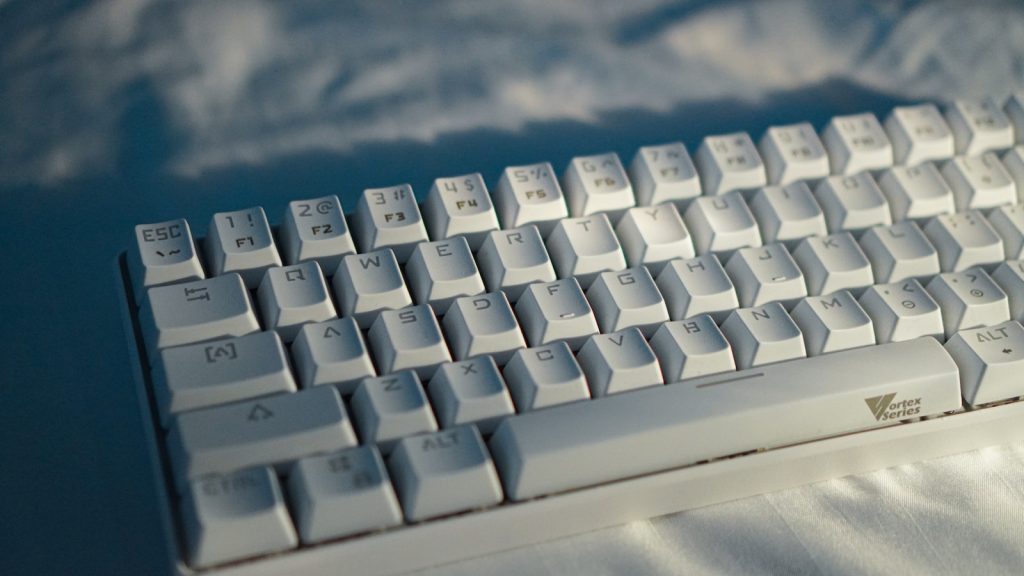
Who a mechanical keyboard is worth it for
We get this question a lot, and the honest split looks like this:
- Worth it: writers, coders, students, and office workers who type several hours a day; PC gamers who want consistent actuation and better multi-key input; anyone who keeps replacing mushy membrane boards every year or two.
- Maybe: home users who type a fair amount but share a quiet apartment; people curious about customization but unsure about noise or layout size.
- Usually skip: rare typists who mainly browse and stream; shoppers who only want the absolute lowest price; workplaces that ban anything louder than a laptop keyboard with no exceptions.
Worth it is a time-and-money calculation, not a personality test. If the keyboard is a tool you lean on all day, the upgrade pays back in comfort and longevity. If it sits idle, a good membrane or chiclet board is fine.
Pros and cons at a glance
| Area | Pros | Cons |
|---|---|---|
| Home use | Satisfying feedback; easy to pick a layout (TKL, 75%, full-size); hot-swap lets you quiet or retune later | Clicky switches annoy housemates; taller boards need desk space and often a wrist rest |
| Work / typing | Consistent travel helps accuracy; tactile or silent switches suit long sessions; many boards support Mac/Windows layouts | Open offices hate loud clickies; you may need foam, silent switches, or a low-profile board |
| Gaming | Stable actuation, strong rollover, linear or Hall-effect options for speed | Casual play does not require mechanical; magnetic/Hall boards cost more if you want rapid trigger |
| Cost | Budget mechanicals are widely available; one durable board can outlast several cheap membranes | Upfront cost is still higher; hobby upgrades (keycaps, cases) can balloon the spend |
| Noise | Silent/linear switches and foam make quiet builds realistic | Stock clicky boards are loud; “mechanical” is not a volume setting by itself |
| Durability / lifespan | Many switches are rated around 50–100 million presses; modular parts last longer in practice | Ratings are lab figures; stabilizers, PCBs, or wireless modules can fail before switches do |
| Repairability | Hot-swap sockets mean a dead key is a part swap, not a trash bag | Soldered boards still need tools or a technician |
| Ergonomics | You can choose layout, angle, and switch weight to reduce fatigue | Mechanical alone does not fix bad posture; “better for wrists” is not automatic |
Mechanical vs membrane: an honest comparison
Membrane keyboards use a rubber-dome layer. They are cheap, quiet enough for most offices, and fine for light use. The feel tends to get mushy as the domes fatigue. Mechanical keyboards put a discrete switch under each key, so every press has a more repeatable travel and actuation point. For a deeper side-by-side, see our mechanical vs membrane keyboard guide.
What marketing often skips:
- A mechanical board will not magically raise your WPM overnight. Consistency can help accuracy over weeks; speed gains are modest and personal.
- Some premium membranes and scissor-switch boards feel excellent. Preference still wins.
- For competitive gaming, traditional mechanical is still strong, but Hall-effect / magnetic boards now lead on adjustable actuation and rapid trigger.
What changed by 2026 (and why “worth it” is easier)
Budget boards got good enough
You no longer need a boutique build for gasket feel, foam, or QMK/VIA. Entry TKL boards with hot-swap and factory-lubed switches cover most of the daily benefit. That shrinks the risk of trying mechanical for the first time.
Hot-swap is mainstream
Hot-swap sockets let you pull a switch and drop in another without soldering. Try linear for gaming, tactile for typing, or silent switches for shared rooms. If you want a shortlist of boards built around that flexibility, browse our best hot-swappable keyboards picks.
Hall effect / magnetic switches
Magnetic (Hall-effect) switches sense position with magnets instead of a simple contact. You can set actuation depth per key and use rapid-trigger behavior that resets as soon as you lift. For shooters and other games that reward micro-adjustments, that is a real step past fixed mechanical switches. Traditional mechanical still wins for variety of feel and often for typing preference.
Low-profile mechanicals
Low-profile boards shrink travel and height so the desk feel is closer to a laptop keyboard, while keeping discrete switches. They travel better in a bag and can be easier on people who dislike tall MX-style boards.
Quiet / silent switches are real options
“All mechanical keyboards are loud” is outdated. Silent linear and silent tactile switches, case foam, taped PCBs, and lubed stabilizers cut noise a lot. Clicky switches remain the office enemy. For noise-focused reading, see are mechanical keyboards quiet.
Cost, durability, and repairability
Switch makers commonly rate switches for tens of millions of presses—often in the 50–100 million range depending on the model line. That is a lab endurance figure, not a promise your whole keyboard lasts a decade. Caps, stabs, batteries, and USB sockets wear too. Still, a well-made board usually outlives a budget membrane that goes soft after a couple of heavy years.
Repairability is where mechanical pulls ahead for many of us. On a hot-swap board, a sticky or dead switch is a spare part. Keycaps swap in minutes. That stretches value even if you buy mid-range once instead of cheap twice.
Noise, home use, and work
For home use: pick what you enjoy. Clicky can feel great in a private room. In shared housing, start with linear or tactile, add foam if the case rings, and save clickies for later experiments.
For work / typing: prioritize quiet switches, a familiar layout, and Mac/Windows key legends if you switch machines. A full-size board still helps spreadsheets; TKL or 75% frees mouse space. More on office fit: are mechanical keyboards better for work.
For gaming: linear or Hall-effect boards are the usual sweet spot. TKL keeps the mouse closer. Wireless 2.4 GHz polling is fine on modern boards for most players; wired still removes battery anxiety for tournaments.
Ergonomics myths (and what actually helps)
Mechanical switches do not automatically save your wrists. Height, angle, desk setup, and break habits matter more. Some people feel less strain with a lighter tactile switch because they stop bottoming out hard; others prefer low-profile travel. Split or ergonomic layouts help more than switch brand marketing.
Myths to ignore:
- “Cherry MX only, or it is not real mechanical.” Plenty of solid boards ship Gateron, Kailh, Keychron, Logitech GX, and others.
- “Louder means better for typing.” Feedback can be tactile without a loud click.
- “More expensive always types better.” Layout fit and switch preference beat case metal most days.
If you decide to buy: boards worth considering
These are currently sold Amazon US options across budgets. Specs below stick to what the listings support; check the product page for switch variant and stock before you buy. We are not claiming personal lab tests of every revision—these are practical starter picks based on features people actually use.
1. Budget / first mechanical — Keychron C3 Pro (TKL, hot-swap)
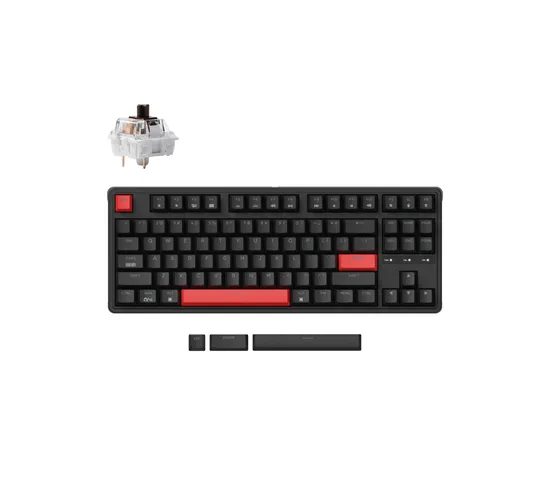
Wired tenkeyless with gasket structure, foam, QMK/VIA, RGB, and hot-swappable sockets. A strong “try mechanical without a big gamble” board for mixed work and gaming.
2. Low-profile / portable — Keychron K3 Pro
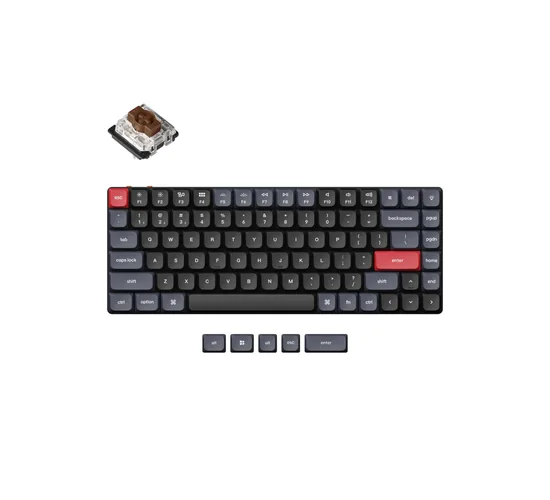
Ultra-slim 75% wireless mechanical with hot-swappable low-profile Gateron switches, Bluetooth/wired, and QMK/VIA. Better when you want mechanical feedback without a tall desktop brick.
3. Full-size wireless for work — Keychron V6 Max
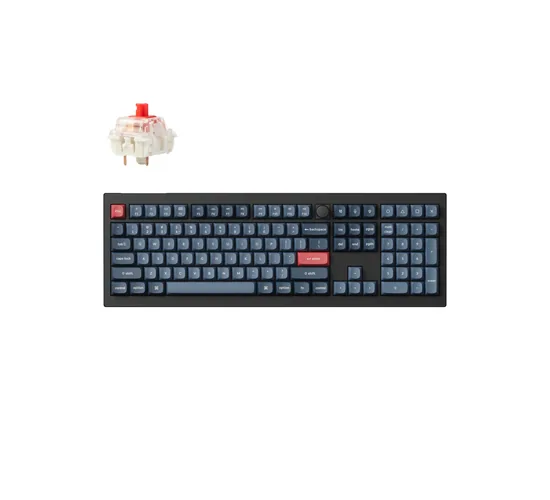
100% layout with 2.4 GHz, Bluetooth, and wired modes, hot-swap Gateron Jupiter switches, PBT keycaps, gasket design, and QMK/VIA. Useful if you need a number pad every day.
4. Hall-effect / gaming-forward — Keychron K2 HE
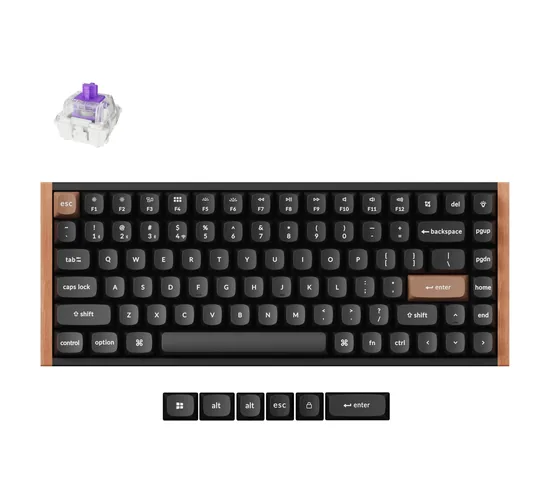
Wireless 75% magnetic Hall-effect board with adjustable actuation, rapid trigger, and QMK-based launcher support. Pick this when gaming performance is the main reason you are upgrading.
How to decide in five minutes
- Count your daily hours at a keyboard. Under an hour? Stay membrane unless you simply want the hobby.
- Check your noise rules. Shared space → silent/linear or low-profile; private room → any feel you like.
- Pick a size. Full-size for numpad work; TKL/75% for mouse room; 60%/65% only if you accept learning layers.
- Prefer hot-swap if you are unsure about switches. It is the cheapest insurance against buyer’s remorse.
- Buy once in the budget-to-mid range before spending on artisan keycaps. Learn what you like first. Switch basics: Cherry MX switches explained.
FAQ
Are mechanical keyboards worth buying for home use?
Yes if you type or game regularly at home. Choose quieter switches if you share walls or rooms. The home desk is usually the best place to enjoy mechanical feel without office politics.
Are they worth it for work and typing all day?
For heavy typists, usually yes—especially with tactile or silent switches. Confirm workplace noise norms first. A loud clicky board can create more stress than comfort.
Do mechanical keyboards last longer than membrane?
Often, yes. Switch endurance ratings are much higher, and hot-swap repairability helps. Other parts can still fail, so treat ratings as a durability advantage, not immortality.
Are mechanical keyboards too loud for an office?
Clicky ones frequently are. Silent and many linear boards are office-viable, especially with foam and careful typing. Ask teammates before you bring a blue-style clicker.
Should I get Hall effect instead of regular mechanical?
Get Hall effect if adjustable actuation and rapid trigger matter for your games. Stick with standard mechanical if typing feel variety, keycap ecosystem, or lower cost matter more.
Is a cheap mechanical keyboard good enough?
For first-time buyers, a budget hot-swap board is usually good enough to decide if you like the category. Upgrade cases and keycaps later only if you stay hooked.
Bottom line
Are mechanical keyboards worth it in 2026? For daily typists and gamers, yes more often than not—especially now that hot-swap budget boards, quiet switches, low-profile options, and Hall-effect gaming boards cover most real-world needs. Skip them if you hardly type, need rock-bottom price, or cannot manage noise. Everyone else: start with a hot-swap board in a size that fits your desk, pick switches for your room, and judge after a couple of weeks of real use.

Experience is what matters at the end!!
Hi! This is Jacob Jay – founder of Keyboardgear.com! From childhood to adulthood, I’ve always remained passionate about IT, and the revolution in this industry, especially gaming on the PC can’t go out of my way. Since I’m an enthusiastic gamer, and I love to experience various gaming accessories, particularly mechanical keyboards, that really boost my gaming adventure manifolds. So, my nerve cells hit me to transfer my experiences into word form and share with others to identify the ideal keyboards perfectly fit for their gaming modes.
I know very well how hard it is to find the high-quality items available on the internet that ought to be exactly the same as seen as on the screen. But the counterfeiters have ruined the user’s trust. As I have passed all such situations, I’m obliged to deliver the genuinity and express the same as what I am saying.
So, now, I’m working on the mission to provide very helpful and frankly but trustworthy reviews and guides about various mechanical keyboards, mouses, and other gaming accessories as per my personal experiences and sound knowledge.