

Quick answer
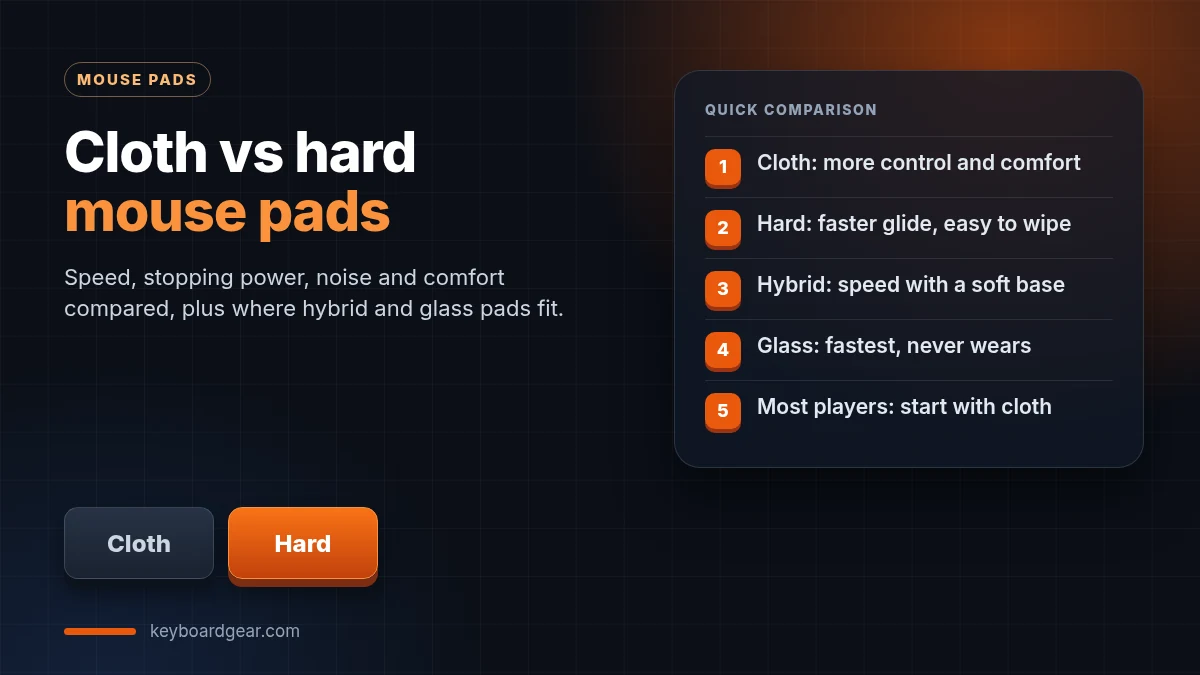
Cloth mouse pads have more friction, so they are better for control: your mouse stops where you want it, and the soft surface is quiet and comfortable under your wrist. Hard mouse pads (plastic, aluminium or glass) have less friction, so they are faster and easier to clean, but they are louder, colder and wear mouse feet faster.
If you are not sure, start with a cloth pad. Pick a hard or glass pad if you use a high sensitivity, play tracking-heavy games, or simply find cloth too slow. Hybrid pads sit in between.
The mouse pad is the cheapest part of a gaming or work setup, but it changes how your mouse feels more than most people expect. The same mouse can feel sluggish on one pad and slippery on another, and the difference comes down to the surface.
This guide compares the two main types, cloth and hard, on the things that actually matter: speed, stopping power, consistency, noise, comfort, durability and cleaning. It also covers hybrid and glass pads, which have become popular in the last few years.
Speed and control: the main difference
The key idea is friction. When you move a mouse, its feet slide on the pad. The more friction, the more effort it takes to start the mouse moving (static friction) and the more quickly it slows down when you stop pushing (dynamic friction).
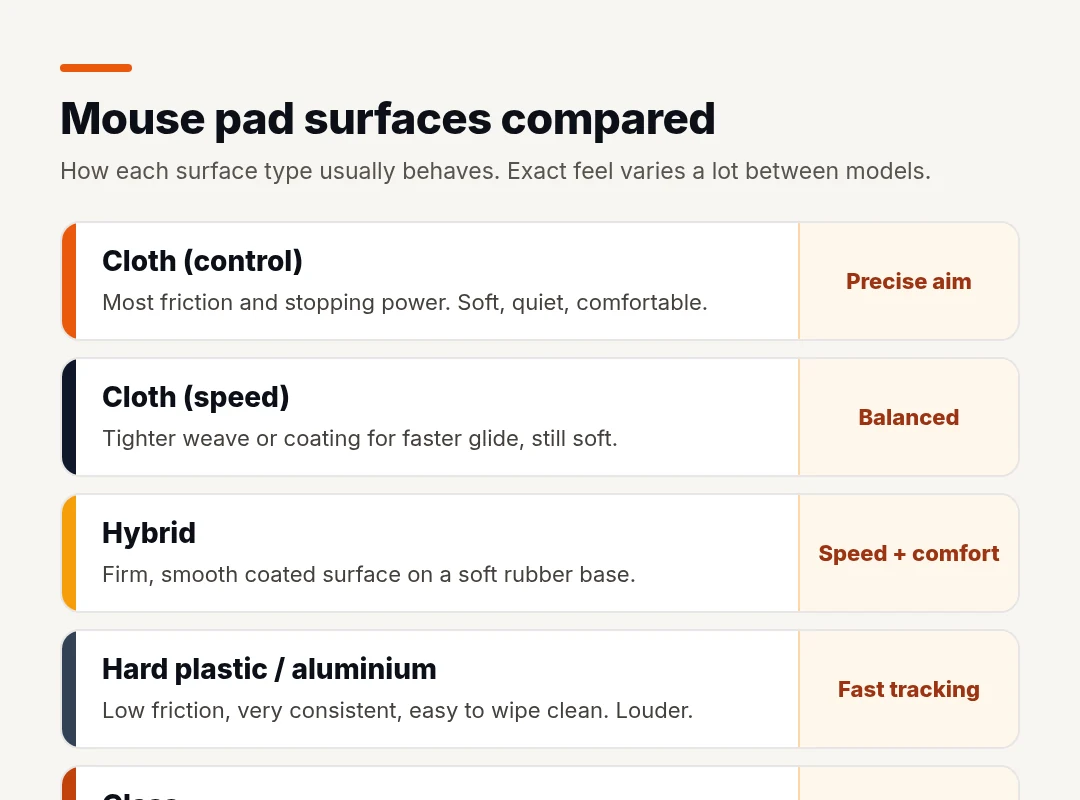
- Cloth pads have a woven fabric surface with more friction. That gives more stopping power: small, precise corrections are easier because the mouse doesn’t keep gliding when you stop. This is why many players of tactical shooters and anyone who aims with small, precise movements prefer cloth.
- Hard pads have a smooth plastic, aluminium or glass surface with less friction. The mouse starts moving with less force and glides further, which helps fast, sweeping movements and smooth tracking of moving targets.
Neither is objectively better. It depends on how you aim, your sensitivity and what you are used to. If you play at low sensitivity and move your whole arm, a large cloth pad gives you room and control. If you use a high sensitivity or a light mouse, a faster surface can feel more natural. Our guide to mouse DPI and sensitivity explains how sensitivity changes the movement you need.
Consistency and tracking
Modern optical sensors track well on both cloth and hard surfaces, and makers like SteelSeries tune their cloth surfaces to work at both low and high DPI. Tracking problems usually come from dirt, worn spots or a very reflective or transparent surface, not from cloth versus hard as such. (If you are curious why older laser sensors behaved differently, see optical vs laser mouse.)
Where hard pads have an edge is consistency over time. Cloth pads absorb sweat and skin oil, so they slowly get slower in the area where your hand rests. A hard pad’s glide stays the same as long as you wipe it now and then. Glass pads in particular hardly change at all.
Comfort, noise and feel
Cloth wins on comfort. It is soft and warm under your wrist and forearm, it has a cushioned rubber base, and it is nearly silent. Thick cloth pads also hide small bumps in your desk.
Hard pads are firmer, can feel cold and have edges you notice under your wrist. The mouse feet also make a scratchy sound as they slide, especially on textured plastic. If you share a room or record your voice, cloth is the quieter choice.
Durability and cleaning
| Factor | Cloth | Hard (plastic, aluminium, glass) |
|---|---|---|
| Glide speed | Slower, more stopping power | Faster, less friction |
| Control for small adjustments | Easier | Harder at first |
| Consistency over time | Slows down as it absorbs oil and sweat | Very consistent; glass barely changes |
| Comfort | Soft, cushioned, warm | Firm, can feel cold, harder edges |
| Noise | Nearly silent | Audible scratch from mouse feet |
| Wear on mouse feet | Low | Higher, especially textured plastic |
| Cleaning | Brush, wipe or hand-wash with care | Wipe with a damp cloth |
| Portability | Rolls up for travel | Rigid; glass is heavy and fragile |
| Price | Cheap to premium | Usually more, glass most of all |
Cloth pads are easy to replace, but their edges can fray and the surface wears down where your mouse moves most. Stitched edges help a lot. Cleaning takes more care, because soaking or the wrong soap can damage the base or the print; our guide on how to clean a mouse pad covers what each maker recommends.
Hard pads clean up with a damp cloth in seconds and don’t stain. The trade-off is that a textured hard surface wears your mouse feet faster, so you may need to replace the skates more often.
Hybrid pads: the middle ground
Hybrid pads, like the Razer Strider, use a firm, smooth surface on top of a soft rubber base. You get much of the speed and easy cleaning of a hard pad with the cushioning and rollability of a cloth pad. They often have water-resistant coatings and stitched edges.
A hybrid is a good choice if cloth feels too slow but a hard pad feels too slippery or uncomfortable. The downside is that a hybrid’s feel varies a lot between models, so read reviews of the specific pad.
Glass pads: maximum speed
Glass pads, such as the ASUS ROG Moonstone Ace L, are the fastest surfaces you can buy. Tempered glass doesn’t absorb anything and doesn’t wear, so the glide stays the same for years, and it is the easiest surface to clean. Many glass pads have an etched or textured finish so the mouse doesn’t stick.
They have clear downsides: they are expensive and heavy, cold under the wrist, and the low friction takes time to get used to. Some mice also wear their feet quickly on etched glass. Think of glass as an upgrade for players who already know they want speed, not as a default.
Which one should you buy?
Choose cloth if:
- You play tactical shooters or games where small, precise aim matters.
- You use a low sensitivity and aim with your arm.
- You want something quiet and comfortable for long sessions or office work.
- You want one big pad under both your keyboard and mouse (see our desk mats guide).
Choose hard, hybrid or glass if:
- You play tracking-heavy games or use a high sensitivity.
- Cloth feels sluggish or uneven to you.
- You want a pad you can wipe clean in seconds.
- Your cloth pads keep wearing out in one spot.
Your grip style matters too. Fingertip and claw grip players often make small, fast adjustments that suit either surface, while palm grip players tend to rest more weight on the mouse and the pad; see our guide to mouse grip styles.
Easy way to decide: if you already own a cloth pad, flip it over and try your mouse on a clean, smooth desk for a few minutes. If that feels better, a hard or hybrid pad is probably for you. If it feels too slippery, stick with cloth.
Our picks
For specific recommendations in every category, from control cloth to hybrid and glass, see our guide to the best gaming mouse pads. If you are also choosing a new mouse, our best gaming mouse guide pairs well with this one.
FAQ
Is a cloth or hard mouse pad better for FPS games?
Many FPS players, especially in tactical shooters, prefer cloth because the extra friction helps with small, precise corrections. Players who track fast-moving targets or use a high sensitivity often prefer a hard, hybrid or glass surface. Both are used at a high level.
Do hard mouse pads wear out mouse feet faster?
Usually yes. Textured plastic and etched glass surfaces wear mouse skates faster than cloth. Replacement skates are cheap, but it is worth knowing before you switch.
Are glass mouse pads worth it?
For players who want maximum speed and a surface that never changes, yes. For most people a good cloth or hybrid pad is cheaper, more comfortable and easier to get used to.
Does a mouse pad improve accuracy?
A mouse pad gives your sensor a consistent surface and your mouse feet a predictable glide, which helps accuracy compared with a bare desk. The bigger gains come from the right size and sensitivity rather than the surface type alone.
Can I use a hard mouse pad for office work?
Yes, but cloth is usually more comfortable and quieter for office use. A cloth desk mat under the keyboard and mouse is a popular choice for work setups.
Related guide: Mouse Pad Size Guide: Small, Medium, Large, XL or Desk Mat?
Sources
- SteelSeries: What makes a great gaming mousepad
- Corsair: How to clean CORSAIR mouse pads (cloth and hard surfaces)

Experience is what matters at the end!!
Hi! This is Jacob Jay – founder of Keyboardgear.com! From childhood to adulthood, I’ve always remained passionate about IT, and the revolution in this industry, especially gaming on the PC can’t go out of my way. Since I’m an enthusiastic gamer, and I love to experience various gaming accessories, particularly mechanical keyboards, that really boost my gaming adventure manifolds. So, my nerve cells hit me to transfer my experiences into word form and share with others to identify the ideal keyboards perfectly fit for their gaming modes.
I know very well how hard it is to find the high-quality items available on the internet that ought to be exactly the same as seen as on the screen. But the counterfeiters have ruined the user’s trust. As I have passed all such situations, I’m obliged to deliver the genuinity and express the same as what I am saying.
So, now, I’m working on the mission to provide very helpful and frankly but trustworthy reviews and guides about various mechanical keyboards, mouses, and other gaming accessories as per my personal experiences and sound knowledge.