

Quick answer
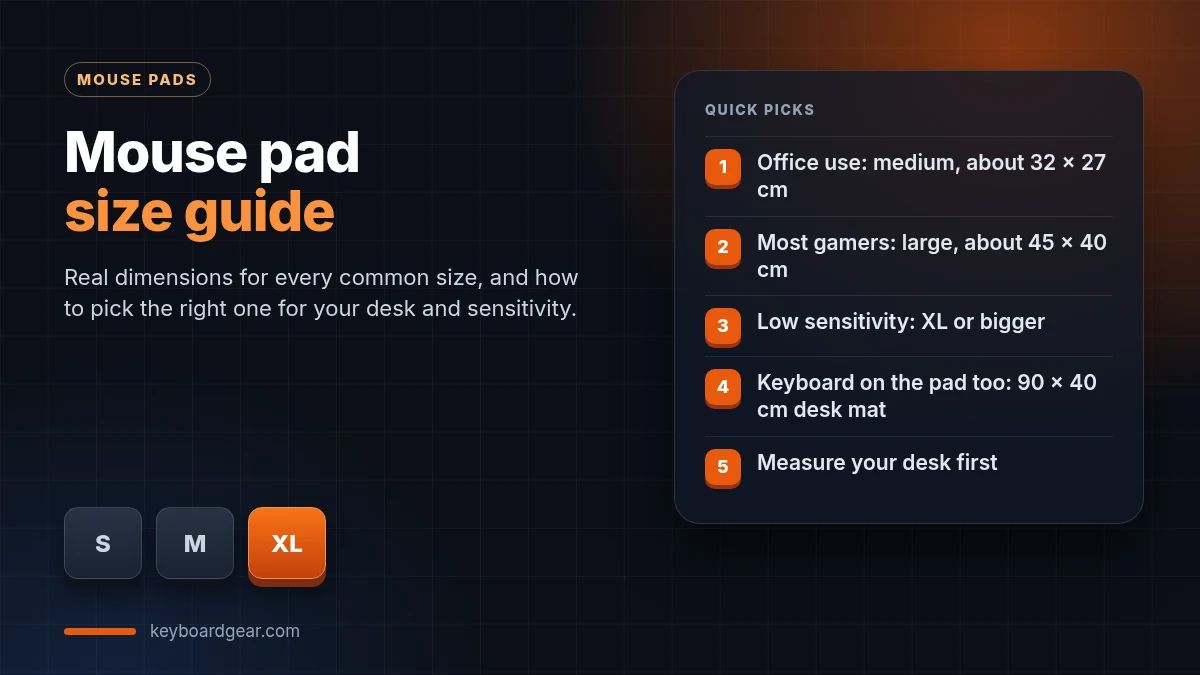
For most people, a large mouse pad around 45 x 40 cm is the safe choice for gaming, and a medium pad around 32 x 27 cm is enough for office work. If you play with low sensitivity or want your keyboard on the pad too, get an extended desk mat around 90 x 40 cm. Small pads (about 25 x 21 cm) suit travel and high-sensitivity users.
Size names vary by brand, so always compare the real dimensions, and measure your desk before you buy.
Mouse pad sizes sound simple until you shop for one. One brand’s “large” is another brand’s “medium”, “XL” can mean a pad you put only your mouse on or a desk mat that covers half your desk, and the right choice depends as much on how you move your mouse as on your desk.
This guide gives real dimensions for each common size, explains how sensitivity, grip and keyboard size affect what you need, and shows a two-minute way to work out your ideal pad.
Mouse pad sizes explained
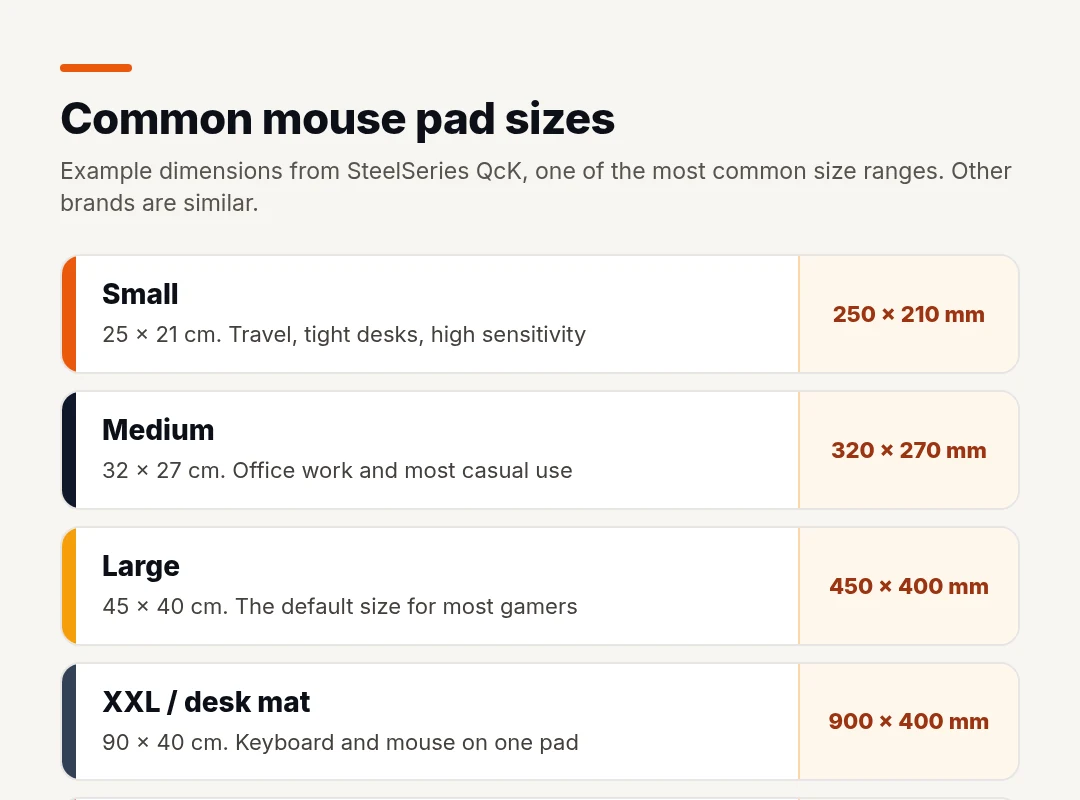
Most brands use a similar range of sizes. SteelSeries’ QcK line is a useful reference because it is so common:
| Size name | Typical dimensions | Best for |
|---|---|---|
| Small | 250 x 210 mm (about 10 x 8 in) | Travel, small desks, high sensitivity |
| Medium | 320 x 270 mm (about 13 x 11 in) | Office work, general use |
| Large | 450 x 400 mm (about 18 x 16 in) | Most gamers, mid sensitivity |
| XXL / extended | 900 x 400 mm (about 35 x 16 in) | Keyboard and mouse on one pad |
| 3XL | 1220 x 590 mm (about 48 x 23 in) | Large desks, multi-monitor setups |
| 4XL | 1220 x 762 mm (about 48 x 30 in) | Very deep desks, full desk coverage |
Other brands differ. Logitech, Razer, Corsair and others all have small, medium, large and extended pads, but sizes like “XL” may be 450 x 400 mm in one range and 900 x 400 mm in another. Check the millimetre dimensions, not the name.
What size do you actually need?
Start with your sensitivity
The single biggest factor is how far your mouse moves. High sensitivity (small wrist movements move the cursor a long way) needs little space; even a small or medium pad works. Low sensitivity, common in competitive shooters where you move your whole arm to turn, needs much more room, and a large or extended pad stops you running off the edge mid-turn.
A simple test: in your game, measure how far you move the mouse to make a full 360-degree turn. If you can do that comfortably within the pad’s width with room to spare, the pad is big enough. If you don’t game, notice how far your mouse moves when you cross the screen; most office users need well under 30 cm. Our guide to mouse DPI vs sensitivity explains how DPI and in-game sensitivity combine.
Think about your grip
Wrist-based aimers with a claw or fingertip grip tend to use less space than palm-grip arm aimers. If you aren’t sure how you hold your mouse, our mouse grip styles guide explains the three main grips and how they move.
Decide whether the keyboard goes on it
If you want your keyboard on the pad as well, you need an extended pad or desk mat. A full-size keyboard is roughly 44 to 46 cm wide, a tenkeyless board about 36 cm and compact 65% or 75% boards around 31 to 33 cm. Add the space you need for mouse movement, and a 90 x 40 cm desk mat is the usual answer. See our picks for the best desk mats if that’s the route you want.
How to measure your desk for a mouse pad
- Clear the area where your keyboard and mouse sit.
- Measure the width of the space you have from the left edge of your keyboard (or wherever you want the pad to start) to the right edge of your mouse area.
- Measure the depth from the front edge of the desk to the base of your monitor or monitor stand.
- Note anything in the way: a monitor stand foot, a speaker, a laptop stand or a desk edge with a lip.
- Choose a pad that fits inside those measurements with a little margin.
::tip
Depth is the dimension most people forget. A 40 cm deep desk mat can collide with monitor stand feet on a shallow desk. If you have a monitor arm, you get that depth back.
::
Size by use
| You… | Recommended size | Why |
|---|---|---|
| Do office work and browsing | Medium (about 32 x 27 cm) | Plenty of room for normal cursor movement |
| Play games at medium or high sensitivity | Large (about 45 x 40 cm) | Room for fast flicks without hitting the edge |
| Play shooters at low sensitivity | Large or XXL (45 x 40 to 90 x 40 cm) | Space for long arm movements |
| Want keyboard and mouse on one surface | XXL desk mat (90 x 40 cm) | Covers both, looks tidy |
| Travel with a laptop | Small (about 25 x 21 cm) | Fits in a laptop bag |
| Have a very large desk or two monitors | 3XL or 4XL | Covers most of the desk |
Thickness matters too
Most standard cloth pads are about 2 to 4 mm thick, and many desk mats are 3 to 4 mm. Thicker pads feel softer and smooth over small bumps in the desk, which helps on wooden or uneven desks. Thinner pads feel firmer and more consistent for precise aiming and sit lower, so the keyboard doesn’t rise much if it sits on the pad. Thickness is a feel preference; it doesn’t change tracking on a good sensor.
Surface and edges
Size is only one choice. The surface changes how fast the mouse glides and how much control you have; our cloth vs hard mouse pad guide explains the difference. Stitched edges stop larger cloth pads from fraying, which matters more on big pads where your forearm rests on the edge. A rubber base keeps the pad from sliding; on very large mats it also keeps the corners flat.
Big pad drawbacks
- Cleaning. A large desk mat collects crumbs and skin oil and won’t fit in a sink easily. See our mouse pad cleaning guide for safe methods.
- Space. Extended pads cover a lot of desk, which can be awkward if you write on paper or use a laptop beside the keyboard.
- Rolled-up storage curls. Big pads ship rolled and can take a day or two to lie flat; laying a few books on the corners helps.
- Price. Larger pads cost more, especially premium hybrid or glass surfaces.
Most people still find that a bigger pad is easier to live with than one that’s too small.
Building a full desk setup
If you are rearranging your whole desk, choose the pad after you have positioned your monitor, keyboard and chair, so it fits the real layout. Our desk setup guide walks through the order. For gaming-specific recommendations, see our picks for the best gaming mouse pads.
FAQ
What is the standard mouse pad size?
There is no single standard, but medium pads around 32 x 27 cm are typical for office use, and large pads around 45 x 40 cm are the most common gaming size.
Is a bigger mouse pad better?
For gaming, usually yes, as long as it fits your desk. More space lets you use lower sensitivity and avoids running out of room. For office work a medium pad is plenty.
What size mouse pad do pro gamers use?
Many competitive players, especially in shooters, use large pads around 45 x 40 cm or extended pads, because they play at low sensitivity and move their whole arm.
Should my keyboard be on the mouse pad?
It’s a preference. A desk mat under both gives a consistent surface and a tidy look; a separate pad keeps the keyboard on the hard desk. Make sure the keyboard sits flat either way.
What size is an XL mouse pad?
It depends on the brand. Some XL pads are about 45 x 40 cm, while many extended XL or XXL pads are about 90 x 40 cm. Always check the dimensions.
Bottom line
Match the pad to how far your mouse moves first: medium for office work, large for most gamers, and an extended 90 x 40 cm desk mat if you play at low sensitivity or want the keyboard on the pad too. Then measure your desk’s width and depth, and compare real dimensions rather than size names.
Sources

Experience is what matters at the end!!
Hi! This is Jacob Jay – founder of Keyboardgear.com! From childhood to adulthood, I’ve always remained passionate about IT, and the revolution in this industry, especially gaming on the PC can’t go out of my way. Since I’m an enthusiastic gamer, and I love to experience various gaming accessories, particularly mechanical keyboards, that really boost my gaming adventure manifolds. So, my nerve cells hit me to transfer my experiences into word form and share with others to identify the ideal keyboards perfectly fit for their gaming modes.
I know very well how hard it is to find the high-quality items available on the internet that ought to be exactly the same as seen as on the screen. But the counterfeiters have ruined the user’s trust. As I have passed all such situations, I’m obliged to deliver the genuinity and express the same as what I am saying.
So, now, I’m working on the mission to provide very helpful and frankly but trustworthy reviews and guides about various mechanical keyboards, mouses, and other gaming accessories as per my personal experiences and sound knowledge.