

Keyboard Gear earns from qualifying purchases through Amazon links.
The Logitech Signature Slim K950 is the best for most offices: full-size with a numpad, quiet and multi-device. Choose the Logitech MX Mechanical for low-profile mechanical keys and a backlight, the Cherry KC 200 MX for a wired tactile board with a calculator key, the Keychron C2 Pro on a budget, or the Keychron K10 Ultra for wireless hot-swap.
For data entry and accounting, the number pad matters most. Every pick here is full-size, with a dedicated numpad, so you can enter figures with one hand while the other stays on the mouse. Our 10-key typing guide explains the technique.
We chose five keyboards sold on Amazon US and checked each listing’s layout, switches, connection, seller and price on November 29, 2026.
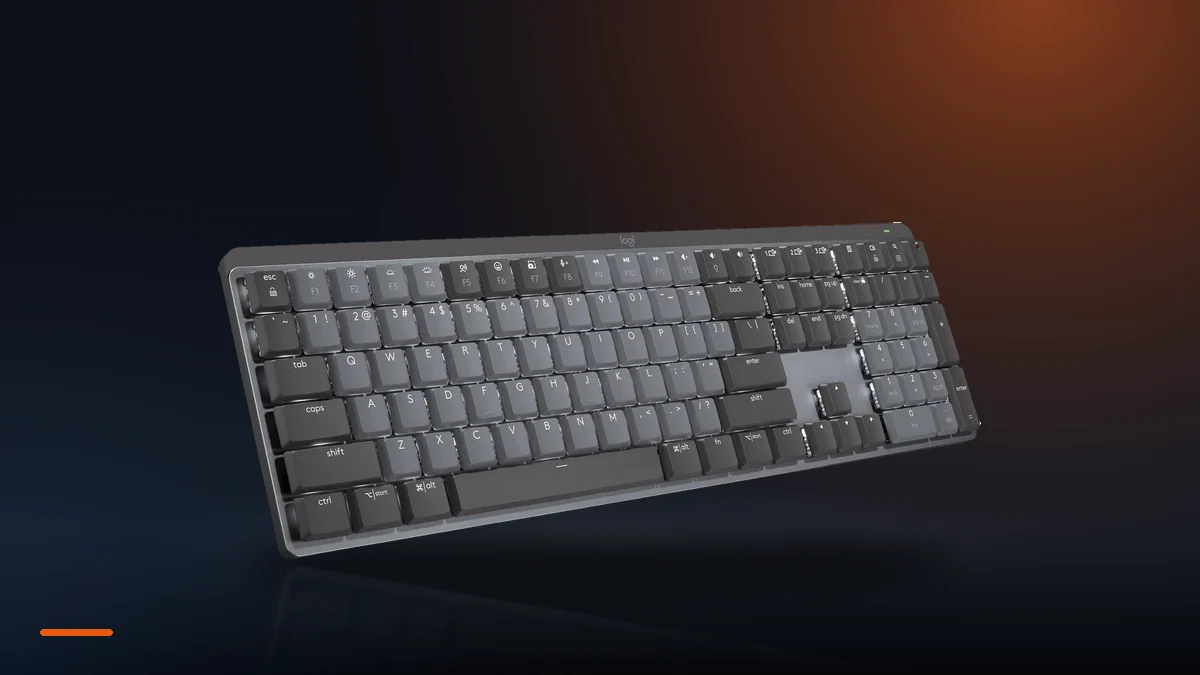
Best keyboards for data entry at a glance
| Product | Best for | Key specs | Price |
|---|---|---|---|
1 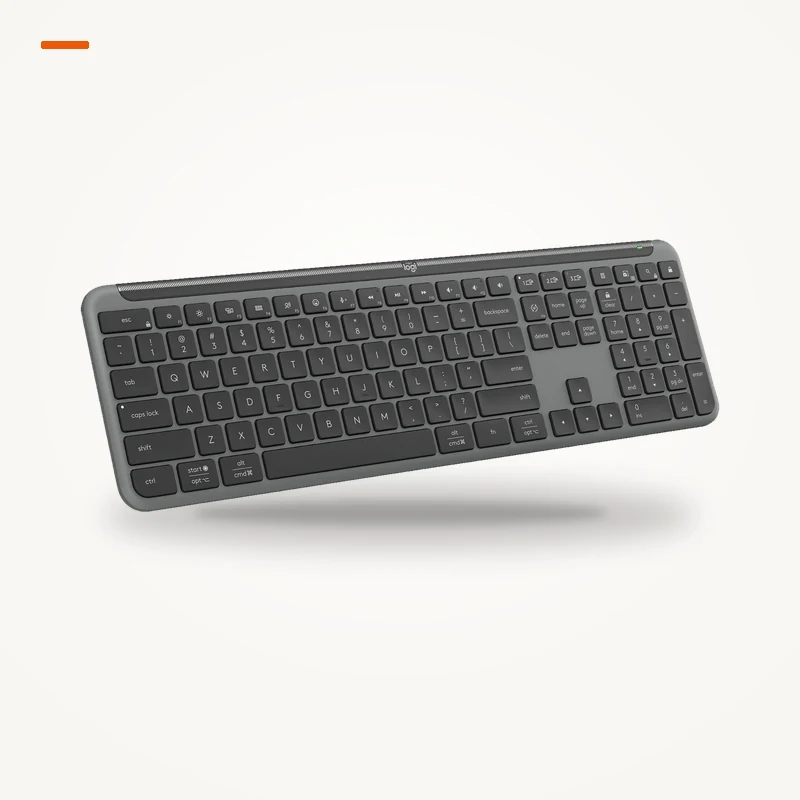 Logitech Signature Slim K950 |
Best quiet keyboard for offices |
|
Check Price |
2 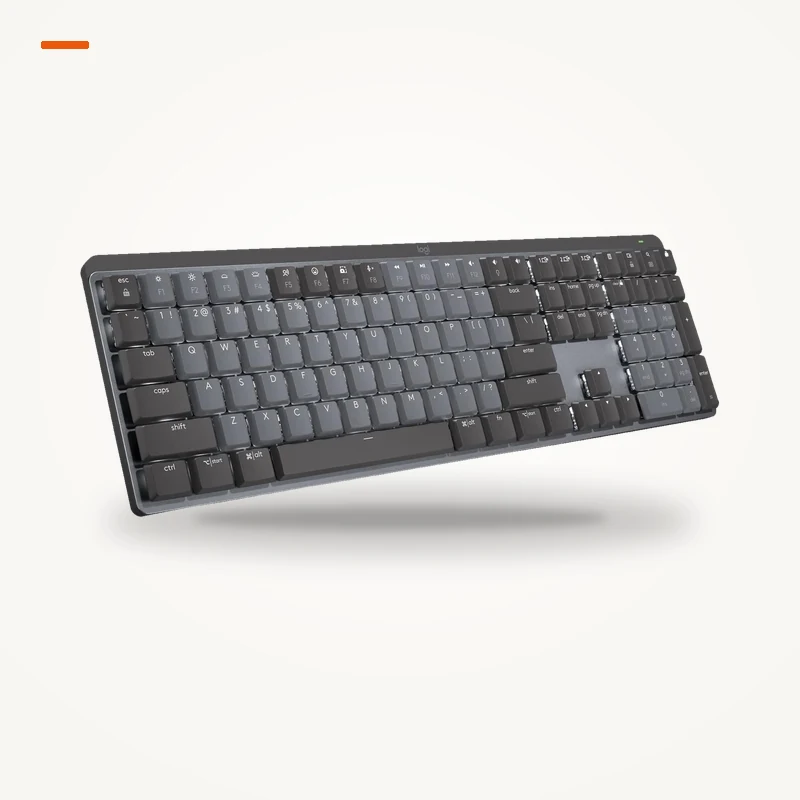 Logitech MX Mechanical (Linear) |
Best wireless mechanical |
|
Check Price |
3 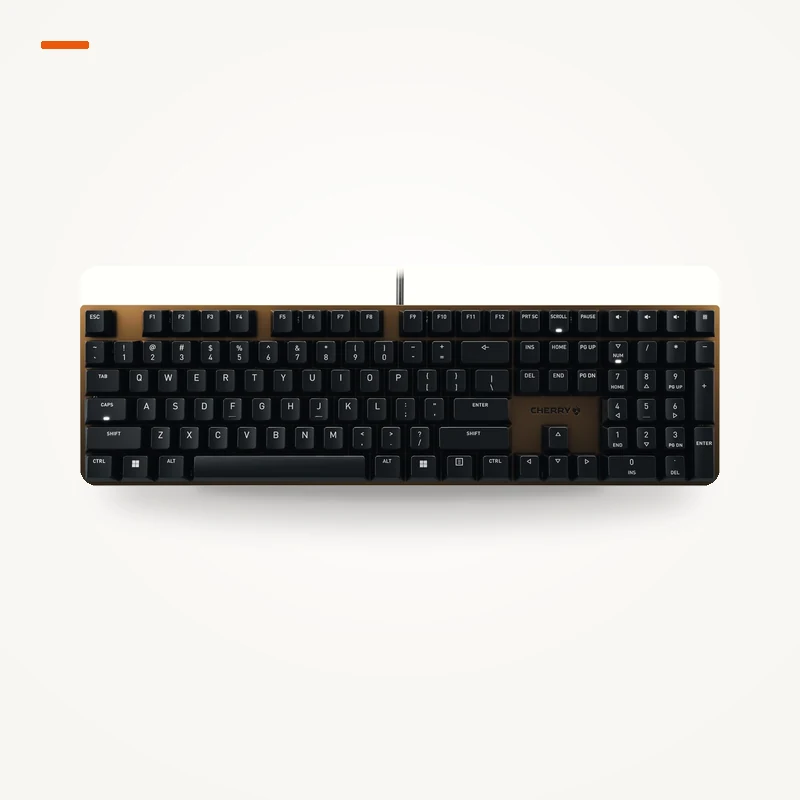 Cherry KC 200 MX (MX2A Brown) |
Best wired office mechanical |
|
Check Price |
4 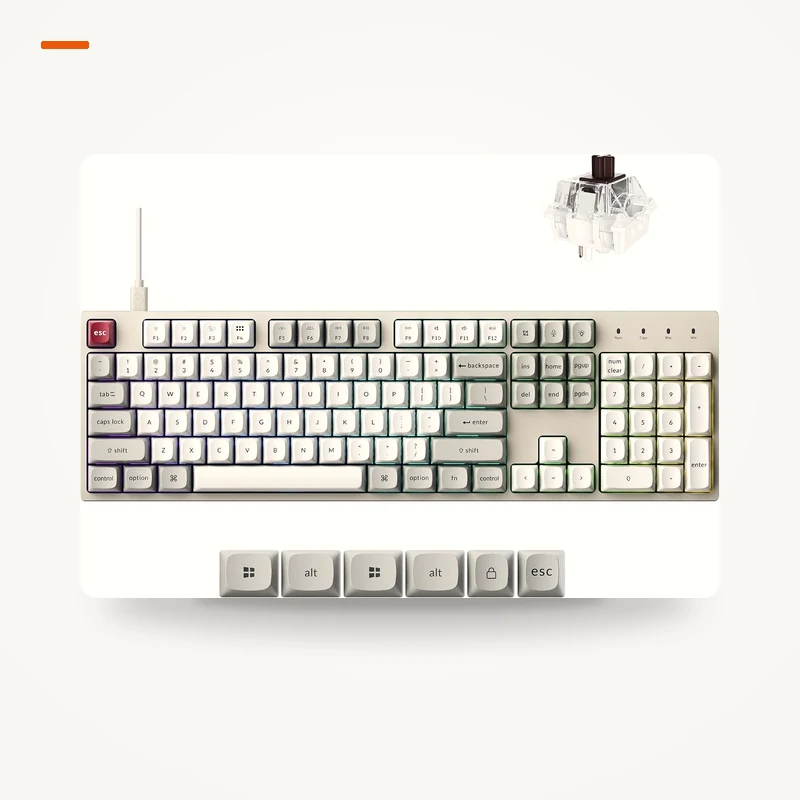 Keychron C2 Pro 8K |
Best budget mechanical |
|
Check Price |
5 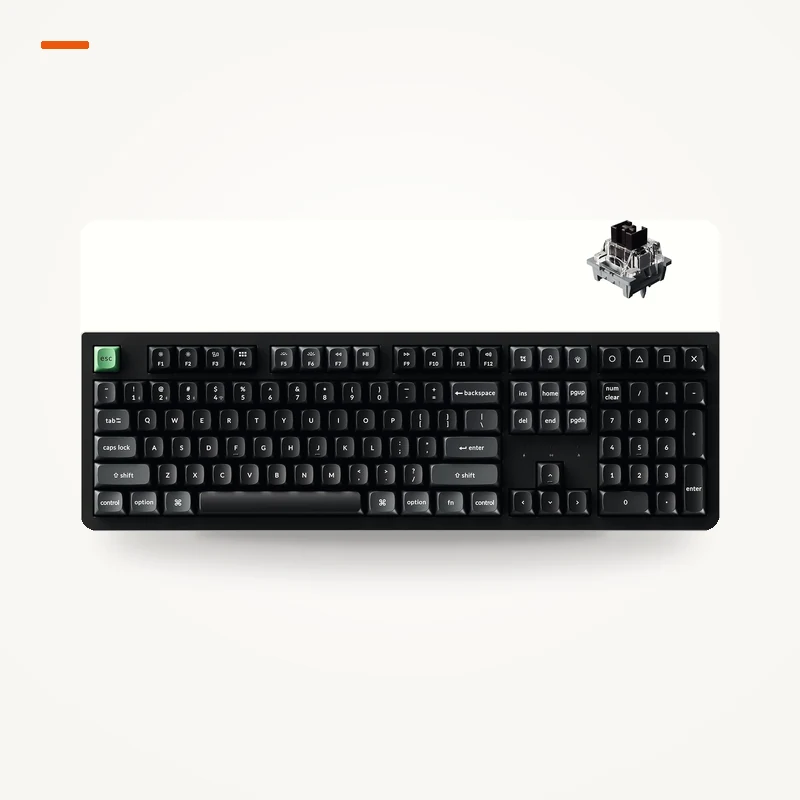 Keychron K10 Ultra 8K |
Best wireless hot-swap |
|
Check Price |
The best keyboards for data entry
1. Logitech Signature Slim K950 — laptop-style keys, full numpad, three devices
Who it’s for: Shared offices and accountants who want quiet, laptop-style keys and a numpad.
Logitech’s Signature Slim K950 is a full-size wireless keyboard with a number pad and quiet, laptop-style keys, so it suits open offices. It pairs with up to three devices over Bluetooth or a Logi Bolt receiver and works with Windows, macOS, ChromeOS, Linux, iPadOS, iOS and Android.
Shortcut keys handle mute, volume and the snipping tool, and the Logi Options+ app can customize keys on Windows and macOS. It was listed at $69.99, sold and shipped by Amazon, on November 29, 2026.
Key specs: Full-size wireless keyboard with numpad; quiet low-profile keys; Bluetooth and Logi Bolt; up to 3 devices; Windows, macOS, ChromeOS, Linux, iPadOS, iOS, Android; sold by Amazon.
- Quiet typing
- Three devices
- Sold by Amazon
- Not backlit
- Shallow key travel
2. Logitech MX Mechanical (Linear) — full-size low-profile mechanical with backlight
Who it’s for: Heavy typists who want mechanical keys in a low, office-friendly design.
The MX Mechanical is a full-size wireless keyboard with low-profile linear mechanical switches, smooth and quiet without a tactile bump. Backlighting turns on as your hands approach and adjusts to room light, and it pairs with up to three devices via Bluetooth or the included Logi Bolt receiver.
Logitech lists up to 15 days per charge with backlighting, or up to 10 months with it off. It was listed at $135.84, sold and shipped by Amazon, on November 29, 2026.
Key specs: Full-size wireless mechanical keyboard; low-profile linear switches; smart backlighting; Bluetooth and Logi Bolt; 3 devices; USB-C charging, up to 15 days lit or 10 months unlit; 17.8 x 5.9 x 2.1 in; sold by Amazon.
- Low-profile mechanical
- Backlit
- Long battery life
- Highest price here
3. Cherry KC 200 MX (MX2A Brown) — Cherry MX2A Brown, metal plate, calculator key
Who it’s for: Accountants and office workers who want a plug-in mechanical keyboard with a calculator key.
Cherry’s KC 200 MX is a wired full-size office keyboard with Cherry’s MX2A Brown switches, which have a tactile bump but no click, on an anodized metal plate. It has full N-key rollover, laser-etched keycaps, status LEDs and four extra keys, including one that opens the calculator app.
It’s wired only and Windows-focused (the listing names PC compatibility). It was listed at $75.11, sold by CHERRY AMERICAS, on November 29, 2026.
Key specs: Wired full-size mechanical office keyboard; Cherry MX2A Brown tactile switches; metal plate; N-key rollover; calculator and volume keys; laser-etched keycaps; 16.93 x 4.76 x 1.54 in; sold by CHERRY AMERICAS.
- Calculator key
- Tactile, not clicky
- Metal plate
- Wired only
- No backlight
4. Keychron C2 Pro 8K — wired full-size with QMK remapping and PBT keycaps
Who it’s for: Budget buyers who want a mechanical full-size board they can remap for data entry shortcuts.
Keychron’s C2 Pro 8K is a wired full-size mechanical keyboard with PBT keycaps and QMK firmware, so you can remap keys and create macros in the Keychron Launcher web app. It includes Mac and Windows keycaps with a system toggle.
Its 8,000 Hz polling rate is aimed at gaming and won’t change data entry speed, but it doesn’t hurt. It was listed at $48.74, sold by Keychron Store, on November 29, 2026.
Key specs: Wired full-size mechanical keyboard; QMK firmware and Keychron Launcher remapping; PBT keycaps; Mac and Windows keycaps and toggle; south-facing RGB; up to 8K polling; sold by Keychron Store.
- Low price
- Fully remappable
- PBT keycaps
- Wired only
- Taller than low-profile boards
5. Keychron K10 Ultra 8K — full-size, tri-mode, hot-swappable
Who it’s for: People who want a wireless full-size mechanical board they can tune with different switches.
Keychron’s K10 Ultra 8K is a full-size wireless mechanical keyboard that connects by Bluetooth 5.2 (up to three devices), 2.4 GHz or cable. It’s hot-swappable, so you can change switches without soldering, and it uses ZMK firmware with the Keychron Launcher app for remapping and macros.
Keychron lists up to 600 hours of use at 8,000 Hz with backlighting off from its 4,000 mAh battery, and it includes Mac and Windows keycaps. It was listed at $103.49, sold by Keychron Store, on November 29, 2026.
Key specs: Full-size wireless mechanical keyboard; Bluetooth 5.2 (3 devices), 2.4 GHz, USB-C; hot-swappable for 3- and 5-pin MX switches; ZMK and Keychron Launcher; 4,000 mAh battery; PBT keycaps; sold by Keychron Store.
- Tri-mode wireless
- Hot-swappable
- Remappable
- Tall profile
- Pricier than C2 Pro
Data entry keyboards compared
| Keyboard | Keys | Connection | Price (November 29) |
|---|---|---|---|
| Logitech K950 | Quiet low-profile | Bluetooth, Logi Bolt | $69.99 |
| Logitech MX Mechanical | Low-profile linear | Bluetooth, Logi Bolt | $135.84 |
| Cherry KC 200 MX | MX2A Brown tactile | Wired | $75.11 |
| Keychron C2 Pro 8K | Mechanical, PBT | Wired | $48.74 |
| Keychron K10 Ultra 8K | Hot-swap mechanical | Bluetooth, 2.4 GHz, wired | $103.49 |
Prices are what each listing showed on November 29, 2026 and can change at any time.
How to choose a keyboard for data entry
- Get a full numpad. A full-size or 96% layout keeps the number pad; our keyboard sizes guide shows the difference.
- Pick a key feel. Low-profile keys are quieter and closer to a laptop; mechanical switches give clearer feedback for long sessions.
- Think about noise. Shared offices favor quiet or linear switches over clicky ones.
- Check remapping. Programmable keys can hold shortcuts you use daily; see how to remap keys.
| Need | Best pick |
|---|---|
| Quiet office | Logitech K950 |
| Mechanical, low-profile | Logitech MX Mechanical |
| Wired with calculator key | Cherry KC 200 MX |
| Lowest price | Keychron C2 Pro 8K |
| Wireless and hot-swappable | Keychron K10 Ultra 8K |
Already have a compact keyboard you like? Add one of our best number pads instead of replacing it. If the numpad stops working, check Num Lock and other fixes.
- Spreadsheet work? Our Excel and Google Sheets shortcuts list saves more time than any keyboard.
- Laptop only? See our laptop numpad guide for options.
- More mechanical choices are in our best full-size mechanical keyboards.
FAQ
What keyboard is best for data entry?
A full-size keyboard with a dedicated number pad. The Logitech K950 is a quiet all-round pick; the MX Mechanical suits people who prefer mechanical keys.
Are mechanical keyboards better for data entry?
Not necessarily. Some people prefer their clear feedback, while others prefer quiet low-profile keys. Both work well.
Do I need a numpad for accounting?
It’s strongly recommended. A numpad lets you enter numbers with one hand much faster than the number row.
Is a wireless keyboard OK for data entry?
Yes. Modern wireless keyboards like the K950 and MX Mechanical have reliable connections for office work.
What switch is best for an office?
Quiet linear or tactile switches, such as Cherry MX2A Brown or low-profile linear, are good choices for shared spaces.
Final thoughts
Get the Logitech K950 for a quiet office keyboard, the MX Mechanical for low-profile mechanical keys, the Cherry KC 200 MX for a wired tactile board with a calculator key, the Keychron C2 Pro on a budget, and the Keychron K10 Ultra for wireless hot-swap flexibility.

Experience is what matters at the end!!
Hi! This is Jacob Jay – founder of Keyboardgear.com! From childhood to adulthood, I’ve always remained passionate about IT, and the revolution in this industry, especially gaming on the PC can’t go out of my way. Since I’m an enthusiastic gamer, and I love to experience various gaming accessories, particularly mechanical keyboards, that really boost my gaming adventure manifolds. So, my nerve cells hit me to transfer my experiences into word form and share with others to identify the ideal keyboards perfectly fit for their gaming modes.
I know very well how hard it is to find the high-quality items available on the internet that ought to be exactly the same as seen as on the screen. But the counterfeiters have ruined the user’s trust. As I have passed all such situations, I’m obliged to deliver the genuinity and express the same as what I am saying.
So, now, I’m working on the mission to provide very helpful and frankly but trustworthy reviews and guides about various mechanical keyboards, mouses, and other gaming accessories as per my personal experiences and sound knowledge.