

Quick answer
On Windows, install Microsoft’s free PowerToys, open Keyboard Manager and use Remap a key or Remap a shortcut. On a Mac, change modifier keys in System Settings > Keyboard > Keyboard Shortcuts > Modifier Keys, and use the free Karabiner-Elements for anything else. On a Chromebook, go to Settings > Device > Keyboard and inputs to remap modifier keys.
If your keyboard has its own software (Logi Options+, Razer Synapse, Corsair iCUE) or supports VIA or QMK, you can remap keys in the keyboard itself, so the change works on any computer.
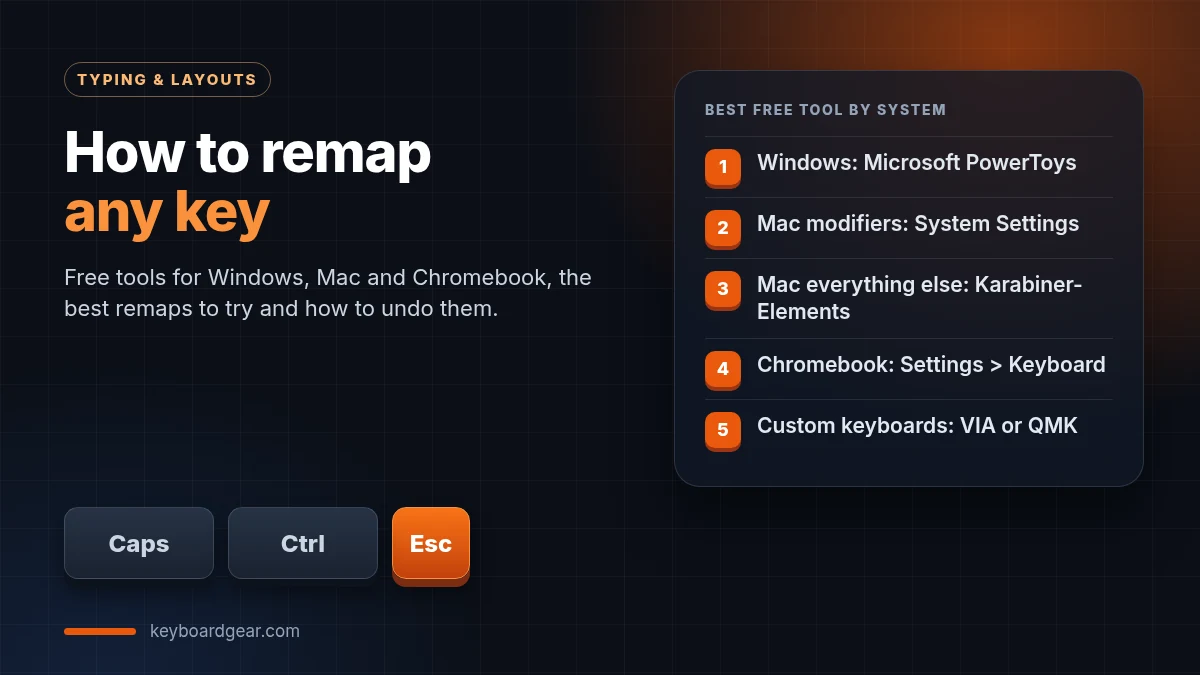
Remapping a key means telling your computer, or your keyboard, to send something different when you press it. It is one of the easiest ways to make a keyboard fit you: put Ctrl where Caps Lock is, swap keys so a Windows keyboard behaves like a Mac one, turn a key you never use into mute, or stop yourself from closing an app by accident.
There are two places to remap: in software on your computer, which affects only that computer, or in the keyboard itself, using its software or firmware, so the remap goes wherever the keyboard goes. This guide covers both, on every common system.
Remap keys on Windows with PowerToys
PowerToys is a free set of utilities from Microsoft, and its Keyboard Manager is the simplest safe way to remap keys on Windows 10 and 11.
- Install Microsoft PowerToys from the Microsoft Store or Microsoft’s GitHub page.
- Open PowerToys and select Keyboard Manager in the left menu, then make sure Enable Keyboard Manager is on.
- Select Remap a key.
- Select Add key remapping. In the Select column, choose the key you want to change, either from the list or by pressing it. In the To send column, choose the key, shortcut or text you want it to send.
- Select OK to save.
To swap two keys, such as A and B, add two remaps: A sends B, and B sends A. Keyboard Manager can also map a key to a shortcut (for example, a spare key to Win + Left) or to text, so a key types a phrase.
Remap shortcuts
To change a shortcut, select Remap a shortcut instead. For example, you can make Alt + C send Ctrl + C. Shortcut remaps can apply everywhere or only in a specific app.
Limits to know
According to Microsoft’s documentation:
- PowerToys must be running in the background with Keyboard Manager enabled for remaps to work. To undo remaps quickly, close PowerToys or turn off Keyboard Manager.
- Win + L and Ctrl + Alt + Del can’t be remapped because Windows reserves them.
- The Fn key can’t be remapped in most cases, because it is usually handled inside the keyboard. Our Fn Lock guide covers what you can change.
- Remaps don’t work in apps running as administrator unless PowerToys also runs as administrator, and they don’t work on the sign-in screen.
::tip
Before you remap, try a remap for a day before adding more. If something goes wrong, closing PowerToys instantly returns every key to normal.
::
Remap keys on a Mac
Modifier keys (built in)
macOS lets you change what the modifier keys do without installing anything:
- Open Apple menu > System Settings > Keyboard.
- Select Keyboard Shortcuts, then Modifier Keys.
- Choose the keyboard from the menu at the top if you have more than one.
- Change Caps Lock, Control, Option, Command and Globe/Fn to the action you want, then select Done.
This is the setting to use if you plug a Windows keyboard into a Mac and the Windows and Alt keys feel backwards: swap Option and Command so they sit where a Mac keyboard has them. Our guide to which keyboards work with a Mac explains the key differences.
Everything else: Karabiner-Elements
For remaps beyond modifier keys, the free, open-source Karabiner-Elements is the standard tool. It can remap any key, create complex rules (such as Caps Lock acting as Esc when tapped and Ctrl when held) and set different rules per keyboard. It needs macOS permissions for input monitoring when you first install it.
Remap keys on a Chromebook
- Select the time at the bottom right, then the Settings gear.
- Go to Device > Keyboard and inputs (or Keyboard on older ChromeOS).
- Choose the keyboard if you have more than one, then change what keys like Search/Launcher, Ctrl, Alt, Esc and Backspace do.
ChromeOS lets you turn the Search key into Caps Lock, for example, which helps if you miss a dedicated Caps Lock.
Remap keys in your keyboard’s software
Many keyboards and mice come with their own software that can remap keys and store the change on the keyboard:
- Logitech: Logi Options+ for MX and everyday keyboards, G HUB for gaming keyboards.
- Razer: Razer Synapse.
- Corsair: iCUE.
- SteelSeries: SteelSeries GG.
- Keychron and many custom keyboards: the VIA or Keychron Launcher web app, or QMK firmware.
Keyboard-level remaps have a big advantage: if the keyboard saves the remap to its onboard memory, it works on any computer, without installing anything. On VIA or QMK keyboards you can also use layers, so holding a key turns other keys into arrows, media controls or a number pad. Some features need the software running; check whether your keyboard saves profiles onboard.
Remap keys on Linux
Most desktop environments have keyboard options for common remaps; for example, GNOME’s Tweaks app has options such as making Caps Lock an extra Ctrl. For more control, tools like keyd or xkb options cover almost anything.
Useful remaps to try
| Remap | Why it helps | How |
|---|---|---|
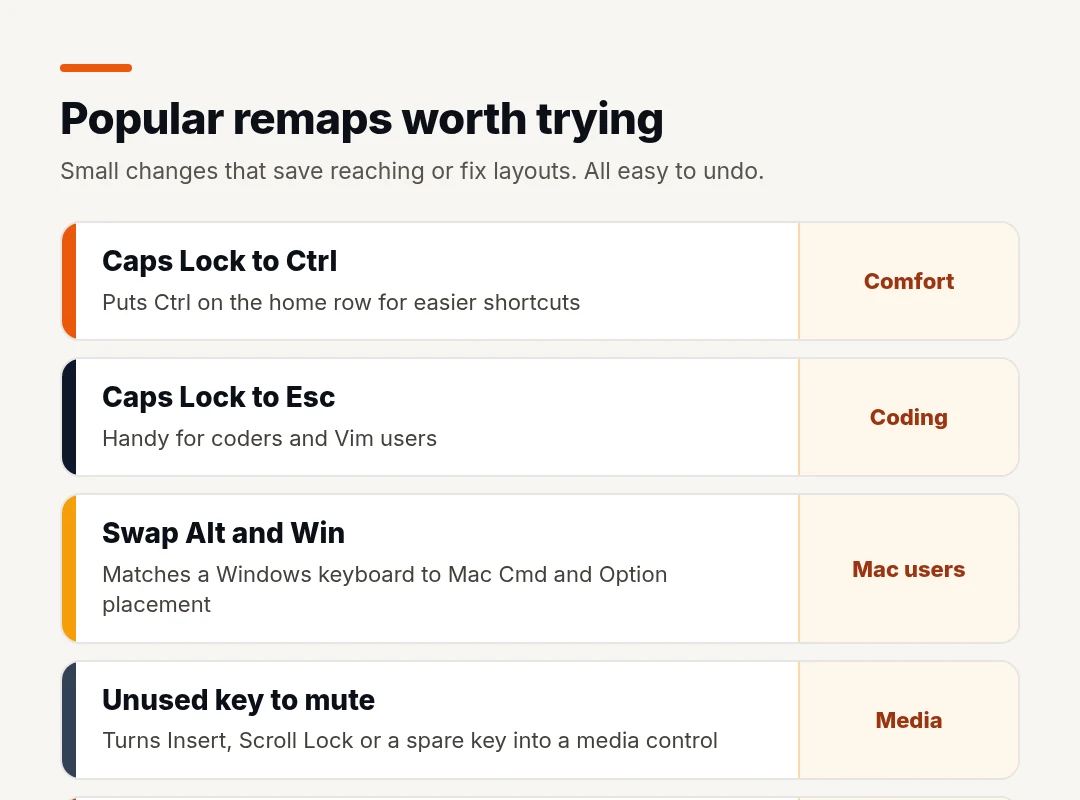
| Caps Lock to Ctrl | Ctrl on the home row, less pinky stretching for shortcuts | PowerToys, Mac Modifier Keys, ChromeOS, VIA |
| Caps Lock to Esc | Popular with coders and Vim users | PowerToys, Karabiner, VIA |
| Swap Alt and Win | Windows keyboard behaves like Mac Option and Command | Mac Modifier Keys |
| Spare key to Mute or Play/Pause | Media controls on boards without media keys | PowerToys, keyboard software |
| Right Alt to Ctrl | Right-hand Ctrl on laptops without one | PowerToys |
| Ctrl + Q to something else | Stop quitting apps by accident | PowerToys shortcut remap, Karabiner |
If you are remapping because the wrong characters appear, check your layout first; our guide to changing your keyboard layout and the keyboard typing wrong characters checklist cover that. Once your keys are where you want them, our Windows keyboard shortcuts cheat sheet is a good place to start using them.
Advanced: registry and scripting
Windows can also remap keys through a registry setting called Scancode Map, which works at a lower level and doesn’t need PowerToys running. It requires editing the registry and a restart, and mistakes can make keys unusable until you undo them, so most people are better off with PowerToys. AutoHotkey is a free scripting tool for complex remaps, macros and text expansion if PowerToys isn’t flexible enough.
::warn
Back up the registry before editing it, and never remap the only keys you need to undo a change. Keep a second keyboard handy if you experiment with low-level remaps.
::
How to undo a remap
- PowerToys: delete the row in Keyboard Manager, turn Keyboard Manager off, or close PowerToys.
- Mac Modifier Keys: open the same menu and select Restore Defaults.
- Karabiner-Elements: remove the rule, or quit the app.
- Chromebook: set each key back to its own name in keyboard settings.
- Keyboard software or VIA: reset the profile or keymap to default, or follow the keyboard’s factory reset steps.
FAQ
How do I remap a key on Windows 11 without software?
Windows 11 doesn’t have a built-in remapping menu. Microsoft’s free PowerToys is the official, easiest option. The registry Scancode Map method works without extra software but is riskier.
Can I remap the Fn key?
Usually not in software, because the Fn key is handled inside the keyboard. Some keyboards let you change it in their own software or firmware, such as VIA or QMK.
Do remaps work in games?
PowerToys remaps generally work in games, but some games with anti-cheat or that read keys at a low level may ignore them. Keyboard-level remaps are the most reliable for games.
Is Karabiner-Elements safe?
It is a widely used open-source tool. It needs input monitoring permission because it has to read your key presses to remap them, so download it only from its official site.
Will remapping keys void my warranty?
No. Software remaps don’t change the keyboard at all, and keyboard software or VIA remaps are a normal, supported feature.
Bottom line
For most people, PowerToys on Windows and the Modifier Keys menu on Mac cover everything they need, with Karabiner-Elements for anything more advanced. If you want a remap to follow your keyboard everywhere, set it in the keyboard’s own software or VIA. Start with one or two remaps, like Caps Lock to Ctrl, and add more once they feel natural.
Related guide: How to Disable a Laptop Keyboard on Windows, Mac and Linux
Sources

Experience is what matters at the end!!
Hi! This is Jacob Jay – founder of Keyboardgear.com! From childhood to adulthood, I’ve always remained passionate about IT, and the revolution in this industry, especially gaming on the PC can’t go out of my way. Since I’m an enthusiastic gamer, and I love to experience various gaming accessories, particularly mechanical keyboards, that really boost my gaming adventure manifolds. So, my nerve cells hit me to transfer my experiences into word form and share with others to identify the ideal keyboards perfectly fit for their gaming modes.
I know very well how hard it is to find the high-quality items available on the internet that ought to be exactly the same as seen as on the screen. But the counterfeiters have ruined the user’s trust. As I have passed all such situations, I’m obliged to deliver the genuinity and express the same as what I am saying.
So, now, I’m working on the mission to provide very helpful and frankly but trustworthy reviews and guides about various mechanical keyboards, mouses, and other gaming accessories as per my personal experiences and sound knowledge.