

Quick answer
The Excel and Google Sheets shortcuts that save the most time are Ctrl + Arrow to jump to the edge of your data, Ctrl + Shift + Arrow to select to the edge, Ctrl + D and Ctrl + R to fill down and right, Ctrl + Space and Shift + Space to select a column or row, Ctrl + ; to insert today’s date and Ctrl + Enter to fill a selection. In Google Sheets, Ctrl + Shift + V pastes values only and Ctrl + / shows every shortcut.

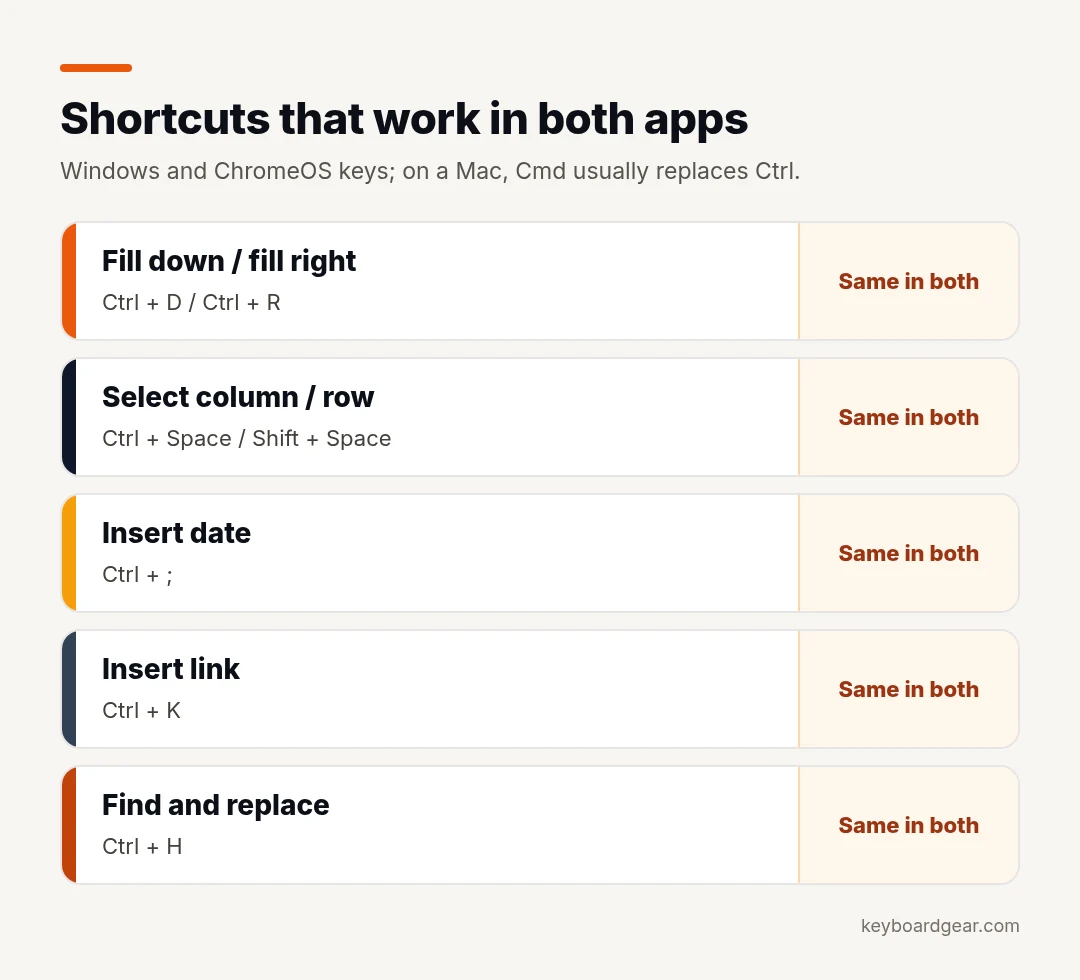
The shortcuts below are listed for Windows (and ChromeOS for Sheets). On a Mac, Cmd usually replaces Ctrl, though some Excel for Mac shortcuts differ, so check Microsoft’s Mac list if one doesn’t work. All of them come from Microsoft’s and Google’s official shortcut pages.
Excel: navigation and selection
| Action | Excel shortcut |
|---|---|
| Jump to the edge of the data region | Ctrl + Arrow key |
| Extend selection to the last non-blank cell | Ctrl + Shift + Arrow key |
| Go to the beginning of the worksheet | Ctrl + Home |
| Go to the next or previous sheet | Ctrl + Page Down / Ctrl + Page Up |
| Select the entire column | Ctrl + Space |
| Select the entire row | Shift + Space |
| Select the entire worksheet | Ctrl + A |
| Insert a new worksheet | Shift + F11 |
Excel: entering and editing data
| Action | Excel shortcut |
|---|---|
| Edit the active cell | F2 |
| New line in the same cell | Alt + Enter |
| Fill the selected range with the current entry | Ctrl + Enter |
| Fill down | Ctrl + D |
| Fill right | Ctrl + R |
| Flash Fill | Ctrl + E |
| Insert today’s date | Ctrl + ; |
| Insert the current time | Ctrl + Shift + : |
| Paste Special | Ctrl + Alt + V |
| Insert cells, rows or columns | Ctrl + Shift + Plus |
| Delete cells, rows or columns | Ctrl + Minus |
Select a whole range, type a value or formula, and press Ctrl + Enter to put it in every selected cell at once. It’s faster than copying and pasting.
Excel: formulas and formatting
| Action | Excel shortcut |
|---|---|
| Insert the SUM formula | Alt + = |
| Toggle absolute and relative references | F4 |
| Show formulas instead of values | Ctrl + ` |
| Calculate all open workbooks | F9 |
| Open Format Cells | Ctrl + 1 |
| Currency format | Ctrl + Shift + $ |
| Percentage format | Ctrl + Shift + % |
| Create a table | Ctrl + T |
| Add or remove a filter | Ctrl + Shift + L |
| Hide selected rows | Ctrl + 9 |
| Insert a hyperlink | Ctrl + K |
That’s 30 Excel shortcuts. If your function keys change the volume instead, see what the F1 to F12 keys do and how Fn Lock works.
Google Sheets: 20 shortcuts worth knowing
| Action | Google Sheets shortcut |
|---|---|
| Show all keyboard shortcuts | Ctrl + / |
| Paste values only | Ctrl + Shift + V |
| Select column / row | Ctrl + Space / Shift + Space |
| Fill down / fill right | Ctrl + D / Ctrl + R |
| Fill range | Ctrl + Enter |
| Insert date | Ctrl + ; |
| Insert time | Ctrl + Shift + ; |
| Insert link | Ctrl + K |
| Open hyperlink | Alt + Enter |
| Insert or edit a comment | Ctrl + Alt + M |
| Insert or edit a note | Shift + F2 |
| Find and replace | Ctrl + H |
| Format as decimal | Ctrl + Shift + 1 |
| Format as currency | Ctrl + Shift + 4 |
| Format as percentage | Ctrl + Shift + 5 |
| Strikethrough | Alt + Shift + 5 |
| Center align | Ctrl + Shift + E |
| Open the insert menu (cells selected) | Ctrl + Alt + = |
| Open the delete menu (cells selected) | Ctrl + Alt + minus |
| Open revision history | Ctrl + Alt + Shift + H |
Alt + Enter does different things in the two apps: it adds a new line inside a cell in Excel but opens a hyperlink in Google Sheets. Google’s list notes that some shortcuts also differ by country keyboard layout.
How to learn shortcuts without memorizing all 50
- Pick three a week. Start with navigation and fill shortcuts, which you’ll use every day.
- Use the built-in lists. Ctrl + / in Sheets, and Microsoft’s shortcut page for Excel.
- Map the rest to keys. A macro pad or programmable keyboard can run long shortcuts with one key; see what are keyboard macros.
For system-wide shortcuts, see our Windows keyboard shortcuts and Mac keyboard shortcuts guides.
FAQ
Do Excel shortcuts work in Google Sheets?
Many do, including Ctrl + D, Ctrl + R, Ctrl + Space, Ctrl + ; and Ctrl + K, but some, like Alt + Enter, behave differently.
How do I see all shortcuts in Google Sheets?
Press Ctrl + / (Cmd + / on a Mac).
How do I paste values only?
In Google Sheets press Ctrl + Shift + V. In Excel, press Ctrl + Alt + V to open Paste Special and choose Values.
What’s the shortcut for SUM in Excel?
Alt + = inserts a SUM formula for the cells above or to the left.
Do these shortcuts work on a Mac?
Most work with Cmd instead of Ctrl, but Excel for Mac has some different shortcuts.
Final thoughts
You don’t need all 50 at once. Learn to move and select with Ctrl + Arrow and Ctrl + Shift + Arrow, fill with Ctrl + D and Ctrl + Enter, and use the built-in shortcut lists for the rest. The time savings add up quickly.
Sources
- Microsoft Support: Keyboard shortcuts in Excel
- Google Docs Editors Help: Keyboard shortcuts for Google Sheets

Experience is what matters at the end!!
Hi! This is Jacob Jay – founder of Keyboardgear.com! From childhood to adulthood, I’ve always remained passionate about IT, and the revolution in this industry, especially gaming on the PC can’t go out of my way. Since I’m an enthusiastic gamer, and I love to experience various gaming accessories, particularly mechanical keyboards, that really boost my gaming adventure manifolds. So, my nerve cells hit me to transfer my experiences into word form and share with others to identify the ideal keyboards perfectly fit for their gaming modes.
I know very well how hard it is to find the high-quality items available on the internet that ought to be exactly the same as seen as on the screen. But the counterfeiters have ruined the user’s trust. As I have passed all such situations, I’m obliged to deliver the genuinity and express the same as what I am saying.
So, now, I’m working on the mission to provide very helpful and frankly but trustworthy reviews and guides about various mechanical keyboards, mouses, and other gaming accessories as per my personal experiences and sound knowledge.