

Quick answer
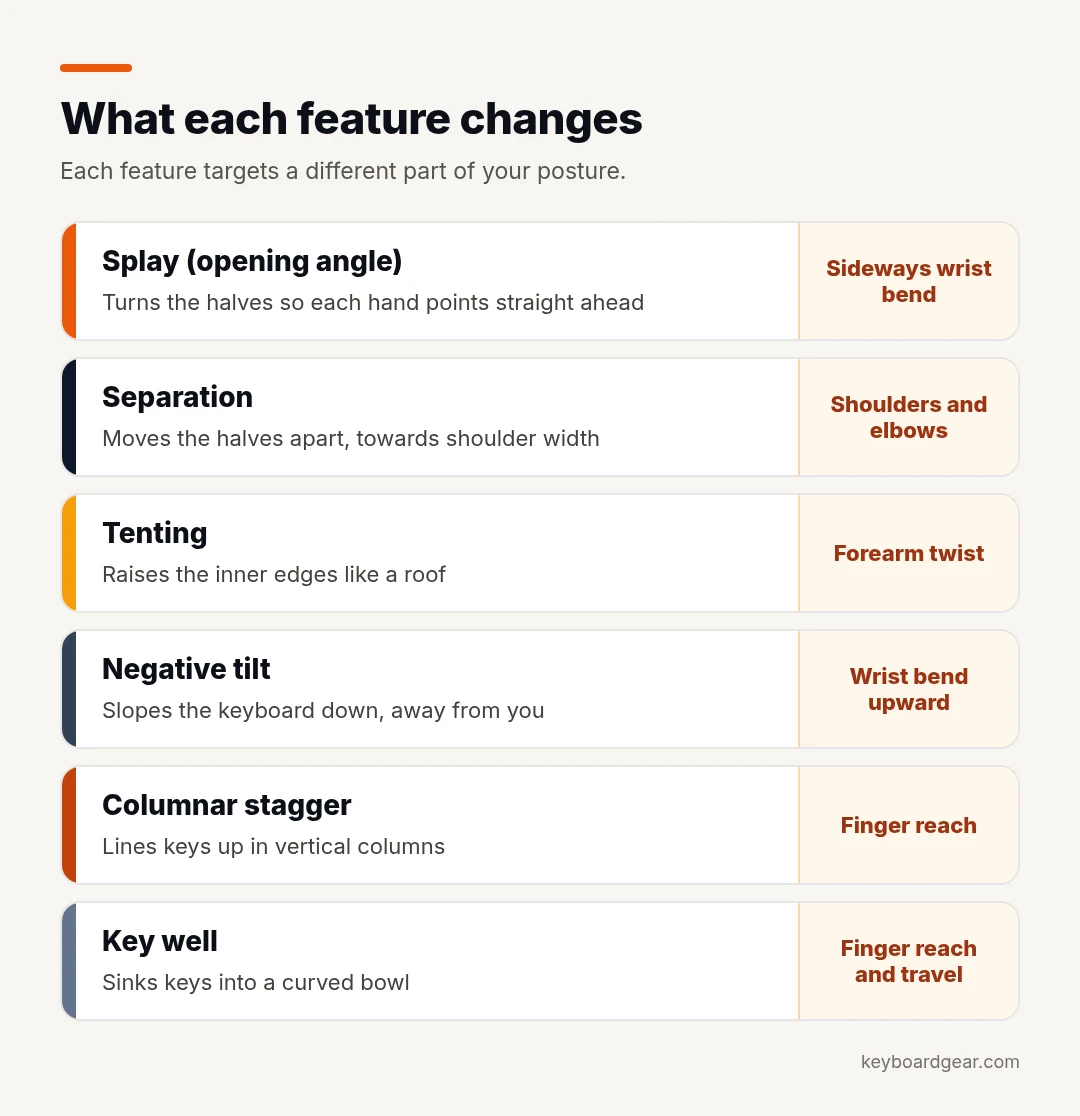
Tenting raises the inner edge of each keyboard half so your palms tilt towards each other, which reduces forearm twist. Splay is the angle the halves are rotated apart, which keeps your wrists from bending sideways. Columnar stagger arranges keys in vertical columns offset to match your finger lengths, instead of the diagonal rows on a normal keyboard.
Together with separation and negative tilt, these are the main settings that make an ergonomic keyboard different from a flat one.
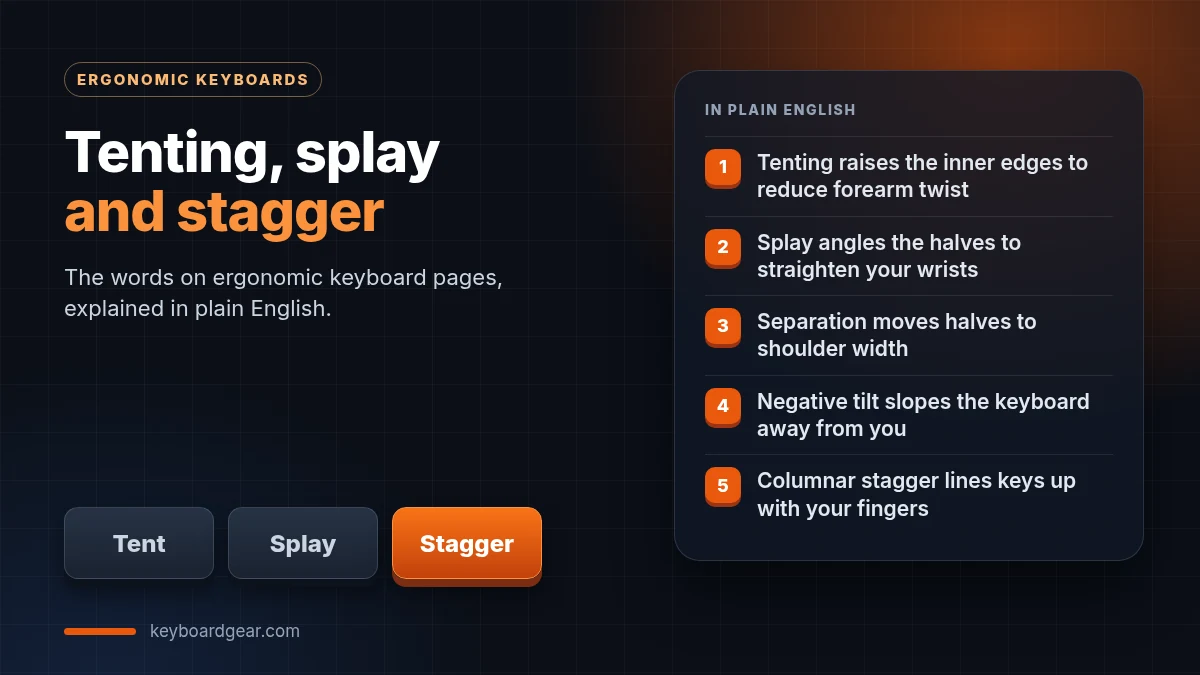
Ergonomic keyboard pages are full of jargon: tenting kits, splay, negative tilt, column stagger, thumb clusters. Each term describes one specific change to the shape of a keyboard, and each change affects a different part of your posture. Once you know which is which, it is much easier to pick a keyboard, or set one up, for the strain you actually feel.
This glossary explains the terms in plain English, what posture research says about each one, and sensible starting settings. If you are new to the idea of dividing a keyboard in two, start with our explainer on what a split keyboard is.
Three posture terms to know first
Ergonomic keyboards aim to reduce three awkward positions that a normal flat keyboard creates. A review of experimental keyboard studies describes a conventional keyboard as putting the wrists in about 10 to 15 degrees of sideways bend and 20 degrees of upward bend, with the forearms turned almost fully palm-down.
| Term | What it means | Which feature targets it |
|---|---|---|
| Ulnar deviation | Bending the wrist sideways towards your little finger | Splay and separation |
| Wrist extension | Bending the hand upward at the wrist | Negative tilt and keyboard height |
| Forearm pronation | Rotating the forearm so the palm faces down | Tenting |
Tenting
Tenting means raising the inner edges of a split keyboard, next to your thumbs, so each half slopes down towards the outside like the two sides of a roof or tent. Your palms then face slightly towards each other, closer to a handshake position.
It is the feature that tackles forearm pronation. A meta-analysis of alternative keyboard designs found that adjustable open-tented keyboards had a large effect on pronation, while flat fixed-angle split keyboards had only a moderate one. The 2004 review above reported that tilting the halves 20 to 30 degrees reduced forearm pronation to about 45 degrees.
- Built-in tenting: fold-out legs or hinged feet on each half.
- Tenting kits: separate stands or plates that raise each half to a set angle.
- Starting angle: begin low, around 5 to 15 degrees, and increase over days if your forearms still feel twisted. Steep tenting makes the keys harder to see and raises your hands, so you may need a lower desk or chair adjustment.
Tenting raises your hands. If your shoulders creep up after adding a tent, lower the keyboard rather than taking the tent away. Our keyboard height guide shows how to measure the right height.
Splay (opening angle)
Splay is the angle the two halves are rotated apart, viewed from above, so the keyboard forms a shallow V. Some makers call it the opening angle, slant or rotation. It lets each hand point straight ahead from its forearm instead of bending outward at the wrist.
The 2004 review found that a slant of 10 to 12.5 degrees per half was effective at putting the wrist near neutral. A study of split keyboard geometry suggested an overall opening angle of about 15 degrees as a good balance. Fixed-split keyboards build splay into the housing; fully split boards let you set it yourself.
Separation
Separation is simply the distance between the two halves. Moving them apart, towards shoulder width, lets your elbows rest by your sides instead of pulling in towards the middle of your body. In a study of split keyboard setups, separating the halves by 20 cm, half shoulder width or full shoulder width all reduced sideways wrist bend compared with a conventional setup, with no difference between the three distances. In practice, choose the gap that feels relaxed.
Tilt: positive, zero and negative
Tilt describes the front-to-back slope of the keyboard.
- Positive tilt: the back is raised, usually by the little feet under a normal keyboard. It makes the top row easier to see but bends the wrists upward.
- Zero tilt: the keyboard lies flat.
- Negative tilt: the front edge is higher than the back, so the keyboard slopes away from you. Ergonomists favour a gentle negative slope when the keyboard sits below elbow height; Cornell University’s ergonomics guidance describes this as the ideal typing posture.
The 2004 review found that a negative slope of about 7.5 degrees reduced wrist extension to near neutral when the wrist rest sloped with the keyboard. Our full article on keyboard tilt explains why the feet under your keyboard are usually best left folded.
Row stagger, columnar stagger and ortholinear
These terms describe how the keys are arranged, not how the keyboard is angled.
Row stagger
The standard layout. Each row is shifted sideways from the one above it, a holdover from typewriter mechanics. It forces fingers to reach diagonally, especially for the bottom row.
Ortholinear
Keys sit in a straight grid, with rows and columns aligned. It removes the diagonal reach but treats all fingers as the same length. Our guide to ortholinear vs staggered keyboards covers the trade-offs.
Columnar stagger
Keys sit in vertical columns, and each column is shifted up or down to match the length of the finger that uses it: higher for the middle finger, lower for the little finger. Many enthusiast split keyboards use it. It feels natural once learned, but it is the biggest change from a normal keyboard and takes the longest to get used to.
Thumb clusters
A thumb cluster is a group of keys placed under each thumb, rather than a single long space bar. Thumbs are strong, and a cluster lets them handle Space, Enter, Backspace, Shift or layer keys, taking work away from the little fingers. Most columnar split keyboards have one.
Key wells
A key well is a concave bowl of keys, so each finger travels a shorter distance to reach the top and bottom rows. Contoured keyboards use key wells, usually combined with tenting and thumb clusters. They are comfortable for many people but come in fewer models and have a longer adjustment period.
Layers and home row mods
Compact ergonomic keyboards often have fewer keys, so they use layers: hold a key and the rest of the keyboard switches to numbers, symbols or navigation. Home row mods go further, turning A, S, D, F and their mirror keys into Shift, Ctrl, Alt and the OS key when held. Both reduce reaching but add a mental learning curve. You can set them up with tools such as the ones in our guide to remapping keys.
Which features should you look for?
| If you feel… | Look for | Why |
|---|---|---|
| Wrists bending outward | Splay and separation | Lets each hand line up with its forearm |
| Forearm or outer-elbow tension | Tenting | Reduces palm-down rotation |
| Wrists bending upward | Negative tilt and a lower keyboard | Lets the hands sit flat with the forearm |
| Little fingers straining | Thumb cluster, columnar stagger | Moves work to stronger fingers and shortens reaches |
| Shoulders hunched forward | Separation, plus a narrower keyboard without a number pad | Lets elbows stay by your sides |
Ergonomic features improve posture, but posture is only part of the picture. Breaks, desk height and how hard you press keys matter too. If you have ongoing pain or numbness, see a doctor or physiotherapist; our article on wrist pain from typing explains when.
FAQ
What is tenting on a keyboard?
Tenting raises the inner edges of a split keyboard so each half slopes outward like a roof. It reduces how much your forearms rotate palm-down.
What is a good tenting angle?
Start low, around 5 to 15 degrees, and increase gradually. Research on posture used angles up to about 20 to 30 degrees, but steep tents are harder to get used to.
Can you tent a normal keyboard?
Not really. Tenting needs the keyboard to be split so each half can tilt separately. A one-piece keyboard can only tilt front to back.
What does splay mean on a split keyboard?
Splay is the angle the halves are rotated apart, viewed from above. It helps keep your wrists straight instead of bending outward.
Is columnar stagger better than row stagger?
Many people find it more comfortable because keys line up with finger movement, but it takes longer to learn and there is limited formal research comparing them.
What is negative tilt?
A keyboard that slopes down away from you, with the front edge higher than the back. It helps reduce upward wrist bend when the keyboard sits low enough.
Sources
- Marklin RW, Simoneau GG. Design features of alternative computer keyboards: a review of experimental data. JOSPT, 2004
- Baker NA, Cidboy EL. The effect of three alternative keyboard designs on forearm pronation, wrist extension, and ulnar deviation: a meta-analysis. Am J Occup Ther, 2006
- Rempel D et al. The effects of split keyboard geometry on upper body postures. Ergonomics, 2009
- Marklin RW, Simoneau GG. Effect of setup configurations of split computer keyboards on wrist angle. Physical Therapy, 2001
- Cornell University Ergonomics Web: Ideal typing posture

Experience is what matters at the end!!
Hi! This is Jacob Jay – founder of Keyboardgear.com! From childhood to adulthood, I’ve always remained passionate about IT, and the revolution in this industry, especially gaming on the PC can’t go out of my way. Since I’m an enthusiastic gamer, and I love to experience various gaming accessories, particularly mechanical keyboards, that really boost my gaming adventure manifolds. So, my nerve cells hit me to transfer my experiences into word form and share with others to identify the ideal keyboards perfectly fit for their gaming modes.
I know very well how hard it is to find the high-quality items available on the internet that ought to be exactly the same as seen as on the screen. But the counterfeiters have ruined the user’s trust. As I have passed all such situations, I’m obliged to deliver the genuinity and express the same as what I am saying.
So, now, I’m working on the mission to provide very helpful and frankly but trustworthy reviews and guides about various mechanical keyboards, mouses, and other gaming accessories as per my personal experiences and sound knowledge.