

Quick answer
A split keyboard divides the keys into a left half and a right half, either angled apart inside one housing or as two separate pieces. Because each hand can sit roughly in line with its forearm, you bend your wrists sideways less than on a normal flat keyboard.
Posture studies consistently show that benefit. Evidence that split keyboards reduce pain is mixed, so treat one as a comfort tool that suits many touch typists rather than a guaranteed fix.
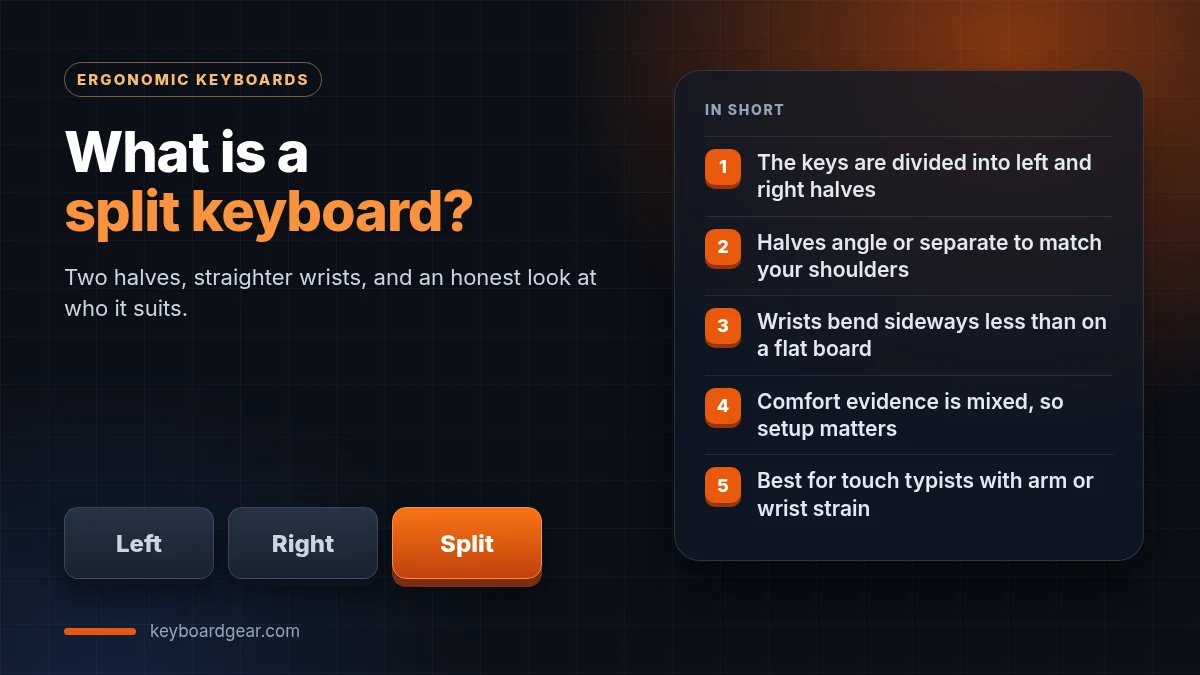
On a normal keyboard, both hands crowd towards the middle of a narrow rectangle. To reach the home row, most people angle their hands outward at the wrist and turn their palms flat to the desk. A split keyboard moves the two halves apart or angles them so your hands can stay closer to a straight line with your forearms.
This guide explains the main types of split keyboard, what research shows about posture and comfort, the drawbacks nobody mentions on product pages, and who is most likely to benefit. If you want the wider picture first, our overview of types of ergonomic keyboards covers split designs alongside vertical, contoured and one-handed boards.
How a split keyboard works
A conventional keyboard places the wrists in roughly 10 to 15 degrees of ulnar deviation (bending towards the little finger) and about 20 degrees of extension, with the forearms almost fully turned palm-down, according to a review of experimental keyboard studies. A split keyboard changes the geometry in up to three ways:
- Opening angle: the halves are rotated apart, like a shallow V, so each hand points straight ahead from its forearm.
- Separation: the halves are moved apart, often to about shoulder width, so your elbows can rest at your sides.
- Tenting: the inner edges are raised so your palms tilt towards each other, which reduces forearm rotation.
Some boards also change the key grid itself, arranging keys in vertical columns rather than staggered rows. Our guide to ortholinear vs staggered keyboards explains that difference.
Types of split keyboard
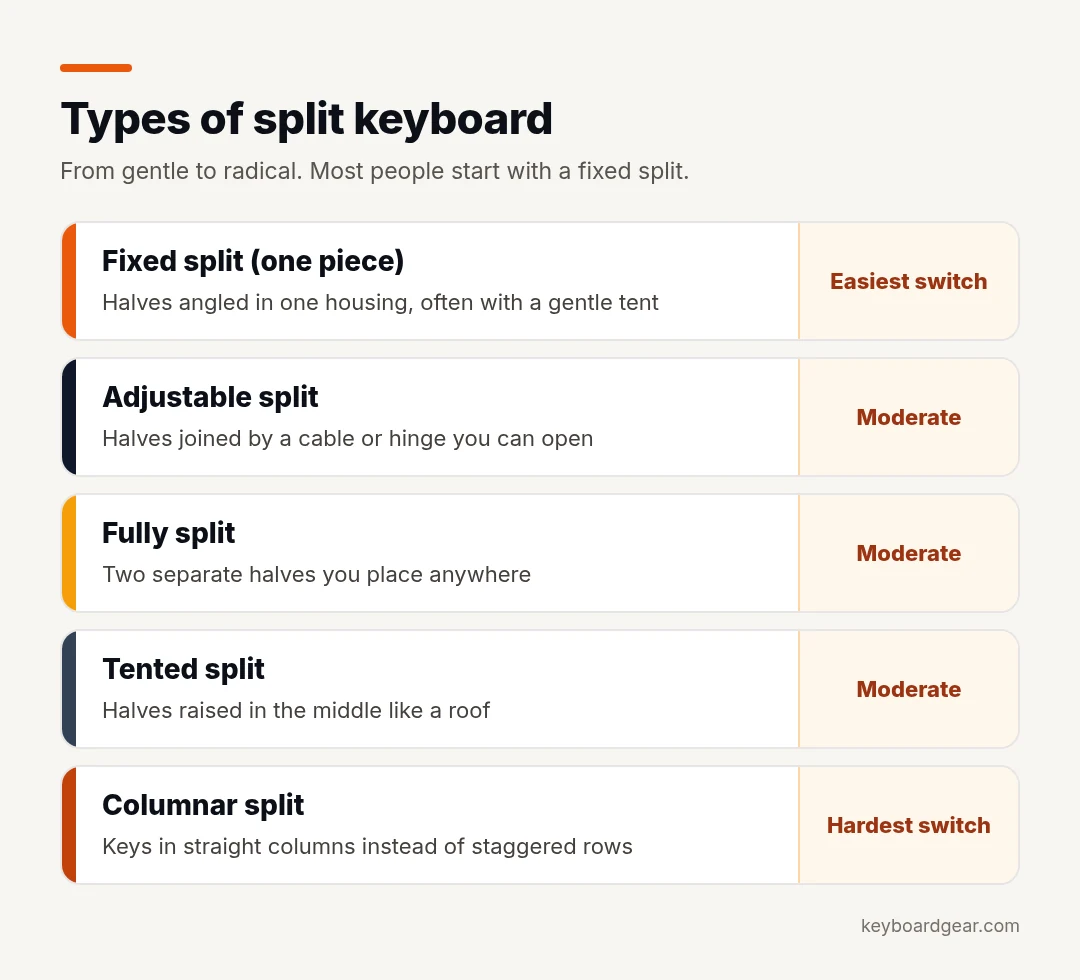
Fixed split
The halves are angled apart inside a single housing, usually with a gentle hump in the middle. Many mainstream ergonomic keyboards from office brands use this design. It is the easiest place to start because the key layout is the familiar one and you place it on the desk like any other keyboard.
Adjustable and fully split
Two halves are joined by a cable or hinge, or are completely separate. You choose the angle and the gap. This gives the most control over posture and lets you put a trackpad, mouse or notebook between the halves.
Tented
The halves are raised along the inner edge, either with built-in legs or with separate tenting kits. Tenting tackles forearm rotation, which flat split boards do little about. Our explainer on keyboard tilt covers why raising the back of a keyboard is a different thing.
Columnar and enthusiast splits
Enthusiast boards often combine a full split with columnar key rows, thumb clusters and fewer keys, using layers for numbers and symbols. They can be very comfortable but take the longest to learn.
What the research says
Split keyboards are one of the most studied ergonomic products. The short version is that they reliably improve wrist posture, while the evidence on pain and injury is less clear.
| Finding | What it means for you |
|---|---|
| In a study of 90 office workers, correctly set-up split keyboards cut average ulnar deviation from about 12 degrees to within 5 degrees of neutral | Your wrists bend sideways much less |
| A meta-analysis of alternative keyboards found fixed-angle splits had a large effect on ulnar deviation but only a moderate effect on forearm rotation | A flat split helps the wrists; tenting is needed for forearm rotation |
| A five-month randomized cross-over trial with 77 symptomatic workers found no significant discomfort difference between a fixed split and a standard keyboard | Do not expect a split keyboard alone to fix pain |
| In a lab study, experienced typists matched their flat-keyboard performance on a split, adjustable keyboard after about 2 hours of practice | Most touch typists adapt quickly to a standard-layout split |
A historical review by ergonomist David Rempel traces the idea back to the 1920s and notes that by 2006 a split keyboard was the best-selling keyboard in the US retail market. Popularity is not proof, but it shows how many people find the design comfortable in daily use.
Setup matters. A study of split keyboard geometry found that a lower keyboard height reduced shoulder elevation, and that a moderate opening angle of about 15 degrees balanced the benefits. A split board on a desk that is too high can still leave your shoulders tense.
Benefits of a split keyboard
- Straighter wrists. The main, well-documented benefit: less sideways bending at the wrist.
- More open shoulders. Halves set near shoulder width let your elbows stay by your sides instead of pulling inward.
- Room in the middle. A fully split board leaves space for a mouse, trackpad or notebook right in front of you.
- Forearm relief with tenting. Raising the inner edges reduces the palm-down twist of the forearm.
- Better habits. A split layout punishes hunt-and-peck typing, which nudges many people into proper touch typing.
Drawbacks to know before you buy
- Learning curve. Expect slower, messier typing at first. Standard-layout splits are quick to learn; columnar boards with fewer keys take much longer. Once you are comfortable, our tips on how to type faster help you win back your speed.
- Keys that cross the middle. Many people press B, 6 or Y with the “wrong” hand. A split forces you to choose a side, which takes a few days to sort out.
- No proof it prevents injury. Research supports better posture, not a guaranteed drop in pain.
- Price and choice. Good split boards cost more than standard keyboards, and fewer models are available, especially with full-size layouts.
- Shared desks. If several people use one computer, a split board can frustrate anyone who doesn’t touch type.
Who should try a split keyboard?
| If you… | A split keyboard is… | Start with |
|---|---|---|
| Touch type and spend hours at a keyboard | A strong candidate | A fixed split or adjustable split |
| Feel tension in your wrists, forearms or shoulders while typing | Worth trying alongside a desk check | A tented split, plus a review of desk and chair height |
| Hunt and peck or look at the keys | A frustrating choice at first | Learn touch typing on your current keyboard first |
| Game with one hand on the left side | Fine, often better | A fully split board so the left half sits where you want it |
| Share a computer with others | Awkward | A one-piece fixed split |
If you have persistent pain, numbness or tingling, talk to a doctor or physiotherapist. Our guide to wrist pain from typing covers the desk changes worth making in the meantime.
How to set up a split keyboard
- Set the height first. Your elbows should be at roughly 90 degrees with relaxed shoulders. Our keyboard height guide shows how to measure it.
- Line the halves up with your forearms. Sit naturally, put your hands where they rest comfortably, and move each half under them.
- Start with a modest gap. Many people start with the halves about shoulder width apart or slightly closer, then adjust over a week.
- Add tenting gradually. Begin with a low angle. Go steeper only if your forearms still feel twisted.
- Keep the slope flat or slightly negative. Avoid propping the back of the keyboard up on its feet, which increases wrist extension.
- Put the mouse close. With a fully split board, the mouse can sit between the halves or just outside the right half, so you don’t reach far.
Split keyboard vs ergonomic keyboard
Every split keyboard is an ergonomic keyboard, but not every ergonomic keyboard is split. Vertical keyboards, contoured wells and compact boards all count as ergonomic. If you are not sure a split is right for you, our article on whether ergonomic keyboards are worth it weighs up the options, and our best ergonomic keyboards roundup includes split models.
FAQ
Is a split keyboard better for your wrists?
For posture, yes. Studies show split keyboards reduce sideways wrist bending. Whether that reduces pain varies from person to person, and one randomized trial found no clear discomfort difference.
Are split keyboards hard to use?
Standard-layout split keyboards are easy for touch typists, often within hours or days. Columnar splits with fewer keys take longer, sometimes several weeks.
Can you game on a split keyboard?
Yes. Many gamers like fully split boards because the left half can sit wherever is comfortable and leave more room for the mouse.
Do you need to touch type to use a split keyboard?
It helps a lot. If you look at the keys or use one finger per hand, the gap in the middle will slow you down.
What is tenting on a split keyboard?
Tenting raises the inner edges of each half so your palms face slightly towards each other, which reduces forearm rotation.
Is a split keyboard the same as an ortholinear keyboard?
No. Split refers to dividing the keyboard into halves; ortholinear refers to keys arranged in a straight grid. Some keyboards are both.
Sources
- Rempel D. The split keyboard: an ergonomics success story. Human Factors, 2008
- Marklin RW et al. Wrist and forearm posture from typing on split and vertically inclined computer keyboards. Human Factors, 1999
- Baker NA, Cidboy EL. The effect of three alternative keyboard designs on forearm pronation, wrist extension, and ulnar deviation: a meta-analysis. Am J Occup Ther, 2006
- Baker NA et al. The effect of an alternative keyboard on musculoskeletal discomfort: a randomized cross-over trial. Work, 2015
- Smith MJ et al. Effects of a split keyboard design and wrist rest on performance, posture, and comfort. Human Factors, 1998
- Rempel D et al. The effects of split keyboard geometry on upper body postures. Ergonomics, 2009
- Marklin RW, Simoneau GG. Design features of alternative computer keyboards: a review of experimental data. JOSPT, 2004

Experience is what matters at the end!!
Hi! This is Jacob Jay – founder of Keyboardgear.com! From childhood to adulthood, I’ve always remained passionate about IT, and the revolution in this industry, especially gaming on the PC can’t go out of my way. Since I’m an enthusiastic gamer, and I love to experience various gaming accessories, particularly mechanical keyboards, that really boost my gaming adventure manifolds. So, my nerve cells hit me to transfer my experiences into word form and share with others to identify the ideal keyboards perfectly fit for their gaming modes.
I know very well how hard it is to find the high-quality items available on the internet that ought to be exactly the same as seen as on the screen. But the counterfeiters have ruined the user’s trust. As I have passed all such situations, I’m obliged to deliver the genuinity and express the same as what I am saying.
So, now, I’m working on the mission to provide very helpful and frankly but trustworthy reviews and guides about various mechanical keyboards, mouses, and other gaming accessories as per my personal experiences and sound knowledge.