
Keyboard Gear earns from qualifying purchases through Amazon links.
Cutting the cable does not mean giving up a real mechanical feel. The best wireless mechanical keyboards now offer gasket mounts, hot-swap sockets and solid 2.4 GHz or Bluetooth connections for work, play and travel. This guide compares seven current Amazon US picks, from an all-aluminum Keychron to a sub-$70 AULA.
We checked each product page for stock on November 2, 2026 (Asia/Karachi) and cross-checked manufacturer specs. Prices change often—use the Check Price buttons for live figures. Still deciding on layout size? Start with our keyboard sizes guide and wired vs wireless keyboards.
Quick picks
- Best overall: Keychron Q1 Pro
- Best for gaming: ASUS ROG Azoth X
- Best for Mac: Corsair K65 Plus Wireless
- Best for productivity: Logitech MX Mechanical
- Best value / numpad: Keychron V5 Max
- Best low-profile: NuPhy Air75 V3
- Best budget: AULA F75
At a glance: best wireless mechanical keyboards compared
| Product | Best for | Key specs | Price |
|---|---|---|---|
1 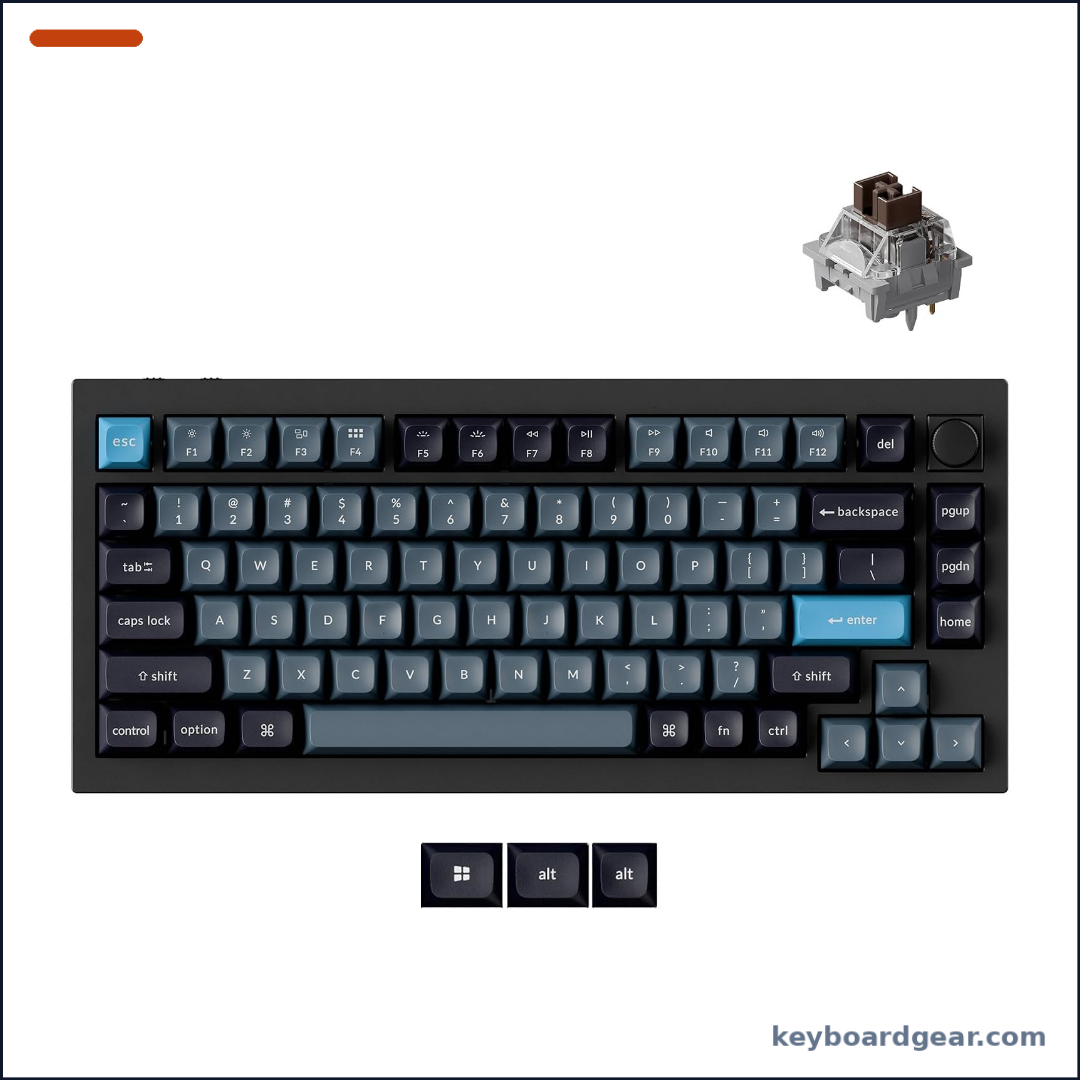 Keychron Q1 Pro |
Best overall |
|
Check price |
2 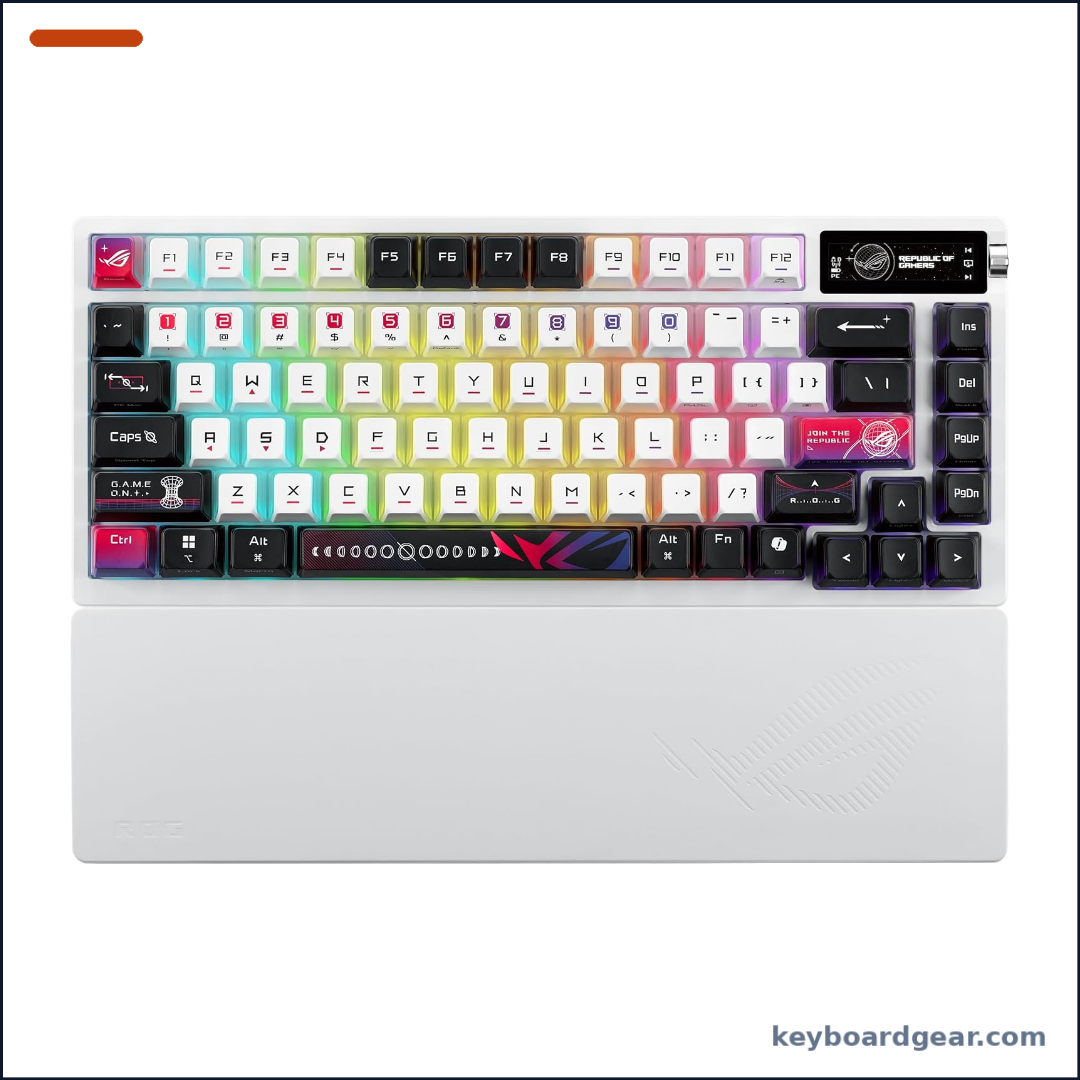 ASUS ROG Azoth X |
Best for gaming |
|
Check price |
3 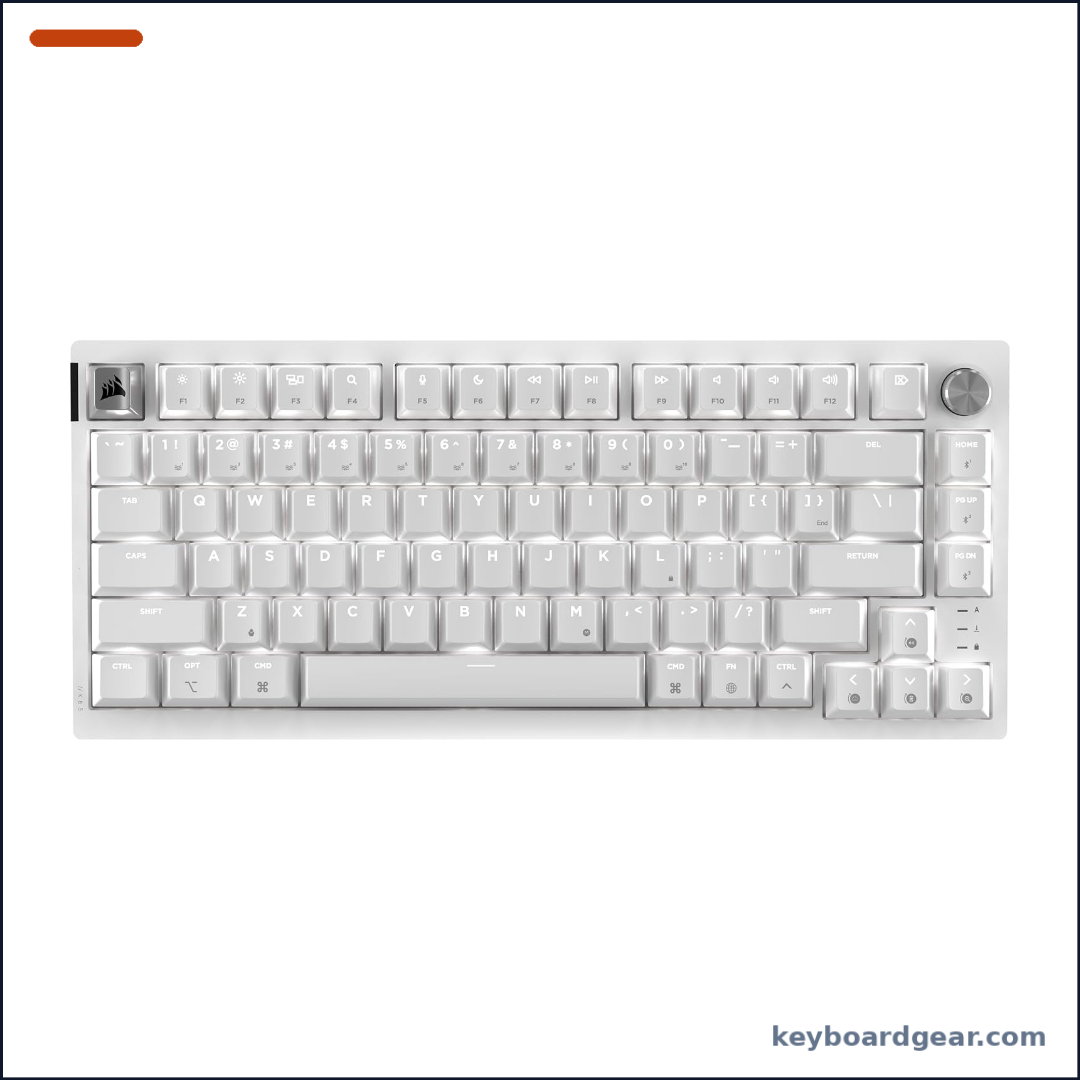 Corsair K65 Plus Wireless |
Best for Mac |
|
Check price |
4 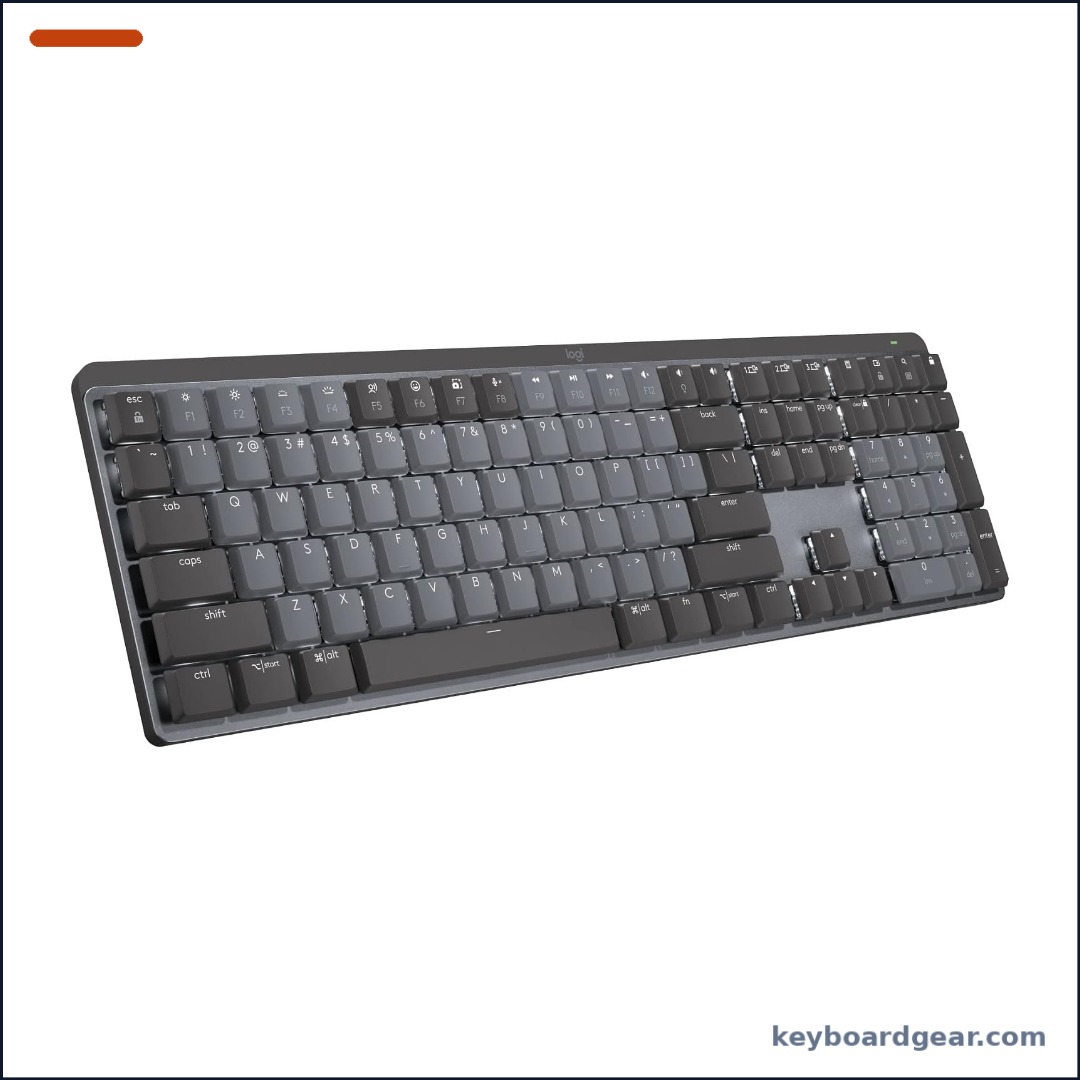 Logitech MX Mechanical |
Best for productivity |
|
Check price |
5 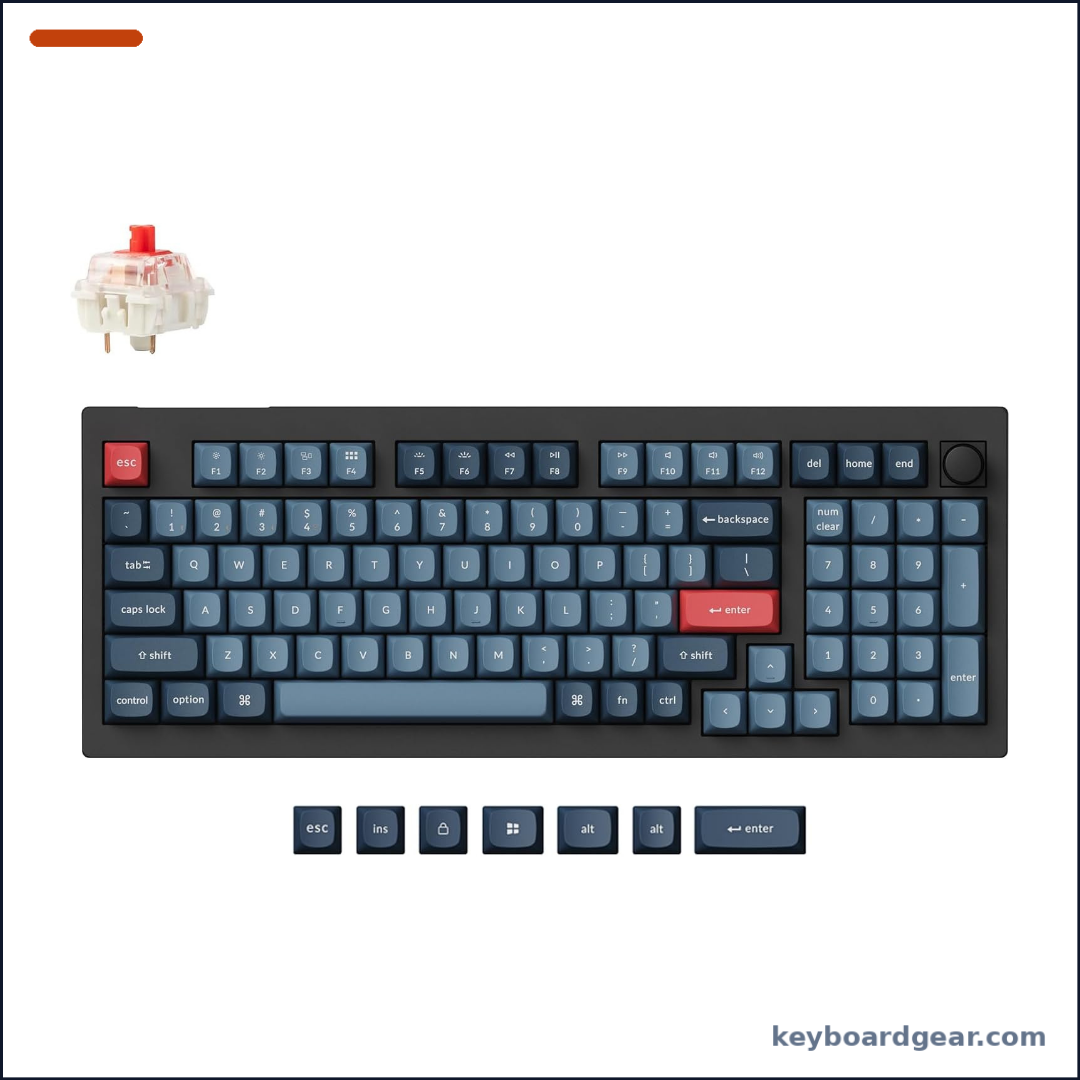 Keychron V5 Max |
Best value / numpad |
|
Check price |
6 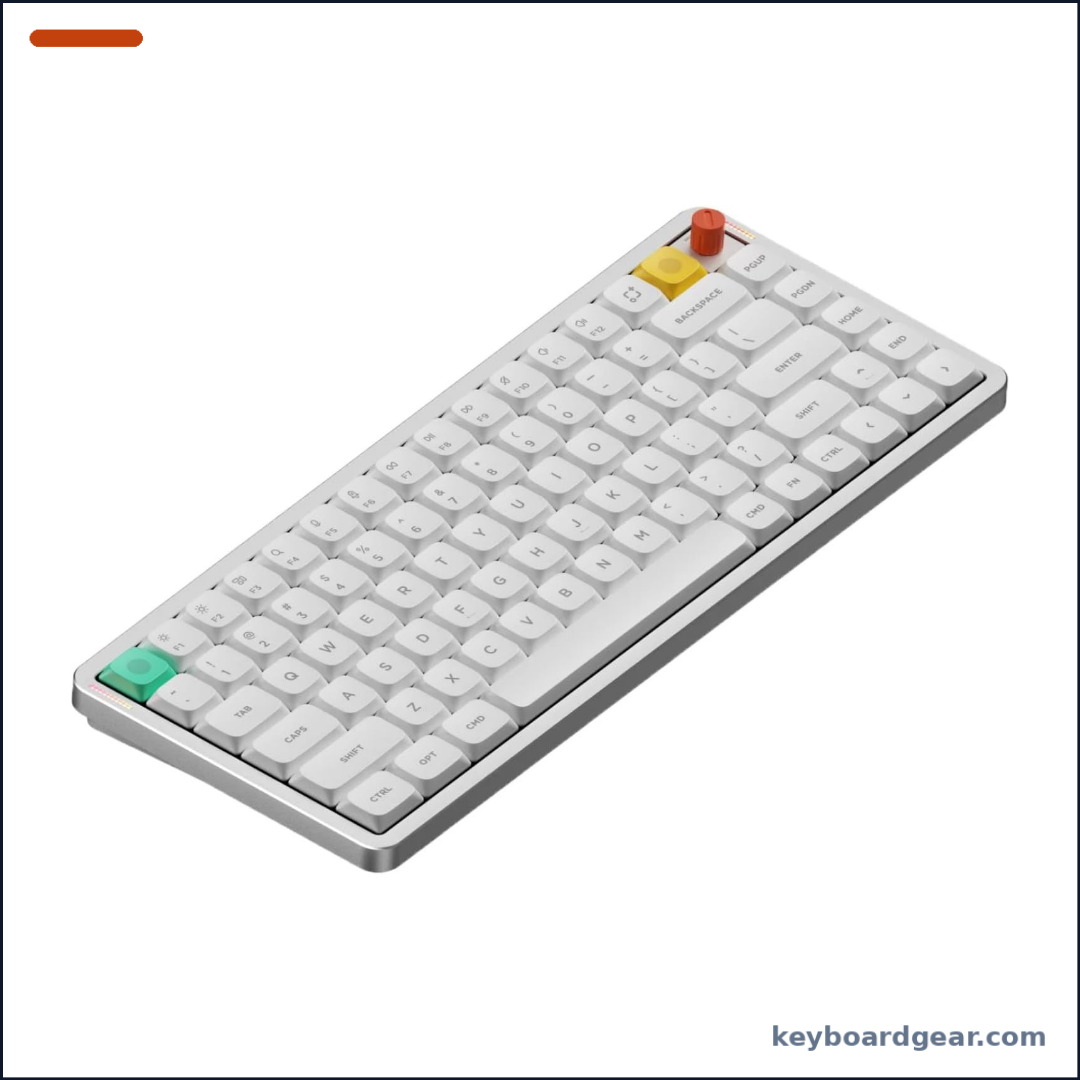 NuPhy Air75 V3 |
Best low-profile |
|
Check price |
7 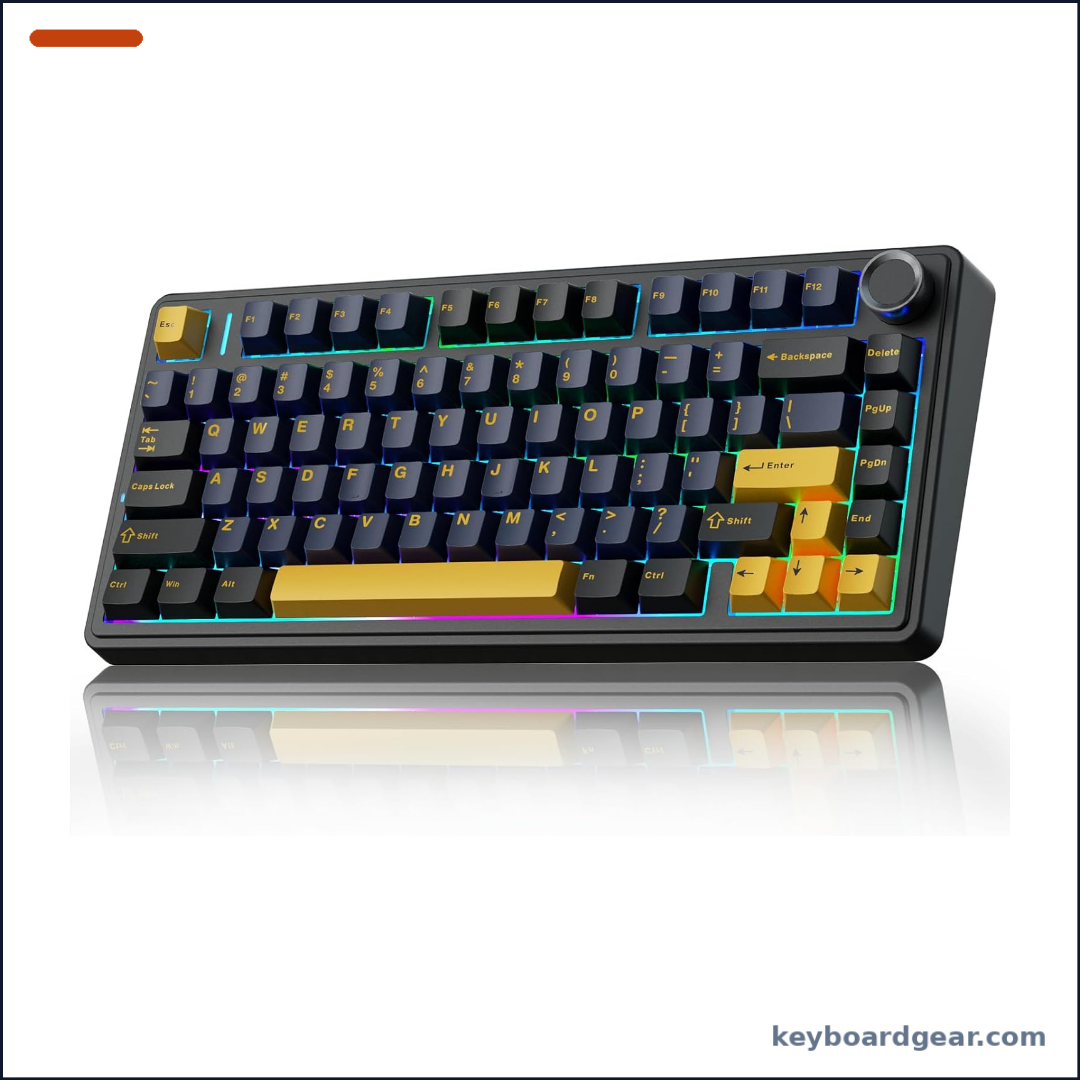 AULA F75 |
Best budget |
|
Check price |
1. Keychron Q1 Pro — best overall wireless mechanical keyboard
Who it’s for: Typists and programmers who want a premium all-aluminum 75% board with open remapping and solid Bluetooth multitasking.
Why we picked it: The Q1 Pro is what most people mean by a wireless custom keyboard done right. The case is CNC-machined 6063 aluminum with Keychron’s double-gasket mount and a flexible PC plate, so it feels cushioned rather than harsh. It connects over Bluetooth 5.1 to up to three devices or over USB-C at 1000 Hz when you plug in. QMK firmware plus the Keychron Launcher (and VIA on supported builds) lets you remap every key and build macros without proprietary Windows-only software. Hot-swap sockets take almost all 3-pin and 5-pin MX-style switches, and the listing we checked ships with pre-lubed Keychron Apex Brown tactile switches and KSA double-shot PBT keycaps. A 4000 mAh battery is rated up to about 300 hours with the backlight off. It was about $210 on Amazon US when we checked. Note that wireless polling on Bluetooth is lower than a 2.4 GHz gaming dongle—fine for work, but competitive gamers should use the cable. For remapping basics, see our guide to QMK vs VIA.
Key specs: 75% layout with knob; CNC 6063 aluminum case; double-gasket mount with PC plate; QMK firmware with Launcher/VIA remapping; 3/5-pin hot-swap; Bluetooth 5.1 (3 devices) and USB-C wired (1000 Hz); 4000 mAh battery; Mac and Windows keycaps; south-facing RGB.
- Premium all-aluminum gasket-mounted build
- Full QMK remapping without vendor lock-in
- Hot-swap MX-style switches
- Excellent Mac and Windows support
- No 2.4 GHz dongle—Bluetooth or wired only
- Heavy for travel
- Expensive
- Wireless polling is lower than wired
2. ASUS ROG Azoth X — best wireless mechanical keyboard for gaming
Who it’s for: Gamers who want tri-mode wireless, an OLED control hub and a gasket-mounted 75% board with a wrist rest in the box.
Why we picked it: The Azoth X takes ROG’s premium 75% recipe and adds a white chassis, stellar-themed dye-sublimated PBT keycaps and hot-swappable ROG NX V2 switches (Snow V2 linear or Storm V2 clicky, depending on the listing). Tri-mode connectivity covers 2.4 GHz ROG SpeedNova, Bluetooth 5.1 to three devices and USB-C wired. A 2-inch grayscale OLED and three-way knob handle lighting, media and status without digging through menus, and a silicone wrist rest ships in the box. The gasket mount uses a five-layer dampening stack with an FR4 plate for a softer typing feel. Polling is 1000 Hz out of the box, with optional higher rates via ROG’s separate polling-rate booster. Expect roughly $190–$230 on Amazon US depending on the switch version. Armoury Crate is Windows-focused, so Mac users get basics but not the full software suite.
Key specs: 75% layout; gasket mount with five-layer dampening; FR4 plate; hot-swap ROG NX V2 switches; dye-sublimated semi-translucent PBT keycaps; 2-inch OLED and three-way knob; silicone wrist rest; 2.4 GHz SpeedNova / Bluetooth 5.1 / USB-C; per-key Aura RGB; Mac and Windows support.
- True gaming-grade 2.4 GHz wireless
- OLED and knob for quick on-board control
- Wrist rest included
- Hot-swap NX V2 switches and gasket acoustics
- Premium price
- Armoury Crate is Windows-centric
- Large with the wrist rest attached
- Heavier than plastic 75% boards
3. Corsair K65 Plus Wireless — best wireless mechanical keyboard for Mac
Who it’s for: Mac and iPad users who want a Frost White 75% board with a hardware Mac/Windows switch and long battery life.
Why we picked it: Corsair’s K65 Plus Wireless is a 75% board aimed squarely at Apple desks as well as PCs. A hardware switch on the case flips modifier keys between Mac and Windows layouts, so Command and Option land where you expect without remapping. Pre-lubricated Corsair MLX Red v2 linear switches feel smooth, two layers of sound dampening soften the sound, and the sockets are hot-swappable. Connect over a 2.4 GHz dongle at 1000 Hz, Bluetooth with AES encryption, or USB-C. Corsair rates the battery at up to 266 hours with RGB off. A multi-function rotary dial handles volume and more, and iCUE (including a macOS build) covers lighting and macros when you are not on Bluetooth-only. The Frost White listing we checked was about $150 on Amazon US. For more Apple-friendly picks, see our best keyboards for Mac.
Key specs: 75% layout; pre-lubed Corsair MLX Red v2 linear switches; 5-pin hot-swap; dual-layer sound dampening; rotary dial; Mac/Windows hardware switch; 2.4 GHz (1000 Hz), Bluetooth and USB-C; up to 266 hours (RGB off); per-key RGB; iCUE.
- Native Mac/Windows hardware switch
- Long wireless battery life
- Hot-swap linear switches with dampening
- Clean Frost White look with rotary dial
- ABS shine-through keycaps, not PBT
- iCUE features limited over Bluetooth
- Plastic case, not aluminum
- Less open than QMK boards
4. Logitech MX Mechanical — best wireless mechanical keyboard for productivity
Who it’s for: Office workers and multi-computer users who want a quiet, low-profile full-size board with a number pad.
Why we picked it: The MX Mechanical brings mechanical switches to Logitech’s MX productivity line. Low-profile Tactile Quiet switches give a clear bump with less noise than tall gaming boards, so open offices stay calmer. Pair up to three devices over Bluetooth Low Energy or the included Logi Bolt receiver; Windows, macOS, Linux and ChromeOS are supported. Smart backlighting turns on as your hands approach. In Logi Options+ you can customise Fn keys and use Logitech Flow to move the cursor between computers. Logitech rates the battery at up to 15 days with backlighting, or up to 10 months with lights off, charged over USB-C. It was about $150 on Amazon US when we checked. It is not hot-swappable and is not aimed at competitive gaming—choose it for comfort and multi-device work instead.
Key specs: Full-size layout; low-profile Tactile Quiet mechanical switches; smart backlighting; Bluetooth LE or Logi Bolt; up to 3 devices; Logi Options+ with Flow; USB-C charging; up to 15 days (10 months lights off).
- Quiet low-profile typing feel
- Switches between 3 devices easily
- Very long battery with lights off
- Works across major operating systems
- Not hot-swappable
- Low-profile keycaps are hard to replace
- White backlight only
- Not for competitive gaming
5. Keychron V5 Max — best value wireless mechanical keyboard with numpad
Who it’s for: Anyone who needs a number pad wirelessly without paying for a full aluminum custom, especially spreadsheet and data-entry users.
Why we picked it: The V5 Max packs a 96% (1800-compact) layout with a number pad and a rotary knob into a gasket-mounted ABS case. Tri-mode wireless includes a 2.4 GHz dongle at 1000 Hz, Bluetooth 5.1 to three devices and USB-C wired at 1000 Hz. QMK firmware with the Keychron Launcher (and VIA support) covers remapping and macros. Hot-swap sockets, double-shot PBT keycaps and south-facing RGB round out a very complete mid-range package. A 4000 mAh battery is rated up to about 190 hours with the backlight off. It was about $105 on Amazon US when we checked—the best price-to-feature ratio on this list if you still need a numpad. Plastic does not feel like the Q1 Pro’s aluminum, but the wireless options and open firmware punch above the price.
Key specs: 96% layout with knob and number pad; ABS gasket-mount case with PC plate; Gateron Jupiter switches (assembled versions); 3/5-pin hot-swap; QMK/VIA; 2.4 GHz (1000 Hz), Bluetooth 5.1 (3 devices) and USB-C; 4000 mAh battery; double-shot PBT keycaps; Mac and Windows support.
- Numpad plus wireless for about $105
- True 2.4 GHz 1000 Hz plus Bluetooth
- QMK/VIA remapping
- Hot-swap and PBT keycaps
- ABS case, not aluminum
- Larger footprint than 75% boards
- Bluetooth polling is lower than 2.4 GHz
- RGB eats battery faster
6. NuPhy Air75 V3 — best low-profile wireless mechanical keyboard
Who it’s for: Laptop users and travelers who want a slim 75% mechanical board that still feels like a real keyboard.
Why we picked it: The Air75 V3 is NuPhy’s latest low-profile 75% board: about 13.2 mm thick with a gasket mount, hot-swappable long-travel NuPhy/Gateron Nano-style switches and a multi-function knob you can swap between high- and low-profile stilts. Tri-mode connectivity covers 2.4 GHz and USB-C at 1000 Hz plus Bluetooth to multiple devices. NuPhy.IO in the browser handles remaps, macros and RGB. A large battery is rated for extremely long life with RGB off (NuPhy quotes up to about 1,200 hours in lab conditions). Expect roughly $140 on Amazon US. If you bounce between a laptop and a desktop and hate thick gaming boards, this is the pick. Compare more slim options in our best low-profile mechanical keyboards.
Key specs: 75% low-profile (~13.2 mm); gasket mount; hot-swap low-profile switches; multi-function knob; 2.4 GHz / Bluetooth / USB-C; 1000 Hz wired and 2.4 GHz; NuPhy.IO remapping; PBT keycaps; per-key RGB.
- Truly slim without feeling mushy
- Gasket mount and hot-swap low-profile switches
- Tri-mode with 1000 Hz on 2.4 GHz
- Long battery life with lights off
- Low-profile keycaps and switches are less common to replace
- Not as thocky as full-height customs
- Software ecosystem is NuPhy-specific
- Premium price for a plastic slim board
7. AULA F75 — best budget wireless mechanical keyboard
Who it’s for: Students and first-time buyers who want a creamy gasket 75% board with tri-mode wireless for well under $100.
Why we picked it: The AULA F75 is a popular Amazon budget 75% with gasket mounting, multi-layer silicone dampening, a control knob and hot-swap sockets for 3-pin and 5-pin MX switches. Tri-mode connectivity covers Bluetooth 5.0, 2.4 GHz wireless and USB-C wired, with multi-device pairing and RGB effects controlled on board. Pre-lubed switches (Greywood V3 / similar creamy linears on many listings) arrive ready to type without a first-week lube session. It was about $60–$70 on Amazon US when we checked. Build quality and software polish are not in the Keychron or Corsair league, but for the price you get wireless, a knob and a gasket feel that used to cost far more. More cheap picks live in our best budget mechanical keyboards.
Key specs: 75% layout with knob; gasket mount with silicone dampening; hot-swap 3/5-pin sockets; pre-lubed switches (listing-dependent); Bluetooth 5.0 / 2.4 GHz / USB-C; RGB with multiple effects; multi-device pairing.
- Very low price for gasket + wireless
- Hot-swap and creamy pre-lubed switches
- Knob and RGB included
- Tri-mode connectivity
- Budget plastics and QC vary by batch
- Software and docs are basic
- Not QMK/VIA
- Keycaps are not premium PBT on all versions
Wireless mechanical keyboards compared
| Keyboard | Price | Highlights | Connection |
|---|---|---|---|
| Keychron Q1 Pro | ~$210 | Aluminum gasket, QMK | Bluetooth / USB-C |
| ASUS ROG Azoth X | ~$190–$230 | OLED, NX V2, gasket | 2.4 GHz / BT / USB-C |
| Corsair K65 Plus Wireless | ~$150 | MLX Red v2, Mac switch | 2.4 GHz / BT / USB-C |
| Logitech MX Mechanical | ~$150 | Low-profile Tactile Quiet | Bluetooth / Logi Bolt |
| Keychron V5 Max | ~$105 | 96% QMK, gasket | 2.4 GHz / BT / USB-C |
| NuPhy Air75 V3 | ~$140 | Low-profile gasket | 2.4 GHz / BT / USB-C |
| AULA F75 | ~$60–$70 | Gasket, hot-swap | 2.4 GHz / BT / USB-C |
Guide prices reflect Amazon US checks on November 2, 2026 and can change at any time.
How to choose a wireless mechanical keyboard
1. Prefer 2.4 GHz for gaming, Bluetooth for multitasking
A dedicated 2.4 GHz dongle (Azoth X, K65 Plus, V5 Max, Air75 V3, AULA F75) usually feels closer to wired for games. Bluetooth is ideal when you hop between a laptop, phone and tablet—Keychron and Logitech shine here. Details in wired vs wireless and keyboard polling rate.
2. Match the layout to your desk
Most picks here are 75% boards that keep arrows and a function row without a number pad. Choose the V5 Max if you need a numpad, or the MX Mechanical for a familiar full-size office layout. See best 75% keyboards and keyboard sizes.
3. Decide how much remapping you need
QMK/VIA boards (Q1 Pro, V5 Max) store layouts on the keyboard and work the same on Mac and Linux. Brand apps (iCUE, Armoury Crate, Options+, NuPhy.IO) are polished but more closed. Our QMK vs VIA guide explains the difference.
4. Look for hot-swap and dampening
Hot-swap sockets let you change switches without soldering. Gasket mounts and foam layers (Q1 Pro, Azoth X, V5 Max, Air75 V3, AULA F75) usually sound less hollow than bare tray mounts. Browse best hot-swappable keyboards.
5. Check battery claims carefully
Manufacturer hours almost always assume lights off. RGB, OLED panels and high polling drain cells faster. USB-C charging and a spare cable keep you productive when the battery dips.
FAQ
What is the best wireless mechanical keyboard overall?
For most enthusiasts, the Keychron Q1 Pro is the best wireless mechanical keyboard: aluminum gasket construction, QMK remapping and strong Mac/Windows support. Competitive gamers who need a 2.4 GHz dongle should prefer the ASUS ROG Azoth X or Keychron V5 Max.
Is a wireless mechanical keyboard good for gaming?
Yes, if it offers a 2.4 GHz mode at around 1000 Hz. The Azoth X, K65 Plus Wireless, V5 Max, Air75 V3 and AULA F75 all include a dongle. Pure Bluetooth boards like the Q1 Pro are better for work unless you plug in a cable.
Which wireless mechanical keyboard is best for Mac?
The Corsair K65 Plus Wireless has a hardware Mac/Windows switch and Mac-friendly legends. Keychron boards ship with Mac keycaps and work over Bluetooth. Also see our best keyboards for Mac roundup.
Do I need QMK or VIA on a wireless board?
Only if you want deep, software-light remapping that follows the keyboard between computers. Everyday users are fine with Options+, iCUE or NuPhy.IO. Enthusiasts and programmers usually prefer QMK/VIA.
What is the best budget wireless mechanical keyboard?
The AULA F75 is the best budget pick here, with gasket mounting, hot-swap sockets and tri-mode wireless for roughly $60–$70. Expect simpler software and more variable QC than premium brands.
Final verdict
Buy the Keychron Q1 Pro for the best overall wireless mechanical keyboard if you value aluminum build quality and open QMK remapping. Choose the ASUS ROG Azoth X for gaming with OLED controls, the Corsair K65 Plus Wireless for Mac desks, the Logitech MX Mechanical for quiet full-size productivity, the Keychron V5 Max for a wireless numpad on a budget, the NuPhy Air75 V3 for a slim low-profile board, and the AULA F75 when price matters most. Coders should also skim our best keyboards for programming.
