
Keyboard Gear earns from qualifying purchases through Amazon links.
MacBook keyboards are excellent until you dock at a desk, miss Touch ID on a Mac mini, or want mechanical travel without fighting Windows keycaps. The best keyboards for Mac in 2026 prioritize macOS modifier layouts (Command, Option, Globe/fn), reliable Bluetooth pairing, and—when you need it—official Touch ID on Apple silicon desktops.
This guide compares eight currently sold Amazon US options: Apple’s Magic Keyboard with Touch ID (compact and full-size), Mac-specific Logitech MX boards, Keychron QMK/VIA mechanicals with Mac keycaps, and a budget Satechi aluminum alternative. We skip Windows-only gaming decks and focus on what macOS users notice daily: layout legends, multi-device switching, noise, and whether remapping lives in VIA or Logi Options+. For coding-focused boards (including dual-boot desks), see our best keyboards for programming. For Mac compatibility basics, see mechanical keyboards compatible with Mac and how to use a mechanical keyboard on Mac.
Quick picks
- Best native Mac: Apple Magic Keyboard with Touch ID — Secure Enclave biometrics
- Best productivity: Logitech MX Keys S for Mac — quiet full-size, multi-device
- Best mechanical: Keychron Q1 Pro — aluminum 75%, QMK/VIA, Mac keycaps
- Best compact mechanical: Logitech MX Mechanical Mini for Mac
- Best wireless value: Keychron K2 Pro — hot-swap QMK 75%
- Best ultra-slim: Keychron K3 Pro — low-profile for MacBook height
- Best full-size Apple: Magic Keyboard with Touch ID and Numeric Keypad
- Best budget aluminum: Satechi Slim X3
Quick comparison: best keyboards for Mac
| Product | Best for | Switch/Type | Layout | Connectivity | Check price |
|---|---|---|---|---|---|
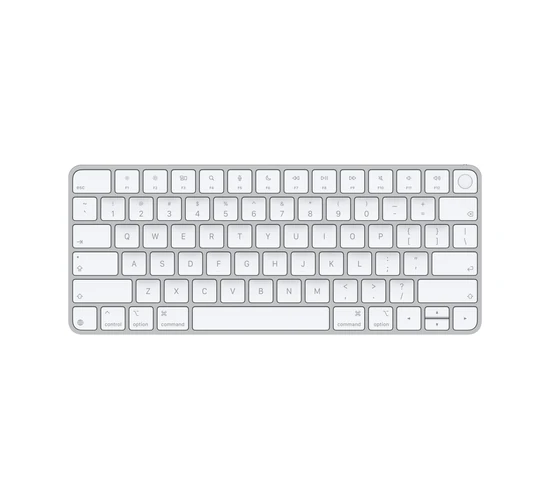 Magic Keyboard Touch ID Magic Keyboard Touch ID |
Native macOS + Touch ID | Apple scissor (low-profile) | Compact (no numpad) | Bluetooth / USB-C | View on Amazon |
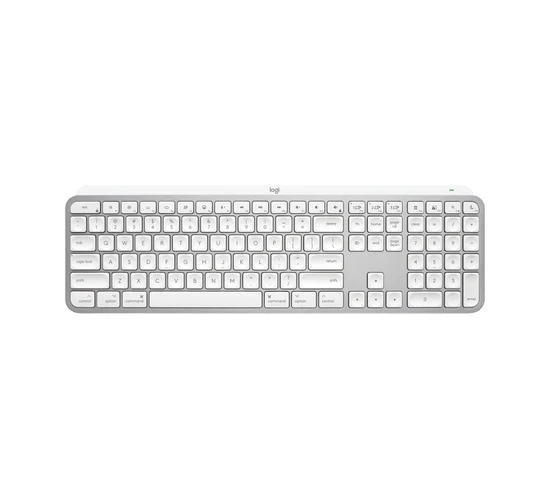 MX Keys S for Mac MX Keys S for Mac |
Mac productivity / multi-device | Low-profile scissor (quiet) | Full-size | Bluetooth / Logi Bolt | View on Amazon |
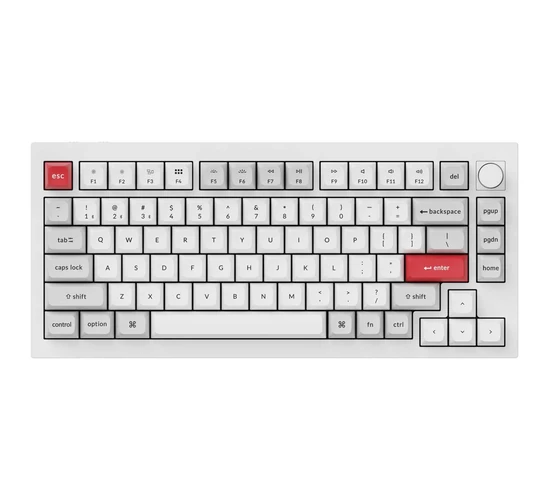 Keychron Q1 Pro Keychron Q1 Pro |
Best mechanical for Mac | K Pro Brown (hot-swap) | 75% | Bluetooth / USB-C | View on Amazon |
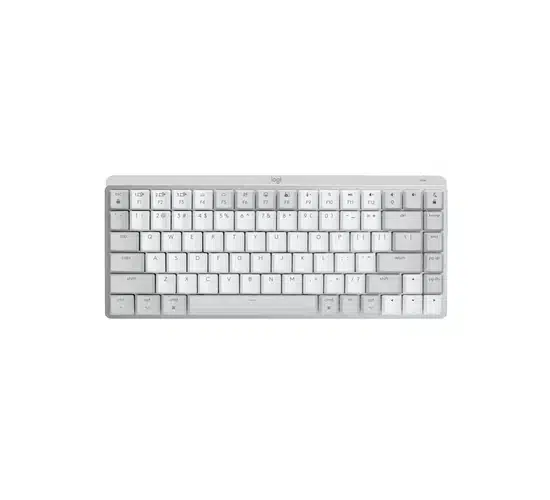 MX Mechanical Mini Mac MX Mechanical Mini Mac |
Compact Mac mechanical | Low-profile tactile (Mac SKU) | 75% Mini | Bluetooth / Logi Bolt | View on Amazon |
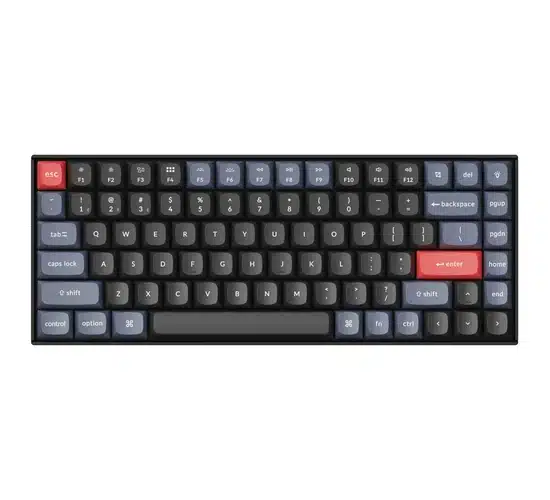 Keychron K2 Pro Keychron K2 Pro |
Wireless 75% value | K Pro (hot-swap QMK) | 75% | Bluetooth / USB-C | View on Amazon |
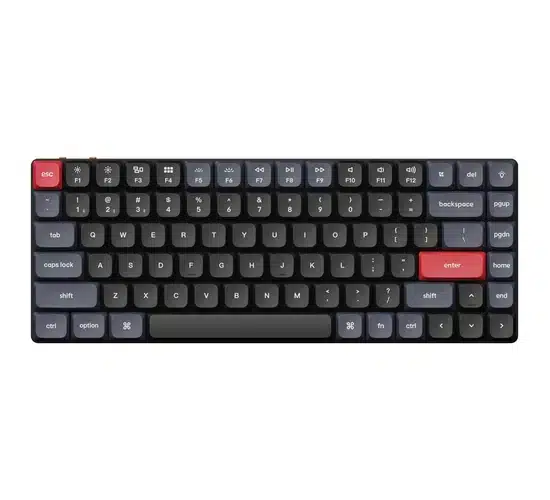 Keychron K3 Pro Keychron K3 Pro |
Ultra-slim / travel Mac | Gateron LP Brown | 75% | Bluetooth / USB-C | View on Amazon |
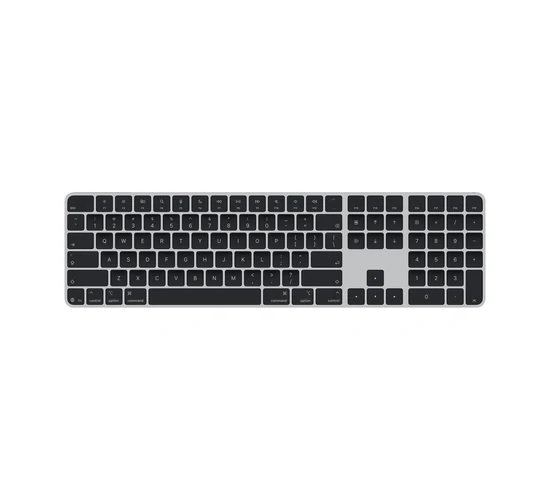 Magic Keyboard + Numpad Magic Keyboard + Numpad |
Full-size Apple + Touch ID | Apple scissor (low-profile) | Full-size | Bluetooth / USB-C | View on Amazon |
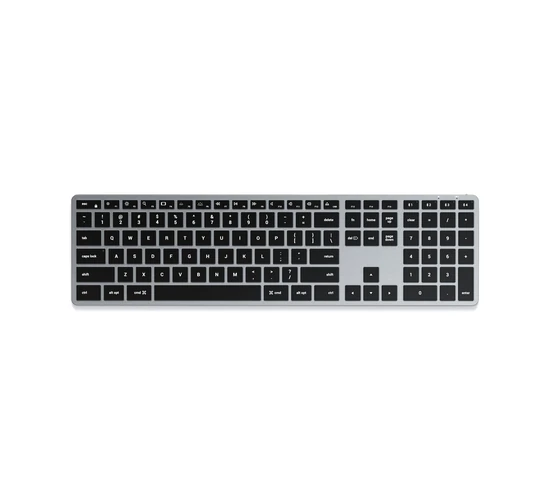 Satechi Slim X3 Satechi Slim X3 |
Budget Mac aluminum | Low-profile scissor / membrane | Full-size | Bluetooth | View on Amazon |
1. Apple Magic Keyboard with Touch ID — best native Mac experience
Who it’s for: Mac mini, Mac Studio, and iMac owners who want official Touch ID login, Apple Pay, and a keyboard that just works with macOS.
What Mac users will like: Touch ID on the keyboard restores fingerprint unlock and purchases on desktop Macs that lack a built-in sensor. The layout matches MacBook muscle memory (Command, Option, Globe/fn), pairs cleanly over Bluetooth, and charges over USB-C. If you want zero driver drama and Secure Enclave–backed biometrics, this is the official answer—not a third-party remapper.
Key specs: Compact Magic Keyboard layout without a numeric keypad; Touch ID sensor for Apple silicon Macs (macOS 15.1+ for the USB-C generation); Bluetooth wireless with USB-C charge/pair cable; rechargeable battery (Apple rates about a month or more between charges with typical use); scissor-mechanism low-profile keys; full-height function row with Mac media icons; US English ASIN linked (confirm language/layout on the listing).
Pros:
- Official Touch ID for login, purchases, and password autofill
- Identical Mac modifier layout to modern MacBooks
- USB-C charging and long battery life
- Zero third-party software required
Cons:
- Not mechanical—shallow travel vs enthusiast boards
- No number pad on this compact model
- Premium Apple pricing for a chiclet board
- Touch ID requires Apple silicon Mac and supported macOS
Check the Magic Keyboard Touch ID on Amazon
2. Logitech MX Keys S for Mac — best productivity keyboard for Mac users
Who it’s for: Writers, developers, and office Mac users who hop between a MacBook, iMac, and iPad and want a quiet full-size board with Mac legends out of the box.
What Mac users will like: The Mac-specific MX Keys S ships with Command/Option legends and Mac-aware function keys, so you are not fighting Windows keycaps. Easy-Switch covers three devices, Logi Options+ on macOS unlocks Smart Actions, and the quiet scissor feel stays polite on calls. For day-to-day Mac work—not RGB gaming—this is the safest non-Apple pick.
Key specs: Full-size Mac layout with number pad and navigation cluster; spherically dished low-profile keys; smart backlighting; Bluetooth Low Energy or Logi Bolt; pairs with up to 3 devices; USB-C rechargeable (Logitech cites roughly days with backlight on, months with backlight off); Logi Options+ for macOS/Windows Smart Actions; pale grey / space grey Mac finishes on common ASINs—confirm color on the listing.
Pros:
- Mac key legends and function row ready for macOS
- Very quiet full-size typing with a numpad
- Multi-device Easy-Switch + Logi Bolt option
- Strong Options+ automation on Mac
Cons:
- Not mechanical—enthusiasts may want more feedback
- Closed Logitech stack (no QMK/VIA)
- Full-size footprint pushes the mouse farther out
- Linux gets basic HID, not full Options+
Check the MX Keys S for Mac on Amazon
3. Keychron Q1 Pro — best mechanical keyboard for Mac
Who it’s for: Mac users who want a serious aluminum QMK/VIA board with Mac keycaps, arrows, and a knob—without abandoning Bluetooth for a pure Windows gaming deck.
What Mac users will like: MacBook keys are fine until you want gasket feel, remappable layers, and hot-swap. Q1 Pro includes Mac and Windows keycap sets plus an OS toggle, so Command stays where your thumbs expect. VIA macros for Spotlight, window tiling, or snippets live on the board. For coding and writing on macOS, the 75% layout keeps Escape and arrows without a full-size slab. See also our best keyboards for programming guide if you dual-boot or share a desk with Windows.
Key specs: 75% layout with rotary knob, arrows, and compact nav; CNC aluminum double-gasket body; QMK/VIA programmable; Bluetooth 5.1 (up to 3 devices) + USB-C wired; hot-swappable MX-style sockets; Keychron K Pro Brown on the linked ASIN; KSA double-shot PBT; south-facing RGB; ~4000 mAh battery; Mac/Windows keycaps and system toggle.
Pros:
- Mac + Windows keycaps and QMK/VIA remapping
- Aluminum gasket build with hot-swap MX sockets
- 75% keeps arrows/nav for editors on Mac
- Bluetooth multi-device for MacBook + desktop
Cons:
- Premium price vs plastic Mac boards
- Heavier than Apple/Logitech slim keyboards
- No official Touch ID
- Bluetooth only (no Logi-style 2.4 GHz dongle)
Check the Keychron Q1 Pro on Amazon
4. Logitech MX Mechanical Mini for Mac — best compact mechanical for Mac
Who it’s for: Mac users who want low-profile mechanical feedback in a desk-friendly Mini layout with Mac legends and the MX multi-device ecosystem.
What Mac users will like: If Apple’s scissor feel is too mushy but a tall MX board feels huge next to a Magic Mouse, the Mini for Mac hits a middle ground: mechanical travel, Mac modifiers, and Easy-Switch across MacBook/iPad/phone. Options+ still handles remaps on macOS. Ideal for laptop-dock desks where mouse reach matters.
Key specs: Compact ~75% Mini layout with arrows and a right-side nav column; Mac-specific key legends; low-profile mechanical switches (tactile options common on Mac SKUs—confirm the listing); backlighting; Bluetooth or Logi Bolt; multi-device pairing; USB-C charging; Logi Options+ on macOS/Windows; pale grey and space grey finishes typically offered.
Pros:
- True mechanical feel in a Mac-native Mini layout
- Quiet-enough low-profile switches for shared spaces
- Easy-Switch multi-device with Options+
- Smaller footprint than full-size MX boards
Cons:
- Not hot-swap or QMK—Logitech firmware only
- Switch feel locked to the SKU you buy
- No Touch ID
- Pricier than many Keychron Minis
Check the MX Mechanical Mini Mac on Amazon
5. Keychron K2 Pro — best wireless 75% value for Mac
Who it’s for: Mac users who want QMK/VIA and hot-swap in a classic 75% wireless board without jumping to a full aluminum Q-series price.
What Mac users will like: K2 Pro is the workhorse Mac mechanical: Mac keycaps included, Bluetooth for the MacBook, wired when you flash firmware, and VIA for Caps↔Esc or Hyper keys. The 75% layout is a sweet spot next to a trackpad or MX Master. More customizable than Logitech; more approachable than boutique customs.
Key specs: 75% (84-key) layout with arrows and nav column; QMK/VIA programmable; hot-swappable; Bluetooth 5.1 + USB-C; Mac/Windows keycaps and OS toggle; Keychron K Pro switches on common ASINs (Brown/Red/Banana variants—confirm listing); double-shot PBT on Pro models; RGB backlight; plastic frame with optional aluminum frame variants on other SKUs.
Pros:
- QMK/VIA + hot-swap at a mid-range price
- Mac layout keycaps and wireless multi-device
- 75% programmer/writer friendly layout
- Large Keychron ecosystem for caps and switches
Cons:
- Plastic-frame versions feel less premium than Q1 Pro
- No Touch ID or Apple-secure biometrics
- RGB can drain battery if left bright
- Slightly taller than Apple/Logitech low-profile boards
Check the Keychron K2 Pro on Amazon
6. Keychron K3 Pro — best ultra-slim mechanical for MacBooks
Who it’s for: Laptop-first Mac users who want mechanical feedback that still slides into a bag and sits close to MacBook key height.
What Mac users will like: Jumping from a MacBook to a tall MX board can feel like climbing stairs. K3 Pro’s low-profile Gateron switches keep travel closer to chiclet height while adding QMK/VIA and a 75% cluster. Pair it over Bluetooth when the lid is closed on a desk stand. Great companion if you already liked Apple’s thinness but want remaps.
Key specs: Ultra-slim 75% layout with arrows/nav; Gateron low-profile Brown (tactile) on the linked white-backlight ASIN; QMK/VIA; Bluetooth 5.1 + USB-C; Mac/Windows compatible with included keycaps/OS modes; designed as a low-travel mechanical alternative to laptop boards. Hot-swap LP variants exist as separate SKUs—check the listing.
Pros:
- Low-profile mechanical closer to MacBook height
- QMK/VIA in a travel-friendly 75%
- Bluetooth for MacBook + USB-C wired
- Lighter/thinner than full-height Keychrons
Cons:
- LP switch ecosystem is narrower than MX
- Feel differs from full-height mechanicals
- Battery life drops with backlight on
- No aluminum Q-series rigidity
Check the Keychron K3 Pro on Amazon
7. Apple Magic Keyboard with Touch ID and Numeric Keypad — best full-size Apple board
Who it’s for: Accountants, analysts, and Mac desktop users who need a number pad plus official Touch ID on the same keyboard.
What Mac users will like: Same Secure Enclave Touch ID story as the compact Magic Keyboard, but with a full numeric keypad and navigation island for spreadsheets, QuickBooks-adjacent work, or numeric entry in creative apps. Black-keys / silver structure finishes match Studio Display desks. Still not mechanical—but if you want Apple’s full-size layout done officially, this is it.
Key specs: Full-size Magic Keyboard with numeric keypad and navigation cluster; Touch ID for Apple silicon Macs (USB-C generation needs macOS 15.1+); Bluetooth + USB-C charge cable; rechargeable battery with multi-week Apple claims; scissor low-profile keys; Mac function row; black keys / silver aluminum structure on the linked ASIN (confirm finish/language).
Pros:
- Touch ID + full numpad in one official Apple keyboard
- Mac-native layout and function keys
- USB-C charging; long battery life
- Matches modern Mac desktop aesthetics
Cons:
- Large footprint vs compact Magic Keyboard
- Not mechanical; shallow travel
- Apple pricing
- Touch ID limited to supported Apple silicon Macs
Check the Magic Keyboard + Numpad on Amazon
8. Satechi Slim X3 — best budget aluminum Mac keyboard
Who it’s for: Mac users who want a silver aluminum full-size board with Mac legends and backlight without paying Apple Magic Keyboard prices.
What Mac users will like: Satechi’s Slim X3 aims at the Magic Keyboard aesthetic: aluminum chassis, Mac modifiers, backlit keys, and Bluetooth multi-device. It will not match Apple’s build tolerances or offer Touch ID, but for a secondary desk or a cost-conscious Studio Display setup it covers the basics. Handy if you need a numpad on a budget.
Key specs: Full-size slim Bluetooth keyboard with numeric keypad; aluminum chassis finishes (silver/space gray/common variants); Mac layout legends (Command/Option); backlit keys; rechargeable battery; multi-device Bluetooth pairing; designed as a Magic Keyboard–style alternative. Confirm current backlight and color options on the Amazon listing.
Pros:
- Aluminum look closer to Apple desks than plastic boards
- Full-size Mac layout with numpad and backlight
- Usually priced under official Magic Keyboard + numpad
- Bluetooth multi-device for Mac/iPad
Cons:
- No Touch ID
- Build/typing feel is not Apple-grade
- Not mechanical or QMK
- Firmware/features are simpler than Logitech MX
Check the Satechi Slim X3 on Amazon
Buying guide: what Mac users should prioritize
Windows-centric “gaming” checklists miss what macOS users actually need. Shop this list instead.
Mac layout legends and the Globe/fn key
Buy boards that ship with Command/Option legends (or include a Mac keycap set). Windows-marked keys work after remapping, but they slow muscle memory and look wrong on a Studio Display desk. Mac-specific Logitech and Apple boards also map the function row to brightness, Mission Control, and media the way macOS expects. For size tradeoffs beyond Mac branding, see how to choose your keyboard size.
Touch ID vs third-party boards
Only Apple’s Magic Keyboard with Touch ID provides Secure Enclave–backed fingerprint unlock and Apple Pay on desktop Macs. Third-party boards cannot replicate that biometric path. If you own a Mac mini or Mac Studio and care about fingerprint login, plan on an Apple Touch ID keyboard—even if you keep a mechanical board for typing.
Bluetooth multi-device for MacBook + desktop
Most Mac desks involve a laptop and at least one other Apple device. Easy-Switch (Logitech) or multi-host Bluetooth (Keychron/Apple) matters more than RGB. Wired USB-C is still useful for charging and for flashing QMK firmware. For a wider wireless roundup, see our best wireless keyboards guide.
Low-profile vs full-height next to a MacBook
If you alternate between the built-in MacBook keyboard and an external board, low-profile options (Magic Keyboard, MX Keys S, MX Mechanical Mini, K3 Pro) reduce the height jump. Full-height MX/QMK boards feel better for many typists but need a wrist-friendly desk setup. Mechanical vs scissor tradeoffs are covered in mechanical vs membrane and are mechanical keyboards worth it.
Programmability on macOS
QMK/VIA (Keychron) stores layers on the board—great for Caps↔Esc and Hyper keys across Macs. Logi Options+ adds Smart Actions on MX boards. Apple’s Magic Keyboard is intentionally simple. Pick the depth you will actually configure. For cleaning aluminum Mac boards and scissor decks, see how to clean a MacBook keyboard (many tips transfer to Magic Keyboard and similar).
FAQ
Do I need a Mac-specific keyboard for macOS?
No—any standard Bluetooth/USB keyboard works. Mac-specific models save time with correct legends, function-row icons, and fewer remaps. Windows boards are fine if you are willing to swap keycaps or retrain.
Can third-party keyboards use Touch ID on Mac?
No. Touch ID on external keyboards is limited to Apple’s Magic Keyboard with Touch ID, securely paired to an Apple silicon Mac.
What is the best mechanical keyboard for Mac?
For most people, the Keychron Q1 Pro: Mac keycaps, QMK/VIA, aluminum 75%, and Bluetooth. Prefer Logitech’s ecosystem and quieter low-profile switches? MX Mechanical Mini for Mac. Prefer ultra-slim travel? K3 Pro.
Will these keyboards work with iPad and iPhone?
Most Bluetooth models here pair with iPadOS/iOS for typing. Touch ID on Magic Keyboard is for Mac, not iPad unlock. Check each product’s device list if you need deep iPad Stage Manager shortcuts.
Are Magic Keyboards good for programming?
They are excellent for macOS convenience and quiet typing, but many developers prefer mechanical 75%/TKL boards for travel and remaps. Mix and match: Magic Keyboard for Touch ID login, mechanical for long coding sessions.
How do I switch a Keychron to Mac mode?
Use the Mac/Windows toggle (often above the left side or via a switch on the back) and install the Mac keycaps Keychron includes. In VIA, confirm the Cmd/Option positions match your expectation. Details vary slightly by model—check Keychron’s quick-start for your SKU.
Final verdict
Need official biometrics on a Mac mini or Mac Studio? Get the Apple Magic Keyboard with Touch ID (add the Numeric Keypad version if you live in spreadsheets). Want the best everyday Mac desk board that is not Apple? MX Keys S for Mac. Want a real mechanical with Mac keycaps and VIA? Keychron Q1 Pro. Prefer compact MX mechanical? MX Mechanical Mini for Mac. Value QMK 75%? K2 Pro. MacBook-height travel? K3 Pro. Budget aluminum full-size? Satechi Slim X3.
Match Touch ID needs, layout legends, and noise first—RGB last. Your Mac’s modifiers—and your wrists—will thank you.
