

Quick answer
To reduce typing errors, slow down until you can type accurately, then build speed gradually; accuracy practiced at a comfortable pace carries over. Practice the letter pairs you miss most, keep your eyes on the screen, and check settings: a longer repeat delay or Windows Filter Keys can stop doubled and accidental keystrokes. If one key misbehaves no matter how you type, it’s likely a keyboard fault, not you.
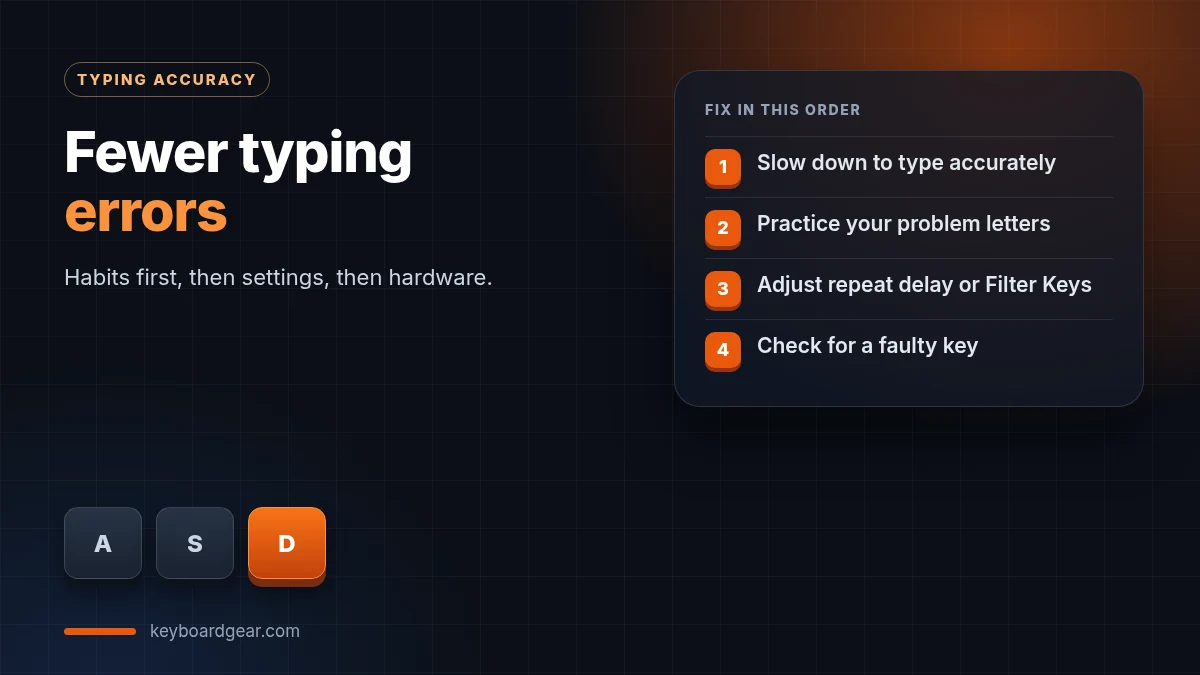
Every typist makes mistakes. The goal is fewer of them, so you spend less time pressing Backspace. Fixing errors usually starts with habits, then settings, and only then hardware.
Accuracy and speed go together
Many people assume they must trade accuracy for speed. A large study by researchers at Aalto University and Cambridge, which analysed 136 million keystrokes from about 168,000 volunteers in an online typing test, found that faster typists generally make fewer errors. Speed and accuracy grow together as the skill improves.
That’s why typing teachers say to slow down first. If you rush past your accurate pace, you practise mistakes, and the corrections cost more time than you saved.
Habits that cut mistakes
- Find your accurate pace. Type at a speed where you make very few errors, even if it feels slow.
- Watch the screen, not the keys. Looking down breaks your rhythm and hides mistakes until later. Our learn touch typing plan helps you stop looking.
- Return to the home row. Rest your index fingers on F and J after every reach. The bumps on F and J are there for that.
- Practise your problem pairs. Most typing sites show which letters you miss. Drill those combinations for a few minutes a day.
- Take short breaks. Errors creep in when you’re tired.
Many practice sites let you require accuracy before moving on. Turn that on. Our free typing practice sites comparison notes which ones track errors by key.
Settings that stop accidental keystrokes
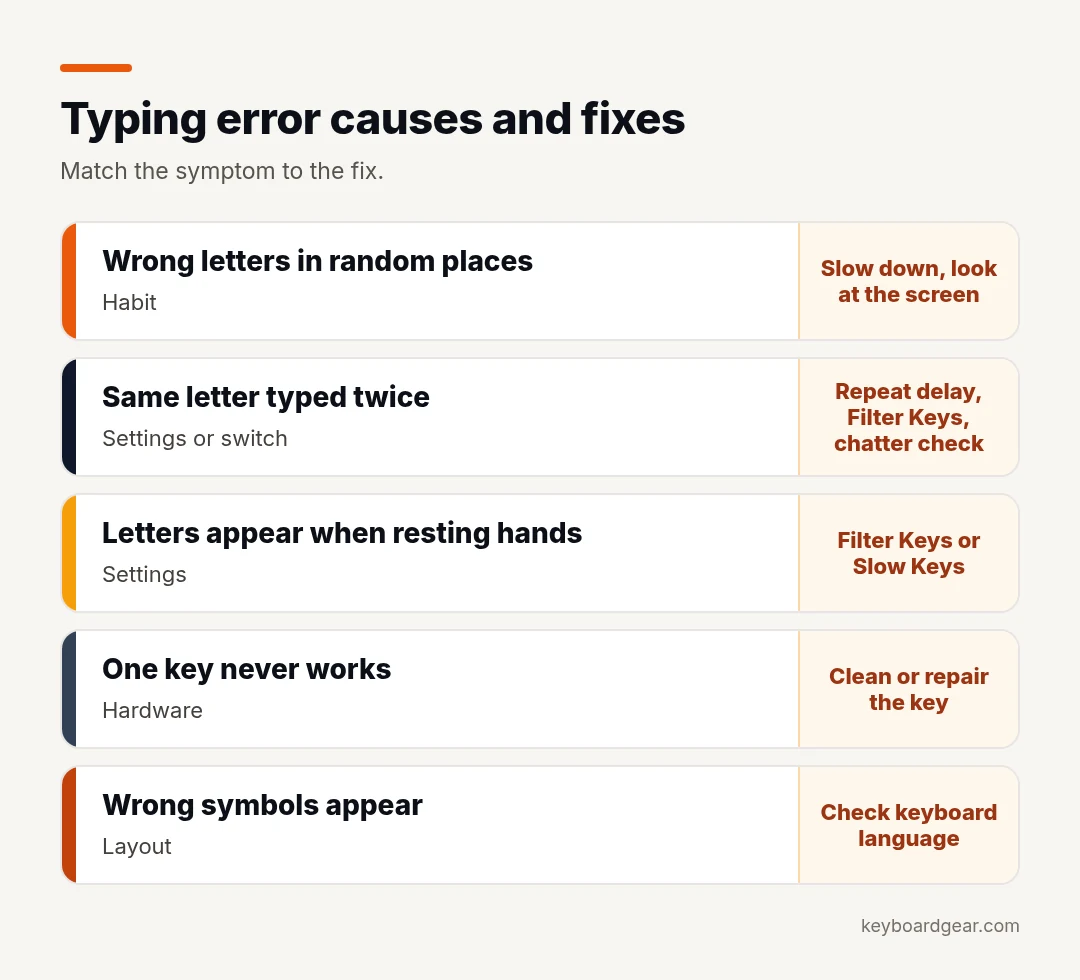
If you see the same letter twice, or letters appear when your fingers only rest on the keys, a setting may help.
- Repeat delay (Windows and Mac). A longer delay before a held key repeats prevents “sstrings” of letters. Our keyboard repeat rate guide shows where it is.
- Filter Keys (Windows). In Settings > Accessibility > Keyboard, Filter Keys can ignore brief keystrokes and repeated keystrokes. Microsoft lists options to ignore quick keystrokes (Slow Keys) and repeated keystrokes (Repeat Keys).
- Slow Keys (Mac). In System Settings > Accessibility > Keyboard, Slow Keys adds a delay before a key press counts.
These settings change how every key behaves. Make small changes and test them, or you may find normal typing feels unresponsive.
When it’s the keyboard, not you
Some errors aren’t habits at all:
- One key types twice even when you press it once: that’s switch chatter. See keyboard chatter.
- A key doesn’t respond or needs a hard press: see keyboard key not working.
- Wrong symbols appear, such as @ and ” swapped: your keyboard language or layout is probably wrong. See keyboard typing wrong characters.
| Symptom | Likely cause | First fix |
|---|---|---|
| Random wrong letters | Speed or posture | Slow down, home row |
| Double letters on one key | Switch chatter | Clean or replace the switch |
| Double letters on many keys | Repeat delay too short | Lengthen repeat delay |
| Letters appear when resting | Light touch on keys | Filter Keys or Slow Keys |
| Wrong symbols | Wrong layout | Check language settings |
Measure errors properly
When you test yourself, track both net speed and accuracy. Our good typing speed guide explains how typing tests count errors. Aim for high accuracy at your current speed before chasing a higher number.
FAQ
Why do I make so many typing mistakes?
Usually because you’re typing faster than your accurate pace, looking at the keys, or tired. Slow down and practise your problem letters.
Is it better to type fast or accurately?
Accurately first. Research on millions of keystrokes found faster typists generally make fewer errors, so accuracy and speed improve together.
Why does my keyboard type the same letter twice?
Either the repeat delay is too short, or a switch is chattering. If it’s one key only, suspect the switch.
What is Filter Keys?
A Windows accessibility setting that can ignore brief or repeated keystrokes, which helps if you press keys accidentally.
How long does it take to improve accuracy?
A few weeks of short daily practice usually makes a clear difference.
Sources
- Dhakal, Feit, Kristensson and Oulasvirta (CHI 2018): Observations on Typing from 136 Million Keystrokes
- Microsoft Support: Make your mouse, keyboard, and other input devices easier to use
- Apple Support: Change Keyboard settings for accessibility on Mac
Final thoughts
Fewer typing errors come from typing at a pace you can control, keeping your eyes on the screen and practising the letters you miss. If errors persist, check repeat delay and Filter Keys, then test the keyboard itself.

Experience is what matters at the end!!
Hi! This is Jacob Jay – founder of Keyboardgear.com! From childhood to adulthood, I’ve always remained passionate about IT, and the revolution in this industry, especially gaming on the PC can’t go out of my way. Since I’m an enthusiastic gamer, and I love to experience various gaming accessories, particularly mechanical keyboards, that really boost my gaming adventure manifolds. So, my nerve cells hit me to transfer my experiences into word form and share with others to identify the ideal keyboards perfectly fit for their gaming modes.
I know very well how hard it is to find the high-quality items available on the internet that ought to be exactly the same as seen as on the screen. But the counterfeiters have ruined the user’s trust. As I have passed all such situations, I’m obliged to deliver the genuinity and express the same as what I am saying.
So, now, I’m working on the mission to provide very helpful and frankly but trustworthy reviews and guides about various mechanical keyboards, mouses, and other gaming accessories as per my personal experiences and sound knowledge.