

Keyboard Gear earns from qualifying purchases through Amazon links.
A good desk mat does more than any other cheap upgrade to make a desk look finished and feel nicer to use. It gives your mouse one consistent surface, quiets the keyboard a little, protects the desktop from scratches and coffee rings, and pulls a keyboard, mouse and laptop into one tidy zone. The hard part is choosing between cloth, felt and leather, and between a mat that fits under your keyboard and one that covers the whole desk.
This guide compares seven of the best desk mats on Amazon US for work, study and gaming. The list runs from the Logitech Studio Series and Nordik’s large felt mat to Satechi and Aothia leather-look pads and full-desk gaming mats from SteelSeries and Corsair. We checked each Amazon US listing for availability on November 26, 2026 (Asia/Karachi) and only included listings sold new by Amazon or the brand’s own store. We cross-checked sizes and materials against the makers’ own specifications. Prices change often, so use the Check Price buttons to see the current price. For the rest of your workspace, our desk setup guide walks through layout, lighting and cable management step by step.
| Product | Best for | Key specs | Price |
|---|---|---|---|
1 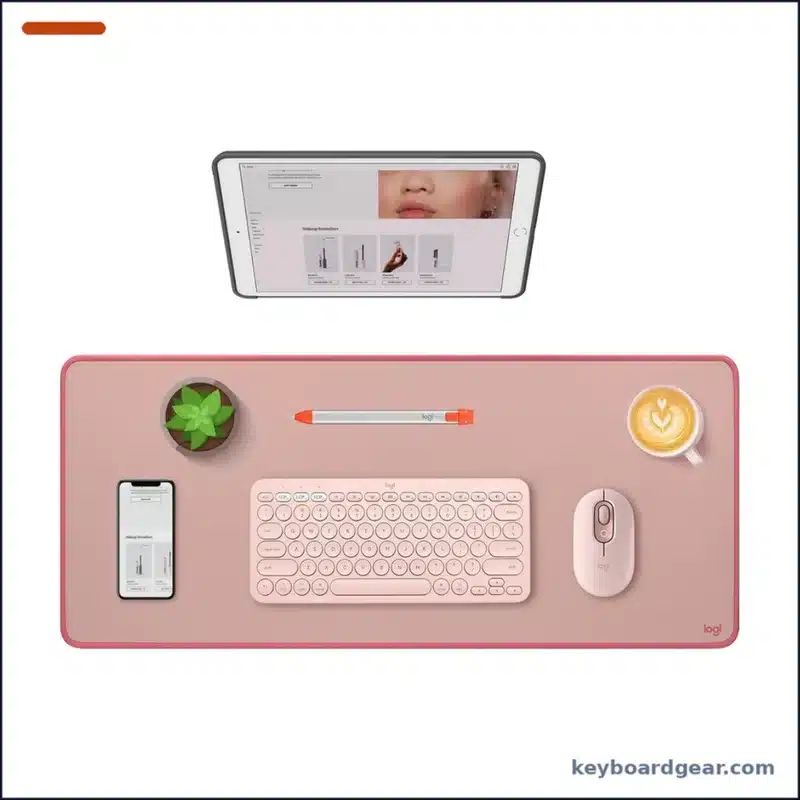 Logitech Studio Series Desk Mat |
Best overall |
|
Check Price |
2 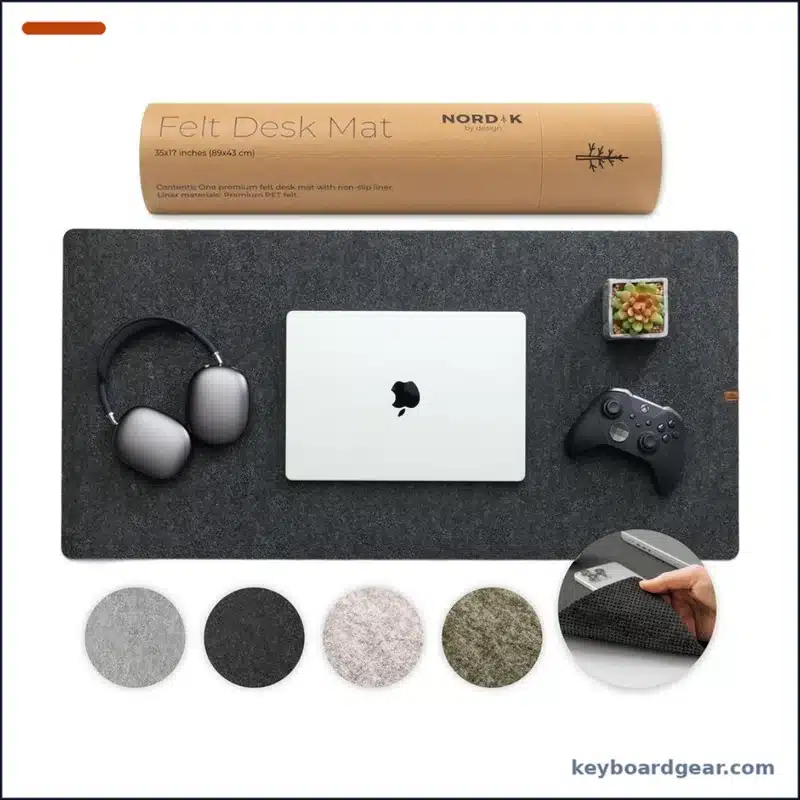 Nordik Felt Desk Mat (Large) |
Best felt |
|
Check Price |
3 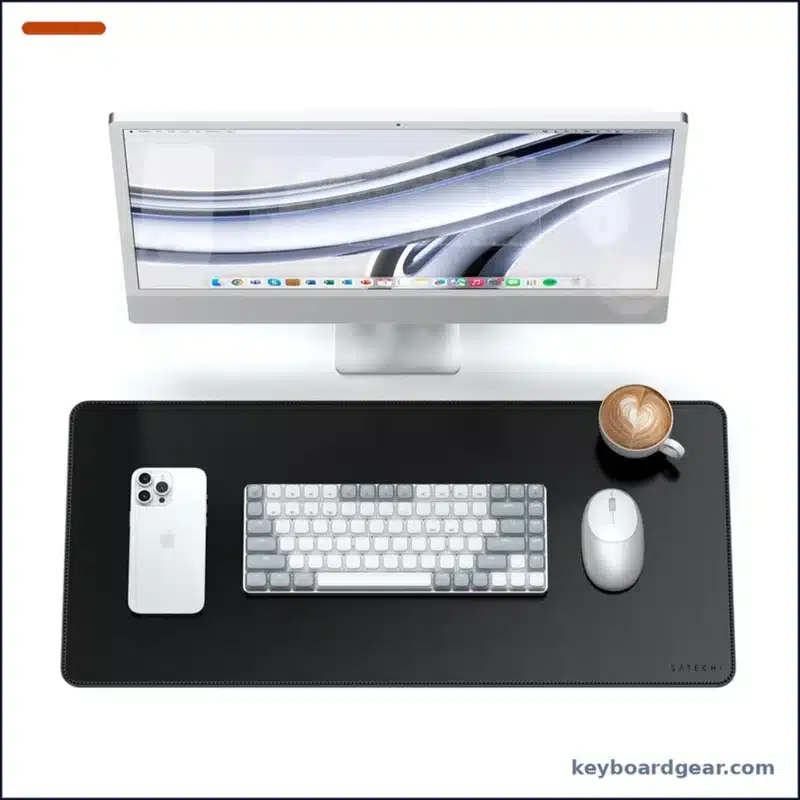 Satechi Vegan-Leather Desk Mat |
Best leather look |
|
Check Price |
4 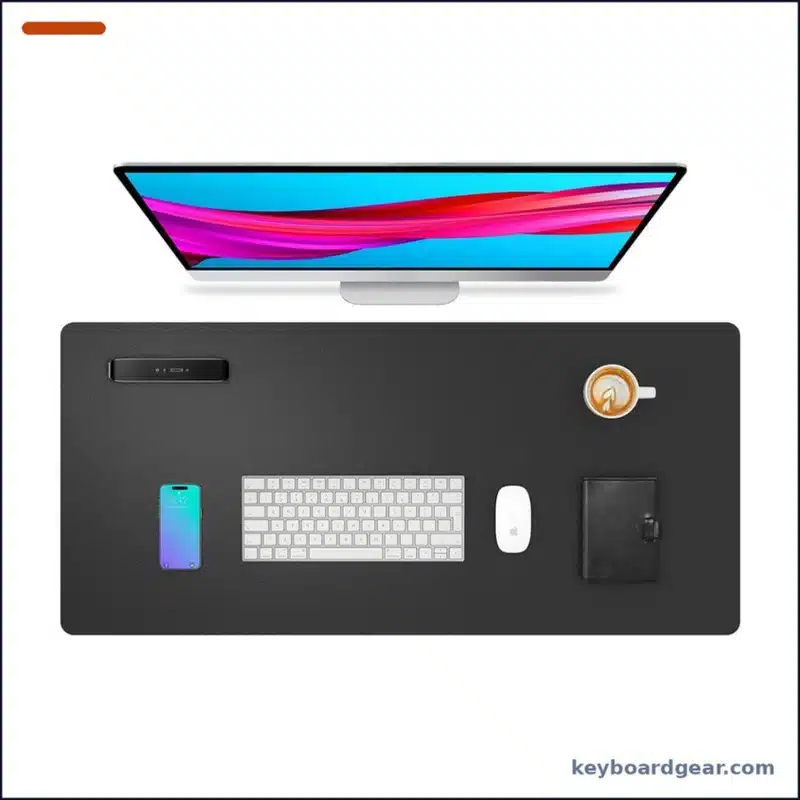 Aothia PU Leather Desk Pad |
Best budget |
|
Check Price |
5 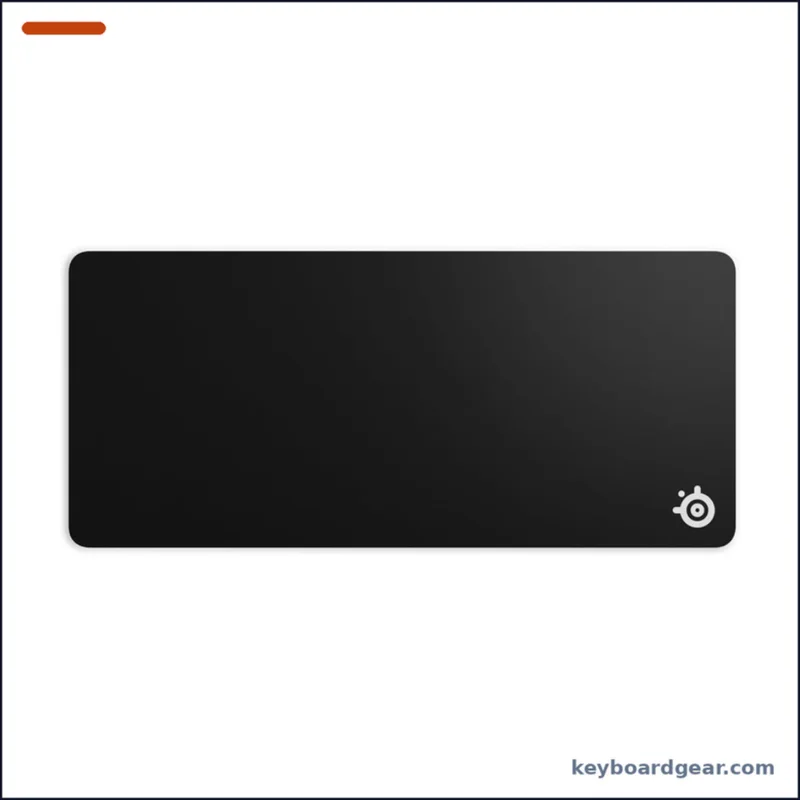 SteelSeries QcK XXL |
Best for gaming |
|
Check Price |
6 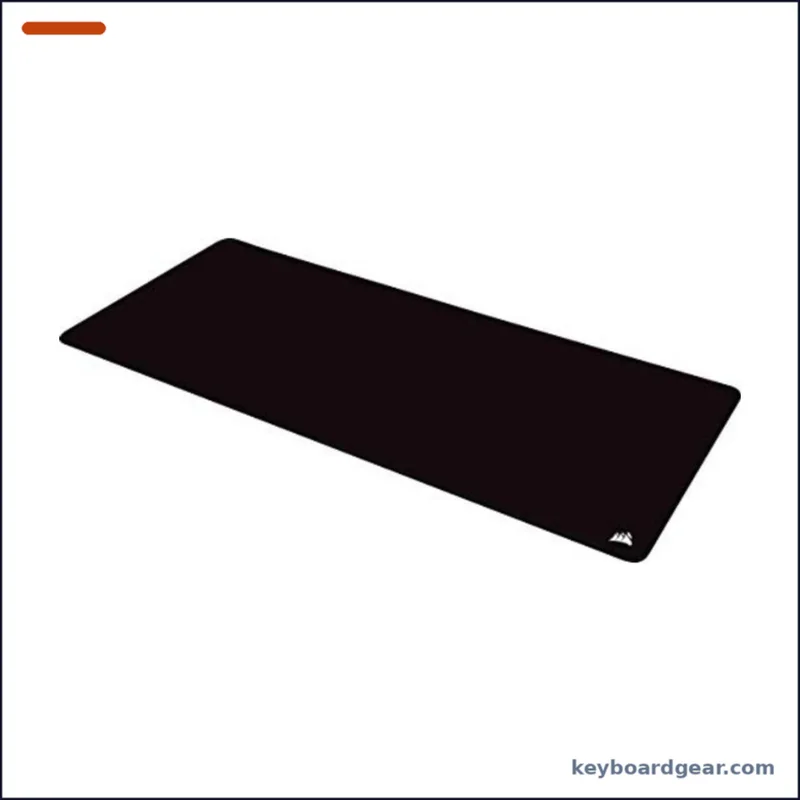 Corsair MM350 PRO Extended XL |
Best spill-proof cloth |
|
Check Price |
7 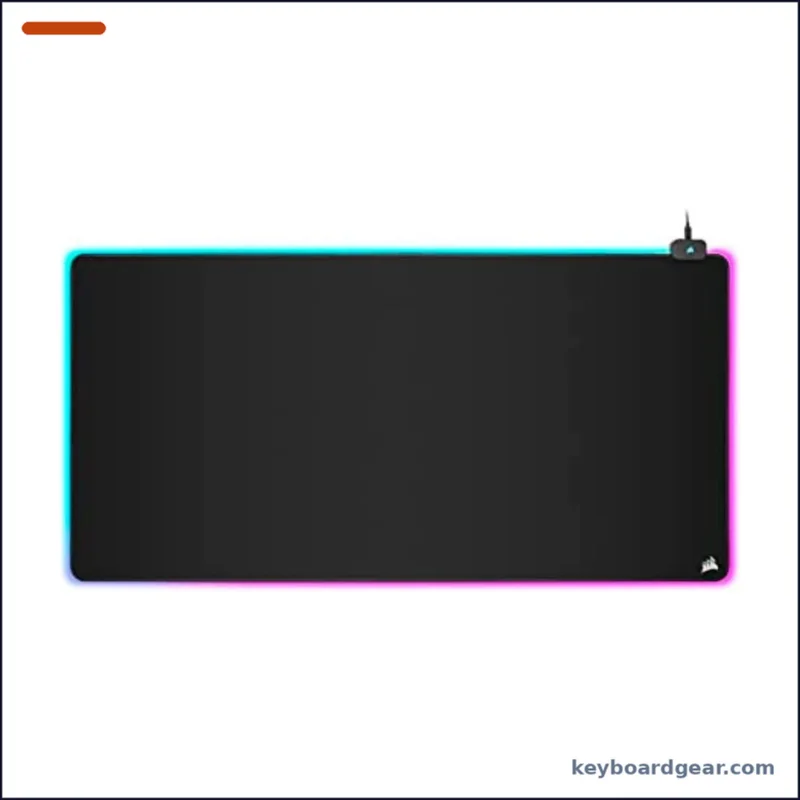 Corsair MM700 RGB Extended 3XL |
Best RGB & full desk |
|
Check Price |
Quick picks
- Best overall: Logitech Studio Series Desk Mat — a spill-resistant, smooth cloth mat in several colours for very little money.
- Best felt: Nordik Felt Desk Mat — a large, seamless felt mat with a warm, minimal look.
- Best leather look: Satechi Vegan-Leather Desk Mat — a wipe-clean, stitched vegan-leather mat with a two-year warranty.
- Best budget: Aothia PU Leather Desk Pad — big coverage, wipe-clean and available in dozens of colours.
- Best for gaming: SteelSeries QcK XXL — the classic micro-woven cloth stretched to 900 × 400 mm.
- Best spill-proof cloth: Corsair MM350 PRO Extended XL — gaming cloth with a coating that sheds liquids and a 4 mm base.
- Best RGB and full desk: Corsair MM700 RGB Extended 3XL — 48 × 24 inches with RGB edges and a two-port USB hub.
How we chose these desk mats
We started from the desk mats and extended mouse pads that Amazon US shoppers actually buy, then narrowed them down to well-documented products from established brands, in three materials (cloth, felt and leather) and a range of sizes from 70 cm to 122 cm wide. Each listing had to be in stock and sold new by Amazon or the brand’s own store; we skipped colour variants sold only by third-party resellers. Specifications come from Logitech, SteelSeries and Corsair specification pages and from the brands’ own Amazon listings for Nordik, Satechi and Aothia. Where a maker doesn’t publish a figure, such as thickness for the Nordik felt mat, we leave it out rather than guess.
How to choose a desk mat
Measure your desk first
Size is the decision that matters most. Small “keyboard plus mouse” mats of around 70 × 30 cm (the Logitech and Satechi picks) suit standard desks and leave room in front of the monitor. Extended XL mats of about 90 × 40 cm (QcK XXL, MM350 PRO, Nordik, Aothia) cover the main work area and fit a laptop beside the keyboard. A 3XL mat like the MM700 at 122 × 61 cm covers most of a large desk. Measure the desk’s width and how much depth you have in front of the monitor base, and leave a few centimetres of bare desk at the front edge so the mat doesn’t overhang where your forearms rest.
Cloth, felt or leather
Cloth gives the most controlled, consistent mouse glide and is the best choice for gaming; it’s also the most cushioned. Felt looks and feels the warmest, but it isn’t coated and holds onto lint. Leather and PU leather are the easiest to wipe clean and work as a writing surface, but they feel slicker under the mouse and add little cushioning. Modern optical mice track well on all three; our optical vs laser mouse explainer covers how sensors handle different surfaces, and a mat also helps when a bare glass or glossy desk confuses a sensor.
Thickness and comfort
Thin mats (2–3 mm) keep the keyboard almost at desk height and feel firm and fast. Thicker 4 mm mats such as the MM350 PRO and MM700 are softer under the wrists and smooth over small dips in an old desk, but they raise the keyboard slightly. If your wrists ache after long typing sessions, a mat alone won’t fix that; a padded rest from our best keyboard wrist rests guide, or a better mouse shape from our vertical mouse picks, will help more.
Spills, cleaning and edges
If you often have a drink on the desk, look for a coated or water-resistant surface: Logitech’s spill-resistant cloth, Corsair’s spill-proof MM350 PRO, or a leather-look mat that you can just wipe down. Stitched edges stop cloth mats from fraying, and flat stitching (as on the Logitech mat) is less noticeable under your wrists than a raised seam. To clean your keyboard and mouse while the mat is off the desk, our keyboard cleaning guide has a safe routine.
1. Logitech Studio Series Desk Mat — best everyday desk mat for most desks
Who it’s for: Anyone who wants one tidy, mouse-friendly surface under a keyboard and mouse on a normal home-office or study desk, and likes a bit of colour.
Logitech’s Studio Series Desk Mat gets the basics right for very little money. The top is a soft, fine-weave cloth that gives an office or casual gaming mouse a quiet, even glide, and Logitech coats it so that spills sit on the surface long enough to be wiped off — its support specification says liquids can be wiped clean with a damp cloth within two minutes. Flat-stitched, anti-fray edges keep the border neat and low, so your wrists don’t ride over a raised seam.
At 700 × 300 mm and 2 mm thick (about 3.5 mm at the stitching), it is a “keyboard plus mouse” mat rather than a full-desk cover. That suits most standard desks and keeps the keyboard sitting almost as low as it would on the bare desktop. Logitech says the surface and inner layer are 100% recycled polyester and the base is natural rubber. The mat weighs only 286 g and rolls up easily. We link the Darker Rose version, which Amazon sells and ships itself; Lavender, Mid Grey and Lilac versions are also listed, and it pairs naturally with Logitech’s POP keyboards and mice — see our wireless keyboard and mouse combo picks if you want a matching set.
Key specs: 700 × 300 × 2 mm (3.5 mm at the stitching); 286 g; spill-resistant recycled-polyester surface; natural rubber anti-slip base (contains latex); flat-stitched anti-fray edges; several colours.
- Smooth, quiet cloth glide for any mouse
- Spill-resistant coating wipes clean
- Low flat-stitched edges
- Light, inexpensive and colourful
- Only 30 cm deep — no room for a laptop as well
- Thin 2 mm pad gives little cushioning
- Rubber base contains natural latex
2. Nordik Felt Desk Mat (Large) — best felt desk mat for a warm, minimal look
Who it’s for: Home-office desks where looks and warmth matter: a laptop, keyboard, mouse and notebook all on one soft surface, in a muted Scandinavian style.
Felt is the material to choose if you dislike the cold feel of a bare desk or the slightly “gamer” look of black cloth. Nordik’s large felt mat is cut as one seamless piece with no stitched edge, finished with a small leather logo tab, and held in place by anti-slip rubber dots on the underside. At 35 × 17 inches it is large enough for a laptop, a full-size keyboard and a mouse side by side.
It ships rolled inside a sturdy branded storage tube, which makes it an easy gift and a tidy way to store it, and Nordik lists several colours, from charcoal and light grey to green. Nordik does not publish a thickness figure, so we have not quoted one. Felt has two trade-offs to know about. It isn’t a coated surface, so treat drinks with care and blot spills straight away, and fibres catch crumbs and lint, so a quick lint-roll now and then keeps it looking new. Most office mice track well on felt, but if you play fast shooters, a tuned cloth gaming mat will feel more consistent.
Key specs: 35 × 17 in (89 × 43 cm); seamless felt top with no stitching; anti-slip rubber dot base; leather logo tab; storage tube included; several colours.
- Warm, soft feel and premium look
- Large enough for laptop, keyboard and mouse
- Seamless edges and anti-slip dots
- Gift-ready storage tube
- Not a coated, spill-proof surface
- Fibres attract lint and crumbs
- No published thickness spec
3. Satechi Vegan-Leather Desk Mat — best vegan-leather desk mat for a clean, premium setup
Who it’s for: Mac and minimalist setups, writers and anyone who wants a smooth, wipe-clean leather-look surface for typing, writing and an office mouse.
Satechi makes accessories designed to match Apple hardware, and its vegan-leather desk mat has the same clean, understated finish. The surface is a smooth vegan leather with reinforced stitching around the edge, and Satechi says it is water- and scratch-resistant and can be cleaned with a damp cloth and mild soap — a real advantage over cloth and felt if your desk is also where you eat or drink coffee.
It measures 68 × 31.5 cm and 0.3 cm thick, about the same footprint as the Logitech mat: room for a keyboard and mouse, or a compact keyboard plus a notebook. Satechi lists three colours on Amazon, sells the mat directly, and backs it with a two-year limited warranty. Like all leather-style mats, it gives a slicker, firmer glide than cloth, which is fine for office mice but less controlled for competitive gaming. Pair it with a padded rest from our keyboard wrist rest guide if you want extra comfort, since a thin leather mat adds very little cushioning.
Key specs: 68 × 31.5 × 0.3 cm; vegan leather with reinforced stitching; water- and scratch-resistant; anti-slip underside; three colours; 2-year limited warranty (Satechi).
- Wipe-clean, water-resistant surface
- Neat reinforced stitching and premium finish
- Thin profile keeps the keyboard low
- Two-year warranty from Satechi
- Smaller than the 35-inch felt and gaming mats
- Slicker glide than cloth for gaming
- Costs more than budget PU mats
4. Aothia PU Leather Desk Pad — best budget leather-look desk pad
Who it’s for: Students, shared family desks and anyone who wants a large, wipe-clean desk protector in almost any colour without spending much.
Aothia’s PU leather desk pad is one of the cheapest ways to cover most of a desk. At 31.5 × 15.7 inches it takes a laptop or a full-size keyboard and mouse with room to spare, and the faux-leather top protects the desk from scratches, ink and spilled drinks — Aothia says it wipes clean with a wet cloth or paper towel. The back uses a suede-style finish, which Aothia says grips the desk better than a double-sided leather pad.
It also doubles as a writing surface, which cloth mats don’t do well, and the colour range is huge, from black and grey to pastels, greens and browns. The trade-offs come with the price: this is PU (faux) leather rather than real leather, the thin pad offers little cushioning, and the glide is smoother and less controlled than a cloth gaming surface. It is sold by Aothia’s own store and shipped through Amazon. For a home office on a budget, it’s hard to argue with.
Key specs: 31.5 × 15.7 in (80 × 40 cm); PU leather top; suede-style non-slip back; water-resistant, wipe-clean surface; about 0.3 kg; many colours; 1-year warranty from the seller.
- Large coverage for a low price
- Wipe-clean, water-resistant surface
- Good writing surface
- Dozens of colour options
- Faux (PU) leather, not real leather
- Thin, with little cushioning
- Less controlled glide than cloth for gaming
5. SteelSeries QcK XXL — best XXL gaming desk mat
Who it’s for: PC gamers and anyone who uses low mouse sensitivity and wants a proven, full-desk cloth surface with consistent tracking.
The QcK is the mouse pad that many gamers start with, and the XXL version stretches the same micro-woven cloth across 900 × 400 mm — enough for a full-size keyboard, a gaming mouse and plenty of room for wide arm swipes. SteelSeries says the surface is tested by a leading mouse-sensor manufacturer and optimised for both optical and laser sensors, and the non-slip rubber base keeps the mat from creeping during fast movement.
The current QcK XXL is 2 mm thick, which keeps the keyboard low and feels firm and fast. If you’d prefer more cushioning over an uneven desk, SteelSeries also sells the QcK Heavy XXL at 4 mm. SteelSeries describes the QcK as durable and washable. It is plain and black, with only a small logo, so it suits a workspace as well as a gaming setup. If you’re still picking a mouse, start with our best gaming mouse guide and our explainer on DPI versus sensitivity. Low-sensitivity players are the ones who benefit most from a mat this size.
Key specs: 900 × 400 × 2 mm; micro-woven cloth tuned for optical and laser sensors; non-slip rubber base; washable; QcK Heavy XXL (4 mm) available separately.
- Proven, consistent cloth tracking
- Full keyboard-and-mouse coverage
- Thin 2 mm profile keeps keyboard low
- Plain look works for work too
- No spill-resistant coating
- Thin pad offers less cushioning (Heavy is 4 mm)
- Plain black design only in this listing
6. Corsair MM350 PRO Extended XL — best spill-proof extended mouse pad
Who it’s for: Gamers and work-from-home users who want the feel of a cloth gaming mat but often have a drink on the desk.
Corsair’s MM350 PRO combines a gaming-grade micro-weave cloth with a spill-proof, stain-resistant coating, so liquids bead up and slide off instead of soaking in. That gives you the controlled glide of cloth with much of the easy cleaning of a leather mat. Corsair says the micro-weave creates a dense, fast, smooth surface, and stitching around the whole edge guards against peeling and fraying.
At 930 × 400 mm it is slightly wider than the QcK XXL. It is also 4 mm thick, with a plush natural-rubber construction that softens the desk under your wrists and smooths out small bumps in the desk. Corsair’s spec sheet lists the weight at 0.914 kg and a two-year warranty. The extra thickness lifts the keyboard a little, which most people don’t notice, though it’s worth knowing if you use a very low-profile board. Our gaming mouse pad guide covers smaller pads if you don’t need full-desk coverage.
Key specs: 930 × 400 × 4 mm; spill-proof, stain-resistant micro-weave cloth; 360° anti-fray stitched edges; anti-skid natural rubber base; 0.914 kg; 2-year warranty (Corsair).
- Spill-proof coating on a cloth surface
- Thick 4 mm cushioning
- Fully stitched edges
- Slightly wider than most XXL mats
- Thicker pad raises the keyboard a little
- Heavier to roll up and move
- Black, gamer-style look with logo
7. Corsair MM700 RGB Extended 3XL — best full-desk RGB mat with a USB hub
Who it’s for: Big gaming desks and RGB setups where you want the whole desktop covered, plus a couple of spare USB ports for a receiver or headset.
The MM700 RGB Extended 3XL is less a mouse pad than a desk covering. At 1,220 × 610 mm (48 × 24 inches), it can sit under a keyboard, mouse, headset stand and more, and three zones of 360° RGB lighting run around the edge. You can cycle through 12 onboard lighting modes with a button, or customise them in Corsair iCUE, which Corsair lists for Windows 10 and 11 and macOS 10.15 or later.
The integrated hub adds two USB 2.0 ports, which Corsair recommends for low-power devices such as a wireless receiver, USB mouse or USB headset; this is a neat way to bring a wireless dongle closer to the mouse. The mat connects to your PC with a detachable 1.8 m braided USB Type-C to Type-A cable and uses a 4 mm rubber base with a woven textile surface. It’s the most expensive pick here and it needs a large desk — 61 cm is deeper than many home-office desks — so measure before you buy.
Key specs: 1,220 × 610 × 4 mm; glide-enhanced woven textile surface; three-zone RGB with 12 onboard modes and iCUE support; 2× USB 2.0 hub; detachable 1.8 m USB-C to USB-A cable.
- Covers an entire large desk
- Bright three-zone RGB lighting
- Two-port USB hub for receivers
- Works without software via onboard modes
- Most expensive pick in this guide
- Needs a USB port and a cable to the PC
- 61 cm depth is too big for small desks
Desk mat comparison
| Desk mat | Best for | Size | Surface | Thickness | Notable feature |
|---|---|---|---|---|---|
| Logitech Studio Series | Overall | 700 × 300 mm | Spill-resistant cloth | 2 mm | Flat-stitched edges, recycled polyester |
| Nordik Felt (Large) | Felt look | 89 × 43 cm | Felt, seamless | Not published | Leather tab, storage tube |
| Satechi Vegan-Leather | Leather look | 68 × 31.5 cm | Vegan leather, stitched | 3 mm | Water-resistant, 2-year warranty |
| Aothia PU Leather | Budget | 80 × 40 cm | PU leather | Not published | Suede-style non-slip back, many colours |
| SteelSeries QcK XXL | Gaming | 900 × 400 mm | Micro-woven cloth | 2 mm | Sensor-tested surface; 4 mm Heavy version available |
| Corsair MM350 PRO XL | Spill-proof cloth | 930 × 400 mm | Spill-proof micro-weave | 4 mm | 360° anti-fray stitching |
| Corsair MM700 RGB 3XL | RGB / full desk | 1,220 × 610 mm | Woven textile | 4 mm | 3-zone RGB, 2× USB 2.0 hub |
FAQ
What is the best desk mat?
For most people, the Logitech Studio Series Desk Mat is the best all-round choice: a smooth, spill-resistant cloth surface, low flat-stitched edges and a size that fits a keyboard and mouse on a typical desk. If you want more coverage or a softer look, the Nordik Felt Desk Mat is our favourite large mat, and the SteelSeries QcK XXL is the pick for gaming.
Is a desk mat the same as a mouse pad?
A desk mat is essentially an extended mouse pad that sits under both your keyboard and mouse, and sometimes a laptop too. Gaming brands call them XL, XXL or 3XL mouse pads; office brands call them desk mats or desk pads. If you only want a surface for the mouse, a regular pad from our gaming mouse pads guide is enough.
What size desk mat should I get?
Measure your desk. Around 70 × 30 cm fits a keyboard and mouse on a standard desk; about 90 × 40 cm adds room for wide mouse movements or a laptop; 120 × 60 cm covers most of a large desk. Leave a little bare desk at the front edge and make sure the mat doesn’t run under the monitor stand unless you want it to.
Is felt or leather better for a desk mat?
Felt feels warmer and softer and hides scratches, but it absorbs spills and collects lint. Leather and PU leather wipe clean and work as a writing surface, but feel cooler and slicker under the mouse. For gaming or precise mouse work, a cloth mat usually beats both.
Do desk mats work with wireless and gaming mice?
Yes. Modern optical sensors track well on cloth, felt and leather-look mats, and cloth gaming mats like the QcK XXL and MM350 PRO are designed specifically for mouse sensors. If your cursor still jumps, check the sensor settings in our mouse acceleration guide and make sure the mouse feet are clean. Our best wireless mouse picks all track well on these mats.
How do I clean a desk mat?
Wipe coated, PU and vegan-leather mats with a damp cloth (Satechi also allows mild soap). For cloth mats, follow the maker’s care notes; SteelSeries describes the QcK as washable. Gently hand-wash with mild soap, rinse, and let the mat dry flat completely before use. Don’t machine-wash RGB mats like the MM700, because they contain electronics. Lint-roll felt mats and blot any spills right away.
Why does my new desk mat curl at the edges?
Most mats ship rolled up, so the edges can lift for a day or two. Unroll the mat, lay it flat (rolled the opposite way briefly if needed) and place a few books on the corners overnight. Thicker rubber-backed mats usually flatten fastest.
Final verdict
Get the Logitech Studio Series Desk Mat if you want an inexpensive, good-looking cloth mat for a keyboard and mouse on a normal desk. Choose the Nordik Felt Desk Mat for a larger, warmer, more minimal look, or the Satechi Vegan-Leather Desk Mat if you want something that wipes clean and looks at home next to a Mac. The Aothia PU Leather Desk Pad is the budget way to cover most of a desk. For gaming, the SteelSeries QcK XXL is the proven cloth surface, the Corsair MM350 PRO adds a spill-proof coating and thicker cushioning, and the Corsair MM700 RGB Extended 3XL covers a large desk with lighting and a USB hub. Whichever you choose, measure your desk first. Then see our desk setup guide for the rest of the layout.

Experience is what matters at the end!!
Hi! This is Jacob Jay – founder of Keyboardgear.com! From childhood to adulthood, I’ve always remained passionate about IT, and the revolution in this industry, especially gaming on the PC can’t go out of my way. Since I’m an enthusiastic gamer, and I love to experience various gaming accessories, particularly mechanical keyboards, that really boost my gaming adventure manifolds. So, my nerve cells hit me to transfer my experiences into word form and share with others to identify the ideal keyboards perfectly fit for their gaming modes.
I know very well how hard it is to find the high-quality items available on the internet that ought to be exactly the same as seen as on the screen. But the counterfeiters have ruined the user’s trust. As I have passed all such situations, I’m obliged to deliver the genuinity and express the same as what I am saying.
So, now, I’m working on the mission to provide very helpful and frankly but trustworthy reviews and guides about various mechanical keyboards, mouses, and other gaming accessories as per my personal experiences and sound knowledge.