

Quick answer
To ship a mechanical keyboard safely, turn it off and remove loose parts, cover the keycaps with foam or a soft cloth, wrap the board so it can’t move, and double box it with padding on every side. Wireless keyboards contain lithium batteries, which carriers regulate: under USPS rules, for example, used devices with lithium batteries can only travel by domestic surface (ground) mail. Check your carrier’s rules before you send it.
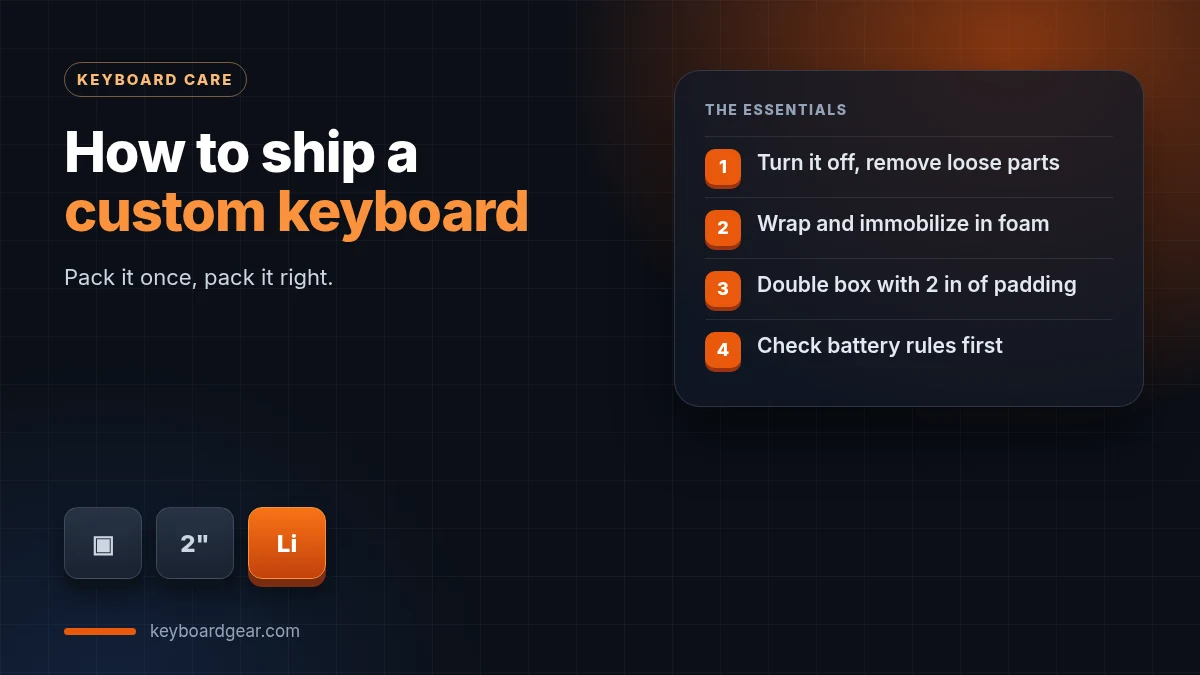
Custom and enthusiast keyboards are heavy for their size, and the damage that comes from a bad trip is usually the same: a chipped case corner, a cracked keycap, a bent stabilizer wire, or a cable port that took a knock. Good packing prevents all of it, whether you’re selling a board, sending it for repair, or moving house.
What you’ll need
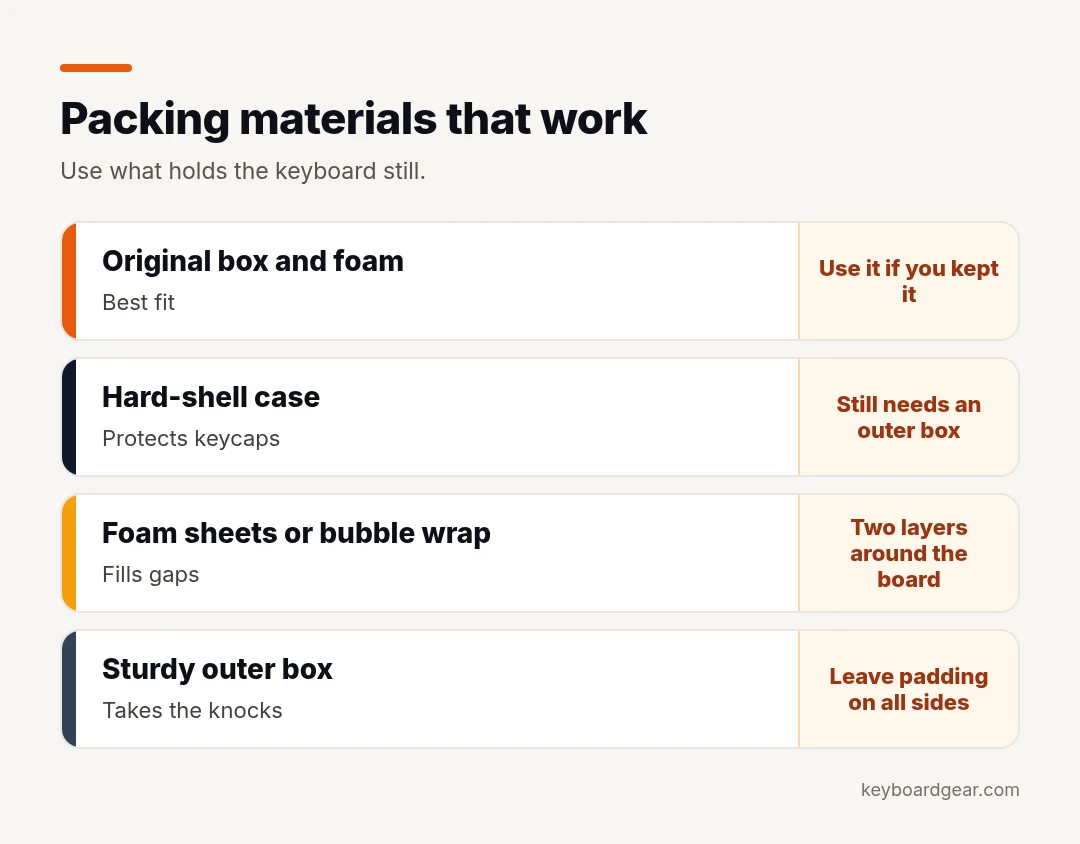
- The original box and foam, or a hard-shell keyboard case.
- Foam sheets or bubble wrap.
- A sturdy outer box at least a few inches larger than the inner package on every side.
- Packing tape, and a plastic bag to keep out moisture.
Step 1: Prepare the keyboard
- Turn it off. Switch off wireless boards, and make sure the power switch can’t be knocked on.
- Remove the cable and any extras. Pack the cable, dongle and tools in a small bag so they don’t rattle against the keys.
- Photograph it. Clear photos of every side are useful if anything happens in transit.
- Consider removing the keycaps if they’re rare or expensive and you’re shipping a long way. Pack them in a keycap tray or bag. Otherwise, protect them in place.
Step 2: Protect the keys and case
Lay a sheet of foam or a soft microfiber cloth over the keycaps so nothing presses down on the switches. Bag the keyboard to keep out moisture, then wrap it in two layers of bubble wrap, with extra around the corners, where cases most often chip.
Step 3: Immobilize it in the inner box
Place it in the original box with its foam, or in a hard-shell case. Fill gaps so it can’t move. Shake the box gently: nothing should shift.
Step 4: Double box it
Put the inner box in a larger, sturdy outer box with at least about 2 inches of padding on all sides. This gap absorbs drops. Tape every seam and remove old shipping labels.
Don’t rely on packing peanuts alone. A heavy keyboard settles through them to the side of the box, where it can take a direct hit.
Lithium batteries: check before you ship
Wireless keyboards usually have a built-in lithium-ion battery. Carriers treat these as regulated items, and the rules depend on the carrier and the destination.
For US mail, USPS Packaging Instruction 9D says lithium batteries installed in equipment can be mailed domestically if all its requirements are met. Key points:
- Batteries must be protected from damage and short circuit, and the device must be prevented from switching on.
- Used electronic devices containing lithium batteries (other than new devices in original packaging, or manufacturer-certified new or refurbished devices) can only go by domestic surface transportation.
- Packages with more than a small number of installed cells may need a lithium battery mark.
International shipping and other carriers have their own rules, so confirm with the carrier before you book.
If you can, ship a wireless board with its battery disconnected, if the maker says it’s safe to remove. It also stops the keyboard switching on in the box.
Moving house
For a move, carry valuable boards yourself if you can. Otherwise use the same steps: off, keycaps protected, wrapped, boxed with padding, and labeled “fragile” with an arrow pointing up. Store boards flat, not on their edge.
After it arrives
Check the case corners, stabilizers and USB port, then test every key. Our guide to keyboard stabilizers explains how to fix a stabilizer that got knocked out of place. If you’re building a new board from a kit, see our barebones keyboard kits guide and our how to build your own mechanical keyboard walkthrough. For travel cases and flying with a keyboard, see can you bring a mechanical keyboard on a plane.
FAQ
Should I remove keycaps before shipping a keyboard?
For rare or expensive sets on long trips, yes. Otherwise cover them with foam or a cloth and pack the board so nothing presses on the keys.
Can I mail a wireless keyboard with a lithium battery?
Usually, within carrier rules. USPS requires used devices with lithium batteries to go by domestic surface transport.
Is a hard case enough on its own?
No. Put the case in a sturdy outer box with padding on all sides.
How much padding do I need?
Aim for about 2 inches around the inner box, so drops are absorbed.
Should I insure a custom keyboard shipment?
For valuable boards, it’s worth considering, and photos of the board before shipping help with any claim.
Sources
- USPS Publication 52: Packaging Instruction 9D, lithium batteries
- USPS: How are the batteries packed?
Final thoughts
Turn it off, protect the keycaps, wrap it so it can’t move, and double box it with padding on every side. Check the lithium battery rules for wireless boards before you book, and your keyboard should arrive exactly as it left.

Experience is what matters at the end!!
Hi! This is Jacob Jay – founder of Keyboardgear.com! From childhood to adulthood, I’ve always remained passionate about IT, and the revolution in this industry, especially gaming on the PC can’t go out of my way. Since I’m an enthusiastic gamer, and I love to experience various gaming accessories, particularly mechanical keyboards, that really boost my gaming adventure manifolds. So, my nerve cells hit me to transfer my experiences into word form and share with others to identify the ideal keyboards perfectly fit for their gaming modes.
I know very well how hard it is to find the high-quality items available on the internet that ought to be exactly the same as seen as on the screen. But the counterfeiters have ruined the user’s trust. As I have passed all such situations, I’m obliged to deliver the genuinity and express the same as what I am saying.
So, now, I’m working on the mission to provide very helpful and frankly but trustworthy reviews and guides about various mechanical keyboards, mouses, and other gaming accessories as per my personal experiences and sound knowledge.