

Quick answer
Choose hot-swap if this is your first mechanical keyboard or build, or if you want to try different switches: you can pull and replace switches in minutes with no soldering. Choose soldered if you need a layout or feature hot-swap sockets can’t offer, you’re comfortable with a soldering iron, and you’ve already settled on your switches. For most people, hot-swap is the better choice.
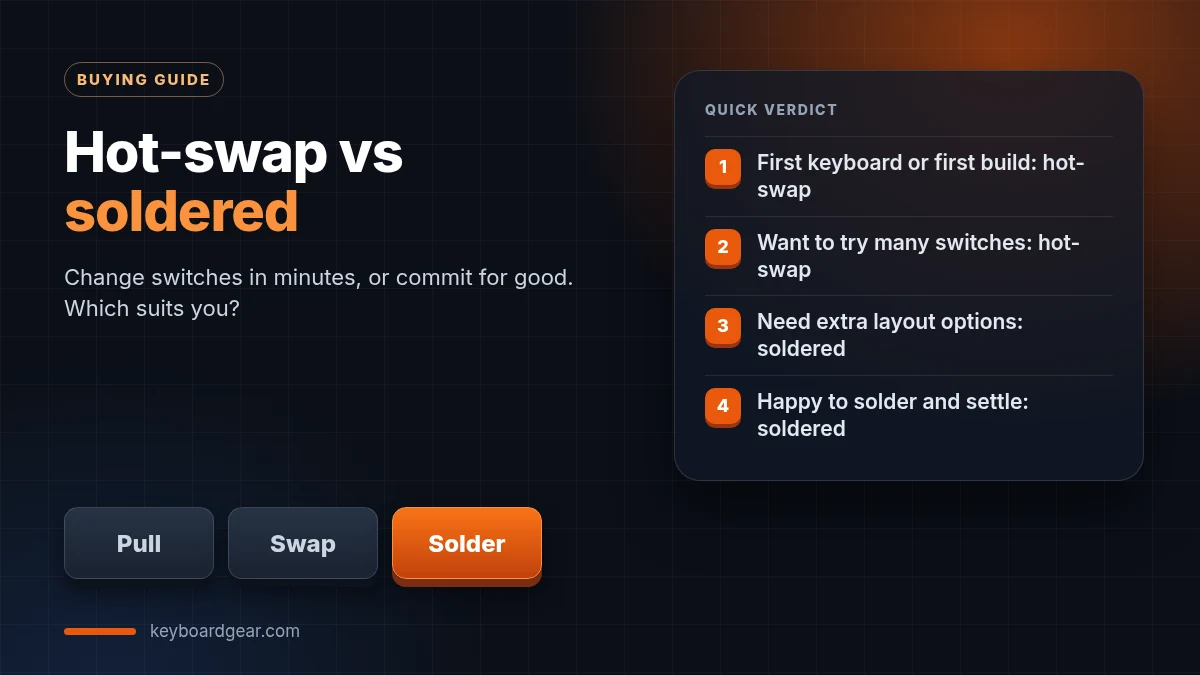
Every switch in a mechanical keyboard connects to the circuit board (PCB) somehow. On a soldered keyboard, each switch’s two metal pins are soldered directly to the PCB. On a hot-swap keyboard, the PCB has small sockets that grip the pins, so you can pull switches out and push new ones in without tools beyond a switch puller.
That one difference affects how easy the keyboard is to change, repair and customise. It doesn’t decide how good a keyboard is: excellent and poor keyboards come in both types.
Hot-swap: pros and cons
Pros
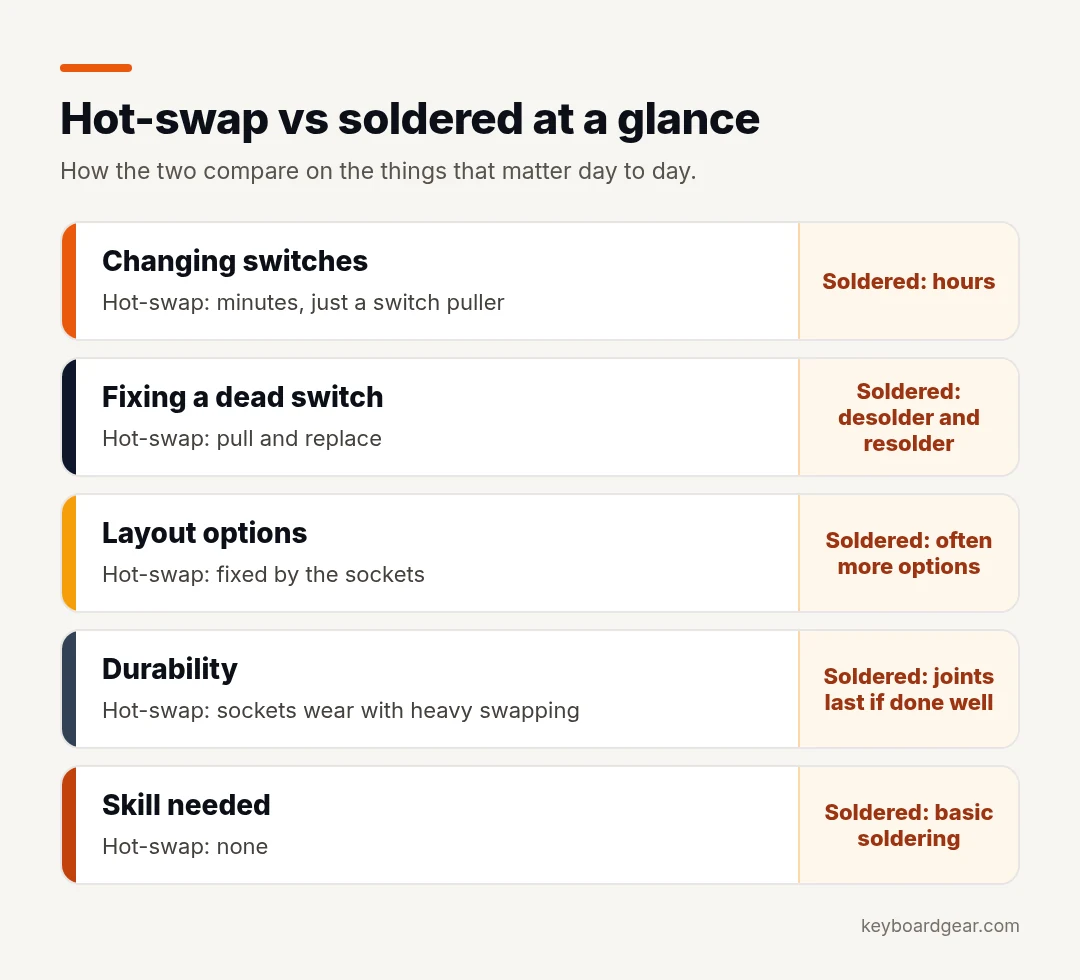
- Change switches in minutes. Try linear, tactile or clicky switches without committing.
- Easy repairs. If a switch fails, pull it out and replace it.
- Lubing and modding. Remove switches to lube them or add plate foam, then put them back.
- No soldering skills or tools needed.
Cons
- Socket wear. Sockets are rated for a limited number of insertions. Normal swapping is fine, but repeatedly swapping the same switch hundreds of times can loosen them.
- Bent pins. Pushing a switch in at an angle can bend a pin, so the key won’t work until you straighten it.
- Layout limits. Sockets sit in fixed positions, so hot-swap PCBs usually support one or two layouts.
- Some LED types. Many hot-swap boards use under-switch (SMD) LEDs, which some switches aren’t designed for.
Soldered: pros and cons
Pros
- Layout flexibility. Many soldered PCBs support multiple layouts, such as split space bars or ISO and ANSI options, from the same board.
- Secure connection. A good solder joint doesn’t loosen over time.
- Wider switch choice on some boards, including switches with pins that don’t suit sockets.
Cons
- Changing switches takes hours. You must desolder every switch, which is slow and can damage the PCB if done badly.
- Repairs need tools. A failed switch means desoldering and resoldering one key.
- Skill and safety. Soldering involves a hot iron and fumes, and mistakes can damage a board. Our guide on how to change keyboard switches explains the hot-swap alternative.
Feel and sound: is there a difference?
Not much in itself. Some enthusiasts feel soldered switches are a touch more solid, but plate material, mounting style, foam and the switches themselves have a far bigger effect. Our guide to keyboard plate materials covers the parts that really shape feel.
3-pin and 5-pin switches
Both hot-swap and soldered boards accept either 3-pin or 5-pin switches as long as the PCB has the extra holes for 5-pin legs. If it doesn’t, the two plastic legs can be clipped off. See 3-pin vs 5-pin switches for details.
Which should you buy?
| If you… | Choose |
|---|---|
| Are buying your first mechanical keyboard | Hot-swap |
| Are building your first custom keyboard | Hot-swap |
| Want to try lots of switches | Hot-swap |
| Need a specific layout option the hot-swap PCB doesn’t offer | Soldered |
| Already know your favourite switch and like soldering | Soldered |
| Want the easiest repairs | Hot-swap |
For ready-made options, see our best hot-swappable keyboards. If you want to build your own, our best barebones keyboard kits are all kits you can finish with your own switches and keycaps, and our full guide on how to build your own mechanical keyboard walks through the process.
Tips if you go hot-swap
- Pull switches straight up with a proper switch puller, gripping the top and bottom clips.
- Check pins are straight before inserting a switch.
- Support the PCB from behind if the switch feels stiff going in.
- Avoid repeated swaps of the same socket just for fun; it’s what wears sockets fastest.
FAQ
Is hot-swap worse than soldered?
No. Hot-swap is more convenient and most people won’t notice any difference in feel. Soldered boards mainly offer more layout options.
Do hot-swap sockets wear out?
They can after many insertions in the same socket, but normal switch changes won’t cause problems.
Can I convert a soldered keyboard to hot-swap?
Not easily. You would need a hot-swap PCB designed for that case, or specialist socket adapters, which are fiddly.
Are all switches compatible with hot-swap keyboards?
Most MX-style switches are. Low-profile, optical and magnetic switches need boards designed for them.
Is soldering a keyboard hard?
Basic soldering is learnable in an afternoon, but practise on spare parts first and work in a ventilated space.

Experience is what matters at the end!!
Hi! This is Jacob Jay – founder of Keyboardgear.com! From childhood to adulthood, I’ve always remained passionate about IT, and the revolution in this industry, especially gaming on the PC can’t go out of my way. Since I’m an enthusiastic gamer, and I love to experience various gaming accessories, particularly mechanical keyboards, that really boost my gaming adventure manifolds. So, my nerve cells hit me to transfer my experiences into word form and share with others to identify the ideal keyboards perfectly fit for their gaming modes.
I know very well how hard it is to find the high-quality items available on the internet that ought to be exactly the same as seen as on the screen. But the counterfeiters have ruined the user’s trust. As I have passed all such situations, I’m obliged to deliver the genuinity and express the same as what I am saying.
So, now, I’m working on the mission to provide very helpful and frankly but trustworthy reviews and guides about various mechanical keyboards, mouses, and other gaming accessories as per my personal experiences and sound knowledge.