
Keyboard Gear earns from qualifying purchases through Amazon links.
Quick answer: For most people, start with the ASUS ROG Strix Scope II 96 Wireless. It pairs low-latency 2.4 GHz (ROG SpeedNova) with Bluetooth, hot-swappable ROG NX switches, PBT keycaps, and battery life that stays usable even when you leave RGB on—without forcing you into a tiny layout or a pure enthusiast price.
Wireless gaming keyboards used to mean trade-offs: laggy Bluetooth, week-short batteries once RGB was on, or membrane boards dressed up as “gaming.” In 2026 that gap has mostly closed. Dedicated 2.4 GHz links from Logitech, ASUS, Razer, Corsair, and SteelSeries sit near wired latency, Hall-effect boards add rapid trigger, and solid mid-range options finally exist between junk and $250 OLED flagships.
We researched what’s actually selling on Amazon US right now, checked manufacturer specs, and compared how major roundups (PC Gamer, Tom’s Hardware, GamesRadar, and others) are ranking boards this year. Below are eight wireless gaming keyboards we’d shortlist—plus a buying guide so you know when 2.4 GHz matters, when Hall effect helps, and when Bluetooth is fine.
Quick comparison: best wireless gaming keyboards (2026)
| Keyboard | Best for | Layout | Connection | Switches | Check price |
|---|---|---|---|---|---|
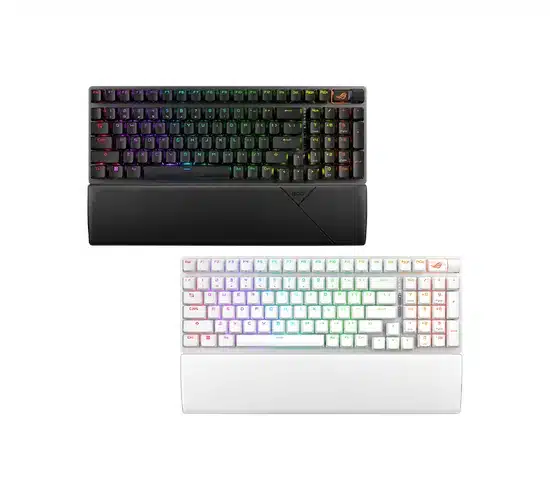 ASUS ROG Strix Scope II 96 Wireless ASUS ROG Strix Scope II 96 Wireless |
Most gamers | 96% | 2.4 GHz / BT / USB-C | ROG NX mechanical (hot-swap) | View on Amazon |
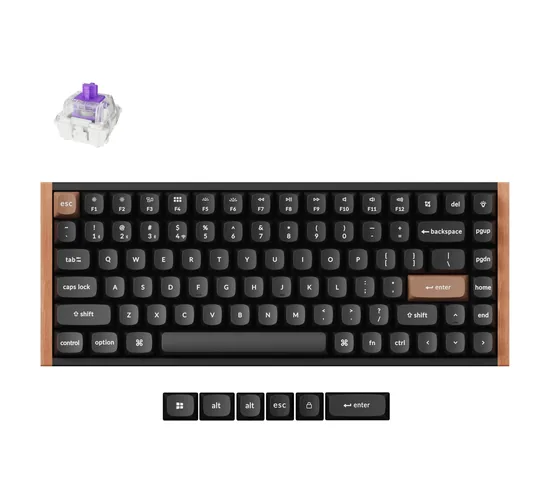 Keychron K2 HE Keychron K2 HE |
Hall effect / rapid trigger value | 75% | 2.4 GHz / BT 5.2 / USB-C | Gateron magnetic (Hall effect) | View on Amazon |
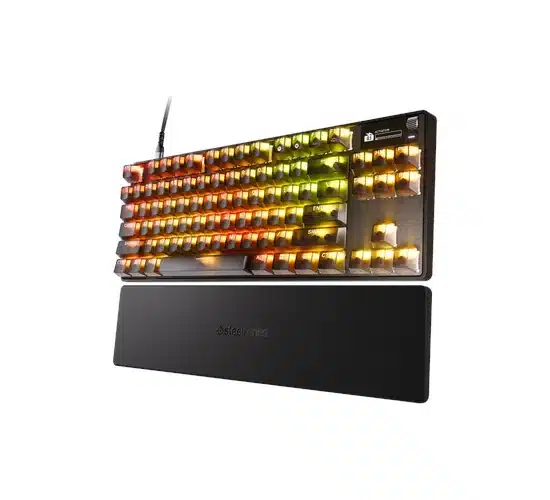 SteelSeries Apex Pro TKL Wireless Gen 3 SteelSeries Apex Pro TKL Wireless Gen 3 |
Competitive adjustable actuation | TKL | 2.4 GHz / BT / USB-C | OmniPoint 3.0 magnetic | View on Amazon |
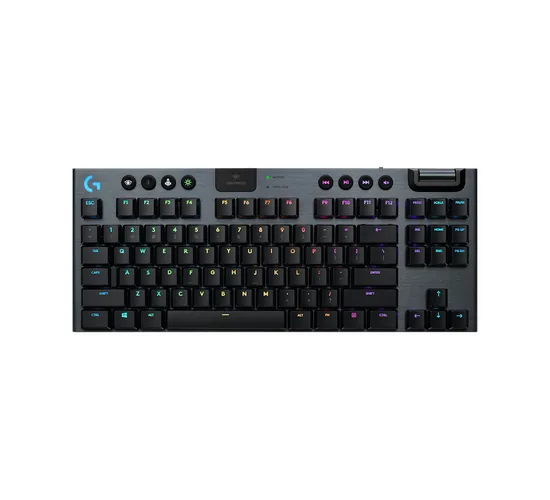 Logitech G915 TKL Logitech G915 TKL |
Low-profile desk setup | TKL | LIGHTSPEED / BT / USB | GL low-profile mechanical | View on Amazon |
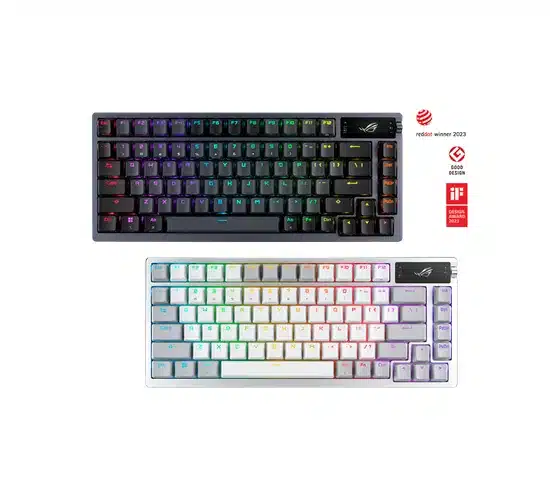 ASUS ROG Azoth ASUS ROG Azoth |
Premium 75% DIY feel | 75% | 2.4 GHz / BT / USB-C | ROG NX Red (hot-swap) | View on Amazon |
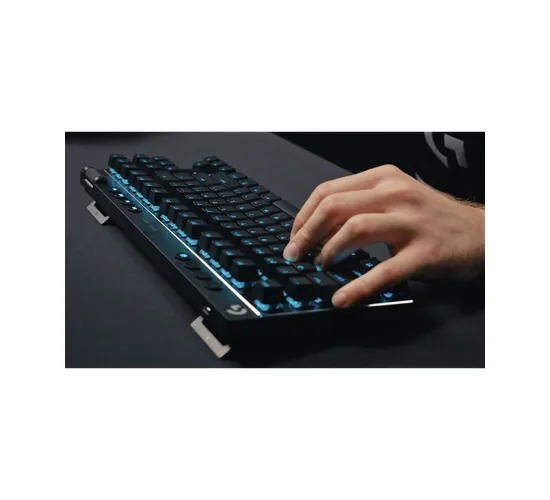 Logitech G PRO X TKL LIGHTSPEED Logitech G PRO X TKL LIGHTSPEED |
Esports-style TKL | TKL | LIGHTSPEED / BT / USB | GX mechanical (e.g. Brown) | View on Amazon |
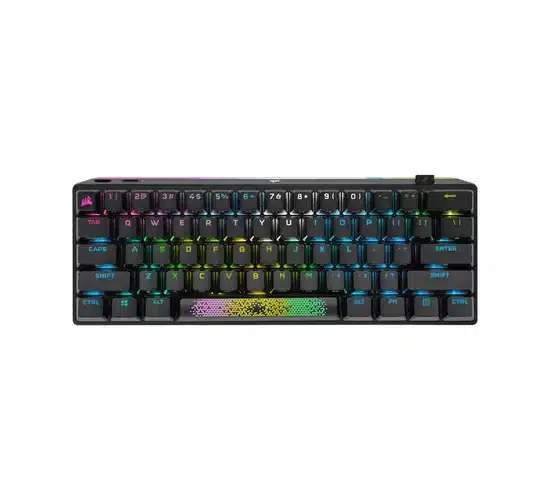 Corsair K70 PRO Mini Wireless Corsair K70 PRO Mini Wireless |
60% mouse space | 60% | SLIPSTREAM / BT / USB | Cherry MX (hot-swap) | View on Amazon |
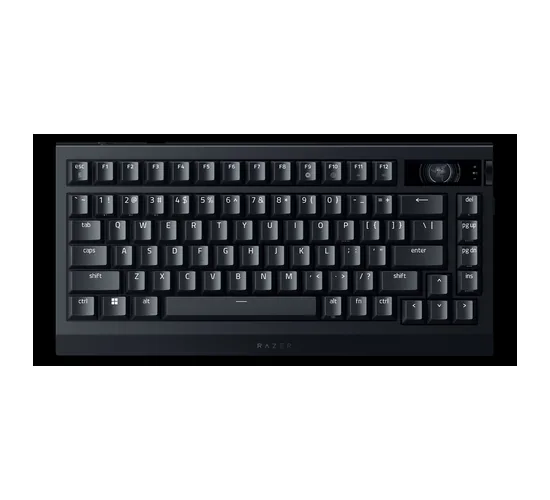 Razer BlackWidow V4 Pro 75% Wireless Razer BlackWidow V4 Pro 75% Wireless |
Razer ecosystem + extras | 75% | HyperSpeed / BT / USB-C | Razer Orange Gen-3 (hot-swap) | View on Amazon |
1. ASUS ROG Strix Scope II 96 Wireless — best overall
Who it’s for: Gamers who want a modern wireless board with a numpad still on the deck, without a full-size footprint or a boutique price.
Key specs: 96% layout; tri-mode ROG SpeedNova 2.4 GHz, Bluetooth 5.1, and USB-C; 1000 Hz report rate over 2.4 GHz/USB; hot-swappable pre-lubed ROG NX switches (Snow linear is the common config); per-key RGB; PBT keycaps; aluminum top plate with dampening foam; about 1012 g; roughly 377 × 131 × 40 mm. ASUS claims up to about 1,500 hours over 2.4 GHz with lighting off (RGB on cuts that sharply—think on the order of days of play rather than months).
Pros:
- Compact 96% keeps the number pad without a full-size slab
- Hot-swap NX switches and PBT caps out of the box
- SpeedNova 2.4 GHz is aimed at gaming latency, with Bluetooth for tablets/phones
- Outstanding standby/RGB-off battery claims for a lit gaming board
Cons:
- 96% key spacing can feel cramped if you’re used to full-size gaps
- Armoury Crate is heavier than some people want for remaps
- Premium-mid price tier—not a budget buy
Check the ROG Strix Scope II 96 Wireless on Amazon
2. Keychron K2 HE — best Hall-effect value
Who it’s for: Players who want adjustable actuation and rapid trigger without jumping straight to a $200+ OmniPoint board, and who also type on Mac or Windows.
Key specs: 75% (84-key) layout; 2.4 GHz, Bluetooth 5.2, and USB-C; 1000 Hz polling on 2.4 GHz/wired; Gateron double-rail magnetic Hall-effect switches (hot-swap only with compatible Gateron magnetic switches); adjustable actuation about 0.2–3.8 mm; rapid trigger and last-key-priority style features via Keychron Launcher / QMK; PBT keycaps; aluminum + wood frame on common SKUs; about 965 g; Keychron rates the ~4000 mAh pack around 110 hours with backlight off.
Pros:
- Real Hall-effect / rapid-trigger toolkit at a mid-range price
- Browser-based Launcher—no mandatory bloated desktop suite for basics
- Tri-mode connectivity and Mac/Windows keycaps included
- Solid build for the tier; widely stocked on Amazon US
Cons:
- Magnetic hot-swap is ecosystem-locked (Gateron double-rail magnetic only)
- Some units see 2.4 GHz disconnect quirks—worth buying somewhere with easy returns
- Not as “esports branded” as Logitech/Razer if that matters to you
Check the Keychron K2 HE on Amazon
3. SteelSeries Apex Pro TKL Wireless Gen 3 — best for competitive tuning
Who it’s for: FPS and other competitive players who will actually dial per-key actuation, rapid trigger, and protection modes—and will pay for it.
Key specs: Tenkeyless; OmniPoint 3.0 magnetic switches with fine actuation adjustment (about 0.1–4.0 mm); Rapid Trigger / Rapid Tap-style features; OLED display for on-board status; dual wireless (2.4 GHz + Bluetooth) plus USB-C; PBT keycaps on Gen 3. Reviews and retailer specs commonly cite around 37.5 hours on 2.4 GHz and about 45 hours on Bluetooth with default lighting—far shorter than ASUS’s RGB-off marathon numbers, which is normal when lighting and denser electronics stay on.
Pros:
- Deep per-key magnetic control that still leads most wireless competitors
- OLED is useful for profiles, not just a gimmick
- TKL leaves room for wide mouse swipes
- SteelSeries software is more approachable than some rival suites
Cons:
- Premium price tier
- Battery with lighting on is merely average
- Magnetic switches feel different from classic Cherry-style mechanicals
Check the Apex Pro TKL Wireless Gen 3 on Amazon
4. Logitech G915 TKL — best low-profile wireless
Who it’s for: People who want a slim aluminum board that looks at home next to a laptop dock, still with LIGHTSPEED gaming wireless.
Key specs: TKL; LIGHTSPEED 2.4 GHz (~1 ms / 1000 Hz class) plus Bluetooth; low-profile GL mechanical switches (tactile, linear, or clicky depending on SKU); LIGHTSYNC RGB; aluminum top; dedicated media keys and volume roller; about 810 g; Logitech rates roughly 40 hours with lighting on, and much longer with lighting off (their older press math framed lighting-off life in “days of use,” not a short weekend).
Pros:
- Proven LIGHTSPEED stack shared with Logitech’s mice
- Low-profile travel is fast for many FPS players
- Clean, thin aesthetic; easy Bluetooth device hopping
- Long track record and deep Amazon availability
Cons:
- Not hot-swappable
- Low-profile feel is polarizing if you like tall MX-style travel
- Keycap coating wear shows up in long-term owner reports
- Still priced like a premium board years after launch
Check the Logitech G915 TKL on Amazon
5. ASUS ROG Azoth — best premium 75%
Who it’s for: Buyers who want gasket-mount comfort, an OLED control screen, and hot-swap switches in a compact wireless package—and who are fine spending in the premium tier.
Key specs: 75% layout; ROG SpeedNova 2.4 GHz, Bluetooth 5.1, USB-C; hot-swappable pre-lubed ROG NX switches (Red linear is a common stock option); three-layer dampening; PBT keycaps; OLED + knob for on-board tweaks; ASUS claims up to about 2,000 hours in 2.4 GHz with RGB and OLED off. Weight is in the heavy ~1.1–1.2 kg class.
Pros:
- Typing feel and dampening punch above typical “gaming RGB” boards
- OLED/knob reduce how often you open Armoury Crate
- Hot-swap + PBT = longer useful life
- Still a frequent “best wireless” pick in 2026 roundups
Cons:
- Expensive
- No numpad; limited dedicated macro keys
- Newer Azoth variants exist—confirm you’re buying the SKU you want
6. Logitech G PRO X TKL LIGHTSPEED — best esports-style TKL
Who it’s for: Competitive players who want a standard-height TKL with PBT caps, LIGHTSPEED, and a layout that matches what many pros use—without Hall-effect complexity.
Key specs: Tenkeyless; LIGHTSPEED 2.4 GHz, Bluetooth, and USB; ~1000 Hz / 1 ms class wireless; GX mechanical switches (Brown tactile is a common Amazon config); dual-shot PBT keycaps; LIGHTSYNC RGB; Logitech rates up to about 50 hours of battery.
Pros:
- Familiar full-travel feel vs the G915’s low-profile switches
- PBT keycaps hold legends better than many ABS Logitech boards of the past
- LIGHTSPEED ecosystem pairs cleanly with G PRO mice
- Compact enough for LAN bags
Cons:
- No Hall-effect / rapid trigger
- Not hot-swap on the stock PRO X TKL wireless
- RGB still taxes battery if you run bright effects
Check the G PRO X TKL LIGHTSPEED on Amazon
7. Corsair K70 PRO Mini Wireless — best 60% wireless
Who it’s for: Players who want maximum mouse space, Cherry MX familiarity, and a portable board that still has a dedicated gaming wireless mode.
Key specs: 60% layout; Corsair SLIPSTREAM 2.4 GHz (sub-1 ms class claims), Bluetooth, and USB; hot-swappable Cherry MX switches (Speed Silver on the common black SKU); per-key RGB + LightEdge; aluminum frame; PBT double-shot keycaps; up to about 32 hours with RGB effects or about 200 hours with lighting off; wired AXON polling can go much higher (up to 8 kHz) when plugged in.
Pros:
- True 60% footprint for FPS desk space
- Hot-swap Cherry MX—easy aftermarket switches/caps
- SLIPSTREAM + Bluetooth covers gaming and tablets
- Build quality feels more “metal” than plastic mini boards
Cons:
- Learning curve for missing F-row / nav cluster (layers)
- Battery with RGB on is short versus ASUS marathon boards
- 60% is wrong if you live in spreadsheets
Check the K70 PRO Mini Wireless on Amazon
If you’re still deciding whether a compact board is worth it, our notes on 60% keyboards and tenkeyless layouts cover the trade-offs in more detail.
8. Razer BlackWidow V4 Pro 75% Wireless — best feature-packed Razer
Who it’s for: Razer ecosystem users who want a 75% wireless board with a command dial, OLED, hot-swap sockets, and optional very high wireless polling.
Key specs: 75% layout; Razer HyperSpeed 2.4 GHz (up to 4,000 Hz with supported gear), Bluetooth 5.1, USB-C; hot-swappable Razer Orange Gen-3 tactile switches (3-pin/5-pin compatible per Razer); PBT keycaps; OLED + Command Dial; large battery with a headline “up to 2,100 hours” figure that applies to power-saving mode with RGB/OLED/extras cut back. Real gaming sessions with RGB and high polling drain much faster—plan on regular charging if you run the board lit.
Pros:
- Hot-swap plus media dial/OLED is rare in one wireless package
- HyperSpeed can push polling higher than typical 1000 Hz boards
- Synapse integration if you already own Razer mice/headsets
- 75% keeps arrows and a compact form
Cons:
- Software-heavy; power users who hate Synapse won’t love it
- Battery marketing vs RGB-on reality needs a skeptical read
- Premium pricing for the feature set
Check the BlackWidow V4 Pro 75% Wireless on Amazon
Buying guide: what actually matters for wireless gaming
2.4 GHz vs Bluetooth (latency)
For competitive play, use the dedicated 2.4 GHz dongle (LIGHTSPEED, SpeedNova, HyperSpeed, SLIPSTREAM, Quantum, and similar). Those links target ~1000 Hz / ~1 ms-class reporting. Bluetooth is fine for couch browsing, typing on a tablet, or a second PC—but it usually has higher latency and less consistent timing. If you only have Bluetooth, a modern board can still feel okay for single-player games; just don’t expect it to match a gaming dongle. More background sits in our wired vs wireless keyboards guide and are wireless keyboards good for gaming?
Polling rate
1000 Hz is the practical wireless standard for most boards above. Some flagships advertise 4 kHz or 8 kHz—sometimes only when wired, sometimes only with a matching high-polling dongle/receiver. Higher polling can feel snappier on high-refresh monitors, but it also burns more power. If a listing brags about 8 kHz, check whether that number applies wirelessly.
Battery life vs RGB
Treat “up to X hours” as a best-case with lighting off (and sometimes OLED off). RGB is the main killer. If you want weeks between charges, dim or disable lighting. If you want a light show, buy a board that’s easy to top up over USB-C and keep a cable handy for long sessions.
Hall effect, magnetic switches, and rapid trigger
Traditional mechanical switches actuate at a fixed point. Hall-effect / magnetic switches sense position continuously, so firmware can set actuation depth per key and enable rapid trigger (reset as soon as you start releasing). That helps counter-strafing in tactical shooters. It does not magically raise your rank in slow RPGs. Boards like the Keychron K2 HE and SteelSeries Apex Pro TKL Wireless Gen 3 exist for players who will use those settings.
Size and layout
Full-size keeps the numpad. 96% squeezes it tighter. TKL / 75% drop the numpad for mouse space. 60% drops F-keys and nav into layers. Match the layout to your games and day job—not to Instagram photos.
Hot-swap and software
Hot-swap lets you change switches without soldering—great if you’re unsure about feel. See our hot-swappable keyboard picks for more of that rabbit hole. Software (G HUB, Synapse, Armoury Crate, iCUE, GG) unlocks RGB and macros; QMK/VIA/Launcher-style tools are nicer if you want open remapping. Try to pick one ecosystem you can live with.
FAQ
Are wireless keyboards good for competitive gaming?
Yes—if you use a proper 2.4 GHz gaming link, not Bluetooth alone. Modern LIGHTSPEED / SpeedNova / HyperSpeed / SLIPSTREAM boards are used in serious play. Practice, mouse skill, and display latency still matter more than shaving a fraction of a millisecond off the keyboard.
Is Bluetooth okay for gaming?
For turn-based, story, and casual games, often yes. For ranked FPS or fighting games, plug in the 2.4 GHz receiver. Keep Bluetooth as a secondary mode for travel devices.
Do I need Hall-effect switches?
Only if you want adjustable actuation and rapid trigger. Plenty of excellent wireless boards still use standard mechanical or low-profile mechanical switches. Hall effect is a feature, not a requirement.
How often will I need to charge a wireless gaming keyboard?
With RGB blazing: sometimes every few days (or sooner at high polling). With lighting off on a high-capacity board like the Scope II 96 or Azoth: potentially weeks to months of light use. Your brightness settings dominate the calendar.
What size wireless keyboard is best for FPS?
Most FPS players prefer TKL, 75%, or 60% for mouse space. Keep a full-size or 96% if you constantly use the number pad for builds, trading, or work on the same desk.
Should I still keep a USB cable around?
Yes. Charge while you play, survive a dead battery mid-raid, and fall back if a dongle goes missing. Almost every board here still works wired over USB-C or USB.
How to choose in 30 seconds
- One board for most people: ASUS ROG Strix Scope II 96 Wireless
- Rapid trigger without flagship spend: Keychron K2 HE
- Max competitive tuning: SteelSeries Apex Pro TKL Wireless Gen 3
- Slim aluminum desk: Logitech G915 TKL
- Premium 75% feel: ASUS ROG Azoth
- Classic esports TKL: Logitech G PRO X TKL LIGHTSPEED
- Maximum mouse space: Corsair K70 PRO Mini Wireless
- Razer stack + dial/OLED: BlackWidow V4 Pro 75% Wireless
Prices move constantly on Amazon, so we stick to tiers (mid-range vs premium) instead of dollar figures. Check the live listing for stock, switch variant, and current deal before you buy—and make sure the ASIN matches the layout and switch type you want.

Experience is what matters at the end!!
Hi! This is Jacob Jay – founder of Keyboardgear.com! From childhood to adulthood, I’ve always remained passionate about IT, and the revolution in this industry, especially gaming on the PC can’t go out of my way. Since I’m an enthusiastic gamer, and I love to experience various gaming accessories, particularly mechanical keyboards, that really boost my gaming adventure manifolds. So, my nerve cells hit me to transfer my experiences into word form and share with others to identify the ideal keyboards perfectly fit for their gaming modes.
I know very well how hard it is to find the high-quality items available on the internet that ought to be exactly the same as seen as on the screen. But the counterfeiters have ruined the user’s trust. As I have passed all such situations, I’m obliged to deliver the genuinity and express the same as what I am saying.
So, now, I’m working on the mission to provide very helpful and frankly but trustworthy reviews and guides about various mechanical keyboards, mouses, and other gaming accessories as per my personal experiences and sound knowledge.