

Keyboard Gear earns from qualifying purchases through Amazon links.
For most travelers, the Razer Orochi V2 is the best travel mouse: it’s listed at under 60 g without a battery, has both Bluetooth and a low-latency receiver, and Razer rates it for up to 1,100 hours on Bluetooth. The Dell MS700 packs flattest, the Logitech Pebble is the quiet budget pick, and the Incase Modern Mobile Mouse and Microsoft Bluetooth Mouse are simple Bluetooth options with no dongle to lose.
A travel mouse should be small and light, connect without fuss, and last for weeks without charging or a battery swap. Bluetooth matters most: it frees up USB ports and leaves no receiver to lose.
We chose five mice sold on Amazon US and checked each listing’s weight, connection, battery, seller and price on November 29, 2026. We skipped a listing whose battery details contradicted each other.
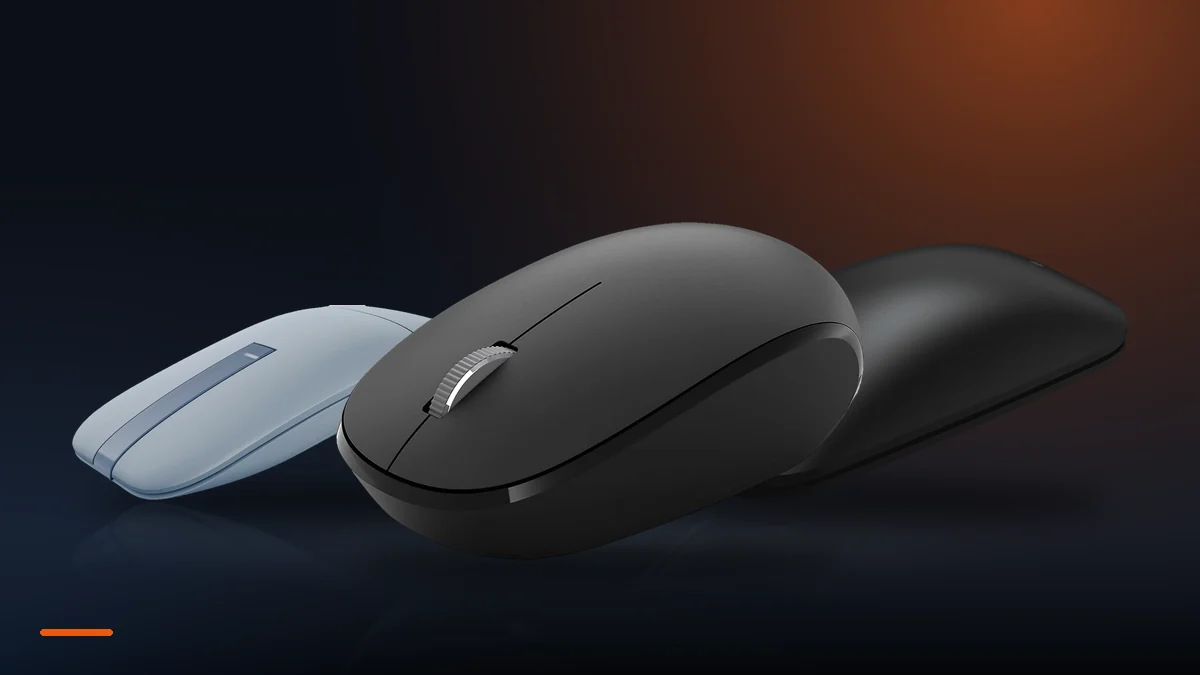
Best travel mice at a glance
| Product | Best for | Key specs | Price |
|---|---|---|---|
1 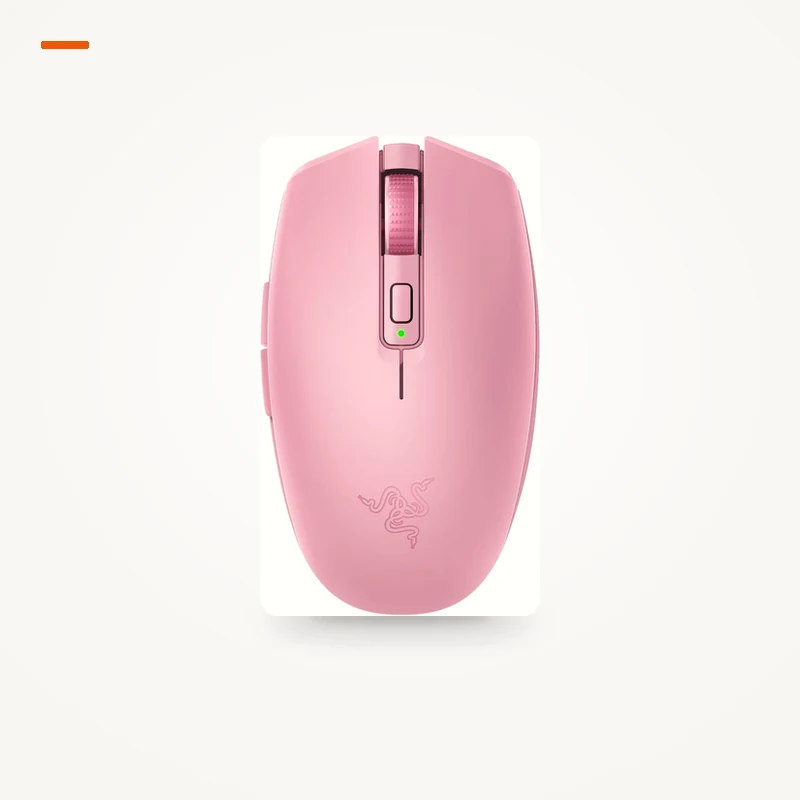 Razer Orochi V2 |
Best for gaming on the go |
|
Check Price |
2 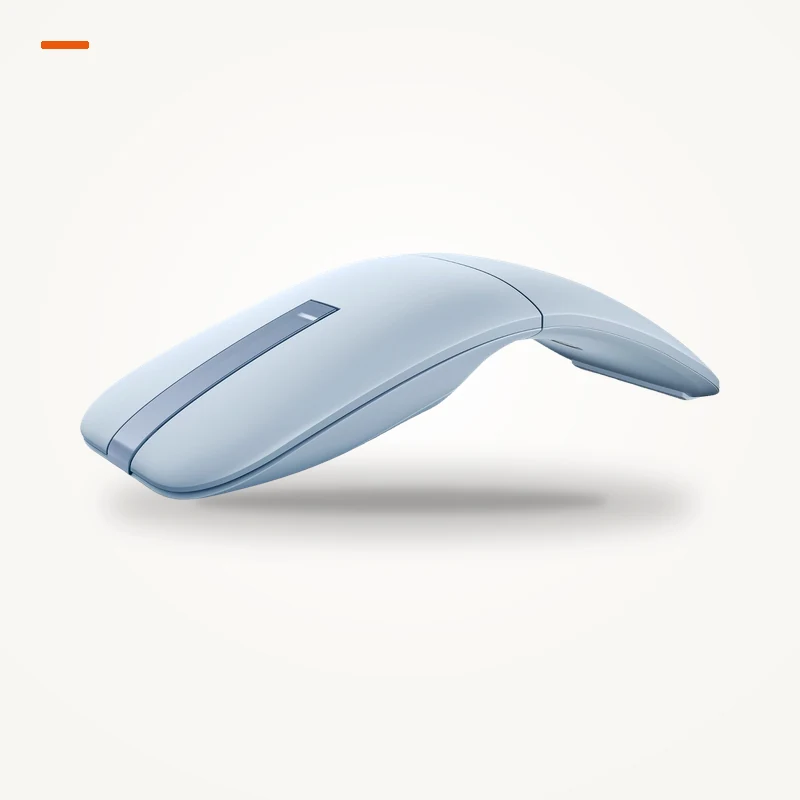 Dell Bluetooth Travel Mouse MS700 |
Best for packing flat |
|
Check Price |
3 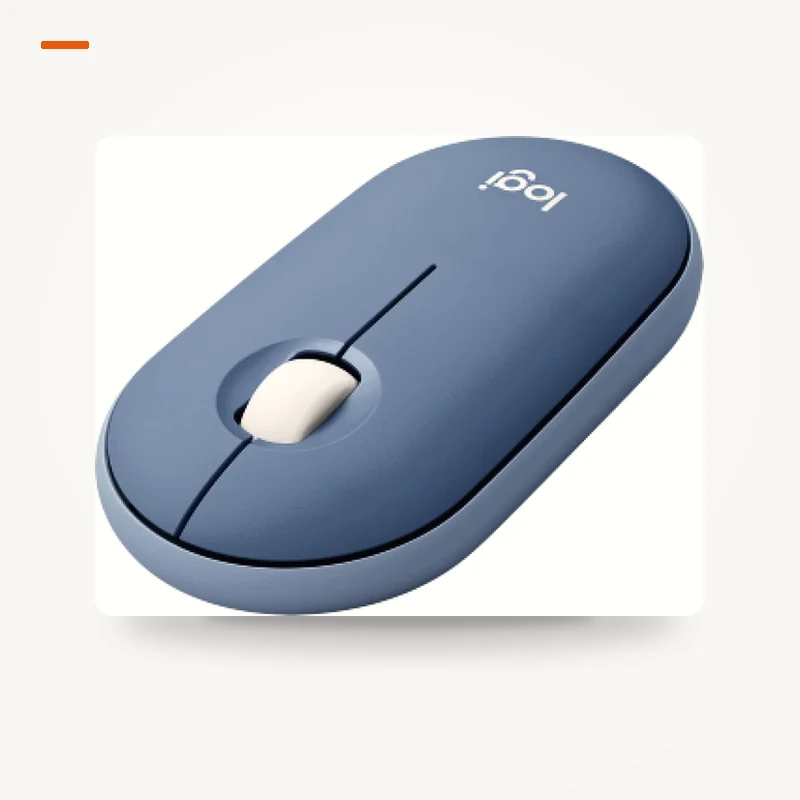 Logitech Pebble Wireless Mouse |
Best everyday pick |
|
Check Price |
4 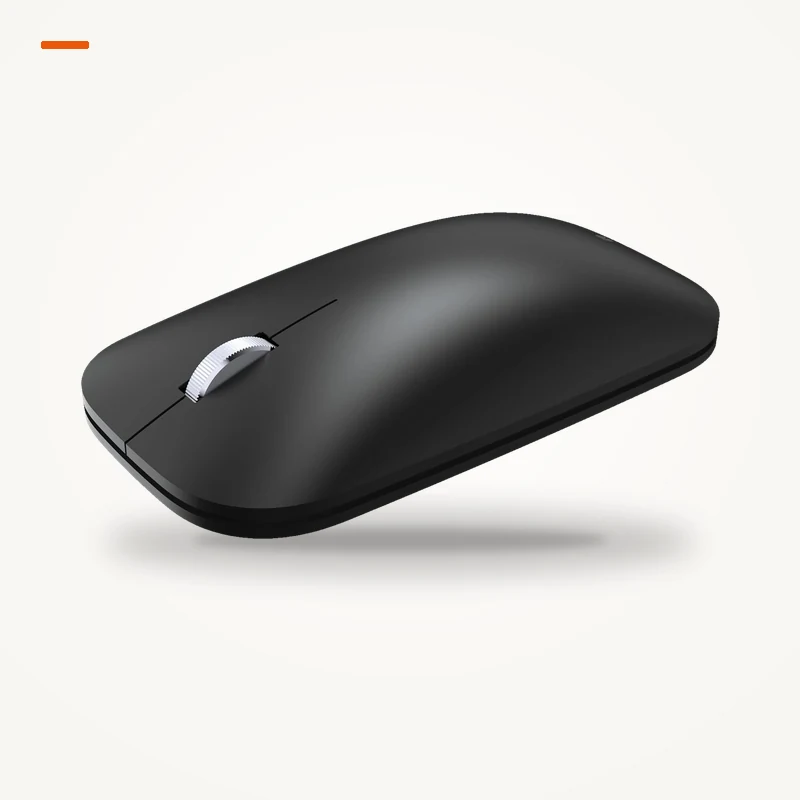 Incase Modern Mobile Mouse |
Best for Windows laptops |
|
Check Price |
5 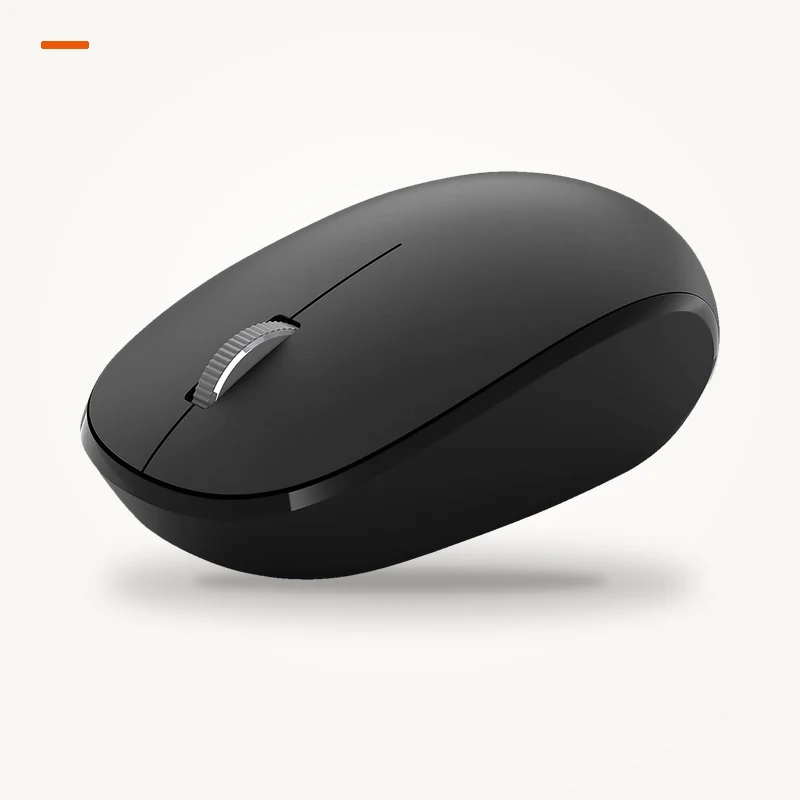 Microsoft Bluetooth Mouse |
Best simple Bluetooth mouse |
|
Check Price |
The best travel mice
1. Razer Orochi V2 — tiny, light and fast
Who it’s for: Travelers who game on a laptop and still want a quiet, efficient Bluetooth mode for work.
The Orochi V2 is a compact gaming mouse built for travel. Razer lists it at under 60 grams without a battery, with a hybrid slot that takes one AA or AAA battery, so you can choose a lighter AAA or a longer-lasting AA. It switches between Bluetooth for everyday work and Razer’s HyperSpeed 2.4 GHz receiver for low-latency gaming.
Razer lists up to 1,100 hours on Bluetooth or 445 hours on HyperSpeed, an 18K optical sensor and mechanical switches rated for 60 million clicks. It was listed at $29.99 in Quartz Pink, sold and shipped by Amazon, on November 29, 2026.
Key specs: Compact wireless gaming mouse; under 60 g without battery (listed); Bluetooth or HyperSpeed 2.4 GHz; 1 AA or AAA; up to 1,100 h Bluetooth (listed); 18K sensor; sold by Amazon.
- Very light and compact
- Bluetooth plus low-latency receiver
- Huge rated battery life
- Small for large hands
- Louder clicks than silent mice
2. Dell Bluetooth Travel Mouse MS700 — twists flat to travel
Who it’s for: Laptop users who want the slimmest possible mouse in a bag and switch between devices.
The MS700 twists to switch on and off, and its slim shape slides into a laptop sleeve. Dell lists it at 56.9 grams, with touch scrolling, quiet click buttons, a 4,000 DPI sensor and Bluetooth 5.0 that connects to up to three devices.
It’s ambidextrous, so it suits left- and right-handed users, and its battery cover snaps on magnetically. Touch scrolling takes a little getting used to if you’re used to a wheel. It was listed at $37.49, sold by MBM Sales and shipped by Amazon, on November 29, 2026.
Key specs: Slim twist-to-switch travel mouse; 56.9 g (listed); Bluetooth 5.0, 3 devices; touch scroll; quiet clicks; 4,000 DPI; ambidextrous; sold by MBM Sales.
- Packs flat
- Three-device switching
- Ambidextrous
- Touch scroll isn’t for everyone
- Only two buttons
- Third-party seller
3. Logitech Pebble Wireless Mouse — slim, silent and simple
Who it’s for: People who want a quiet, pocketable mouse that works with or without a USB port.
Logitech’s Pebble is one of the slimmest mainstream mice, with a smooth, rounded shape that slips into a pocket. This listing offers Bluetooth or a 2.4 GHz USB receiver, so it works with laptops, tablets and computers without free USB-A ports, and its silent clicks suit libraries and shared offices.
The listing itself is light on detail, so check the box contents on arrival. It was listed at $24.97 in Blueberry, sold and shipped by a third-party seller, Fredners Corner Store, with only 20 left, on November 29, 2026. For more quiet options, see our best silent mice.
Key specs: Slim wireless mouse; Bluetooth or 2.4 GHz USB receiver (listed); silent clicks; ambidextrous; sold by Fredners Corner Store.
- Very slim and quiet
- Bluetooth or receiver
- Low price
- Few buttons
- Flat shape is less supportive
- Third-party seller; thin listing details
4. Incase Modern Mobile Mouse — Microsoft-designed and slim
Who it’s for: Windows laptop users who want a slim, Microsoft-designed mouse with no dongle to lose.
Incase now makes a range of mice designed by Microsoft, and the Modern Mobile Mouse is the travel model: slim, low-profile and Bluetooth only, so there’s no receiver to lose. It runs on one AA battery and uses BlueTrack technology, which is designed to track on many everyday surfaces.
The listing names Windows 11 and Windows 10 compatibility. It was listed at $42.49 as a limited-time deal, sold by Incase Designs Corp and shipped by Amazon, on November 29, 2026.
Key specs: Slim Bluetooth mouse designed by Microsoft; 1 AA (listed); BlueTrack; Windows 11 and 10 (listed); sold by Incase Designs Corp.
- No dongle to lose
- Slim, low profile
- BlueTrack tracking
- Bluetooth only
- Pricier than the Pebble
5. Microsoft Bluetooth Mouse — compact with a 4-way wheel
Who it’s for: Anyone who wants a compact, symmetrical Bluetooth mouse that pairs quickly with Windows.
Microsoft’s Bluetooth Mouse is a compact, symmetrical design for either hand, with a 4-way scroll wheel for horizontal scrolling. It connects over Bluetooth 5.0 LE, and the listing notes Swift Pair for quick setup on Windows.
It’s a little larger than the Pebble and MS700, which some hands find more comfortable for long sessions. It was listed at $31.99 in black, sold by AMERICAN WOLF and shipped by Amazon, on November 29, 2026.
Key specs: Compact symmetrical Bluetooth mouse; Bluetooth 5.0 LE; Swift Pair on Windows; 4-way scroll wheel; sold by AMERICAN WOLF.
- Comfortable symmetrical shape
- 4-way scroll wheel
- Swift Pair setup
- Bluetooth only
- Third-party seller
Travel mice compared
| Mouse | Connection (listed) | Power | Price (November 29) |
|---|---|---|---|
| Razer Orochi V2 | Bluetooth or 2.4 GHz | 1 AA or AAA | $29.99 |
| Dell MS700 | Bluetooth, 3 devices | AAA (listed) | $37.49 |
| Logitech Pebble | Bluetooth or 2.4 GHz | Battery (see listing) | $24.97 |
| Incase Modern Mobile Mouse | Bluetooth | 1 AA | $42.49 (deal) |
| Microsoft Bluetooth Mouse | Bluetooth 5.0 LE | Battery (see listing) | $31.99 |
Prices are what each listing showed on November 29, 2026 and can change at any time.
How to choose a travel mouse
| Priority | Look for | Best match here |
|---|---|---|
| Lightest | Under about 60 g | Orochi V2, MS700 |
| Packs flat | Slim or folding shape | MS700, Pebble |
| Gaming | 2.4 GHz receiver, good sensor | Orochi V2 |
| Quiet | Silent clicks | Pebble |
| No dongle | Bluetooth only | Incase, Microsoft |
- Bluetooth first. It works with most laptops and tablets without a free USB port. If you do use a receiver, store it inside the mouse when traveling; see lost your mouse receiver? if it goes missing.
- Battery type. AA and AAA mice can be revived anywhere with a spare battery. Our wireless mouse battery life guide explains what drains them.
- Size vs comfort. Very small mice suit short sessions; for full workdays, a slightly larger mouse is easier on the hand. Compare trackpad vs mouse if you’re unsure you need one at all.
Pair your travel mouse with a compact keyboard for a full mobile setup; see our best foldable keyboards for travel.
For desk mice with more features, see our best wireless mice.
FAQ
What makes a good travel mouse?
Small size, low weight, Bluetooth, long battery life and a shape that packs easily.
Is Bluetooth or a USB receiver better for travel?
Bluetooth, because there’s no receiver to lose. A receiver can be steadier for gaming.
Are travel mice comfortable for all-day use?
Smaller mice suit shorter sessions. For full days, choose a slightly larger model.
Can I take a mouse with batteries on a plane?
Generally yes, in carry-on or checked bags, but check your airline’s battery rules, especially for spares.
Do travel mice work with iPads?
Many Bluetooth mice do. Check the listing for iPadOS compatibility.
Related guide: Can You Bring a Mechanical Keyboard on a Plane? US and UK Rules
Related guide: What to Pack for a Portable Desk Setup (Hotel, Cafe, Co-Working)
Final thoughts
Pick the Razer Orochi V2 for the best all-rounder, the Dell MS700 if it must pack flat, the Logitech Pebble for quiet everyday use on a budget, and the Incase or Microsoft Bluetooth mice if you never want to carry a receiver.

Experience is what matters at the end!!
Hi! This is Jacob Jay – founder of Keyboardgear.com! From childhood to adulthood, I’ve always remained passionate about IT, and the revolution in this industry, especially gaming on the PC can’t go out of my way. Since I’m an enthusiastic gamer, and I love to experience various gaming accessories, particularly mechanical keyboards, that really boost my gaming adventure manifolds. So, my nerve cells hit me to transfer my experiences into word form and share with others to identify the ideal keyboards perfectly fit for their gaming modes.
I know very well how hard it is to find the high-quality items available on the internet that ought to be exactly the same as seen as on the screen. But the counterfeiters have ruined the user’s trust. As I have passed all such situations, I’m obliged to deliver the genuinity and express the same as what I am saying.
So, now, I’m working on the mission to provide very helpful and frankly but trustworthy reviews and guides about various mechanical keyboards, mouses, and other gaming accessories as per my personal experiences and sound knowledge.