

Keyboard Gear earns from qualifying purchases through Amazon links.
For a PC, mini PC or Android box connected to your TV, the Logitech K400 Plus is the best choice: a full keyboard with a built-in touchpad and up to 33 feet of range. If you want something remote-sized, the handheld Rii i8 works with a USB receiver. For Bluetooth and multiple devices, the Rapoo E900T pairs with up to four. Check your TV’s manual first, because built-in smart TV keyboard support varies.
Typing a password or search with a TV remote is painfully slow. A wireless keyboard with a built-in touchpad fixes that, especially for a living-room PC, mini PC, Android TV box or a smart TV that accepts keyboards.
We picked three keyboards sold on Amazon US and only used what each listing says it works with. We checked availability, seller and price on November 29, 2026. We left out several keyboards whose listings contradicted themselves on connection type or size.
Will a keyboard work with my smart TV?
It depends on the TV, not just the keyboard. Many smart TVs accept a USB or Bluetooth keyboard for typing in search boxes and the web browser, but support varies by brand, model and app, and some TV platforms don’t support keyboards at all. Before you buy:
- Check the TV’s manual or support site for “keyboard” or “USB keyboard”.
- Check the connection. Keyboards with a USB receiver need a free USB port on the TV or box. Bluetooth keyboards need Bluetooth keyboard support.
- Expect touchpads to vary. Typing often works on smart TVs even when the touchpad or media keys don’t.
The keyboards below are listed for PC-connected TVs and TV boxes, where they work like any computer keyboard.
Best keyboards for TV at a glance
| Product | Best for | Key specs | Price |
|---|---|---|---|
1 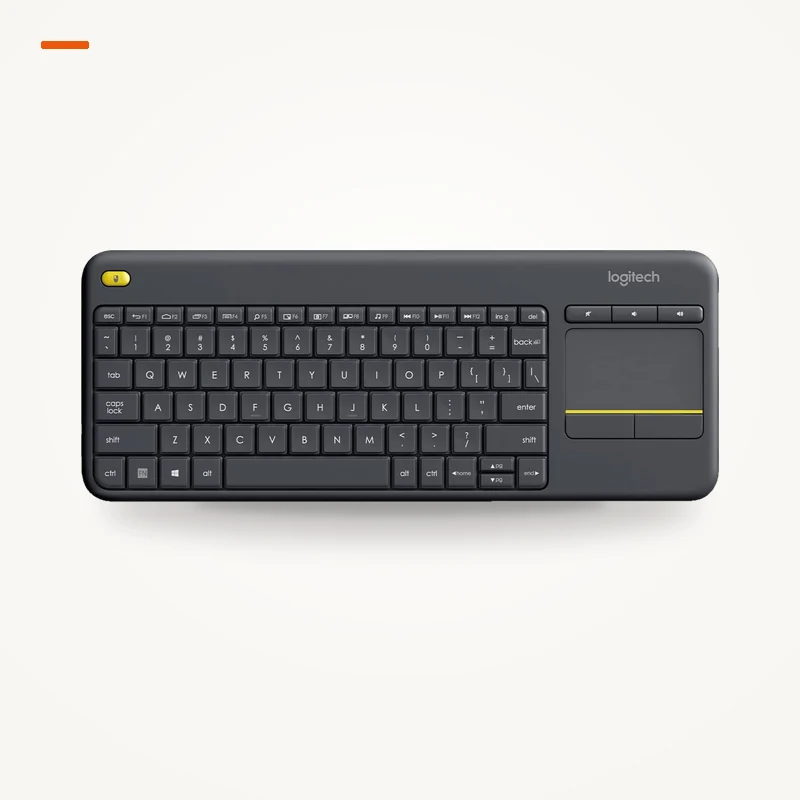 Logitech K400 Plus Wireless Touch TV Keyboard |
Best overall for a PC-connected TV |
|
Check Price |
2 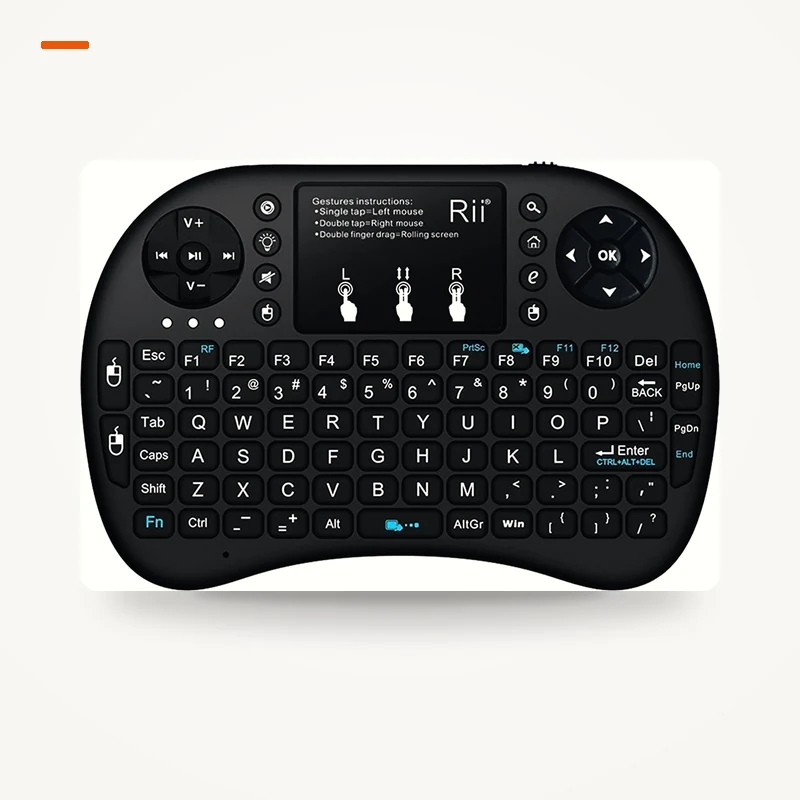 Rii i8 Mini Wireless Touchpad Keyboard |
Best handheld option |
|
Check Price |
3 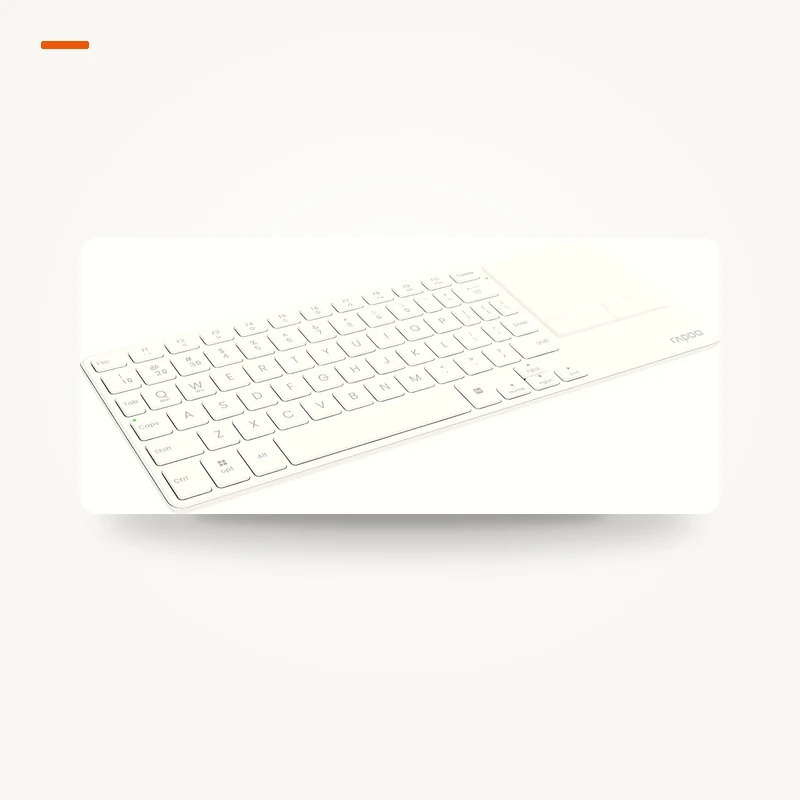 Rapoo E900T Wireless Keyboard with Touchpad |
Best for Bluetooth and multiple devices |
|
Check Price |
The best wireless keyboards for TV
1. Logitech K400 Plus Wireless Touch TV Keyboard — full keyboard with a built-in touchpad
Who it’s for: Anyone with a PC, mini PC or Android device connected to a TV who wants a full-size typing layout on the couch.
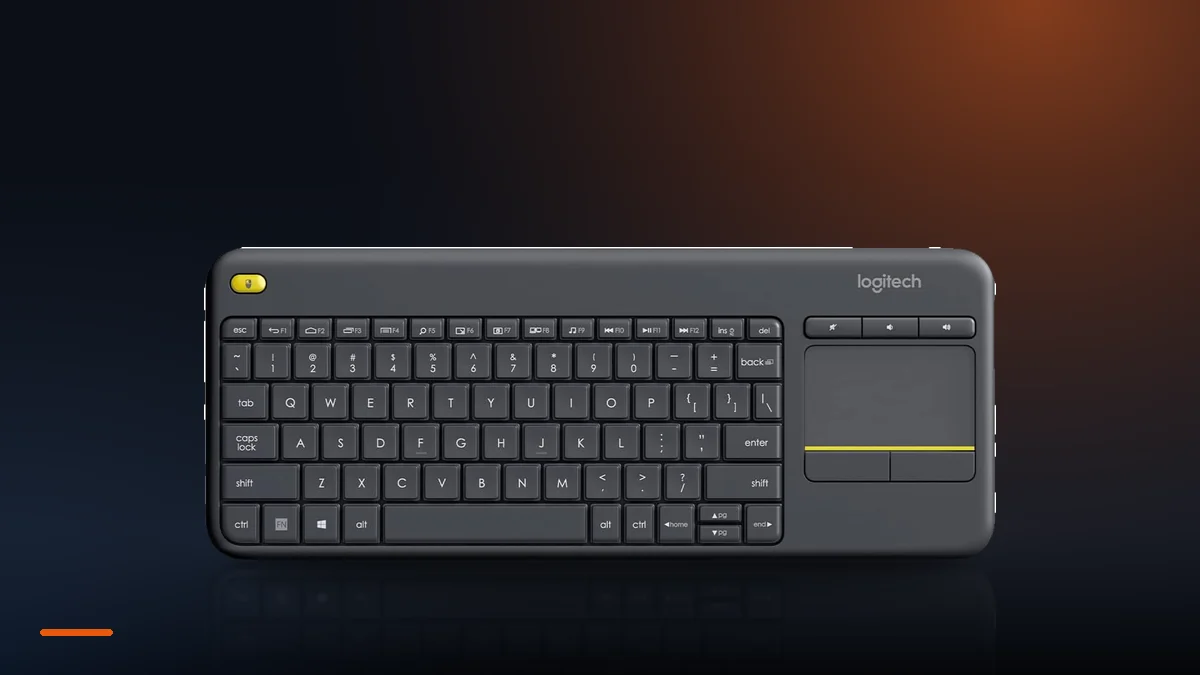
The K400 Plus is Logitech’s keyboard made for PC-connected TVs. It combines a full QWERTY layout and a built-in touchpad, with media keys along the top and a left-click button. Logitech lists a wireless range of up to 33 feet, up to 18 months of battery life with an on/off switch, and a spill-resistant design.
The listing says it’s designed for Windows, Android 7 or later and ChromeOS, so it suits a living-room PC, Chromebox or Android TV box best. It was listed at $23.74, sold and shipped by Amazon, on November 29, 2026.
Key specs: Wireless keyboard with built-in touchpad; Logitech Unifying USB receiver; up to 33 ft range; up to 18 months battery (AA); spill-resistant; for Windows, Android 7+ and ChromeOS; 13.95 x 5.5 x 0.93 in; sold by Amazon.
- Comfortable full-size keys
- Big touchpad and media keys
- Low price, sold by Amazon
- Needs a USB port for the receiver
- Not backlit
- No Bluetooth
2. Rii i8 Mini Wireless Touchpad Keyboard — remote-sized with a touchpad
Who it’s for: People who mostly type short searches and passwords and want something remote-sized.
The Rii i8 is a handheld keyboard about the size of a game controller, with a QWERTY layout under your thumbs and a touchpad for pointing. It connects with a 2.4 GHz USB receiver, charges by cable, and the listing names PC, Android TV box, Google TV box, HTPC and IPTV boxes among its uses.
Thumb typing is fine for searches but slow for long text. It was listed at $29.90, sold and shipped by a third-party seller, Grow2Sell, with delivery in three to four days, on November 29, 2026.
Key specs: Handheld 92-key keyboard with touchpad; 2.4 GHz USB receiver; rechargeable with included cable; listed for PC, Android and Google TV boxes, HTPC and IPTV; sold by Grow2Sell.
- Fits in one hand like a remote
- Touchpad built in
- Rechargeable
- Thumb typing only
- Third-party seller, slower delivery
- Needs a USB port
3. Rapoo E900T Wireless Keyboard with Touchpad — thin, tri-mode and multi-device
Who it’s for: Households that switch the keyboard between a TV-connected PC, a tablet and other devices.
Rapoo’s E900T is a thin 73-key keyboard with a built-in touchpad that connects over Bluetooth or its 2.4 GHz receiver and pairs with up to four devices. The listing names PC-connected TVs, tablets, Steam Deck, game consoles, mini PCs and Raspberry Pi among its uses, and says the touchpad supports multi-finger gestures on Windows and Mac.
Bluetooth makes it useful for devices without a spare USB port. Rapoo lists up to 13 months on AAA batteries. It was listed at $21.24, sold by Besmai Technology and shipped by Amazon, on November 29, 2026.
Key specs: 73-key wireless keyboard with touchpad; Bluetooth 5.0/4.0 plus 2.4 GHz; up to 4 devices; Windows and Mac gestures; 11.09 x 4.09 x 0.15 in; AAA batteries; sold by Besmai Technology, shipped by Amazon.
- Bluetooth and USB receiver
- Pairs with four devices
- Lowest price
- Compact 73-key layout
- Third-party seller
TV keyboards compared
| Keyboard | Connection | Layout | Price (November 29) |
|---|---|---|---|
| Logitech K400 Plus | USB receiver | Full keyboard plus touchpad | $23.74 |
| Rii i8 | USB receiver | Handheld, 92 keys plus touchpad | $29.90 |
| Rapoo E900T | Bluetooth or USB receiver | Compact 73 keys plus touchpad | $21.24 |
Prices are what each listing showed on November 29, 2026 and can change at any time.
How to choose a keyboard for your TV
| Need | Look for | Pick |
|---|---|---|
| Full typing on the couch | Full layout, big touchpad | Logitech K400 Plus |
| Quick searches and passwords | Handheld, remote-sized | Rii i8 |
| Several devices or no USB port | Bluetooth, multi-device | Rapoo E900T |
- Range. Most 2.4 GHz keyboards cover a living room; Logitech lists up to 33 feet for the K400 Plus.
- Backlighting. Useful in a dark room, but it shortens battery life.
- Batteries vs rechargeable. AA and AAA batteries last months; rechargeable keyboards need a cable now and then.
- Media keys. If the top row sends F-keys instead of volume and playback, check Fn Lock.
- ChromeOS boxes. For a Chromebox on the TV, our best keyboard for Chromebook picks also apply.
For desk setups, see our best wireless keyboard and mouse combos and our wireless keyboards with touchpad and number pad. If you’re pairing over Bluetooth, our guide on how to connect a Bluetooth keyboard walks through it.
Plug the USB receiver into a short USB extension cable if your TV’s ports are on the back. It improves range and makes the receiver easier to remove.
FAQ
Can I use a wireless keyboard with a smart TV?
Often, yes, for typing in search and browser fields. Support depends on your TV’s brand and model, so check its manual.
Does the Logitech K400 Plus work with smart TVs?
Logitech lists it for PC-connected TVs running Windows, Android 7 or later and ChromeOS. Smart TV support isn’t listed.
Do I need a touchpad?
On a PC-connected TV, yes, unless you also use a mouse. On a smart TV, the touchpad may not work, but typing usually does.
Bluetooth or USB receiver?
A USB receiver is simplest. Bluetooth helps if the device has no free USB port.
Will these work with a Fire TV Stick or Roku?
None of these listings claims support for them, so we can’t recommend them for those devices.
Final thoughts
The Logitech K400 Plus is the best all-round keyboard for a TV-connected PC or Android box, the Rii i8 is the most remote-like, and the Rapoo E900T is the most flexible thanks to Bluetooth and four-device pairing. Check your TV’s keyboard support first and you’ll avoid a frustrating return.

Experience is what matters at the end!!
Hi! This is Jacob Jay – founder of Keyboardgear.com! From childhood to adulthood, I’ve always remained passionate about IT, and the revolution in this industry, especially gaming on the PC can’t go out of my way. Since I’m an enthusiastic gamer, and I love to experience various gaming accessories, particularly mechanical keyboards, that really boost my gaming adventure manifolds. So, my nerve cells hit me to transfer my experiences into word form and share with others to identify the ideal keyboards perfectly fit for their gaming modes.
I know very well how hard it is to find the high-quality items available on the internet that ought to be exactly the same as seen as on the screen. But the counterfeiters have ruined the user’s trust. As I have passed all such situations, I’m obliged to deliver the genuinity and express the same as what I am saying.
So, now, I’m working on the mission to provide very helpful and frankly but trustworthy reviews and guides about various mechanical keyboards, mouses, and other gaming accessories as per my personal experiences and sound knowledge.