

Quick answer
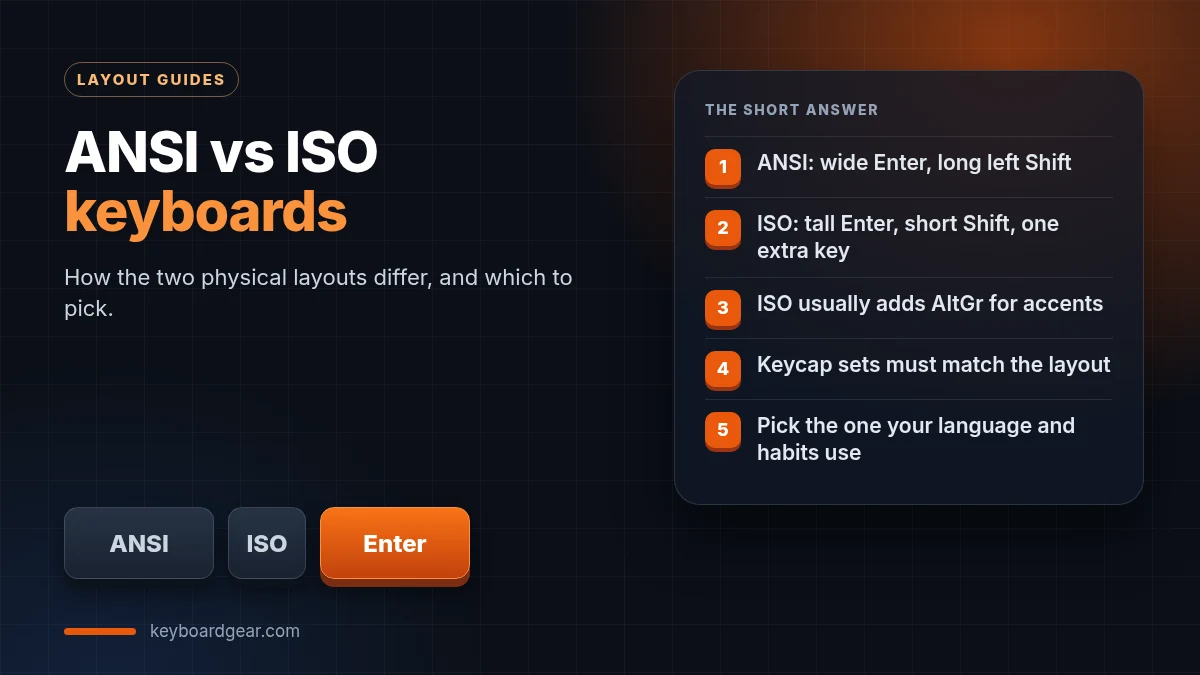
ANSI and ISO are the two most common physical keyboard layouts. An ANSI keyboard (the usual US layout) has a wide, one-row Enter key, a long left Shift and the backslash key above Enter. An ISO keyboard (common in the UK and Europe) has a tall, inverted-L Enter key, a short left Shift with an extra key beside it, and usually an AltGr key for accented characters, giving 105 keys on a full-size board instead of 104.
Choose the layout your language and muscle memory already use. If you buy custom keycaps, make sure the set includes the keys your layout needs.
If you’ve ever bought a keyboard from another country, or ordered a keycap set and found the Enter key doesn’t fit, you’ve met the ANSI vs ISO split. The letters are in the same place on both, but a handful of keys around the edges are different shapes and sizes, and that’s enough to throw off your typing and your keycap purchases.
This guide explains exactly what’s different, why it matters, and how to choose.
What ANSI and ISO mean
The names come from standards bodies. ANSI refers to the American National Standards Institute, and the ANSI layout is the physical arrangement most US keyboards use. ISO refers to the International Organization for Standardization; the ISO/IEC 9995 standard describes keyboard layouts, and the “ISO layout” is the physical arrangement used across much of Europe and many other regions.
It’s important to separate two ideas:
- Physical layout: the shape, size and position of the keys. This is what ANSI vs ISO is about.
- Logical layout: which character each key types, such as US English, UK English, German QWERTZ or French AZERTY. This is set in your operating system.
You can run a UK logical layout on an ANSI keyboard, or a US layout on an ISO keyboard. It just means some keys won’t match their printed legends. Our guide on how to change your keyboard layout covers the software side.
The key differences
The Enter key
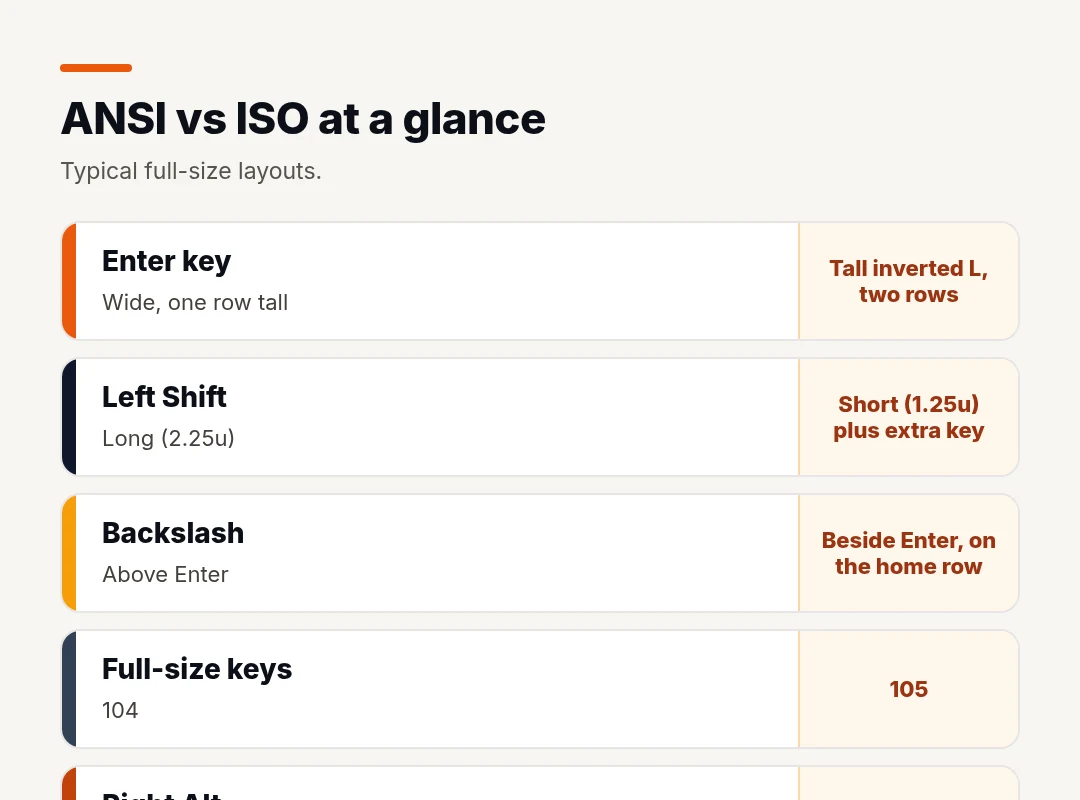
This is the giveaway. On ANSI, Enter is a wide key one row tall. On ISO, Enter is a tall key spanning two rows in an inverted L shape, wider at the top.
The left Shift key and the extra key
ANSI has a long left Shift (2.25 units wide in keyboard-builder terms). ISO splits that space into a short left Shift (1.25u) and an extra key next to it. On a UK layout that key types the backslash and pipe; on other ISO layouts it types different characters, such as angle brackets on German keyboards.
The backslash key
On ANSI, backslash sits above Enter, at the end of the top letter row. On ISO, the tall Enter takes that space, and a key sits beside Enter on the home row instead (on a UK layout, this is the # and ~ key).
Key count
A full-size ANSI keyboard has 104 keys, and a full-size ISO keyboard has 105, because of the extra key beside left Shift. Smaller boards drop keys in the same way for both; see our guide to keyboard sizes and percentages.
AltGr
Many ISO keyboards label the right Alt key AltGr (Alt Graph). Holding it lets you type extra characters, such as accented letters and currency symbols, which matters for European languages. ANSI US keyboards normally just have a second Alt. You can still type accents on any keyboard; our guide on how to type accents explains how.
What’s the same
The letter keys, number row, function keys, arrow keys and navigation cluster sit in the same positions on both layouts. If you only touch-type letters, the switch is small; it’s the edge keys that catch you out.
Which regions use which
As a rough guide, ANSI is standard in the United States and common in Canada and parts of Asia, while ISO is standard in the United Kingdom, Ireland and most of Europe, and in many other countries. Japan uses its own JIS layout, which has more keys around the space bar for switching input modes. Our article on how keyboards work in Japan covers JIS in more detail.
Because most keyboard brands design for the US market first, ANSI keyboards often have the widest choice, especially among enthusiast mechanical boards. ISO versions are common for mainstream brands sold in Europe, but some niche models only come in ANSI.
Why it matters for keycaps
This is where most people get caught. Keycaps come in specific sizes, and an ISO keyboard needs an ISO Enter and a 1.25u left Shift, plus a keycap for the extra key. Many keycap sets only include ANSI keys, and an ANSI Enter physically won’t fit an ISO board.
Before buying a set:
- Check whether your board is ANSI or ISO.
- Look for an ISO kit or ISO add-on in the set’s listing if you need one.
- Check the legends: an ISO keycap set for UK English has different symbols from one for German or Nordic layouts.
Our guide to keycap sizes explains units and which keys vary, and best custom keycaps has some popular sets.
Why it matters for custom keyboards and PCBs
For custom and hot-swap boards, the PCB and plate must support the layout. Some PCBs support both ANSI and ISO, with switch positions for each; others are ANSI-only. Stabiliser positions also differ, because the ISO Enter and short left Shift change where stabilisers go. If you’re building a board, check the PCB’s supported layouts before buying switches and keycaps.
Typing on the other layout
Switching between ANSI and ISO takes some adjustment:
- ISO to ANSI: you’ll reach for a left Shift that’s longer than you expect, and Enter is further from your little finger on the home row.
- ANSI to ISO: the short left Shift is the big one. Many people hit the extra key instead of Shift at first. The tall Enter is usually easy to adapt to.
Most people adapt within a week or two of regular use. If characters still come out wrong, your operating system’s layout is probably set to the other region; our guide to a keyboard typing the wrong characters covers that fix.
Which should you choose?
| If you… | Choose |
|---|---|
| Type mainly in US English | ANSI, the widest choice of keyboards and keycaps |
| Type in UK English or a European language | ISO, to get AltGr and the expected symbols |
| Already touch-type comfortably on one layout | Stick with it |
| Want lots of custom keycap options | ANSI, or check ISO kits are available |
| Prefer a big Enter key close to the home row | ISO |
| Prefer a long left Shift | ANSI |
| Program a lot and use backslash often | ANSI, with backslash above Enter |
There isn’t a “better” layout. Both are mature, comfortable designs. The right one is the one that matches your language, your existing muscle memory and the keyboards and keycaps you want to buy.
How to tell which one you have
Look at the Enter key. If it’s one row tall and wide, it’s ANSI. If it’s tall and spans two rows, it’s ISO. You can double-check by looking at the left Shift: a short Shift with a key beside it means ISO.
FAQ
Is ISO or ANSI better?
Neither is better overall. ANSI suits US English and has the most keyboard and keycap choice; ISO suits UK and European languages with its AltGr key and extra key.
Can I use an ISO keyboard in the US?
Yes. It works with any computer. Set the operating system to the layout you want, though some printed legends may not match what you type.
Do ANSI keycaps fit ISO keyboards?
Most do, except the Enter key and left Shift, and you need an extra 1u key. Look for a keycap set that includes an ISO kit.
How many keys does a full-size ISO keyboard have?
105, one more than a full-size ANSI keyboard’s 104, because of the extra key beside the short left Shift.
What is AltGr?
A modifier key, usually where right Alt is, that lets you type extra characters such as accented letters and symbols on many ISO layouts.
Is a Mac keyboard ANSI or ISO?
It depends on the region. Apple sells US keyboards in an ANSI-style layout and UK and many European keyboards in an ISO-style layout.
Bottom line
ANSI and ISO keyboards type the same letters in the same places. The differences are the Enter key, the left Shift, the backslash position, one extra key and, often, AltGr. Pick the layout that matches your language and muscle memory, and when you buy keycaps, make sure they match your board.
Sources

Experience is what matters at the end!!
Hi! This is Jacob Jay – founder of Keyboardgear.com! From childhood to adulthood, I’ve always remained passionate about IT, and the revolution in this industry, especially gaming on the PC can’t go out of my way. Since I’m an enthusiastic gamer, and I love to experience various gaming accessories, particularly mechanical keyboards, that really boost my gaming adventure manifolds. So, my nerve cells hit me to transfer my experiences into word form and share with others to identify the ideal keyboards perfectly fit for their gaming modes.
I know very well how hard it is to find the high-quality items available on the internet that ought to be exactly the same as seen as on the screen. But the counterfeiters have ruined the user’s trust. As I have passed all such situations, I’m obliged to deliver the genuinity and express the same as what I am saying.
So, now, I’m working on the mission to provide very helpful and frankly but trustworthy reviews and guides about various mechanical keyboards, mouses, and other gaming accessories as per my personal experiences and sound knowledge.