

Keyboard Gear earns from qualifying purchases through Amazon links.
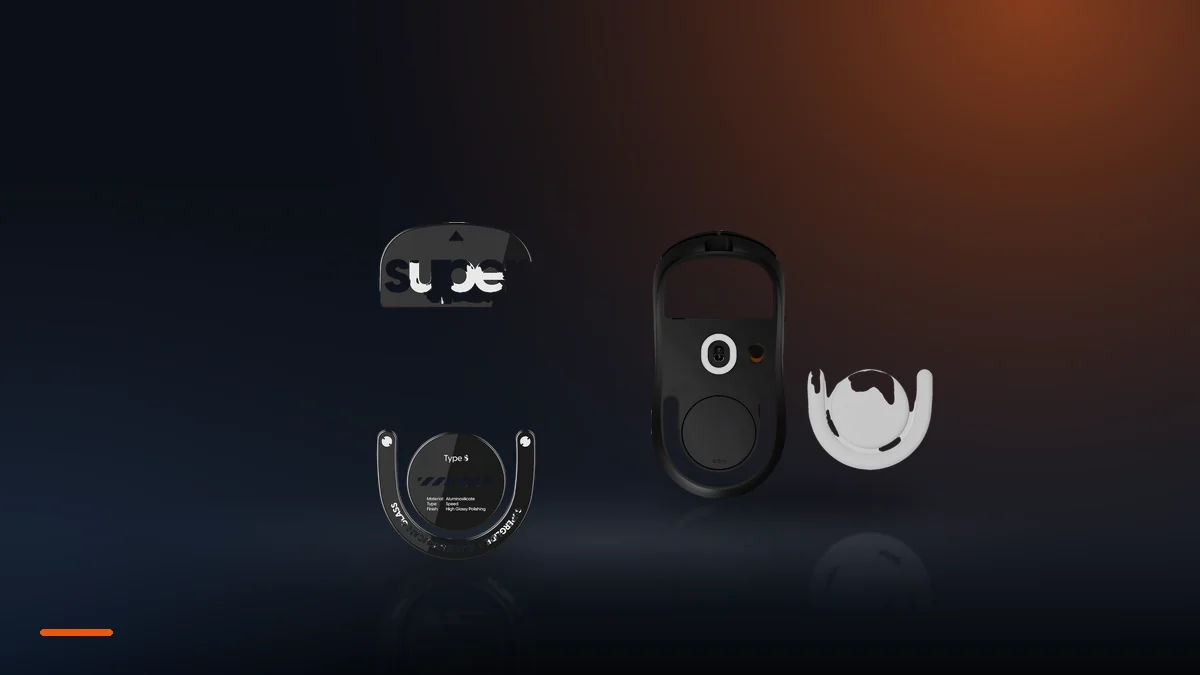
For a Logitech G Pro X Superlight 2, the Pulsar Superglide Type-S glass skates are the fastest, longest-lasting upgrade, while the ESPTIGER ICE V2 PTFE set is the budget pick. Hotline Games makes two-set packs for the original Superlight and the G502 Wireless. If your mouse has no model-specific skates, ESPTIGER universal dots fit almost anything.
Mouse skates (or mouse feet) are the slippery pads on the bottom of your mouse. When they wear down, scratch or collect grime, the glide turns rough and inconsistent, and the sensor can sit at a slightly different height, which affects tracking. Replacing them is cheap and takes ten minutes.
We picked five sets sold on Amazon US and checked each listing’s stated fit, material, seller and price on November 29, 2026. Most skates are cut for one specific mouse, so always match the listing to your exact model.
Best mouse skates at a glance
| Product | Best for | Key specs | Price |
|---|---|---|---|
1 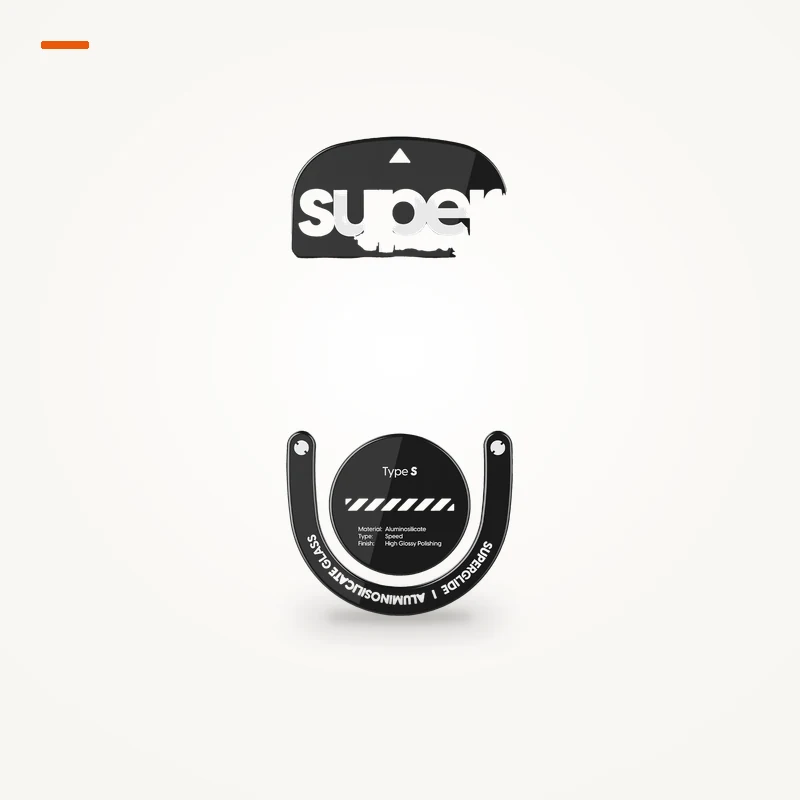 Pulsar Superglide Type-S (G Pro X Superlight 2) |
Best premium skates |
|
Check Price |
2 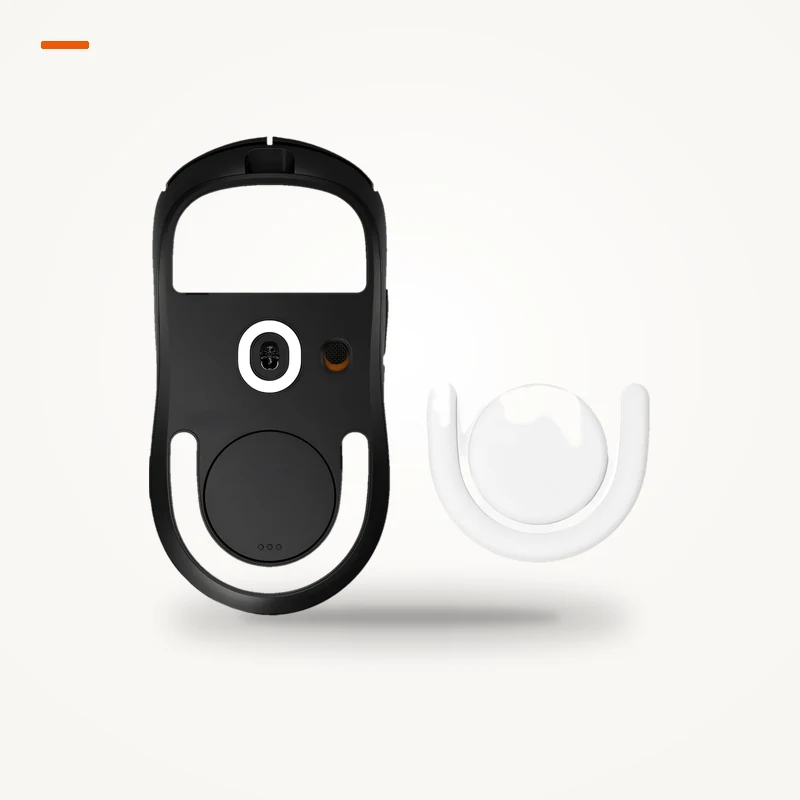 ESPTIGER ICE V2 (G Pro X Superlight 2) |
Best budget skates for Superlight 2 |
|
Check Price |
3 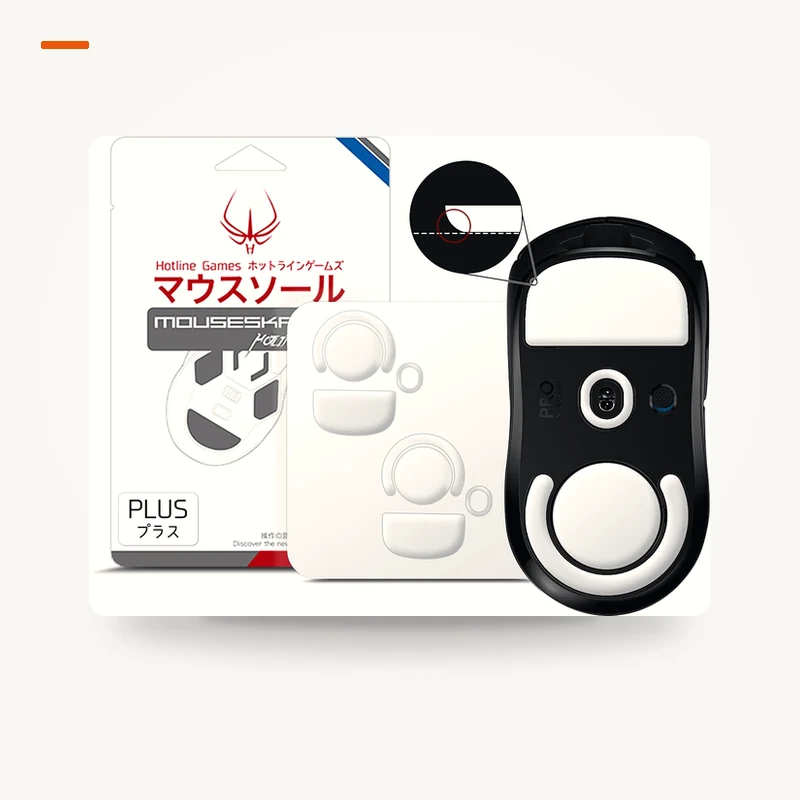 Hotline Games 3.0 Plus (G Pro X Superlight) |
Best for the original Superlight |
|
Check Price |
4 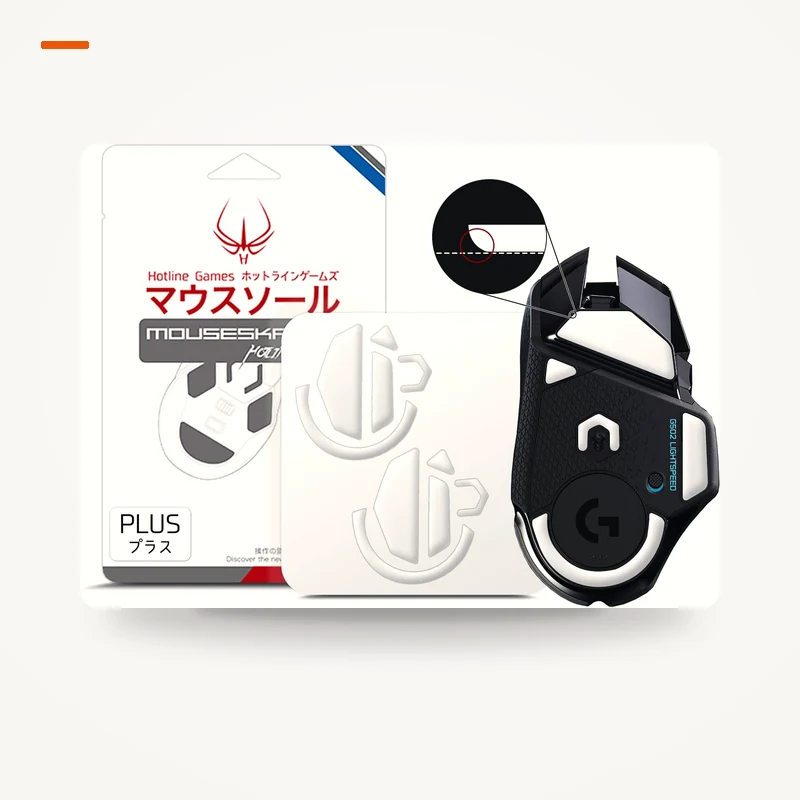 Hotline Games 3.0 Plus (G502 Wireless) |
Best for G502 Wireless |
|
Check Price |
5 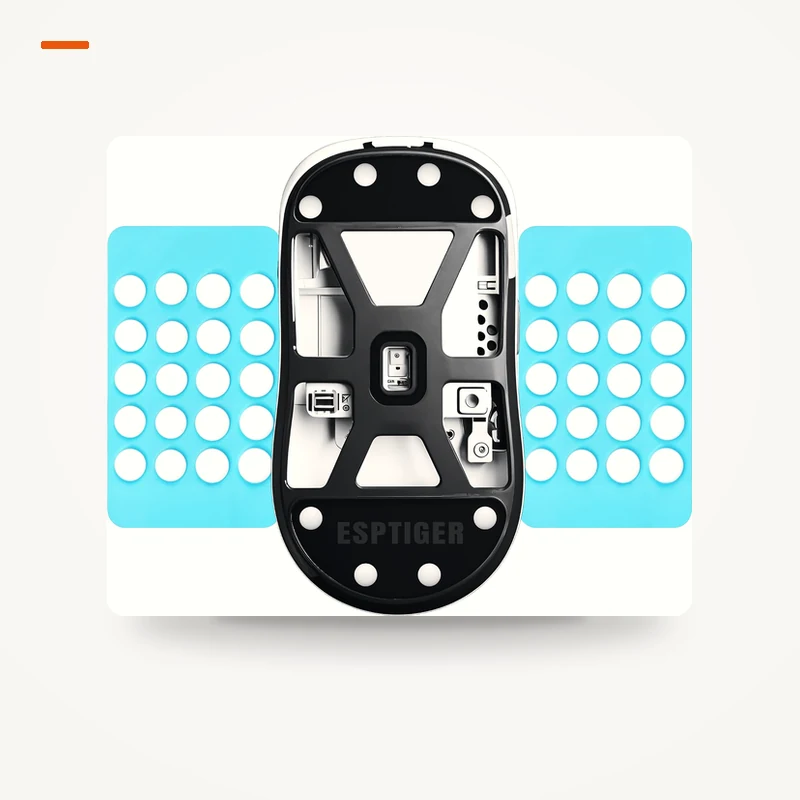 ESPTIGER ICE V2 Universal Dots (40 pieces) |
Best universal option |
|
Check Price |
The best mouse skates
1. Pulsar Superglide Type-S (G Pro X Superlight 2) — glass skates for the fastest glide
Who it’s for: Superlight 2 owners on cloth or hybrid pads who want a very fast, long-lasting glide.
Pulsar’s Superglide skates are made from polished aluminosilicate glass instead of PTFE. Pulsar says glass is far more wear-resistant than PTFE feet, so the glide stays consistent for longer, and the Type-S version is its faster, smoother option (Type-C adds more stopping power). This set is pre-cut for the Logitech G Pro X Superlight 2.
Pulsar’s own listing warns these aren’t recommended for glass mouse pads. It was listed at $19.96 as a Prime member price, sold by Pulsar Gaming Gears and shipped by Amazon, on November 29, 2026.
Key specs: Glass mouse skates pre-cut for the G Pro X Superlight 2; Type-S fast glide; polished rounded edges; not for glass pads; Prime member price; sold by Pulsar Gaming Gears.
- Very fast, smooth glide
- Glass resists wear
- Exact pre-cut fit
- Most expensive here
- Not for glass mouse pads
- Fits one mouse only
2. ESPTIGER ICE V2 (G Pro X Superlight 2) — PTFE upgrade for less
Who it’s for: Superlight 2 owners who want a smoother PTFE glide without paying for glass.
The ESPTIGER ICE V2 set swaps the stock feet for PTFE skates with 2.5D curved edges, which the listing says prevent the edges catching or fraying your mouse pad. It lists a 0.7 to 0.8 mm thickness and 3M adhesive, and is cut for the G Pro X Superlight 2.
It’s a sensible middle ground: a fresh PTFE glide for less than half the price of glass. It was listed at $8.99, sold by Addice Inc. and shipped by Amazon, on November 29, 2026.
Key specs: PTFE skates pre-cut for the G Pro X Superlight 2; 2.5D curved edges; 0.7-0.8 mm (listed); 3M adhesive; sold by Addice Inc.
- Low price
- Curved edges protect pads
- Exact pre-cut fit
- PTFE wears faster than glass
- Fits one mouse only
3. Hotline Games 3.0 Plus (G Pro X Superlight) — two sets of rounded PTFE skates
Who it’s for: Owners of the original G Pro X Superlight who want a spare set for later.
Hotline Games’ 3.0 Plus skates use rounded, curved edges and PTFE, and the listing says each model’s shape and thickness is designed for the specific mouse. This pack includes two sets cut for the original G Pro X Superlight, so you have a spare when the first set wears.
Check your model before ordering: this listing names the original Superlight, not the Superlight 2. It was listed at $11.30 for two sets, sold by Hotline Games(US) and shipped by Amazon, on November 29, 2026.
Key specs: Two sets of PTFE skates for the original G Pro X Superlight; rounded edges; 0.8 mm (listed); pre-cut; sold by Hotline Games(US).
- Two sets per pack
- Rounded edges
- Pre-cut shapes
- Original Superlight only
- PTFE wears over time
4. Hotline Games 3.0 Plus (G502 Wireless) — replacement feet for a heavier mouse
Who it’s for: G502 Lightspeed owners whose stock feet have worn down.
Heavy mice like the G502 wear their feet faster, and this two-set pack from Hotline Games is cut specifically for the G502 Wireless. It uses the same rounded PTFE 3.0 Plus design as the Superlight version.
This listing names the wireless G502, so wired G502 owners should look for a matching listing instead. It was listed at $10.91 for two sets, sold by Hotline Games(US) and shipped by Amazon, on November 29, 2026.
Key specs: Two sets of PTFE skates for the Logitech G502 Wireless; rounded edges; 0.8 mm (listed); pre-cut; sold by Hotline Games(US).
- Two sets per pack
- Cut for the G502 Wireless
- Low price
- Wireless G502 only
- PTFE wears over time
5. ESPTIGER ICE V2 Universal Dots (40 pieces) — fits almost any mouse
Who it’s for: Anyone whose mouse has no model-specific skates, or who wants to tune glide with dot placement.
If nobody makes skates for your mouse, dots are the answer. This ESPTIGER set includes 40 PTFE dots in four sizes (5.5, 6, 6.5 and 7 mm) with curved edges and 3M adhesive, so you can place them around the sensor and in the corners of almost any mouse.
Dots usually feel slightly faster than large pads because there’s less contact area, but placement takes care. It was listed at $8.99, sold by Addice Inc. and shipped by Amazon, on November 29, 2026.
Key specs: 40 universal PTFE dots in 4 sizes (5.5-7 mm); curved edges; 0.7-0.8 mm (listed); 3M adhesive; sold by Addice Inc.
- Fits nearly any mouse
- Several sizes to tune glide
- Lots of spares
- Placement takes care
- Less coverage than full skates
Mouse skates compared
| Skates | Fits (listed) | Material | Price (November 29) |
|---|---|---|---|
| Pulsar Superglide Type-S | G Pro X Superlight 2 | Glass | $19.96 (Prime member) |
| ESPTIGER ICE V2 | G Pro X Superlight 2 | PTFE | $8.99 |
| Hotline Games 3.0 Plus | G Pro X Superlight | PTFE (2 sets) | $11.30 |
| Hotline Games 3.0 Plus | G502 Wireless | PTFE (2 sets) | $10.91 |
| ESPTIGER universal dots | Universal | PTFE (40 dots) | $8.99 |
Prices are what each listing showed on November 29, 2026 and can change at any time. A Prime member price is only available to Amazon Prime members.
Glass vs PTFE vs dots
| Type | Feel | Durability | Best for |
|---|---|---|---|
| Glass | Fastest, very smooth | Longest-lasting | Cloth and hybrid pads |
| Pre-cut PTFE | Smooth, familiar | Wears gradually | Most players |
| PTFE dots | Fast, low contact | Wears gradually | Any mouse, custom tuning |
Your pad matters as much as the skates. Read cloth vs hard mouse pads before changing both, and see our best desk mats if you want a larger surface.
How to replace mouse skates
- Remove the old feet. Warm them briefly with a hair dryer on low, then lift an edge with a plastic pick or a thin blade, away from the sensor.
- Clean the recesses. Wipe off adhesive residue with isopropyl alcohol and let it dry fully. Our guide on how to clean a mouse covers the sensor safely.
- Fit the new skates. Align them in the recesses without touching the adhesive, then press firmly for 20 to 30 seconds.
- Test the tracking. New skates can change sensor height slightly. If tracking feels off, check your lift-off distance setting; if the cursor jumps, see mouse cursor jumping.
Removing the feet can expose screws and may affect some warranties. Check your mouse maker’s policy first.
Light mice and fresh skates go well together; see does mouse weight matter? and our best gaming mouse picks.
FAQ
Do mouse skates make a difference?
Yes, especially if your current feet are worn. New skates restore a smooth, consistent glide.
How often should I replace mouse skates?
When they feel scratchy or uneven, or show visible wear. Heavy use may wear PTFE in months; glass lasts much longer.
Are glass mouse skates worth it?
For enthusiasts on cloth or hybrid pads, often yes. Avoid using them on glass mouse pads.
Will universal dots fit my mouse?
Usually. Place them around the sensor and in the corners, keeping the mouse level.
Can new skates affect tracking?
Slightly, because they change sensor height. Re-check your lift-off setting after fitting.
Final thoughts
Match skates to your exact mouse first. Choose Pulsar’s glass Superglides for the fastest, longest-lasting glide on a Superlight 2, the ESPTIGER ICE V2 for a cheap PTFE refresh, Hotline Games two-packs for the original Superlight or G502 Wireless, and universal dots for everything else.

Experience is what matters at the end!!
Hi! This is Jacob Jay – founder of Keyboardgear.com! From childhood to adulthood, I’ve always remained passionate about IT, and the revolution in this industry, especially gaming on the PC can’t go out of my way. Since I’m an enthusiastic gamer, and I love to experience various gaming accessories, particularly mechanical keyboards, that really boost my gaming adventure manifolds. So, my nerve cells hit me to transfer my experiences into word form and share with others to identify the ideal keyboards perfectly fit for their gaming modes.
I know very well how hard it is to find the high-quality items available on the internet that ought to be exactly the same as seen as on the screen. But the counterfeiters have ruined the user’s trust. As I have passed all such situations, I’m obliged to deliver the genuinity and express the same as what I am saying.
So, now, I’m working on the mission to provide very helpful and frankly but trustworthy reviews and guides about various mechanical keyboards, mouses, and other gaming accessories as per my personal experiences and sound knowledge.