

Quick answer
A VESA mount is a standard pattern of four (or more) screw holes on the back of a monitor or TV, defined by the Video Electronics Standards Association’s Flat Display Mounting Interface (FDMI) standard. If your screen and a monitor arm, stand or wall bracket share the same pattern, such as 75 x 75 mm or 100 x 100 mm, they’ll fit. Always check the mount’s weight limit too.
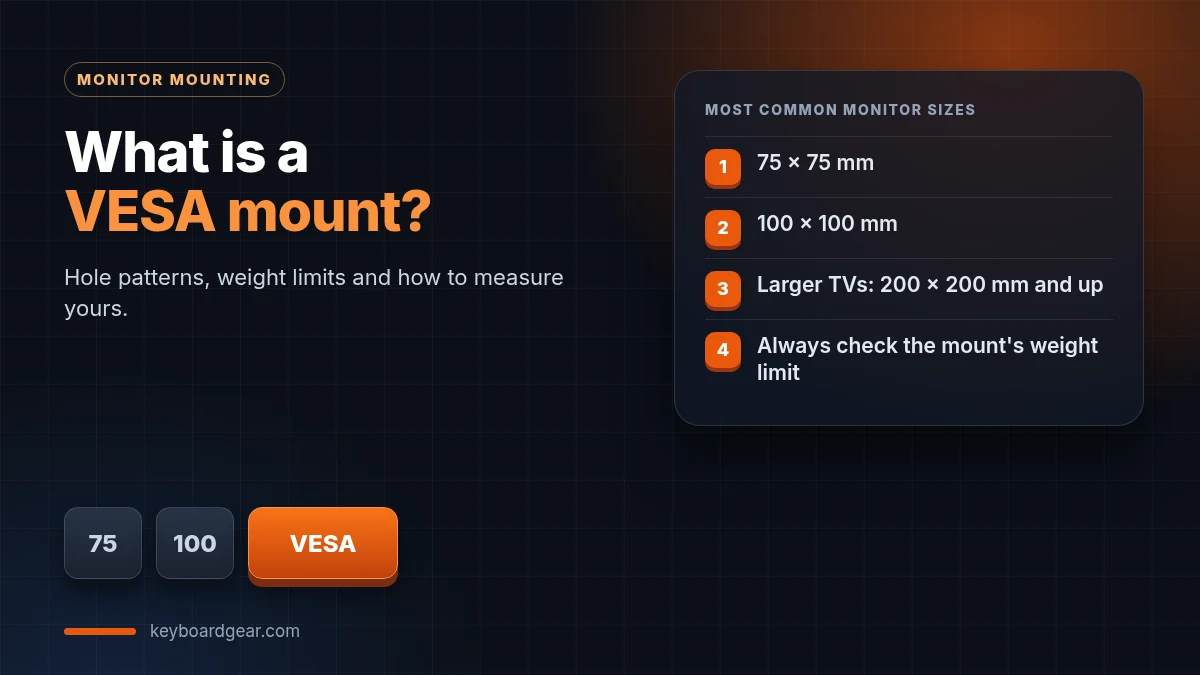
Before you buy a monitor arm, check two things: your monitor’s VESA pattern and its weight. Here’s how.
What the VESA numbers mean
A VESA size like 100 x 100 is the distance between the centers of the screw holes, in millimeters: the first number is horizontal spacing, the second vertical. So:
- 75 x 75: holes 75 mm apart in a square. Common on small monitors.
- 100 x 100: holes 100 mm apart. The most common desk monitor pattern.
- 200 x 100, 200 x 200, 400 x 400 and up: larger monitors and TVs.
VESA classes and weight limits
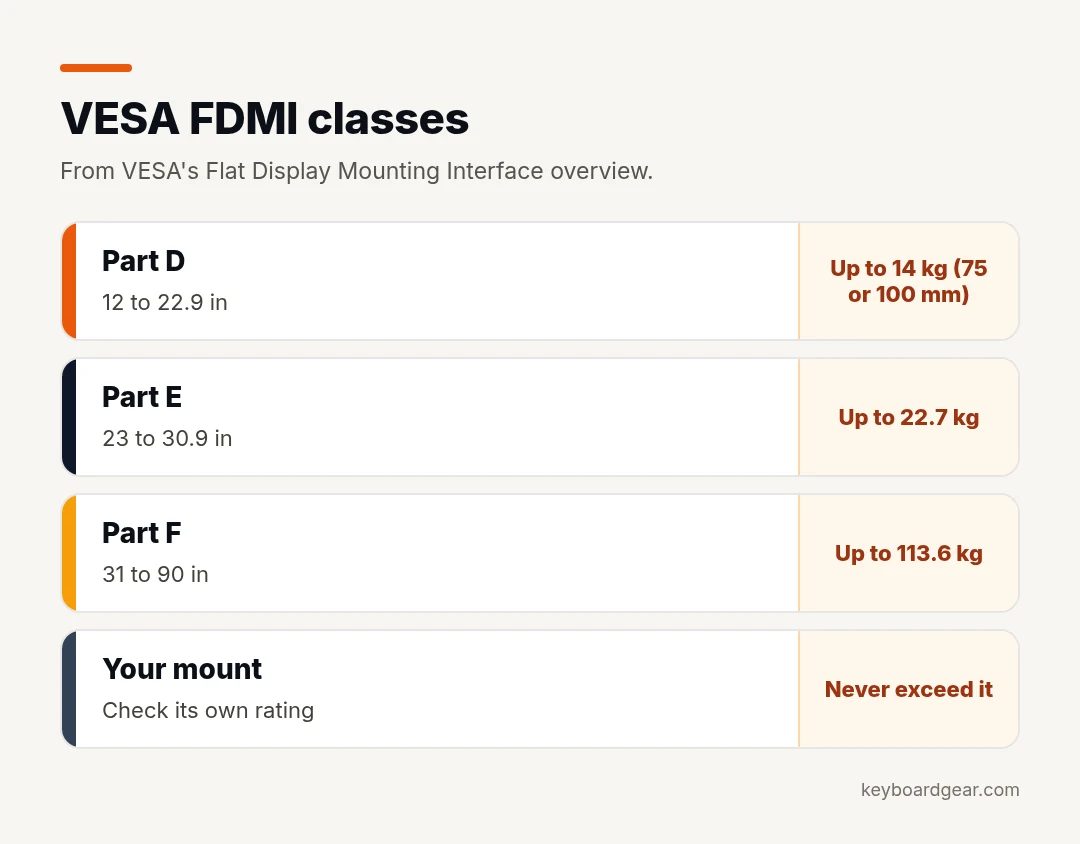
VESA’s FDMI overview groups displays by screen size and weight. For example, Part D covers 12 to 22.9 inch displays up to 14 kg (30.8 lb), with 75 x 75 or 100 x 100 mm patterns. Part E covers 23 to 30.9 inch displays up to 22.7 kg (50 lb), and Part F covers 31 to 90 inch displays up to 113.6 kg (250 lb).
In practice, many monitors larger than 23 inches still use 100 x 100 mm. What matters for you is:
- Your monitor’s actual pattern (in its manual or spec sheet).
- Your monitor’s weight without the stand.
- The mount’s supported patterns and weight range.
Never exceed a mount’s maximum weight. For gas-spring arms, also check the minimum weight: a monitor that’s too light may not stay in position.
How to check your monitor
- Look at the back for four screw holes, often under a removable stand or cover.
- Measure center to center, horizontally then vertically, in millimeters.
- Check the spec sheet for the VESA size and screw size. Smaller patterns commonly use M4 screws; larger TV mounts use bigger screws.
- Weigh the screen without its stand, or find “weight without stand” in the specs.
Curved and ultrawide monitors are heavier and wider than they look. Check that the arm supports the weight and the screen size, and that there’s clearance behind your desk.
What if my monitor has no VESA holes?
Some slim or budget monitors aren’t VESA-compatible. Options include clamp-style adapter brackets made for specific models, or keeping the original stand and using a riser. Check the adapter’s compatibility list carefully.
Choosing a mount
- Single or dual arm: see dual monitors and arms.
- Clamp or grommet: most arms attach to the desk edge or through a cable hole. Check your desk’s thickness.
- Height: set the top of the screen at or slightly below eye level; our monitor height guide explains how.
- Standing desks: the arm moves with the desk, which keeps your setup consistent; see standing desk setup.
For the full workspace, see our desk setup guide.
Common mounting mistakes
- Using the wrong screws. Most mounts supply screws for common sizes. Use those instead of random screws from a drawer, because a screw that’s too long can damage the inside of the monitor.
- Ignoring the weight range. A mount lists a minimum and maximum weight. Heavy monitors can sag on a weak arm, and very light screens can make some arms spring upward.
- Forgetting the back of the monitor. Curved backs or recessed VESA holes may need spacers. Check the mount’s instructions.
- Mounting on weak furniture. A clamp mount needs a sturdy desk edge. See our monitor arm clamp vs grommet guide.
Types of VESA mount
| Type | What it does |
|---|---|
| Fixed | Holds the monitor flat in one position |
| Tilt | Lets you angle the screen up or down |
| Full-motion arm | Lets you move, tilt and rotate the screen |
| Dual arm | Holds two monitors from one clamp |
Where to go next
If you want to use a mount, see our best monitor arms. If you’re planning two screens, read dual monitor setup. And if your monitor has no VESA holes, a monitor stand riser is an easy alternative.
FAQ
What does VESA 100 x 100 mean?
The mounting holes are 100 mm apart horizontally and 100 mm apart vertically.
Are all monitors VESA compatible?
No. Many are, but some slim or budget models lack holes. Check the specs.
Will a 75 x 75 monitor fit a 100 x 100 mount?
Many mounting plates include both patterns. Check the mount’s listing.
How do I know my monitor’s VESA size?
Check the manual or spec sheet, or measure hole centers in millimeters.
What weight should my monitor arm support?
More than your monitor’s weight without its stand, and within the arm’s stated range.
Sources
Final thoughts
VESA is simply a hole pattern plus a weight class. Check your monitor’s pattern and weight without the stand, buy a mount that supports both, and you can fit almost any arm, stand or wall bracket.

Experience is what matters at the end!!
Hi! This is Jacob Jay – founder of Keyboardgear.com! From childhood to adulthood, I’ve always remained passionate about IT, and the revolution in this industry, especially gaming on the PC can’t go out of my way. Since I’m an enthusiastic gamer, and I love to experience various gaming accessories, particularly mechanical keyboards, that really boost my gaming adventure manifolds. So, my nerve cells hit me to transfer my experiences into word form and share with others to identify the ideal keyboards perfectly fit for their gaming modes.
I know very well how hard it is to find the high-quality items available on the internet that ought to be exactly the same as seen as on the screen. But the counterfeiters have ruined the user’s trust. As I have passed all such situations, I’m obliged to deliver the genuinity and express the same as what I am saying.
So, now, I’m working on the mission to provide very helpful and frankly but trustworthy reviews and guides about various mechanical keyboards, mouses, and other gaming accessories as per my personal experiences and sound knowledge.