

Keyboard Gear earns from qualifying purchases through Amazon links.
The Ergotron LX is the best monitor arm if you want a proven design with a 10-year warranty and room for screens up to 34 inches and 25 lb. For most people on a budget, the HUANUO gas spring arm is the best value, the ErGear suits curved screens up to 34 inches, and the WALI is the cheapest with the highest listed weight limit for flat monitors.
A monitor arm lifts your screen off the desk, lets you set its height, distance and angle exactly, and frees the space where the stand used to be. That makes it one of the most useful upgrades for posture: getting the top of the screen at or slightly below eye level is far easier on an arm than on most stock stands. Our guide to proper monitor height explains where it should sit.
This guide compares four single monitor arms sold on Amazon US, from the premium Ergotron LX to budget gas-spring arms. We checked availability and prices on Amazon US on November 28, 2026; prices change often. Specs come from the manufacturers’ listings, and we haven’t tested these arms ourselves.
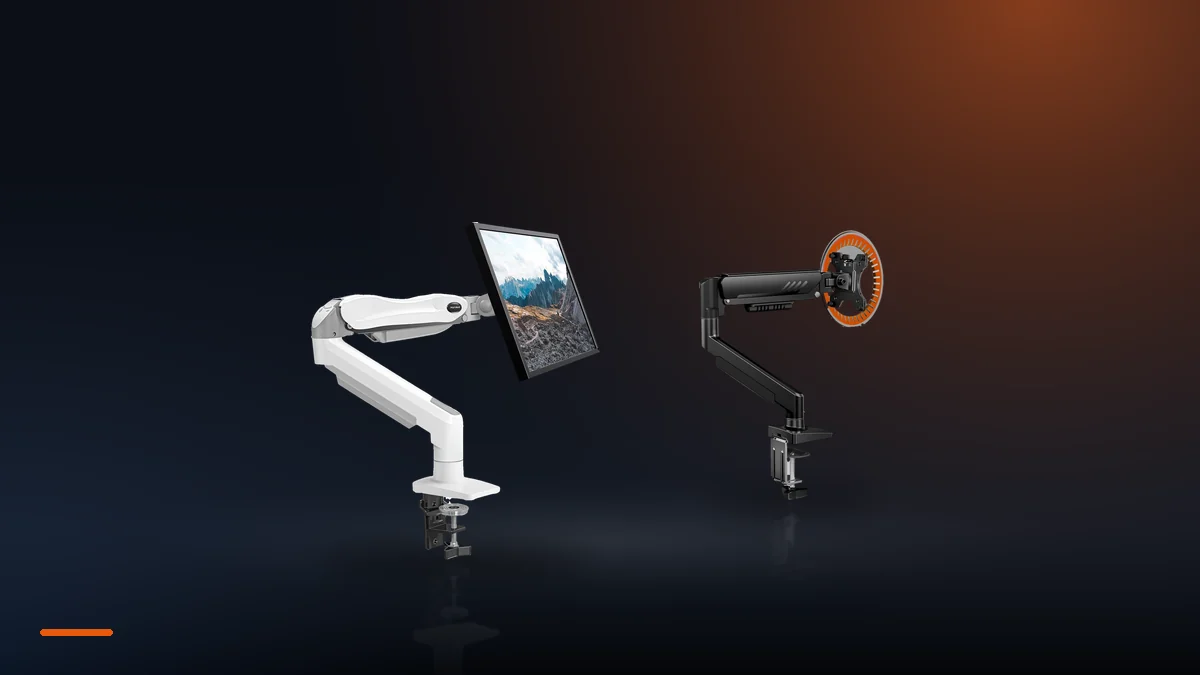
Best monitor arms overview
| Product | Best for | Key specs | Price |
|---|---|---|---|
1 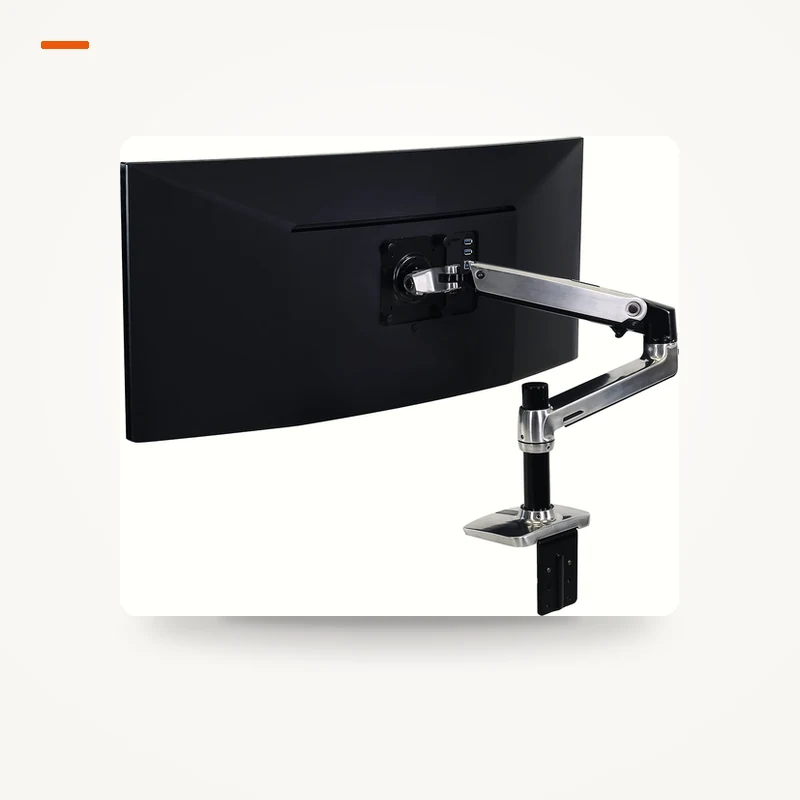 Ergotron LX Monitor Arm |
Best overall |
|
Check Price |
2 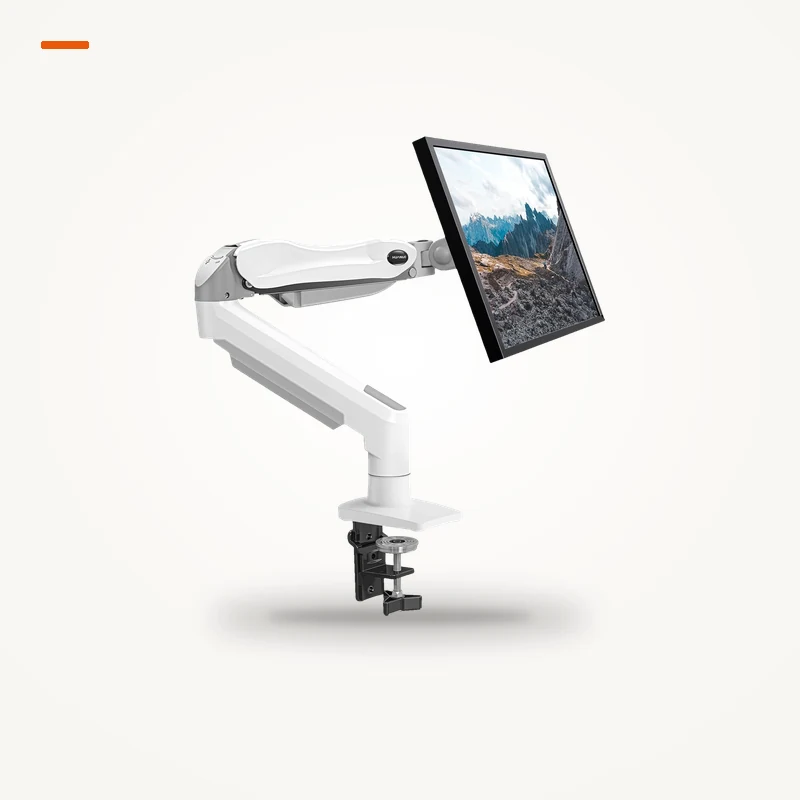 HUANUO Single Monitor Mount (gas spring) |
Best value |
|
Check Price |
3 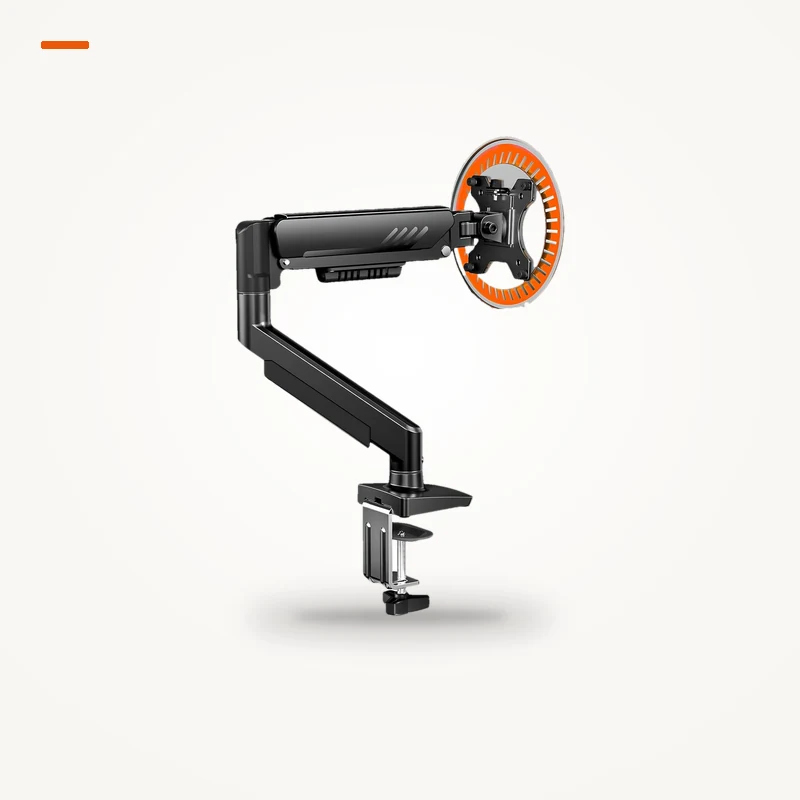 ErGear Single Monitor Arm |
Best for ultrawides on a budget |
|
Check Price |
4 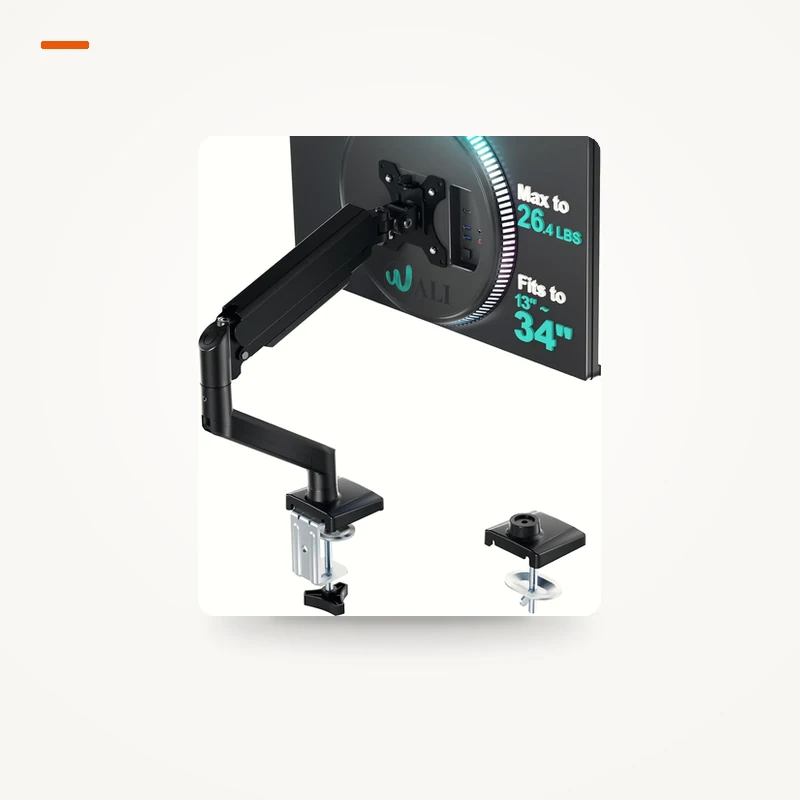 WALI Adjustable Single Monitor Arm |
Best cheap, highest capacity |
|
Check Price |
How to choose a monitor arm
1. Check your monitor’s VESA pattern
Look on the back of your monitor for four screw holes in a square. All four arms here support VESA 75×75 mm and 100×100 mm, the most common patterns. If your monitor has no holes, or a larger pattern, you’ll need an adapter or a different arm.
2. Check weight and size
Every arm has a weight range. Too heavy and the screen will sag; too light and a gas-spring arm may drift upward. Find your monitor’s weight without its stand on the spec sheet. Curved and ultrawide screens are often heavier and some arms list lower limits for them.
3. Check your desk
Most arms clamp to the desk edge or bolt through a grommet hole. Check the clamp range against your desk’s thickness, make sure there’s no crossbeam or drawer in the way under the edge, and avoid thin glass or particleboard desks that may not hold a clamp securely.
4. Height, reach and movement
Look at how high the arm lifts the screen and how far it reaches. Standing desk users, tall people and anyone who wants to push the monitor back to arm’s length benefit from more reach. Rotation lets you use the screen in portrait.
5. Gas spring vs mechanical
All four arms here use spring-assisted designs that let you move the screen by hand and have it stay put, once the tension is set to your monitor’s weight. Cheaper fixed arms need tools to readjust.
The best monitor arms reviewed
1. Ergotron LX Monitor Arm — best premium monitor arm
Who it’s for: Anyone who wants a proven, long-lasting arm with a long warranty and is willing to pay for it.
The Ergotron LX is the classic premium monitor arm. It fits single screens up to 34 inches, including curved and ultrawide monitors, weighing 7 to 25 pounds, and raises the screen up to 17.3 inches above the desk with 13 inches of lift. It rotates 360 degrees and tilts through 75 degrees.
It comes with both a two-piece desk clamp, for desks 0.4 to 2.4 inches thick, and a grommet mount for desks up to 2.25 inches thick, plus built-in cable management. Ergotron backs it with a 10-year warranty. On November 28, 2026 this listing was sold by a third-party seller, SNK Official Store, at $199.99, so compare sellers before you buy.
Key specs: Fits screens up to 34 in and 7–25 lb; VESA 75×75 and 100×100 mm; up to 17.3 in above the worksurface with 13 in of lift; 360° rotation and 75° tilt; desk clamp for 0.4–2.4 in desks and grommet mount for desks up to 2.25 in; built-in cable management; 10-year warranty.
- Long 10-year warranty
- Handles up to 25 lb and 34 in
- Clamp and grommet included
- Polished aluminium build
- Much more expensive
- Sold by a third party on this listing
- Polished finish won’t suit every desk
2. HUANUO Single Monitor Mount (gas spring) — best gas spring monitor arm for the money
Who it’s for: Most people with a standard 24- to 32-inch monitor who want smooth one-handed adjustment for a sensible price.
HUANUO’s single gas-spring arm fits 13- to 32-inch monitors weighing 4.4 to 19.8 pounds, and lets you move the screen with one hand and have it stay put. It tilts from −50 to +30 degrees, swivels ±90 degrees, rotates 360 degrees for portrait use, and lifts the screen up to 39.6 cm above the desk.
HUANUO says the arm uses automotive-grade gas spring cores and has passed 20,000 motion tests. It mounts with a C-clamp or grommet base, and setup is three steps: fix the bracket, attach the monitor and adjust the spring tension. At $42.99 on November 28, 2026, it’s a strong middle ground.
Key specs: Fits 13–32 in monitors, 4.4–19.8 lb; VESA 75×75 and 100×100 mm; gas spring with one-hand adjustment; tilt −50° to +30°, swivel ±90°, 360° rotation; lift up to 39.6 cm from desk; 20,000 motion tests (manufacturer); C-clamp or grommet base.
- Smooth gas-spring movement
- Good price
- Clamp or grommet
- White finish available
- Max 32 in and 19.8 lb
- Less reach than some arms
- Third-party seller
3. ErGear Single Monitor Arm — best budget arm for curved screens
Who it’s for: Budget buyers with flat or curved monitors up to 34 inches who want easy, tool-free installation.
ErGear’s single arm supports flat or curved monitors from 13 to 34 inches weighing 4.84 to 19.8 pounds. Its tool-free VESA plate means you can clip the monitor on without fiddling with screws on the arm, and ErGear says the VESA head is 40 percent wider for extra stability.
It raises the screen up to 17.5 inches and reaches 18.1 inches, with +80/−50 degrees of tilt, ±90 degrees of swivel and 360-degree rotation. Cable clips open without tools, and it mounts with a C-clamp or grommet base. At $27.99 on November 28, 2026, it’s a lot of adjustment for the money; just check that a 34-inch monitor is within the 19.8-pound limit.
Key specs: Fits 13–34 in flat or curved monitors, 4.84–19.8 lb; VESA 75×75 and 100×100 mm; tool-free VESA plate; 40% wider VESA head (manufacturer); height up to 17.5 in, reach up to 18.1 in; +80°/−50° tilt, ±90° swivel, 360° rotation; C-clamp 0.39–2.56 in, grommet 0.39–2.95 in; 20,000+ cycle tested (manufacturer).
- Tool-free monitor mounting
- Fits up to 34 in
- Big tilt range
- Low price
- 19.8 lb limit rules out heavy ultrawides
- Lesser-known brand
- Third-party seller
4. WALI Adjustable Single Monitor Arm — best cheap monitor arm
Who it’s for: Anyone who wants the most capacity and reach for the least money, especially with a heavier flat monitor.
WALI’s arm is the cheapest here and, on paper, holds the most weight: up to 26.4 pounds for flat screens and 19.8 pounds for curved screens, on monitors up to 34 inches (32 inches for regular screens, per WALI). It extends the screen 19.3 inches and raises it up to 17.3 inches above the desk.
It swivels ±180 degrees, tilts +70/−45 degrees and rotates 360 degrees, with built-in cable management along the arm. The clamp and grommet base both fit desks 0.39 to 2.76 inches thick, and WALI recommends a wooden desk without a crossbeam underneath. At $22.79 on November 28, 2026, it’s an easy upgrade from a fixed stand.
Key specs: Fits screens up to 34 in (regular up to 32 in); max 26.4 lb flat, 19.8 lb curved; VESA 75×75 and 100×100 mm; reach 19.3 in; up to 17.3 in above desk; swivel ±180°, tilt +70°/−45°, 360° rotation; cable management; clamp or grommet for 0.39–2.76 in desks; 20,000+ cycle tested (manufacturer).
- Lowest price
- Highest listed weight limit for flat screens
- Long reach
- Fits thick desks
- Lower curved-screen limit
- Wooden desk recommended
- Third-party seller
Monitor arms compared
| Arm | Screen size | Weight range | Max height | Desk thickness |
|---|---|---|---|---|
| Ergotron LX | Up to 34 in | 7–25 lb | 17.3 in above desk | Clamp 0.4–2.4 in; grommet up to 2.25 in |
| HUANUO gas spring | 13–32 in | 4.4–19.8 lb | 39.6 cm (15.6 in) | Clamp or grommet (range not listed) |
| ErGear | 13–34 in | 4.84–19.8 lb | 17.5 in | Clamp 0.39–2.56 in; grommet 0.39–2.95 in |
| WALI | Up to 34 in | Up to 26.4 lb flat; 19.8 lb curved | 17.3 in | 0.39–2.76 in |
Which monitor arm fits you?
| If you… | Choose | Why |
|---|---|---|
| Want it to last and have the budget | Ergotron LX | 10-year warranty, 25 lb capacity |
| Have a 24–32 in monitor | HUANUO gas spring | Smooth, good value |
| Use a curved screen up to 34 in | ErGear | Tool-free mount, 34 in support |
| Want the cheapest upgrade | WALI | Lowest price, long reach |
Setting up your arm
- Fix the clamp or grommet base firmly to the desk, usually near the back edge.
- Attach the VESA plate to the monitor with the supplied screws, then mount it on the arm.
- Adjust the spring tension until the monitor stays where you put it without drifting up or down.
- Set the height so the top of the screen is at or slightly below eye level, about an arm’s length away.
- Run the cables through the arm’s cable channel. Our desk cable management guide covers the rest of the desk.
With the stand gone, you’ll have room for a bigger mouse pad or desk mat, see our best desk mats, and a monitor light bar can clip on top; see our best monitor light bars. Our desk setup guide pulls it all together.
FAQ
Are monitor arms worth it?
For most people, yes. They make it easy to set the right height and distance, free desk space and make it simple to move the screen through the day.
How do I know if a monitor arm fits my monitor?
Check that your monitor has VESA mounting holes in a supported pattern (usually 75×75 or 100×100 mm) and that its weight without the stand is within the arm’s range.
Can a monitor arm damage my desk?
A clamp can mark or crush soft or thin desktops. Use a reinforcement plate for thin or particleboard desks, and don’t clamp to glass.
Why does my monitor arm keep drooping or rising?
The spring tension isn’t matched to the monitor’s weight. Adjust the tension screw until the screen stays put.
Can I use a monitor arm with a standing desk?
Yes. Because it clamps to the desk, it moves with it. Check the cable lengths allow the desk’s full travel.
Final verdict
The Ergotron LX is the arm to buy if you want the proven option with a 10-year warranty and the capacity for heavier screens. The HUANUO gas spring arm is the best value for typical 24- to 32-inch monitors, the ErGear is a smart budget pick for curved screens up to 34 inches, and the WALI is the cheapest way to get a screen off its stand. Whichever you choose, check your VESA pattern, monitor weight and desk thickness first.

Experience is what matters at the end!!
Hi! This is Jacob Jay – founder of Keyboardgear.com! From childhood to adulthood, I’ve always remained passionate about IT, and the revolution in this industry, especially gaming on the PC can’t go out of my way. Since I’m an enthusiastic gamer, and I love to experience various gaming accessories, particularly mechanical keyboards, that really boost my gaming adventure manifolds. So, my nerve cells hit me to transfer my experiences into word form and share with others to identify the ideal keyboards perfectly fit for their gaming modes.
I know very well how hard it is to find the high-quality items available on the internet that ought to be exactly the same as seen as on the screen. But the counterfeiters have ruined the user’s trust. As I have passed all such situations, I’m obliged to deliver the genuinity and express the same as what I am saying.
So, now, I’m working on the mission to provide very helpful and frankly but trustworthy reviews and guides about various mechanical keyboards, mouses, and other gaming accessories as per my personal experiences and sound knowledge.