

Quick answer
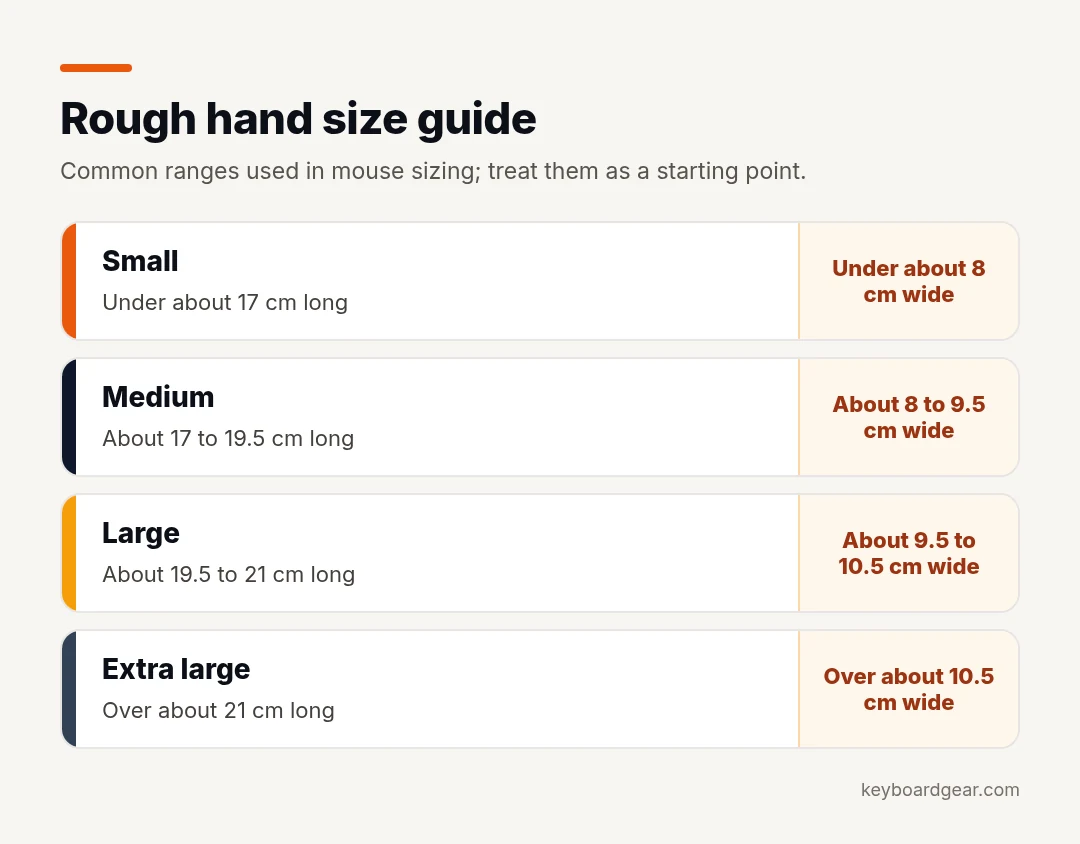
To measure your hand for a mouse, lay your hand flat with fingers together. Measure hand length from the crease at the base of your palm (where it meets the wrist) to the tip of your middle finger, and hand width across the knuckles where your fingers meet your palm, not including the thumb. As a rough guide, under about 17 cm long is small, 17 to 19.5 cm is medium, and over about 19.5 cm is large. Then match that to your grip style and the mouse’s listed length and width.
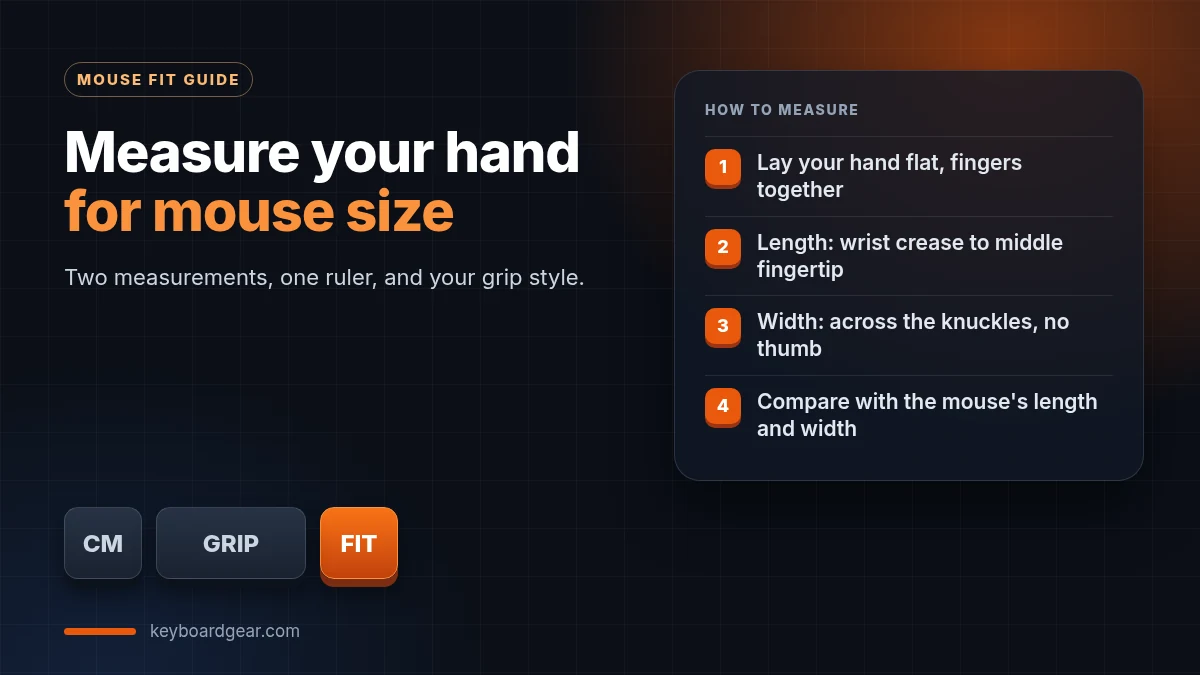
Mouse size is one of the most overlooked parts of comfort. A mouse that’s too small makes you cramp your fingers; one that’s too big forces you to stretch. Measuring your hand takes two minutes and makes comparing mice much easier.
What you need
- A ruler or tape measure (centimetres or millimetres are easiest)
- A flat surface
- A pen, if you want to mark the paper first
Step 1: Measure hand length
- Place your hand flat on a table, palm down, fingers together.
- Find the crease where your palm meets your wrist.
- Measure from that crease to the tip of your middle finger.
It’s easier to trace your hand on paper, mark the wrist crease and fingertip, and measure the drawing.
Step 2: Measure hand width
Measure straight across your palm at the knuckles, where your fingers join your hand. Don’t include your thumb.
Step 3: Know your grip style
Your grip changes how much mouse you need. Our mouse grip styles guide explains each one in detail.
| Grip | How you hold the mouse | Size tendency |
|---|---|---|
| Palm | Whole hand rests on the mouse | Longer, fuller mice |
| Claw | Palm touches the back, fingers arched | Medium length, higher back hump |
| Fingertip | Only fingertips touch | Shorter, lighter mice |
Step 4: Compare with mouse dimensions
Every mouse listing should give length, width and height. Length matters most for palm grip, width for how your fingers sit on the sides, and height for how well the hump fills your palm.
A rule of thumb often used by mouse enthusiasts is that for a palm grip, a mouse around 60% of your hand length tends to feel right, while claw and fingertip users often go shorter. It’s a starting point, not a rule.
| Hand length | Palm grip mouse length (approx.) | Claw or fingertip (approx.) |
|---|---|---|
| 16 cm | About 96 mm and up | Shorter, around 110 mm or less |
| 18 cm | About 108 mm and up | Around 115 mm or less |
| 20 cm | About 120 mm and up | Around 120 mm or less |
| 22 cm | About 130 mm | Around 125 mm or less |
Other things that affect fit
- Weight. Lighter mice are easier to lift for gaming; see does mouse weight matter?
- Shape. Ergonomic right-handed shapes support the hand better than symmetrical ones for palm grip.
- Hand orientation. Many ergonomic mice are right-handed only. Check the listing.
- Wrist comfort. If you have wrist pain, consider a vertical mouse.
If your measurements say small, see our best ergonomic mouse for small hands. For everyday use, our best wireless mice list covers a range of sizes.
Try before you buy
Numbers help narrow the choice, but feel matters. If you can, hold a mouse in a store, or buy from a retailer with an easy return policy, and use it for a few days before deciding.
What the fit problems mean
- Your fingers hang off the front: the mouse may be too short.
- Your fingers reach over the buttons awkwardly: it may be too long.
- Your pinky drags on the desk: the mouse is probably too narrow, or you need a different grip.
- You can’t reach the side buttons: the mouse is too long or placed too far forward under your hand.
These signs help you choose the next size up or down.
Write your measurements down
Note your hand length, width and grip style, then compare them with the dimensions listed for mice you’re considering. Dimensions are usually given in millimetres, so keep your numbers in millimetres too.
Pick by grip as well as size
Your grip changes which mice suit you. A palm grip tends to like longer mice, while claw and fingertip grips are often happier with shorter ones. Read mouse grip styles to work out yours.
Shortlists
If you have big hands, see our best mouse for large hands. For smaller hands, try best ergonomic mouse for small hands.
FAQ
How do I measure my hand for a gaming mouse?
Measure from the wrist crease to the middle fingertip for length, and across the knuckles for width, then consider your grip style.
What size is a large hand for a mouse?
Roughly 19.5 cm long or more, though brands draw the line slightly differently.
Does grip style matter more than hand size?
Both matter. Palm grip needs a longer mouse than fingertip grip for the same hand.
Which mouse measurement matters most?
Length for palm grip, then width and height for comfort.
What if I’m between sizes?
Choose based on grip: palm grippers often prefer the larger option, fingertip grippers the smaller.
Final thoughts
Two measurements, hand length and width, plus your grip style, are all you need to narrow down mouse sizes. Use them to compare listed dimensions, then trust how the mouse feels in your hand.

Experience is what matters at the end!!
Hi! This is Jacob Jay – founder of Keyboardgear.com! From childhood to adulthood, I’ve always remained passionate about IT, and the revolution in this industry, especially gaming on the PC can’t go out of my way. Since I’m an enthusiastic gamer, and I love to experience various gaming accessories, particularly mechanical keyboards, that really boost my gaming adventure manifolds. So, my nerve cells hit me to transfer my experiences into word form and share with others to identify the ideal keyboards perfectly fit for their gaming modes.
I know very well how hard it is to find the high-quality items available on the internet that ought to be exactly the same as seen as on the screen. But the counterfeiters have ruined the user’s trust. As I have passed all such situations, I’m obliged to deliver the genuinity and express the same as what I am saying.
So, now, I’m working on the mission to provide very helpful and frankly but trustworthy reviews and guides about various mechanical keyboards, mouses, and other gaming accessories as per my personal experiences and sound knowledge.