

Keyboard Gear earns from qualifying purchases through Amazon links.
The VIVO 36-inch converter is the best all-round pick: it lifts straight up, has a wide keyboard tray and a 4.5- to 20-inch range. FlexiSpot’s 36-inch model costs less and has a spring lift with an 11 lb keyboard tray, the Vari Pro Plus 36 is the premium, fully assembled choice with a five-year warranty, and VIVO’s 42-inch version suits wider dual-monitor setups.
A standing desk converter, also called a desk riser, sits on top of the desk you already have and lifts your monitor and keyboard to standing height. It’s the cheapest and quickest way to try working on your feet: there’s nothing to replace, no motor to wire up, and you can move it to another desk or take it with you when you move.
This guide compares four standing desk converters sold on Amazon US, from VIVO, FlexiSpot and Vari. We checked availability and prices on Amazon US on November 28, 2026, and specs come from the manufacturers’ listings. We haven’t tested these converters ourselves, so we haven’t made claims about wobble or lift feel beyond what the makers state. If you’re still working out your heights, our standing desk setup guide covers the basics.
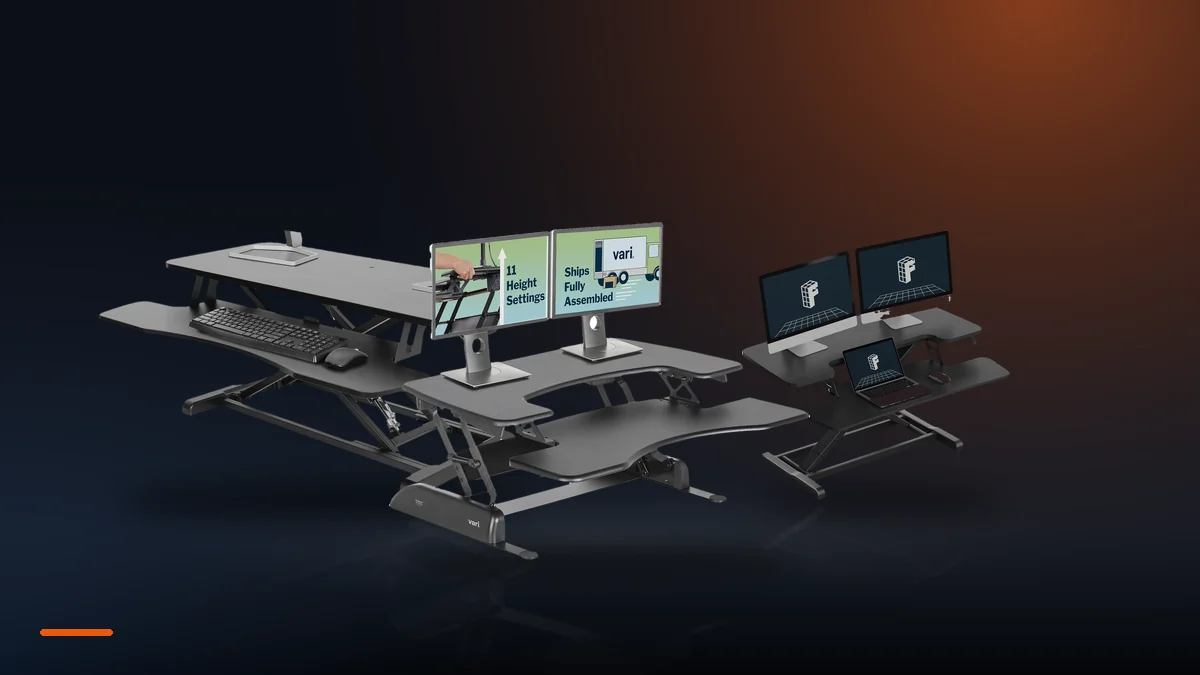
Best standing desk converters overview
| Product | Best for | Key specs | Price |
|---|---|---|---|
1 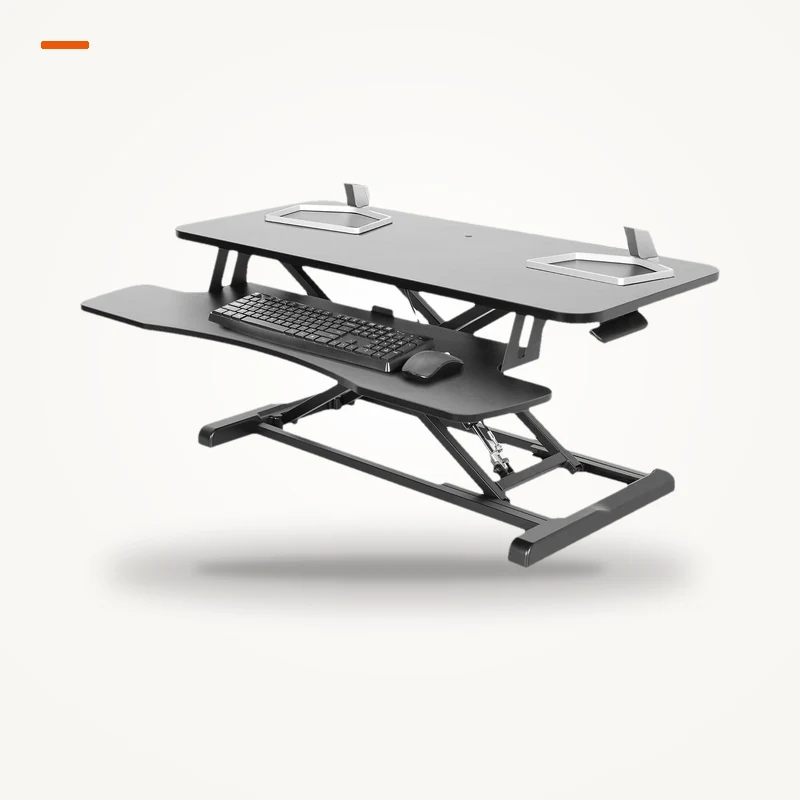 VIVO Standing Desk Converter, 36-inch |
Best overall |
|
Check Price |
2 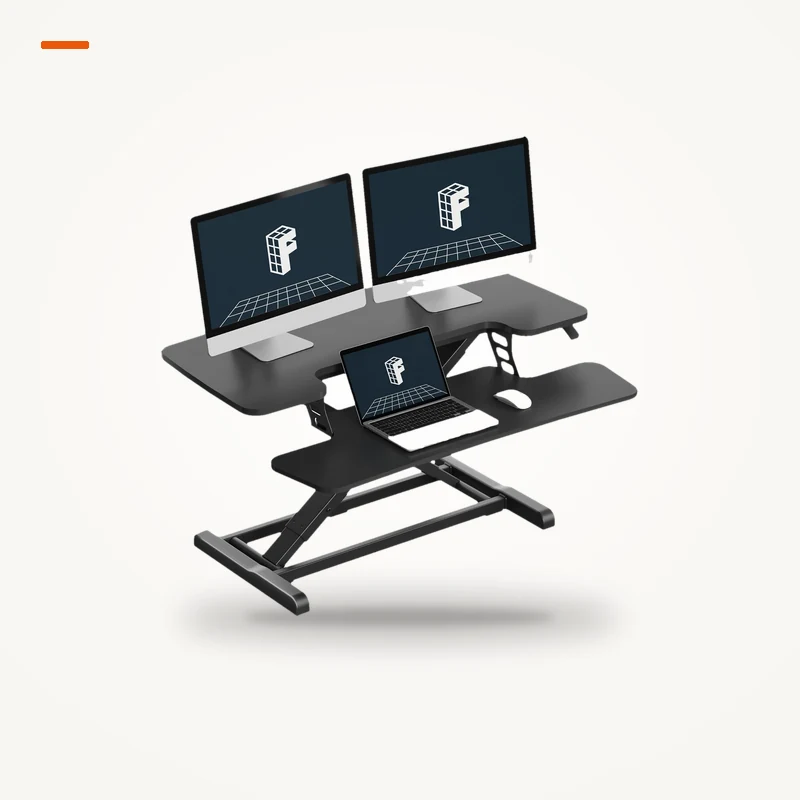 FLEXISPOT Standing Desk Converter, 36-inch |
Best value |
|
Check Price |
3 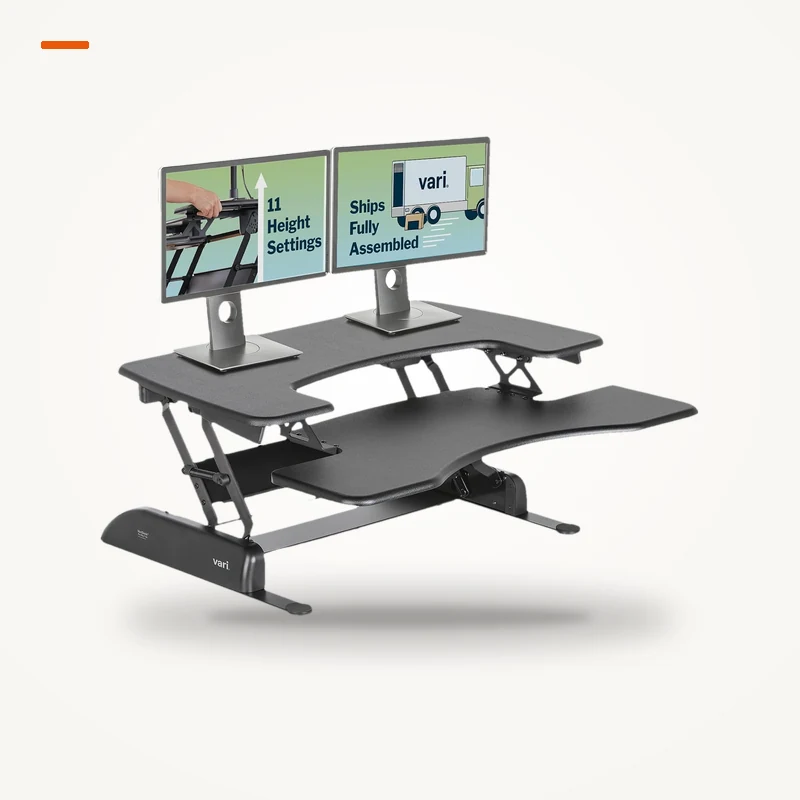 Vari Pro Plus 36 Standing Desk Converter |
Best premium |
|
Check Price |
4 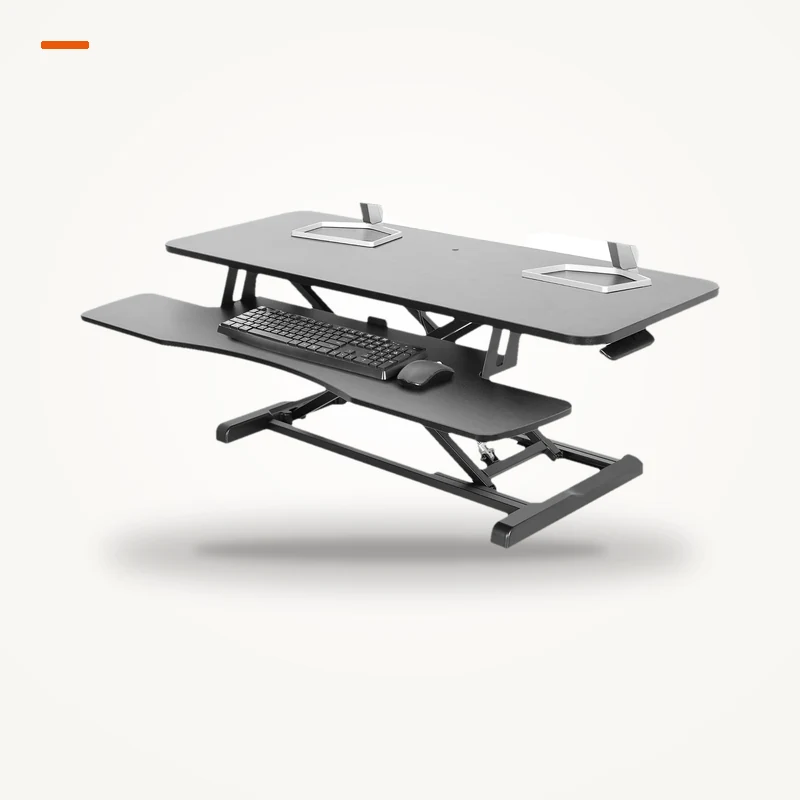 VIVO Standing Desk Converter, 42-inch |
Best wide converter |
|
Check Price |
Converter vs full standing desk
::table|Standing desk converter|Full standing desk
Cost|Usually less|Usually more
Setup|Place it on your desk, attach the tray|Replace your desk, assemble the frame
Height adjustment|Manual spring or gas lift on most|Usually electric motors
Desk space|Takes up some of the desktop|Whole desktop moves
Keyboard height|Tray rises with the top|Whole surface rises
Portability|Easy to move to another desk|Stays where it is
::
A converter makes sense if you rent, share a desk, aren’t sure you’ll stand much, or have a desk you like. A full standing desk is better if you want electric memory presets, need the whole desktop to move, or have a heavy multi-monitor setup.
How to choose a standing desk converter
Width and depth
Measure your desk before you buy. A 36-inch converter suits most single- or dual-monitor setups on a standard desk; a 42-inch model gives more room for larger monitors but needs a wider desk. Depth matters too: converters with a separate keyboard tray stick out further when raised, so make sure there’s space behind your chair.
How high it goes
Your keyboard should sit at about elbow height when you stand, with your shoulders relaxed. The converter’s height range has to bridge the gap between your desk and that elbow height. VIVO lists 4.5 to 20 inches. Use our keyboard height guide to work out your number, and remember the monitor needs to rise with you; see monitor height.
Lift type
All four converters here are manual. VIVO uses a lift-assist mechanism, FlexiSpot uses a steel spring that it says won’t lose force like a gas spring, and Vari uses a spring-assisted lift with handles. Electric converters exist but cost more and need a power outlet.
Weight capacity
Add up the weight of your monitors, laptop and anything else on top. VIVO and FlexiSpot both rate the top for 33 lb. Keyboard trays are rated separately: VIVO’s is 4.4 lb, FlexiSpot’s is 11 lb. A heavy mechanical keyboard and wrist rest can approach the lower figure. If your monitors are heavy, a monitor arm clamped to the converter can free up space, but check that the converter supports one.
Straight-up vs forward lift
Some converters rise straight up, while others swing up and forwards. A straight-up lift needs less space in front of the desk; a forward lift needs room for your chair to move back.
The best standing desk converters reviewed
1. VIVO Standing Desk Converter, 36-inch — best standing desk converter overall
Who it’s for: Most people with one or two monitors who want a simple manual riser at a fair price.
VIVO’s 36-inch converter sits on top of your existing desk and lifts straight up, rather than swinging towards you, so it doesn’t need extra clearance in front of the desk. The 36 x 15.7-inch top has room for two smaller monitors or a monitor and a laptop, and a wide keyboard tray below it rises in sync so your keyboard and screen stay in the same relationship.
A lift-assist mechanism with a simple touch lock moves it from 4.5 inches to 20 inches above your desk, and VIVO rates the top for 33 lb and the keyboard tray for 4.4 lb. It arrives almost assembled: you attach the keyboard tray and you’re done. It was $144.49, sold by VIVO, on November 28, 2026.
Key specs: Manual standing desk converter; 36″ x 15.7″ top; 36″ x 11.8″ keyboard tray (10.2″ in centre) that rises with the top; straight-up lift with lift assist and touch locking; 4.5″–20″ adjustment range; 33 lb top and 4.4 lb tray capacity; steel frame; minimal assembly.
- Straight-up lift saves space
- Wide keyboard tray
- Clear height range
- Almost no assembly
- Manual lift
- 4.4 lb tray limit
- Heavy to move around
2. FLEXISPOT Standing Desk Converter, 36-inch — best value standing desk converter
Who it’s for: Buyers who want a 36-inch riser for less money, with a heavier-duty keyboard tray.
FlexiSpot’s 36-inch converter uses a steel spring lift instead of a gas spring. FlexiSpot says that avoids the air leaks and loss of lifting force that gas springs can develop over time. The frame uses reinforced steel and thicker square tubes for stability, and the 36-inch top is sized for a dual-monitor setup with room for accessories.
The top holds up to 33 lb, the same as VIVO’s, but the keyboard tray is rated for 11 lb, which gives more headroom for a heavy mechanical keyboard and a wrist rest. Setup is just attaching the keyboard tray. It was $113.99 (Prime member price), sold by FlexiSpot, on November 28, 2026.
Key specs: Manual standing desk converter; 36″ wide; mechanical steel spring lift (patent pending); reinforced steel frame with thickened square tubes; 33 lb top capacity; 11 lb keyboard tray capacity; almost fully assembled.
- Lowest price here
- Spring lift, no gas strut
- 11 lb keyboard tray
- Quick setup
- Prime member price
- Height range not listed
- Manual lift
3. Vari Pro Plus 36 Standing Desk Converter — best premium standing desk converter
Who it’s for: People who want a fully assembled, well-supported converter and will pay for the warranty.
The Pro Plus 36 is the original VariDesk and Vari’s best seller. It has a two-tier layout: an upper tier that measures 36 x 12.25 inches for two monitors, and a lower deck for your keyboard and mouse. Vari uses thicker steel, a laminate finish, dual stability bars and a heavy base to keep it steady at any height.
A spring-assisted lift with dual handles raises and lowers it, and foam-wrapped steel guards against pinch points. It arrives fully assembled, so you just place it on your desk. Vari backs it with a five-year warranty and 30-day free returns. It was $299.00, sold by Vari, on November 28, 2026.
Key specs: Two-tier standing desk converter; upper tier 36″ x 12.25″ for two monitors; lower deck for keyboard and mouse; spring-assisted lift with dual handles; foam-wrapped steel for pinch protection; dual stability bars and heavy base; fully assembled; 5-year warranty; 30-day free returns.
- Fully assembled
- Five-year warranty
- Pinch protection
- Sold by Vari
- Most expensive here
- Capacity and range not on the listing
- Rowing-style lift needs clearance in front
4. VIVO Standing Desk Converter, 42-inch — best wide standing desk converter
Who it’s for: Dual-monitor users with larger screens, or anyone who wants room for a laptop and a monitor side by side.
This is VIVO’s 36-inch converter stretched to 42 inches. The top measures 42 x 15.7 inches, which leaves more room for two 24-inch monitors or a monitor plus laptop, and the keyboard tray grows to match so there’s space for a full-size keyboard and a mouse.
Everything else is the same: a straight-up lift with lift assist and touch locking, a 4.5- to 20-inch adjustment range, and ratings of 33 lb on top and 4.4 lb on the tray. Check that your desk is at least 42 inches wide before ordering. It was $152.99, sold by VIVO, on November 28, 2026.
Key specs: Manual standing desk converter; 42″ x 15.7″ top; 42″ x 11.8″ keyboard tray (10.2″ in centre) that rises with the top; straight-up lift with lift assist and touch locking; 4.5″–20″ range; 33 lb top and 4.4 lb tray capacity; minimal assembly.
- Room for two monitors
- Wide keyboard tray
- Only a little more than the 36″
- Straight-up lift
- Needs a 42″+ desk
- Same 33 lb limit as the 36″
- Manual lift
Standing desk converters compared
| Converter | Width | Lift | Capacity (top / tray) | Price (Nov 28) |
|---|---|---|---|---|
| VIVO 36″ | 36″ | Lift assist, straight up | 33 lb / 4.4 lb | $144.49 |
| FLEXISPOT 36″ | 36″ | Steel spring | 33 lb / 11 lb | $113.99 (Prime) |
| Vari Pro Plus 36 | 36″ upper tier | Spring assisted, handles | Not listed | $299.00 |
| VIVO 42″ | 42″ | Lift assist, straight up | 33 lb / 4.4 lb | $152.99 |
Which converter fits you?
| If you… | Choose | Why |
|---|---|---|
| Want a dependable all-rounder | VIVO 36″ | Straight-up lift, listed 4.5–20″ range |
| Want to spend the least | FLEXISPOT 36″ | Lowest price, 11 lb keyboard tray |
| Want zero assembly and a long warranty | Vari Pro Plus 36 | Fully assembled, 5-year warranty |
| Run two larger monitors | VIVO 42″ | Extra 6 inches of width |
How to set up a standing desk converter
- Clear and measure your desk. Place the converter where your monitor sits now, centred in front of your chair.
- Set your standing height first. Stand in your usual shoes, relax your shoulders and bend your elbows to about 90 degrees. Raise the converter until the keyboard tray is at or just below elbow height.
- Set your monitor. The top of the screen should be at or slightly below eye level, about an arm’s length away. A stack of books or a laptop stand can raise a laptop screen on the top surface.
- Check your sitting height. Lower the converter fully and check that your keyboard isn’t too high when you sit. If it is, an under-desk keyboard tray for sitting can help.
- Tidy the cables. Leave enough slack in monitor, power and USB cables for the converter’s full travel, and bundle them so they don’t snag. Our desk setup guide has more cable tips.
How long should you stand?
There’s no magic number, and standing all day isn’t the goal. Most ergonomic advice suggests changing position often: sit for a while, stand for a while and take short walking breaks. Start with short standing sessions and build up. An anti-fatigue mat and supportive shoes make standing more comfortable, and if standing causes pain, sit down and speak to a health professional.
FAQ
What is a standing desk converter?
It’s a height-adjustable platform that sits on your existing desk and lifts your monitor and keyboard so you can work standing, then lowers again for sitting.
Are standing desk converters stable?
Stability depends on the frame, how high you raise it and how much weight is on it. Stay within the listed capacity, keep heavy items centred and avoid typing hard at the very top of the range if you notice movement.
Will a converter fit my desk?
Measure your desk’s width and depth. The converter’s footprint needs to fit with a little space to spare, and you need room behind your chair when it’s raised.
Can I use two monitors on a converter?
Yes, on a 36- or 42-inch model, as long as the monitors’ combined weight is within the capacity. Larger monitors are easier on a wider converter.
Manual or electric?
Manual converters are cheaper, need no power and are quick to adjust. Electric ones lift at the press of a button but cost more and need an outlet.
Do I still need a monitor arm?
Not necessarily, but an arm can fine-tune screen height and distance. Check whether the converter is designed to take one.
Final verdict
The VIVO 36-inch converter is the best all-round pick for most desks, with a straight-up lift and a listed 4.5- to 20-inch range. The FLEXISPOT 36-inch costs the least and has the sturdiest keyboard tray rating here. If you want something fully assembled with a five-year warranty, the Vari Pro Plus 36 is worth the extra money, and VIVO’s 42-inch version gives two larger monitors more room. Before you order, use our standing desk setup and keyboard height guides to check that the height range works for you.

Experience is what matters at the end!!
Hi! This is Jacob Jay – founder of Keyboardgear.com! From childhood to adulthood, I’ve always remained passionate about IT, and the revolution in this industry, especially gaming on the PC can’t go out of my way. Since I’m an enthusiastic gamer, and I love to experience various gaming accessories, particularly mechanical keyboards, that really boost my gaming adventure manifolds. So, my nerve cells hit me to transfer my experiences into word form and share with others to identify the ideal keyboards perfectly fit for their gaming modes.
I know very well how hard it is to find the high-quality items available on the internet that ought to be exactly the same as seen as on the screen. But the counterfeiters have ruined the user’s trust. As I have passed all such situations, I’m obliged to deliver the genuinity and express the same as what I am saying.
So, now, I’m working on the mission to provide very helpful and frankly but trustworthy reviews and guides about various mechanical keyboards, mouses, and other gaming accessories as per my personal experiences and sound knowledge.