

Keyboard Gear earns from qualifying purchases through Amazon links.
For most desks, the HUANUO Under Desk Keyboard Tray is the best keyboard tray: a wide 25-inch platform, negative tilt and 6.3 inches of height adjustment for under $50. The Mount-It! tray has the widest tilt range, a separate mouse platform and a lifetime warranty, and the Fellowes Office Suites tray is the heavy-duty 2 mm steel option. Measure your desk first: none of these suit every desk.
Most desks are too high for comfortable typing. If your keyboard sits on top of a standard desk, your shoulders often hunch and your wrists bend back. An under-desk keyboard tray drops the keyboard and mouse a few inches, closer to elbow height, without buying a new desk. Our guide to the right keyboard height explains why that matters.
This guide compares three under-desk trays sold on Amazon US. We checked availability and prices on Amazon US on November 28, 2026, and specs come from the manufacturers’ listings. We haven’t installed or tested these trays ourselves. We looked at several other trays, but couldn’t confirm their listings, so we left them out.
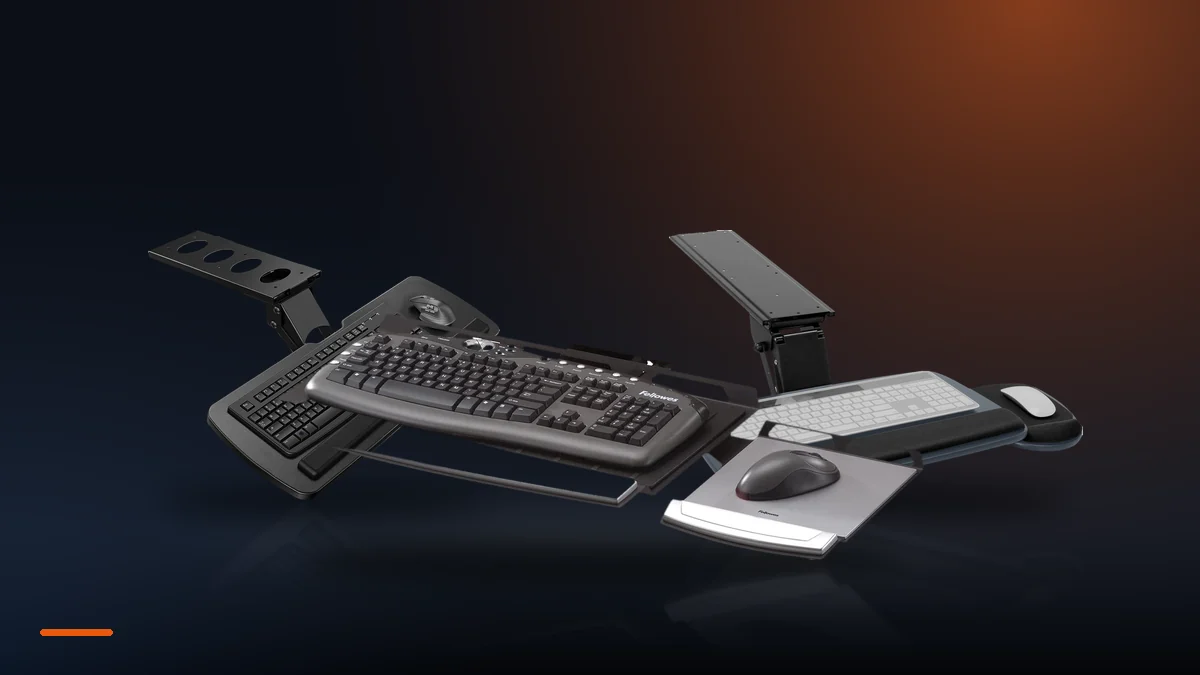
Best keyboard trays overview
| Product | Best for | Key specs | Price |
|---|---|---|---|
1 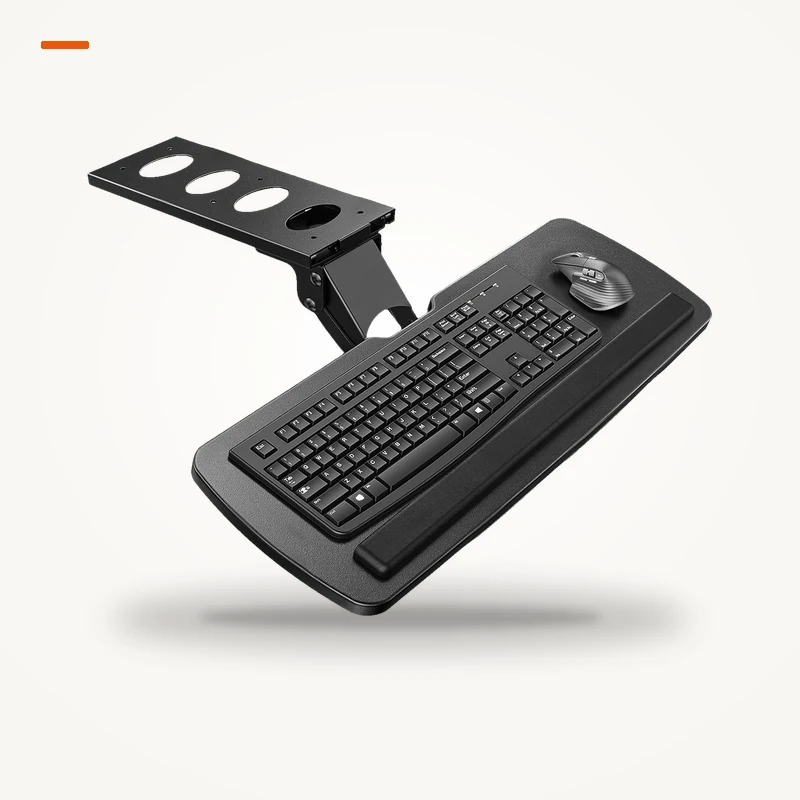 HUANUO Under Desk Keyboard Tray |
Best overall |
|
Check Price |
2 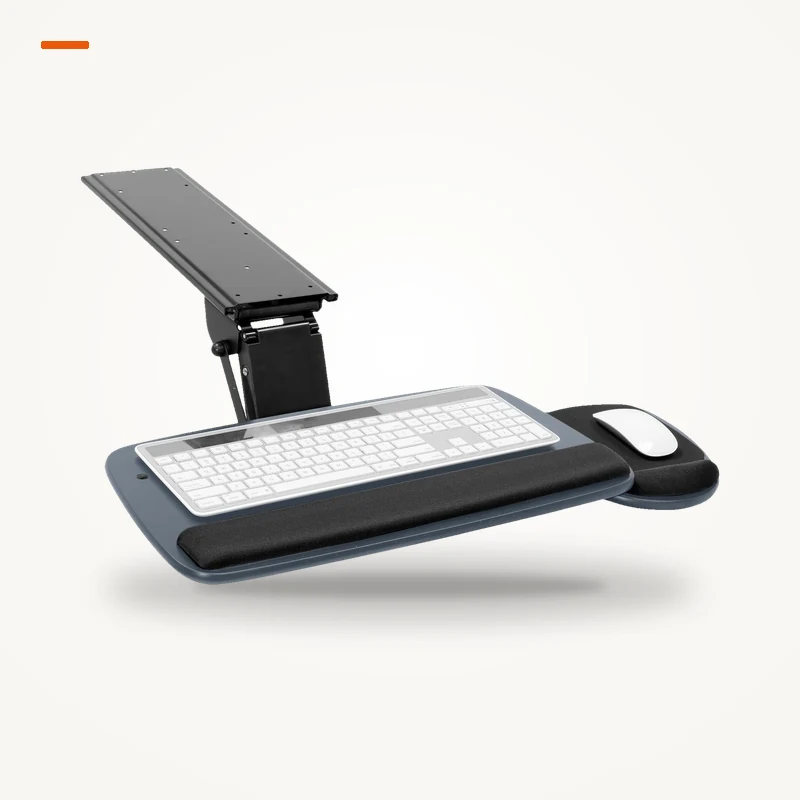 Mount-It! Under Desk Keyboard Tray with Wrist Rest |
Best adjustment range |
|
Check Price |
3 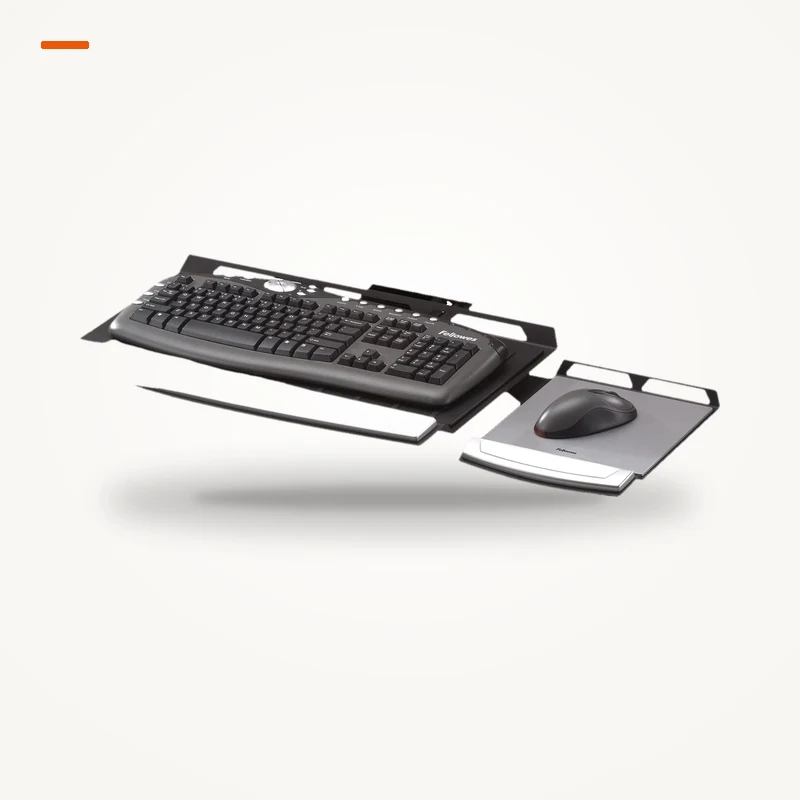 Fellowes Office Suites Adjustable Keyboard Tray (8031301) |
Best steel build |
|
Check Price |
How to choose a keyboard tray
Check your desk first
This is the step people skip. Trays mount to the underside of the desk on a track, so a cross beam or support bar under the front of the desk can block the track. Check the desktop’s thickness and material too. Mount-It! says its tray is for wood or MDF desks only, and HUANUO needs a top thicker than 0.6 inches.
Height range
The goal is a keyboard at roughly elbow height with relaxed shoulders. Trays drop the keyboard below the desk surface and let you adjust a few inches. If you also stand, HUANUO pitches its 6.3-inch range for sit-stand use, but a tray won’t replace a real standing desk setup.
Tilt
Look for negative tilt, where the back of the keyboard sits lower than the front. It keeps your wrists closer to straight. All three trays tilt; our guide to keyboard tilt explains which angle to aim for.
Room for the mouse
A tray that only fits the keyboard pushes the mouse back up onto the desk, which defeats the purpose. All three picks here fit a mouse, either on one wide platform or on a separate side tray.
Wrist rests
Each tray includes padded wrist support. Use it to rest between bursts of typing, not to anchor your wrists while you type. Our keyboard wrist rest guide covers this in more detail.
The best keyboard trays reviewed
1. HUANUO Under Desk Keyboard Tray — best keyboard tray for most desks
Who it’s for: Most people who want a full-size keyboard and mouse on one wide platform under a standard desk.
HUANUO’s tray is a single 25 by 9.84-inch platform with room for a keyboard up to 17.3 by 5.5 inches plus a mouse, and a wrist rest is included. It swivels 180 degrees left and right, which helps on corner desks, and tilts 6 degrees up and 22 degrees down, so you can set a negative tilt that keeps wrists flatter.
It has 6.3 inches of height adjustment and slides fully under the desk when you’re done. Measure before you order: HUANUO says the desk must have no cross beam (or 14.17 inches of clearance from the edge, 16.22 inches for full slide-under) and a top thicker than 0.6 inches. It was $49.29, sold by Bestergo Direct, on November 28, 2026.
Key specs: 25 × 9.84 in platform; fits keyboards up to 17.3 × 5.5 in plus a mouse; wrist rest included; 180° swivel; tilts 6° up and 22° down; 6.3 in height adjustment; slides fully under the desk; needs no cross beam or 14.17 in clearance; desk top over 0.6 in; 10 lb.
- Wide one-piece platform
- Negative tilt for neutral wrists
- Lowest price here
- Slides fully out of sight
- Check cross-beam clearance first
- Tighten knob before typing
- Third-party seller
2. Mount-It! Under Desk Keyboard Tray with Wrist Rest — best adjustable keyboard tray
Who it’s for: People who want the widest tilt range, a separate mouse platform and a long warranty.
Mount-It!’s tray rides on a 17.25-inch steel track that gives 15 inches of reach, then tucks away under the desk. A single locking knob adjusts height by up to 5.5 inches, tilt from +20 to −25 degrees and a full 360-degree swivel, the widest range among these trays.
There’s a gel wrist pad on the keyboard tray and a separate 7 by 9.25-inch mouse platform with its own padded rest, which mounts on either side for left- or right-handed use. It bolts to wood or MDF desks only, not glass, metal or desks with a crossbar, and Mount-It! includes a lifetime warranty. It was $102.99, sold by Mount-It!, on November 28, 2026.
Key specs: 17.25 in steel track with 15 in reach; up to 5.5 in height adjustment; tilts +20° to −25°; 360° swivel; gel wrist pad; 7 × 9.25 in mouse platform mounts left or right; bolts to wood or MDF desks only (not glass, metal or crossbar desks); lifetime warranty; 12.4 lb.
- Widest tilt range
- Mouse platform for either hand
- Lifetime warranty
- Sold by the brand
- Wood or MDF desks only
- Not for crossbar desks
- Twice the price of HUANUO
3. Fellowes Office Suites Adjustable Keyboard Tray (8031301) — best heavy-duty keyboard tray
Who it’s for: Office users who want a long-established, heavy steel arm that swings away under the desk.
The Fellowes Office Suites tray is built from 2 mm solid steel and weighs 18 pounds, the heaviest build here. Its sliding arm pulls the keyboard closer, and the tray swivels left or right and swings back underneath the work surface for storage.
Both the keyboard tray and the mouse tray, which mounts on either side, have gel wrist supports, and a cord management feature keeps cables from tangling. Fellowes’ listing doesn’t give a height or tilt range, so check the product page if you need specific numbers. It was $115.00, sold by PopPop Office Machines & Supplies, on November 28, 2026.
Key specs: 2 mm solid steel construction; sliding arm pulls the keyboard closer; swivels left or right and swings back under the desk; mouse tray mounts left or right; gel wrist supports on keyboard and mouse trays; cord management; 18 lb.
- Heavy 2 mm steel build
- Swings away for storage
- Gel wrist supports
- Long-running Fellowes design
- Most expensive here
- Height and tilt range not listed
- Third-party seller
Keyboard trays compared
| Tray | Platform | Height adjustment | Tilt | Swivel | Price (Nov 28) |
|---|---|---|---|---|---|
| HUANUO | 25 × 9.84 in, one piece | 6.3 in | +6° / −22° | 180° | $49.29 |
| Mount-It! | Keyboard tray + 7 × 9.25 in mouse platform | Up to 5.5 in | +20° / −25° | 360° | $102.99 |
| Fellowes Office Suites | Keyboard tray + side mouse tray | Not listed | Not listed | Left or right | $115.00 |
Which keyboard tray fits you?
| If you… | Choose | Why |
|---|---|---|
| Want the best value with a wide platform | HUANUO | 25 in tray, negative tilt, under $50 |
| Want the most tilt and a long warranty | Mount-It! | +20° to −25°, lifetime warranty |
| Want a heavy steel arm that swings away | Fellowes Office Suites | 2 mm steel, swivels and stores under the desk |
Setting up a keyboard tray
- Measure the underside of your desk for cross beams, drawers and legs before ordering.
- Mount the track so the tray clears your knees when pushed in.
- Set the height so your forearms are about level and your shoulders are relaxed.
- Add a little negative tilt, then sit back and type for a few minutes before tightening everything.
- Put your monitor at the right height too; our desk setup guide covers the rest.
If you still get wrist or forearm aches after lowering your keyboard, our guide to wrist pain from typing covers other causes.
FAQ
Are keyboard trays good for ergonomics?
They can help a lot if your desk is too high, because they bring the keyboard and mouse closer to elbow height and allow negative tilt. They don’t help if your desk is already at the right height.
Will a keyboard tray fit my desk?
Check the listing’s requirements. Trays need clear space under the front of the desk; a cross beam, drawer or thin or glass top can stop them fitting.
Do keyboard trays fit a mouse?
Most do. The HUANUO has one wide platform, while the Mount-It! and Fellowes trays have separate mouse platforms that mount on either side.
Can I use a keyboard tray with a standing desk?
Some people do, and HUANUO markets its 6.3-inch height range for sit-stand use. Check that the tray clears the desk frame and that the desk can carry the added weight.
Do I need to drill into my desk?
Usually yes. These trays screw into the underside of the desk, so they suit wood or MDF desks rather than glass or metal tops.
Final verdict
The HUANUO Under Desk Keyboard Tray is the one to buy for most desks: wide, adjustable and inexpensive. Choose the Mount-It! tray for the widest tilt range, a mouse platform for either hand and a lifetime warranty, or the Fellowes Office Suites tray if you want a heavy steel arm. Whichever you pick, measure the underside of your desk before ordering.

Experience is what matters at the end!!
Hi! This is Jacob Jay – founder of Keyboardgear.com! From childhood to adulthood, I’ve always remained passionate about IT, and the revolution in this industry, especially gaming on the PC can’t go out of my way. Since I’m an enthusiastic gamer, and I love to experience various gaming accessories, particularly mechanical keyboards, that really boost my gaming adventure manifolds. So, my nerve cells hit me to transfer my experiences into word form and share with others to identify the ideal keyboards perfectly fit for their gaming modes.
I know very well how hard it is to find the high-quality items available on the internet that ought to be exactly the same as seen as on the screen. But the counterfeiters have ruined the user’s trust. As I have passed all such situations, I’m obliged to deliver the genuinity and express the same as what I am saying.
So, now, I’m working on the mission to provide very helpful and frankly but trustworthy reviews and guides about various mechanical keyboards, mouses, and other gaming accessories as per my personal experiences and sound knowledge.