

Quick answer
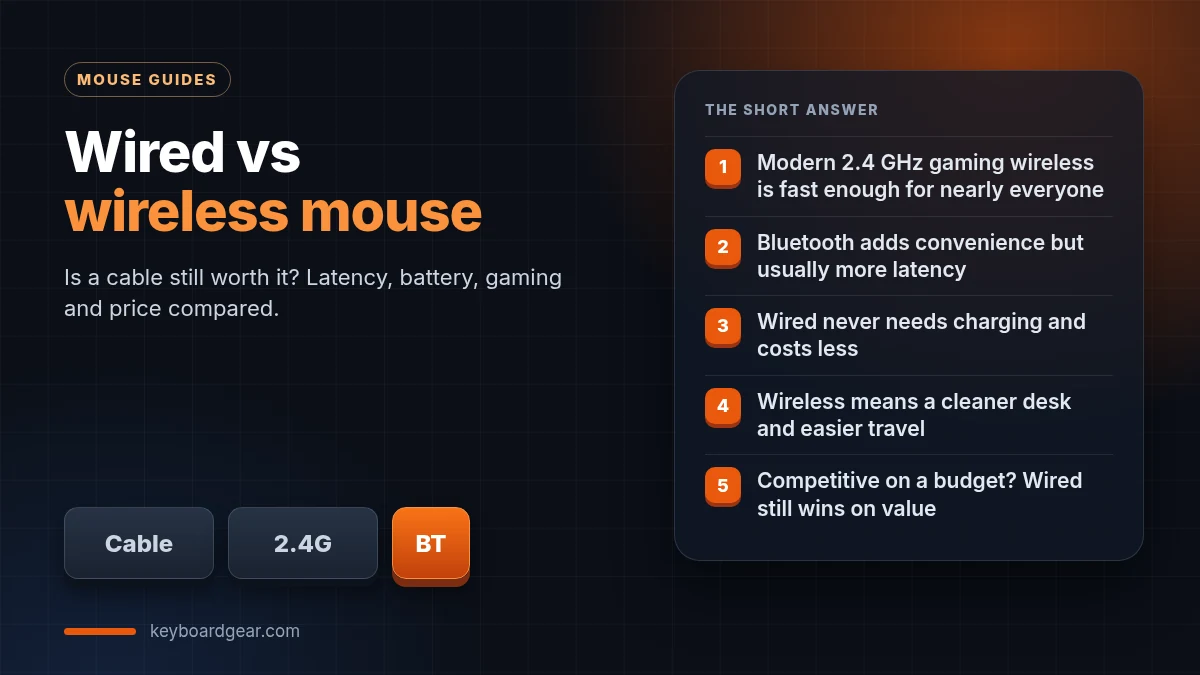
For most people, a wireless mouse is the better buy today: a tidy desk, no cable drag and good battery life, and 2.4 GHz gaming wireless (such as Logitech Lightspeed or Razer HyperSpeed) is fast enough even for competitive play.
A wired mouse still wins on price, zero charging and the most consistent latency, so it’s the value pick for budget gamers and anyone who never moves their mouse. Avoid relying on Bluetooth for fast games; it’s convenient for office work but usually adds latency.
Ten years ago the answer was simple: wired for gaming, wireless for convenience. Wireless technology has caught up so far that many professional players now use wireless mice, and Logitech says its Lightspeed wireless beats most competitors’ wired connections. But cables haven’t disappeared, and there are still good reasons to choose one.
This guide compares wired and wireless mice on what actually matters: responsiveness, battery, weight, reliability, price and convenience.
The three connection types
- Wired: a USB cable carries data and power. No batteries and no pairing.
- 2.4 GHz wireless (USB receiver): a small dongle plugs into your computer. Gaming versions, such as Logitech’s Lightspeed and Razer’s HyperSpeed, are designed for low latency and high polling rates. Office versions, such as Logi Bolt, prioritise battery life and security.
- Bluetooth: connects without a dongle and can often pair with several devices. Very convenient for laptops and tablets, but typically slower and less consistent, so it’s better for office work than fast games.
Many modern mice offer two or all three. Knowing which one you’re actually using matters more than whether the mouse is called wireless.
Latency and responsiveness
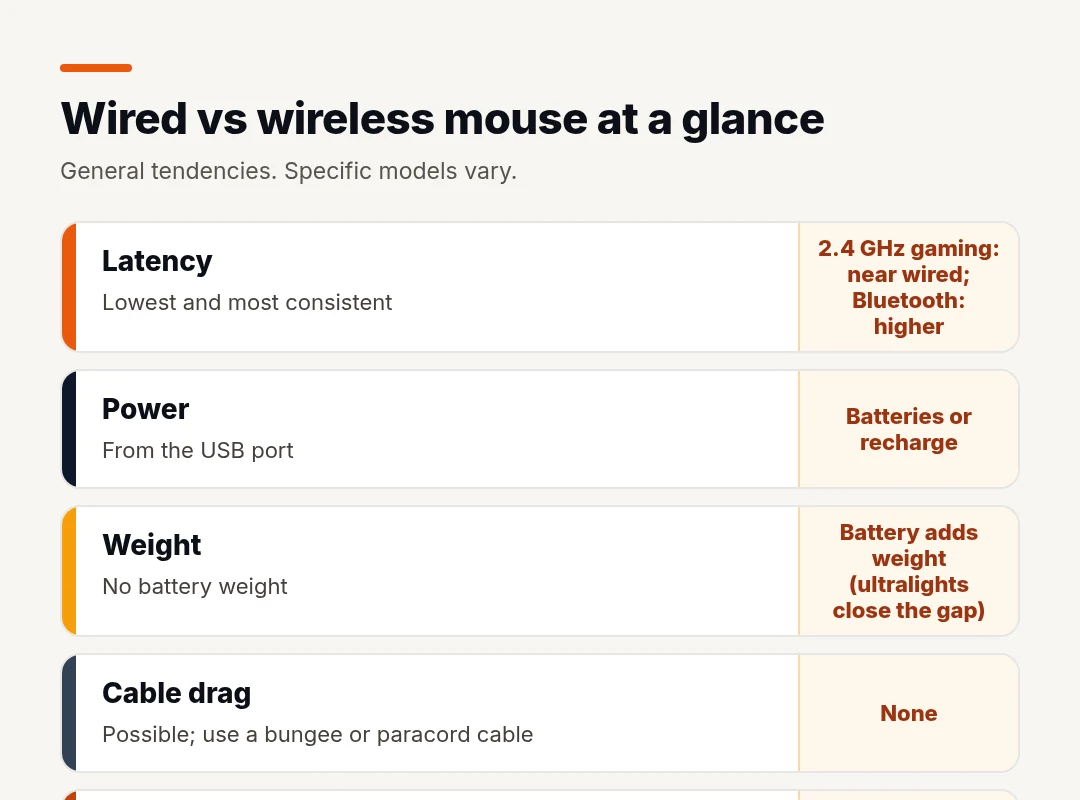
Latency is the delay between moving or clicking the mouse and the computer receiving it. A wired connection gives the lowest and most consistent latency, but a good 2.4 GHz gaming receiver comes very close, close enough that the difference is very hard to notice outside the most competitive play.
Bluetooth is where you may notice a difference: its latency is generally higher and more variable, and polling rates are lower. That’s fine for documents and browsing but less ideal for fast-paced gaming.
Polling rate also affects responsiveness: it’s how often the mouse reports its position. Many gaming mice report 1,000 times a second, and some offer much higher rates. Our explainer on keyboard polling rate covers the same idea for keyboards. If your wireless mouse feels laggy, it’s often the setup rather than the technology; see our guide to wireless mouse lag.
Battery life and charging
A wired mouse never needs charging. Wireless mice use AA or AAA batteries or a built-in rechargeable battery. Office mice can run for many months to a couple of years on a single AA battery, while gaming mice with fast polling and RGB lighting need recharging more often, sometimes weekly. Many rechargeable mice work while plugged in, so a flat battery isn’t the end of a session.
Weight
Batteries add weight, which used to make wireless mice heavier. Modern ultralight wireless gaming mice have narrowed that gap considerably by using smaller batteries and lighter shells. Weight is a matter of preference: lighter mice are easier to flick, heavier mice can feel steadier.
Cable drag
A cable can catch on the desk edge or tug against the mouse, which some gamers find distracting. Flexible “paracord” style cables and a mouse bungee reduce this a lot. A wireless mouse eliminates it entirely and makes it easier to use a large mouse pad; see our mouse pad size guide.
Reliability and interference
A wired mouse is about as reliable as it gets. Wireless connections can suffer interference from crowded 2.4 GHz environments, other wireless devices, metal desks and, notably, USB 3 ports and cables near the receiver. Using the receiver’s extension adapter to bring it closer to the mouse fixes most problems. Bluetooth can occasionally drop or need re-pairing after updates.
Gaming
For competitive gaming, choose either a wired mouse or a 2.4 GHz gaming wireless mouse; both are fine for serious play, and many pros use wireless. Avoid Bluetooth for competitive games. Budget matters: at the same price, a wired mouse usually gives you a better sensor and build, because you’re not paying for the battery and wireless electronics. See our best gaming mouse guide for picks, and our explainer on mouse DPI vs sensitivity for setup.
Office work and travel
For office work, wireless is the easy recommendation: a cleaner desk, no cable to pack, and Bluetooth multi-device mice that switch between a laptop, desktop and tablet with a button. Quiet-click wireless mice are great for shared spaces; see our best silent mouse guide. For more options, see our best wireless mouse guide.
Price
Wired mice are cheaper at every level of performance. Wireless versions of the same mouse usually cost noticeably more, and gaming wireless mice cost more still.
Pros and cons
| Type | Pros | Cons |
|---|---|---|
| Wired | Lowest, most consistent latency; never needs charging; cheaper; lighter at the same price | Cable drag and clutter; less portable |
| 2.4 GHz wireless | Near-wired latency; no cable; tidy desk; easy travel | Needs charging or batteries; costs more; receiver can be lost; possible interference |
| Bluetooth | No dongle; multi-device; works with tablets and phones | Higher, less consistent latency; not ideal for fast gaming |
Which should you buy?
| If you… | Choose |
|---|---|
| Play competitive games on a budget | Wired gaming mouse |
| Play competitive games and want no cable | 2.4 GHz gaming wireless mouse |
| Work in an office or travel | Wireless, ideally with Bluetooth and a receiver |
| Switch between laptop, desktop and tablet | Bluetooth multi-device mouse |
| Never want to think about batteries | Wired |
| Have a cluttered or small desk | Wireless |
Getting the best from a wireless mouse
Most wireless problems come down to the receiver and its surroundings rather than the mouse itself:
- Keep the receiver close. Plug it into a front port or use the extension adapter many gaming mice include, so it sits near the mouse.
- Avoid crowded USB 3.0 ports. USB 3.0 ports and devices can cause radio interference in the 2.4GHz band, so move the receiver away from external drives or hubs if tracking stutters.
- Reduce clutter. Metal desks, monitors and other 2.4GHz devices like some routers can weaken the signal.
- Charge before it’s critical. Some mice reduce performance or behave erratically as the battery gets very low.
Our guide to wireless mouse lag goes through these fixes step by step.
Hybrid mice: wired and wireless in one
Many modern wireless mice also work wired over their charging cable. That gives you the best of both: wireless for everyday use, and a cable for charging while you play or if the battery runs flat. If you’re torn between the two, a hybrid mouse is usually the safest choice, as long as the cable is soft and light enough not to drag when plugged in.
Batteries: AA, rechargeable or charging dock
| Power type | Pros | Cons |
|---|---|---|
| AA or AAA batteries | Very long life in office mice; swap in seconds | Ongoing cost and waste unless you use rechargeables |
| Built-in rechargeable | No batteries to buy; usually charges over USB-C | Battery wears over years and may not be replaceable |
| Wireless charging dock or pad | Always topped up without plugging in | Extra cost; only some mice support it |
For an office mouse you rarely think about, a model that runs for months on a single AA is hard to beat. For gaming mice, rechargeables with fast charging are the norm.
Which is better for the environment?
A wired mouse has no battery, which avoids battery waste and eventual battery wear, the most common reason a wireless mouse is replaced. On the other hand, a well-made wireless mouse that you use for many years can be a reasonable choice too. Whichever you buy, the most sustainable option is a mouse you’ll keep using for a long time, and recycling old electronics properly when you’re done.
FAQ
Is a wired mouse faster than a wireless mouse?
Wired has the lowest and most consistent latency, but modern 2.4 GHz gaming wireless mice are close enough that most people can’t tell the difference. Bluetooth is generally slower.
Do pro gamers use wireless mice?
Many do. High-end 2.4 GHz gaming wireless is widely used in professional esports.
Is Bluetooth good for gaming?
It’s fine for casual and slower games, but for competitive play use a 2.4 GHz receiver or a cable.
Do wireless mice have input lag?
All mice have some latency. Good 2.4 GHz wireless mice add very little; Bluetooth adds more. Interference and low batteries can make lag worse.
How long do wireless mouse batteries last?
Office mice on AA batteries can last many months to a couple of years. Rechargeable gaming mice typically need charging every few days to few weeks, depending on lighting and polling rate.
Is a wired mouse better for the environment?
It avoids batteries, which is a plus. Rechargeable wireless mice reduce battery waste compared with disposable cells.
Bottom line
Choose wireless for convenience, a tidy desk and travel, and make sure it has a 2.4 GHz receiver if you game. Choose wired if you want the best performance for the money, never want to charge anything, or simply don’t mind the cable. Treat Bluetooth as a convenience feature for office work and multi-device switching rather than a gaming connection.
Related guide: Does Mouse Weight Matter? Light vs Heavy Mice for Gaming and Work
Sources

Experience is what matters at the end!!
Hi! This is Jacob Jay – founder of Keyboardgear.com! From childhood to adulthood, I’ve always remained passionate about IT, and the revolution in this industry, especially gaming on the PC can’t go out of my way. Since I’m an enthusiastic gamer, and I love to experience various gaming accessories, particularly mechanical keyboards, that really boost my gaming adventure manifolds. So, my nerve cells hit me to transfer my experiences into word form and share with others to identify the ideal keyboards perfectly fit for their gaming modes.
I know very well how hard it is to find the high-quality items available on the internet that ought to be exactly the same as seen as on the screen. But the counterfeiters have ruined the user’s trust. As I have passed all such situations, I’m obliged to deliver the genuinity and express the same as what I am saying.
So, now, I’m working on the mission to provide very helpful and frankly but trustworthy reviews and guides about various mechanical keyboards, mouses, and other gaming accessories as per my personal experiences and sound knowledge.