

Quick answer
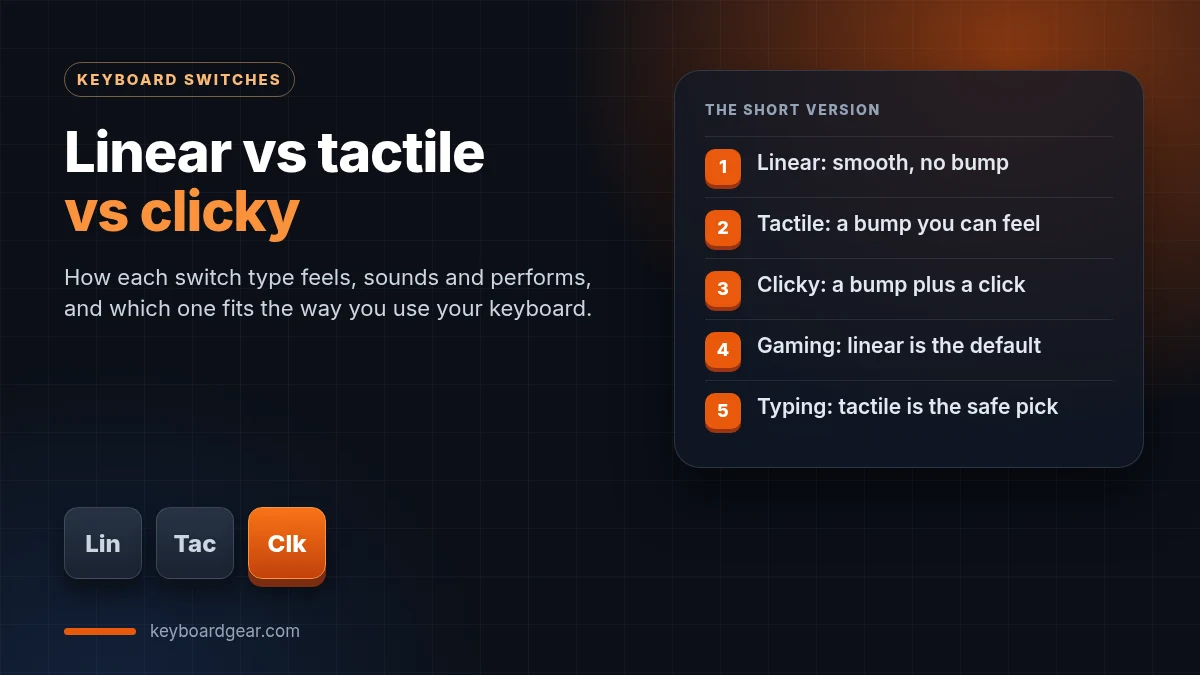
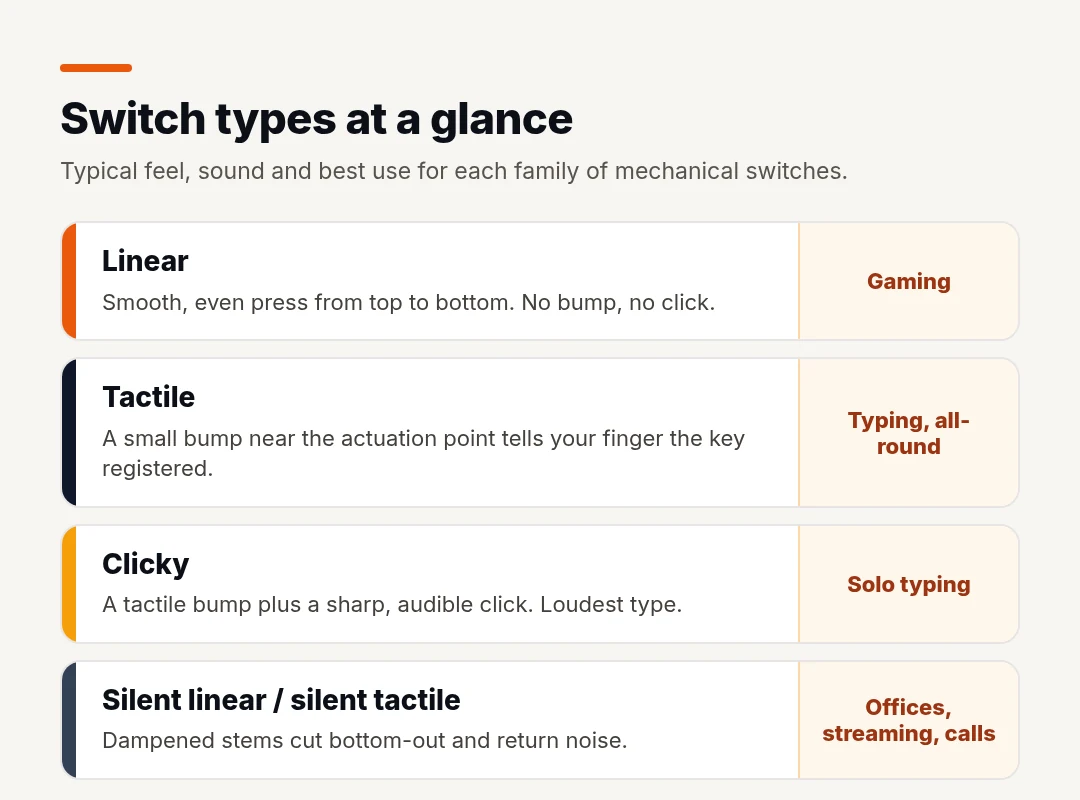
Linear switches move straight down with no bump and no click, so they feel smooth and fast. Tactile switches have a small bump you can feel when the key registers. Clicky switches add an audible click on top of that bump.
For gaming, most people prefer linear. For typing and mixed use, tactile is the safest first pick. Choose clicky only if you love the sound and nobody near you minds it. If you share a room or stream with a microphone, look at silent linear or silent tactile switches.
Every mechanical keyboard uses a separate switch under each key, and the switch decides most of what you notice when you type: how hard you have to press, what happens on the way down and how loud it is. Hundreds of switch models exist, but almost all of them fall into three families: linear, tactile and clicky.
This guide explains how each type works, what the numbers on a switch spec sheet mean, and how to pick the right family for gaming, typing, an office or a streaming setup. If you are new to mechanical keyboards, start with our explainer on what a mechanical keyboard is, then come back here.
How a mechanical switch works
A mechanical switch has a plastic housing, a stem that moves up and down, a spring that pushes the stem back up, and a metal contact leaf (or, in optical and magnetic switches, a light beam or sensor). When you press the key far enough, the contacts close and the keyboard registers the keypress. That point is called the actuation point.
What changes between switch families is the shape of the stem and whether it has an extra part to make a click:
- Linear stems are straight on the sides, so the stem slides past the contact leaf without any resistance other than the spring.
- Tactile stems have a small bump on the leg. The leaf has to ride over that bump, which you feel as a short increase in resistance.
- Clicky switches use either a bump plus a separate click mechanism (a click jacket in Cherry MX Blue, or a click bar in Kailh Box switches) that snaps to make the sound.
Linear switches: smooth and consistent
A linear switch feels the same from the top of the press to the bottom. The only thing you push against is the spring, which gets a little stiffer as it compresses. There is no signal that the key has registered, so most people press all the way down (“bottom out”) at first.
What they are good at: fast, repeated presses and quick double-taps in games, because nothing interrupts the stroke. They are also the easiest switches to make quiet, and many enthusiast boards ship with pre-lubed linears for a smooth, deep sound.
Common examples: Cherry MX Red (45 cN operating force), Cherry MX Black (60 cN), Cherry MX Speed Silver (shorter 1.2 mm pre-travel), Gateron Yellow and Red, and most Razer, Corsair and Logitech “linear” or “red” options.
Downsides: light linears are easy to press by accident if you rest your fingers heavily on the keys, and with no bump you get less feedback when typing fast.
Tactile switches: a bump you can feel
A tactile switch has a small bump that you feel near the actuation point. Once you get used to it, you can type without bottoming out every key, because the bump tells your finger the press has counted. That is why many typists and programmers prefer tactile switches.
How strong the bump is matters. Cherry MX Brown has a light, rounded bump that some people find almost too subtle. Switches like Holy Panda style tactiles, Boba U4T or Zealios have a much sharper, more pronounced bump. If you try a Brown and think it feels “scratchy linear”, you probably want a stronger tactile.
Common examples: Cherry MX Brown (55 cN operating force), Cherry MX Clear (heavier, 65 cN), Gateron Brown, Logitech GX Brown, Razer Orange.
Downsides: the bump can feel like friction in fast gaming, and cheap tactiles sometimes have a vague bump that feels scratchy.
Clicky switches: bump plus click
Clicky switches give you the bump of a tactile switch and a crisp click at the same moment. This is the classic “mechanical keyboard” sound most people imagine, and the feedback is very clear: you feel it and hear it.
Common examples: Cherry MX Blue (60 cN), Cherry MX Green (heavier), Kailh Box White, Jade and Navy, Razer Green, Logitech GX Blue.
Downsides: noise. Clicky switches are the loudest type by far and are a poor choice for shared offices, late-night gaming near other people, or anything with a microphone, because a microphone picks up the click easily. Our guide on whether mechanical keyboards are loud covers sound levels in more detail.
| Feature | Linear | Tactile | Clicky |
|---|---|---|---|
| Feel | Smooth, no bump | Bump near actuation | Bump plus snap |
| Sound | Quietest of the three (bottom-out only) | Moderate | Loudest: a click on every press |
| Feedback that a key registered | None | Physical bump | Bump and audible click |
| Typical use | Gaming, fast presses | Typing, programming, all-round | Solo typing for people who love the sound |
| Example switches | Cherry MX Red, Gateron Yellow | Cherry MX Brown, Gateron Brown | Cherry MX Blue, Kailh Box Jade |
| Office friendly? | Yes, especially silent versions | Mostly yes | Usually no |
The specs that matter (and what they mean)
Switch makers publish a handful of numbers. You do not need to memorise them, but they explain why two “red” switches can feel quite different.
- Actuation force: how hard you must press for the key to register, measured in centinewtons (cN) or grams-force (gf). Roughly 45 cN feels light, 55 to 60 cN medium and 65 cN or more heavy. Cherry lists an operating force of 45 cN for MX Red, 55 cN for MX Brown and 60 cN for MX Blue.
- Pre-travel (actuation distance): how far the key travels before it registers. Standard MX-style switches register at about 2 mm; “speed” switches at around 1.2 mm.
- Total travel: how far the key can go before it stops. Most full-height switches have about 4 mm. Low-profile switches are shorter, around 3 mm or less; see our low-profile mechanical keyboards guide.
- Bottom-out force and spring: a heavier spring at the bottom softens how hard you hit the plate, and some people prefer long or progressive springs for a smoother feel.
- Housing and stem material: affects sound and smoothness. This is where enthusiast switches differ most, along with factory lubing.
Remember that the spec is only part of the story. The keycaps, plate, case and foam change the sound a lot, and keycap material matters too (see PBT vs ABS keycaps).
What about silent, optical and magnetic switches?
Silent switches are linear or tactile switches with dampeners in the stem that soften the bottom-out and return. Cherry MX Silent Red and Silent Black are examples, and Gateron, Akko and others make silent versions too. They are the best choice for offices, late-night use and streaming. Our guide to quiet mechanical keyboards lists boards that use them.
Optical switches use a beam of light instead of a metal contact. They still come in linear, tactile and clicky feels, so the same choice applies.
Magnetic Hall effect switches are almost always linear. They let you set the actuation point yourself and support features like rapid trigger, which is why they are popular in competitive shooters. We explain how they work in our guide to rapid trigger and Hall effect keyboards.
Which switch type should you choose?
For gaming
Start with a linear switch. It gives you a smooth, uninterrupted stroke for fast repeated presses, and most competitive players use linears. If you play shooters seriously, a Hall effect linear with an adjustable actuation point is worth a look. If you play slower games like MMOs or strategy titles and also type a lot, a light tactile works fine.
For typing and work
A tactile switch is the safest first choice. The bump helps you type accurately without slamming every key to the bottom, which some people find less tiring over a long day. If you are not sure how strong a bump you want, start with a medium one and adjust from there.
For an office, calls or a shared room
Pick a silent linear or silent tactile switch, and avoid clicky switches entirely. Tactile switches without dampeners are usually acceptable, but a silent switch keeps you out of trouble.
For streaming and recording
Your microphone will hear your keyboard. Linear or silent switches are the usual choice for streamers, plus some foam inside the case. Clicky switches are a common source of complaints from viewers.
If you just love the sound
Get a clicky switch and enjoy it, ideally in a room where you are the only one listening.
Not sure yet? Buy a cheap switch tester with a handful of different switches, or choose a hot-swappable keyboard. Hot-swap boards let you pull the switches out and try a different type later without soldering.
Can you change switch type later?
Yes, if your keyboard is hot-swappable. You can pull the switches with a switch puller and press new ones in, as long as they match the socket (3-pin or 5-pin) and the orientation of the board’s LEDs. Our step-by-step guide on how to change keyboard switches walks through it. If the switches are soldered, you would need to desolder them, which is a bigger job.
You can also tune what you have: lubing linear switches makes them smoother and quieter (how to lube switches), and O-rings or foam can reduce bottom-out noise.
FAQ
Are linear switches better for gaming?
For most people, yes. Linear switches have no bump, so fast repeated presses feel smooth and consistent, and most competitive gamers use them. Tactile switches work fine for gaming too; it is a matter of preference rather than a big performance gap.
Are tactile switches good for typing?
Yes. The bump tells your finger that the key has registered, so you can type without bottoming out every key. That is why tactile switches are popular with writers and programmers.
Are clicky switches bad for gaming?
Not in terms of performance, but the click can be distracting and your microphone will pick it up in voice chat. Most gamers choose linear or tactile instead.
What is the quietest switch type?
Silent linear switches are the quietest, followed by silent tactiles. Standard linears are quieter than tactiles, and clicky switches are the loudest.
Is Cherry MX Brown linear or tactile?
Cherry MX Brown is a tactile switch with a light bump and no click. Cherry lists its operating force as 55 cN.
Which is better for programming, linear or tactile?
Many programmers prefer tactile switches because the bump gives clear feedback during long typing sessions, but plenty use light linears. See our list of keyboards for programming for examples of both.
Related guide: Optical vs Mechanical Switches: What’s the Real Difference?
Related guide: What Is a Topre Keyboard? Electro-Capacitive Switches Explained
Sources
- CHERRY: MX2A Red switch specifications
- CHERRY: MX2A Brown switch specifications
- CHERRY: MX2A Blue switch specifications

Experience is what matters at the end!!
Hi! This is Jacob Jay – founder of Keyboardgear.com! From childhood to adulthood, I’ve always remained passionate about IT, and the revolution in this industry, especially gaming on the PC can’t go out of my way. Since I’m an enthusiastic gamer, and I love to experience various gaming accessories, particularly mechanical keyboards, that really boost my gaming adventure manifolds. So, my nerve cells hit me to transfer my experiences into word form and share with others to identify the ideal keyboards perfectly fit for their gaming modes.
I know very well how hard it is to find the high-quality items available on the internet that ought to be exactly the same as seen as on the screen. But the counterfeiters have ruined the user’s trust. As I have passed all such situations, I’m obliged to deliver the genuinity and express the same as what I am saying.
So, now, I’m working on the mission to provide very helpful and frankly but trustworthy reviews and guides about various mechanical keyboards, mouses, and other gaming accessories as per my personal experiences and sound knowledge.