
Keyboard Gear earns from qualifying purchases through Amazon links.
A good wireless mouse should disappear into the workday: quiet enough for a shared office, accurate on the desk you actually have, and charged (or batteried) often enough that you stop thinking about it. This guide compares six of the best wireless mice for work and everyday use on Amazon US — from Logitech’s flagship MX Master 4 and compact MX Anywhere 3S, through the cushioned Signature M850 L and budget M650 L, to the lightweight Keychron M6 and Razer’s work-and-play Pro Click V2.
We checked each Amazon US product page for availability on November 24, 2026 (Asia/Karachi) and cross-checked specifications against manufacturer pages and official support documents. Prices change often, so use the Check Price buttons for live figures. If wrist angle is your main issue, see our best vertical mice and best trackball mice guides instead — those shapes solve a different problem.
| Product | Best for | Key specs | Price |
|---|---|---|---|
1 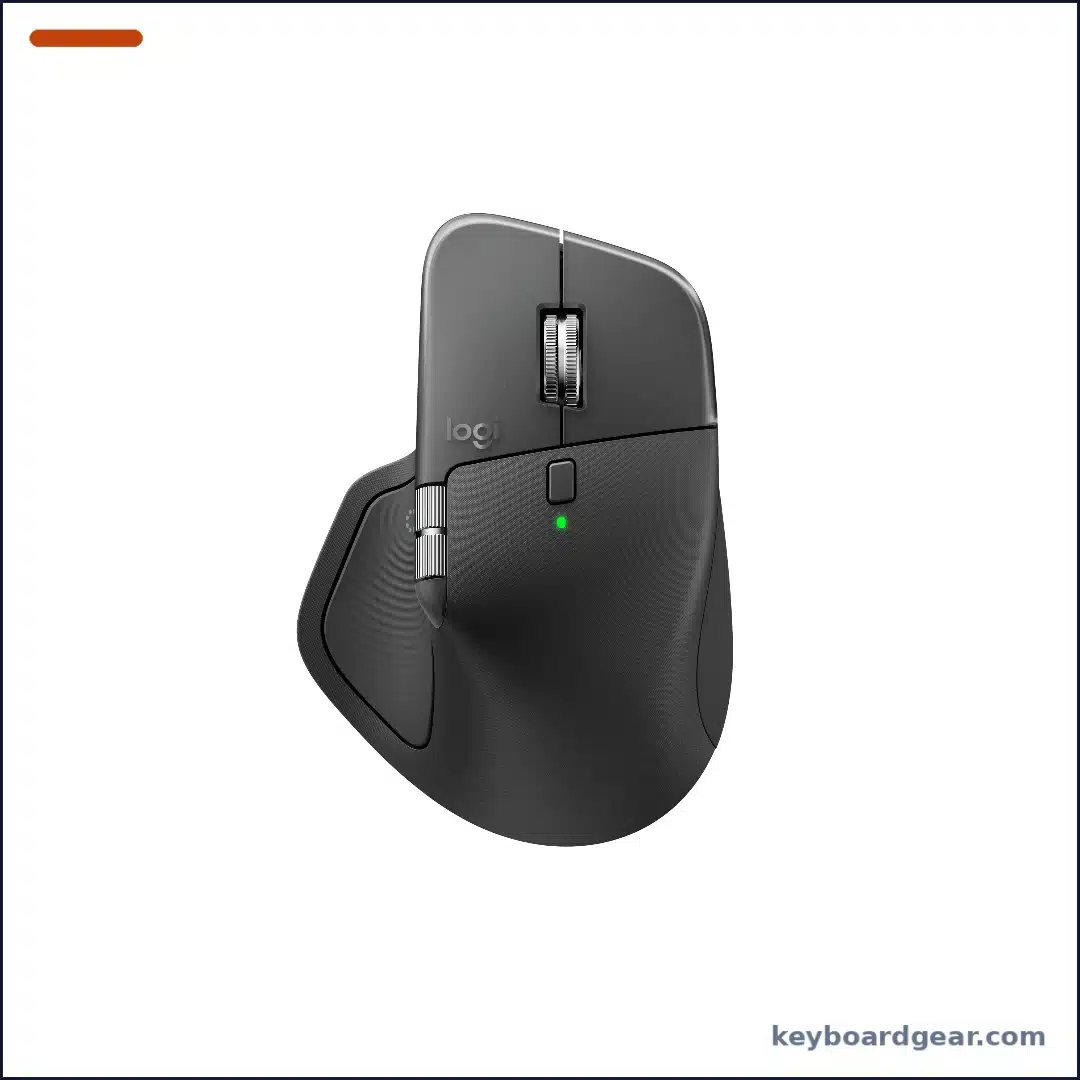 Logitech MX Master 4 |
Best overall |
|
Check Price |
2 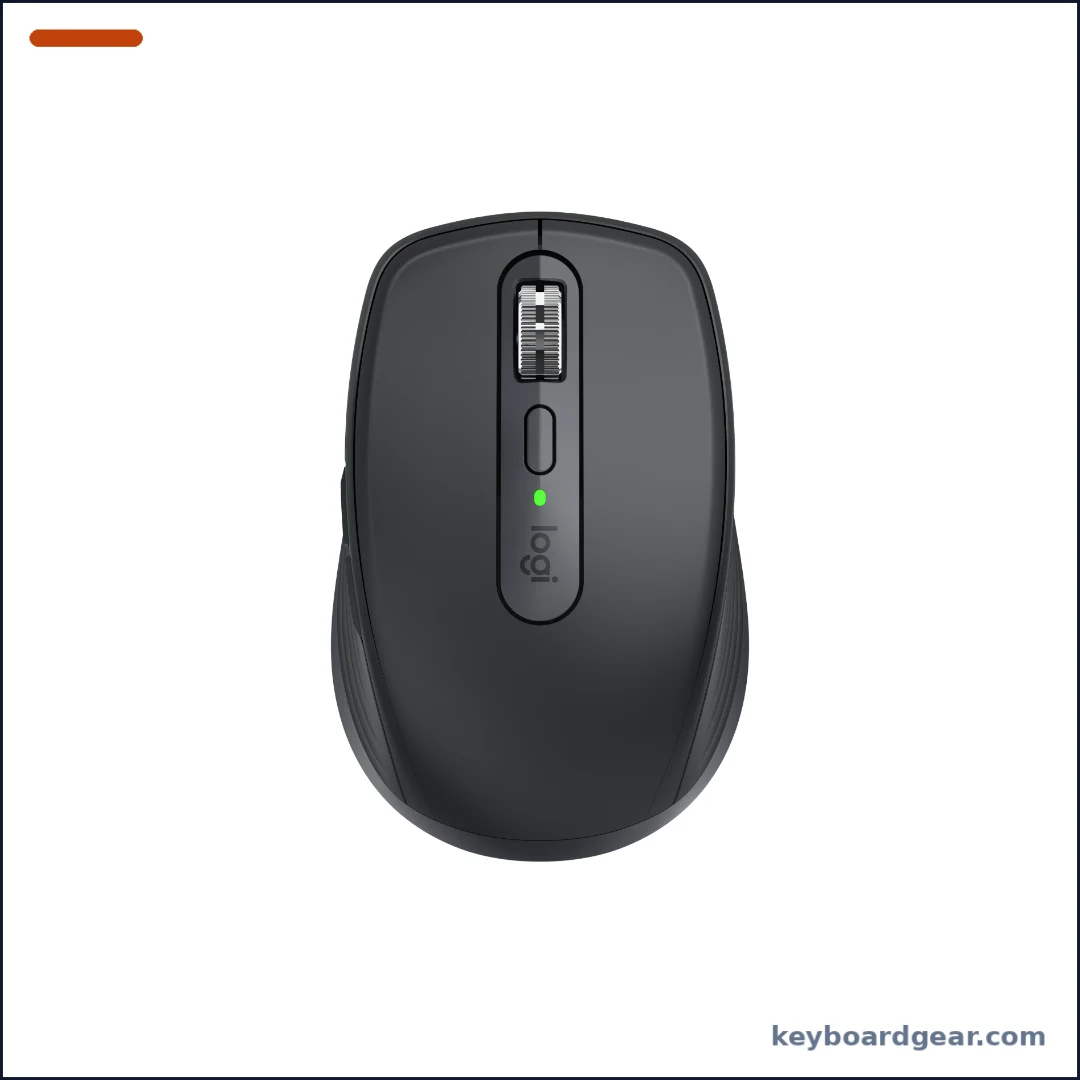 Logitech MX Anywhere 3S |
Best for travel |
|
Check Price |
3 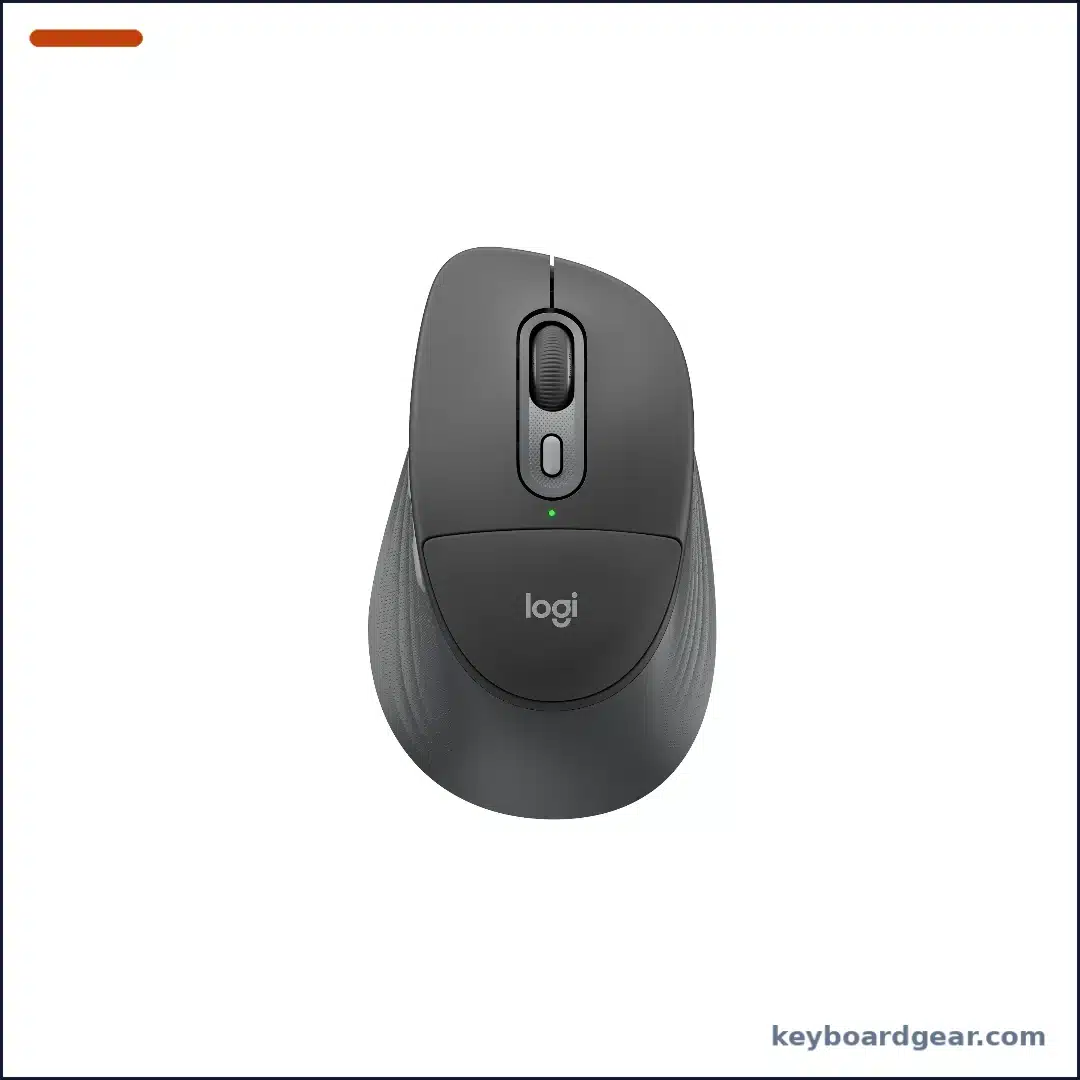 Logitech Signature Comfort Plus M850 L |
Best cushioned comfort |
|
Check Price |
4 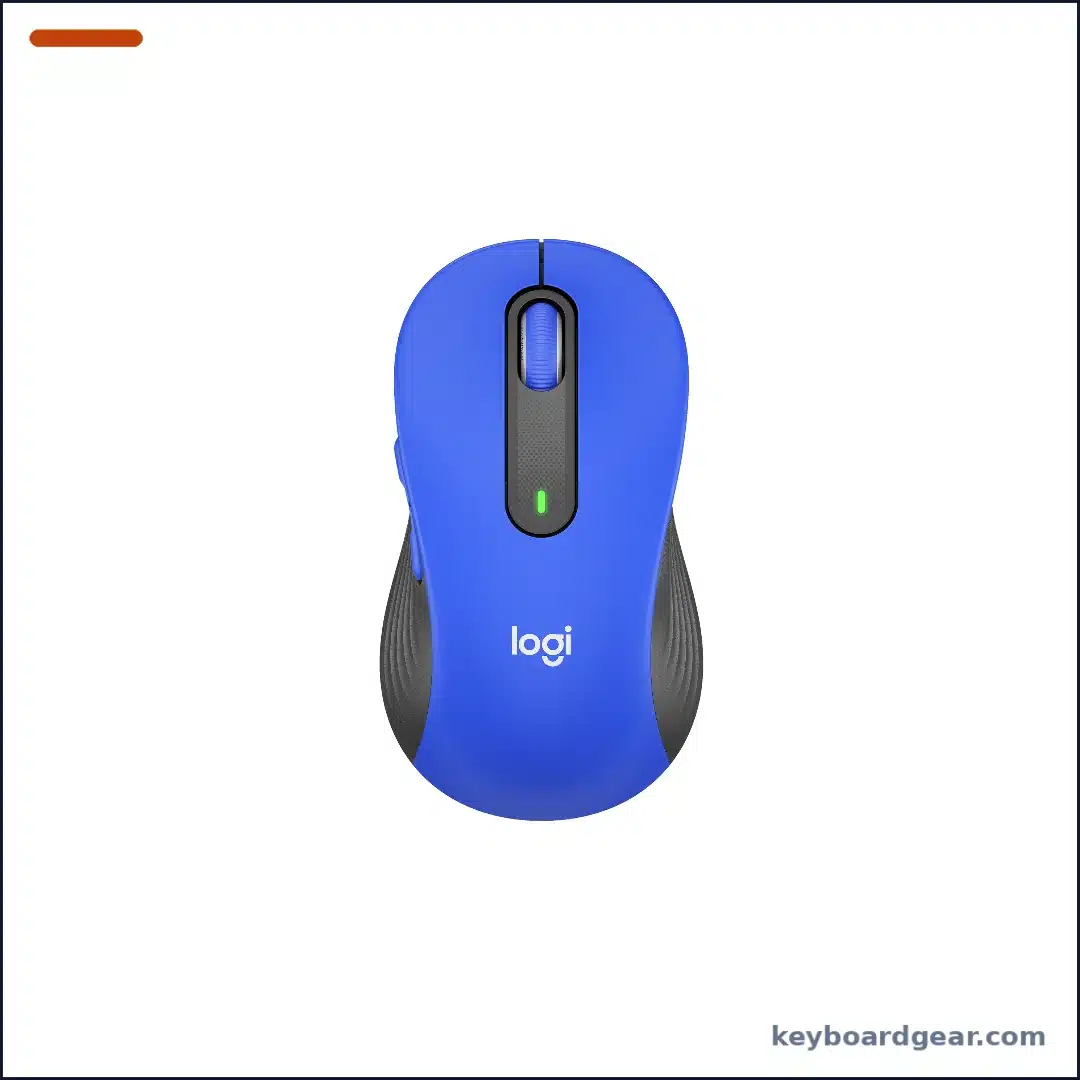 Logitech Signature M650 L |
Best budget |
|
Check Price |
5 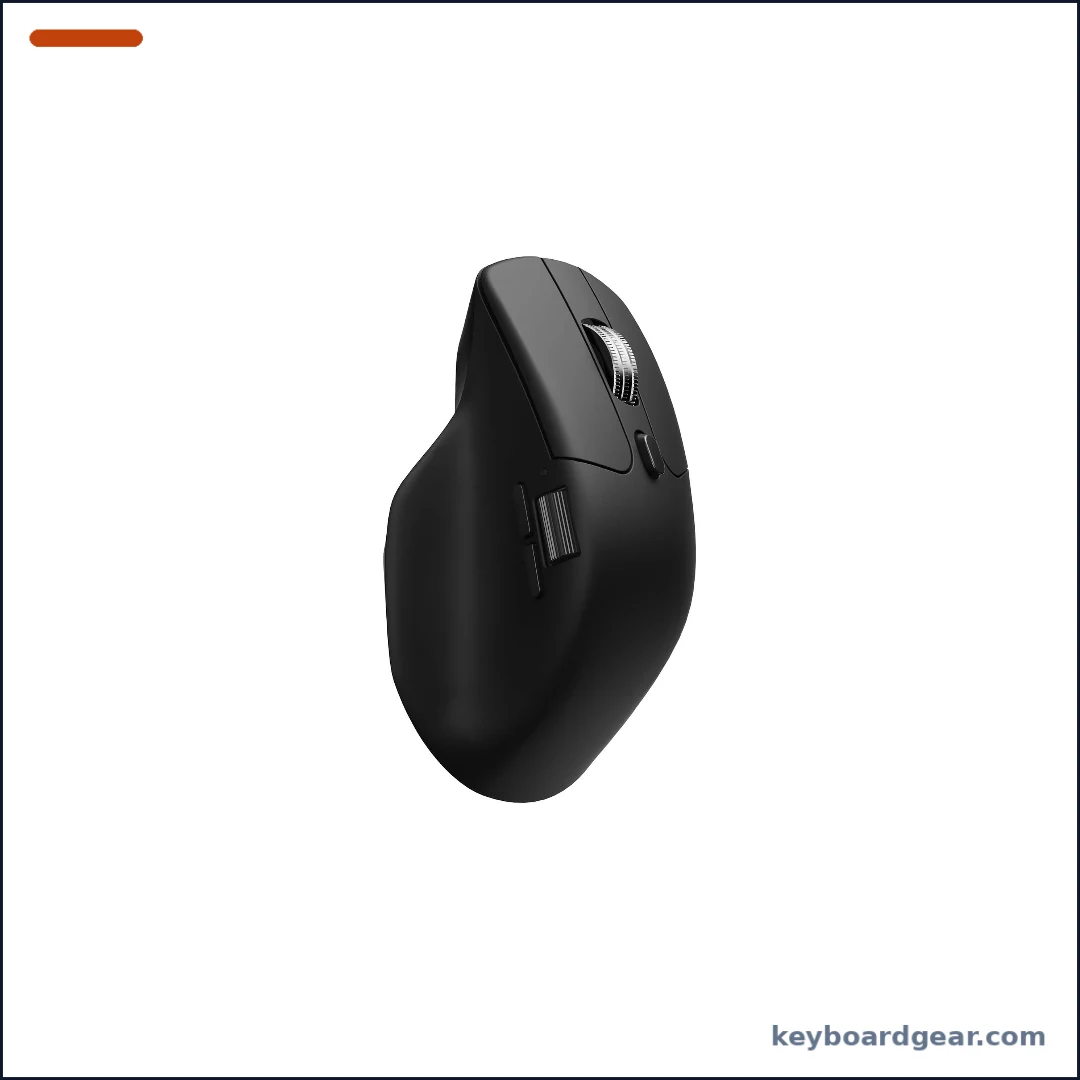 Keychron M6 All Silent |
Best lightweight |
|
Check Price |
6 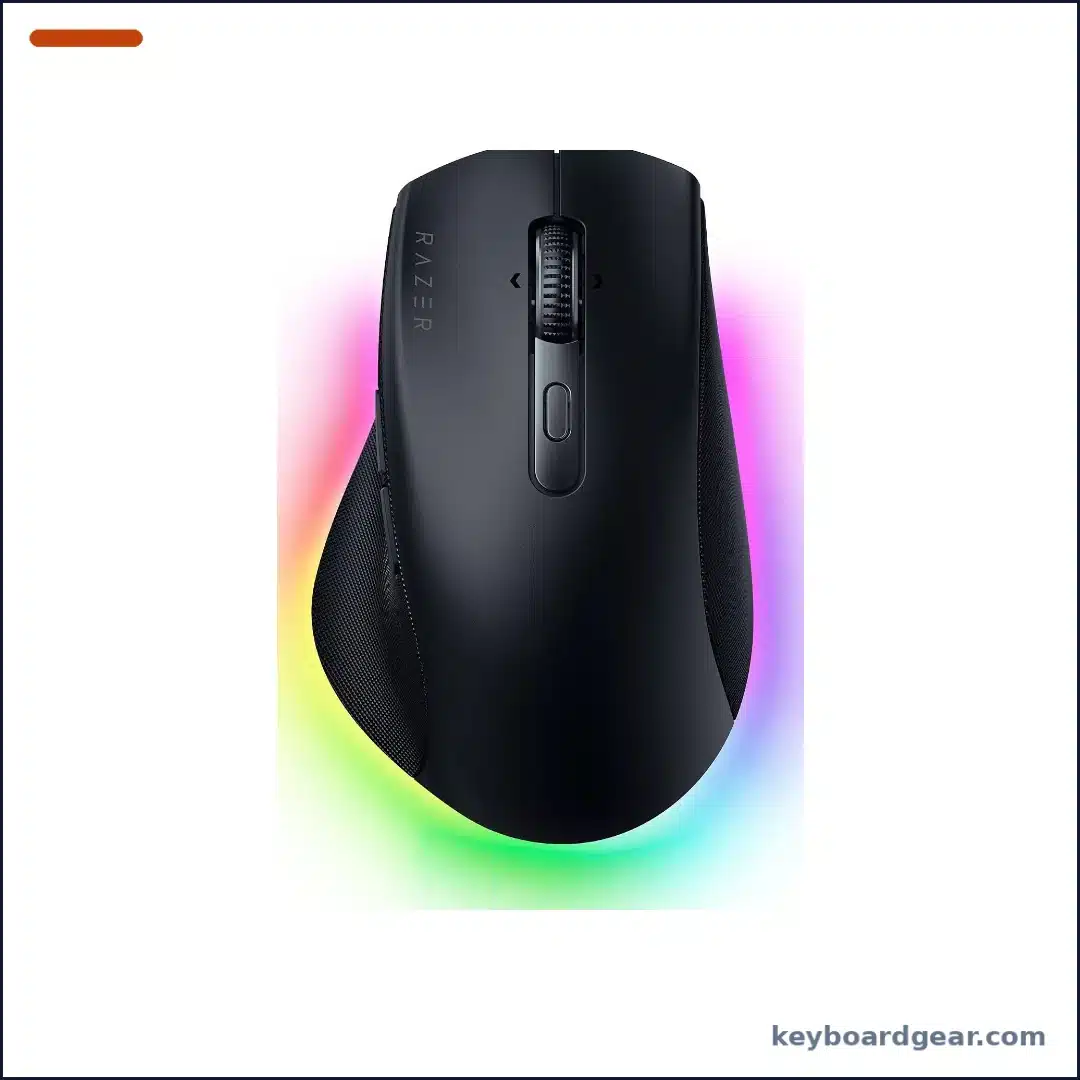 Razer Pro Click V2 |
Best for work and play |
|
Check Price |
Quick picks
- Best overall: Logitech MX Master 4 — haptics, Actions Ring, MagSpeed and a thumb wheel, with glass tracking and a 70-day charge rating.
- Best for travel: Logitech MX Anywhere 3S — the same 8K Darkfield idea in a 99 g body, with a USB-C cable in the box.
- Best cushioned comfort: Logitech Signature Comfort Plus M850 L — a built-in palm cushion and up to 24 months on one AA battery.
- Best budget: Logitech Signature M650 L — a quiet full-size mouse with an included Logi Bolt receiver, plus smaller and left-handed versions.
- Best lightweight: Keychron M6 All Silent — 86 g, a PixArt 3395 sensor, silent switches and wired plus wireless in one.
- Best for work and play: Razer Pro Click V2 — glass tracking, HyperScroll and switching between up to five devices.
How to choose a wireless mouse
Start with how you work, not with the highest DPI on the box. A well-chosen mid-range mouse will feel better every day than a flagship you only use at 1,000 DPI on a cloth pad.
Bluetooth, a 2.4 GHz dongle, or both
Bluetooth is enough for most laptops, tablets and modern desktops, and it leaves your USB ports free. A 2.4 GHz receiver (Logi Bolt, Razer HyperSpeed or Keychron’s tiny USB-C/USB-A dongles) is often more reliable in a crowded office and can feel snappier. Several mice here do both. Check whether the dongle is actually in the box: the MX Anywhere 3S is Logi Bolt compatible but ships without a receiver, while the MX Master 4, M650 L, Keychron M6 and Razer Pro Click V2 include one.
Rechargeable vs a replaceable battery
MX and Razer mice use a built-in pack you charge over USB-C. That is convenient, but a forgotten cable can stop you mid-week — and the MX Master 4 does not include a cable. The M850 L and M650 L use one AA battery, rated for many months, which is simpler if you would rather swap a cell twice a year than plug in. The Keychron M6 sits in between: it is rechargeable, but Keychron rates this silent version in hours (up to 180 hours at 125 Hz), and you can keep working in wired USB-C mode if it runs down.
Size, grip and handedness
Every mouse in this list is a right-handed shape except that the M650 family also has a dedicated left-handed L model. The MX Master 4 is the largest (150 g); the MX Anywhere 3S and Keychron M6 are the ones you notice less in the hand. If you use a palm grip, a fuller shell usually feels better; claw and fingertip grips often prefer something lower and lighter. Our mouse grip styles guide explains the differences. For a sore wrist, a standard mouse may not be the right tool — a vertical mouse or trackball reduces forearm twist in a way none of these shells fully can.
Quiet clicks, multi-device and glass desks
If you work near other people, prioritize quiet or silent switches (every Logitech pick here advertises quieter clicks; the Keychron M6 All Silent uses silent micro switches). If you hop between a work PC, a home Mac and a tablet, look at Easy-Switch or a dedicated device button — three devices is typical, the Razer Pro Click V2 goes to five. And if your desk is glass or very glossy, you want a sensor that is specified to track on glass: the MX Master 4, MX Anywhere 3S and Razer Pro Click V2 do. An ordinary optical sensor, including the M650 L, often needs a pad. For the difference between optical and laser, see our optical vs laser mouse guide; for DPI and in-game or design sensitivity, see mouse DPI vs sensitivity.
1. Logitech MX Master 4 — best overall wireless mouse for work
Who it’s for: Desk-bound professionals, developers and designers who want the most complete wireless work mouse and are happy to pay flagship money for it.
The MX Master 4 is Logitech’s current flagship work mouse, announced in September 2025. It keeps the sculpted right-handed shape, MagSpeed electromagnetic scroll wheel, side thumb wheel and quiet clicks that defined the MX Master 3S, and adds a Haptic Sense Panel under your thumb plus an Actions Ring shortcut overlay in Logi Options+. Logitech’s Ergo Lab study (2025, 37 MX Master users) says the Actions Ring can cut time on eight common desktop actions by up to 33%, though results depend on which shortcuts you assign.
Tracking is a Darkfield high-precision sensor, adjustable from 200 to 8,000 DPI, that Logitech says works on virtually any surface including glass at least 4 mm thick. Official support specs list the body at 128.15 × 88.35 × 50.8 mm and 150 g — a substantial mouse that suits medium to large right hands and a palm grip. Quiet clicks are rated 90% quieter than the MX Master 3. You can pair up to three devices and switch between them, and a new USB-C Logi Bolt receiver is part of the standard kit. A full charge is rated for up to 70 days; a one-minute charge is rated for about three hours. The charging cable is not included.
Logi Options+ is required for haptics, Actions Ring, FLOW-style cross-computer control and deep button customization. Native Advanced Haptics integration on Windows 11 needs a Windows 11 update from the end of March 2026 onwards, according to Logitech. The main trade-offs are size, the right-handed-only shape, and the missing cable in the box. If you mainly want MagSpeed scrolling and glass tracking without the new software features, the older MX Master 3S is still a capable mouse, but when we checked Amazon US on November 24, 2026, the official new listing was not in stock (only used units were offered), so it is not a buy pick in this guide.
Key specs: Darkfield sensor, 200–8,000 DPI, tracks on glass (4 mm minimum); MagSpeed wheel plus thumb wheel; Haptic Sense Panel and Actions Ring in Logi Options+; quiet clicks; Bluetooth Low Energy or USB-C Logi Bolt; up to three devices; rechargeable 650 mAh battery rated up to 70 days (1-minute charge ≈ 3 hours; cable not included); 128.15 × 88.35 × 50.8 mm, 150 g; Windows, macOS, Linux, Chrome OS, iPadOS and Android.
- Haptics and Actions Ring for app shortcuts
- MagSpeed plus a dedicated thumb wheel
- Tracks on glass, with a 70-day charge rating
- USB-C Logi Bolt receiver included
- Large and right-handed only, at 150 g
- USB-C charging cable is not in the box
- Best new features need Logi Options+
2. Logitech MX Anywhere 3S — best compact wireless mouse for travel
Who it’s for: Anyone who works on a laptop in more than one place and wants MX-level scrolling and glass tracking in a compact, 99 g body.
The MX Anywhere 3S is the travel version of Logitech’s MX work-mouse idea. Official dimensions are 100.5 × 65 × 34.4 mm and 99 g, so it slips into a laptop sleeve far more easily than the MX Master 4, yet it still uses an 8,000 DPI Darkfield sensor that tracks on glass (again, 4 mm minimum thickness) and a MagSpeed wheel that can fly through long pages or click into a precise ratchet mode.
Quiet Clicks are quieter than the previous MX Anywhere 3. There are six buttons, and you can scroll horizontally by holding a side button while turning the wheel — there is no separate thumb wheel like the Master. Bluetooth pairs with up to three devices on Windows, macOS, Linux, Chrome OS, iPadOS or Android. It is compatible with a Logi Bolt receiver, but that dongle is not included. A USB-C charging cable is included. Battery life is rated up to 70 days, with about three hours of use from a one-minute charge, from a 500 mAh rechargeable pack.
Because it is compact, people with large hands or a full palm grip may prefer the Master or the M850 L at a desk. It is still a right-handed shape, just smaller. For hotels, cafes, glass conference tables and packed bags, this is the MX mouse that actually travels well.
Key specs: Darkfield 8,000 DPI sensor, tracks on glass (4 mm minimum); MagSpeed wheel; six buttons; horizontal scroll by holding a side button; Quiet Clicks; Bluetooth for up to three devices; Logi Bolt compatible (receiver not included); USB-C charging cable included; 500 mAh pack rated up to 70 days (1-minute charge ≈ 3 hours); 100.5 × 65 × 34.4 mm, 99 g.
- 99 g and compact enough for a bag
- Same 8K Darkfield and MagSpeed idea as the Master
- Quiet clicks and a 70-day charge rating
- USB-C cable included
- No dedicated thumb wheel
- Logi Bolt receiver is not in the box
- Smaller body is less restful for large hands
3. Logitech Signature Comfort Plus M850 L — best wireless mouse with a palm cushion
Who it’s for: Right-handed office users who want a softer place to rest their palm and do not want to charge a mouse every few weeks.
The Signature Comfort Plus M850 L is Logitech’s first mouse with a built-in palm cushion. A Logitech US study (2025, 105 participants over five days) found that 93% felt comfortable using it even after a full workday. The retail model connects by Bluetooth only — no dongle is required — and Easy-Switch jumps between up to three devices. Quiet clicks and SmartWheel scrolling (line-by-line or a faster flick) keep it civil in a shared office.
The setup guide lists a 4,000 DPI sensor and a DPI button on top, plus back/forward buttons you can remap in Logi Options+. Power is a single AA alkaline battery, included, rated for up to 24 months depending on use. Logitech’s specification for the M850 L body is 121.3 × 74.3 × 44.2 mm and 102.9 g with the battery. The cushion itself is replaceable if it wears out.
This is a right-handed, Bluetooth-first mouse, so it will not suit left-handed users or desks that insist on a USB receiver. It also has no MagSpeed wheel or glass-tracking Darkfield sensor. What it does well is all-day comfort and “set it and forget the battery” use, at a lower price than the MX line.
Key specs: Built-in replaceable palm cushion; sculpted right-handed shape with side grips; SmartWheel; quiet clicks; DPI button; back/forward buttons customizable in Logi Options+; Bluetooth with Easy-Switch for up to three devices (no dongle); 1× AA included, rated up to 24 months; 121.3 × 74.3 × 44.2 mm, 102.9 g with battery; Windows, macOS, Chrome OS, Linux, iPadOS and Android.
- Palm cushion is genuinely unusual and comfortable
- Up to 24 months on one AA battery
- Bluetooth Easy-Switch for three devices, no dongle
- Quiet clicks and SmartWheel scrolling
- Right-handed only
- Bluetooth only — no USB receiver in the box
- No MagSpeed wheel or glass-tracking sensor
4. Logitech Signature M650 L — best budget full-size wireless mouse
Who it’s for: Anyone who wants a full-size, quiet wireless mouse for large right hands without spending MX money — including a left-handed and a smaller-hand version if this size is not right.
The Signature M650 L is the straightforward full-size pick. Logitech’s official specification puts the L model at 118.7 × 66.2 × 42 mm and 115.4 g, with Logitech Advanced Optical Tracking from 400 to 4,000 DPI. SilentTouch clicks are rated 90% quieter than a standard click, and SmartWheel switches between precise line-by-line scrolling and a faster free spin.
You can connect with Bluetooth Low Energy or the Logi Bolt receiver that ships in the box (inside the mouse, with one AA battery). Battery life is rated up to 24 months on Logi Bolt and up to 20 months on Bluetooth. There are five buttons — left, right, middle click, back and forward — and the side buttons can be remapped in Logi Options+ on Windows 10 or later and macOS 10.15 or later. It works with Windows, macOS, Linux, ChromeOS, iPadOS 13.4 or later and Android 5.0 or later.
Logitech also makes a smaller M650 for small-to-medium right hands and an M650 L Left for large left hands, with the same weight and dimensions as this L model. The Classic Blue listing we checked was in stock on Amazon US; other colors include Graphite, Off White, Rose and Classic Red. It will not track as reliably on glass as a Darkfield MX mouse, and it is not as feature-rich as the M850 L or the MX line, but for everyday desk work it is hard to beat on value.
Key specs: Logitech Advanced Optical Tracking, 400–4,000 DPI; SilentTouch clicks; SmartWheel; five buttons (back/forward customizable in Logi Options+); Bluetooth Low Energy or included Logi Bolt receiver; 1× AA included, rated up to 24 months (Bolt) or 20 months (Bluetooth); 118.7 × 66.2 × 42 mm, 115.4 g; large right-handed shape (smaller and left-handed versions available).
- Full-size comfort at a budget price
- Quiet clicks and SmartWheel
- Logi Bolt receiver and AA battery included
- Left-handed and smaller sizes exist
- Optical sensor is not a glass-tracking Darkfield unit
- Fewer shortcuts than an MX Master
- Large right-handed L size will not suit every hand
5. Keychron M6 All Silent — best lightweight silent wireless mouse
Who it’s for: People who want a lighter, quieter, high-sensor mouse that also works wired, and who already like Keychron’s software approach — or want a thumb wheel without buying an MX Master.
The Amazon listing we checked is the All Silent 1,000 Hz version of the Keychron M6, with a PixArt 3395 sensor (100–26,000 DPI, up to 650 IPS), Huano silent micro switches rated for 20 million clicks, and an 86 g right-handed body. That is a very different feel from the 150 g MX Master 4. It supports 2.4 GHz wireless, Bluetooth 5.3 and wired USB-C, and the box includes both a USB-C 2.4 GHz receiver and a USB-A receiver, plus a USB-C cable.
A top button switches the main wheel between a normal stepped mode and infinite scrolling, and a side thumb wheel handles horizontal movement — useful in spreadsheets and video timelines. Keychron quotes an 800 mAh battery and up to 180 hours at a 125 Hz report rate for this silent 3395 version (expect less at 1,000 Hz). You can change DPI and polling without software, and the Keychron Launcher web configurator handles button maps, macros and lift-off distance in a browser, including on Windows and macOS.
Important: Keychron also sells 4K and 8K M6 versions with different sensors, weights and battery figures. This review is only for the All Silent 1K PixArt 3395 listing (ASIN B0D6B7M9CH). Battery life is much shorter than Logitech’s 70-day or 24-month ratings, it is right-handed only, and silent switches have a slightly muted feel some people dislike. If you want a light, programmable mouse that can also plug in when the battery is low, it is a strong alternative to the MX line.
Key specs: All Silent 1K version: PixArt 3395, 100–26,000 DPI, up to 650 IPS; Huano silent switches (20 million clicks); 1,000 Hz polling on 2.4 GHz and wired; Bluetooth 5.3; USB-C wired; USB-C and USB-A 2.4 GHz receivers included; thumb wheel plus infinite/stepped top wheel; 800 mAh battery, up to 180 hours at 125 Hz; 86 g; Keychron Launcher; Windows and macOS.
- Only 86 g, with a high-end 3395 sensor
- Silent switches and a thumb wheel
- 2.4 GHz, Bluetooth and wired, with both receivers in the box
- Web-based Keychron Launcher, no app install required
- Battery life is hours, not months
- Right-handed only
- Silent switches are a muted feel some people will not like
6. Razer Pro Click V2 — best wireless mouse for work and play
Who it’s for: Right-handed users who want one mouse for office work and gaming, with a wide thumb rest, five-device switching and Razer’s software extras.
The Pro Click V2 is Razer’s crossover productivity mouse. It uses the Focus Pro 30K optical sensor, which Razer says tracks on glass and lets you jump between work and gaming DPI with a click. HyperScroll switches between a notched tactile mode and smooth free-spin, which is the same basic idea as MagSpeed or SmartWheel. Up to nine controls are programmable in Razer Synapse 4.
Connectivity is a highlight: 2.4 GHz HyperSpeed and Bluetooth, with a dedicated button to toggle up to five devices — more than Logitech’s usual three. Battery life is rated up to 3.5 months under standard test conditions, and a five-minute USB-C charge is rated for about two working days. A USB-C cable and the 2.4 GHz dongle are included. The right-handed shell has an extended thumb rest, and 14-zone Chroma RGB underglow is there if you want it (you can turn it off at work).
AI Prompt Master, opened by holding the scroll wheel, can fire shortcuts for tools such as ChatGPT or Microsoft Copilot through Synapse; you do not need a paid AI plan for that hook to work, but you do need Synapse for the feature. The mouse works without Synapse for basic use. Razer does not list a public weight on the product page, so we have not invented one. If you never game and do not want RGB or Synapse, an MX Master or M850 L is a simpler daily driver.
Key specs: Razer Focus Pro 30K optical sensor, tracks on glass; HyperScroll tactile or free-spin; up to nine programmable controls in Synapse 4; AI Prompt Master (hold the scroll wheel); 2.4 GHz HyperSpeed and Bluetooth, up to five devices; up to 3.5 months of battery, 5-minute charge ≈ 2 working days; USB-C cable and dongle included; extended right-handed thumb rest; 14-zone Chroma RGB.
- Tracks on glass with a 30K sensor
- Switches between up to five devices
- USB-C cable and 2.4 GHz dongle included
- Thumb rest and HyperScroll suit mixed work and play
- Needs Synapse for AI shortcuts and deep customization
- RGB-heavy look will not suit every office
- Right-handed only
Wireless mouse comparison
| Mouse | Best for | Sensor | Battery | Connection | Handed |
|---|---|---|---|---|---|
| Logitech MX Master 4 | Overall work | Darkfield, 8K, glass | Up to 70 days, USB-C (cable not included) | Bluetooth + USB-C Logi Bolt (included) | Right |
| Logitech MX Anywhere 3S | Travel | Darkfield, 8K, glass | Up to 70 days, USB-C cable included | Bluetooth (Logi Bolt optional, not included) | Right |
| Signature Comfort Plus M850 L | Cushioned comfort | Up to 4,000 DPI | 1× AA, up to 24 months | Bluetooth, 3 devices, no dongle | Right |
| Signature M650 L | Budget full-size | 400–4,000 DPI optical | 1× AA, up to 24 months (Bolt) | Bluetooth + Logi Bolt included | Right (left L available) |
| Keychron M6 All Silent | Lightweight | PixArt 3395, 26K | Up to 180 hours at 125 Hz, USB-C | 2.4 GHz, Bluetooth 5.3, wired | Right |
| Razer Pro Click V2 | Work and play | Focus Pro 30K, glass | Up to 3.5 months, USB-C | 2.4 GHz + Bluetooth, 5 devices | Right |
FAQ
What is the best wireless mouse for work in 2026?
For most people at a desk, the Logitech MX Master 4 is the most complete pick: MagSpeed scrolling, a thumb wheel, glass tracking, quiet clicks and a long charge rating, plus haptics and the Actions Ring if you use Logi Options+. If you travel, start with the MX Anywhere 3S. If you want maximum comfort on a budget, look at the M850 L or the M650 L.
Should I use Bluetooth or a USB receiver?
Bluetooth is fine for most modern laptops and phones, and it uses no port. A 2.4 GHz receiver is often more stable in busy offices and on older PCs. If you can, buy a mouse that does both and confirm the dongle is in the box.
Do I need a mouse pad?
On cloth, wood and most matte desks, no. On glass or a high-gloss table, choose a mouse specified to track on glass (MX Master 4, MX Anywhere 3S or Razer Pro Click V2) or use a pad. A pad also gives a consistent feel if you move between rooms.
How often will I need to charge it?
It depends on the model and how you use it. Logitech rates the MX Master 4 and MX Anywhere 3S at up to 70 days per charge, the M850 L and M650 L at many months on one AA, the Razer Pro Click V2 at up to 3.5 months, and this Keychron M6 Silent at up to 180 hours at 125 Hz. Real life is usually shorter if you raise polling or leave RGB on.
Can one mouse work with a Windows PC and a Mac?
Yes. Every mouse in this guide supports Windows and macOS for basic use. Advanced button maps, haptics, Actions Ring or AI Prompt Master need the maker’s software (Logi Options+ or Razer Synapse), which both support Windows and macOS. You can usually switch computers with an Easy-Switch or device button.
Should I turn off mouse acceleration?
For consistent hand movement — especially in games or precision design work — many people prefer raw input with acceleration off. For everyday office use, the default Windows or macOS curve is fine. We explain the trade-off in our mouse acceleration guide.
When is a vertical mouse or trackball a better buy?
If your pain is forearm twist or you want the cursor to move without sliding a mouse around the desk, try a vertical mouse or a trackball first. Those are different shapes, not just “more ergonomic versions” of the mice above.
What if my mouse starts double-clicking?
That is usually a worn switch, a software setting, or dirt — not a wireless problem. See our mouse double clicking fixes before you replace a still-comfortable mouse.
Final verdict
Buy the Logitech MX Master 4 if you want the most capable wireless work mouse and will use its wheels, haptics and multi-device features. Choose the MX Anywhere 3S if you need that tracking and scrolling in a bag, the Signature Comfort Plus M850 L if a palm cushion and a long-life AA battery matter more than flagship extras, and the Signature M650 L if you just want a quiet, full-size mouse for less. The Keychron M6 All Silent is the lightweight, high-sensor alternative that also works wired, and the Razer Pro Click V2 is the one to pick if you want work and play in the same right-handed shell, with five-device switching. Pair any of them with a comfortable keyboard from our best ergonomic keyboards guide, and a keyboard wrist rest if your desk setup still feels harsh.
