

Quick answer
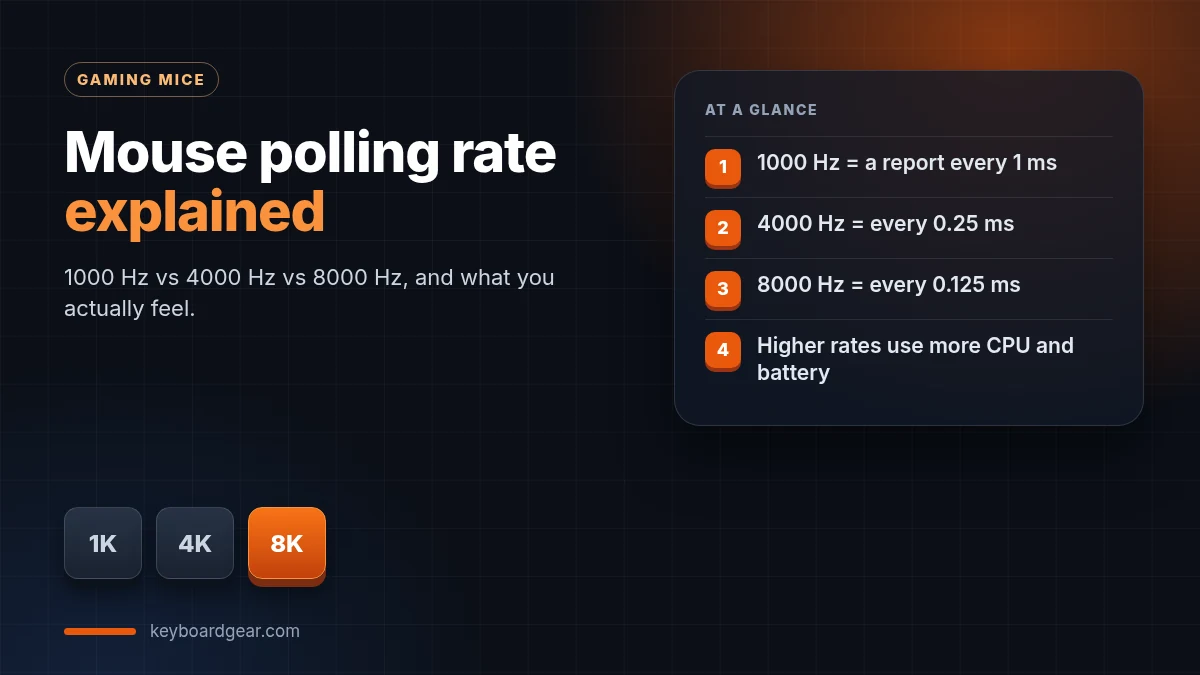
Mouse polling rate is how many times per second a mouse reports its position to the computer, measured in hertz (Hz). At 1000 Hz the mouse reports every 1 ms, at 4000 Hz every 0.25 ms, and at 8000 Hz every 0.125 ms. Higher rates can make movement slightly smoother and more responsive on high-refresh monitors, but they use more CPU and battery. For most people, 1000 Hz is plenty.
Polling rate is the mouse equivalent of the keyboard setting we cover in keyboard polling rate explained. It’s a big number on spec sheets, but it’s only one part of how responsive a mouse feels.
How polling rate works
Each time the computer polls the mouse, the mouse sends the movement and clicks since the last report. A higher rate means smaller gaps between reports, so:
- Movement updates arrive sooner, cutting a little latency.
- Pointer motion can look smoother, especially on 240 Hz and faster monitors.
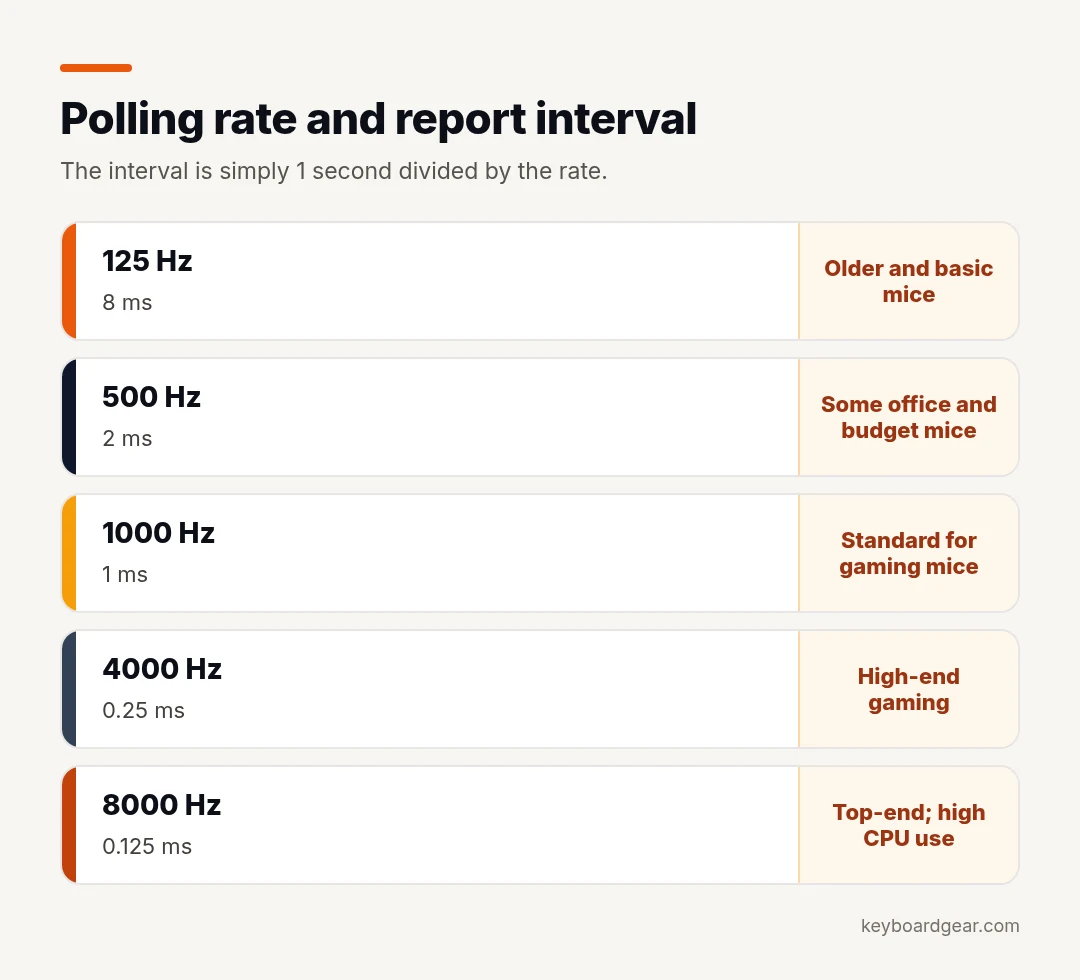
1000 Hz vs 4000 Hz vs 8000 Hz
| Rate | Interval | Who it suits |
|---|---|---|
| 1000 Hz | 1 ms | Almost everyone, including most competitive players |
| 4000 Hz | 0.25 ms | Enthusiasts with high-refresh monitors and strong PCs |
| 8000 Hz | 0.125 ms | Top-end setups; test for stutter in your games |
The step from 125 Hz to 1000 Hz is large and easy to feel. Above 1000 Hz, each step saves a fraction of a millisecond. Some players notice smoother tracking at 4000 Hz or 8000 Hz on very high refresh-rate monitors; many don’t.
The costs of higher polling rates
- CPU load. At 8000 Hz the computer handles eight times as many reports as at 1000 Hz. On some systems and games this can cause stutter or frame drops.
- Battery life. Wireless mice drain noticeably faster at high rates, so many gamers use 1000 Hz for everyday use and save higher rates for matches.
- Compatibility. High rates often need the maker’s software, the right receiver or a direct USB port rather than a hub.
Set 1000 Hz first. Try 2000 or 4000 Hz only if your PC and monitor are high-end, and drop back immediately if you see stutter.
Polling rate vs DPI
They’re often confused:
- Polling rate = how often the mouse reports.
- DPI = how far the cursor moves for each inch of mouse movement.
Changing one doesn’t change the other. For DPI and sensitivity, see mouse DPI vs sensitivity.
How to change your mouse’s polling rate
- Install your mouse maker’s software (for example Logitech G HUB or Razer Synapse).
- Find the performance or polling rate setting.
- Choose a rate and save it to the mouse’s onboard memory if available.
Some mice also have a button underneath to cycle through rates.
Does polling rate matter for office work?
Not really. Office mice commonly run at lower rates to save battery, and you won’t notice the difference in documents or browsing. It matters most for fast-paced competitive games; see gaming mouse vs office mouse for other differences, or our best gaming mouse picks.
Which polling rate should you use?
| Use | Sensible setting |
|---|---|
| Office and browsing | 500 Hz or 1000 Hz |
| Everyday gaming | 1000 Hz |
| Competitive gaming on a powerful PC | 1000 Hz, or higher if your mouse and PC handle it |
| Wireless mouse where battery matters | The lowest setting you can’t tell apart from 1000 Hz |
A higher number isn’t automatically better. It sends more data, uses more battery and can strain a slower computer.
If your game stutters after raising it
If movement feels less smooth after you increase the polling rate, set it back to 1000 Hz and test again. Some games and older computers handle very high polling rates poorly. Also plug the mouse straight into a USB port on the computer rather than through a hub.
Polling rate on keyboards
Keyboards have a polling rate too, though it matters less than most spec sheets suggest. See our keyboard polling rate guide.
Related settings
Polling rate is only one part of mouse feel. Mouse DPI vs sensitivity and mouse acceleration have a bigger effect on how the pointer behaves, and if your wireless mouse feels delayed, read wireless mouse lag.
FAQ
What is a good polling rate for a mouse?
1000 Hz is the standard for gaming and is enough for most people.
Is 8000 Hz better than 1000 Hz?
It reports more often, which can feel slightly smoother on very fast monitors, but it uses much more CPU and battery and can cause stutter.
Does polling rate affect DPI?
No. Polling rate is how often the mouse reports; DPI is how far the cursor moves.
How do I check my mouse polling rate?
Look in your mouse software, or use a reputable online polling-rate tester while moving the mouse quickly.
Does higher polling rate drain battery?
Yes. Wireless mice last noticeably less time at 4000 or 8000 Hz.
Final thoughts
Polling rate matters most going from 125 Hz up to 1000 Hz. Beyond that, gains are small and come with CPU and battery costs. Start at 1000 Hz and only go higher if your setup handles it smoothly.

Experience is what matters at the end!!
Hi! This is Jacob Jay – founder of Keyboardgear.com! From childhood to adulthood, I’ve always remained passionate about IT, and the revolution in this industry, especially gaming on the PC can’t go out of my way. Since I’m an enthusiastic gamer, and I love to experience various gaming accessories, particularly mechanical keyboards, that really boost my gaming adventure manifolds. So, my nerve cells hit me to transfer my experiences into word form and share with others to identify the ideal keyboards perfectly fit for their gaming modes.
I know very well how hard it is to find the high-quality items available on the internet that ought to be exactly the same as seen as on the screen. But the counterfeiters have ruined the user’s trust. As I have passed all such situations, I’m obliged to deliver the genuinity and express the same as what I am saying.
So, now, I’m working on the mission to provide very helpful and frankly but trustworthy reviews and guides about various mechanical keyboards, mouses, and other gaming accessories as per my personal experiences and sound knowledge.