

Keyboard Gear earns from qualifying purchases through Amazon links.
For most people, the Elgato Stream Deck MK.2 is the best macro pad: 15 labelled LCD keys and plugins for almost every app. Choose the Stream Deck Mini for a small desk, or the Stream Deck + if you want dials for audio. For gaming, the Razer Tartarus V2 gives you 32 keys and a thumbpad, and the Tartarus Pro adds adjustable analog switches. On a budget, the Sayodevice 12-key pad is a cheap mechanical option.
A macro pad is a small extra keypad that puts your most-used shortcuts, apps and actions on dedicated keys. Our guide to what a macro pad is explains the types; here we pick the best ones you can buy.
We chose six macro pads sold on Amazon US for productivity, streaming and gaming. We checked each listing’s availability, seller and price on November 29, 2026. Details come from the listings. The Keychron Q0 Plus, a popular QMK/VIA option, was listed as currently unavailable, so we left it out.
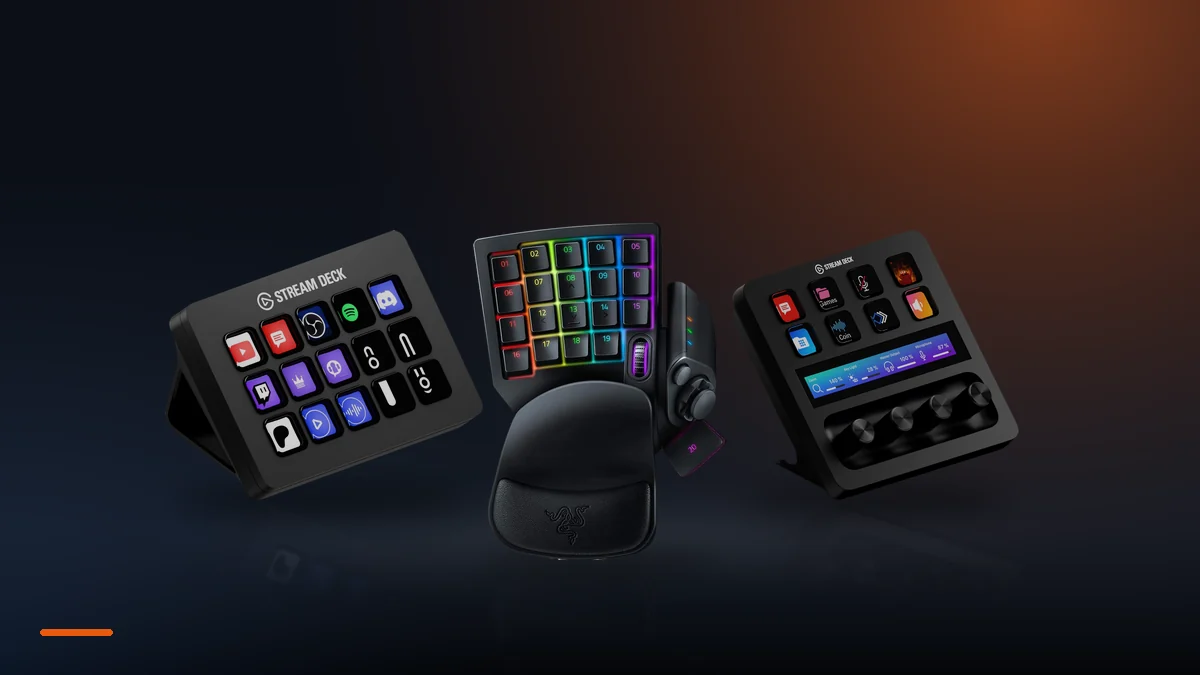
Best macro pads at a glance
| Product | Best for | Key specs | Price |
|---|---|---|---|
1 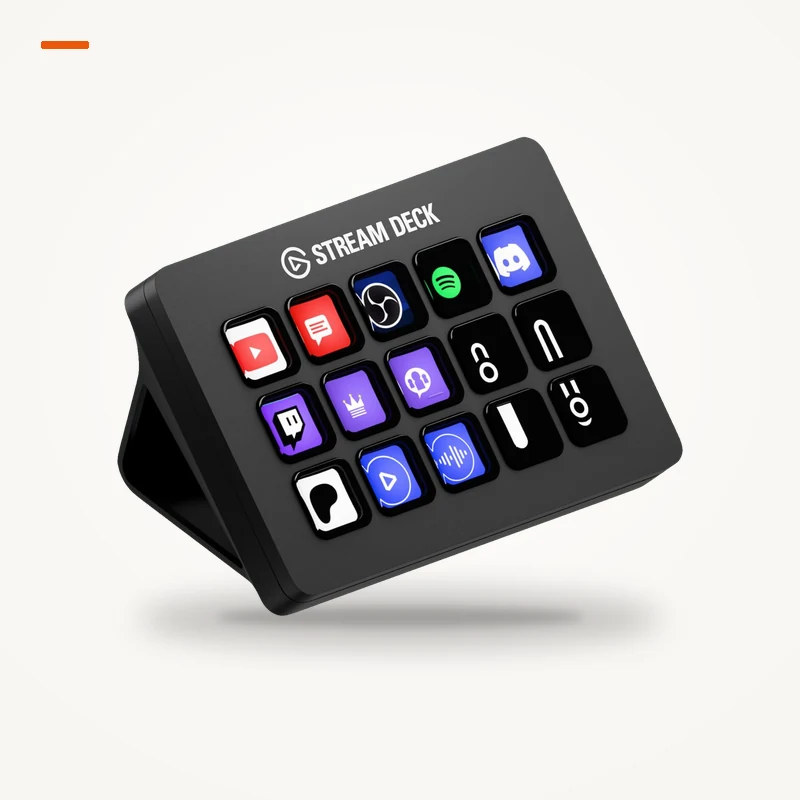 Elgato Stream Deck MK.2 |
Best overall |
|
Check Price |
2 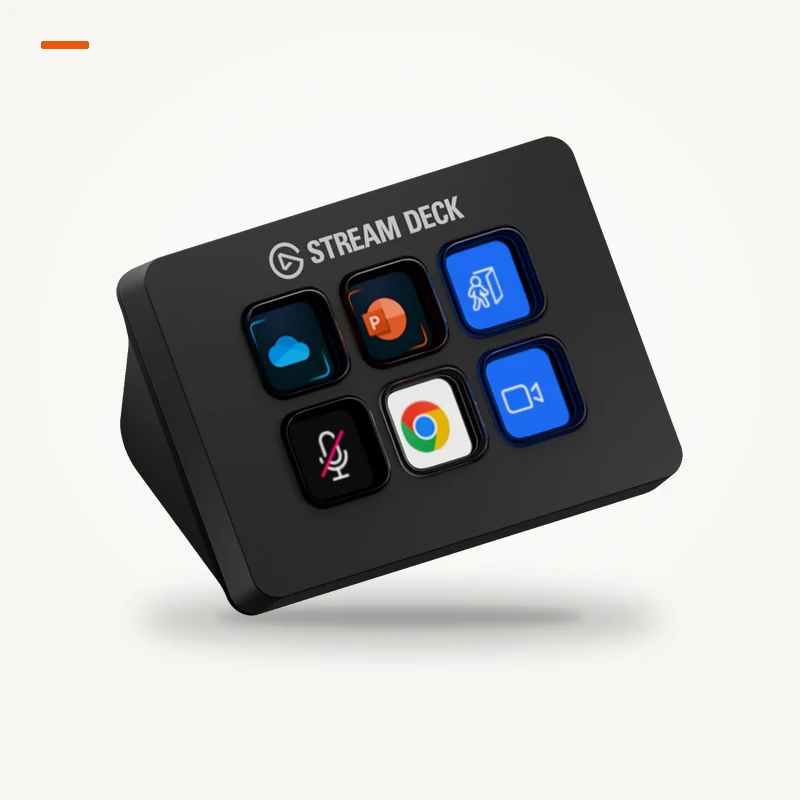 Elgato Stream Deck Mini |
Best for small desks |
|
Check Price |
3 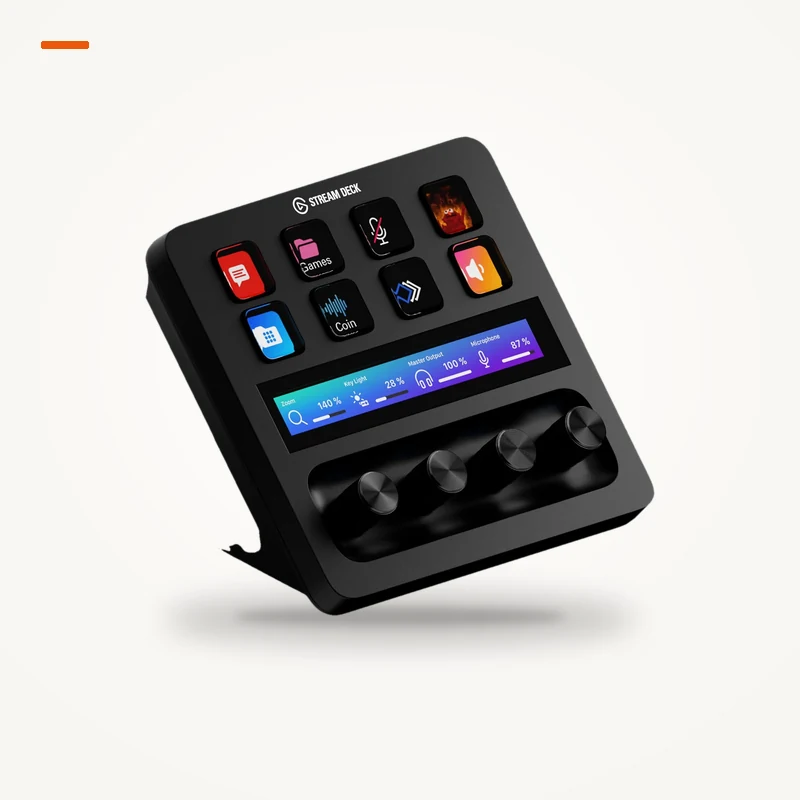 Elgato Stream Deck + |
Best for audio and creators |
|
Check Price |
4 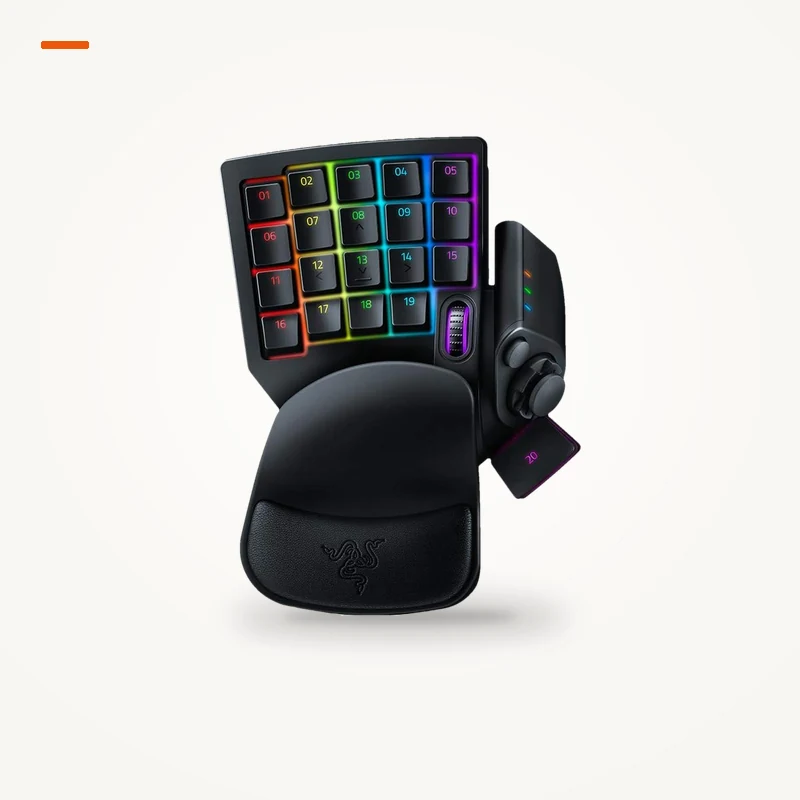 Razer Tartarus V2 |
Best gaming keypad |
|
Check Price |
5 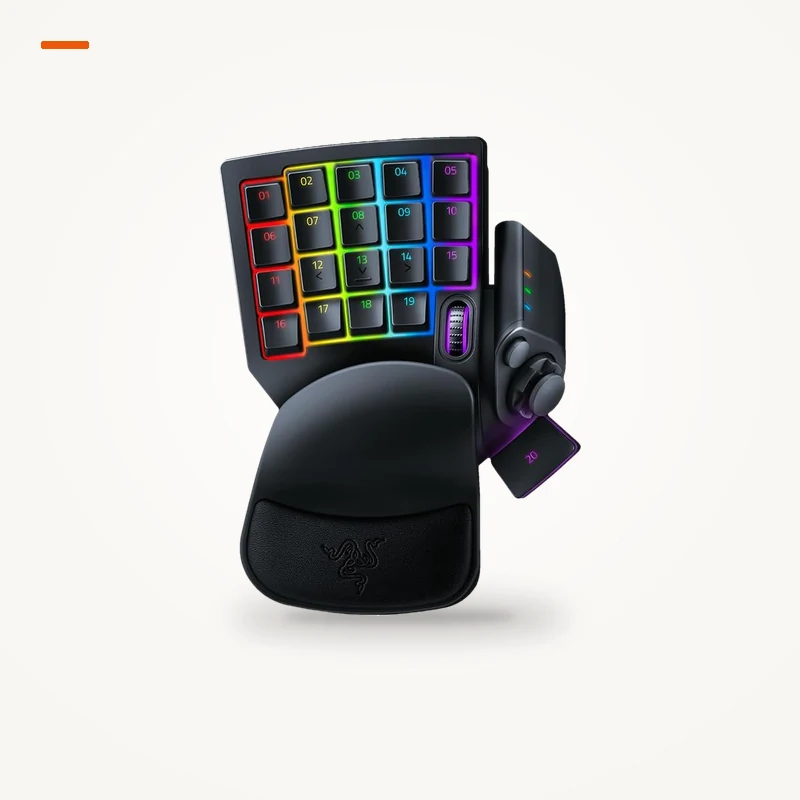 Razer Tartarus Pro |
Best with analog switches |
|
Check Price |
6 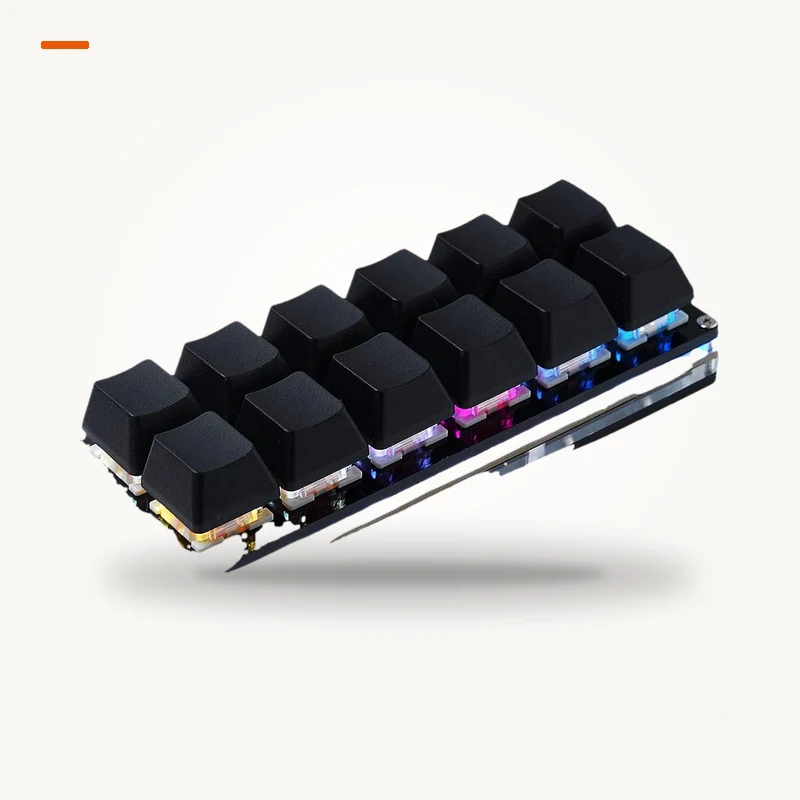 Sayodevice 12-Key Mechanical Keypad |
Best budget mechanical pad |
|
Check Price |
The best macro pads
1. Elgato Stream Deck MK.2 — 15 LCD keys and huge plugin support
Who it’s for: Streamers, creators and office users who want visual, labelled shortcuts for many apps.
The Stream Deck MK.2 has 15 keys, each with its own small LCD screen that shows an icon or label, so you always know what a key does. Elgato’s software lets you drag actions onto keys, build multi-actions and folders, and use plugins for apps such as OBS, Twitch, YouTube, Discord, Spotify and Philips Hue.
It suits both streaming and everyday productivity, such as muting your mic, launching apps or running editing shortcuts. It was listed at $109.99, sold and shipped by Amazon.com, on November 29, 2026.
Key specs: 15 customizable LCD keys; single and multi-actions; visual feedback; plugins for Elgato, OBS, Twitch, YouTube, Discord, Spotify, Philips Hue and more; sold and shipped by Amazon.com.
- Labelled LCD keys
- Huge plugin library
- Easy drag-and-drop setup
- Needs the software running
- Not for in-game key presses
2. Elgato Stream Deck Mini — six keys for your top shortcuts
Who it’s for: Office workers and beginners who want a handful of one-tap shortcuts without much desk space.
The Stream Deck Mini gives you the same software and LCD keys in a six-key size. Elgato lists integrations with Zoom, Teams, PowerPoint, Excel, Word, Google apps, Photoshop and Adobe Creative apps, and it supports timed multi-actions.
Folders and profiles let you fit more than six actions in. It was listed at $49.93, sold and shipped by Amazon.com, on November 29, 2026.
Key specs: 6 customizable LCD keys; drag-and-drop setup; multi-actions; integrations with Zoom, Teams, Office, Google apps, Adobe apps and more; sold and shipped by Amazon.com.
- Small and affordable
- Same software as bigger models
- Great for meeting controls
- Only six keys at once
- Folders take extra presses
3. Elgato Stream Deck + — dials and a touch strip
Who it’s for: Streamers, podcasters and editors who want physical dials for volume, lighting or scrubbing.
Stream Deck + adds four push dials and a touch strip to eight LCD keys. Elgato pitches it as an audio mixer and studio controller: turn a dial to adjust mic or game volume, lighting or timeline position, and see the value on the touch strip.
Smart profiles switch layouts automatically for different apps. It was listed at $159.99, sold and shipped by Amazon.com, on November 29, 2026.
Key specs: 8 LCD keys; 4 push dials; touch strip; multi-actions and smart profiles; plugins for Elgato Wave Link, Camera Hub, Control Center, OBS and more; sold and shipped by Amazon.com.
- Dials are great for audio
- Touch strip shows values
- Smart profiles per app
- Fewer keys than MK.2
- Higher price
4. Razer Tartarus V2 — 32 keys and a thumbpad
Who it’s for: PC gamers who want a one-handed keypad for movement and hotkeys, and creators who want lots of keys.
The Tartarus V2 is a left-hand keypad with 32 programmable Mecha-Membrane keys, which Razer describes as rubber domes with a tactile, mechanical-style feel, plus an 8-way thumbpad. Razer Hypershift adds a second layer of functions, and keys can be remapped to complex commands.
It’s designed for your left hand while your right uses the mouse. It was listed at $59.99, sold and shipped by Amazon.com, on November 29, 2026. Check each game’s rules before using macros in competitive play.
Key specs: 32 programmable Mecha-Membrane keys; 8-way thumbpad; Razer Hypershift; fully programmable macros; Razer Chroma RGB; left-hand design; sold and shipped by Amazon.com.
- 32 keys plus thumbpad
- Comfortable palm rest
- Good price for a gaming pad
- Membrane, not mechanical
- Left-hand use only
5. Razer Tartarus Pro — adjustable actuation and Rapid Trigger
Who it’s for: Gamers who want the Tartarus layout with adjustable, faster-resetting switches.
The Tartarus Pro keeps the 32-key layout, thumbpad and Hypershift of the V2 but uses analog-optical switches. Razer lists adjustable actuation from 1.5 to 3.6 mm and Rapid Trigger that resets keys with as little as 0.1 mm of upward travel.
It was listed at $129.99, sold and shipped by Amazon.com, on November 29, 2026. Rapid Trigger is generally accepted, but macros and SOCD-style features are restricted in some games; see our guide to Snap Tap and SOCD rules.
Key specs: 32 analog-optical keys; 1.5 to 3.6 mm adjustable actuation; Rapid Trigger from 0.1 mm; 8-way thumbpad; Hypershift; programmable macros; Chroma RGB; sold and shipped by Amazon.com.
- Adjustable actuation
- Rapid Trigger
- Same comfortable shape
- More than twice the V2’s price
- Left-hand use only
6. Sayodevice 12-Key Mechanical Keypad — hot-swap switches, works without drivers
Who it’s for: Budget buyers who want a small mechanical keypad for shortcuts, media keys or rhythm games.
This compact pad has 12 hot-swappable keys with Outemu red linear switches and works as a standard keyboard device on Windows, macOS, Linux and Android. The listing says each key can be set to shortcuts, multi-step operations, media controls or custom scripts.
It was listed at $24.99, sold by a third-party seller (Newhui) and shipped by Amazon, on November 29, 2026. Hot-swap sockets mean you can change switches; our guide to how to change keyboard switches shows how.
Key specs: 12 keys; Outemu red linear switches; hot-swappable; plug and play HID keyboard; Windows, macOS, Linux, Android; shortcuts, multi-key and media functions; sold by Newhui, shipped by Amazon.
- Very affordable
- Real mechanical, hot-swap switches
- Works across operating systems
- No LCD labels
- Third-party seller
- Configuration tools less polished
Macro pads compared
| Macro pad | Controls | Best for | Price (November 29) |
|---|---|---|---|
| Elgato Stream Deck MK.2 | 15 LCD keys | Streaming and productivity | $109.99 |
| Elgato Stream Deck Mini | 6 LCD keys | Small desks, meetings | $49.93 |
| Elgato Stream Deck + | 8 LCD keys, 4 dials, touch strip | Audio and creators | $159.99 |
| Razer Tartarus V2 | 32 keys, thumbpad | Gaming | $59.99 |
| Razer Tartarus Pro | 32 analog keys, thumbpad | Gaming with Rapid Trigger | $129.99 |
| Sayodevice 12-key | 12 mechanical keys | Budget shortcuts | $24.99 |
Prices are what each listing showed on November 29, 2026 and can change at any time.
How to choose a macro pad
| Feature | Why it matters | Look for |
|---|---|---|
| Labels | You need to know what each key does | LCD keys, or keycaps you can relabel |
| Software | Decides what macros can do | App integrations, multi-actions, profiles |
| Where settings live | On-board memory works on any PC | Check if software must stay running |
| Key type | Feel and durability | Mechanical or analog for gaming, LCD for apps |
| Size | Desk space and number of actions | 6 to 15 keys for most people |
If you only need a few extra functions, you may not need a macro pad at all. Programmable keyboards can put macros on a separate layer; see keyboard layers explained and our guide to QMK vs VIA.
Macros in games: check the rules
Many online games and tournaments restrict macros that automate gameplay. Riot’s VALORANT esports ruleset, for example, bans all macro programs, including hardware macros stored on a device. Simple remaps are generally fine, but check each game’s rules before using macros in competitive play. Our guide to keyboard macros covers the details.
FAQ
What is the best macro pad for streaming?
The Elgato Stream Deck MK.2 is the most popular choice, thanks to its LCD keys and plugins for OBS, Twitch and YouTube. The Stream Deck + adds dials for audio.
Is a Stream Deck worth it for work?
If you use the same shortcuts, apps or meeting controls every day, yes. The Mini is a cheaper way to try it.
Can I use a macro pad for gaming?
Yes, but check the game’s rules on macros. Gaming keypads like the Razer Tartarus are mainly used for movement and hotkeys.
Do macro pads work on Mac?
Elgato’s Stream Deck software supports Mac and Windows, and simple HID keypads work on most systems. Check each product’s software.
What’s the difference between a macro pad and a numpad?
A numpad has fixed number keys; a macro pad’s keys are fully programmable.
Final thoughts
For most people, the Elgato Stream Deck MK.2 is the macro pad to get. Choose the Mini for a tight budget or small desk, the Stream Deck + for audio control, and the Razer Tartarus V2 or Tartarus Pro for gaming. If you want something cheap and mechanical, the Sayodevice 12-key pad does the job. For more streaming gear, see our picks of the best keyboards for streaming.

Experience is what matters at the end!!
Hi! This is Jacob Jay – founder of Keyboardgear.com! From childhood to adulthood, I’ve always remained passionate about IT, and the revolution in this industry, especially gaming on the PC can’t go out of my way. Since I’m an enthusiastic gamer, and I love to experience various gaming accessories, particularly mechanical keyboards, that really boost my gaming adventure manifolds. So, my nerve cells hit me to transfer my experiences into word form and share with others to identify the ideal keyboards perfectly fit for their gaming modes.
I know very well how hard it is to find the high-quality items available on the internet that ought to be exactly the same as seen as on the screen. But the counterfeiters have ruined the user’s trust. As I have passed all such situations, I’m obliged to deliver the genuinity and express the same as what I am saying.
So, now, I’m working on the mission to provide very helpful and frankly but trustworthy reviews and guides about various mechanical keyboards, mouses, and other gaming accessories as per my personal experiences and sound knowledge.