

Keyboard Gear earns from qualifying purchases through Amazon links.
For one monitor and two computers, the UGREEN HDMI KVM Switch is the best budget pick, with 4K@60Hz support and a desktop controller for under $30. The Hearvo S7232H adds faster USB 3.0 ports and adaptive EDID. For two monitors, choose the UGREEN dual-monitor KVM, and if you switch two laptops, the TESmart USB-C KVM dock adds 60W charging, Ethernet and hotkeys.
If you use a work laptop and a personal PC at the same desk, you don’t need two keyboards, two mice and two monitors. A KVM switch (keyboard, video, mouse) lets both computers share one set, and you switch between them with a button. Our guide to using one keyboard and mouse for two computers explains the alternatives, from multi-device keyboards to software.
This guide compares four KVM switches sold on Amazon US, from a budget single-monitor box to a USB-C dock for two laptops. We checked availability and prices on Amazon US on November 28, 2026, and specs come from the manufacturers’ listings. We haven’t tested these switches ourselves.
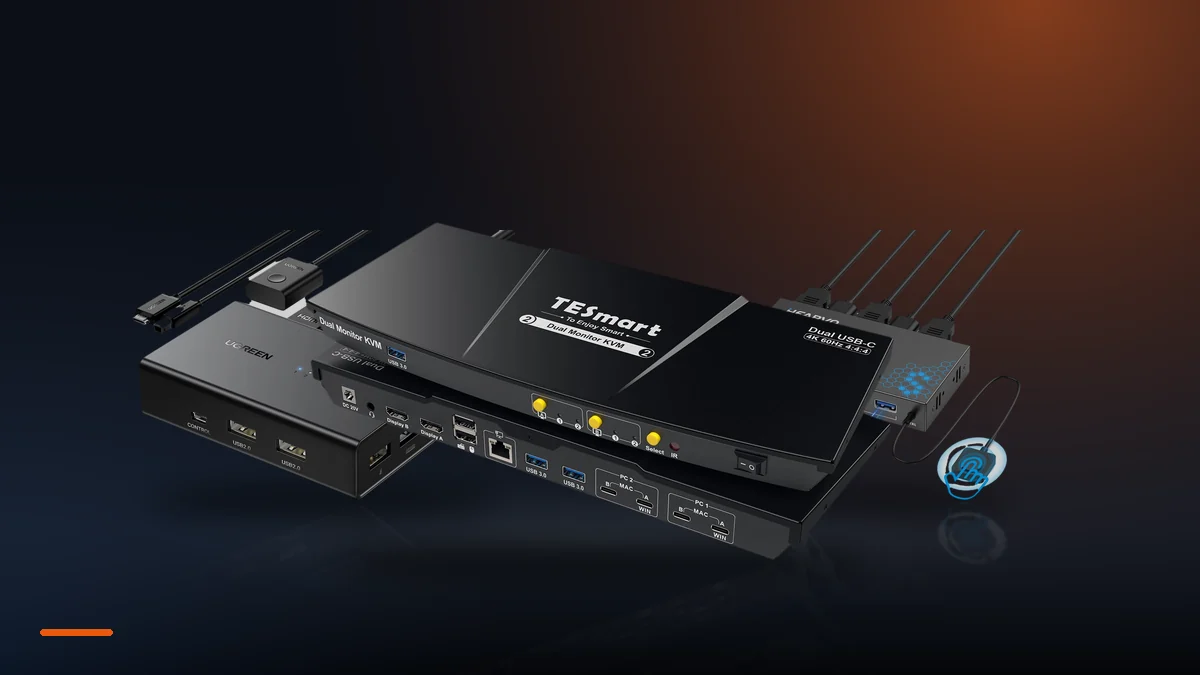
Best KVM switches overview
| Product | Best for | Key specs | Price |
|---|---|---|---|
1 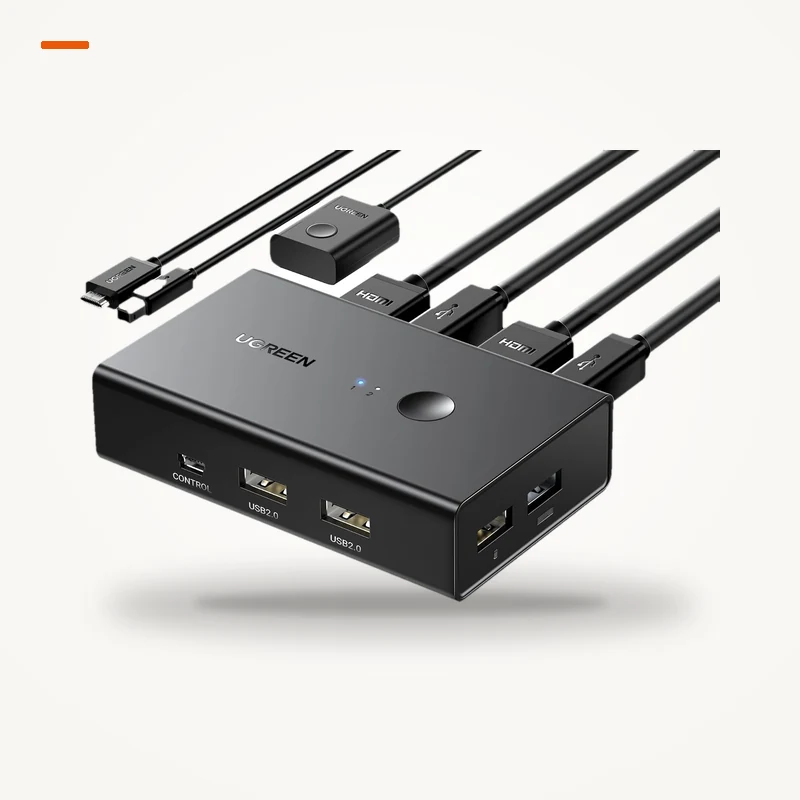 UGREEN HDMI KVM Switch (1 Monitor, 2 Computers) |
Best budget |
|
Check Price |
2 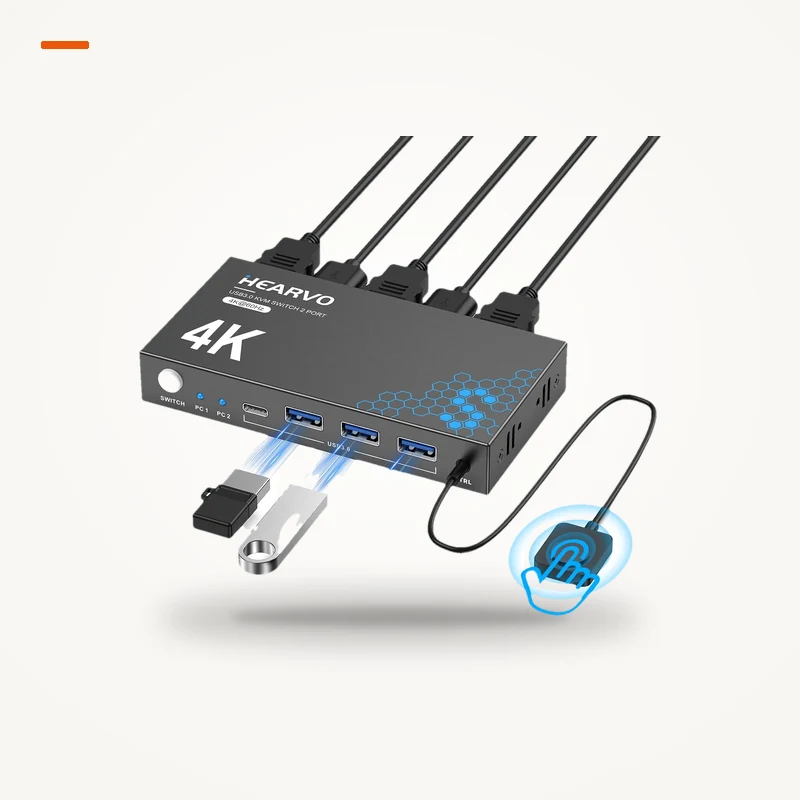 Hearvo USB 3.0 HDMI KVM Switch (S7232H) |
Best with USB 3.0 |
|
Check Price |
3 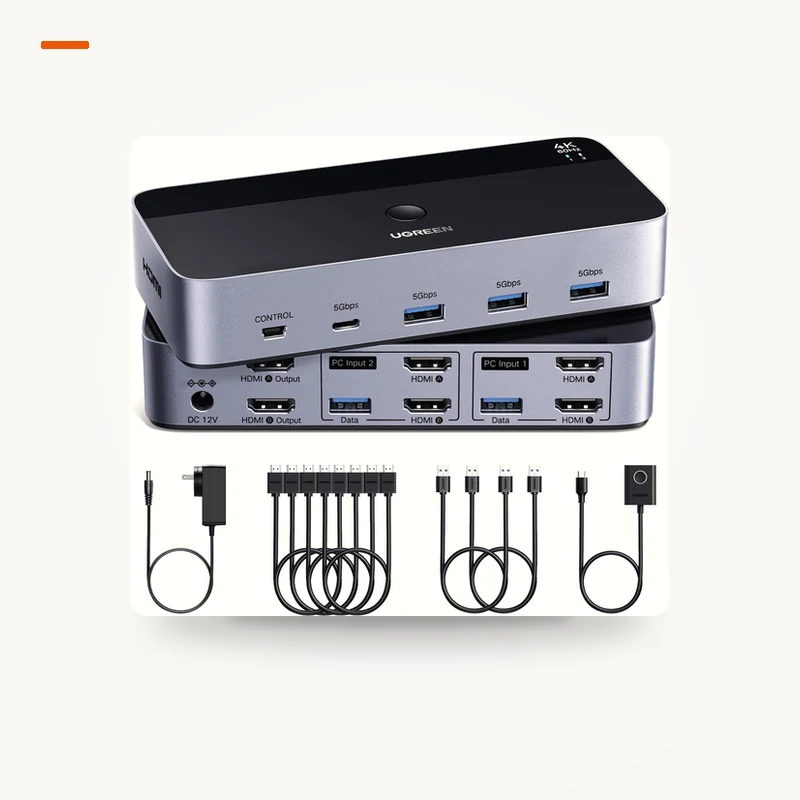 UGREEN HDMI KVM Switch (2 Monitors, 2 Computers) |
Best for two monitors |
|
Check Price |
4 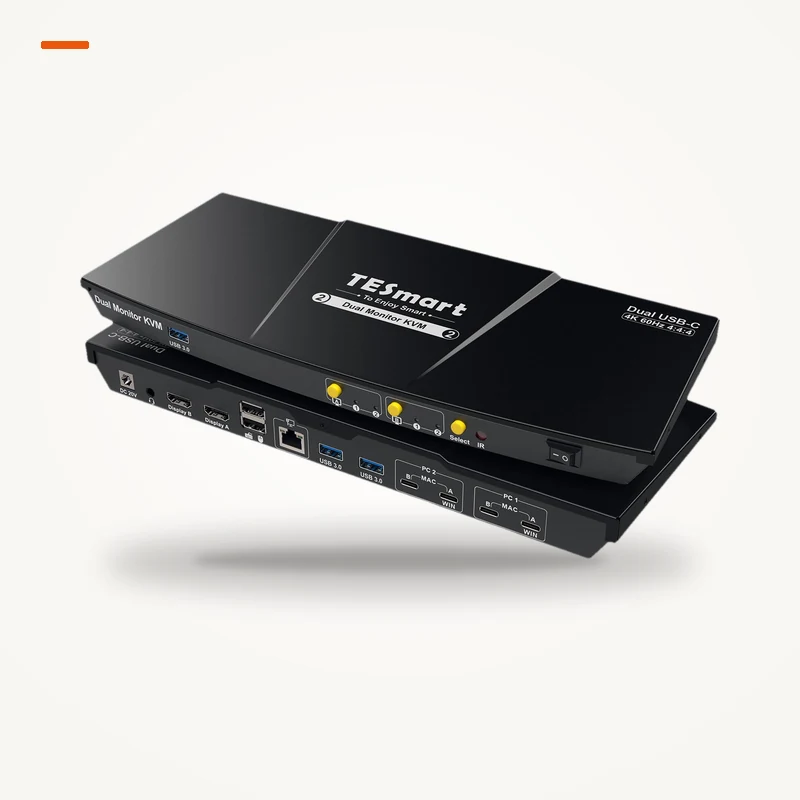 TESmart USB-C KVM Switch Dock (2 Monitors, 2 Laptops) |
Best for laptops |
|
Check Price |
How to choose a KVM switch
Number of monitors
Count your screens first. A single-monitor KVM switches one display. A dual-monitor KVM moves both screens together, but each computer needs two video outputs.
Video connection and resolution
Match the switch to your computers’ and monitors’ ports: HDMI, DisplayPort or USB-C. Check the maximum resolution and refresh rate. A switch limited to 60Hz will hold back a high-refresh gaming monitor.
USB ports and speed
Every KVM shares USB devices. USB 2.0 is fine for a keyboard and mouse; USB 3.0 is better if you also share external drives or a webcam.
Switching methods
A button on the box is standard. A desktop controller or remote lets you hide the switch, and hotkeys let you switch from the keyboard. Not every KVM supports hotkeys, especially with gaming keyboards.
EDID emulation
Without EDID emulation, a computer may think the monitor was unplugged when you switch away, which can shuffle your windows and icons. Switches with EDID emulation keep the display “present” for both computers.
Wireless keyboards and mice
Wireless receivers plugged into a KVM can be flaky if they’re far from your desk. Keep the switch or receiver close, or use an extension cable; our guide to wireless mouse lag covers other causes.
The best KVM switches reviewed
1. UGREEN HDMI KVM Switch (1 Monitor, 2 Computers) — best budget KVM switch
Who it’s for: Anyone sharing one monitor, keyboard and mouse between a work laptop and a personal PC on a budget.
UGREEN’s basic KVM switch lets two computers share one HDMI monitor and four USB devices, such as a keyboard, mouse and printer. It supports up to 4K at 60Hz and 2560 × 1440 at 120Hz, with HDR and HDCP 2.2, and works with Windows, macOS and Linux without drivers.
You switch with the button on the unit or the included desktop controller. Two HDMI cables and two USB cables come in the box. UGREEN notes it doesn’t work with docking stations and that wireless keyboard and mouse receivers need to be close to the switch. It was $27.99 (Prime member price), sold by UGREEN, on November 28, 2026.
Key specs: Shares 1 HDMI monitor and 4 USB 2.0 devices between 2 computers; up to 4K@60Hz and 2560 × 1440@120Hz; HDMI 2.0, HDCP 2.2, HDR; button or desktop controller switching; driver-free on Windows, macOS and Linux; includes 2 HDMI and 2 USB cables; not for docking stations.
- Very low price
- 4K@60Hz support
- Cables included
- Desktop controller
- USB 2.0 only
- Wireless receivers must be close
- No hotkey switching listed
2. Hearvo USB 3.0 HDMI KVM Switch (S7232H) — best KVM switch with USB 3.0
Who it’s for: People who also share fast USB storage or a webcam between two computers on one monitor.
Hearvo’s S7232H shares one monitor and four USB 3.0 ports between two computers, with three USB-A ports and a USB-C port running at up to 5Gbps, so external drives transfer much faster than on a USB 2.0 switch. It supports 4K at 60Hz with HDCP 2.2.
Adaptive EDID is designed to keep display settings stable as you switch, and a wired remote lets you hide the unit away from the desk. Hearvo says it needs no power supply or drivers. It was $34.99, sold by Hearvo Direct, on November 28, 2026.
Key specs: Shares 1 HDMI monitor and 4 USB 3.0 ports (3 × USB-A, 1 × USB-C, up to 5Gbps) between 2 computers; up to 4K@60Hz; HDCP 2.2; adaptive EDID; button or wired remote switching; no power supply or drivers needed; includes 2 USB 3.0 cables.
- USB 3.0 with a USB-C port
- Adaptive EDID
- Wired remote
- Low price
- HDMI cables not listed in the box
- Single monitor only
- Lesser-known brand
3. UGREEN HDMI KVM Switch (2 Monitors, 2 Computers) — best dual monitor KVM switch
Who it’s for: Anyone with a dual-monitor desk who wants both screens to follow the computer they’re using.
UGREEN’s dual-monitor KVM switch moves two HDMI monitors, a keyboard, mouse and other USB devices between two computers at once, in extend or mirror mode. It has four USB 3.0 ports (three USB-A and one USB-C) and supports up to 4K at 60Hz with HDR10+.
Each computer needs two HDMI outputs plus a USB connection, and both monitors always show the same computer. UGREEN says it doesn’t support EDID emulation or keyboard hotkey switching; you switch with the button or desktop controller. Four HDMI cables are included. It was $61.74 (Prime member price), sold by UGREEN, on November 28, 2026.
Key specs: Shares 2 HDMI monitors (extend or mirror) and 4 USB 3.0 ports (3 × USB-A, 1 × USB-C) between 2 computers; up to 4K@60Hz; HDCP 2.2, HDR10+; button or desktop controller switching; each computer needs 2 HDMI outputs; no EDID emulation or hotkey switching; includes 4 HDMI cables.
- Two monitors switch together
- USB 3.0 with USB-C
- Four HDMI cables included
- Mid-range price
- No EDID emulation
- No hotkey switching
- Each PC needs two HDMI outputs
4. TESmart USB-C KVM Switch Dock (2 Monitors, 2 Laptops) — best USB-C KVM switch for laptops
Who it’s for: People switching two laptops between a dual-monitor desk who want charging and a dock in one box.
TESmart’s KVM is a USB-C dock and dual-monitor switch in one. Two laptops connect over USB-C, and the dock drives two HDMI 2.0 monitors at up to 4K at 60Hz, or high refresh rates such as 1440p at 144Hz, while supplying up to 60W of charging. It adds three USB 3.2 Gen 1 ports, two USB ports for a keyboard and mouse, gigabit Ethernet and a headset jack.
You can switch with hotkeys, the front button or a remote, and EDID emulation stops windows rearranging. Check compatibility first: Windows laptops need MST for two extended screens, MacBooks need two USB-C connections, and TESmart notes M1 and M2 Macs only support one extended display natively. It was $344.99 (Prime member price), sold by TESmart, on November 28, 2026, with only a few left in stock.
Key specs: USB-C KVM dock for 2 laptops and 2 HDMI 2.0 monitors; up to 4K@60Hz and 1440p@144Hz; 60W power delivery; 3 × USB 3.2 Gen 1, 2 × USB for keyboard and mouse, gigabit LAN, 3.5 mm jack; hotkey, button and remote switching; EDID emulation; MacBooks need two USB-C links; M1/M2 Macs limited to one extended display; includes 4 USB-C cables.
- Dock, charger and KVM in one
- Hotkey switching
- EDID emulation
- Gigabit Ethernet
- Expensive
- Mac display limits on M1/M2
- Laptops only (USB-C)
KVM switches compared
| Switch | Monitors | Max resolution | USB | Switching | Price (Nov 28) |
|---|---|---|---|---|---|
| UGREEN (1 monitor) | 1 HDMI | 4K@60Hz | 4 × USB 2.0 | Button, controller | $27.99 (Prime) |
| Hearvo S7232H | 1 HDMI | 4K@60Hz | 4 × USB 3.0 incl. USB-C | Button, wired remote | $34.99 |
| UGREEN (2 monitors) | 2 HDMI | 4K@60Hz | 4 × USB 3.0 incl. USB-C | Button, controller | $61.74 (Prime) |
| TESmart USB-C dock | 2 HDMI | 4K@60Hz | 3 × USB 3.2 + 2 × USB | Hotkeys, button, remote | $344.99 (Prime) |
Which KVM switch fits you?
| If you… | Choose | Why |
|---|---|---|
| Want the cheapest way to share one monitor | UGREEN (1 monitor) | 4K@60Hz, controller, under $30 |
| Share external drives too | Hearvo S7232H | USB 3.0 with a USB-C port |
| Have two monitors | UGREEN (2 monitors) | Both screens switch together |
| Switch two laptops and want charging | TESmart USB-C dock | 60W charging, Ethernet, hotkeys |
Setting up a KVM switch
- Connect each computer’s video output and a USB cable to the switch.
- Plug your monitor, keyboard, mouse and other USB devices into the switch’s outputs.
- Put the desktop controller or remote where you can reach it.
- Tidy the extra cables; our desk cable management guide shows how.
- If your keyboard or mouse acts oddly through the switch, try plugging it into a different port or using a wired connection.
If you want a cleaner desk overall, pair your KVM with a monitor arm and see our desk setup guide.
FAQ
What does a KVM switch do?
It lets two or more computers share one keyboard, mouse and monitor, so you can switch between them without moving cables.
Do KVM switches work with wireless keyboards and mice?
Usually, if you plug the wireless receiver into the switch. Keep it close to the devices; some listings specify a short range.
Can I use a KVM switch with a laptop?
Yes. Connect the laptop’s video output and a USB cable, or use a USB-C KVM like the TESmart that also charges it.
Do I need a dual-monitor KVM for two screens?
Yes, if you want both screens to switch together. Each computer also needs two video outputs.
Do KVM switches add input lag?
KVMs that pass keyboard and mouse signals straight through generally aren’t noticeable for everyday use. Competitive gamers may prefer to plug their mouse directly into the PC.
Final verdict
The UGREEN HDMI KVM Switch is the simplest, cheapest way to share one monitor between two computers. Choose the Hearvo S7232H for faster USB 3.0 ports, the UGREEN dual-monitor KVM if you have two screens, and the TESmart USB-C dock if you switch two laptops and want charging and Ethernet in the same box. Whichever you choose, check that its video ports match your computers and monitors.

Experience is what matters at the end!!
Hi! This is Jacob Jay – founder of Keyboardgear.com! From childhood to adulthood, I’ve always remained passionate about IT, and the revolution in this industry, especially gaming on the PC can’t go out of my way. Since I’m an enthusiastic gamer, and I love to experience various gaming accessories, particularly mechanical keyboards, that really boost my gaming adventure manifolds. So, my nerve cells hit me to transfer my experiences into word form and share with others to identify the ideal keyboards perfectly fit for their gaming modes.
I know very well how hard it is to find the high-quality items available on the internet that ought to be exactly the same as seen as on the screen. But the counterfeiters have ruined the user’s trust. As I have passed all such situations, I’m obliged to deliver the genuinity and express the same as what I am saying.
So, now, I’m working on the mission to provide very helpful and frankly but trustworthy reviews and guides about various mechanical keyboards, mouses, and other gaming accessories as per my personal experiences and sound knowledge.