

Quick answer
A wireless mouse battery can last anywhere from a few days to about two years. Basic office mice on AA or AAA batteries often run for many months to two years, rechargeable office mice for weeks to a couple of months per charge, and wireless gaming mice for days to a few weeks. RGB lighting, high polling rates and leaving the mouse switched on drain batteries fastest.
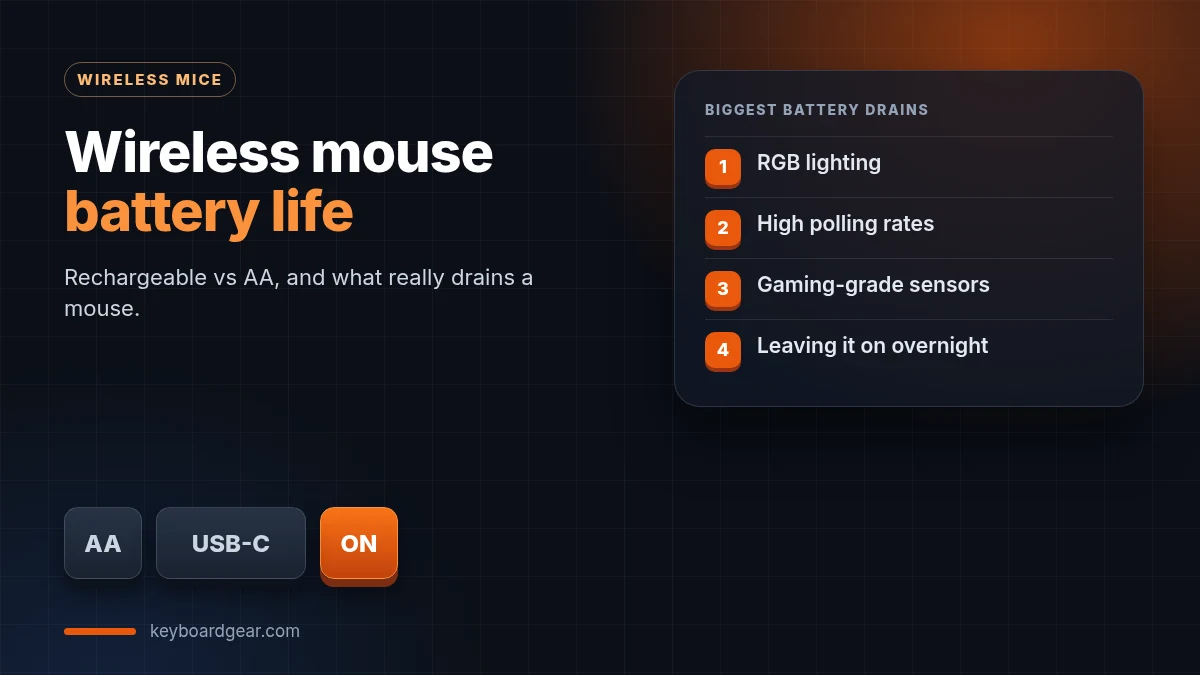
Battery life is one of the biggest practical differences between mice, and makers’ figures are measured under their own test conditions. Use them to compare models, not as a promise.
AA vs rechargeable mice
| Feature | AA or AAA battery mouse | Rechargeable mouse |
|---|---|---|
| Typical life | Months to about 2 years | Days to a few months per charge |
| When it runs out | Swap batteries in seconds | Plug in; many allow use while charging |
| Running cost | Ongoing batteries | Built in |
| Long-term | Lasts as long as the mouse | Battery wears over years |
| Weight | Batteries add weight | Often lighter |
AA mice suit people who want to forget about charging. Use rechargeable NiMH AA batteries to cut waste and cost, if your mouse supports them.
Rechargeable mice are lighter and never need new batteries, and quick charging is common. For example, Logitech says one minute of charging gives the MX Master 3S up to three hours of use. The trade-off is that a built-in battery slowly loses capacity over the years.
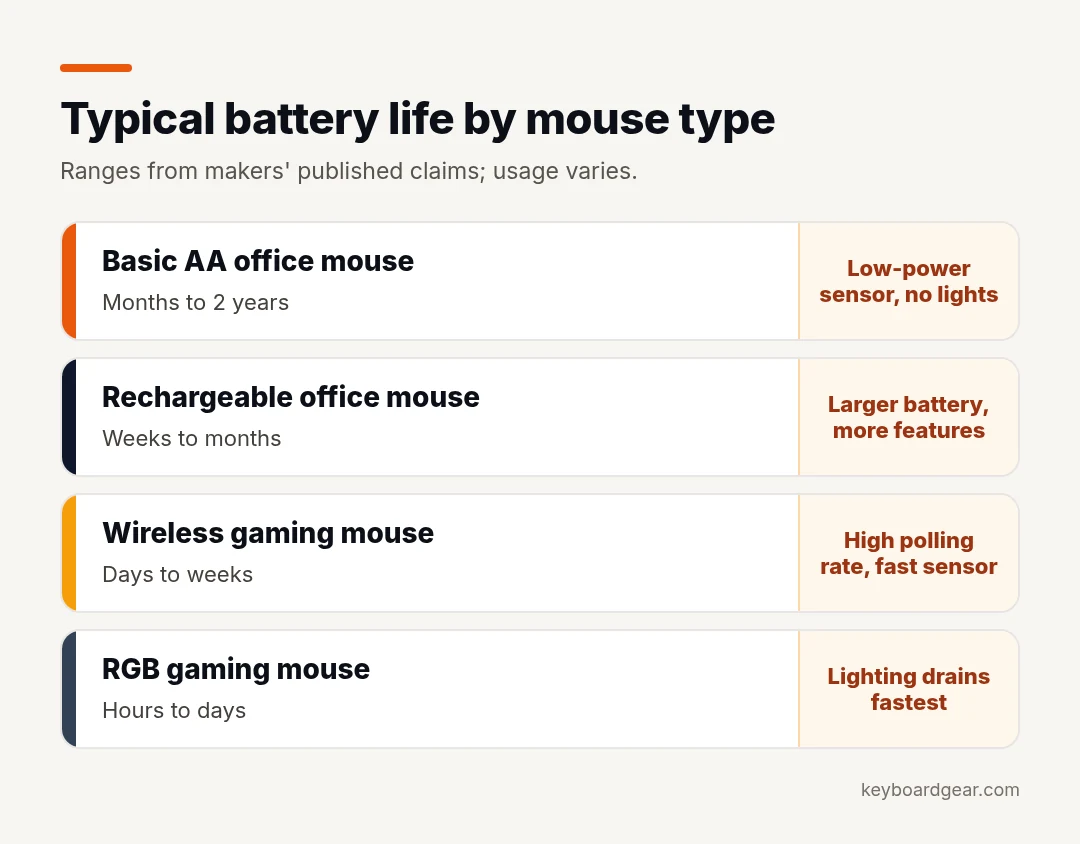
What drains a mouse battery
- Lighting. RGB lighting is the biggest drain on gaming mice. Turning it off often extends battery life significantly.
- Polling rate. A mouse reporting 4,000 or 8,000 times a second uses more power than one at 1,000 Hz. See mouse polling rate explained.
- Sensor. High-performance gaming sensors use more power than basic office sensors.
- Bluetooth vs receiver. Results vary by mouse; some makers rate Bluetooth longer, others the receiver. Check your model’s specs.
- Never switching off. Most mice sleep when idle, but turning the switch off overnight or in a bag still helps.
How to make the battery last longer
- Turn off or dim RGB lighting in the mouse software.
- Drop the polling rate to 1,000 Hz for everyday use.
- Switch the mouse off when you travel or won’t use it for a while.
- Keep the receiver close so the mouse doesn’t work harder to stay connected; see wireless mouse lag.
- Don’t leave a rechargeable mouse in a hot car or on a radiator, as heat speeds up battery wear.
If a mouse starts lagging or jumping for no obvious reason, check the battery first. Many mice misbehave before they shut down.
Battery safety and disposal
- Use the cable or charger type the maker recommends, and stop using a mouse with a swollen, hot or damaged battery.
- Don’t throw lithium-ion batteries or devices containing them in household trash or curbside recycling. The US EPA advises taking them to battery recycling or household hazardous waste drop-off points.
- Recycle used AA batteries according to local rules.
Is wireless worth it?
For most people, yes: modern wireless mice are fast and reliable. If you hate charging or need zero latency, compare in our wired vs wireless mouse guide, or browse our best wireless mice.
Reading a battery claim
Battery life figures on spec sheets are usually measured under particular conditions, such as a certain polling rate or with lighting off. Real use is often shorter if you use bright lighting, a high polling rate or constant movement. Treat the figure as a best case.
Habits that help
- Turn the mouse off when you pack it or leave it for a long time.
- Turn off lighting if it has any.
- Keep the receiver close to the mouse, since a weak signal can use more power.
- Don’t mix old and new batteries in a mouse that uses AA or AAA cells.
Rechargeable versus replaceable
A rechargeable mouse is convenient, but it needs charging and may stop working at a bad moment. A mouse with replaceable batteries lets you swap and carry on, which is useful for travel. See wired vs wireless mouse for the trade-offs.
Next steps
Our best wireless mouse and best travel mouse guides compare real products. If your mouse stutters before the battery dies, read wireless mouse lag.
FAQ
How long should a wireless mouse battery last?
From a few days for RGB gaming mice to about two years for some basic AA office mice.
Is a rechargeable mouse better than AA?
Rechargeable mice are lighter and avoid buying batteries; AA mice last longer between changes and never wear out a built-in cell.
Can I use a wireless mouse while it charges?
Many rechargeable mice can be used while plugged in. Check your model.
Why does my wireless mouse battery die so fast?
Usually RGB lighting, a high polling rate or leaving it switched on.
How do I dispose of an old rechargeable mouse?
Take it to an electronics recycler or a hazardous waste drop-off point. Don’t put it in household trash.
Sources
Final thoughts
If you want the least maintenance, choose an office mouse with long-rated AA battery life. If you want a lighter mouse and don’t mind charging, choose rechargeable and turn off the lighting. Either way, compare makers’ rated battery life model by model.

Experience is what matters at the end!!
Hi! This is Jacob Jay – founder of Keyboardgear.com! From childhood to adulthood, I’ve always remained passionate about IT, and the revolution in this industry, especially gaming on the PC can’t go out of my way. Since I’m an enthusiastic gamer, and I love to experience various gaming accessories, particularly mechanical keyboards, that really boost my gaming adventure manifolds. So, my nerve cells hit me to transfer my experiences into word form and share with others to identify the ideal keyboards perfectly fit for their gaming modes.
I know very well how hard it is to find the high-quality items available on the internet that ought to be exactly the same as seen as on the screen. But the counterfeiters have ruined the user’s trust. As I have passed all such situations, I’m obliged to deliver the genuinity and express the same as what I am saying.
So, now, I’m working on the mission to provide very helpful and frankly but trustworthy reviews and guides about various mechanical keyboards, mouses, and other gaming accessories as per my personal experiences and sound knowledge.