

Quick answer
A gaming mouse is tuned for fast, precise movement: it usually has a higher polling rate (often 1,000 Hz or more), a high-end sensor, a lighter body, crisp switches and programmable buttons. An office mouse is tuned for comfort and convenience: quieter clicks, longer battery life, multi-device switching and features like fast scrolling. For everyday work, an office mouse is usually enough; a gaming mouse matters most for fast competitive games.
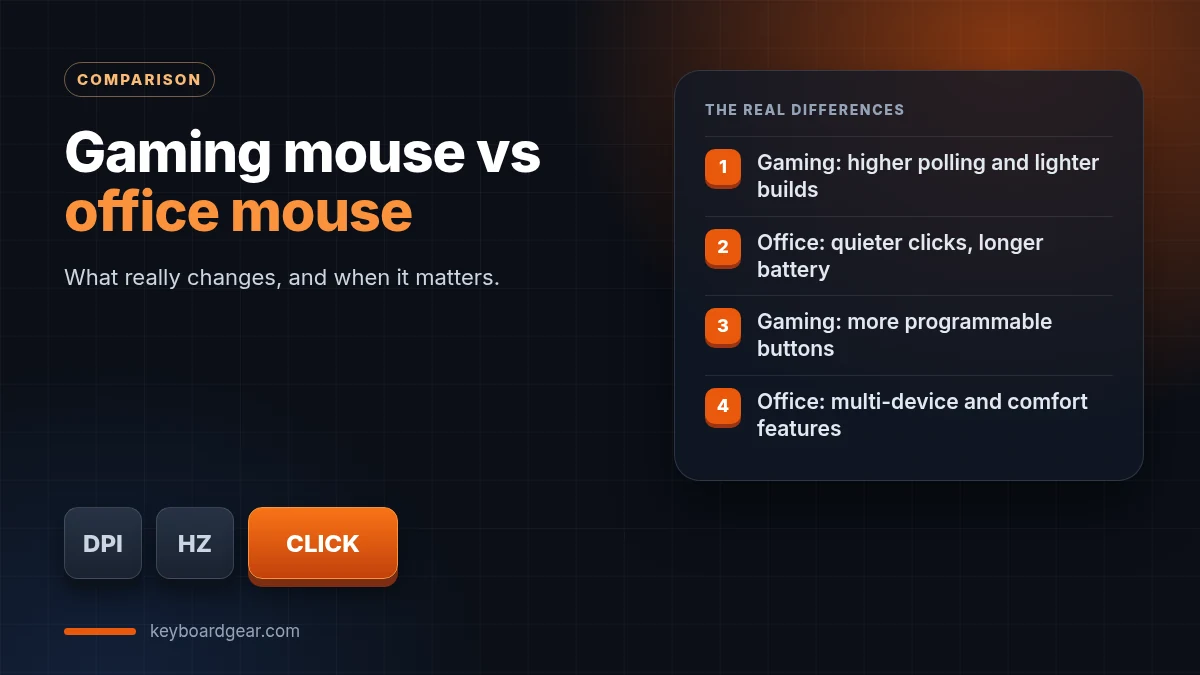
Walk down any mouse aisle and you’ll see the split: glowing gaming mice with big DPI numbers on one side, sleek office mice on the other. Some differences are real, some are marketing. Here’s what actually changes.
Sensor and DPI
Both types use optical sensors today; see optical vs laser mouse for the background. Gaming sensors typically track faster movements without losing accuracy and offer very high DPI settings. In practice, very few people use the maximum DPI. Most gamers play at modest DPI settings, and office work rarely needs more than an ordinary sensor offers. Some office mice, like Logitech’s MX range, add tracking on glass, which gaming mice usually don’t advertise.
Polling rate
Polling rate is how often the mouse reports its position to the computer. Gaming mice commonly run at 1,000 Hz, and some offer 4,000 or 8,000 Hz. Office mice usually report less often, which saves battery. Higher polling slightly reduces input delay, which can matter in fast shooters but isn’t noticeable in a spreadsheet. Our guide to keyboard input latency explains why small delays add up in games.
Weight and shape
Competitive gaming mice have become very light, often well under 80 grams, so they’re easy to flick and lift. Office mice tend to be heavier and more sculpted, with thumb rests that support the hand during long sessions. Neither is better; it’s about the movement you make most. See does mouse weight matter? and mouse grip styles.
Buttons and software
Gaming mice usually have extra programmable buttons, DPI switches and onboard memory for profiles. Office mice often have fewer buttons but more productivity features, such as horizontal scrolling, app-specific shortcuts and switching between computers. Both can usually be customized with the maker’s software.
Clicks and noise
Gaming switches are built to feel crisp and fast, which often means louder clicks. Many office mice now use quiet or silent clicks, which colleagues will appreciate in shared spaces.
Battery and connectivity
Wireless gaming mice use fast 2.4 GHz receivers for low latency, but high polling rates and lighting drain batteries faster. Office mice often last weeks or months, connect by Bluetooth or a receiver, and can switch between several devices.
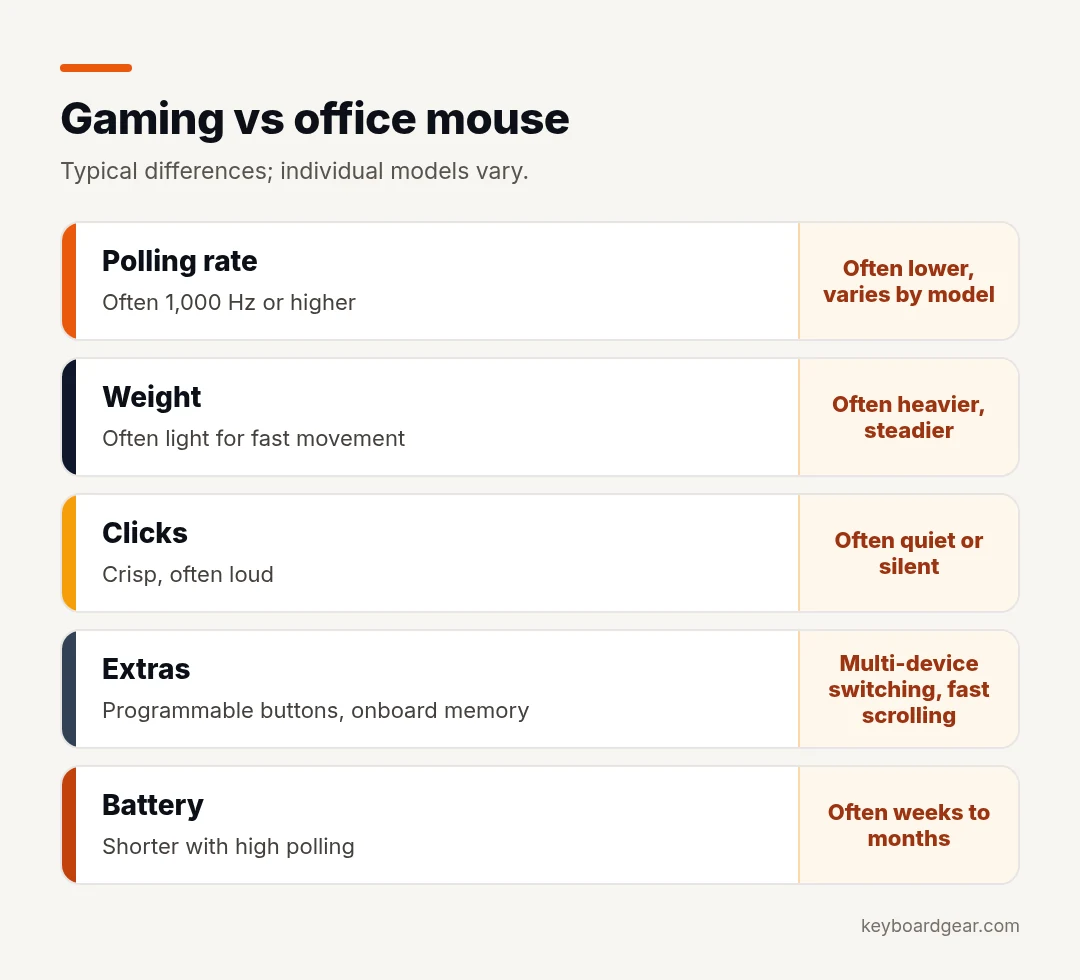
| Feature | Gaming mouse | Office mouse |
|---|---|---|
| Main goal | Speed and precision | Comfort and convenience |
| Typical polling | 1,000 Hz or higher | Lower, varies |
| Weight | Often light | Often heavier |
| Clicks | Crisp, often louder | Often quiet |
| Extra features | Programmable buttons, profiles | Multi-device, fast scroll |
| Battery (wireless) | Shorter | Longer |
Can you use a gaming mouse for work?
Yes. A gaming mouse works perfectly well for office tasks, and its extra buttons can be mapped to shortcuts like copy, paste or switching desktops. The trade-offs are louder clicks, sometimes shorter battery life and a design that may not suit a professional setting.
Can you game with an office mouse?
For casual, strategy, puzzle and many single-player games, yes. An office mouse can feel limiting in fast competitive shooters, where lighter weight, higher polling and reliable tracking during fast flicks help.
Don’t buy on DPI alone. A huge DPI number on the box says little about how a mouse tracks or feels.
Which should you buy?
- Mostly work, some casual gaming: a comfortable office mouse. See our best wireless mice.
- Competitive gaming: a gaming mouse that fits your hand and grip. See our best gaming mouse picks.
- Both: a lighter mid-range wireless gaming mouse with quiet-ish clicks, or two mice for two jobs.
FAQ
Is a gaming mouse better than a normal mouse?
For fast games, usually yes. For everyday work, not necessarily; office mice are often more comfortable and quieter.
Does DPI matter for office work?
Not much. Any modern mouse has enough DPI for office tasks.
Is 1,000 Hz polling rate necessary?
For competitive gaming it’s a sensible baseline. For office work, it makes no practical difference.
Are gaming mice more durable?
Many use switches rated for tens of millions of clicks, but durability varies by model in both categories.
Why are office mice quieter?
Many use dampened or silent switches designed for shared spaces.
Related guide: Mouse Terms Glossary: DPI, Polling Rate, Lift-Off and More
Final thoughts
Gaming mice trade battery life and quiet for speed and responsiveness; office mice do the opposite. If you mainly work, an office mouse is likely all you need. If you play fast competitive games, a gaming mouse that fits your hand is worth it.

Experience is what matters at the end!!
Hi! This is Jacob Jay – founder of Keyboardgear.com! From childhood to adulthood, I’ve always remained passionate about IT, and the revolution in this industry, especially gaming on the PC can’t go out of my way. Since I’m an enthusiastic gamer, and I love to experience various gaming accessories, particularly mechanical keyboards, that really boost my gaming adventure manifolds. So, my nerve cells hit me to transfer my experiences into word form and share with others to identify the ideal keyboards perfectly fit for their gaming modes.
I know very well how hard it is to find the high-quality items available on the internet that ought to be exactly the same as seen as on the screen. But the counterfeiters have ruined the user’s trust. As I have passed all such situations, I’m obliged to deliver the genuinity and express the same as what I am saying.
So, now, I’m working on the mission to provide very helpful and frankly but trustworthy reviews and guides about various mechanical keyboards, mouses, and other gaming accessories as per my personal experiences and sound knowledge.