

Quick answer
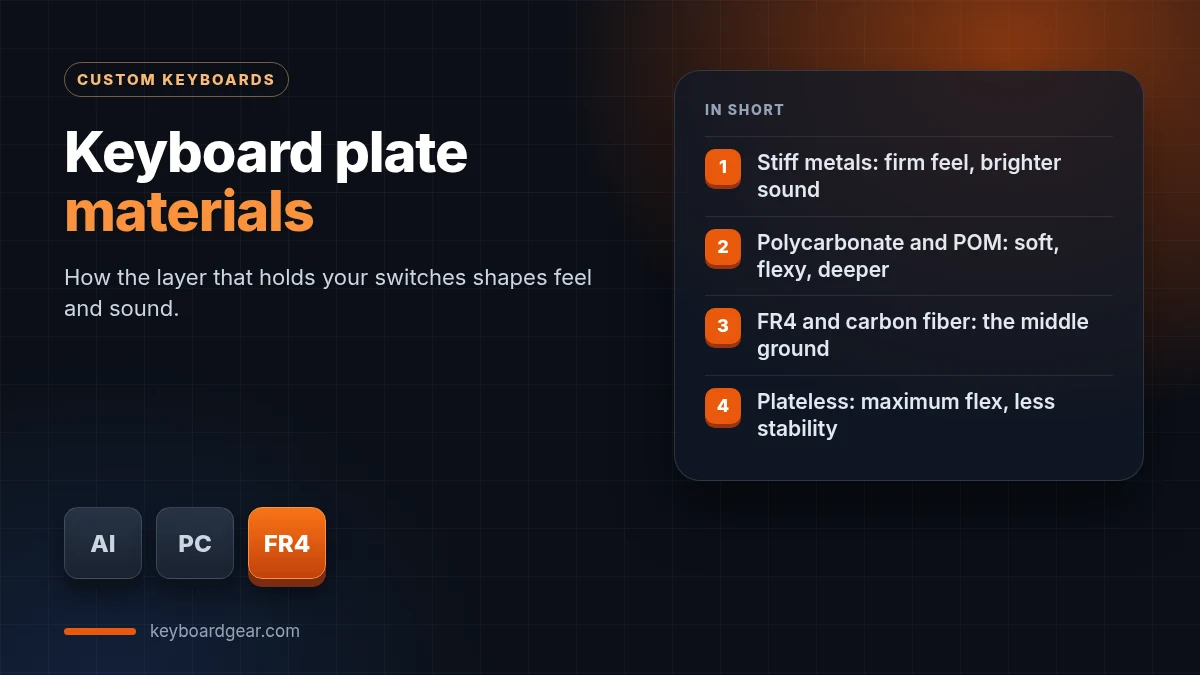
The plate is the layer that holds your switches. Stiff plates like brass, steel and aluminum feel firm and sound brighter and sharper. Flexible plates like polycarbonate (PC) and POM feel softer and sound deeper and more muted. FR4 and carbon fiber sit in the middle. For most people, aluminum is a safe firm choice and polycarbonate is a safe soft one. Mounting style, plate thickness and flex cuts matter as much as the material.
In most mechanical keyboards, the switches clip into a plate that sits above the PCB. The plate keeps switches aligned and stable, takes some of the force of each keypress, and passes vibration to the rest of the keyboard. Change the plate and you change how hard the keyboard feels when you bottom out and the character of its sound.
Many prebuilt keyboards don’t let you choose a plate, but if you’re building a custom board or buying a kit, it’s one of the most noticeable choices you’ll make. For the bigger picture, see our guide on how to build your own mechanical keyboard.
How plates change feel and sound
Two properties matter most:
- Stiffness. A stiff plate barely flexes, so bottoming out feels firm. A flexible plate gives slightly under your fingers, which some people find more comfortable over long sessions.
- Density and weight. Heavy, dense plates like brass tend to produce higher-pitched, “pingy” sounds. Lighter, softer materials absorb more vibration and sound deeper.
Remember that these are tendencies. Thickness, flex cuts (slots cut into the plate to add flex), mounting style and foam all change the result.
The materials
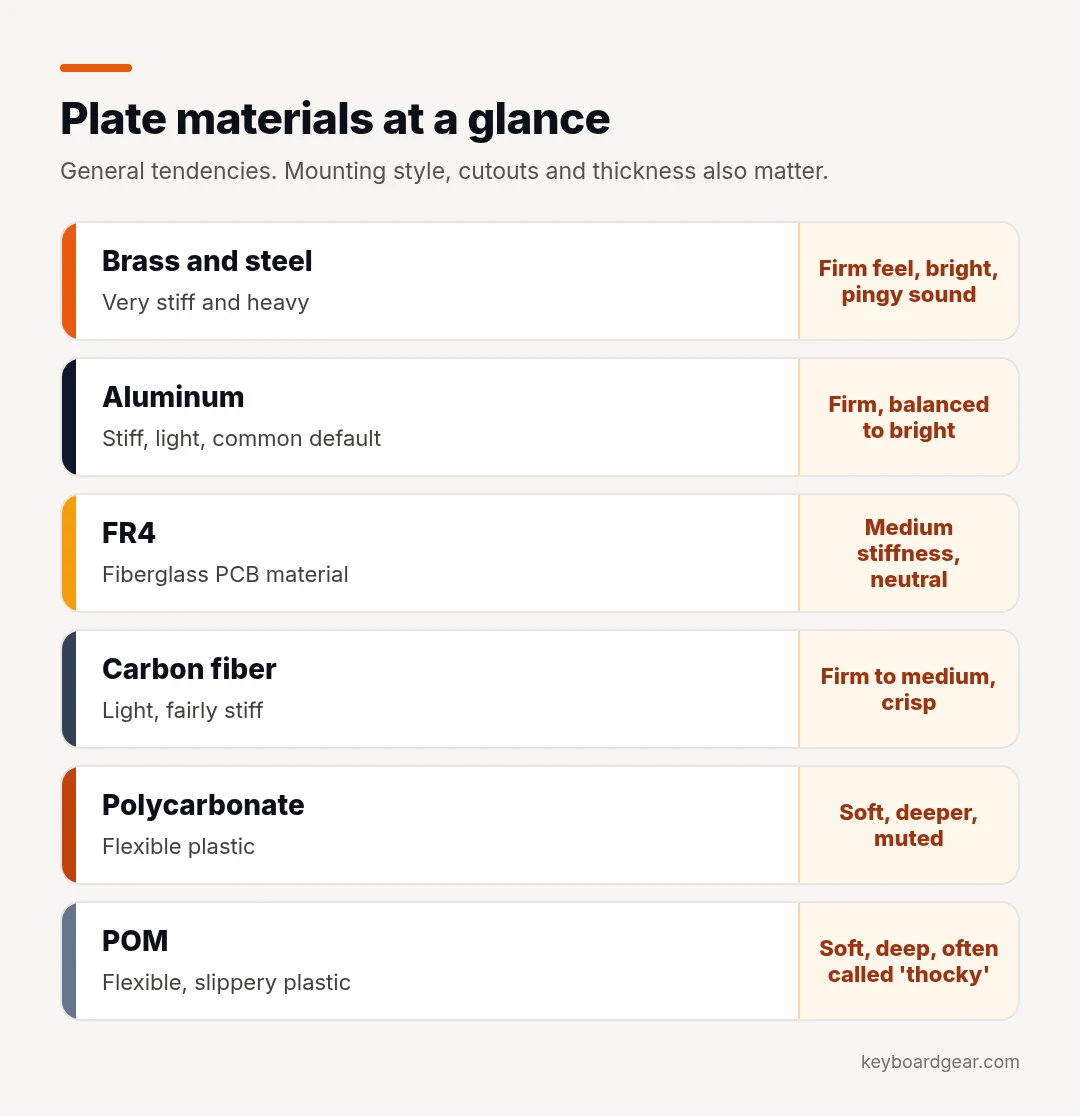
Aluminum
The most common plate in enthusiast keyboards.
- Feel: firm with a little give depending on mounting.
- Sound: balanced to bright.
- Good for: a safe default; it suits most switches and typing styles.
Brass
Heavy and very stiff.
- Feel: very firm, solid bottom-out.
- Sound: high-pitched and resonant; can be “pingy”.
- Good for: people who like a crisp, solid feel and a sharp sound. It adds weight.
Steel
Common in older and budget prebuilt keyboards.
- Feel: very stiff.
- Sound: bright, sometimes metallic.
- Good for: durability; less common in custom kits today.
Polycarbonate (PC)
A flexible, often translucent plastic.
- Feel: soft and flexy, especially with flex cuts.
- Sound: deeper and more muted.
- Good for: a softer, cushioned typing feel; translucent PC also lets RGB lighting through.
- Note: very flexible plates can make switches feel less stable, and some plates need a supporting frame or foam.
POM
A slippery engineering plastic, similar in flex to PC.
- Feel: soft.
- Sound: deep and muted, often described as “thocky”.
- Good for: fans of a deep, muted sound.
FR4
The same fiberglass material used for circuit boards.
- Feel: medium stiffness, between aluminum and PC.
- Sound: fairly neutral.
- Good for: a balanced middle ground; often inexpensive.
Carbon fiber
Light and fairly stiff.
- Feel: firm to medium.
- Sound: crisp, often a little higher-pitched than FR4.
- Good for: a light, firm plate.
Plateless (no plate)
Some builders skip the plate entirely and rely on PCB-mount switches held by the PCB alone.
- Feel: very flexible.
- Downsides: switches can feel less stable, and removing hot-swap switches can stress the sockets.
Plate material vs mounting style
How the plate is held in the case can matter more than what it’s made of. A gasket-mounted keyboard, where the plate sits on soft gaskets, will feel softer than a tray-mounted one with the same plate. Our guide to gasket mount keyboards explains the main mounting styles. Foam between the plate and PCB also softens the sound of any plate; our guide to keyboard foam and tape mods covers what each layer does.
Choosing a plate
| If you want… | Try |
|---|---|
| A firm, classic feel | Aluminum |
| The sharpest, most solid feel | Brass or steel |
| A soft, cushioned feel | Polycarbonate or POM |
| A deep, muted sound | POM or PC, with foam |
| A balanced middle ground | FR4 or carbon fiber |
| Lighting to shine through | Translucent PC |
Practical checks before buying a plate
- Layout and cutouts. The plate must match your PCB’s layout exactly, including the space bar and stabilizer positions.
- Switch compatibility. Plates are made for MX-style switches or low-profile switches, not both. Five-pin switches need matching holes in the PCB, not the plate; see 3-pin vs 5-pin switches.
- Stabilizer type. Plate-mounted stabilizers clip into the plate; screw-in stabilizers attach to the PCB. Check which your kit uses; our keyboard stabilizers guide explains the difference.
- Hot-swap vs soldered. On hot-swap boards, you can swap plates later by removing all the switches. On soldered boards, changing plates means desoldering.
If you’re choosing a whole kit, our best barebones keyboard kits lists which plates each kit includes.
FAQ
What is the best keyboard plate material?
There isn’t one. Aluminum is a good firm default, polycarbonate is a good soft option, and FR4 sits in between.
Does plate material change keyboard sound?
Yes. Stiffer, denser plates usually sound brighter; flexible plastic plates usually sound deeper and more muted.
Is a brass plate worth it?
If you like a very firm, solid feel and a sharp sound. It is heavy and can sound pingy, so it isn’t for everyone.
Is a polycarbonate plate too flexy?
It depends on thickness, flex cuts and mounting. Some PC plates feel pleasantly soft; very flexible ones can make switches feel less stable.
Can I change the plate on my keyboard?
Only if your keyboard is modular and a compatible plate exists. On hot-swap boards it’s straightforward; on soldered boards it requires desoldering.

Experience is what matters at the end!!
Hi! This is Jacob Jay – founder of Keyboardgear.com! From childhood to adulthood, I’ve always remained passionate about IT, and the revolution in this industry, especially gaming on the PC can’t go out of my way. Since I’m an enthusiastic gamer, and I love to experience various gaming accessories, particularly mechanical keyboards, that really boost my gaming adventure manifolds. So, my nerve cells hit me to transfer my experiences into word form and share with others to identify the ideal keyboards perfectly fit for their gaming modes.
I know very well how hard it is to find the high-quality items available on the internet that ought to be exactly the same as seen as on the screen. But the counterfeiters have ruined the user’s trust. As I have passed all such situations, I’m obliged to deliver the genuinity and express the same as what I am saying.
So, now, I’m working on the mission to provide very helpful and frankly but trustworthy reviews and guides about various mechanical keyboards, mouses, and other gaming accessories as per my personal experiences and sound knowledge.