

Quick answer
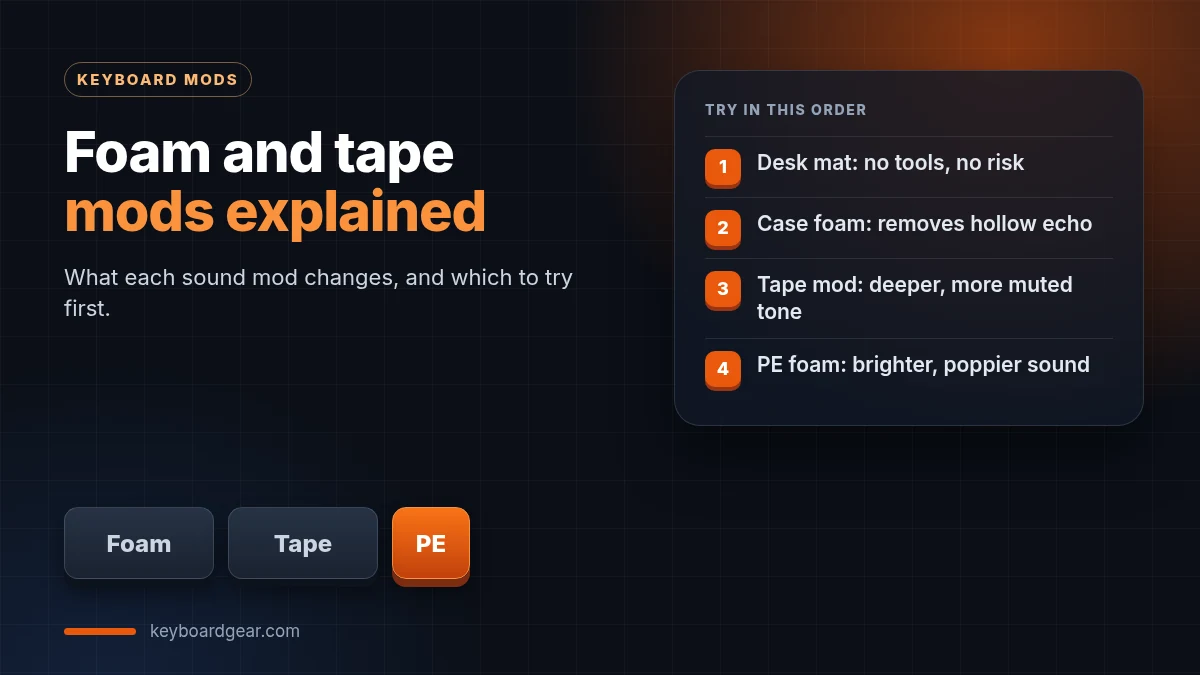
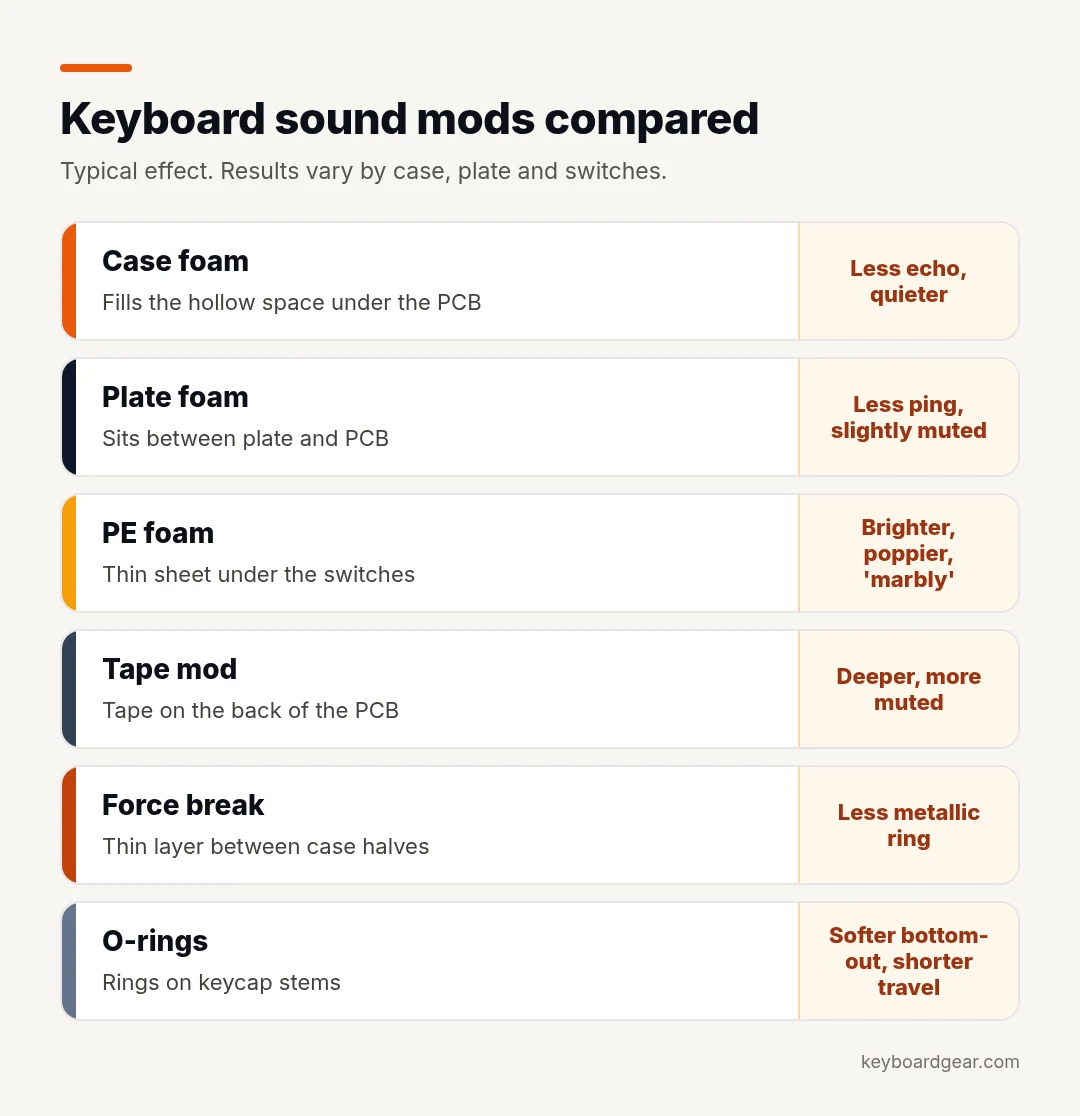
Keyboard sound mods change *how* a board sounds more than how loud it is. Case foam fills the empty space under the PCB and removes hollow echo. Plate foam reduces ping between plate and PCB. A thin PE foam sheet under the switches makes the sound brighter and “poppier”. The tape mod (a few layers of tape on the back of the PCB) makes it deeper and more muted. O-rings soften bottom-out but shorten travel. Try the easy, reversible mods first and change one thing at a time.
Many modern keyboards already ship with foam, so before you start, open the case or check the maker’s spec sheet. Adding a mod your board already has won’t change much. If your keyboard is hollow and plasticky, though, a few cheap mods can make a big difference.
We haven’t measured these mods with a sound meter, and published measurements are rare and hard to compare because every case, plate and switch behaves differently. What follows is what each mod physically changes and the effect it usually has. If you’re new to sound terms, see thock vs clack first.
Before you start
- Check whether your board can be opened. Many need a few screws removed from the bottom or under the keycaps; some use clips.
- Unplug the keyboard and remove any battery connector before opening it.
- Take photos as you go so you can put it back together.
- Record a short sound sample with your phone before and after each mod, from the same position. Our guide to keyboard sound tests explains how to record fairly.
The mods, one by one
Desk mat (no tools)
Not technically a mod, but the easiest change. A thick mat stops your desk resonating and usually makes any keyboard sound deeper and quieter.
- Effort: none. Risk: none. Reversible: yes.
Case foam
Foam cut to fit the bottom of the case, under the PCB. It fills the empty space that makes cheap keyboards sound hollow.
- Changes: less echo and “ping”, slightly quieter overall.
- Effort: moderate; you need to open the case. Risk: low, but don’t block screw posts, battery or USB connectors.
- Reversible: yes.
Plate foam
A foam sheet between the plate and the PCB, with holes for the switches. It damps vibration between the two layers.
- Changes: less spring ping and a slightly more muted sound.
- Effort: high on a hot-swap board (you must remove every switch); very high on a soldered board.
- Reversible: yes on hot-swap boards.
PE foam (switch pad)
A very thin polyethylene foam sheet placed on top of the PCB, under the switches. It became popular because it changes the tone more than the volume.
- Changes: a brighter, sharper “poppy” sound that some describe as “marbly”. If you want a deep sound, you might not like it.
- Effort: high; all switches must come out. Reversible: yes.
Tape mod
Two or three layers of painter’s or masking tape applied to the back of the PCB. It acts as a thin damping layer.
- Changes: a deeper, more muted tone, especially on hollow cases.
- Effort: moderate; you need access to the back of the PCB.
- Risk: low with paper tape. Don’t cover the USB port, battery connector or reset button, and avoid conductive tapes.
- Reversible: yes.
Force break
A thin layer of tape or foam where the top and bottom case halves meet, mostly used on metal cases.
- Changes: less metallic ringing between case halves.
- Effort: low once the case is open. Reversible: yes.
O-rings
Rubber rings fitted on the keycap stems.
- Changes: a softer bottom-out and lower volume.
- Downsides: shorter travel and a slightly mushy feel. Some people don’t like it.
- Effort: low. Reversible: yes.
Fix the stabilizers first
On many keyboards, the loudest problem isn’t the switches or the case: it’s rattle from the space bar, Enter, Shift and Backspace stabilizers. Lubing and tuning them often makes a bigger difference than any foam. Our guide to keyboard stabilizers shows how.
Which mods should you try?
| If your keyboard sounds… | Try |
|---|---|
| Hollow or echoey | Case foam, then the tape mod |
| High-pitched or pingy | Plate foam, or lube springs and stabilizers |
| Too loud on bottom-out | Desk mat, O-rings or silent switches |
| Rattly on big keys | Tune and lube the stabilizers |
| Too dull, and you want more “pop” | PE foam |
What foam can’t do
Foam and tape change the case and PCB, not the switches. If the main noise is the switch itself, consider different switches: see how silent switches work. Mounting style also changes sound a lot; gasket mount keyboards sit on soft gaskets and often sound softer from the start.
For more ways to cut noise, our full guide on how to make a keyboard quieter covers the rest. If you’re planning a custom board, read how to build your own mechanical keyboard before choosing a case.
Related guide: Best Switch Lubes and Lube Kits for Beginners
FAQ
Does the tape mod really work?
It usually makes a keyboard sound deeper and more muted, especially on hollow cases. The change is subtle on boards that already have case foam.
Is PE foam the same as case foam?
No. PE foam is a very thin sheet under the switches that makes the sound brighter. Case foam is thicker and sits in the bottom of the case to remove echo.
Can foam damage my keyboard?
Not if it’s cut properly. Keep foam and tape away from connectors, batteries and screw posts, and avoid conductive materials.
Do I need to remove the switches for these mods?
For case foam and the tape mod, usually not. For plate foam and PE foam, yes.
Will mods make my keyboard silent?
No. They change the tone and reduce echo. For the biggest drop in volume, use silent switches, a desk mat and a lighter touch.

Experience is what matters at the end!!
Hi! This is Jacob Jay – founder of Keyboardgear.com! From childhood to adulthood, I’ve always remained passionate about IT, and the revolution in this industry, especially gaming on the PC can’t go out of my way. Since I’m an enthusiastic gamer, and I love to experience various gaming accessories, particularly mechanical keyboards, that really boost my gaming adventure manifolds. So, my nerve cells hit me to transfer my experiences into word form and share with others to identify the ideal keyboards perfectly fit for their gaming modes.
I know very well how hard it is to find the high-quality items available on the internet that ought to be exactly the same as seen as on the screen. But the counterfeiters have ruined the user’s trust. As I have passed all such situations, I’m obliged to deliver the genuinity and express the same as what I am saying.
So, now, I’m working on the mission to provide very helpful and frankly but trustworthy reviews and guides about various mechanical keyboards, mouses, and other gaming accessories as per my personal experiences and sound knowledge.