

Keyboard Gear earns from qualifying purchases through Amazon links.
The Razer Mouse Bungee V3 Chroma is the best mouse bungee for most people: a 240 g weighted base that stays put, an adjustable spring arm that fits rubber, braided and paracord cables, and optional RGB. The Glorious bungee is a heavy, simple alternative, the Endgame Gear MB1 is the minimalist pick, and Pulsar’s Micro Bungee ES is a tiny adhesive option for about $6.
A wired mouse has one constant annoyance: the cable. It drags across the desk, catches on the edge of your mouse pad and tugs back just as you flick to a target. A mouse bungee lifts the cable off the desk and holds it at a fixed point, so it follows the mouse instead of fighting it. For gamers who prefer wired mice, it’s one of the cheapest upgrades you can make. Our comparison of wired vs wireless mice covers why some people still choose a cable.
This guide compares five mouse bungees sold on Amazon US, from a weighted RGB stand to a tiny adhesive clip. We checked availability and prices on Amazon US on November 28, 2026, and specs come from the manufacturers’ listings. We haven’t tested these bungees ourselves.
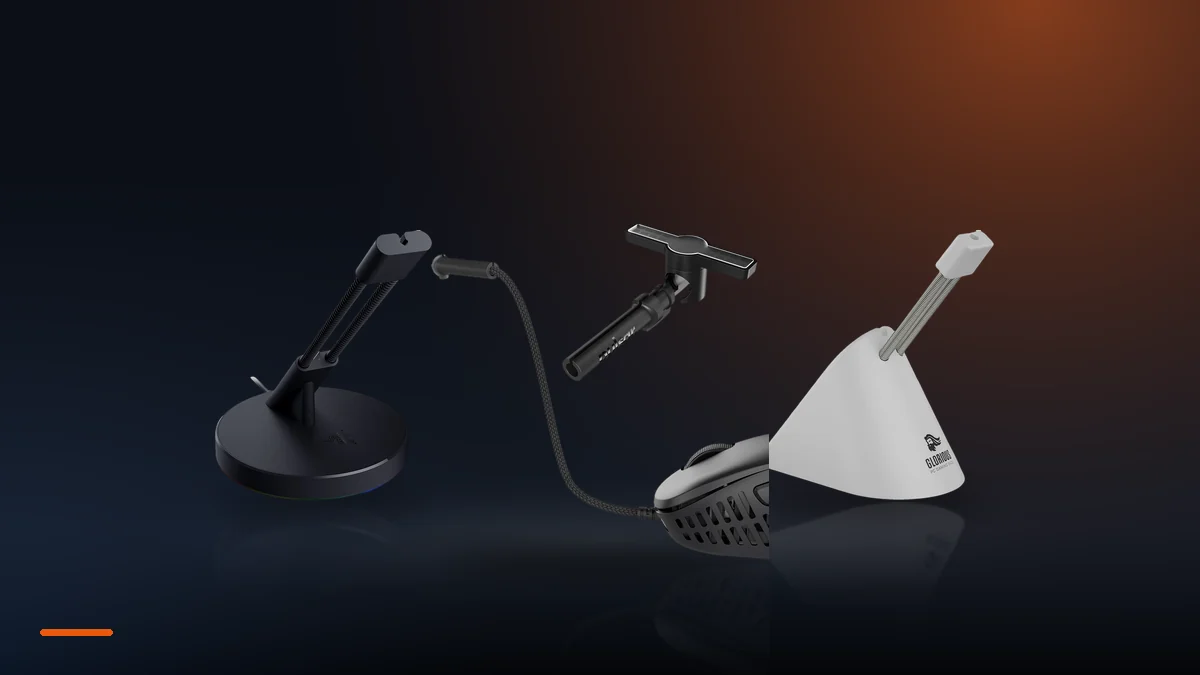
Best mouse bungees overview
| Product | Best for | Key specs | Price |
|---|---|---|---|
1 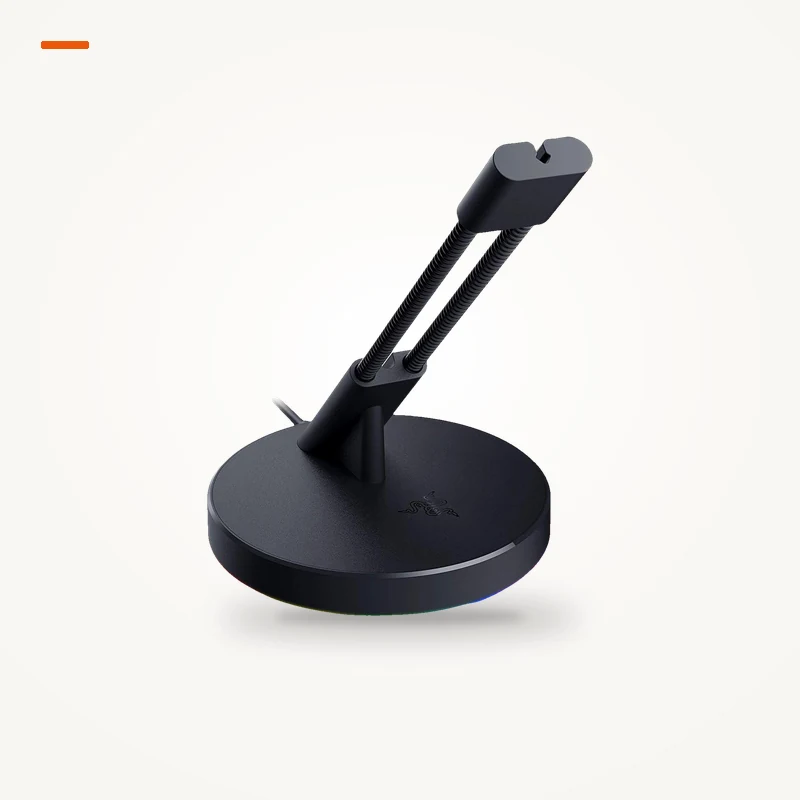 Razer Mouse Bungee V3 Chroma |
Best overall |
|
Check Price |
2 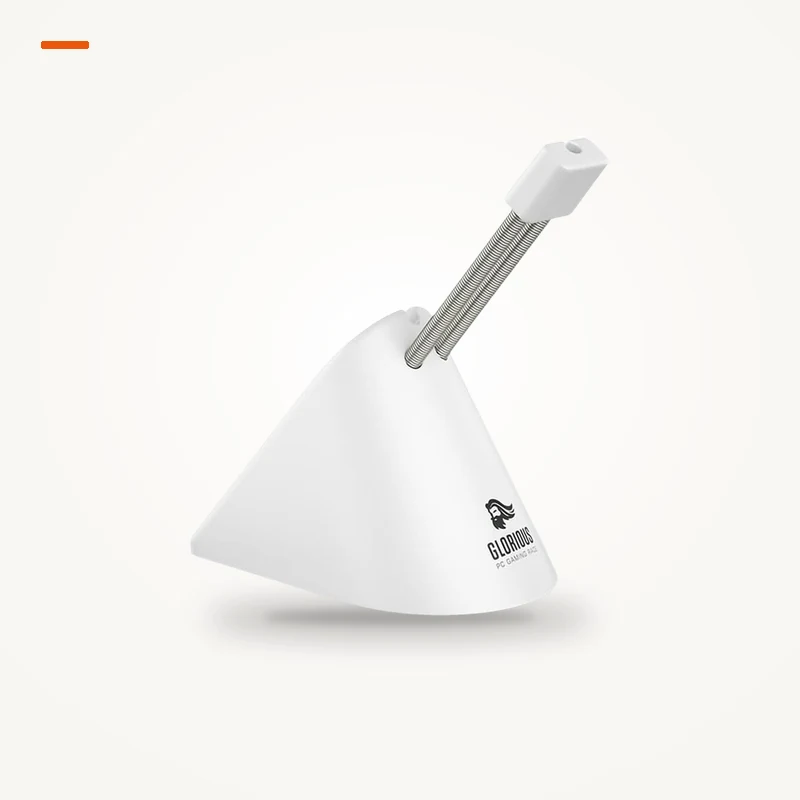 Glorious Gaming Mouse Bungee |
Best value classic |
|
Check Price |
3 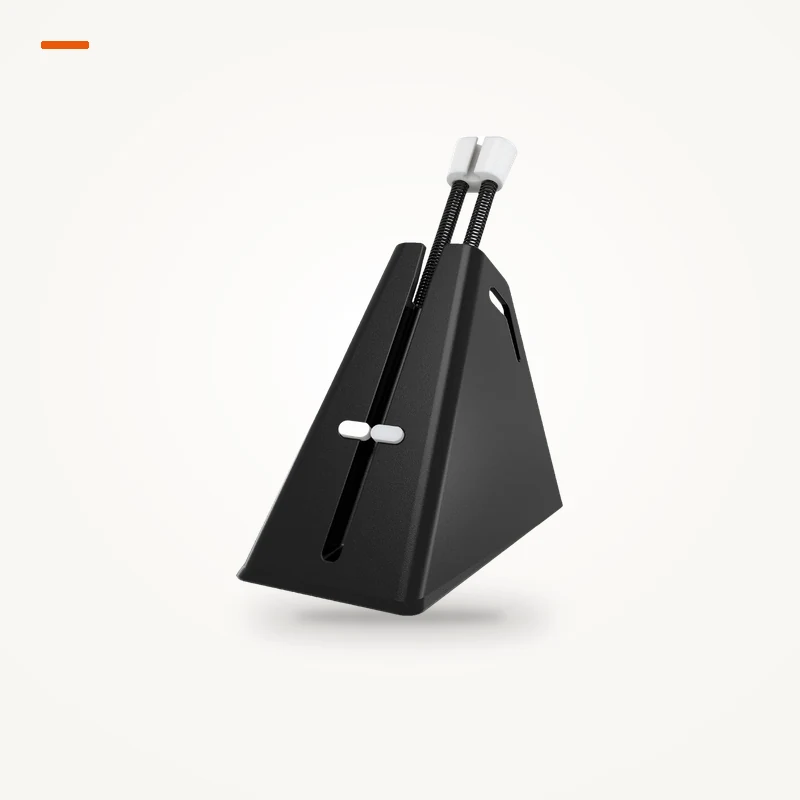 Endgame Gear MB1 Mouse Bungee |
Best minimalist |
|
Check Price |
4 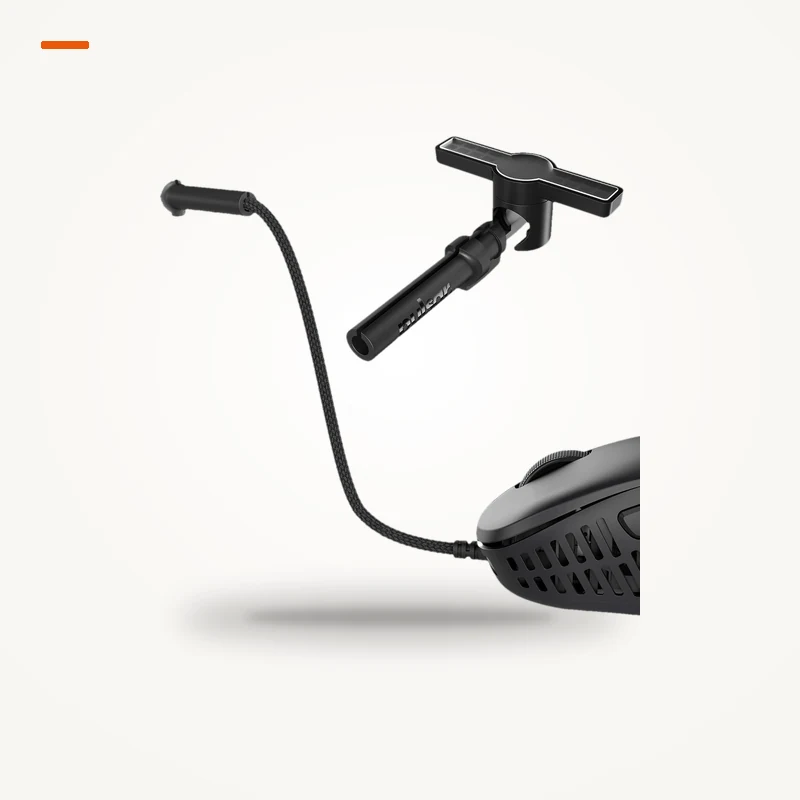 Pulsar Micro Bungee ES |
Best budget and smallest |
|
Check Price |
5 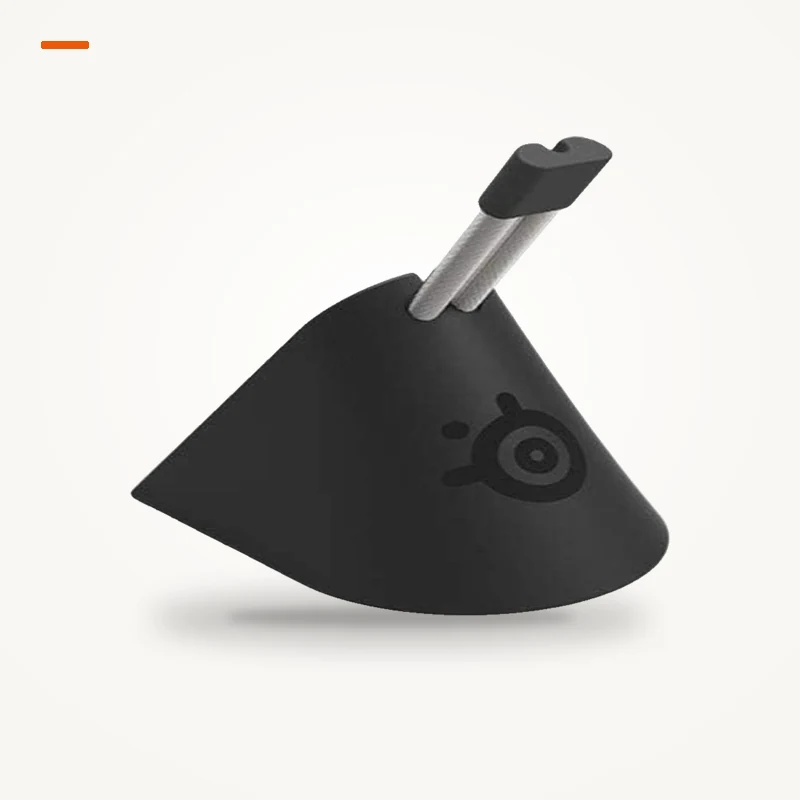 SteelSeries Mouse Bungee (60090) |
Best brand-name basic |
|
Check Price |
What a mouse bungee actually does
A mouse cable resting on the desk creates friction and drag. As you move, the cable has to slide along with the mouse, and when it catches on something, such as the pad’s edge, a keyboard or the desk, it pulls the mouse back slightly. That’s most noticeable in fast games where you make big, quick swipes.
A bungee fixes the cable at one point, a little above the desk, with a springy or flexible arm. The cable between the bungee and the mouse stays lifted and loose, so it moves freely with the mouse. The result feels closer to a wireless mouse, without the battery.
Who needs a mouse bungee?
- Wired gaming mouse users, especially at low sensitivity with lots of arm movement.
- Anyone with a stiff or heavy cable. Older rubber cables drag much more than modern soft “paracord” cables.
- Players with large mouse pads, where the cable has further to travel.
You probably don’t need one if you use a wireless mouse, or if you play at high sensitivity and rarely move the mouse far. Office users with light, flexible cables rarely notice cable drag.
How to choose a mouse bungee
Weighted base or adhesive
Weighted bungees like the Razer and Glorious sit on the desk and rely on weight and rubber feet to stay put. They’re easy to reposition, but take up a little space. Adhesive bungees like the Pulsar stick to the desk or monitor. They take almost no space, but you need to place them carefully.
Arm design
Most bungees use a spring arm that flexes as you move, which keeps tension low. Some, like the Pulsar, use a flexible silicone arm. Check that the arm height is adjustable, so you can lift the cable over the pad edge.
Cable compatibility
A good clip should grip thin paracord cables and thicker braided cables without crushing them. Razer lists rubber, braided and paracord compatibility.
Extras
Some bungees add RGB lighting or a built-in USB hub. They’re nice to have, but the core job is holding the cable steady.
Setting up a bungee for the best results
- Place the bungee behind and slightly to the side of your mouse pad, usually on the same side as your mouse hand, so the cable runs straight back from the mouse.
- Clip the cable so there’s enough slack to reach the far edges of your pad without pulling, but not so much that it touches the desk.
- Raise the arm until the cable clears the pad’s edge.
- Do a few big swipes in every direction. If you feel a tug at the edges, add a little slack; if the cable touches the desk, shorten it.
- Route the rest of the cable neatly behind the desk; our desk cable management guide shows how.
The best mouse bungees reviewed
1. Razer Mouse Bungee V3 Chroma — best mouse bungee
Who it’s for: Gamers who want a stable, good-looking bungee that stays put during fast swipes.
Razer’s Bungee V3 Chroma uses an adjustable spring arm to hold the cable up at a good angle, so it follows the mouse instead of dragging across the desk. The 240 g weighted base and non-slip feet keep it from sliding or tipping during hard flicks, and Razer says it fits rubber, braided and paracord cables from major brands.
RGB underglow with Razer Chroma adds lighting effects if you like a matched setup, and the compact base saves desk space. It’s the most polished option here. It was $39.99, sold by Amazon.com, on November 28, 2026.
Key specs: Adjustable spring arm; weighted 240 g (8.5 oz) base; non-slip feet; fits rubber, braided and paracord cables; compact footprint; RGB underglow with 16.8 million colours (Razer Chroma).
- Heavy, stable base
- Fits most cable types
- RGB lighting
- Sold by Amazon.com
- Most expensive here
- RGB adds to the price
- Takes some desk space
2. Glorious Gaming Mouse Bungee — best budget gaming mouse bungee
Who it’s for: Anyone who wants a straightforward weighted bungee with an adjustable spring arm.
Glorious’ bungee is a simple, heavy design: a 265 g base with a spring-adjustable arm and a rubber clip that grips different cable thicknesses. The spring lets the cable flex as you move, while the weight keeps the base in place.
It measures 63 by 97 by 88 mm, so it tucks beside a mouse pad without crowding the desk. The listing we checked was the white version. When we checked, it was $33.86, sold by Amazon Germany and shipping to the US, with only four left in stock.
Key specs: Spring-adjustable arm for different heights; rubber clip for various cable sizes; works with wired mouse cables; 63 × 97 × 88 mm; 265 g; white finish.
- Heavy 265 g base
- Spring-adjustable arm
- Clip fits various cables
- Compact
- Low stock when checked
- Ships from Amazon Germany
- No extras
3. Endgame Gear MB1 Mouse Bungee — best minimalist mouse bungee
Who it’s for: Players who want a clean, understated bungee with an adjustable arm and a secure clamp.
Endgame Gear’s MB1 is a minimalist bungee with an adjustable arm height, so you can lift the cable high enough to stop it snagging on the edge of the desk or pad. Its clamp tightens to hold the cable securely without damaging it.
Non-slip feet hold it in place, though Endgame Gear notes it’s relatively light, so it relies on grip rather than weight. It was $28.49, sold by OneDealOutlet Online, on November 28, 2026, with only two left in stock.
Key specs: Adjustable arm height; tightening clamp holds the cable securely; non-slip feet; light, minimalist design.
- Adjustable arm height
- Secure clamp
- Clean design
- Mid-range price
- Light base
- Low stock when checked
- Third-party seller
4. Pulsar Micro Bungee ES — best small mouse bungee
Who it’s for: Anyone short on desk space, or who wants to mount a bungee on a monitor or desk edge.
Pulsar’s Micro Bungee ES takes a different approach: a tiny unit with a flexible silicone arm that sticks to your desk, monitor or another surface with 3M VHB adhesive, which Pulsar says removes cleanly. A ball-bearing design lets the cable follow the mouse with little resistance.
It takes up almost no desk space, so it’s ideal for small desks or setups with large mouse pads. Because it sticks in place, choose the position carefully before you press it down. It was $5.56 (Prime member price), sold by Pulsar Gaming Gears, on November 28, 2026.
Key specs: Flexible silicone cable arm; ball-bearing design for low-resistance movement; residue-free 3M VHB adhesive; mounts on desk, monitor or other surfaces; very compact; single pack.
- Very cheap
- Takes almost no space
- Mounts almost anywhere
- Ball-bearing pivot
- Adhesive, not freestanding
- Harder to reposition
- No weight to anchor
5. SteelSeries Mouse Bungee (60090) — best SteelSeries mouse bungee
Who it’s for: SteelSeries fans who want a simple bungee from a familiar gaming brand, sold by Amazon.
SteelSeries’ bungee, model 60090, is a freestanding desk bungee from one of the best-known gaming peripheral brands. It’s sold and shipped by Amazon.com, which makes returns straightforward.
The trade-off is information: the Amazon listing gives very few specifications, so it doesn’t state the base weight, arm type or cable compatibility. If those details matter, compare it with the Razer and Glorious bungees, whose listings are clearer. It was $30.86, sold by Amazon.com, on November 28, 2026.
Key specs: SteelSeries mouse bungee, model 60090; freestanding; black; sold and shipped by Amazon.com; listing does not state base weight, arm design or cable compatibility.
- Well-known brand
- Sold by Amazon.com
- Simple freestanding design
- Mid-range price
- Very few listed specs
- No extras
- Weight and arm details not stated
Mouse bungees compared
| Bungee | Type | Arm | Weight or mount | Extras | Price (Nov 28) |
|---|---|---|---|---|---|
| Razer Bungee V3 Chroma | Weighted | Adjustable spring | 240 g base | RGB underglow | $39.99 |
| Glorious | Weighted | Spring-adjustable | 265 g base | None | $33.86 |
| Endgame Gear MB1 | Freestanding | Height-adjustable | Light, non-slip feet | Clamp | $28.49 |
| Pulsar Micro Bungee ES | Adhesive | Flexible silicone, ball-bearing | 3M VHB adhesive | None | $5.56 (Prime) |
| SteelSeries 60090 | Freestanding | Not listed | Not listed | None | $30.86 |
Which mouse bungee fits you?
| If you… | Choose | Why |
|---|---|---|
| Want the most stable, polished bungee | Razer Bungee V3 Chroma | Heavy base, fits all cable types, RGB |
| Want a heavy, simple design | Glorious | 265 g base and spring arm |
| Prefer a minimal look | Endgame Gear MB1 | Clean design, adjustable arm |
| Have a small desk or tight budget | Pulsar Micro Bungee ES | Tiny, adhesive, about $6 |
| Want a SteelSeries bungee sold by Amazon | SteelSeries 60090 | Familiar brand, easy returns |
Bungee alternatives
A bungee isn’t the only way to tame a cable:
- A soft paracord cable. Many modern gaming mice ship with very flexible cables that drag less to begin with.
- Tape or a cable clip. Taping the cable to the back of the desk at the right point is a crude but effective free bungee.
- Go wireless. Modern wireless gaming mice have closed the gap on latency, but they need charging and cost more. Our guide to whether mouse weight matters covers another trade-off, since batteries add weight.
- A bigger, smoother pad. A pad with a stitched, low edge helps the cable slide; see cloth vs hard mouse pads.
Caring for your bungee
Dust collects on the arm and clip over time. Wipe it occasionally, check that the clip still grips the cable firmly, and make sure the feet or adhesive are clean so the bungee doesn’t slide. If a spring arm loses tension, it’s usually time to replace it, which costs far less than replacing a mouse cable you’ve worn through.
FAQ
Do mouse bungees really help?
For wired mice, yes. They lift the cable so it doesn’t drag or catch, which makes fast movements smoother and more consistent.
Do I need a bungee with a paracord cable?
It’s less necessary, because paracord cables are light and flexible, but a bungee still stops the cable catching on the pad edge.
Where should I put my mouse bungee?
Usually behind and slightly to the side of your mouse pad, on your mouse-hand side, so the cable runs straight back.
Do pro gamers use mouse bungees?
Many players who use wired mice do. With more players switching to wireless mice, bungees are less common than they used to be.
Can I use a bungee with a wireless mouse?
Only while charging with the cable attached. With the cable unplugged, a wireless mouse doesn’t need one.
Final verdict
The Razer Mouse Bungee V3 Chroma is the best mouse bungee for most wired mouse users, with a heavy base, a spring arm and wide cable support. Choose the Glorious bungee for a heavy, simple design, the Endgame Gear MB1 for a minimalist look, or the Pulsar Micro Bungee ES if you want the smallest, cheapest fix for cable drag. If you’re shopping for the mouse too, see our best gaming mouse guide.

Experience is what matters at the end!!
Hi! This is Jacob Jay – founder of Keyboardgear.com! From childhood to adulthood, I’ve always remained passionate about IT, and the revolution in this industry, especially gaming on the PC can’t go out of my way. Since I’m an enthusiastic gamer, and I love to experience various gaming accessories, particularly mechanical keyboards, that really boost my gaming adventure manifolds. So, my nerve cells hit me to transfer my experiences into word form and share with others to identify the ideal keyboards perfectly fit for their gaming modes.
I know very well how hard it is to find the high-quality items available on the internet that ought to be exactly the same as seen as on the screen. But the counterfeiters have ruined the user’s trust. As I have passed all such situations, I’m obliged to deliver the genuinity and express the same as what I am saying.
So, now, I’m working on the mission to provide very helpful and frankly but trustworthy reviews and guides about various mechanical keyboards, mouses, and other gaming accessories as per my personal experiences and sound knowledge.