

Keyboard Gear earns from qualifying purchases through Amazon links.
The Keychron K0 Max is the best number pad overall: tri-mode wireless, hot-swappable mechanical switches, a knob and QMK programming, so it also works as a macro pad. If you just need numbers, the MOFII 2.4GHz numpad is the budget pick, and the Gugxiom Bluetooth pad is the easy choice for MacBooks and tablets with no spare USB port.
Most laptops and compact keyboards drop the number pad to save space. That’s fine until you need to enter a column of figures. A standalone numpad gives you a proper 10-key block when you need it and goes back in the drawer when you don’t. If you’re learning to enter numbers by touch, our 10-key typing guide explains the technique.
This guide compares three number pads sold on Amazon US. We checked availability and prices on Amazon US on November 28, 2026, and specs come from the manufacturers’ listings. We haven’t tested these numpads ourselves. We left out Logitech’s older wireless number pad, which was only offered by a third-party reseller at $82 when we checked, and a few others whose listings we couldn’t confirm.
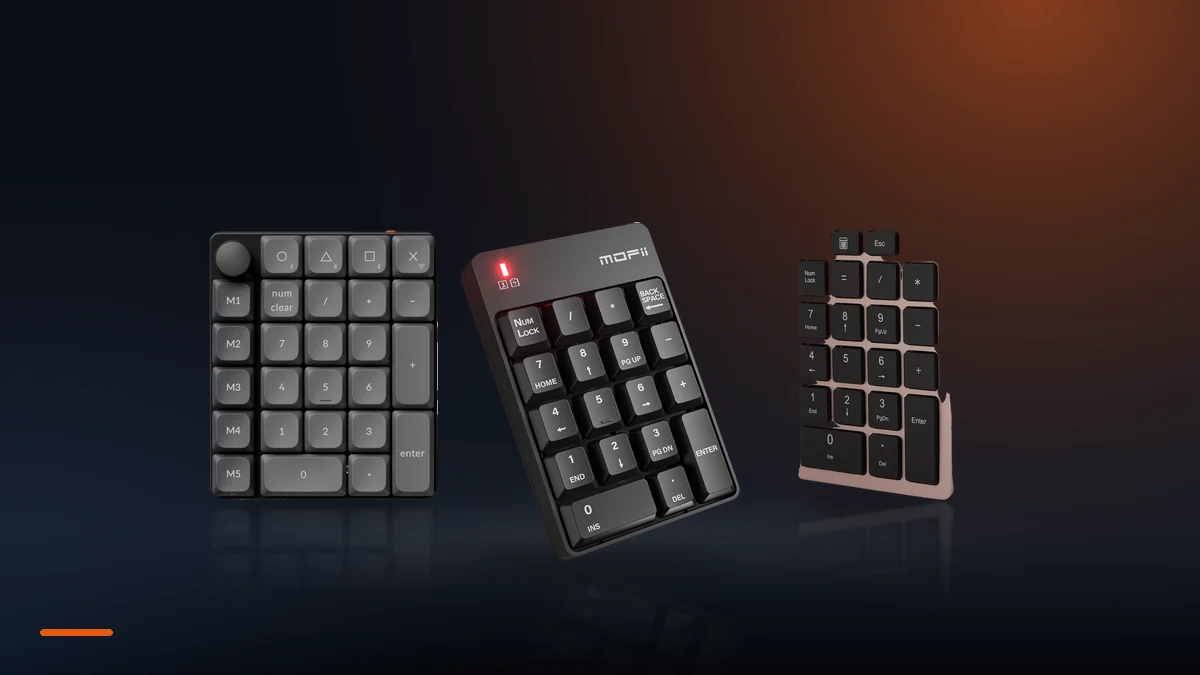
Best number pads overview
| Product | Best for | Key specs | Price |
|---|---|---|---|
1 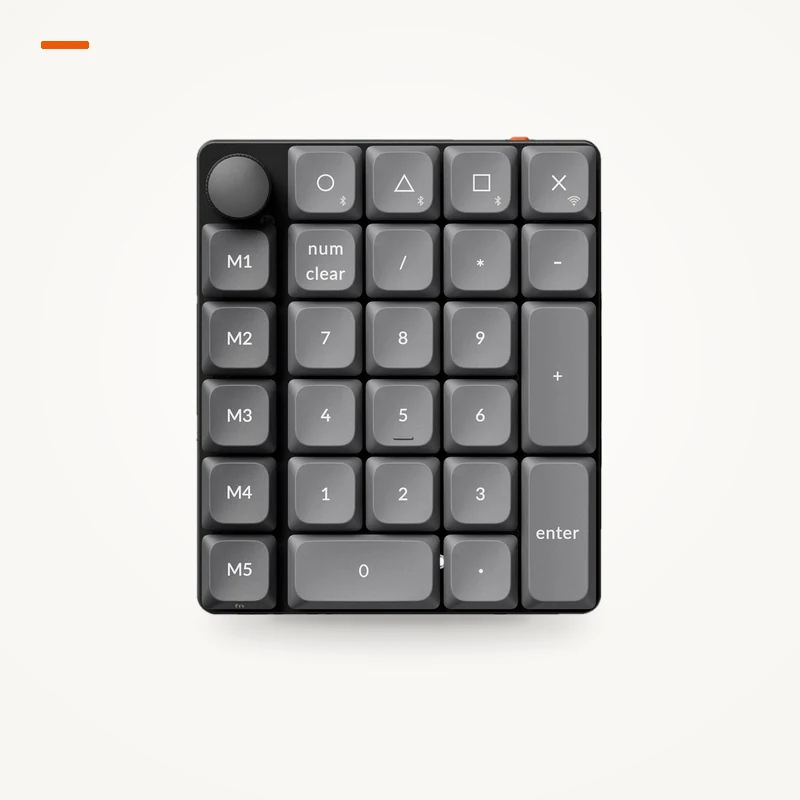 Keychron K0 Max Wireless Low-Profile Number Pad |
Best overall |
|
Check Price |
2 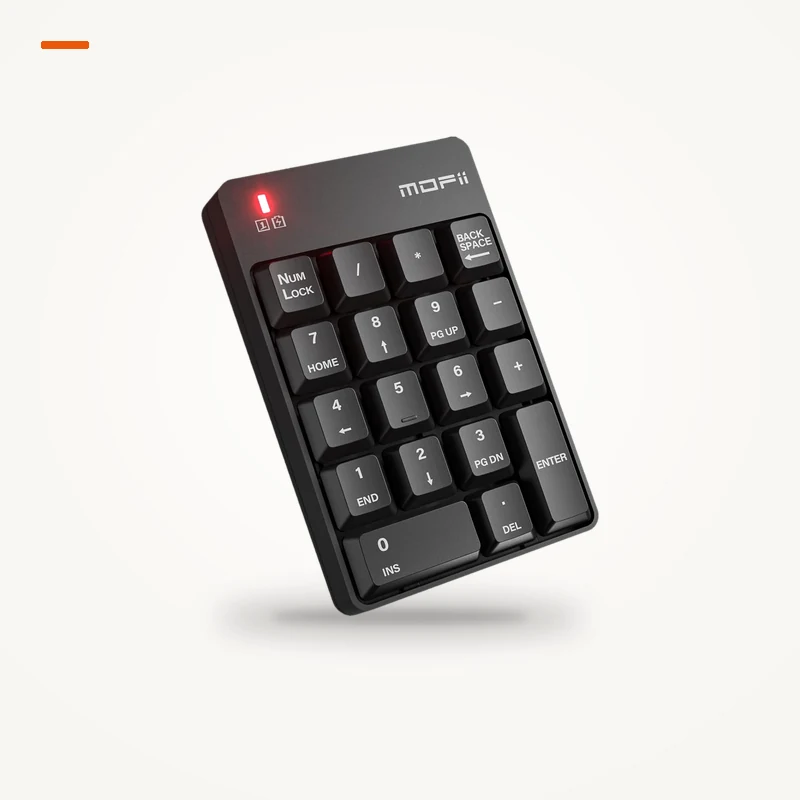 MOFII Wireless 2.4G Number Pad |
Best budget |
|
Check Price |
3 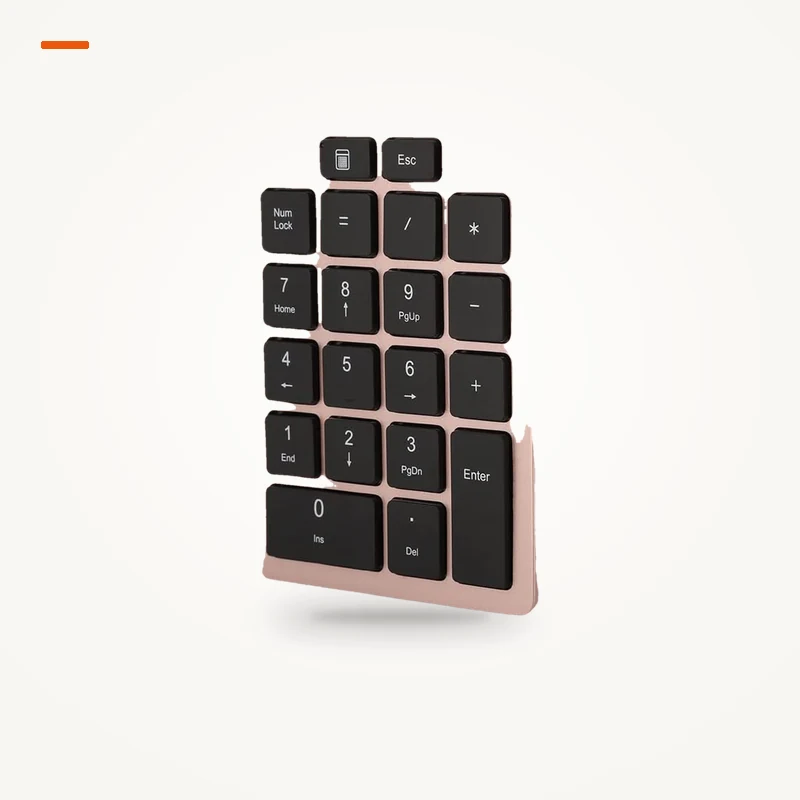 Gugxiom Bluetooth Number Pad (22 Keys) |
Best Bluetooth |
|
Check Price |
How to choose a number pad
Connection
A 2.4GHz receiver is plug-and-play and usually reliable, but it uses a USB-A port. Bluetooth frees the port and works with tablets, but pairs separately to each device. Some pads, like the Keychron, do both and add a wired mode.
Key count and extras
Basic numpads have 17 to 19 keys. Larger pads add Esc, Tab, Backspace or a calculator key, which saves reaching for the main keyboard. Programmable pads let you assign any key, so you can add shortcuts of your own.
Key feel
Scissor and membrane keys are quiet and low, like a laptop keyboard. Mechanical switches feel more like a desktop mechanical keyboard; if you already use one, a mechanical pad matches it better.
Operating system
Numpads generally work on Windows. If you use a Mac, check that the listing mentions macOS; Num Lock behaves differently on Macs, and some cheap pads only list Windows.
Pairing with a tenkeyless board
If you like a compact keyboard but need numbers sometimes, a numpad lets you keep the space on your desk most of the time. Our guide to tenkeyless keyboards explains the trade-off, and best tenkeyless mechanical keyboards has some to pair with.
The best number pads reviewed
1. Keychron K0 Max Wireless Low-Profile Number Pad — best programmable number pad
Who it’s for: Spreadsheet users, coders and mechanical keyboard fans who want a numpad that doubles as a macro pad.
Keychron’s K0 Max is a low-profile mechanical numpad with 27 keys, a macro column and a rotary knob. It connects three ways, over Bluetooth 5.3, a 2.4GHz receiver or a USB-C cable, and can switch between up to three devices, with a 1000Hz polling rate listed.
It runs open-source QMK firmware, so you can remap keys and set macros in Keychron’s Launcher web app without installing software. The Milk POM switches are hot-swappable, and acoustic foam is built in. If you want a pad that handles both numbers and shortcuts, see our guide to macro pads. It was $48.74, sold by the Keychron Store, on November 28, 2026.
Key specs: 27-key low-profile numpad with a macro column and rotary knob; Bluetooth 5.3, 2.4GHz and USB-C wired; up to 3 devices; 1000Hz polling listed; QMK firmware with Keychron Launcher web configurator; hot-swappable Milk POM switches; acoustic foam; RGB backlight; Windows and Mac.
- Programmable with QMK
- Tri-mode wireless
- Hot-swap mechanical switches
- Knob and macro keys
- Most expensive here
- Larger than basic numpads
- More than you need for simple data entry
2. MOFII Wireless 2.4G Number Pad — best cheap wireless number pad
Who it’s for: Anyone who just wants a cheap, quiet numpad for spreadsheets on a laptop.
MOFII’s numpad is about as simple as it gets: 19 quiet keys, a 2.4GHz USB receiver and a single AAA battery. It needs no driver, so you plug in the receiver and start typing numbers. MOFII describes the keys as soft and low-noise, with a slight incline.
It measures 5.31 by 3.34 inches and weighs 100 g, so it slips into a laptop bag. The listing mentions Windows compatibility; it doesn’t promise Mac support, so Mac users may prefer a Bluetooth pad. It was $11.39 (Prime member price), sold by MOFII-US, on November 28, 2026.
Key specs: 19-key wireless numpad; 2.4GHz USB receiver, no driver needed; powered by 1 × AAA battery; quiet keys; non-slip rubber base; 5.31 × 3.34 × 1.57 in; 100 g; listed for Windows.
- Very low price
- Plug-and-play receiver
- Quiet keys
- Small and light
- Needs a USB-A port
- Windows listed only
- Basic 19-key layout
3. Gugxiom Bluetooth Number Pad (22 Keys) — best Bluetooth number pad for Mac and laptops
Who it’s for: MacBook and tablet users who don’t want to give up a USB port for a receiver.
Gugxiom’s numpad connects over Bluetooth 5.0, so it doesn’t need a USB port, which suits MacBooks and tablets. It has 22 keys, adding Esc, Tab, Delete and a calculator shortcut to the usual number keys, and quiet scissor switches with a 15-degree tilt.
It runs on two AAA batteries, which aren’t included, and sleeps after 20 minutes of inactivity to save power. Gugxiom lists compatibility with Windows, macOS, iOS and Android. It was $16.99, sold by Sosher-US, on November 28, 2026.
Key specs: 22-key Bluetooth 5.0 numpad; Esc, Tab, Delete and calculator shortcut keys; quiet scissor switches; 15° tilt; 2 × AAA batteries (not included); auto sleep after 20 minutes; listed for Windows, macOS, iOS and Android.
- No USB port needed
- Extra shortcut keys
- Mac and tablet compatible
- Quiet scissor keys
- Batteries not included
- Bluetooth pairing per device
- Third-party seller
Number pads compared
| Number pad | Keys | Connection | Switches | Power | Price (Nov 28) |
|---|---|---|---|---|---|
| Keychron K0 Max | 27 + knob | Bluetooth 5.3, 2.4GHz, USB-C | Low-profile mechanical, hot-swap | Not listed | $48.74 |
| MOFII | 19 | 2.4GHz receiver | Quiet keys (type not listed) | 1 × AAA | $11.39 (Prime) |
| Gugxiom | 22 | Bluetooth 5.0 | Scissor | 2 × AAA (not included) | $16.99 |
Which number pad fits you?
| If you… | Choose | Why |
|---|---|---|
| Want macros and mechanical switches | Keychron K0 Max | QMK, knob, hot-swap |
| Want the cheapest way to add a numpad | MOFII | Plug-and-play, about $11 |
| Use a MacBook or tablet | Gugxiom | Bluetooth, no USB port needed |
Setting up a number pad
- Pair it over Bluetooth, or plug in its receiver or cable.
- Check that Num Lock is on if the keys move the cursor instead of typing numbers. Our guide to keyboard numbers not working covers other fixes.
- Put it where you’ll use it: right of the keyboard for most people, or left so your right hand stays on the mouse.
- On a programmable pad, add the shortcuts you use most to the spare keys.
If you’d rather have the numpad built in, see our guide to a wireless keyboard with touchpad and number pad.
FAQ
Do number pads work with laptops?
Yes. They connect over USB, a wireless receiver or Bluetooth and work like the numpad on a full-size keyboard.
Do number pads work on a Mac?
Many do, especially Bluetooth models. Check that the listing mentions macOS.
Why are my number pad keys moving the cursor?
Num Lock is probably off. Press Num Lock to switch the keys back to numbers.
Can I use a number pad on the left side?
Yes. A separate numpad can go wherever you like, which some people prefer so the mouse stays close to the keyboard.
Is a mechanical number pad worth it?
If you already like a mechanical keyboard, a mechanical numpad feels consistent with it. For occasional data entry, a cheap membrane pad is enough.
Final verdict
The Keychron K0 Max is the best number pad if you want a quality mechanical pad that doubles as a macro pad. The MOFII is the cheapest easy way to add a numpad to a laptop, and the Gugxiom is the pick for Mac and tablet users who want Bluetooth and a few extra keys.

Experience is what matters at the end!!
Hi! This is Jacob Jay – founder of Keyboardgear.com! From childhood to adulthood, I’ve always remained passionate about IT, and the revolution in this industry, especially gaming on the PC can’t go out of my way. Since I’m an enthusiastic gamer, and I love to experience various gaming accessories, particularly mechanical keyboards, that really boost my gaming adventure manifolds. So, my nerve cells hit me to transfer my experiences into word form and share with others to identify the ideal keyboards perfectly fit for their gaming modes.
I know very well how hard it is to find the high-quality items available on the internet that ought to be exactly the same as seen as on the screen. But the counterfeiters have ruined the user’s trust. As I have passed all such situations, I’m obliged to deliver the genuinity and express the same as what I am saying.
So, now, I’m working on the mission to provide very helpful and frankly but trustworthy reviews and guides about various mechanical keyboards, mouses, and other gaming accessories as per my personal experiences and sound knowledge.