

Quick answer
Your keyboard should sit at or slightly below elbow height, so your elbows bend at about 90 to 110 degrees, your forearms are roughly level with the floor and your wrists stay straight. Place it directly in front of you, close enough that your elbows stay near your sides, and a couple of inches back from the desk edge.
If your desk is too high, raise your chair (with a footrest if needed) or use a keyboard tray. If it’s too low, raise the desk or lower the chair.
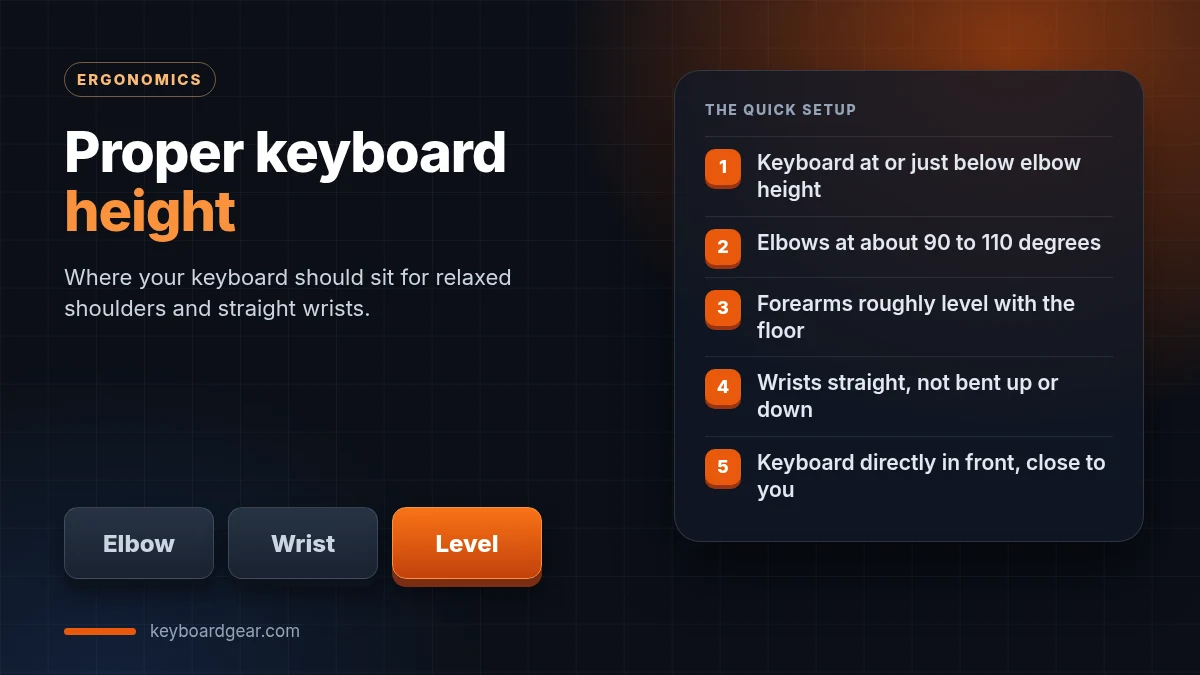
Most people set up their monitor carefully and then type on whatever desk they have. But keyboard height decides how your shoulders, elbows and wrists work for hours a day. A keyboard that’s too high makes you shrug and bend your wrists back; one that’s too low makes you hunch or reach down.
This guide explains where your keyboard should be, based on guidance from the Canadian Centre for Occupational Health and Safety (CCOHS), and how to get there with the furniture you have.
The ideal keyboard height
Start with your body, not the desk:
- Sit back in your chair with your feet flat on the floor or a footrest.
- Let your upper arms hang relaxed by your sides.
- Bend your elbows so your forearms point forward.
- Your keyboard’s home row should be at about that height, or slightly lower.
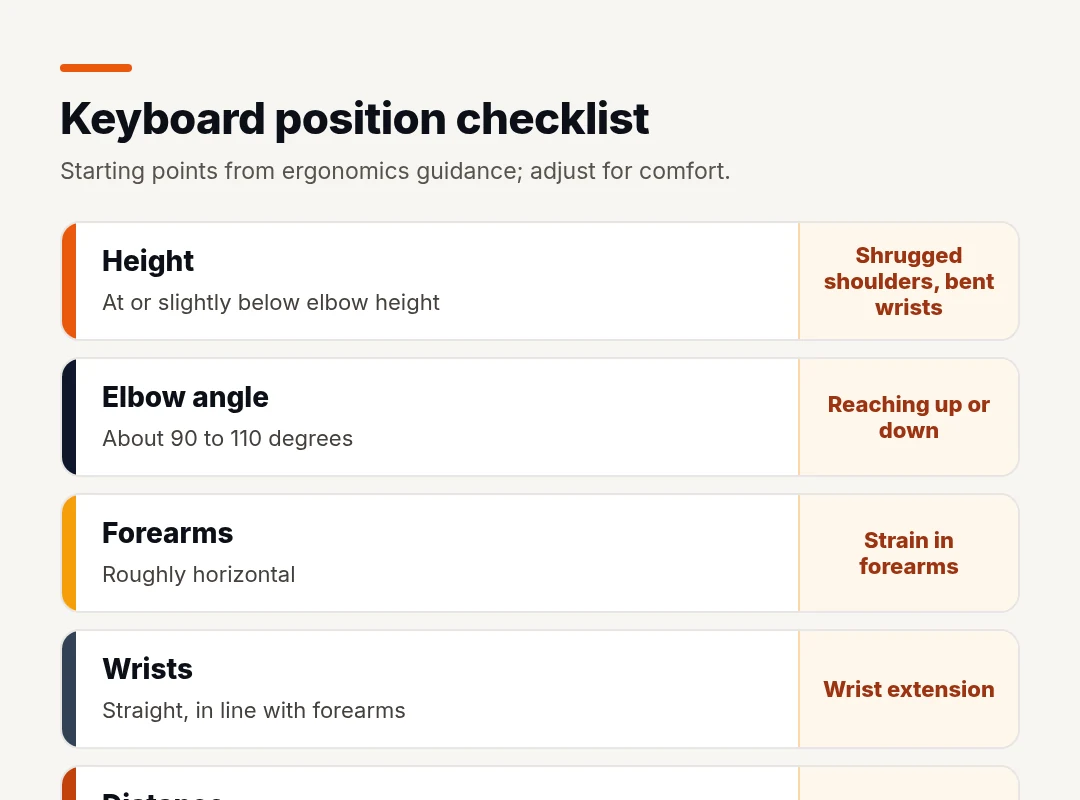
CCOHS recommends keeping the elbows at about 90 degrees, between 90 and 110 degrees, to help relax the shoulders and forearms, with the forearms horizontal to the floor. A slightly open angle (closer to 110 degrees) with the keyboard a touch below elbow height lets your wrists stay straight more easily.
Wrist position
CCOHS says the wrists should be straight and in line with the forearms. Two common mistakes bend them:
- Wrists bent upward (extension): often caused by a keyboard that’s too high or tilted up on its back feet.
- Resting the wrists on the desk edge: CCOHS advises against resting your wrists on the desk surface because the pressure may contribute to contact stress.
Keyboard angle matters as much as height. Our guide to keyboard tilt explains why flat or slightly negative tilt is often better than flipping out the feet, and a keyboard wrist rest can help if you use it to rest your palms between bursts rather than while typing.
Where to place the keyboard
- Directly in front of you, centred on the letters you type most (the B key is close to the middle of the main keys).
- Close to your body, so your elbows stay near your sides and you don’t reach forward. CCOHS suggests placing the keyboard and mouse near the front of the desk, about 2 inches (5 cm) back from the edge.
- Mouse right next to it at the same height. A full-size keyboard pushes the mouse far to the side; CCOHS notes that a shorter keyboard without a number pad reduces overreaching and gives more options for mouse placement.
If your desk is too high
This is the most common problem. Standard desks are often too high for typing, especially for shorter people.
- Raise your chair until your elbows are at keyboard height.
- If your feet no longer rest flat, add a footrest.
- Or use a keyboard tray that mounts under the desk and holds the keyboard and mouse lower.
- Use a low-profile keyboard to shave off some height; see our best low profile mechanical keyboards.
If your desk is too low
Raise the desk with leg risers or an adjustable desk, or lower your chair if your thighs still clear the desk. Don’t type with your shoulders rolled forward to reach down.
Standing desks
The same rules apply when standing: keyboard at or slightly below elbow height, elbows at about 90 to 110 degrees, wrists straight. Set the desk height for typing, then check the monitor; at the right typing height, the monitor usually needs to be raised separately with a stand or arm. Alternate between sitting and standing rather than standing all day.
Laptops
A laptop can’t have both the screen and the keyboard at the right height. For regular work, raise the laptop so the screen is near eye level and use a separate keyboard and mouse at elbow height. See our guide to proper monitor height for the screen side of the equation.
Keyboard trays: pros and cons
| Pros | Cons |
|---|---|
| Bring the keyboard down to elbow height on tall desks | Can reduce knee space |
| Often adjustable in height and tilt, including negative tilt | Some wobble when typing hard |
| Free up desk surface | Need a desk with room underneath for the mechanism |
| Keep keyboard and mouse together at the same level | Small trays may not fit a mouse comfortably |
A quick self-check
Sit and type for a minute, then check:
- Are your shoulders relaxed, not shrugged?
- Are your elbows near your sides at roughly a right angle or a little more?
- Are your wrists straight, not bent up, down or sideways?
- Can you reach the mouse without stretching?
If any answer is no, adjust the chair first, then the desk or keyboard. If you still have pain, our guide to wrist pain from typing covers more fixes, and an ergonomic keyboard may help. For the whole workspace, see our desk setup guide.
How to measure your ideal keyboard height
You need a tape measure and a minute:
- Sit in your chair, adjusted so your feet are flat on the floor (or on a footrest) and your thighs are roughly level.
- Let your upper arms hang relaxed by your sides and bend your elbows to about 90 degrees.
- Measure from the floor to the underside of your forearm, just in front of the elbow.
- That’s roughly where the home row of your keyboard should sit. Subtract the height of the keyboard itself to find the surface height you need.
Do the same standing if you use a standing desk. The number will be very different, which is why a sit-stand setup needs its own height for each posture.
What to do if your desk is too high
| Option | How it helps | Watch out for |
|---|---|---|
| Raise your chair | Brings your elbows up to the desk | Use a footrest if your feet no longer rest flat |
| Under-desk keyboard tray | Lowers the keyboard and mouse below the desk surface | Needs clearance under the desk; check knee room |
| Lower or adjustable desk | Fixes the problem at the source | Cost; some desks have a fixed height |
| Thinner keyboard | Reduces how high your hands sit | Only helps by a small amount |
Our guide to keyboard trays compares under-desk options if raising the chair isn’t practical.
Keyboard thickness matters too
A tall mechanical keyboard can put your hands an inch or more above the desk, which works like raising the desk. If you’re right on the edge of a comfortable height, a low-profile keyboard can help, and a palm rest at the same height as the front edge keeps your wrists from bending upward. Flip-out feet at the back usually make this worse, not better.
Shared desks and family computers
If several people use the same desk, set it for the shortest regular user and give taller users a higher chair setting, or use an adjustable keyboard tray that each person can move. Children in particular are often working at adult-height desks; raising their chair and adding a footrest is usually the simplest fix.
Laptop users
A laptop on a desk almost always puts either the screen too low or the keyboard too high, because the two are joined. For regular work, raise the laptop to eye level and use a separate keyboard and mouse at elbow height.
FAQ
How high should a keyboard be from the floor?
It depends on your height. Rather than a fixed number, set it at or slightly below your elbow height when you sit with relaxed shoulders.
Should my elbows be at 90 degrees when typing?
About 90 to 110 degrees is recommended, with forearms roughly level and wrists straight.
Should my keyboard be flat or tilted?
Flat or slightly negative tilt usually keeps wrists straighter than using the back feet. See our keyboard tilt guide.
Is a keyboard tray worth it?
If your desk is too high and you can’t adjust it or your chair enough, yes. Choose one with height and tilt adjustment and room for the mouse.
Where should my wrists be when typing?
Straight and floating above the keyboard while typing, not resting on the desk edge.
Bottom line
Put your keyboard at or slightly below elbow height, close and directly in front of you, with elbows at about 90 to 110 degrees and wrists straight. Raise your chair or add a keyboard tray if the desk is too high, use a separate keyboard with a laptop, and recheck the setup when you switch to standing.
Related guide: Standing Desk Setup: Correct Height, Monitor, Keyboard and How Long to Stand
Sources

Experience is what matters at the end!!
Hi! This is Jacob Jay – founder of Keyboardgear.com! From childhood to adulthood, I’ve always remained passionate about IT, and the revolution in this industry, especially gaming on the PC can’t go out of my way. Since I’m an enthusiastic gamer, and I love to experience various gaming accessories, particularly mechanical keyboards, that really boost my gaming adventure manifolds. So, my nerve cells hit me to transfer my experiences into word form and share with others to identify the ideal keyboards perfectly fit for their gaming modes.
I know very well how hard it is to find the high-quality items available on the internet that ought to be exactly the same as seen as on the screen. But the counterfeiters have ruined the user’s trust. As I have passed all such situations, I’m obliged to deliver the genuinity and express the same as what I am saying.
So, now, I’m working on the mission to provide very helpful and frankly but trustworthy reviews and guides about various mechanical keyboards, mouses, and other gaming accessories as per my personal experiences and sound knowledge.