

Keyboard Gear earns from qualifying purchases through Amazon links.
For a permanent desk setup, the Rain Design mStand is the best laptop stand: solid aluminium, a 5.9-inch rise and tidy cable management. If you want adjustability, choose the Lamicall, which fits laptops up to 17.3 inches. The Nulaxy handles the heaviest laptops for the lowest price, the OMOTON LA10 rotates and rises highest, and the Amazon Basics stand is the easiest to travel with.
Working on a laptop flat on a desk means looking down at the screen for hours, which is a recipe for a sore neck. A laptop stand lifts the screen closer to eye level; pair it with an external keyboard and mouse and you get a far more comfortable setup. Our guide to proper monitor height explains where the screen should sit.
This guide compares five laptop stands sold on Amazon US, from a fixed aluminium classic to foldable travel stands. We checked availability and prices on Amazon US on November 28, 2026, and specs come from the manufacturers’ listings. We haven’t tested these stands ourselves.
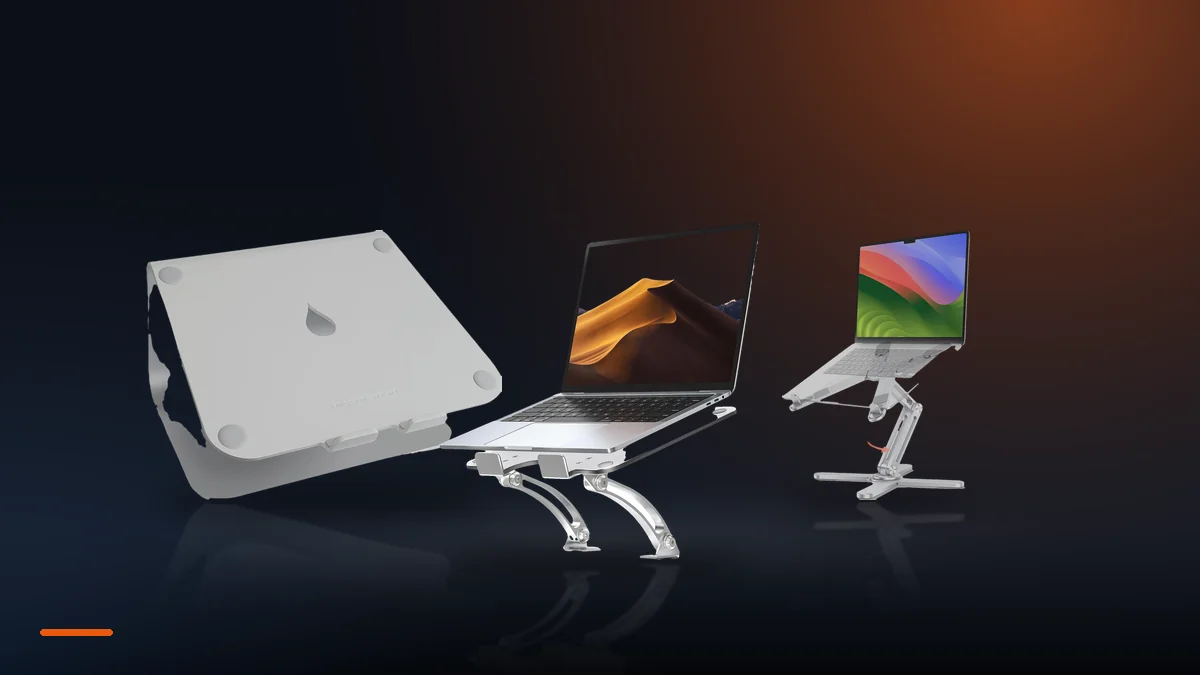
Best laptop stands overview
| Product | Best for | Key specs | Price |
|---|---|---|---|
1 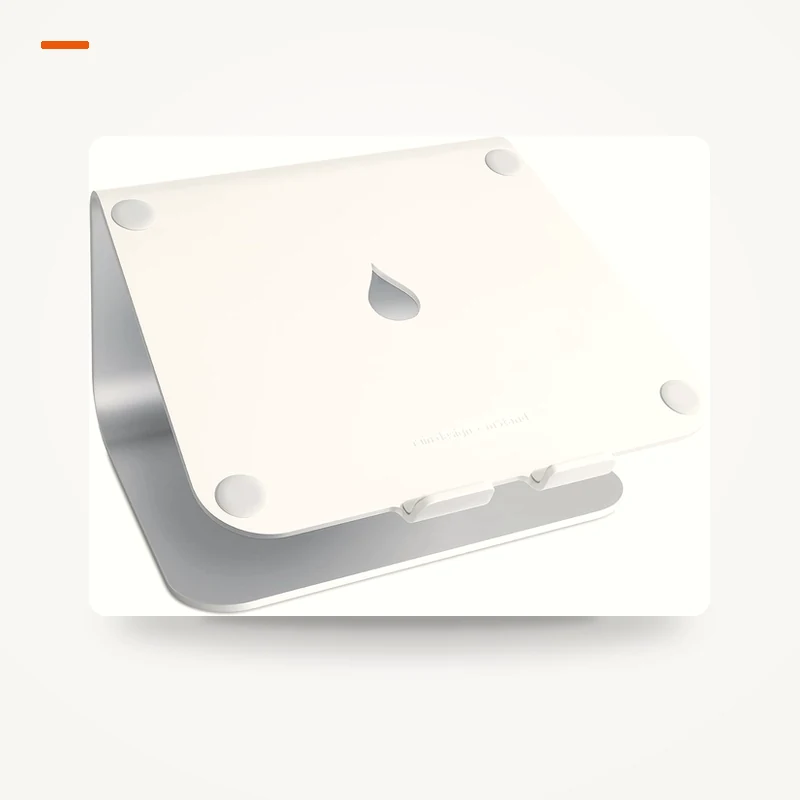 Rain Design mStand |
Best fixed stand |
|
Check Price |
2 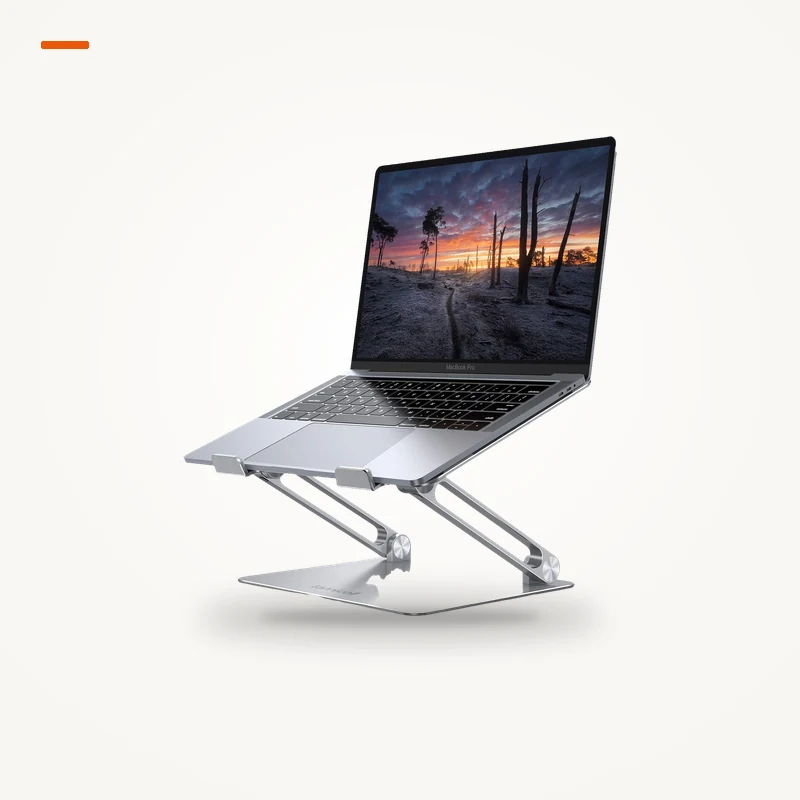 Lamicall Adjustable Aluminum Laptop Stand |
Best adjustable |
|
Check Price |
3 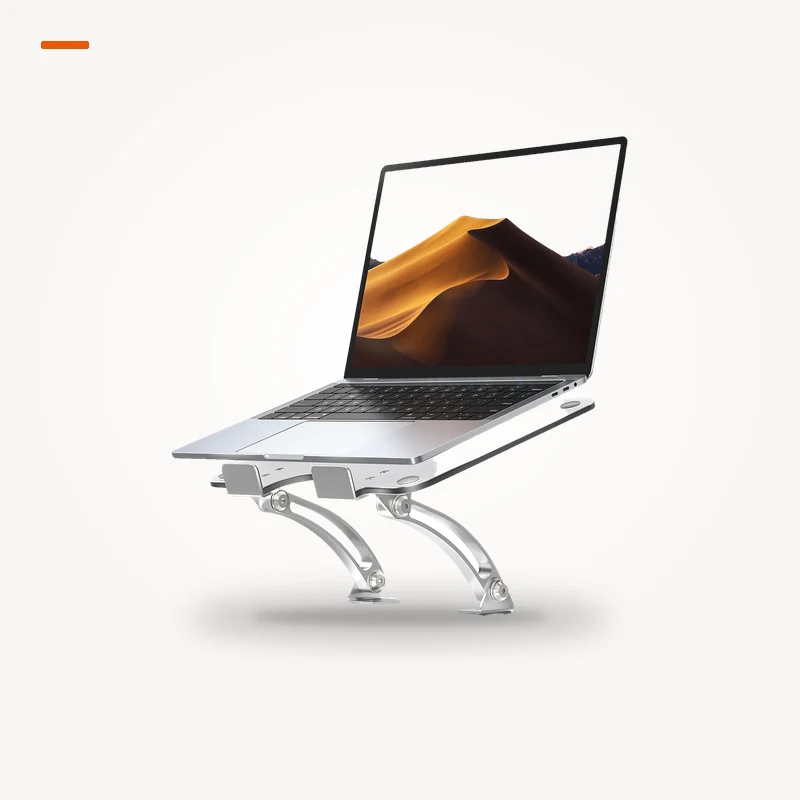 Nulaxy Dual-Rod Adjustable Laptop Stand |
Best for heavy laptops |
|
Check Price |
4 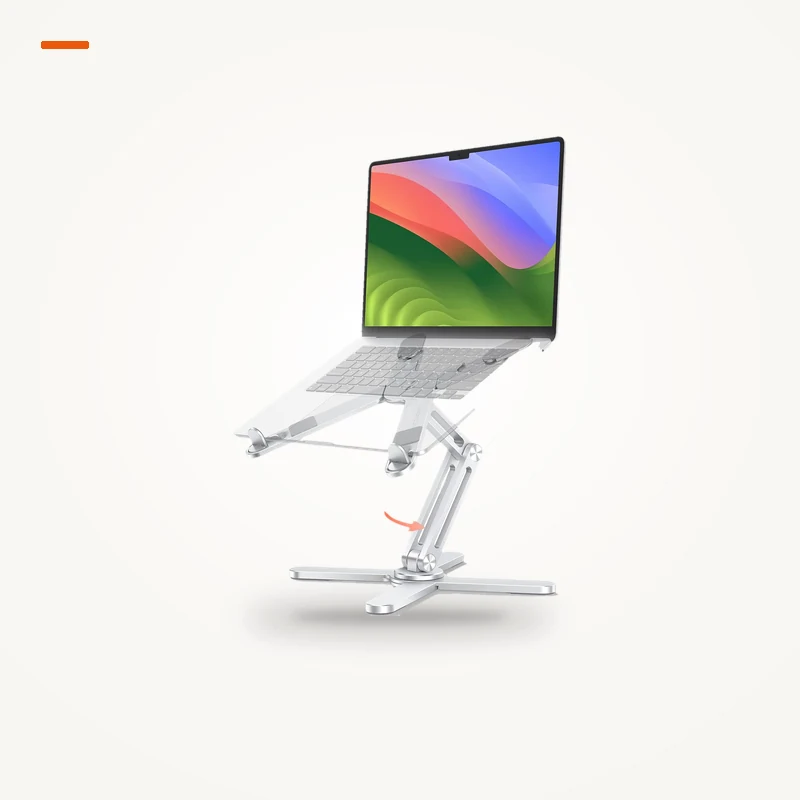 OMOTON LA10 360° Rotating Laptop Stand |
Best rotating and tallest |
|
Check Price |
5 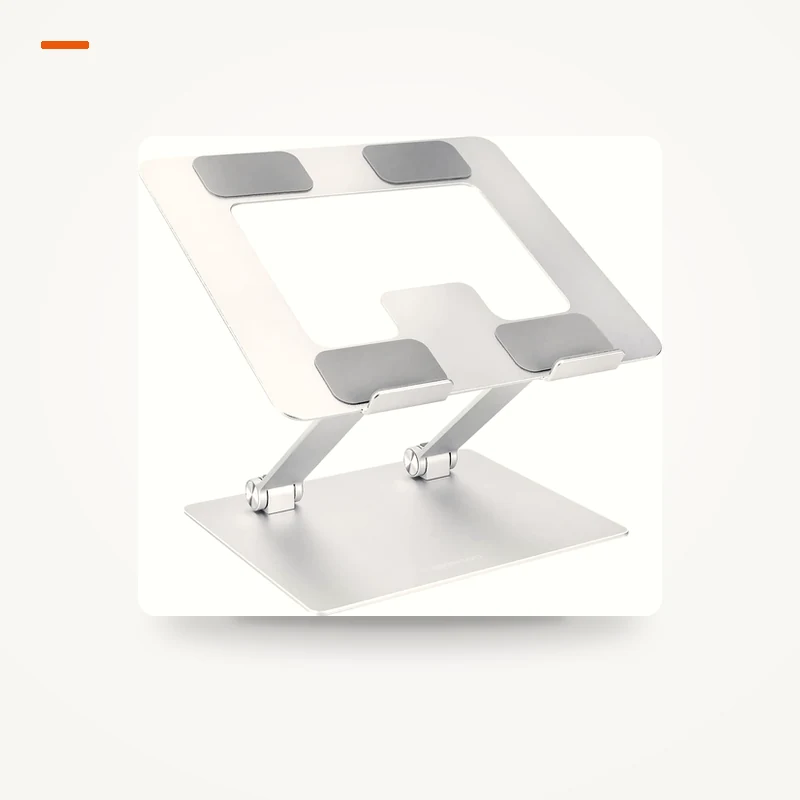 Amazon Basics Foldable Laptop Stand |
Best for travel |
|
Check Price |
How to choose a laptop stand
Fixed or adjustable
Fixed stands like the mStand are the sturdiest and simplest, but you get one height and angle. Adjustable stands let you set the screen higher or lower, which matters if you’re tall, use different chairs, or want the screen at eye level rather than just higher.
Height
For a comfortable neck, the top of the screen should be at or slightly below eye level. Most fixed stands raise a laptop by around 6 inches; adjustable ones go higher. If you also use a separate monitor, see our best monitor arms to get both screens at the same height.
Laptop size and weight
Check the supported screen size and weight. Large gaming laptops are heavy, so choose a stand rated for them.
Portability
If you work in cafés, offices and at home, a stand that folds flat and weighs under 2 pounds is worth it. Some come with a pouch.
You’ll need a keyboard and mouse
A raised laptop is too high to type on comfortably. Use an external keyboard and mouse at elbow height; our best wireless keyboard and mouse combo guide has options, and if you also use a desktop, see how to share one keyboard and mouse between two computers.
The best laptop stands reviewed
1. Rain Design mStand — best laptop stand for a permanent desk
Who it’s for: MacBook and slim-laptop owners who want a solid, good-looking stand that stays on the desk.
The mStand is a long-running favourite: a single piece of sand-blasted, anodised aluminium that raises the laptop screen by 5.9 inches. Rain Design says the solid aluminium adds stability and acts as a heat sink to help cool the laptop.
A 2-inch cable hole and organiser at the back keep wires tidy, and the space underneath lets you slide an external keyboard away when you’re not using it. It fits laptops less than 10.4 inches deep. The trade-off is that the height and angle are fixed, and it doesn’t fold for travel. It was sold by Rain Design at $39.90 on November 28, 2026.
Key specs: Raises the screen 5.9 in; single-piece aluminium that acts as a heat sink; 2 in rear cable hole and organiser; space underneath to stash a keyboard; fits laptops less than 10.4 in deep; silver anodised finish.
- Very sturdy one-piece design
- Looks great with MacBooks
- Cable management
- Keyboard stashes underneath
- Fixed height and angle
- Not portable
- Fits laptops under 10.4 in deep
2. Lamicall Adjustable Aluminum Laptop Stand — best adjustable laptop stand
Who it’s for: Anyone who wants to fine-tune height and angle on a stand that also fits large 17-inch laptops.
Lamicall’s stand adjusts in height and angle, so you can set the screen where it suits you rather than accepting a fixed rise. It fits laptops from 10 up to 17.3 inches, and Lamicall says the larger, heavier aluminium base improves stability while you type.
Ventilation holes allow airflow under the laptop, silicone pads stop it sliding, and the stand folds up for a laptop bag. It’s a flexible all-rounder for home and office. It was $28.49 from Lamicall’s store on November 28, 2026.
Key specs: Fits 10–17.3 in laptops; adjustable height and angle; aluminium alloy with a larger, heavier base; ventilation holes; anti-skid silicone pads; folds for travel.
- Adjustable height and angle
- Fits up to 17.3 in
- Folds for travel
- Good price
- Heavier than travel-only stands
- Max height not listed
- Sold by the brand’s store
3. Nulaxy Dual-Rod Adjustable Laptop Stand — best laptop stand for gaming laptops
Who it’s for: Owners of heavier laptops, including gaming laptops, who want an adjustable stand that folds flat.
Nulaxy’s stand uses a dual-rod support mechanism rather than a single hinge, which the company says spreads the weight and supports devices up to 22 pounds (10 kg), the highest capacity here. It fits laptops from 10 to 16 inches.
The upper panel has a geometric vented design for airflow, anti-slip silicone pads protect the laptop, and the double-fold design collapses flat for a backpack. At $19.99 on November 28, 2026, it’s also the cheapest stand in this guide.
Key specs: Fits 10–16 in laptops; dual-support rod mechanism; supports up to 22 lb (10 kg); vented top panel; anti-slip silicone pads; double-fold design folds flat.
- Highest weight capacity
- Lowest price
- Folds flat
- Vented panel
- Max 16 in laptops
- Third-party seller
- Height range not listed
4. OMOTON LA10 360° Rotating Laptop Stand — best rotating laptop stand
Who it’s for: People who share their screen on calls or with colleagues, and anyone who needs a tall rise.
OMOTON’s LA10 swivels a full 360 degrees on an X-shaped base, so you can turn your screen toward a colleague or adjust your viewing angle without moving the stand. It raises the screen anywhere from 1.8 to 10.4 inches, the widest listed range here, with friction joints and no tools.
It fits laptops and tablets up to 17 inches, folds to 11.4 by 1.7 inches, weighs 840 g and comes with a storage pouch. OMOTON advises removing the laptop before adjusting height or angle. It was $28.04 on November 28, 2026.
Key specs: 360° rotation on an X-base; height from 1.8 to 10.4 in; tool-free friction joints; fits laptops and tablets up to 17 in; folds to 11.4 × 1.7 in; 840 g; storage pouch included; open X-frame for airflow.
- 360° rotation
- Tallest listed rise
- Folds small with pouch
- Fits up to 17 in
- Remove laptop before adjusting
- Third-party seller
- X-base takes some desk space
5. Amazon Basics Foldable Laptop Stand — best portable laptop stand
Who it’s for: Travellers and hybrid workers who want a light, inexpensive stand that lives in a laptop bag.
Amazon Basics’ stand is a lightweight aluminium riser with up to 7 inches of height adjustment, for laptops and tablets from 10 to 15.6 inches. It holds up to 11 pounds (5 kg) and has non-slip silicone pads and protective hooks to keep the laptop in place.
It folds to 10 by 8.7 by 1.8 inches and weighs 1.7 pounds, so it slips into most laptop bags, and the open design helps airflow. It’s sold and shipped by Amazon.com, at $25.47 on November 28, 2026.
Key specs: Up to 7 in of height adjustment; fits 10–15.6 in laptops and tablets; aluminium; 11 lb (5 kg) capacity; non-slip silicone pads and protective hooks; open ventilated design; folds to 10 × 8.7 × 1.8 in; 1.7 lb.
- Light and compact
- Sold by Amazon.com
- Adjustable height
- Low price
- Max 15.6 in laptops
- Lower capacity
- Less stable for heavy typing
Laptop stands compared
| Stand | Type | Laptop size | Height | Portable |
|---|---|---|---|---|
| Rain Design mStand | Fixed | Depth under 10.4 in | 5.9 in rise | No |
| Lamicall | Adjustable | 10–17.3 in | Adjustable (range not listed) | Folds |
| Nulaxy | Adjustable, dual-rod | 10–16 in (up to 22 lb) | Adjustable (range not listed) | Folds flat |
| OMOTON LA10 | Adjustable, rotating | Up to 17 in | 1.8–10.4 in | Folds, pouch |
| Amazon Basics | Adjustable | 10–15.6 in (up to 11 lb) | Up to 7 in adjustment | Folds, 1.7 lb |
Which laptop stand fits you?
| If you… | Choose | Why |
|---|---|---|
| Work at the same desk every day | Rain Design mStand | Sturdy, tidy, stays put |
| Want to fine-tune height and angle | Lamicall | Adjustable, fits up to 17.3 in |
| Have a heavy gaming laptop | Nulaxy | 22 lb capacity |
| Share your screen or need a tall rise | OMOTON LA10 | 360° swivel, up to 10.4 in |
| Travel a lot | Amazon Basics | Light, compact, sold by Amazon |
Setting up a laptop stand
- Place the stand an arm’s length away, directly in front of you.
- Adjust it until the top of the screen is at or slightly below eye level.
- Put an external keyboard and mouse on the desk at about elbow height.
- Tidy the charger and cables; our desk setup guide covers the rest of the workspace.
If you still get wrist or forearm aches after raising your screen, our guide to wrist pain from typing covers keyboard and mouse position.
FAQ
Are laptop stands good for your neck?
They help by raising the screen closer to eye level, so you look down less. For full benefit, use an external keyboard and mouse.
How high should a laptop stand be?
High enough that the top of the screen is at or slightly below eye level when you sit up straight.
Do laptop stands help with cooling?
Raising the laptop and leaving space underneath can improve airflow, and several stands here have vented or open designs. They aren’t a substitute for a cooling pad on very hot gaming laptops.
Can I type on a laptop on a stand?
You can, but it’s uncomfortable for long periods because the keyboard is too high and angled. An external keyboard is better.
Will a laptop stand fit a 17-inch laptop?
Check the listing. The Lamicall fits up to 17.3 inches and the OMOTON LA10 up to 17 inches.
Final verdict
The Rain Design mStand is the stand to buy for a permanent, tidy desk. The Lamicall is the best adjustable all-rounder, the Nulaxy is the value pick for heavy laptops, the OMOTON LA10 adds rotation and the tallest rise, and the Amazon Basics stand is the one to keep in your bag. Whichever you choose, add an external keyboard and mouse to finish the job.

Experience is what matters at the end!!
Hi! This is Jacob Jay – founder of Keyboardgear.com! From childhood to adulthood, I’ve always remained passionate about IT, and the revolution in this industry, especially gaming on the PC can’t go out of my way. Since I’m an enthusiastic gamer, and I love to experience various gaming accessories, particularly mechanical keyboards, that really boost my gaming adventure manifolds. So, my nerve cells hit me to transfer my experiences into word form and share with others to identify the ideal keyboards perfectly fit for their gaming modes.
I know very well how hard it is to find the high-quality items available on the internet that ought to be exactly the same as seen as on the screen. But the counterfeiters have ruined the user’s trust. As I have passed all such situations, I’m obliged to deliver the genuinity and express the same as what I am saying.
So, now, I’m working on the mission to provide very helpful and frankly but trustworthy reviews and guides about various mechanical keyboards, mouses, and other gaming accessories as per my personal experiences and sound knowledge.