

Quick answer
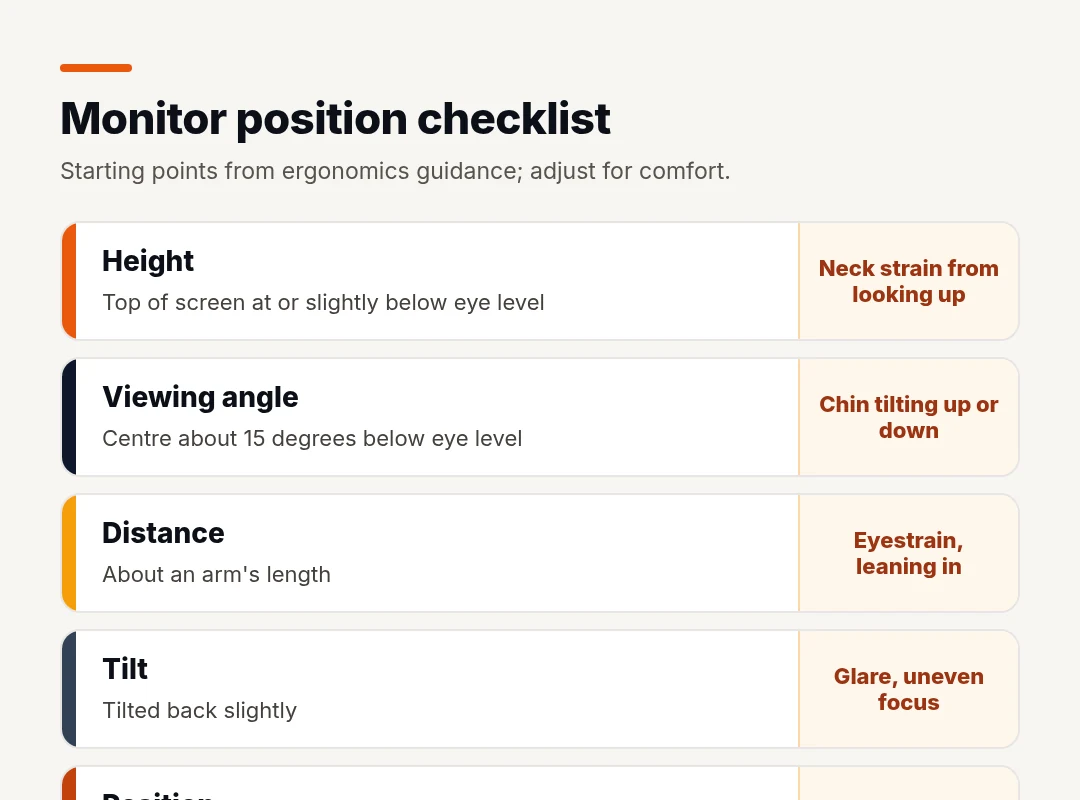
The top of your monitor should be at or slightly below eye level, so the centre of the screen sits about 15 degrees below your line of sight when you look straight ahead. Place it about an arm’s length away, directly in front of you, and tilt it back slightly.
If you wear bifocals or progressive lenses, set it a little lower. If you can’t read the screen at arm’s length, increase the text size rather than moving closer.
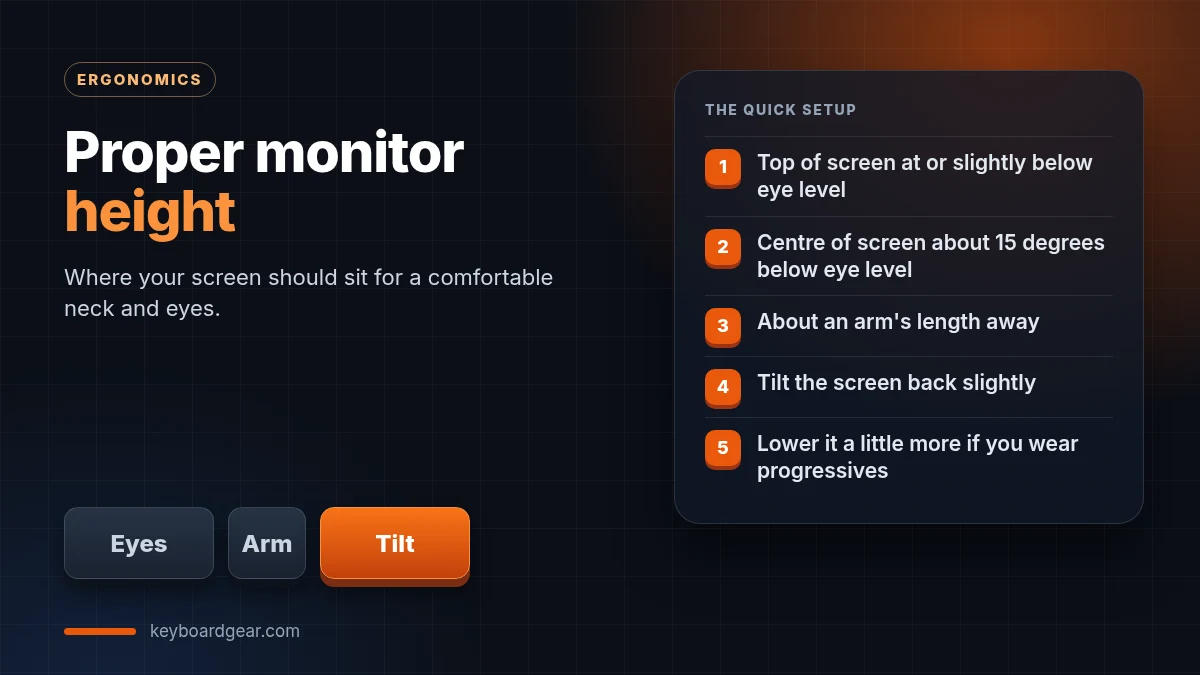
A badly placed monitor makes your body adapt to it. If it is too high, you tilt your chin up; too low, and you hunch; too close, and your eyes work harder; off to one side, and you twist your neck all day. The Canadian Centre for Occupational Health and Safety (CCOHS) notes that neck and shoulder aches and eyestrain are common complaints among computer users, and that monitor position plays a big part.
The fix is usually free: a stack of books, a different desk position or a few minutes with the stand’s adjustments. This guide explains where your screen should be and how to get it there.
Why monitor height matters
Two things decide whether a monitor is comfortable:
- Viewing angle: how far above or below your eye level the screen is. A poor angle mostly affects your neck and shoulders.
- Viewing distance: how far your eyes are from the screen. The wrong distance mostly contributes to eyestrain.
Ergonomics guidelines differ in the details, and CCOHS stresses they are starting points rather than rules carved in stone. But they agree on the basics.
How high should your monitor be?
At rest, your eyes naturally look straight ahead and slightly down. CCOHS says research puts the comfortable downward gaze somewhere between about 15 and 30 degrees, and recommends placing the monitor so its centre is about 15 degrees, or slightly lower, below the horizontal line from your eyes.
In practice, that means:
- Sit in your normal working posture, back against the chair, looking straight ahead.
- The top line of text or the top edge of the screen should be at or just below eye level.
- You should be able to read the middle of the screen with your eyes looking slightly down and your chin level.
Field studies cited by CCOHS found that looking upward is tiring, while looking somewhat further down is not particularly fatiguing. So a monitor that is too high is worse than one that is a little too low. If you’re between two heights, choose the lower one.
How far away should your monitor be?
CCOHS suggests about an arm’s length as a good starting estimate, adjusted for your eyesight and preference. Sit back and stretch your arm toward the screen; your fingertips should reach or nearly reach it.
Focusing at close range takes more muscular effort from your eyes, which increases the risk of eyestrain. Further away is easier on the eyes, as long as you can read comfortably. If text looks too small at arm’s length, increase the font size or display scaling instead of pulling the screen closer or leaning in.
Larger monitors generally need more distance so you can see the whole screen without moving your head much.
Tilt and glare
Tilt the screen back slightly so it faces your eyes, perpendicular to your line of sight. Place it at right angles to windows where possible, to reduce glare and reflections, and avoid having a bright window directly behind the screen. A monitor light bar can light your desk without shining on the screen; see our best monitor light bars guide.
If you wear bifocals or progressive lenses
The reading portion of bifocals and progressives is at the bottom of the lens, so with a normal monitor height you end up tilting your head back to see the screen. CCOHS suggests people who wear these lenses may find it more comfortable to have the top of the monitor slightly below eye level, lowering it so you can read through the bottom of the lens with your head level. Dedicated computer glasses are another option worth asking your optician about.
Dual and ultrawide monitors
For two or more screens, CCOHS recommends:
- If you use both equally, put them in front of you with the edges touching and angle them into a gentle semicircle, with the join in front of your nose.
- If you use one more, place the main monitor directly in front of you like a single screen and set the second to one side, angled in.
Keep all screens at about arm’s length and at the same height. For very wide or tall monitors, avoid having to turn your head a lot to see the edges; it may help to move the screen further away. For a portrait monitor, make sure the top of the screen isn’t above eye level.
Laptops
A laptop’s screen and keyboard are joined, so you can’t get both right at once. Used flat on a desk, the screen is far too low and you hunch over it. For regular use:
- Raise the laptop on a stand or a stack of books so the top of the screen is near eye level.
- Use an external keyboard and mouse at elbow height.
- Or connect an external monitor and use that as your main screen.
Getting the keyboard height right matters as much; see our guide to keyboard tilt for wrist position.
Standing desks
The same rules apply when standing: top of the screen at or slightly below eye level, about an arm’s length away. Because your eye height changes between sitting and standing, re-check the monitor every time you switch, or use a monitor arm that adjusts easily. Your keyboard and mouse should be at about elbow height in both positions.
How to raise or lower a monitor
| Problem | Fix |
|---|---|
| Monitor too low | Use the stand’s height adjustment, a monitor riser, books or a monitor arm |
| Monitor too high | Lower the stand, remove risers, or use a monitor arm; raise your chair if your feet stay flat (add a footrest if not) |
| Monitor too close | Push it back or use a deeper desk or monitor arm; increase text scaling |
| Monitor off to one side | Centre it in front of your keyboard |
| Can’t adjust tilt | Use a monitor arm or a stand with tilt |
Monitor arms are the most flexible fix, letting you set height, distance and tilt precisely and freeing desk space. Before buying one, check your monitor has VESA mounting holes and that the arm supports its weight and size, and that your desk can take a clamp.
Check your whole setup
Monitor height is one part of a comfortable workstation. Your chair should let your feet rest flat with your thighs roughly parallel to the floor, your keyboard and mouse should be close and at about elbow height, and you should change position and look away from the screen regularly. Our desk setup guide covers the full picture, and if your wrists ache, read our guide to wrist pain from typing. Tidy cables make it easier to move a monitor around; see desk cable management.
::warn
If you have ongoing neck, shoulder or eye pain, headaches or blurred vision, see a doctor, physiotherapist or optician. An eye test can reveal whether you need glasses for screen distance.
::
FAQ
Should the top of my monitor be at eye level?
The top of the screen should be at or slightly below eye level, so the centre of the screen is about 15 degrees below your line of sight.
Is it better for a monitor to be too high or too low?
Slightly too low. Looking upward is more tiring than looking a little further down, according to ergonomics research cited by CCOHS.
How far should I sit from my monitor?
About an arm’s length, adjusted for comfort. If you can’t read text at that distance, increase the text size.
How high should a laptop screen be?
Ideally with the top near eye level, which means raising the laptop on a stand and using an external keyboard and mouse.
What height should dual monitors be?
Both at the same height, with the tops at or slightly below eye level, arranged in a gentle curve about an arm’s length away.
Does monitor height cause neck pain?
A poorly placed monitor can contribute to neck and shoulder discomfort by forcing awkward head positions. Fixing the height is a simple first step.
Bottom line
Set the top of your monitor at or slightly below eye level, about an arm’s length away, directly in front of you and tilted back slightly. Go a little lower if you wear progressives, keep dual monitors at the same height, and raise a laptop with an external keyboard and mouse. When in doubt, lower is better than higher.
Related guide: 5 Best Laptop Stands for Eye-Level Screens at Home and on the Go
Related guide: 5 Best Laptop Stands for Eye-Level Screens at Home and on the Go
Related guide: Standing Desk Setup: Correct Height, Monitor, Keyboard and How Long to Stand
Sources

Experience is what matters at the end!!
Hi! This is Jacob Jay – founder of Keyboardgear.com! From childhood to adulthood, I’ve always remained passionate about IT, and the revolution in this industry, especially gaming on the PC can’t go out of my way. Since I’m an enthusiastic gamer, and I love to experience various gaming accessories, particularly mechanical keyboards, that really boost my gaming adventure manifolds. So, my nerve cells hit me to transfer my experiences into word form and share with others to identify the ideal keyboards perfectly fit for their gaming modes.
I know very well how hard it is to find the high-quality items available on the internet that ought to be exactly the same as seen as on the screen. But the counterfeiters have ruined the user’s trust. As I have passed all such situations, I’m obliged to deliver the genuinity and express the same as what I am saying.
So, now, I’m working on the mission to provide very helpful and frankly but trustworthy reviews and guides about various mechanical keyboards, mouses, and other gaming accessories as per my personal experiences and sound knowledge.