

Quick answer
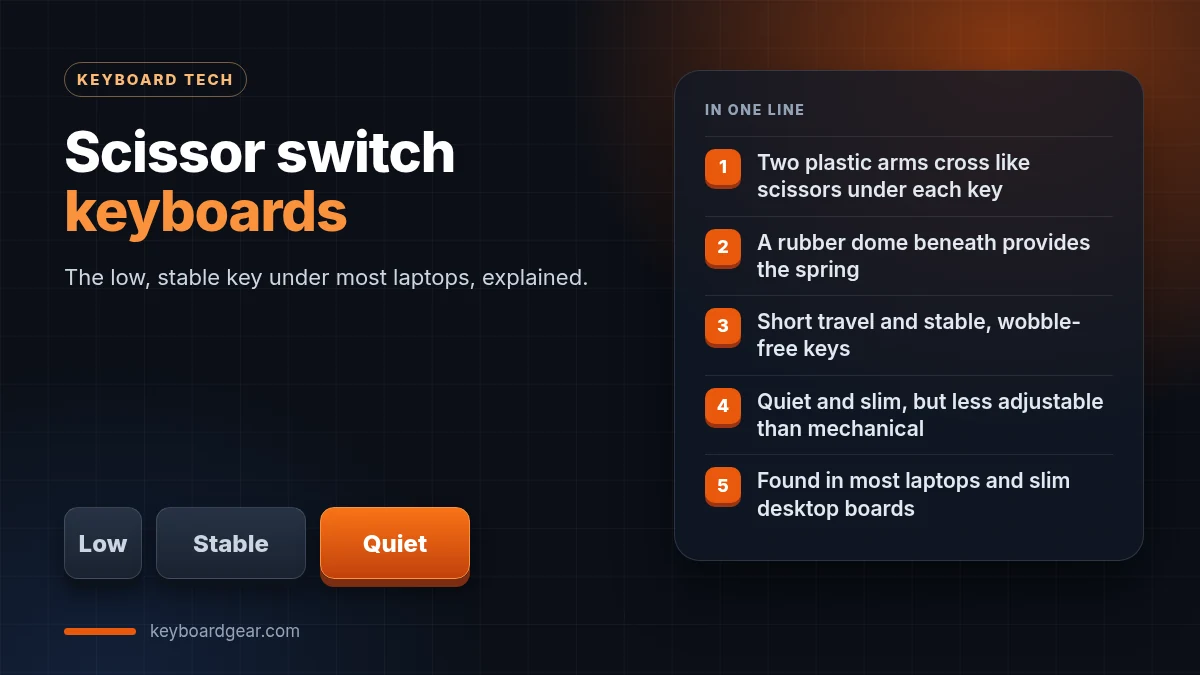
A scissor switch keyboard uses two thin plastic pieces that cross in an X, like a pair of scissors, under each key. The scissor hinge keeps the keycap level and stable while a rubber dome underneath provides the spring and pushes the key back up; pressing the dome closes a circuit on a membrane sheet.
The result is a slim, quiet keyboard with short key travel and little wobble. That is why most laptops, Apple’s Magic Keyboard and many slim desktop keyboards use scissor switches. They are a refined type of rubber-dome keyboard, not mechanical.
If you type on a laptop, you are almost certainly using scissor switches. They are the reason laptop keys feel low, firm and even wherever you press them. They also sit between two better-known options: cheap, mushy membrane keyboards and taller, customisable mechanical ones.
This guide explains how the scissor mechanism works, how it compares with membrane, butterfly and mechanical keys, and when a scissor keyboard is the right choice.
How a scissor switch works
Each key on a scissor keyboard has three main layers:
- The keycap on top, the part you press.
- The scissor mechanism: two small plastic arms joined in the middle in an X shape. One end of each arm clips to the keycap and the other to the keyboard’s base plate. When you press, the X folds flat; when you release, it opens back up.
- The rubber dome and membrane: below the scissor sits a small rubber or silicone dome. Pressing the key collapses the dome, which pushes on a membrane circuit sheet and registers the keystroke. When you let go, the dome springs back and lifts the key.
The scissor hinge does not register keystrokes itself. Its job is to guide the keycap straight down so it moves evenly whether you press the centre or a corner. That is the big improvement over a plain rubber-dome keyboard, where pressing the edge of a key can make it tilt and feel mushy.
Wider keys such as the spacebar, Shift and Enter often add a thin metal stabiliser wire as well, to keep the long keycap level.
Scissor vs plain membrane keyboards
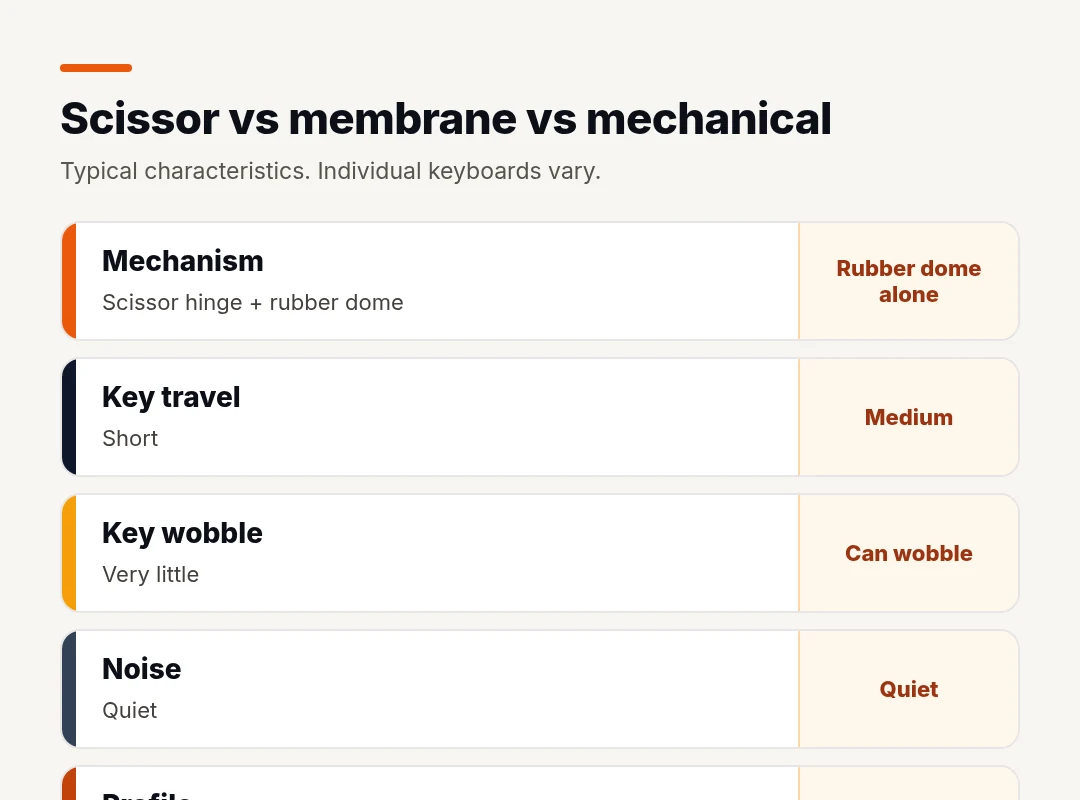
A standard membrane, or rubber-dome, keyboard uses the same dome-and-membrane idea but without the scissor hinge. Keycaps sit on plastic stems or sliders on top of the domes. That gives longer travel and a softer feel, but keys can wobble and feel uneven when struck off-centre.
Scissor keyboards keep the low cost and quietness of rubber domes while adding stability and a slimmer profile. Many people find them crisper and more consistent. Plain membrane boards are often cheaper still and some people prefer their deeper travel. For the bigger picture of dome-based vs mechanical keyboards, see our mechanical vs membrane keyboard guide.
Scissor vs butterfly switches
Between 2015 and 2019, Apple used a “butterfly” mechanism in many MacBooks: a single hinged piece that folded like wings, allowing even thinner keyboards with very short travel. Butterfly keyboards were criticised for keys that stuck, repeated or failed to register when dust got in, and Apple ran a keyboard service program for affected models.
In late 2019 Apple returned to scissor switches with the 16-inch MacBook Pro’s Magic Keyboard, which it described as using a refined scissor mechanism with 1mm of key travel and a stable key feel. Apple notebooks have used scissor keys since.
Scissor vs mechanical switches
A mechanical keyboard has an individual switch under each key, with its own housing, stem, metal spring and contacts. Our explainer on keyboard actuation point shows how that switch registers a press partway down.
Compared with scissor keys, mechanical switches usually offer:
- Longer travel and a more pronounced feel, from smooth linear to tactile or clicky.
- Choice: hundreds of switches with different weights and sounds.
- Repairability: hot-swappable boards let you replace a single switch, and keycaps are easy to swap.
- Durability ratings that are often very high.
Scissor keys win on slimness, quietness, low cost and portability, and many fast typists like their short, light travel. If you want a mechanical feel in a slim package, low-profile mechanical keyboards exist; see our best low profile mechanical keyboards.
Pros and cons of scissor switch keyboards
| Pros | Cons |
|---|---|
| Slim and light, ideal for laptops and travel | Short travel some people find shallow or tiring |
| Stable, wobble-free keys | Little choice of feel or sound |
| Quiet, good for offices and calls | Keycaps and clips are fragile and fiddly to remove |
| Consistent even when keys are hit off-centre | Harder to repair; replacement parts are model-specific |
| Usually inexpensive | Not as customisable as mechanical keyboards |
Who should choose a scissor keyboard?
- Laptop users who want an external keyboard that feels the same as their laptop.
- Mac users who like the Magic Keyboard feel; our best keyboards for Mac guide includes scissor and mechanical options.
- Quiet workspaces: scissor keys are among the quietest options. Our guide on how to make a keyboard quieter has more ideas.
- Travellers and anyone who wants a slim, light board.
- Typists who prefer short, light keystrokes and a flat wrist position.
If you want deep, satisfying travel, a particular sound or a keyboard you can customise and repair, a mechanical keyboard is a better fit.
Cleaning and caring for scissor keys
Scissor mechanisms are delicate, so clean them gently:
- Turn the keyboard upside down and tap it lightly to dislodge crumbs.
- Use short bursts of compressed air at an angle between the keys.
- Wipe the keycaps with a barely damp, lint-free cloth.
- Avoid prying keycaps off unless you need to. The plastic clips break easily, and laptop keycaps are attached differently from mechanical ones. If you must, follow a guide for your exact model; our article on removing keyboard keys covers the basics.
Fixing a sticky or dead scissor key
Most problems come from debris under the key. Try compressed air first. If a key feels crunchy or doesn’t spring back, a piece of grit may be lodged in the scissor or dome; carefully lifting the keycap, removing the debris and reseating it often fixes it. If the scissor clip is snapped, you will need a replacement key-and-hinge set for that exact keyboard model. If several keys stop working at once, it is more likely a software, driver or connection problem; see our guide to a laptop keyboard not working.
Where you’ll find scissor switches
Scissor switches are the standard in most laptops today, and they’re common in slim desktop keyboards too. Well-known examples include Apple’s Magic Keyboard and Logitech’s MX Keys family, both of which use scissor-style keys for a low, stable feel. Many inexpensive slim keyboards and keyboard-and-mouse combos use them as well, though key feel varies a lot from one model to another.
What makes one scissor keyboard feel better than another
| Factor | What to look for |
|---|---|
| Key travel | More travel generally feels less “flat”; very short travel can feel abrupt |
| Key stability | Keys that don’t wobble when pressed at the edges |
| Keycap shape | Slightly dished keycaps help your fingers find the centre of each key |
| Chassis rigidity | A stiff frame with no flex when you type firmly |
| Spacing | Comfortable gaps between keys, especially on compact layouts |
| Backlighting | Even lighting if you type in dim rooms |
How long do scissor keyboards last?
A good scissor keyboard can last for many years of everyday typing, but individual keys are more delicate than mechanical switches. The small plastic clips that hold the scissor mechanism can break if a keycap is pried off carelessly, and replacement parts are often specific to one keyboard model. Mechanical switches, by contrast, are usually rated for far more presses and can often be replaced individually. If longevity and repairability matter most, that’s a point in mechanical’s favour.
If you want something in between
If you like the low height of a scissor keyboard but want more travel and a crisper feel, a low-profile mechanical keyboard is the usual compromise. These use shorter mechanical switches and flatter keycaps, so they sit close to the desk while feeling closer to a full mechanical board.
Choosing a scissor keyboard: quick checklist
- Decide on size first: full-size with a numpad, tenkeyless or compact.
- Check connectivity: USB receiver, Bluetooth or both, and how many devices it can pair with.
- Confirm the layout matches your operating system, especially for Mac shortcuts.
- Look for rechargeable batteries if you don’t want to swap AAs.
- Read reviews for comments on key wobble and chassis flex, the two most common complaints.
FAQ
Is a scissor switch keyboard mechanical?
No. It uses a rubber dome and membrane to register keystrokes, with a plastic scissor hinge for stability. Mechanical keyboards have individual spring switches.
Are scissor switches better than membrane?
They are more stable and usually feel crisper and more consistent, while staying quiet and slim. Plain membrane keyboards offer deeper travel and are often cheaper.
Are scissor switch keyboards good for typing?
Yes. Many people type quickly and comfortably on them. Some prefer the longer travel and feedback of mechanical switches.
Are scissor switches good for gaming?
They are fine for casual gaming. Competitive gamers usually prefer mechanical, optical or Hall effect keyboards with gaming features.
Do MacBooks use scissor switches?
Yes. Apple returned to a scissor mechanism in late 2019 after its butterfly keyboards, and current MacBooks use scissor keys.
How long do scissor switches last?
Durability depends on the keyboard. The domes and hinges are generally long-lasting, but the plastic clips are fragile if keycaps are removed often.
Bottom line
A scissor switch keyboard combines a crossed plastic hinge with a rubber dome to give slim, quiet and stable keys with short travel. It is the standard on laptops and a great choice for quiet offices, travel and anyone who likes a light, low keystroke. If you want deeper travel, a particular feel or easy repairs, look at mechanical keyboards instead.
Sources
- Wikipedia: Keyboard technology
- Apple Newsroom: 16-inch MacBook Pro and the new Magic Keyboard (2019)
- Apple Support: Keyboard Service Program for Mac notebooks

Experience is what matters at the end!!
Hi! This is Jacob Jay – founder of Keyboardgear.com! From childhood to adulthood, I’ve always remained passionate about IT, and the revolution in this industry, especially gaming on the PC can’t go out of my way. Since I’m an enthusiastic gamer, and I love to experience various gaming accessories, particularly mechanical keyboards, that really boost my gaming adventure manifolds. So, my nerve cells hit me to transfer my experiences into word form and share with others to identify the ideal keyboards perfectly fit for their gaming modes.
I know very well how hard it is to find the high-quality items available on the internet that ought to be exactly the same as seen as on the screen. But the counterfeiters have ruined the user’s trust. As I have passed all such situations, I’m obliged to deliver the genuinity and express the same as what I am saying.
So, now, I’m working on the mission to provide very helpful and frankly but trustworthy reviews and guides about various mechanical keyboards, mouses, and other gaming accessories as per my personal experiences and sound knowledge.