

Keyboard Gear earns from qualifying purchases through Amazon links.
The Logitech MX Master 3S is the best silent mouse for most people: Quiet Clicks with 90% less click noise than its predecessor, a near-silent scroll wheel and excellent ergonomics. For large hands on a smaller budget, get the Signature Plus M750 L. Laptop users should look at the slim Logitech Pebble, and the Logitech M340 is the best cheap quiet mouse.
A normal mouse click is surprisingly loud in a quiet room, on a call or late at night next to someone sleeping. Silent mice use dampened switches that cut most of that noise while keeping a click you can still feel. Paired with a quiet keyboard, they make a desk you can work at anywhere; see our best quiet mechanical keyboards for the other half.
This guide covers five silent mice sold on Amazon US, from the premium Logitech MX Master 3S to compact and budget options. We checked availability on Amazon US on November 28, 2026, and the specs come from the manufacturers’ listings. We have not measured noise ourselves, so noise reduction figures are the makers’ claims.
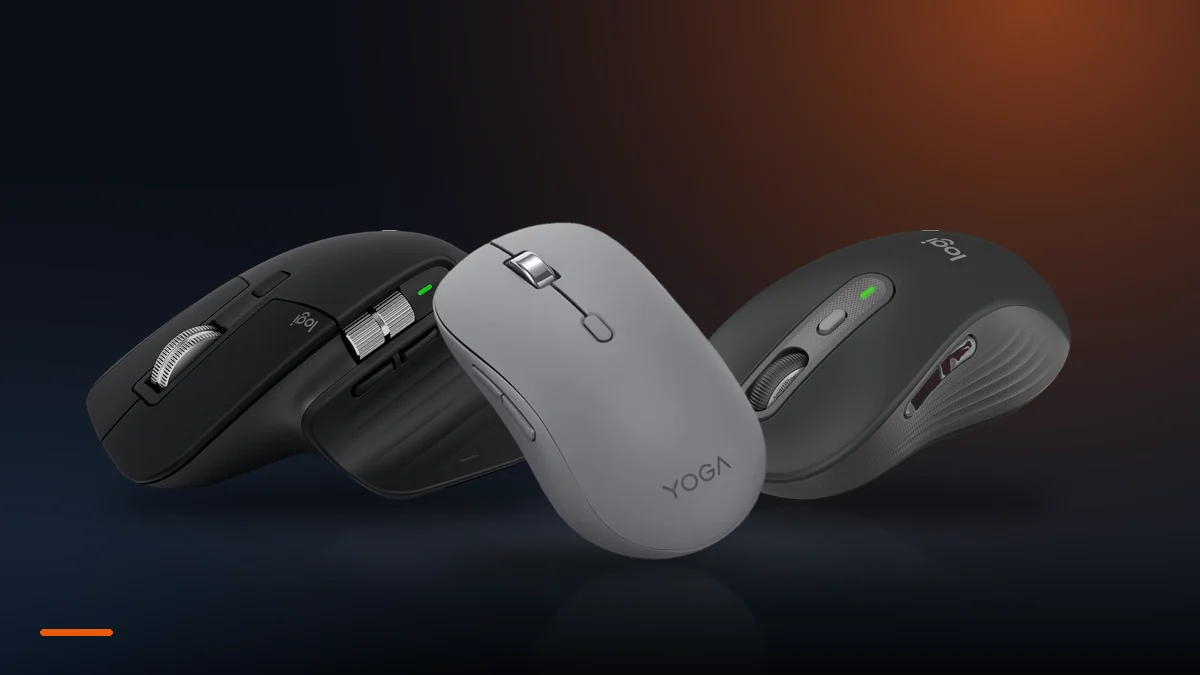
Best silent mice overview
| Product | Best for | Key specs | Price |
|---|---|---|---|
1 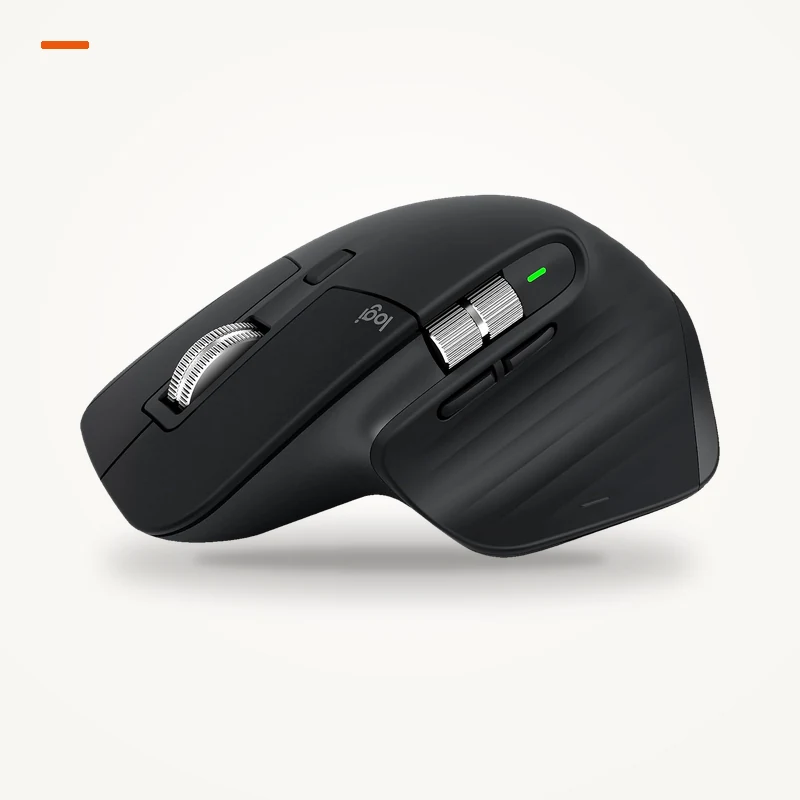 Logitech MX Master 3S |
Best overall |
|
Check Price |
2 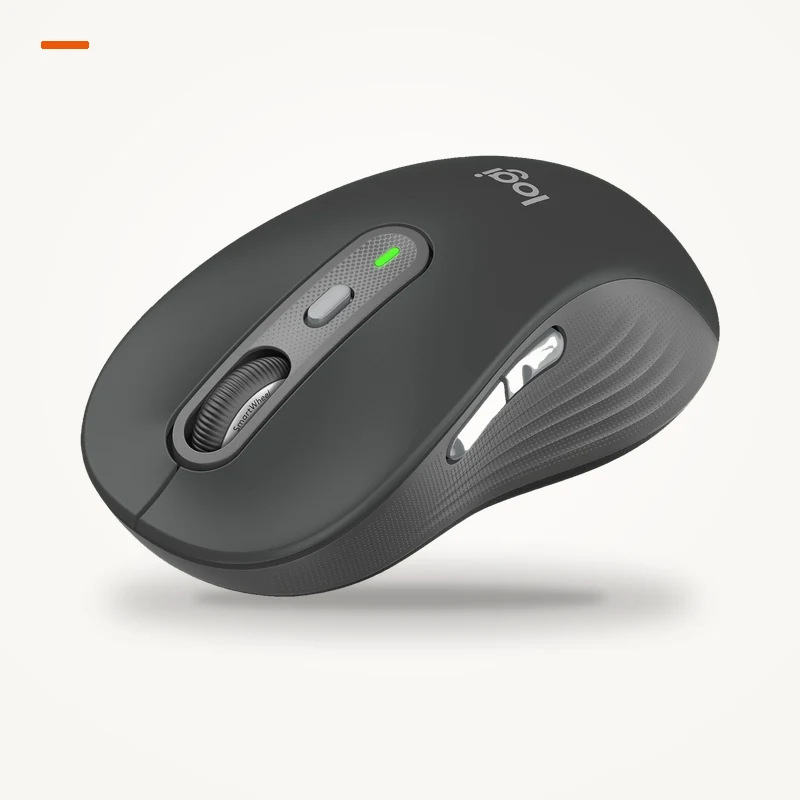 Logitech Signature Plus M750 L |
Best for large hands |
|
Check Price |
3 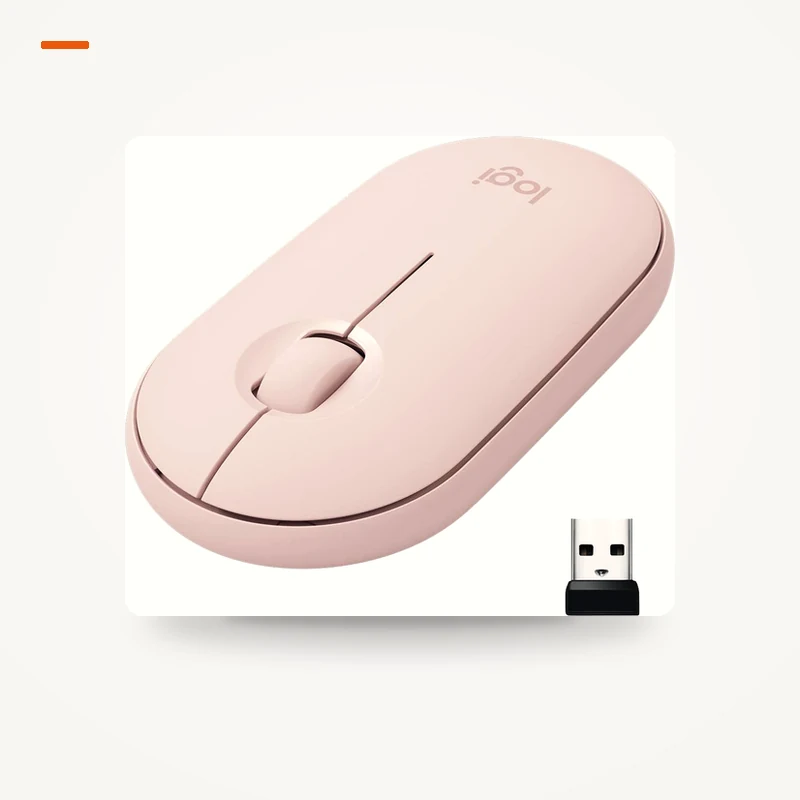 Logitech Pebble M350 |
Best for laptops |
|
Check Price |
4 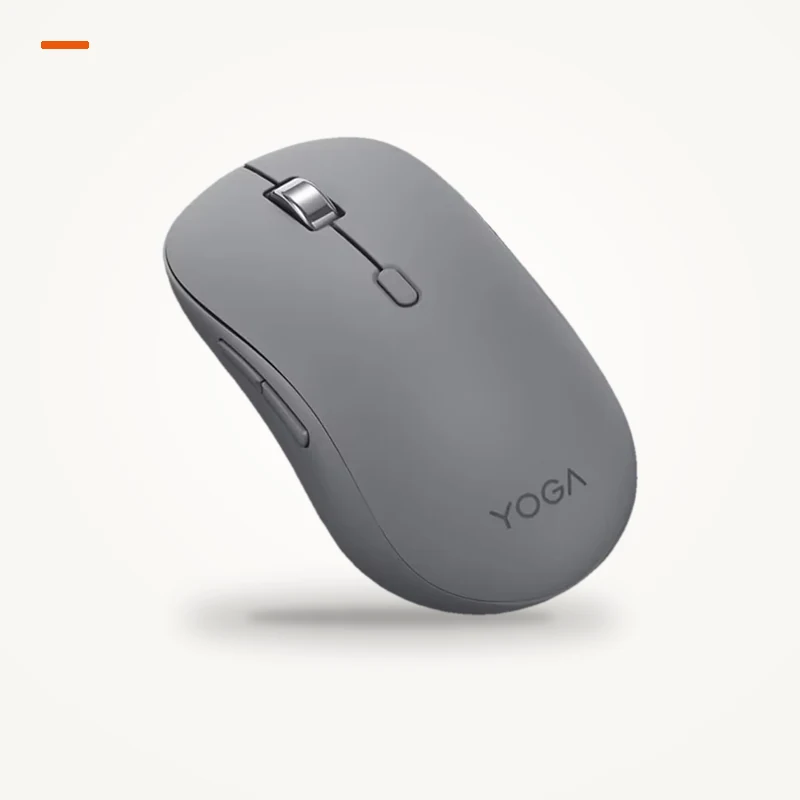 Lenovo Yoga Bluetooth Silent Mouse |
Best multi-device value |
|
Check Price |
5 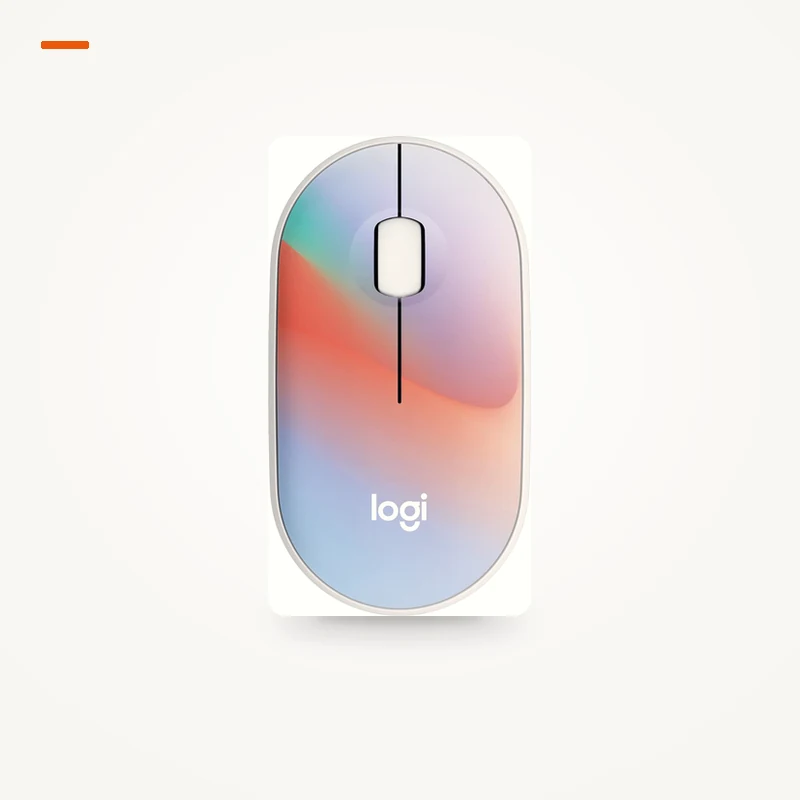 Logitech M340 Silent |
Best cheap |
|
Check Price |
How to choose a silent mouse
How quiet is quiet?
Most silent mice claim around 90 percent less click noise than a standard mouse. Logitech’s MX Master 3S figure is measured against the earlier MX Master 3. In practice, silent clicks sound like a soft tap rather than a sharp click. The scroll wheel matters too: rubber and electromagnetic wheels are much quieter than notched plastic ones.
Size and shape
A silent mouse you don’t enjoy holding isn’t worth buying. Large, contoured mice like the MX Master 3S and M750 L suit all-day work and bigger hands; slim mice like the Pebble and compact ones like the M340 suit travel and smaller hands. Our mouse grip styles guide helps you match shape to how you hold a mouse, and if your wrist aches, read our vertical vs regular mouse comparison too.
Connection
USB receivers are plug-and-play and stable. Bluetooth frees up a port and works with tablets. Multi-device mice let you switch between up to three computers. Check the listing: some MX Master 3S packs don’t include a receiver.
Battery
AA-powered mice from Logitech and Lenovo often last 18 to 36 months on one battery. The MX Master 3S listing here does not state battery life, so check Logitech’s page if that matters to you.
Gaming
Silent mice are mostly built for work. Their dampened switches feel softer and slightly slower than gaming switches, so competitive gamers will usually prefer a gaming mouse.
The best silent mice reviewed
1. Logitech MX Master 3S — best quiet mouse for work
Who it’s for: Office and home workers who want a full-size, ergonomic, feature-packed mouse that barely makes a sound.
The MX Master 3S is Logitech’s flagship productivity mouse, and its Quiet Clicks are the main upgrade over the MX Master 3. Logitech says the left and right clicks have 90 percent less sound power level, measured at 1 metre, while keeping the same satisfying feel. The MagSpeed wheel is near silent too, and can spin freely through long documents.
Its 8000 DPI sensor tracks on almost any surface, including glass at least 4 mm thick, and the sculpted shape and thumb wheel make it comfortable for long days. You can connect up to three devices over Bluetooth and customise buttons per app in Logi Options+. Note that this listing says the Logi Bolt USB receiver is not included, so you will use Bluetooth.
Key specs: Quiet Clicks (90% less click sound power level than MX Master 3, measured at 1 m); 8000 DPI sensor; tracks on glass 4 mm or thicker; MagSpeed electromagnetic scroll wheel; thumb wheel; Logi Options+ app-specific profiles; Logitech Flow; Bluetooth with up to 3 devices; Logi Bolt receiver not included with this listing.
- Very quiet clicks and wheel
- Excellent ergonomics
- Tracks on glass
- Multi-device
- Expensive
- Large; not for small hands
- No receiver in this listing; sold by a reseller
2. Logitech Signature Plus M750 L — best silent mouse for large hands
Who it’s for: People with larger hands who want a comfortable, quiet mouse for less than an MX Master.
The Signature Plus M750 L is a full-size, contoured mouse made for large hands, with a soft thumb area and rubber side grips. Logitech’s SilentTouch technology cuts click noise by 90 percent, and the SmartWheel switches from line-by-line precision to fast free scrolling with a flick.
It pairs with up to three devices over Bluetooth with Easy-Switch, supports Logitech Flow for moving files between Windows and macOS, and has customisable side buttons in Logi Options+. A single AA battery, included, lasts up to 24 months. It works with Windows, macOS, Linux, ChromeOS, iPadOS and Android.
Key specs: SilentTouch clicks (90% less click noise); SmartWheel with precision and fast scrolling; large-hand contoured shape with soft thumb area and rubber grips; customisable side buttons; Easy-Switch for up to 3 Bluetooth devices; Logitech Flow; up to 24 months on 1 AA battery (included); Windows, macOS, Linux, ChromeOS, iPadOS and Android.
- Quiet clicks
- Comfortable for big hands
- Two-year battery
- Multi-device
- Too large for small hands
- Uses AA batteries, not rechargeable
- Sold by a reseller
3. Logitech Pebble M350 — best slim silent mouse
Who it’s for: Laptop users and travellers who want a slim, quiet mouse that works with almost anything.
The Pebble is a slim, smooth mouse that slips easily into a laptop bag. Logitech claims over 90 percent noise reduction on clicks, and its wide rubber scroll wheel is quiet too, so it is a good choice for libraries, shared rooms and calls.
It connects by Bluetooth or the included tiny USB receiver, and works with Windows, macOS, Linux, ChromeOS, iPadOS and Android; it is also certified Works with Chromebook. A single AA battery lasts up to 18 months. The flat shape is less supportive than a full-size mouse, so it suits shorter sessions and travel better than all-day use.
Key specs: Over 90% click noise reduction; quiet rubber scroll wheel; slim, portable shape; Bluetooth or included USB receiver; up to 18 months on 1 AA battery; Windows, macOS, Linux, ChromeOS, iPadOS and Android; Works with Chromebook certified.
- Very slim and portable
- Quiet clicks and wheel
- Bluetooth or receiver
- Long battery life
- Flat shape is less ergonomic
- No extra buttons
- Sold by a reseller
4. Lenovo Yoga Bluetooth Silent Mouse — best cheap silent Bluetooth mouse
Who it’s for: Budget buyers who want a quiet Bluetooth mouse that switches between several devices and almost never needs a battery change.
Lenovo’s Yoga silent mouse is a quiet, soft-touch Bluetooth mouse at a budget price. It connects to up to three devices over Bluetooth 5.3, with Swift Pair on Windows PCs and tap-to-pair on Lenovo Yoga laptops, and Lenovo says it works with all major operating systems.
Battery life is the standout: Lenovo rates it for up to 36 months, or over 1,000 days, on a single AA battery. It has programmable buttons and three DPI levels. It uses Bluetooth only, so you need a computer with Bluetooth or an adapter.
Key specs: Silent clicks; Bluetooth 5.3; up to 3 devices; Swift Pair and tap-to-pair on Yoga PCs; up to 36 months on 1 AA battery; programmable buttons; 3 DPI levels; soft-touch coating.
- Very long battery life
- Three-device switching
- Low price
- Sold by Amazon.com
- Bluetooth only
- Less known than Logitech
- Fewer software features
5. Logitech M340 Silent — best cheap silent mouse
Who it’s for: Anyone who wants a simple, quiet plug-and-play mouse for very little money, especially for Windows or ChromeOS.
The M340 is a compact, ambidextrous mouse with Logitech’s Silent Touch technology, which removes 90 percent of click noise. It connects with the included 2.4 GHz USB receiver, so it works instantly with no pairing, up to 10 metres away.
Logitech lists up to 18 months of battery life with auto-sleep, and the plastic parts use at least 42 percent recycled plastic. It comes in bright patterns and colours. It needs a USB-A port, and Logitech lists Windows and ChromeOS compatibility. It is the cheapest way to get a genuinely quiet Logitech mouse.
Key specs: Silent Touch clicks (90% less click noise); compact ambidextrous shape; 2.4 GHz USB-A receiver included, up to 10 m range; up to 18 months battery life with auto-sleep; Windows and ChromeOS, works with Surface; at least 42% recycled plastic.
- Very cheap
- Quiet clicks
- Plug and play
- Sold by Amazon.com
- Needs a USB-A port
- Small for big hands
- No Bluetooth
Silent mice compared
| Mouse | Best for | Connection | Battery (listed) | Size |
|---|---|---|---|---|
| Logitech MX Master 3S | Best overall | Bluetooth (receiver not in this listing) | Not stated in this listing | Large |
| Logitech Signature Plus M750 L | Best for large hands | Bluetooth | Up to 24 months, 1 AA | Large |
| Logitech Pebble M350 | Best for laptops | Bluetooth or USB receiver | Up to 18 months, 1 AA | Slim |
| Lenovo Yoga Silent | Best multi-device value | Bluetooth 5.3 | Up to 36 months, 1 AA | Medium |
| Logitech M340 | Best cheap | USB receiver | Up to 18 months | Compact |
Which silent mouse fits you?
| If you… | Choose | Why |
|---|---|---|
| Work long days at a desk | Logitech MX Master 3S | Quiet, ergonomic, feature-packed |
| Have large hands | Logitech Signature Plus M750 L | Big contoured shape, quiet clicks |
| Carry a laptop around | Logitech Pebble M350 | Slim, quiet, Bluetooth or receiver |
| Switch between devices on a budget | Lenovo Yoga Silent | Three devices, 36-month battery |
| Just want quiet clicks cheaply | Logitech M340 | Plug-and-play and quiet |
Related guide: 5 Best Mouse Jigglers to Keep Your Computer Awake
FAQ
Are silent mice really silent?
Not completely. They remove most of the sharp click, leaving a soft tap. Makers typically claim around 90 percent less click noise.
Do silent mice feel different?
The click is softer and a little less crisp, but you still feel it. Most people adjust within a day.
Are silent mice good for gaming?
They are fine for casual games, but gaming mice have faster, crisper switches and better sensors for competitive play.
Does a silent mouse need special software?
No. The quiet clicks are mechanical. Software like Logi Options+ only adds button customisation.
How do I connect a Bluetooth silent mouse?
Put it in pairing mode and select it in your device’s Bluetooth settings, the same way as a keyboard; see our Bluetooth pairing guide.
Final verdict
The Logitech MX Master 3S is the silent mouse we would buy for a full workday: quiet clicks, a near-silent wheel and great ergonomics. The Signature Plus M750 L is the value pick for big hands, the Pebble is the easiest to travel with, the Lenovo Yoga offers multi-device switching and a three-year battery for little money, and the M340 is the cheapest way to quieter clicks. For more options, see our best wireless mouse guide.

Experience is what matters at the end!!
Hi! This is Jacob Jay – founder of Keyboardgear.com! From childhood to adulthood, I’ve always remained passionate about IT, and the revolution in this industry, especially gaming on the PC can’t go out of my way. Since I’m an enthusiastic gamer, and I love to experience various gaming accessories, particularly mechanical keyboards, that really boost my gaming adventure manifolds. So, my nerve cells hit me to transfer my experiences into word form and share with others to identify the ideal keyboards perfectly fit for their gaming modes.
I know very well how hard it is to find the high-quality items available on the internet that ought to be exactly the same as seen as on the screen. But the counterfeiters have ruined the user’s trust. As I have passed all such situations, I’m obliged to deliver the genuinity and express the same as what I am saying.
So, now, I’m working on the mission to provide very helpful and frankly but trustworthy reviews and guides about various mechanical keyboards, mouses, and other gaming accessories as per my personal experiences and sound knowledge.