

Quick answer
Wrist pain from typing usually comes from bending your wrists (up, down or sideways) while you type, pressure on the underside of the wrist from a desk edge or wrist rest, and long sessions without breaks. Fix it by putting the keyboard at about elbow height, keeping it flat or slightly tilted away from you, keeping your wrists straight, resting your palms rather than wrists only between bursts of typing, keeping the mouse close, and taking short breaks.
See a doctor if you have numbness, tingling, weakness, pain at night or pain that doesn’t improve after a couple of weeks of changes.
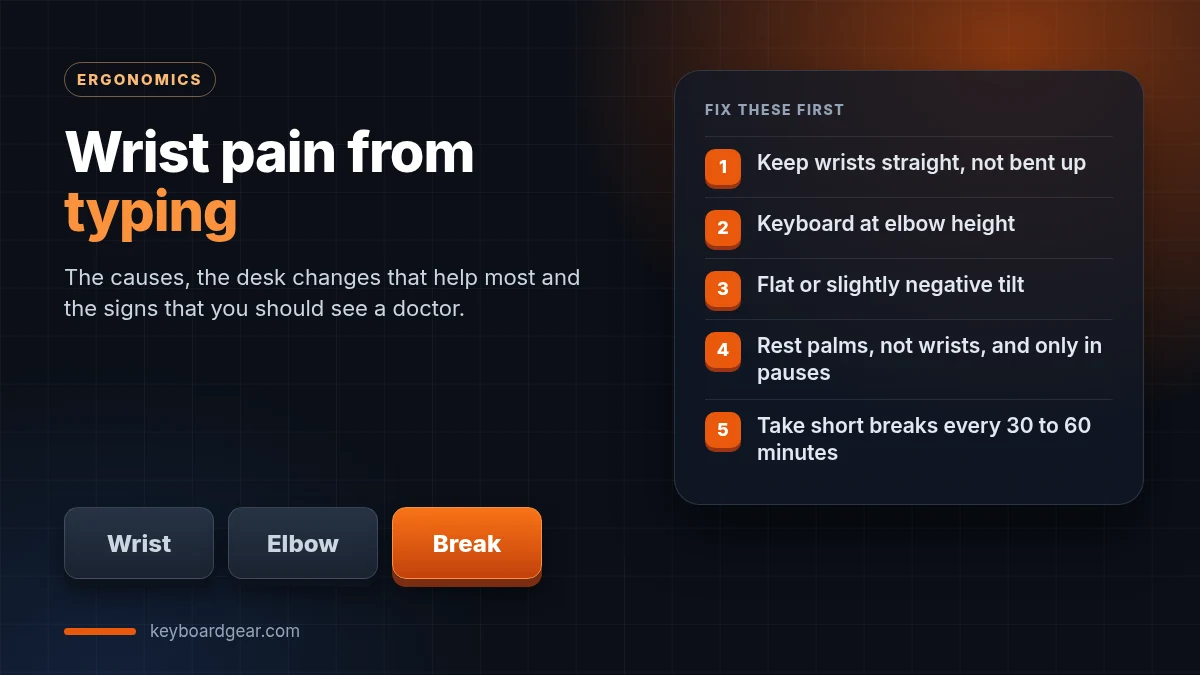
If your wrists ache after a day at the keyboard, you are far from alone. Typing involves thousands of small, repetitive movements, and when the wrist is bent or pressed against something for hours, the tendons and nerves that run through it take the strain. The good news is that the most common causes are about how your desk is set up and how you use it, and those are things you can change today.
This guide explains why typing hurts, the desk and keyboard changes that help most, based on OSHA’s computer workstation guidance and NHS advice, and the warning signs that mean you should get medical help rather than buy new gear.
::warn
This article is general information, not medical advice. If you have numbness, tingling, weakness, swelling, or pain that wakes you up or lasts more than a couple of weeks, see a doctor or physiotherapist.
::
Why typing makes your wrists hurt
Bent wrists
OSHA’s guidance is clear that wrists should be straight and in line with your forearms while you type. When the keyboard is too low or propped up on its back feet, your wrists bend upward (extension). A standard keyboard can also make you bend your wrists outward toward your little fingers (ulnar deviation) to reach all the keys. OSHA notes that these awkward postures create contact stress on the tendons and tendon sheaths that move inside the wrist during repetitive typing.
Pressure on the wrist
Resting the underside of your wrist on a hard desk edge, a laptop palm rest or a firm wrist rest while you type presses on the soft tissue over the carpal tunnel. OSHA recommends that when you use a wrist or palm rest, it should contact the heel or palm of your hand, not your wrist, and your hands should move freely above it while typing.
Repetition without breaks
Even with good posture, staying in the same position for hours is hard on the body. OSHA’s workstation guidance stresses changing position frequently, stretching and standing up periodically.
Your mouse
Many people blame the keyboard when the mouse is the bigger problem. Reaching to the side for a mouse, gripping it tightly, or using a mouse placed higher than the keyboard can strain the wrist and forearm.
Hitting the keys hard
Bottoming out every keystroke with force adds up over a day. Lighter switches, a softer touch and a keyboard that doesn’t need much force can all help.
12 desk fixes for wrist pain
1. Put the keyboard at elbow height
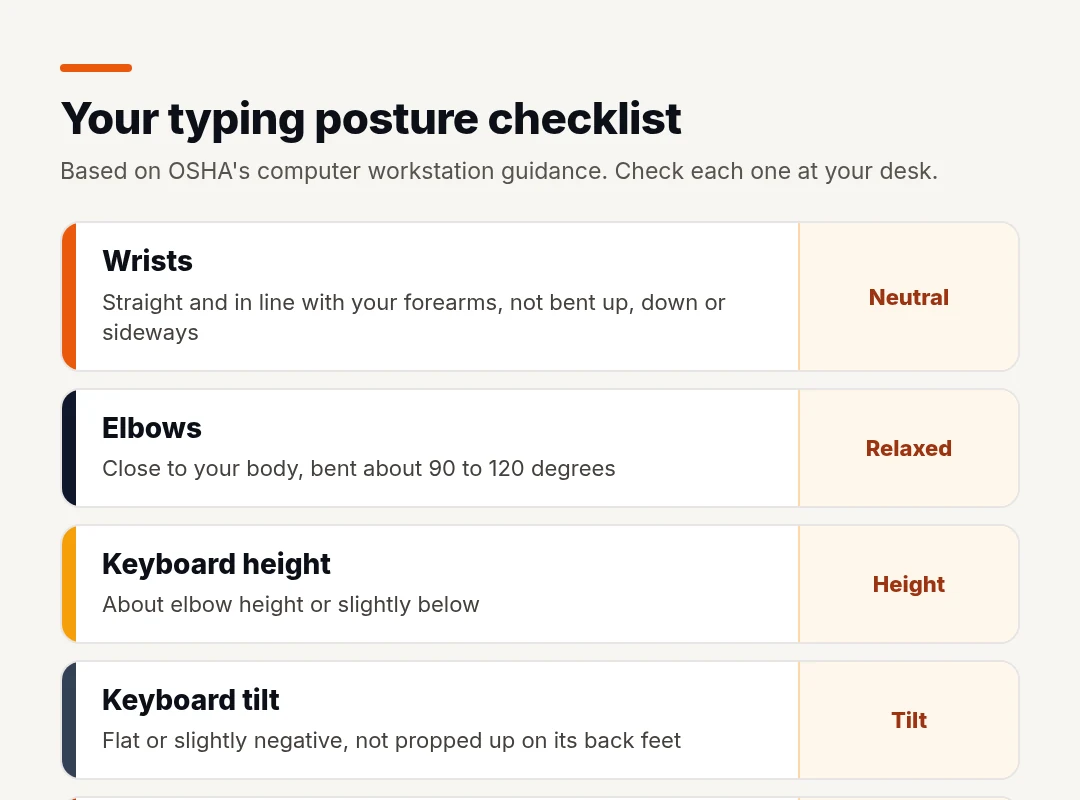
Sit with your shoulders relaxed and your upper arms hanging by your sides. Your elbows should be bent about 90 to 120 degrees and the keyboard should be at about the same height as your elbows, or slightly lower. Adjust your chair first; if the desk is too high, raise the chair and add a footrest. If the desk is too high even then, OSHA suggests an adjustable keyboard tray.
2. Keep the keyboard flat or slightly negative
Most keyboards have feet at the back that tilt them toward you. That tilt makes your wrists bend upward. OSHA and California’s workplace safety guidance both recommend a flat or slightly negative tilt, where the front edge is a little higher than the back, rather than an upward tilt. Our guide to keyboard tilt explains how to set this up.
3. Keep your wrists straight
While typing, your hands, wrists and forearms should form roughly a straight line, roughly parallel to the floor. If you notice your wrists bending up, lower the keyboard or fold the feet in. If they bend sideways, move your hands rather than your wrists to reach keys, or consider a split keyboard.
4. Use a wrist rest the right way, or not at all
A wrist rest can help, but only if you use it for pauses, not while typing. Let your hands float as you type and rest the heel of your palm on the rest when you stop. A rest that is about the same height as the front of the keyboard, fairly soft and rounded works best; OSHA suggests a depth of at least 1.5 inches (3.8 cm). See our picks for the best keyboard wrist rests if yours is too hard or the wrong height.
5. Bring the mouse closer
Keep the mouse right next to the keyboard and at the same height, so you don’t reach out to the side. A compact or tenkeyless keyboard without a number pad brings the mouse several inches closer, which helps your shoulder and wrist.
6. Try a different mouse
If the mouse side hurts more, a vertical mouse puts your hand in a handshake position that reduces forearm twisting, and a trackball removes arm movement entirely. Our best vertical mouse guide covers the main options. Give any new mouse a week or two to get used to.
7. Consider a split or ergonomic keyboard
A split keyboard lets you place each half in line with your shoulders, so your wrists don’t bend outward. Tented keyboards raise the middle so your forearms rotate less. These don’t suit everyone and take time to learn, but they target the exact postures that cause strain. See our ergonomic keyboard guide and the explainer on types of ergonomic keyboards.
8. Type more lightly
Try not to hammer every key to the bottom. A keyboard with light switches, or a well-damped one, makes a gentle touch easier. If you use a mechanical keyboard, lighter linear or tactile switches around 45 to 55 gf need less force than heavier ones.
9. Fix your laptop setup
Laptops force a compromise: if the screen is at eye level, the keyboard is too high, and vice versa. For long sessions, raise the laptop on a stand to bring the screen up, and use an external keyboard and mouse at elbow height.
10. Keep your hands warm
Cold hands and forearms feel stiffer. If your office is cold, warming your hands before typing can make long sessions more comfortable.
11. Take short, frequent breaks
Short breaks every 30 to 60 minutes help more than one long break. Stand up, let your arms hang and shake out your hands, and change tasks. Many people use a break-reminder app or the Pomodoro method.
12. Learn shortcuts and reduce mouse use
Every shortcut replaces a mouse movement and a click. Learning a few of the most useful Windows keyboard shortcuts reduces how much you reach for the mouse.
| Change | Cost | Most helpful for |
|---|---|---|
| Lower keyboard / raise chair | Free | Wrists bending up |
| Fold back keyboard feet | Free | Wrists bending up |
| Move mouse closer | Free | Shoulder and wrist on the mouse side |
| Breaks every 30 to 60 minutes | Free | General soreness and stiffness |
| Wrist rest used for pauses | Low | Contact pressure on the wrist |
| Keyboard tray | Medium | Desk too high to adjust |
| Vertical mouse or trackball | Medium | Forearm twisting, mouse-hand pain |
| Split or tented keyboard | Medium to high | Wrists bending sideways |
Gentle stretches
For carpal tunnel symptoms, the NHS suggests resting the hand, wearing a wrist splint at night and cutting down on activities that make you bend your wrist or grip hard. For general desk stiffness, simple, gentle movements such as these are often recommended:
- Wrist circles: with relaxed hands, slowly roll your wrists in circles in both directions.
- Prayer stretch: press your palms together in front of your chest and slowly lower your hands until you feel a gentle stretch.
- Finger spreads: spread your fingers wide, hold for a few seconds, then relax and make a loose fist.
Stretching should feel gentle. Stop if it causes pain, tingling or numbness, and ask a physiotherapist for exercises tailored to you.
Is it carpal tunnel syndrome?
Carpal tunnel syndrome is caused by pressure on the median nerve as it passes through the wrist. According to the NHS, its symptoms include pain, numbness, tingling or a burning feeling in the thumb, index finger, middle finger and part of the ring finger, weakness in the thumb and difficulty gripping, and symptoms that are often worse at night. Typing doesn’t always cause it, and many other things contribute, including pregnancy, diabetes, arthritis and genetics.
Other common causes of wrist pain at a desk include tendon irritation (tendinitis or tenosynovitis), De Quervain’s tenosynovitis at the base of the thumb, and strain from the elbow and forearm. A professional can tell these apart.
When to see a doctor
See a doctor or physiotherapist if:
- You have numbness, tingling or pins and needles in your fingers.
- Your hand feels weak or you drop things.
- Pain wakes you up at night.
- There is swelling, redness or a lump.
- Pain lasts more than a couple of weeks despite desk changes, or keeps getting worse.
The NHS advises seeing a GP if carpal tunnel symptoms are getting worse or not going away, or if treatment at home isn’t working.
FAQ
Is it normal for wrists to hurt after typing?
It is common, but it is a sign that something about your setup or habits is putting strain on your wrists. Most people improve with better keyboard height, straight wrists and regular breaks.
Do wrist rests help or hurt?
Used correctly, they help. Rest the heel of your palm on them during pauses and let your hands float while typing. Leaning your wrist on a rest while typing can add pressure and make pain worse.
Are ergonomic keyboards worth it for wrist pain?
They can be, especially if your wrists bend sideways on a standard keyboard. Fix keyboard height and tilt first, because those cost nothing and often help most.
Should the keyboard be tilted up?
Usually not. Tilting the keyboard up makes your wrists bend back. A flat or slightly negative tilt keeps them straighter.
Can a mouse cause wrist pain?
Yes. Reaching for the mouse, gripping it tightly or using one that twists your forearm can all cause pain. Keep it close and consider a vertical mouse if the mouse hand hurts most.
Bottom line
Most wrist pain from typing comes from bent wrists, pressure and long sessions without breaks. Start with the free fixes: keyboard at elbow height, flat or slightly negative tilt, straight wrists, a closer mouse and regular breaks. Add a wrist rest, a better mouse or an ergonomic keyboard if you still need to. And if you have numbness, weakness or night pain, see a doctor rather than relying on gear.
Related guide: 5 Best Laptop Stands for Eye-Level Screens at Home and on the Go
Sources
- OSHA: Computer workstations, keyboards
- OSHA: Computer workstations, neutral working positions
- OSHA: Wrist and palm supports
- NHS: Carpal tunnel syndrome

Experience is what matters at the end!!
Hi! This is Jacob Jay – founder of Keyboardgear.com! From childhood to adulthood, I’ve always remained passionate about IT, and the revolution in this industry, especially gaming on the PC can’t go out of my way. Since I’m an enthusiastic gamer, and I love to experience various gaming accessories, particularly mechanical keyboards, that really boost my gaming adventure manifolds. So, my nerve cells hit me to transfer my experiences into word form and share with others to identify the ideal keyboards perfectly fit for their gaming modes.
I know very well how hard it is to find the high-quality items available on the internet that ought to be exactly the same as seen as on the screen. But the counterfeiters have ruined the user’s trust. As I have passed all such situations, I’m obliged to deliver the genuinity and express the same as what I am saying.
So, now, I’m working on the mission to provide very helpful and frankly but trustworthy reviews and guides about various mechanical keyboards, mouses, and other gaming accessories as per my personal experiences and sound knowledge.