

Quick answer
3-pin and 5-pin switches work the same way electrically. Both have two metal pins that carry the signal and a large plastic post in the middle. A 5-pin switch adds two small plastic legs that slot into extra holes in the circuit board to keep the switch straight and steady.
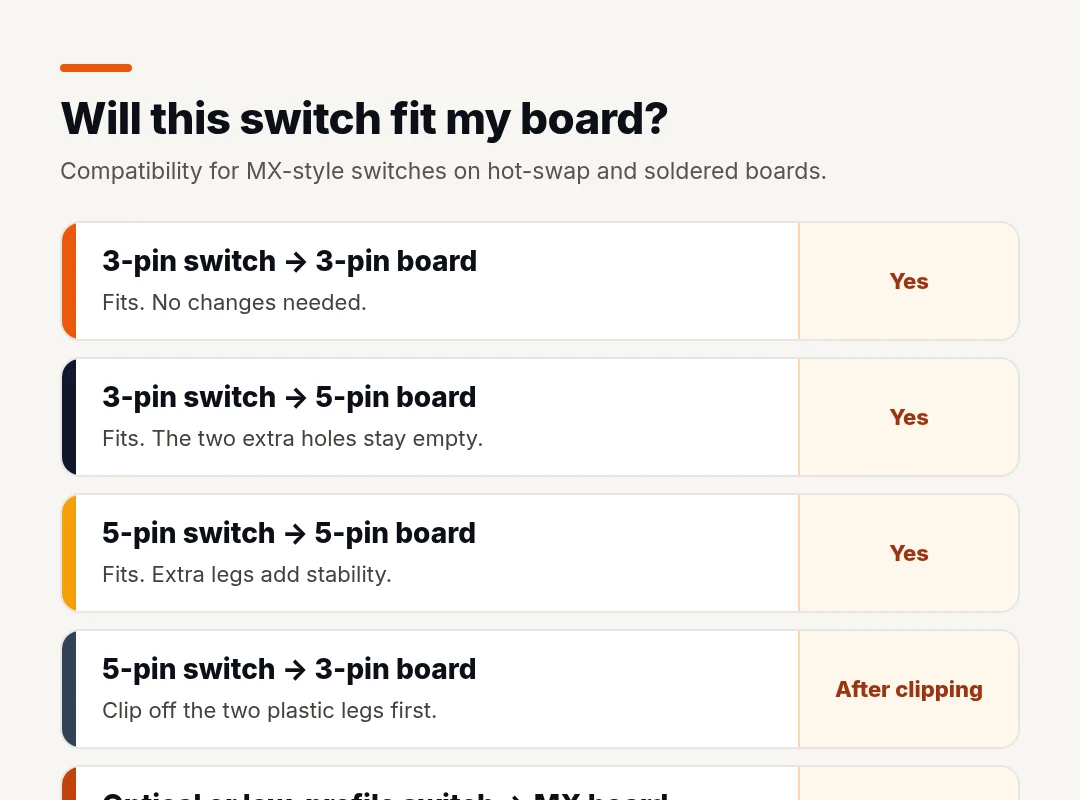
A 3-pin switch fits any MX-style keyboard. A 5-pin switch fits boards with the two extra holes, and you can make it fit a 3-pin board by clipping off the two plastic legs. Neither type types better or faster than the other.
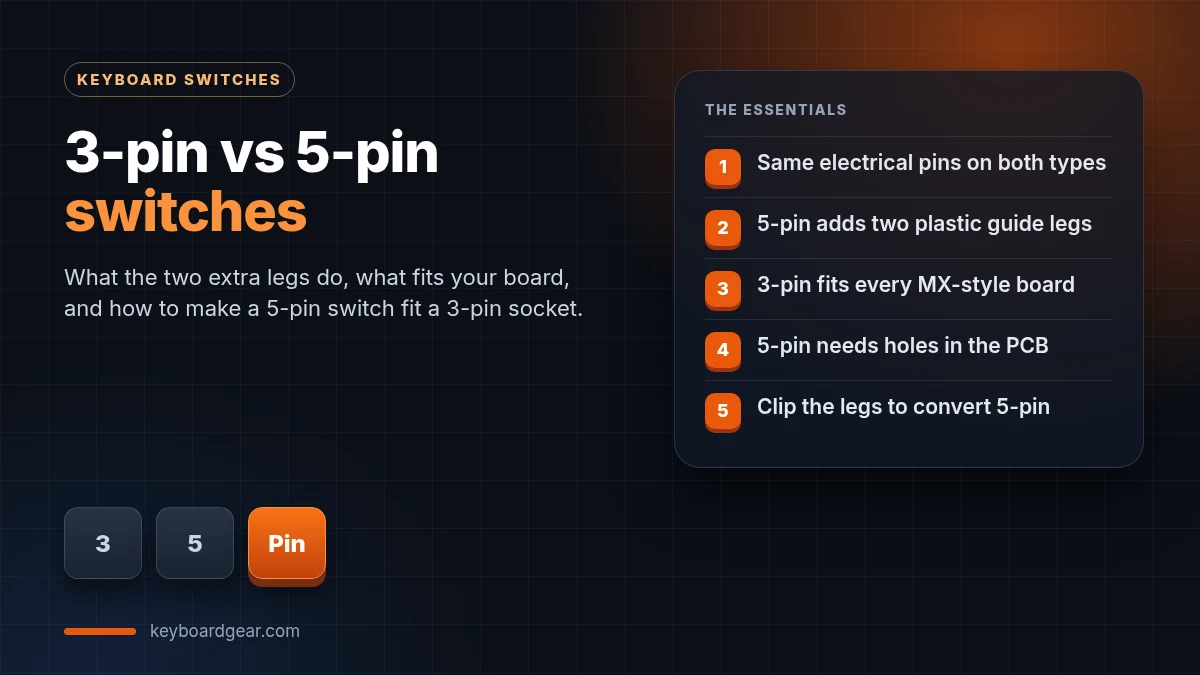
If you shop for switches to put in a hot-swappable keyboard, you will quickly see “3-pin” and “5-pin” in product titles. It sounds like a big technical difference, but it isn’t. It mostly comes down to whether your keyboard’s circuit board has two extra holes.
This guide explains what the pins do, how to check what your board supports, how to convert switches, and the few cases where the choice actually matters.
What the pins on a switch do
Turn any MX-style mechanical switch over and you will see:
- Two metal pins. These are the electrical contacts. When you press the key, the switch closes the circuit between them and the keyboard registers the keypress. Every MX-style switch has exactly two.
- A large central plastic post. It drops into the big hole in the middle of each switch position on the PCB (printed circuit board) and centres the switch.
On a 3-pin switch, that is it: two metal pins plus the centre post, which is where the “3” comes from. A 5-pin switch has the same three, plus two thin plastic legs on either side of the centre post. Those two legs carry no electricity. Their only job is to locate the switch and stop it from twisting or wobbling in the board.
That is why you also see 3-pin switches called plate-mount switches and 5-pin switches called PCB-mount switches. A keyboard with a metal or plastic plate holds each switch firmly in the plate, so the extra legs aren’t needed. A board without a plate relies on the PCB alone, so the extra legs help keep each switch aligned.
| 3-pin (plate-mount) | 5-pin (PCB-mount) | |
|---|---|---|
| Metal contact pins | 2 | 2 |
| Centre plastic post | Yes | Yes |
| Extra plastic legs | None | 2 |
| Fits a 3-pin PCB | Yes | Only after clipping the 2 legs |
| Fits a 5-pin PCB | Yes | Yes |
| Stability in the board | Relies on the plate | Extra legs help keep it straight |
| Typing feel and speed | Same | Same |
Does it change how the switch feels or performs?
No. The pins don’t affect actuation force, travel, sound or speed. A Gateron Yellow 3-pin and a Gateron Yellow 5-pin feel the same once they are installed. What changes how a switch feels is the stem, spring, housing and lube; our guide to linear vs tactile vs clicky switches covers those.
The only possible difference you might notice is a slightly more solid, less wobbly fit on a board without a plate, or on a board with a flexible plate, when you use 5-pin switches. On a normal plated keyboard, you are unlikely to notice anything.
How to tell what your keyboard supports
- Check the product page or manual. Most hot-swap boards say “supports 3-pin and 5-pin switches” or “3-pin only”.
- Look at the PCB. Pull a keycap and a switch with a switch puller (on a hot-swap board) and look at the holes. If there are five holes per switch, two small ones beside the big centre hole, the board supports 5-pin switches. If you only see three holes, it is 3-pin only.
- Check the socket type. Hot-swap boards use small sockets soldered to the back of the PCB. These sockets only care about the two metal pins, so they accept 3-pin and 5-pin switches as long as the PCB has the holes for the extra legs.
Many budget hot-swap boards are 3-pin only, while most enthusiast and newer gaming boards support both.
How to convert a 5-pin switch to 3-pin
If you have 5-pin switches and a 3-pin board, you can make them fit:
- Use a pair of small flush cutters (side cutters).
- Cut each of the two thin plastic legs off flat, as close to the bottom of the housing as you can.
- Leave the two metal pins and the big centre post alone.
- Check that the switch sits flat against the plate, then press it in straight.
It takes a few seconds per switch, doesn’t affect how the switch works, and you can’t really go wrong as long as you don’t cut the metal pins. You can’t go the other way: a 3-pin switch can’t become a 5-pin switch, but it doesn’t need to, because it already fits a 5-pin board.
Don’t force a switch. If a 5-pin switch won’t seat in a 3-pin board, stop and clip the legs. Forcing it can bend the metal pins or damage the hot-swap socket.
Installing switches without bending pins
Bent pins are the most common problem when swapping switches, and they have nothing to do with 3-pin vs 5-pin. Before you install a switch, look at the two metal pins and make sure they are straight. Line the switch up with the holes, keep it level and press down gently until it clicks into the plate. If a key doesn’t work afterwards, pull the switch and check whether a pin folded over instead of going into the socket. You can usually straighten it with tweezers. Our step-by-step guide on how to change keyboard switches covers the whole process.
Which should you buy?
- If your board supports 5-pin switches, buy 5-pin. You get a slightly more stable fit, and you can still clip them later if you move them to a 3-pin board.
- If your board is 3-pin only, either buy 3-pin switches or buy 5-pin and clip the legs. Many popular switches are only sold in 5-pin form, so clipping is normal.
- If you build your own keyboard, check whether your PCB has the extra holes and whether you plan to use a plate. Our guide to building your own mechanical keyboard explains plates, PCBs and mounting styles.
Other compatibility things to check
Pins aren’t the only thing that decides whether a switch fits:
- Switch type: MX-style switches don’t fit boards made for optical switches, Hall effect (magnetic) switches, low-profile switches such as Kailh Choc, or Topre. Check the switch family first.
- LED orientation: most modern boards have south-facing LEDs. Some tall keycaps can rub on certain switch housings on south-facing boards, so check compatibility reports if you use Cherry-profile keycaps.
- Soldered boards: if your keyboard isn’t hot-swappable, the switches are soldered in and changing them means desoldering, whatever the pin count.
Quick compatibility guide
| Your keyboard | 3-pin switches | 5-pin switches |
|---|---|---|
| Hot-swap, 5-pin sockets | Yes | Yes |
| Hot-swap, 3-pin sockets | Yes | Only after clipping the two plastic legs |
| Soldered, plate-mounted | Yes | Yes, but clip the legs if they don’t fit the PCB holes |
| Soldered, PCB-mounted with no plate | Less stable | Yes, the legs help keep switches straight |
If you’re unsure, 3-pin switches fit the widest range of hot-swap boards, while 5-pin switches fit 5-pin boards and can be adapted for 3-pin boards.
Hot-swap sockets are not all the same
Most hot-swap boards use sockets designed for MX-style switch pins, and these work with the vast majority of MX-compatible switches. Some switches, however, are designed for different socket types. Low-profile switches such as Kailh Choc and Gateron low-profile switches use their own pin layouts and won’t fit MX-style sockets. Optical and magnetic (Hall effect) switches also need boards built for them. Always check the keyboard’s listing for the switch type it supports, not just the pin count.
Signs a pin is bent or not seated
After installing switches, test every key before putting the keycaps back on. Watch for:
- A key that doesn’t register at all.
- A key that only works if you press it hard.
- A switch that sits higher or at an angle compared with its neighbours.
If you see any of these, pull the switch, check the pins under good light, and gently straighten a bent pin with tweezers before trying again. Push switches in straight and evenly, supporting the plate or PCB from below if the board flexes.
Clipping legs safely
If you need to convert 5-pin switches, use small flush cutters and clip only the two thin plastic legs on either side of the centre post. Never cut the metal pins or the thick centre post, which align the switch. Clip over a tray or bag, because the small plastic pieces fly off and are easy to lose. Clipping is permanent, so it’s worth trying one switch first to make sure it fits properly.
Related guide: 3 Best Keyboard Switch Testers to Try Before You Buy
FAQ
Can I use 5-pin switches on a 3-pin board?
Yes, after you clip off the two small plastic legs with flush cutters. The two metal pins and centre post stay as they are, and the switch works normally.
Can I use 3-pin switches on a 5-pin board?
Yes. A 3-pin switch fits a 5-pin board as it is. The two extra holes in the PCB simply stay empty.
Are 5-pin switches better?
Not in terms of feel or performance. The extra legs make the switch a little more stable in the board, which is most useful on boards without a plate.
Do the extra pins on a 5-pin switch carry electricity?
No. They are plastic guide legs. Only the two metal pins carry the signal on both 3-pin and 5-pin switches.
Are Cherry MX switches 3-pin or 5-pin?
Cherry sells both plate-mount (3-pin) and PCB-mount (5-pin) versions of many switches. Check the product listing for the version you are buying. Our Cherry MX switches guide covers the different colours.

Experience is what matters at the end!!
Hi! This is Jacob Jay – founder of Keyboardgear.com! From childhood to adulthood, I’ve always remained passionate about IT, and the revolution in this industry, especially gaming on the PC can’t go out of my way. Since I’m an enthusiastic gamer, and I love to experience various gaming accessories, particularly mechanical keyboards, that really boost my gaming adventure manifolds. So, my nerve cells hit me to transfer my experiences into word form and share with others to identify the ideal keyboards perfectly fit for their gaming modes.
I know very well how hard it is to find the high-quality items available on the internet that ought to be exactly the same as seen as on the screen. But the counterfeiters have ruined the user’s trust. As I have passed all such situations, I’m obliged to deliver the genuinity and express the same as what I am saying.
So, now, I’m working on the mission to provide very helpful and frankly but trustworthy reviews and guides about various mechanical keyboards, mouses, and other gaming accessories as per my personal experiences and sound knowledge.