

Keyboard Gear earns from qualifying purchases through Amazon links.
The Corsair Galleon 100 SD is the best keyboard for streaming because it has a full Elgato Stream Deck built in, with 12 keys, two dials and a display, plus dampened linear switches. For lots of macro keys for less, get the Razer BlackWidow V4 Pro or the budget BlackWidow V4 X. If you already have a keyboard you like, add an Elgato Stream Deck MK.2 instead.
A streaming keyboard has two jobs that normal gaming keyboards don’t think about. It has to stay quiet enough that your microphone doesn’t broadcast every keystroke, and it should give you fast, physical shortcuts for scenes, mic mute, alerts and sound effects, so you are not alt-tabbing in the middle of a stream.
This guide picks eight keyboards and one controller for streamers on Amazon US, from Corsair, Razer, Logitech and Elgato. We checked availability and seller on Amazon US on November 28, 2026 (all were in stock and sold by Amazon.com), and specs come from the official listings. Prices change often, so use the buttons to see today’s price. We have not done hands-on sound tests for this guide; noise notes are based on switch type and the dampening each maker lists.
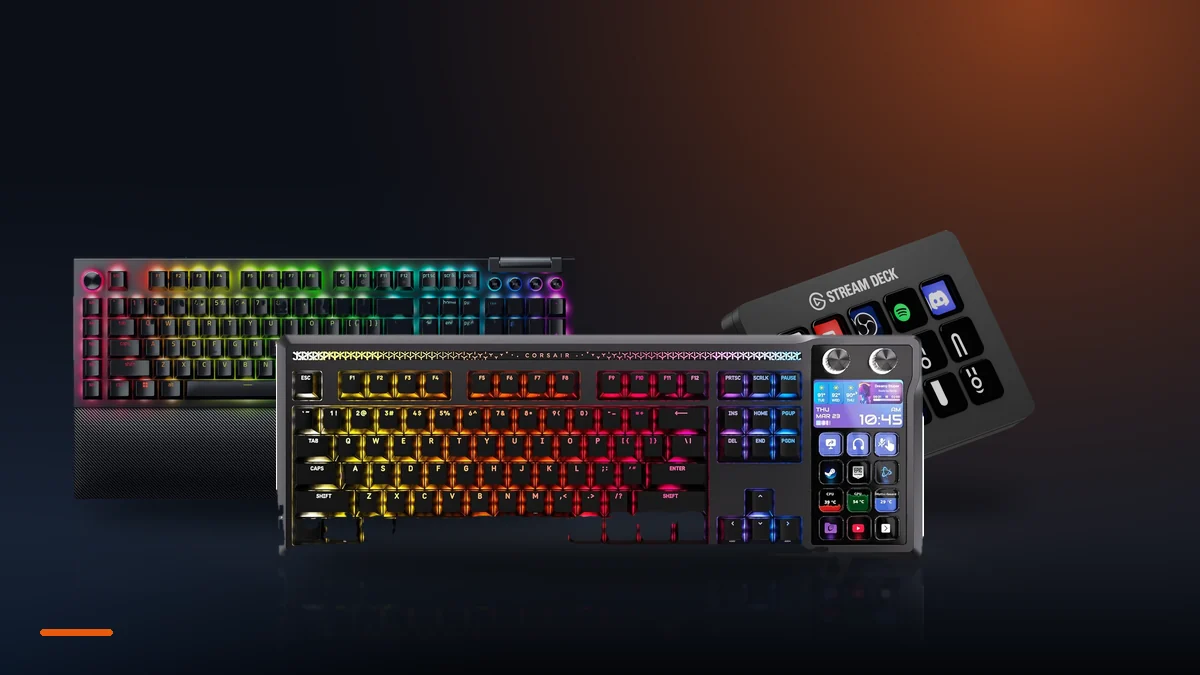
Best keyboards for streaming overview
| Product | Best for | Key specs | Price |
|---|---|---|---|
1 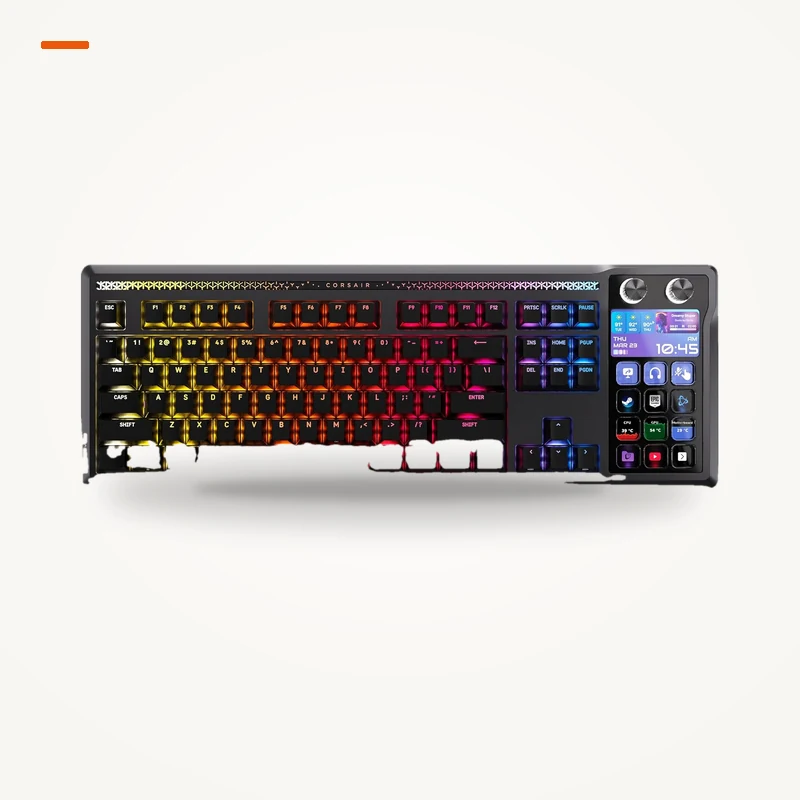 Corsair Galleon 100 SD |
Best overall |
|
Check Price |
2 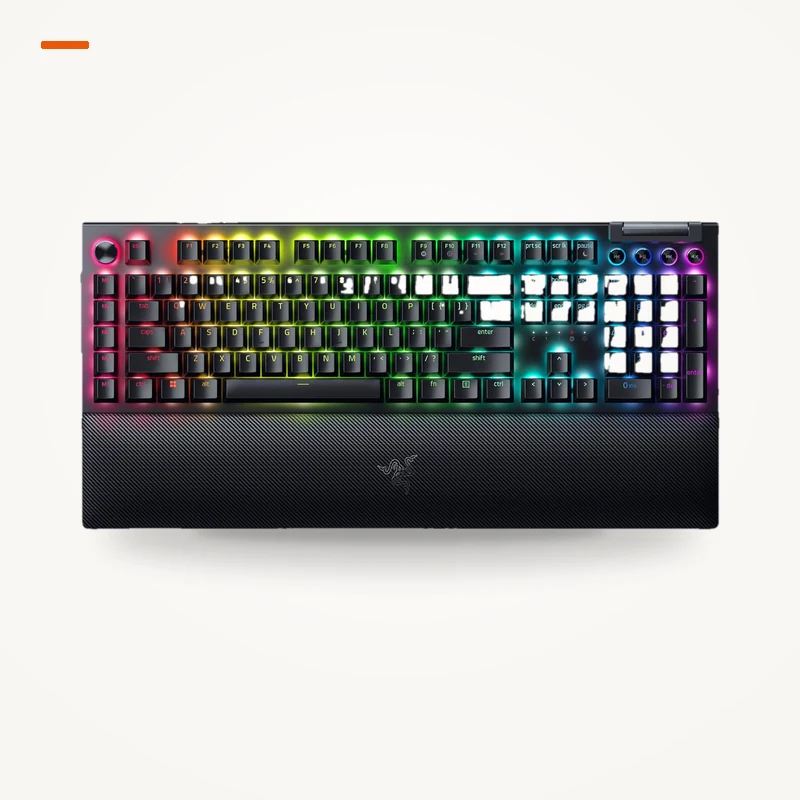 Razer BlackWidow V4 Pro (Yellow) |
Best for macros |
|
Check Price |
3 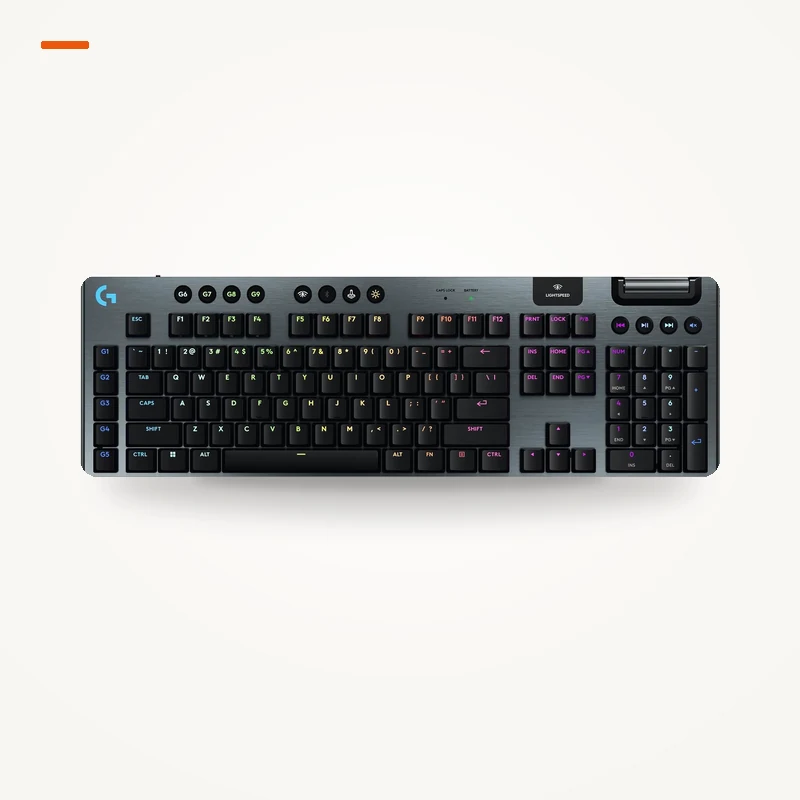 Logitech G915 X Lightspeed |
Best wireless |
|
Check Price |
4 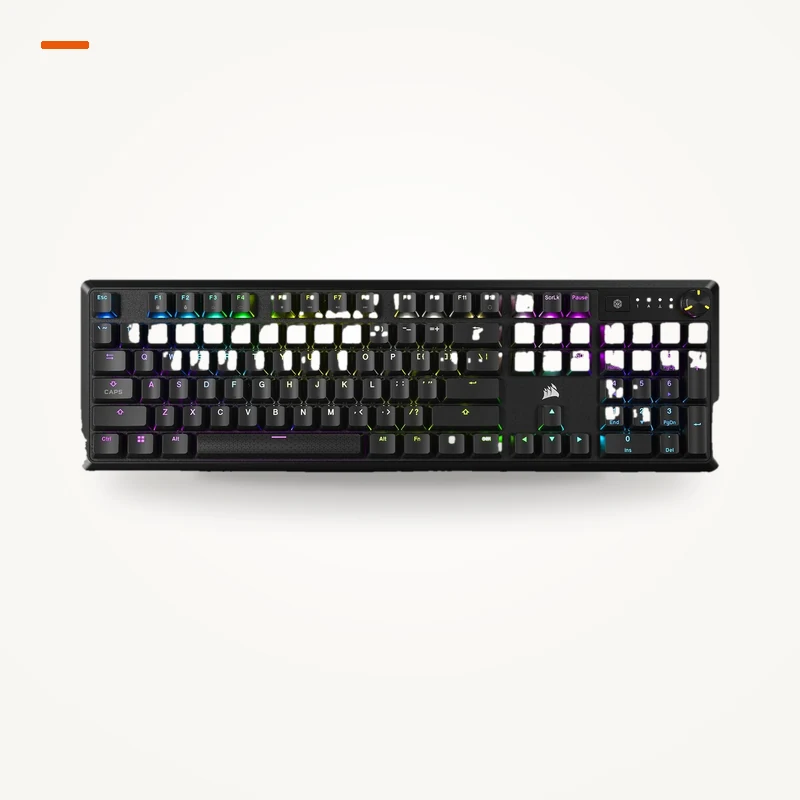 Corsair K70 Core RGB |
Best mid-range |
|
Check Price |
5 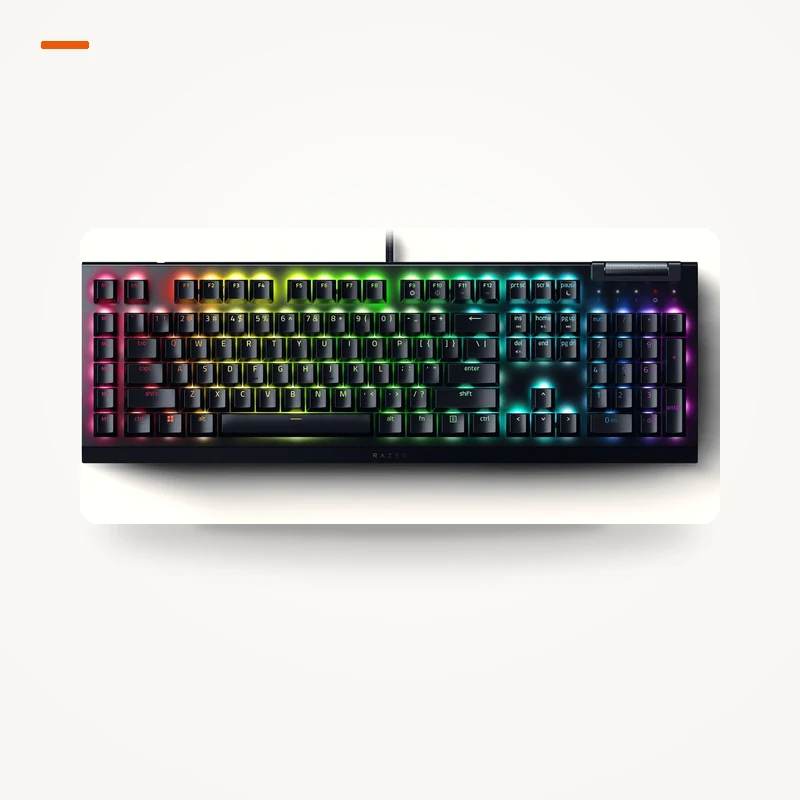 Razer BlackWidow V4 X (Yellow) |
Best value macros |
|
Check Price |
6 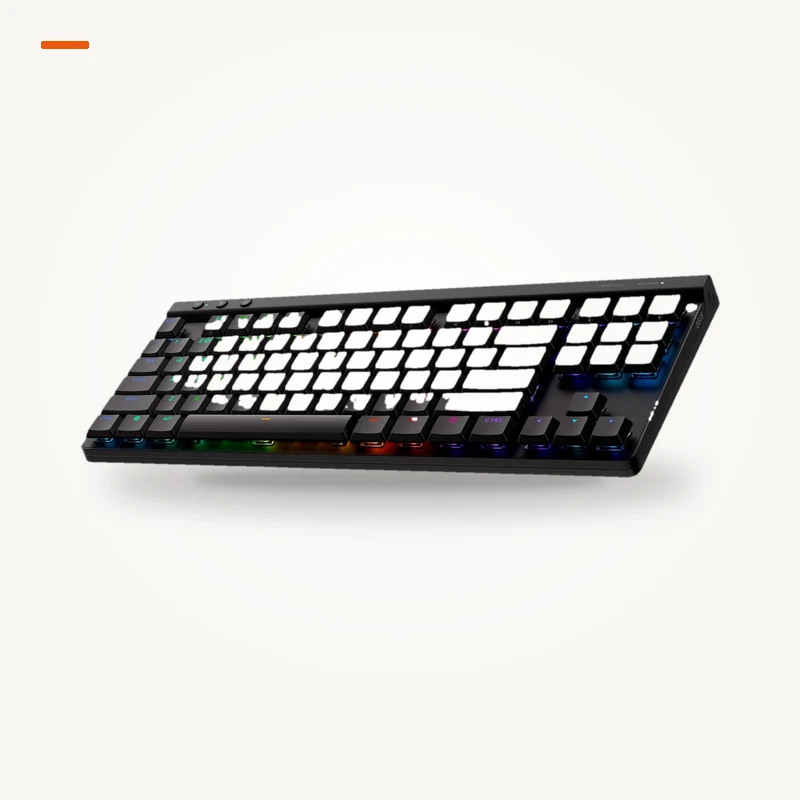 Logitech G515 Lightspeed TKL |
Best compact |
|
Check Price |
7 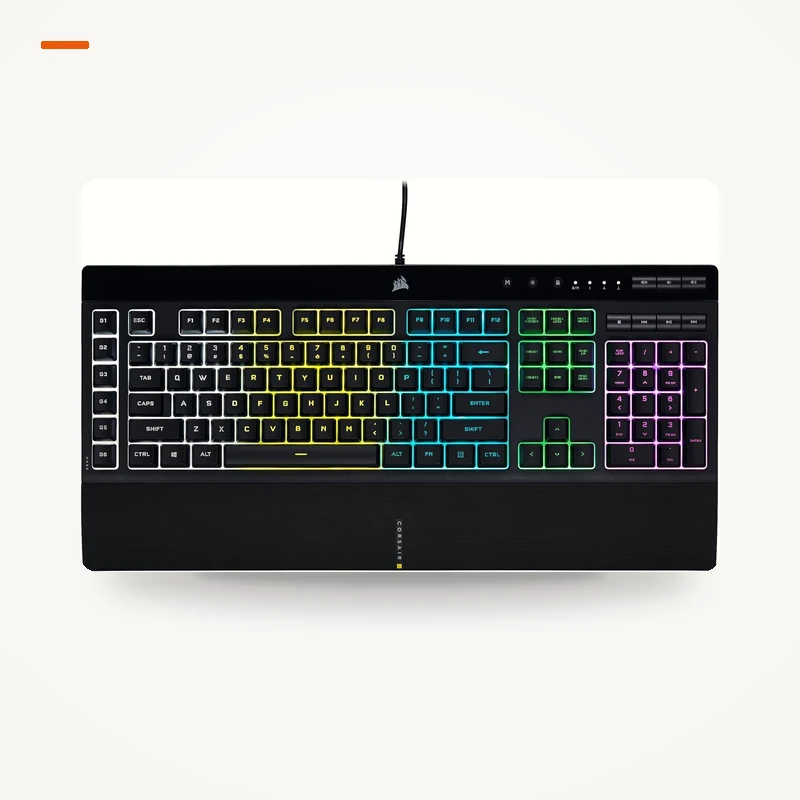 Corsair K55 RGB Pro |
Best budget |
|
Check Price |
8 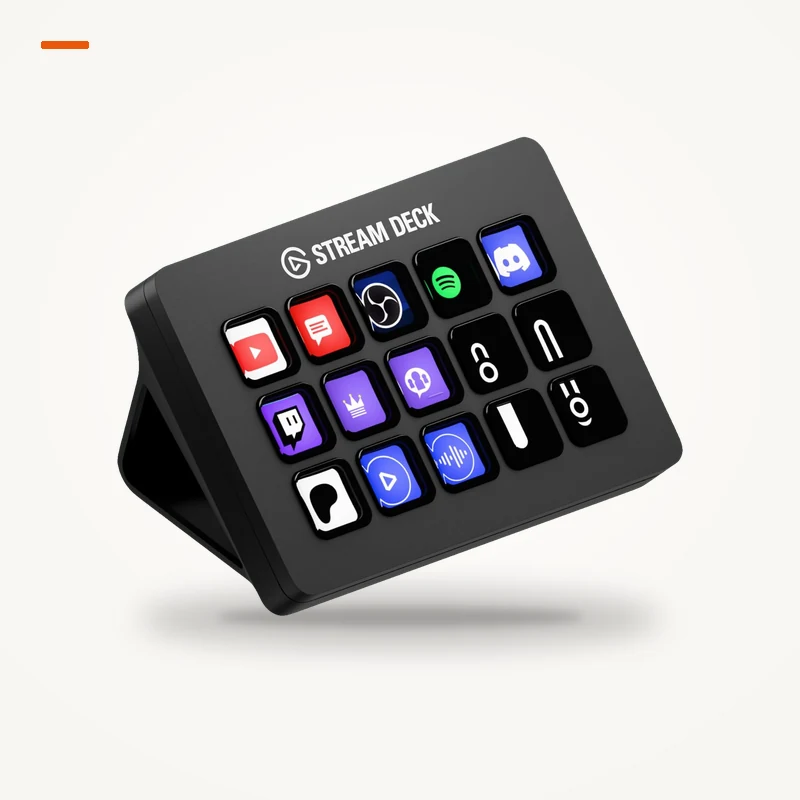 Elgato Stream Deck MK.2 |
Best add-on |
|
Check Price |
Quick picks
- Best overall: Corsair Galleon 100 SD — best keyboard with a built-in Stream Deck.
- Best for macros: Razer BlackWidow V4 Pro (Yellow) — best macro keyboard for streamers.
- Best wireless: Logitech G915 X Lightspeed — best wireless keyboard for streaming.
- Best mid-range: Corsair K70 Core RGB — best quiet mid-range keyboard for streamers.
- Best value macros: Razer BlackWidow V4 X (Yellow) — best value keyboard with macro keys.
- Best compact: Logitech G515 Lightspeed TKL — best compact, quiet keyboard for streaming.
- Best budget: Corsair K55 RGB Pro — best budget keyboard for streaming.
- Best add-on: Elgato Stream Deck MK.2 — best stream controller to pair with any keyboard.
How we chose these streaming keyboards
We looked for keyboards that solve the problems streamers actually have, then checked that each one is currently sold new on Amazon US. We compared:
- Noise on a microphone: linear or dampened switches, foam and low-profile designs score higher than clicky switches. (Our guide to linear vs tactile vs clicky switches explains why.)
- Stream controls: built-in Stream Deck keys, dedicated macro keys, dials and media controls, and how well they work with streaming software.
- Gaming performance: polling rate, rollover and switch speed, since most streamers are also gamers.
- Desk and camera: size, wireless options and lighting that looks good on a face cam or overhead shot.
- Value: we included options from about $40 up to premium boards.
What to look for in a keyboard for streaming
Quiet switches (your mic is listening)
Microphones, especially condenser mics, pick up keyboard noise easily. Clicky switches like Blue or Green are the worst offenders. Linear switches with dampeners (Razer Yellow, Corsair Red with foam, Logitech GL Red), low-profile switches and membrane keys are all good choices. A dynamic mic placed close to your mouth, and a noise gate or noise suppression filter in OBS, help too. For more ideas, see how to make a keyboard quieter and our list of quiet mechanical keyboards.
Macro keys, dials and Stream Deck support
Dedicated macro keys let you switch scenes, mute your mic, play sound effects or trigger an instant replay without leaving the game. Check how they are programmed: some work with Elgato Stream Deck software (the Galleon 100 SD and K55 RGB Pro), others through the maker’s own app, which you can then bind to hotkeys in OBS. A volume dial or roller is surprisingly useful for balancing game and chat audio on the fly.
Wired or wireless
Wireless keyboards make a cleaner desk on camera, and modern 2.4 GHz connections like Logitech Lightspeed are fast enough for gaming. Wired boards never need charging, which matters during long streams. Our best wireless gaming keyboards guide has more cable-free options.
Size and layout
A full-size board gives you a number pad you can use for extra hotkeys. A tenkeyless or 75% board frees space for your mouse, which helps in shooters. If you also need a mouse, see our gaming keyboard and mouse combos.
Polling rate and performance
1,000 Hz polling is plenty for most players. Higher rates like the Galleon’s 8,000 Hz can lower input latency slightly but use more CPU, which matters if you game and encode on the same PC. Our keyboard polling rate guide explains the trade-off.
Lighting that works on camera
Per-key RGB and underglow look great on stream, but very bright lighting can blow out a face cam. Pick a board with software that lets you dim it or match your scene colours.
The best keyboards for streaming reviewed
1. Corsair Galleon 100 SD — best keyboard with a built-in Stream Deck
Who it’s for: Streamers who want their stream controls, scene switching and app shortcuts on the keyboard itself, without a separate controller taking up desk space.
The Galleon 100 SD is the most streamer-focused keyboard you can buy right now. Corsair has built Elgato Stream Deck hardware straight into the right side of the board: 12 customizable keys and two rotary dials sit next to a 5-inch, 720 × 1280 full-colour display. You set them up in the regular Stream Deck software, so the same plugins and Multi Actions that work on a standalone Stream Deck work here, including OBS scene switching, mic mute, Discord and Spotify. The screen can show hardware stats or your Twitch channel, or just a custom image.
It is also a serious mechanical keyboard. Pre-lubricated MLX Pulse linear switches are hot-swappable (compatible 3-pin and 5-pin switches fit), the board uses gasket mounting and six layers of sound dampening for a softer, more controlled sound, and polling goes up to 8,000 Hz. Linear switches with that much dampening are a good match for a microphone. The catch is price and size: it is a wide, wired board, and you are paying for the built-in Stream Deck.
Key specs: Built-in Elgato Stream Deck: 12 customizable keys, 2 rotary dials, 5-inch 720 × 1280 LCD; pre-lubricated MLX Pulse linear switches, hot-swappable (3-pin and 5-pin); gasket mount with six layers of sound dampening; up to 8,000 Hz polling; FlashTap SOCD; per-key RGB and mood bar; wired USB-C; wrist rest.
- Stream Deck keys and dials built in
- Display for stats, alerts or artwork
- Dampened linear switches suit a mic
- Hot-swappable switches
- Expensive
- Large footprint
- Wired only
2. Razer BlackWidow V4 Pro (Yellow) — best macro keyboard for streamers
Who it’s for: Streamers and gamers who want lots of dedicated macro keys and a programmable dial in a full-size board, with switches that stay quiet on a mic.
If you want physical buttons for scenes, sound effects or in-game binds without adding a separate controller, the BlackWidow V4 Pro gives you eight dedicated macro keys down the left side plus a programmable command dial in the corner. You program them in Razer Synapse, and the dial can handle volume, zoom, lighting brightness or a custom function.
We picked the Yellow switch version for streaming. Razer Yellow switches are linear with built-in sound dampeners, so they are quieter than the clicky Green version. The magnetic plush leatherette wrist rest has its own RGB underglow, which looks great on camera, and doubleshot ABS keycaps mean the legends won’t wear off. It is a big, premium, wired board.
Key specs: 8 dedicated macro keys; programmable command dial; Razer Yellow linear switches with sound dampeners; per-key Chroma RGB with 3-side underglow; magnetic plush leatherette wrist rest with RGB; doubleshot ABS keycaps; wired USB-C.
- Eight macro keys plus a command dial
- Quiet, dampened linear switches
- Excellent on-camera lighting
- Comfortable wrist rest
- Large and heavy
- ABS keycaps, not PBT
- Pricey for a wired board
3. Logitech G915 X Lightspeed — best wireless keyboard for streaming
Who it’s for: Streamers who want a clean, cable-free desk on camera, plus G-keys and a volume roller for quick control.
The G915 X is the wireless pick for a tidy streaming setup. You get nine programmable G-keys, dedicated media controls, a volume roller and a numpad, and Logitech’s KEYCONTROL feature lets you layer multiple functions on keys in G HUB. Lightspeed 2.4 GHz wireless keeps latency low for gaming, and you can also switch to Bluetooth or a wired USB-C data mode.
The low-profile GL mechanical switches have a 1.3 mm actuation point and 3.2 mm total travel. Low-profile keys usually make less bottom-out noise than full-height switches, which helps on a mic, especially in the linear version. A brushed aluminium top plate and double-shot PBT keycaps make it look and feel premium. If you prefer a more compact board, the G515 TKL below is the smaller sibling.
Key specs: Full-size low-profile wireless gaming keyboard; GL mechanical switches (1.3 mm actuation, 3.2 mm travel); 9 G-keys, media controls and volume roller; KEYCONTROL; Lightspeed 2.4 GHz, Bluetooth and USB-C wired modes; brushed aluminium top plate; double-shot PBT keycaps.
- Wireless keeps the desk clean on camera
- G-keys plus volume roller
- Low-profile switches are fairly quiet
- Premium aluminium and PBT build
- Expensive
- Low-profile feel isn’t for everyone
- No wrist rest included
4. Corsair K70 Core RGB — best quiet mid-range keyboard for streamers
Who it’s for: Streamers on a moderate budget who want a quiet full-size mechanical keyboard with a volume dial and solid software.
The K70 Core is a sensible middle ground. It uses pre-lubricated Corsair Red linear switches with a 45 g actuation force and 1.9 mm actuation distance, and two layers of EVA sound-dampening foam to soften the typing sound, which matters when a microphone is a few inches away. A multi-function rotary dial and a programmable media button handle volume or lighting without leaving your game.
In iCUE you can remap keys, set per-key RGB and save up to five onboard profiles, and iCUE works alongside Elgato’s software since both are Corsair brands. You also get full-key rollover, up to 1,000 Hz polling, an aluminium top plate and a detachable magnetic palm rest. It has no dedicated macro column, so streamers who want many extra buttons should pair it with a Stream Deck.
Key specs: Pre-lubricated Corsair Red linear switches (45 g, 1.9 mm actuation); two layers of EVA sound-dampening foam; rotary dial and programmable media button; per-key RGB; iCUE with five onboard profiles; full-key rollover; up to 1,000 Hz polling; aluminium top plate; double-shot ABS keycaps; detachable magnetic palm rest; wired.
- Quiet, dampened linear switches
- Volume dial and media button
- Palm rest included
- Good value
- No dedicated macro keys
- ABS keycaps
- Wired only
5. Razer BlackWidow V4 X (Yellow) — best value keyboard with macro keys
Who it’s for: New streamers who want dedicated macro keys and quiet switches without paying for a premium board.
The BlackWidow V4 X gives you six dedicated macro keys on the left side, a multi-function roller and secondary media keys for a lot less than the V4 Pro. That is enough for scene switching, muting your mic or firing sound effects without a separate controller.
The Yellow linear switches need just 45 g of force and actuate at 1.2 mm, and their built-in dampeners keep them quieter than clicky switches. Razer also added a layer of foam under the circuit board and lubricated stabilizers to reduce noise. You get per-key Chroma RGB and doubleshot ABS keycaps. There is no wrist rest in the box, and the board is wired.
Key specs: 6 dedicated macro keys; multi-function roller and secondary media keys; Razer Yellow linear switches (45 g, 1.2 mm actuation and reset) with sound dampeners; foam under the PCB; lubricated stabilizers; per-key Chroma RGB; doubleshot ABS keycaps; wired.
- Six macro keys at a mid-range price
- Quiet linear switches
- Roller and media keys
- Foam and lubed stabilizers
- No wrist rest
- ABS keycaps
- Light switches are easy to press by accident
6. Logitech G515 Lightspeed TKL — best compact, quiet keyboard for streaming
Who it’s for: Streamers with a small desk who want more room for their mouse, a slim low-profile board and wireless freedom.
The G515 Lightspeed TKL drops the number pad to give your mouse more room, which helps if you play shooters at low sensitivity on a small desk. It is slim and low profile, and its factory-lubed GL Red linear switches are smooth and less noisy than tall clicky switches.
It connects by Lightspeed wireless, Bluetooth or a wired connection, and Logitech rates the battery at up to 36 hours of continuous use. KEYCONTROL lets you program up to 15 functions per key in G HUB, which partly makes up for the lack of dedicated macro keys. Double-shot PBT keycaps with an anti-oil design should keep their look on camera.
Key specs: Tenkeyless low-profile wireless keyboard; factory-lubed GL Red linear switches; Lightspeed wireless, Bluetooth and wired modes; up to 36 hours battery; KEYCONTROL (up to 15 functions per key); double-shot PBT keycaps; RGB.
- Compact, frees up mouse space
- Quiet low-profile linear switches
- Wireless with long battery life
- PBT keycaps
- No dedicated macro keys or dial
- Low-profile feel is different
- No number pad
7. Corsair K55 RGB Pro — best budget keyboard for streaming
Who it’s for: Beginners and budget setups that want quiet keys and macro buttons for the lowest price.
The K55 RGB Pro is the cheapest way to get proper streaming shortcuts. Its six dedicated macro keys can be set up in Corsair iCUE, or used for instant streaming commands through Elgato Stream Deck software, so you can trigger scenes and mute your mic straight from the keyboard.
It is a membrane keyboard, which means softer, quieter keypresses than most mechanical boards, and that is a plus on a mic. It also has dedicated volume and media keys, five-zone RGB lighting, a detachable soft rubber palm rest and IP42-rated dust and spill resistance. The trade-off is feel: it won’t feel as crisp or last as long as a mechanical keyboard.
Key specs: Membrane keys; 6 dedicated macro keys (iCUE or Elgato Stream Deck software); dedicated volume and media keys; five-zone RGB; IP42 dust and spill resistance; detachable palm rest; wired USB-A; works with PC, Mac and Xbox.
- Very affordable
- Macro keys work with Stream Deck software
- Quiet membrane keys
- Spill resistant
- Membrane feel is less crisp
- Zone RGB, not per-key
- Bulky frame
8. Elgato Stream Deck MK.2 — best stream controller to pair with any keyboard
Who it’s for: Anyone who already likes their keyboard and wants dedicated, labelled stream controls next to it.
Not a keyboard, but it belongs in this guide. If you already own a keyboard you like, adding a Stream Deck MK.2 gives you 15 LCD keys that show an icon for each action, so you always know what a button does. One press can switch scenes, mute your mic, start a clip, adjust audio, post to social media or run a Multi Action that does several things at once.
Plugins cover OBS, Twitch, YouTube, Discord, Spotify and many more. It connects by USB-C and works on PC and Mac. Pair it with a quiet keyboard from this list, such as the K70 Core or G515, and you get the best of both: a great typing and gaming keyboard and a dedicated control panel.
Key specs: 15 customizable LCD keys with visual feedback; one-touch single or Multi Actions; plugins for OBS, Twitch, YouTube, Discord, Spotify, Philips Hue and more; USB-C; PC and Mac.
- Labelled LCD keys
- Huge plugin library
- Works with any keyboard
- Compact
- An extra device on the desk
- Adds cost on top of a keyboard
Streaming keyboards compared
| Keyboard | Best for | Stream controls | Switches | Connection |
|---|---|---|---|---|
| Corsair Galleon 100 SD | Best overall | 12 Stream Deck keys, 2 dials, LCD | MLX Pulse linear (hot-swap) | Wired |
| Razer BlackWidow V4 Pro | Best for macros | 8 macro keys + command dial | Yellow linear, dampened | Wired |
| Logitech G915 X Lightspeed | Best wireless | 9 G-keys + volume roller | Low-profile GL | 2.4 GHz, Bluetooth, wired |
| Corsair K70 Core RGB | Best mid-range | Rotary dial + media button | Corsair Red linear, 45 g | Wired |
| Razer BlackWidow V4 X | Best value macros | 6 macro keys + roller | Yellow linear, 45 g | Wired |
| Logitech G515 Lightspeed TKL | Best compact | KEYCONTROL layers | GL Red linear, low profile | 2.4 GHz, Bluetooth, wired |
| Corsair K55 RGB Pro | Best budget | 6 macro keys (Stream Deck software) | Membrane | Wired |
| Elgato Stream Deck MK.2 | Best add-on | 15 LCD keys | — | USB-C |
Which streaming keyboard fits you?
| If you… | Choose | Why |
|---|---|---|
| Want everything on one device | Corsair Galleon 100 SD | Stream Deck keys, dials and a screen built in |
| Want lots of physical macro keys | Razer BlackWidow V4 Pro | 8 macro keys plus a command dial |
| Want a clean, wireless desk on camera | Logitech G915 X Lightspeed | Wireless with G-keys and a volume roller |
| Need a small footprint | Logitech G515 Lightspeed TKL | Tenkeyless, low profile, wireless |
| Are on a tight budget | Corsair K55 RGB Pro | Quiet membrane keys and 6 macro keys |
| Already love your keyboard | Elgato Stream Deck MK.2 | Adds 15 labelled stream controls to any setup |
FAQ
What keyboard do most streamers use?
There is no single standard. Many streamers use a quiet mechanical gaming keyboard from brands like Corsair, Razer or Logitech, plus a separate Elgato Stream Deck for stream controls. Keyboards with built-in Stream Deck keys, like the Corsair Galleon 100 SD, combine the two.
Are mechanical keyboards too loud for streaming?
Not if you choose the right switches. Linear or dampened switches, foam-filled boards and low-profile switches are much quieter than clicky switches. A close dynamic mic and a noise suppression filter in OBS also help.
Do I need a Stream Deck if my keyboard has macro keys?
Not necessarily. Macro keys can cover scene switching and mic mute. A Stream Deck adds labelled LCD keys, a large plugin library and Multi Actions, which is easier to manage as your stream grows.
Are wireless keyboards good for streaming and gaming?
Yes. Modern 2.4 GHz connections such as Logitech Lightspeed are designed for low-latency gaming. Just keep the keyboard charged before long streams, or use the wired mode.
What is the best budget keyboard for streaming?
The Corsair K55 RGB Pro. It is inexpensive, quiet thanks to its membrane keys, and its six macro keys work with Elgato Stream Deck software.
Should streamers use linear or tactile switches?
Linear switches are the more common choice because they tend to be quieter and suit fast gaming. Silent tactile switches are a good option if you also type a lot.
Final verdict
Get the Corsair Galleon 100 SD if you want the most complete streaming keyboard, with a real Stream Deck built in. The Razer BlackWidow V4 Pro is the best choice for lots of dedicated macro keys, and the Logitech G915 X Lightspeed is the pick for a clean wireless setup. On a budget, the Corsair K55 RGB Pro gets you quiet keys and Stream Deck-ready macros for very little. And if you already love your keyboard, an Elgato Stream Deck MK.2 is the simplest upgrade.

Experience is what matters at the end!!
Hi! This is Jacob Jay – founder of Keyboardgear.com! From childhood to adulthood, I’ve always remained passionate about IT, and the revolution in this industry, especially gaming on the PC can’t go out of my way. Since I’m an enthusiastic gamer, and I love to experience various gaming accessories, particularly mechanical keyboards, that really boost my gaming adventure manifolds. So, my nerve cells hit me to transfer my experiences into word form and share with others to identify the ideal keyboards perfectly fit for their gaming modes.
I know very well how hard it is to find the high-quality items available on the internet that ought to be exactly the same as seen as on the screen. But the counterfeiters have ruined the user’s trust. As I have passed all such situations, I’m obliged to deliver the genuinity and express the same as what I am saying.
So, now, I’m working on the mission to provide very helpful and frankly but trustworthy reviews and guides about various mechanical keyboards, mouses, and other gaming accessories as per my personal experiences and sound knowledge.