

Keyboard Gear earns from qualifying purchases through Amazon links.
Start with VELCRO Brand reusable ties to bundle cords, then add an under-desk tray: the Univivi 36-inch tray for a full power strip and adapters, or the Litwaro mesh tray on a budget. Use the Wrap-It zipper sleeve for cables running to the floor, Lamicall clips for charging cables on the desk, and EVEO J channels along a standing desk.
Most desk cable mess comes from three places: the power strip and adapters, the cables dropping to the floor, and the charging cables that keep sliding off the desk. Each needs a different tool. Our desk cable management guide walks through the full process; this page covers the gear.
We chose six products sold on Amazon US and checked each listing’s size, mounting, seller and price on November 29, 2026.
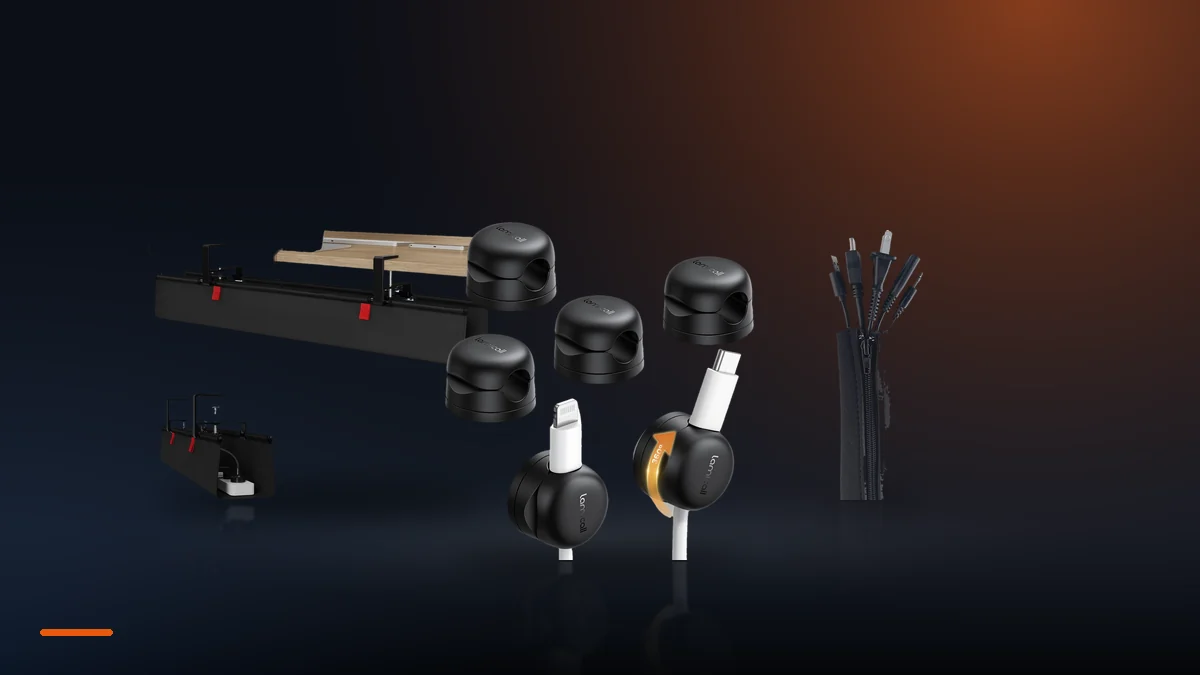
Best cable management at a glance
| Product | Best for | Key specs | Price |
|---|---|---|---|
1 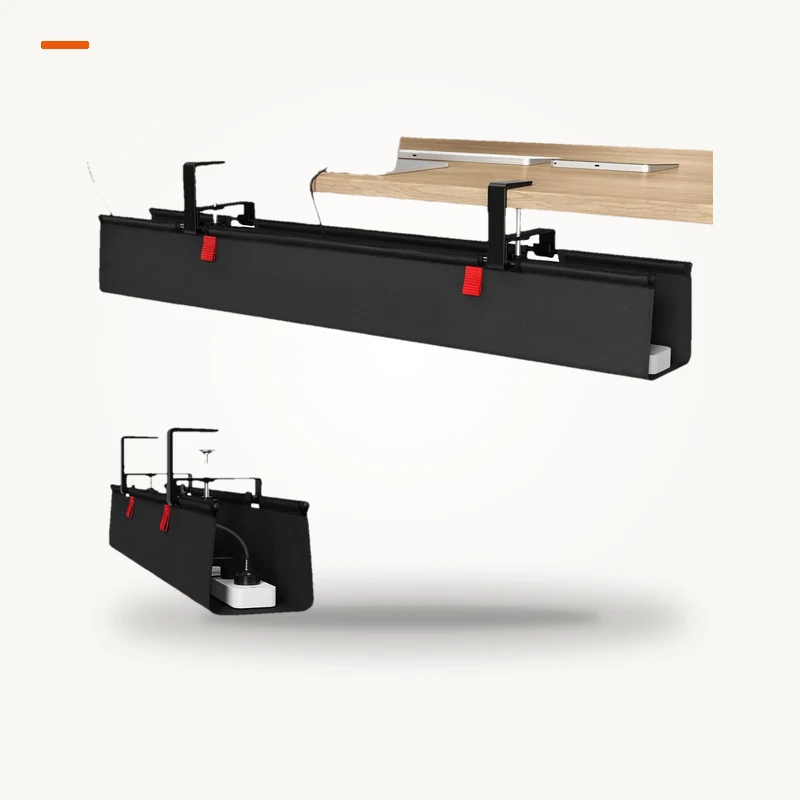 Univivi Under Desk Cable Tray (36 in) |
Best under-desk tray |
|
Check Price |
2 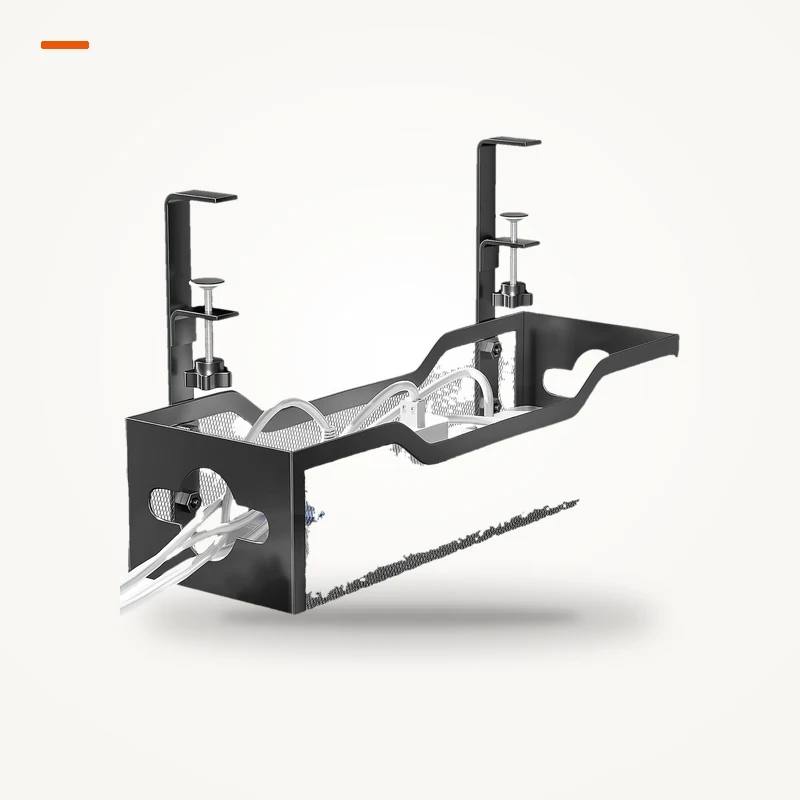 Litwaro Metal Mesh Cable Tray |
Best budget tray |
|
Check Price |
3 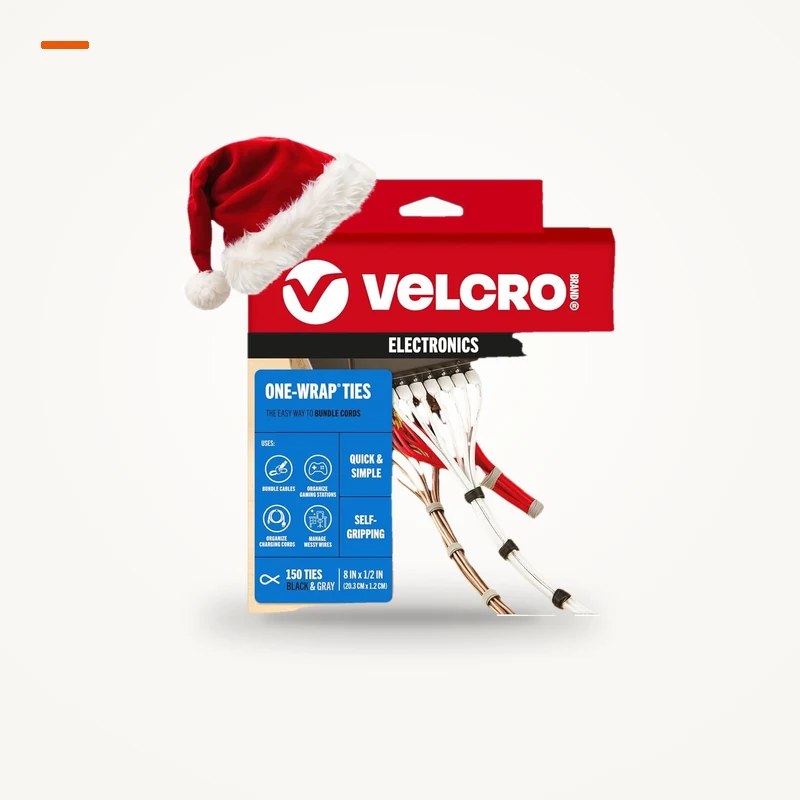 VELCRO Brand Reusable Cable Ties (8 in, 150-pack) |
Best cable ties |
|
Check Price |
4 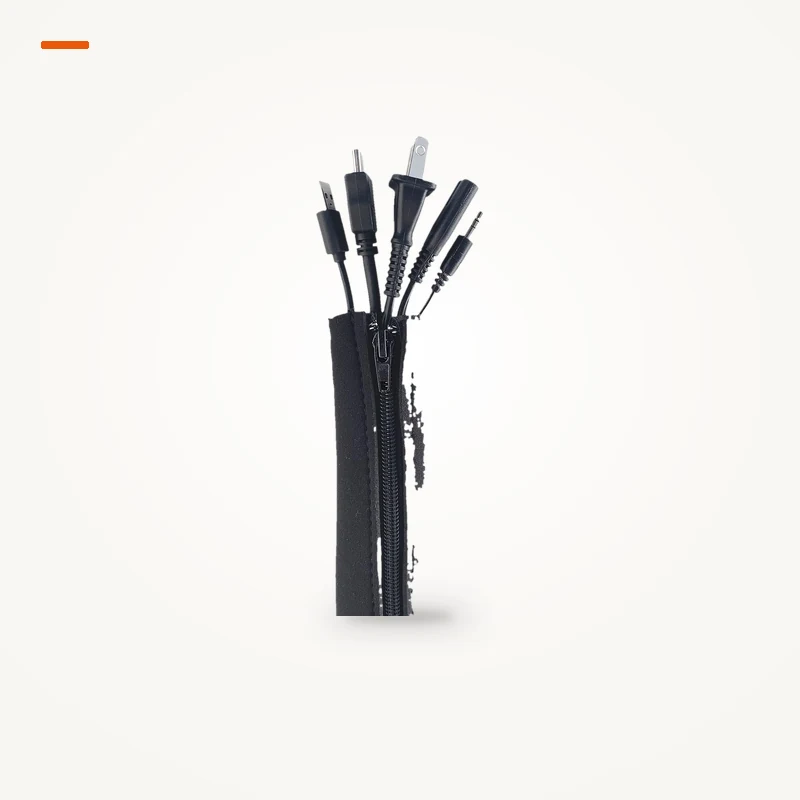 Wrap-It Zipper Cable Sleeve (24 in, 4-pack) |
Best cable sleeve |
|
Check Price |
5  Lamicall Rotating Cable Clips (6-pack) |
Best desk-top cable clips |
|
Check Price |
6 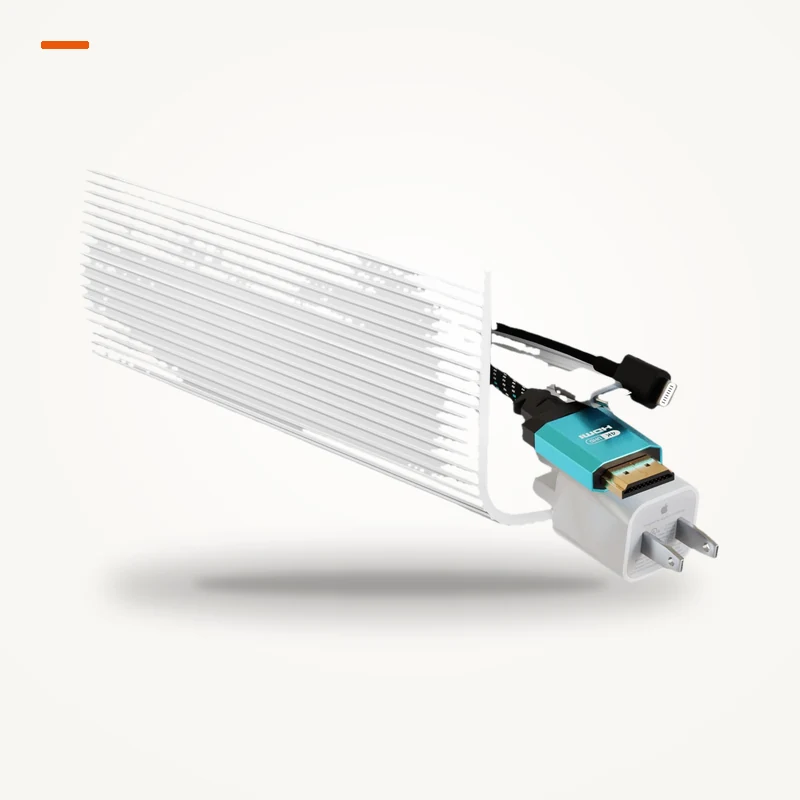 EVEO J Channel Cable Raceway (6 x 16 in) |
Best for standing desks |
|
Check Price |
The best cable management products
1. Univivi Under Desk Cable Tray (36 in) — fabric tray big enough for a power strip and adapters
Who it’s for: Desks with a power strip and several bulky adapters to get off the floor.
Univivi’s 36-inch fabric tray hangs under the back edge of the desk and can be clamped on without drilling or screwed in place. It’s deep enough for a power strip, chargers and laptop bricks, it unfolds for easier access, and built-in ties hold each item in place.
The listing asks for at least 5.3 inches of clear space along the desk edge if your desk has drawers or a back rail, so measure first. It was listed at $33.99, sold by third-party seller IPCAMshop, on November 29, 2026.
Key specs: Under-desk fabric cable tray; 36 x 5.5 x 5.5 in; no-drill clamp or screw mount; 600D Oxford fabric; built-in ties; needs 5.3 in edge clearance; sold by IPCAMshop.
- Long and deep
- Clamp or screw mount
- Unfolds for access
- Needs edge clearance
- Third-party seller
2. Litwaro Metal Mesh Cable Tray — steel basket that clamps on, no drilling
Who it’s for: Smaller desks, standing desks and renters who can’t drill.
This carbon steel mesh basket clamps to a flat desk edge from 0.4 to 2.4 inches thick, with rubber pads to protect the surface, and holds about 15 pounds according to the listing. Side holes let cables pass through, and the listing says the open mesh doesn’t collect much dust.
At 13.4 inches long it holds a short power strip and a couple of adapters rather than a whole desk’s worth. It was listed at $13.20 as a Prime member price, sold by Litwaro-US, on November 29, 2026.
Key specs: Metal mesh under-desk tray; about 15 lb capacity; clamps to 0.4 to 2.4 in desks; 13.4 in long; rubber pads; Prime member price; sold by Litwaro-US.
- No drilling
- Open mesh
- Low price
- Short
- Prime member price
3. VELCRO Brand Reusable Cable Ties (8 in, 150-pack) — 150 reusable ties that replace zip ties
Who it’s for: Everyone: bundling cords is the first step in any cable cleanup.
VELCRO Brand’s thin 8-inch ties bundle cables together and open again whenever you add or remove a cord, unlike zip ties that have to be cut. A slotted head anchors each tie to its cable so it doesn’t get lost, and 150 ties is enough for a desk, TV stand and kitchen appliances.
They’re simple and cheap, and the most useful single purchase on this list. They were listed at $9.93, sold and shipped by Amazon, on November 29, 2026.
Key specs: Reusable hook-and-loop cable ties; 8 in; 150-pack; black; slotted head stays on the cord; sold by Amazon.
- Reusable
- Sold by Amazon
- Big pack
- Thin ties suit small bundles
4. Wrap-It Zipper Cable Sleeve (24 in, 4-pack) — zip a bundle of cords into one neat run
Who it’s for: Desks where cables drop from the desk to the floor or wall outlet in plain view.
Wrap-It’s zipper sleeves wrap around a group of cables and zip shut, turning several loose cords into one tidy run from your desk to the outlet. You don’t need to unplug anything to install them, and they unzip when you change your setup.
Four 24-inch sleeves cover a desk, a computer tower and a TV stand. They were listed at $15.19 as a Prime member price, sold by Wrap-It Storage, on November 29, 2026.
Key specs: Zipper cable sleeves; 4 x 24 x 4 in; neoprene; installs without unplugging; Prime member price; sold by Wrap-It Storage.
- No unplugging needed
- Reopens easily
- Four sleeves
- Prime member price
- 24 in each may need joining
5. Lamicall Rotating Cable Clips (6-pack) — keep charging cables from falling behind the desk
Who it’s for: Anyone tired of chasing a phone or keyboard cable that slips off the desk.
Lamicall’s small clips stick to the desk edge and hold a cable in a spring-loaded, rotating slot, so a USB-C, Lightning or keyboard cable stays where you can reach it. The listing says the slot fits cables from 2.5 to 8 mm and the acrylic adhesive removes without residue.
They work on smooth, dry surfaces such as wood and glass. They were listed at $11.69 as a Prime member price, sold by LamicallDirect, on November 29, 2026.
Key specs: Adhesive cable clips; 6-pack; 360-degree rotating; spring lock; 2.5 to 8 mm cables; 0.82 x 0.82 x 0.62 in; Prime member price; sold by LamicallDirect.
- One-handed use
- Fits thick cables
- Small footprint
- Needs a smooth surface
- Prime member price
6. EVEO J Channel Cable Raceway (6 x 16 in) — open J channels that hold up to 10 power cords
Who it’s for: Standing desks and desks where you want cables routed along the underside.
EVEO’s J channels stick under the desk and hold cables in an open-topped J shape, so you can drop cords in and lift them out without opening a lid. The listing says the channel holds up to 10 power cords or 16 Cat-5 Ethernet cables, and six 16-inch pieces cover 96 inches.
They are white and use adhesive, so wipe the surface clean before mounting. They were listed at $20.00, sold by EVEO, on November 29, 2026.
Key specs: J channel cable raceway; 6 x 16 in (96 in total); adhesive; holds up to 10 power cords or 16 Cat-5 cables; white; sold by EVEO.
- Easy to add cables
- Long total length
- No drilling
- Adhesive only
- White may stand out on dark desks
Cable management compared
| Product | Type | Size (listed) | Price (November 29) |
|---|---|---|---|
| Univivi tray | Under-desk tray | 36 x 5.5 x 5.5 in | $33.99 |
| Litwaro mesh tray | Under-desk tray | 13.4 in long | $13.20 (Prime member) |
| VELCRO ties | Reusable ties | 8 in, 150-pack | $9.93 |
| Wrap-It sleeve | Zipper sleeve | 4 x 24 in | $15.19 (Prime member) |
| Lamicall clips | Desk clips | 2.5 to 8 mm slot | $11.69 (Prime member) |
| EVEO J channel | Raceway | 6 x 16 in | $20.00 |
Prices are what each listing showed on November 29, 2026 and can change at any time. A Prime member price is only available to Amazon Prime members.
How to choose cable management
- Bundle first. Group cables that run to the same place with ties before buying anything bigger.
- Get the power strip off the floor. A tray holds the strip and adapters under the desk; see how to hide a power strip for placement.
- Cover the drop. A sleeve tidies cables from desk to outlet. Our cable sleeves vs Velcro ties comparison explains when to use each.
- Hold cables you touch daily. Clips keep charging and keyboard cables within reach.
| Problem | Best tool | Pick |
|---|---|---|
| Power strip on the floor | Under-desk tray | Univivi or Litwaro |
| Loose cords behind desk | Reusable ties | VELCRO Brand |
| Cables dropping to the outlet | Zipper sleeve | Wrap-It |
| Charging cable falls off desk | Cable clips | Lamicall |
| Cables along a standing desk | J channel | EVEO |
Don’t overload a power strip or daisy-chain strips together, and leave space around chargers and adapters so heat can escape. Our surge protector vs power strip guide covers safe use.
- Standing desks need slack: leave a loop of cable long enough for the desk’s full height range, as our standing desk setup guide explains.
- A monitor light bar removes a desk lamp and its cable; see our best monitor light bars.
- Coiled keyboard cables look tidier on the desk; see our best coiled keyboard cables.
FAQ
What is the best way to manage cables under a desk?
Bundle cables with reusable ties, put the power strip and adapters in an under-desk tray, and run the cables to the outlet in a sleeve.
Do cable trays need drilling?
Not always. The Univivi and Litwaro trays here can clamp on without drilling.
Are Velcro ties better than zip ties?
For desks, usually yes, because they’re reusable and you don’t need to cut them to change a cable.
Can I put a power strip in a cable tray?
Yes, but don’t overload it, and keep the area around chargers open so heat can escape.
How do I manage cables on a standing desk?
Mount a tray or J channel under the desk, and leave enough slack for the desk to reach its full height.
Final thoughts
Get VELCRO Brand ties for any setup, the Univivi tray for a full power strip or the Litwaro tray on a budget, the Wrap-It sleeve for cables to the floor, Lamicall clips for cables on the desk, and EVEO J channels for standing desks.

Experience is what matters at the end!!
Hi! This is Jacob Jay – founder of Keyboardgear.com! From childhood to adulthood, I’ve always remained passionate about IT, and the revolution in this industry, especially gaming on the PC can’t go out of my way. Since I’m an enthusiastic gamer, and I love to experience various gaming accessories, particularly mechanical keyboards, that really boost my gaming adventure manifolds. So, my nerve cells hit me to transfer my experiences into word form and share with others to identify the ideal keyboards perfectly fit for their gaming modes.
I know very well how hard it is to find the high-quality items available on the internet that ought to be exactly the same as seen as on the screen. But the counterfeiters have ruined the user’s trust. As I have passed all such situations, I’m obliged to deliver the genuinity and express the same as what I am saying.
So, now, I’m working on the mission to provide very helpful and frankly but trustworthy reviews and guides about various mechanical keyboards, mouses, and other gaming accessories as per my personal experiences and sound knowledge.