

Quick answer
A good portable desk setup is a laptop plus four things: a folding laptop stand to raise the screen, a compact keyboard and mouse so your hands stay low, and one multi-port charger with short cables. Add a travel adapter for trips abroad and noise-cancelling headphones for busy spaces. Together they turn a cafe table or hotel desk into a workspace you can use for hours.
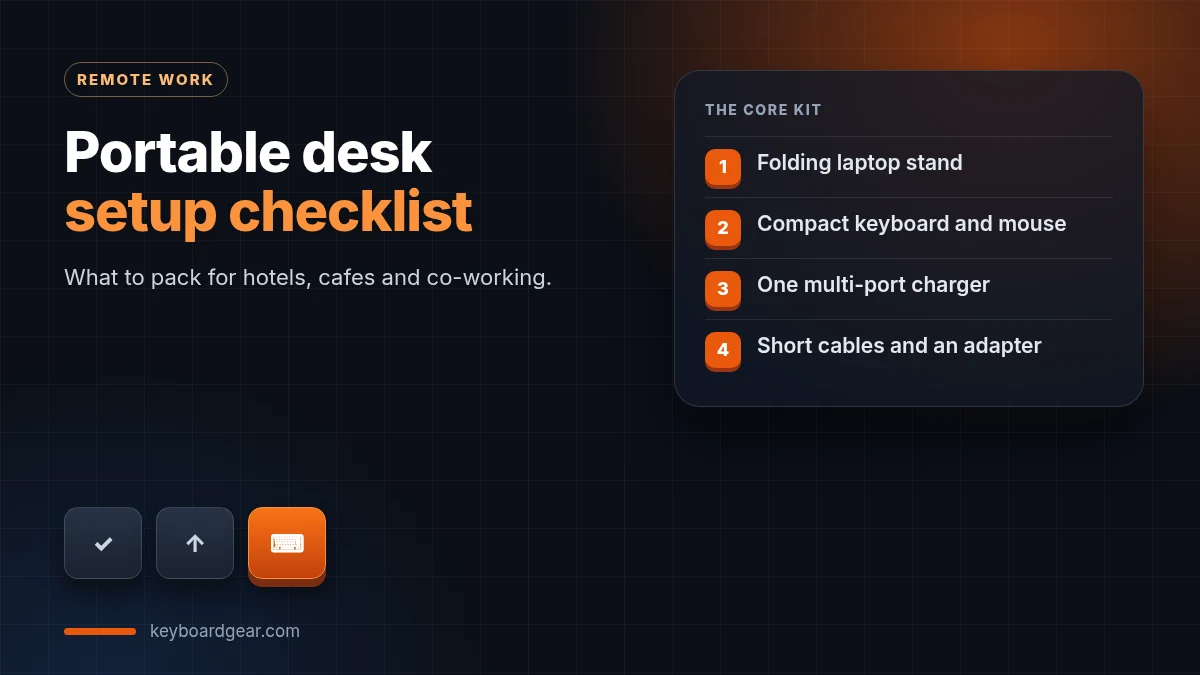
Working on a laptop alone means either the screen is too low or the keyboard is too high. A small kit fixes both, and it fits in a backpack.
The core kit
| Item | Why | What to look for |
|---|---|---|
| Laptop stand | Brings the screen closer to eye level | Folds flat, light, stable |
| Compact keyboard | Keeps hands low when the laptop is raised | Bluetooth, multi-device, slim |
| Mouse | Faster and more comfortable than a trackpad for long sessions | Small, quiet, Bluetooth |
| Charger | Powers everything from one outlet | Multi-port USB-C with enough wattage |
| Cables | Fewer, shorter, labeled | One USB-C cable per device |
Our picks for each are in the best laptop stands, foldable travel keyboards, travel mice and silent mice guides.
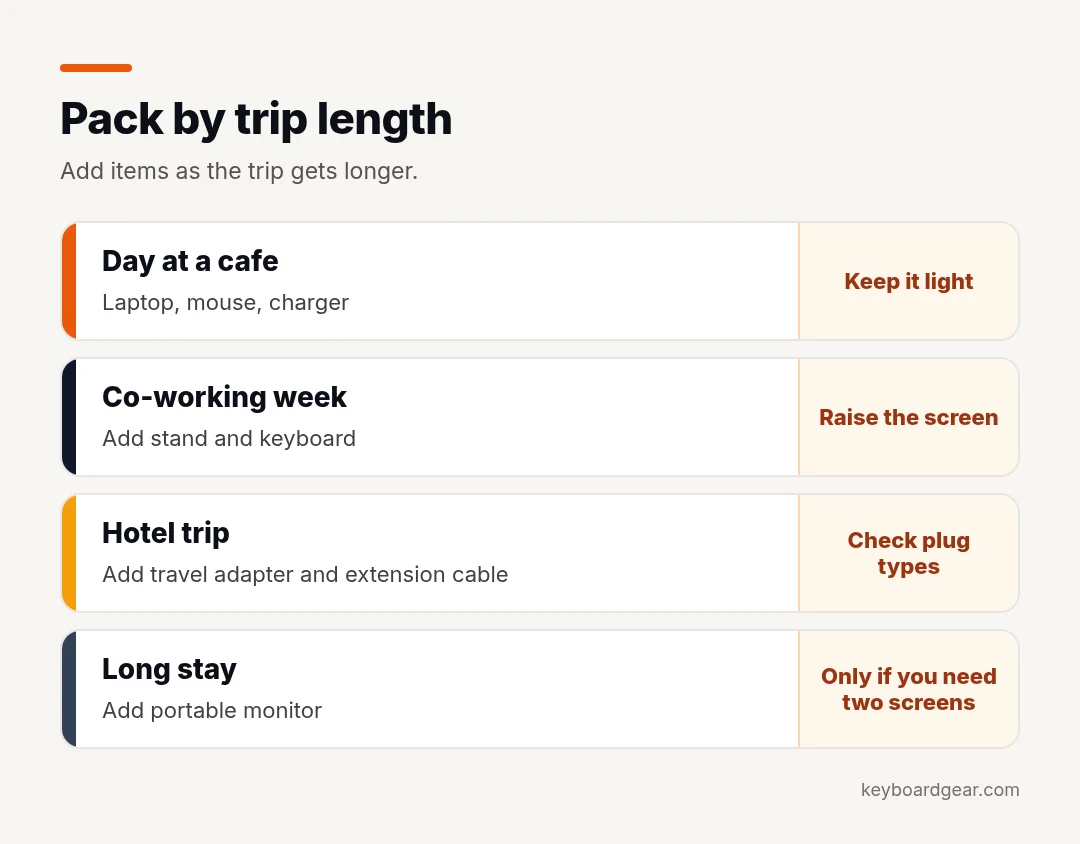
Setting up at a hotel desk
- Put the laptop on the stand so the top of the screen is near eye level.
- Put the keyboard and mouse at elbow height. Hotel chairs are often low, so raise the seat or sit on a folded pillow if needed.
- Face the screen side-on to windows to avoid glare.
- Plug the charger into the wall, not a crowded lamp socket.
Setting up at a cafe
- Choose your seat. A table near an outlet, with your back to a wall, is easiest and keeps your screen private.
- Go quiet. Use a quiet keyboard and mouse; clicky switches carry in a cafe.
- Mind your bag. Keep cables short so nobody trips over them.
- Use a privacy screen if you work with sensitive information.
Setting up at a co-working space
Co-working desks are usually better, but you won’t know the chair or desk height in advance. A stand and external keyboard let you adapt to any desk. Book a desk near a window, side-on to it, if you can.
Chargers, adapters and batteries
- A single multi-port charger replaces several bricks. Check its total wattage covers your laptop plus phone.
- For international travel, pack a plug adapter for each destination.
- Power banks go in carry-on only when flying, under FAA rules, with terminals protected.
- Flying with a keyboard? See can you bring a mechanical keyboard on a plane.
Keep a small pouch with your cables, adapter and charger. Then unpacking at a new desk takes a minute, and you don’t leave a cable behind.
Comfort on the road
Even a temporary setup should follow the basics: screen straight ahead, top edge near eye level, elbows by your sides, and feet supported. Our how to sit at a desk checklist works anywhere, and taking regular breaks to stand and stretch helps on long days.
A minimum kit and a full kit
| Item | Minimum kit | Full kit |
|---|---|---|
| Laptop support | None, or a folded towel | Foldable laptop stand |
| Keyboard | Laptop keyboard | Compact or foldable keyboard |
| Mouse | Trackpad | Compact wireless mouse |
| Power | Laptop charger | Charger plus a small power strip or adapter |
| Extras | Earbuds | Headphones, notebook, cable pouch |
Start with the minimum kit and add pieces only when you notice a problem. Every item you carry has a weight and a setup time.
Pack it once, keep it packed
Keep your portable desk gear in one pouch or compartment so you never repack it. Include a short USB cable, your mouse receiver or a note that it’s in the mouse, spare batteries if you need them, and a microfibre cloth to wipe the keyboard. A packed pouch means you can leave in two minutes.
A two-minute setup routine
- Check the surface is stable and clear.
- Raise the laptop screen if you can. Our best laptop stands cover foldable models.
- Connect the keyboard and mouse.
- Plug in power last.
Choosing the right gear
Our best travel mouse guide covers small mice, and best foldable keyboards for travel covers compact keyboards. If your trip includes a flight, read mechanical keyboard on a plane for the airline rules.
FAQ
Do I really need a laptop stand when traveling?
If you work for more than an hour or two, it helps. It raises the screen so you don’t look down all day.
What keyboard is best for a portable setup?
A slim, compact Bluetooth keyboard, or a foldable one if space is tight.
Can I bring a power bank on a plane?
Yes, in carry-on only, under FAA rules.
Is a portable monitor worth packing?
Only if you regularly need two screens; it adds weight and another cable.
How do I avoid leaving cables behind?
Keep every cable, charger and adapter in one pouch and pack it last.
Sources
Final thoughts
A laptop stand, compact keyboard and mouse, and one good charger in a cable pouch make almost any table a proper workspace. Add an adapter and headphones for longer trips, and set up the same way wherever you are.

Experience is what matters at the end!!
Hi! This is Jacob Jay – founder of Keyboardgear.com! From childhood to adulthood, I’ve always remained passionate about IT, and the revolution in this industry, especially gaming on the PC can’t go out of my way. Since I’m an enthusiastic gamer, and I love to experience various gaming accessories, particularly mechanical keyboards, that really boost my gaming adventure manifolds. So, my nerve cells hit me to transfer my experiences into word form and share with others to identify the ideal keyboards perfectly fit for their gaming modes.
I know very well how hard it is to find the high-quality items available on the internet that ought to be exactly the same as seen as on the screen. But the counterfeiters have ruined the user’s trust. As I have passed all such situations, I’m obliged to deliver the genuinity and express the same as what I am saying.
So, now, I’m working on the mission to provide very helpful and frankly but trustworthy reviews and guides about various mechanical keyboards, mouses, and other gaming accessories as per my personal experiences and sound knowledge.