

Quick answer
Silent switches add small rubber or silicone dampeners to soften the two loudest moments of a keypress: when the stem hits the bottom of the housing, and when the spring snaps it back to the top. The result is a much quieter thud instead of a clack. The trade-offs are a slightly shorter travel, a softer, cushioned feel at the bottom and, usually, a higher price per switch.
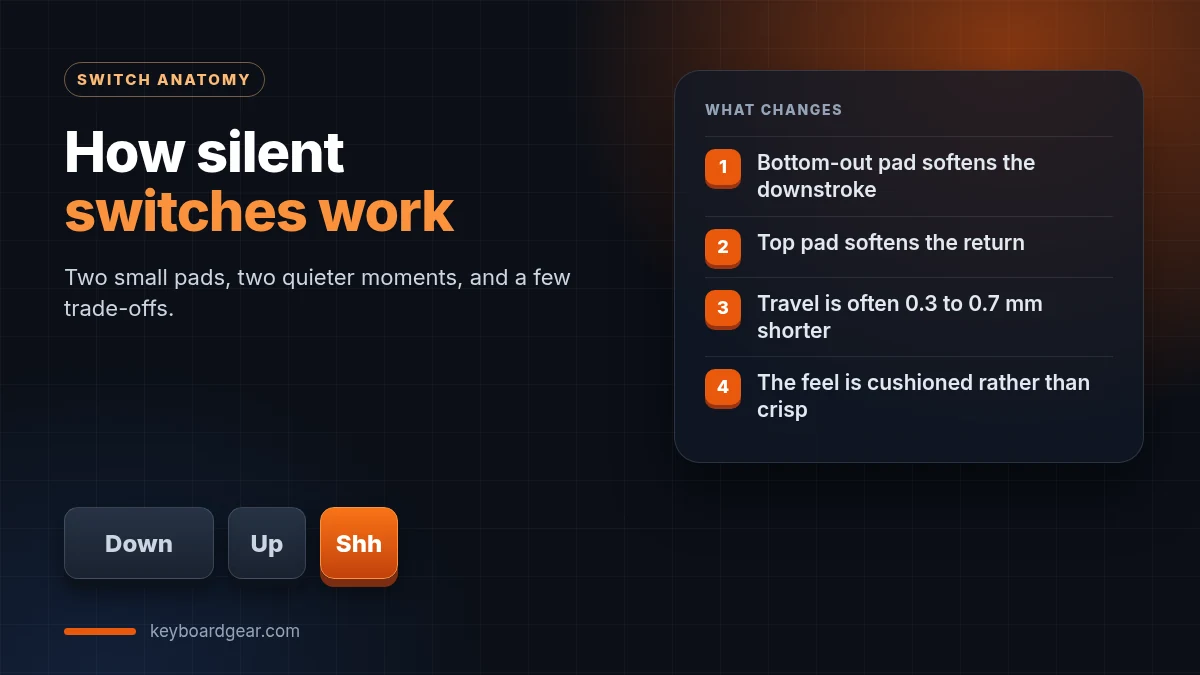
A standard mechanical switch is loud mainly because of hard plastic hitting hard plastic. Press a key and the stem slams into the bottom housing; let go and the spring fires it back into the top housing. Each impact is small, but across thousands of keystrokes an hour they add up to the familiar clatter.
Silent switches don’t change how a switch registers a press. They change what happens at those two impact points. If you’re new to switch types, start with our guide to linear vs tactile vs clicky switches.
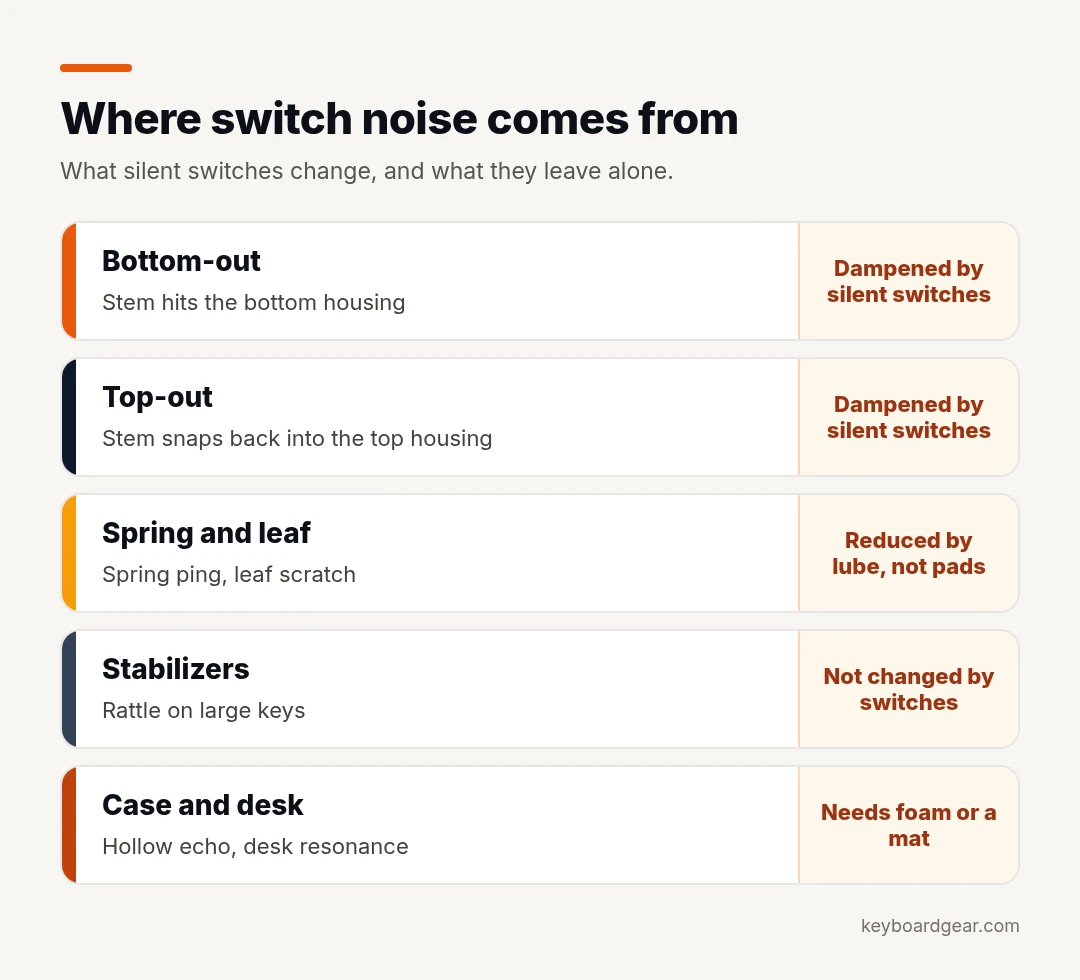
The two sounds silent switches target
Bottom-out. When you press a key fully, the stem’s base strikes the bottom housing. This is the deeper “clack” and the loudest sound on most keyboards, especially if you type heavily.
Top-out (return). When you release the key, the spring pushes the stem up until it hits the inside of the top housing. This is a sharper, higher “click” that you’ll hear even if you type lightly.
Silent switches put a cushion at one or both of these points.
How the dampening works
Designs vary between brands, but most silent switches use some combination of:
- Pads on the stem. Small rubber or silicone pieces on the underside of the stem legs soften the bottom-out. Some designs add pads on the top of the stem rails to soften the return.
- Silicone strips. Some switches put soft strips along both sides of the stem. Outemu, for example, describes dual silicone strips around the stem on its Silent White Peach switches.
- Two-part stems. Some makers mould a soft material into a two-component stem so the dampening is part of the stem itself.
- Box-style designs. Kailh’s silent Box switches combine its box-shaped housing with built-in silent pads.
Whatever the method, the idea is the same: replace a hard plastic impact with a soft one.
Silent linear vs silent tactile
Silent switches come in two main types:
- Silent linear switches are smooth all the way down. Because there’s no bump or click, they are the quietest switches you can buy. Examples include the Cherry MX2A Silent Red and Akko’s V3 Fairy.
- Silent tactile switches keep a bump but remove the clack. They are slightly harder to design well, because the dampening can blunt the bump. Akko’s V3 Penguin is one example.
There is no such thing as a silent clicky switch: the click is the point.
What you give up
Silent switches are a great choice for offices and shared spaces, but they aren’t free:
Shorter travel
The pads take up space inside the switch, so total travel is usually a little shorter. Cherry’s MX2A Silent Red lists 3.7 mm total travel, against the 4.0 mm of its standard MX2A switches. Outemu’s Silent White Peach V3 Pro lists 3.3 mm. Most people don’t notice after a day or two, but some typists find short travel less satisfying.
A softer, cushioned bottom-out
Instead of a firm stop, you hit something slightly soft. Some people love it; others call it “mushy”. Silent tactiles in particular can feel less sharp than regular tactiles because the bump and the cushion work against each other.
Price
Silent switches usually cost a little more than the standard version from the same brand, because the stem is more complex.
Not totally silent
Silent switches remove most of the clack, not all sound. You’ll still hear:
- the keycap tapping your finger and wobbling slightly;
- spring noise and leaf scratch, which lube helps more than pads;
- stabilizer rattle on the space bar, Enter and Shift keys;
- the case and desk echoing.
How much quieter are they?
Makers publish different figures, often measured in different ways, so be careful comparing numbers across brands. As a rough guide, the difference between a standard and a silent linear is easy to hear in a quiet room and on a call, while the difference between two silent switches is much smaller than the difference made by stabilizers, case foam or a desk mat. Our guide on whether mechanical keyboards are quiet explains what a microphone picks up.
Who should choose silent switches?
| You… | Silent switches? |
|---|---|
| Work in a shared office or library | Yes, ideally silent linear |
| Type late at night near others | Yes |
| Take a lot of video calls | Yes, with good mic settings |
| Love a crisp, tactile feel | Try a silent tactile first, or keep regular tactiles |
| Want the loudest feedback | No, look at clicky switches instead |
Making a silent keyboard even quieter
For the quietest possible keyboard, combine silent switches with:
- Tuned stabilizers. Lubed, well-fitted stabilizers remove the rattle on big keys.
- Case foam or a desk mat to stop echo and resonance.
- A lighter typing style. Bottoming out softly is quieter on any switch.
Our full guide on how to make a keyboard quieter walks through each step. If you’re ready to buy, we compare five options in best silent switches, and if you’d rather buy a finished board, see our best quiet mechanical keyboards.
FAQ
How do silent switches reduce noise?
They use small rubber or silicone dampeners to soften the impacts when the stem hits the bottom of the switch and when it springs back to the top.
Do silent switches feel different?
Yes, a little. Travel is usually slightly shorter and the bottom of the press feels cushioned rather than firm.
Are silent switches completely silent?
No. They remove most of the clack, but you can still hear keycaps, springs, stabilizers and the case.
Are silent switches good for typing?
Yes, for most people. Many writers and office workers prefer silent linear or silent tactile switches.
Can I make my existing switches silent?
Not easily. Some people add O-rings to keycaps to soften bottom-out, but it isn’t the same as a true silent switch. Swapping switches on a hot-swap board is the simplest route.

Experience is what matters at the end!!
Hi! This is Jacob Jay – founder of Keyboardgear.com! From childhood to adulthood, I’ve always remained passionate about IT, and the revolution in this industry, especially gaming on the PC can’t go out of my way. Since I’m an enthusiastic gamer, and I love to experience various gaming accessories, particularly mechanical keyboards, that really boost my gaming adventure manifolds. So, my nerve cells hit me to transfer my experiences into word form and share with others to identify the ideal keyboards perfectly fit for their gaming modes.
I know very well how hard it is to find the high-quality items available on the internet that ought to be exactly the same as seen as on the screen. But the counterfeiters have ruined the user’s trust. As I have passed all such situations, I’m obliged to deliver the genuinity and express the same as what I am saying.
So, now, I’m working on the mission to provide very helpful and frankly but trustworthy reviews and guides about various mechanical keyboards, mouses, and other gaming accessories as per my personal experiences and sound knowledge.