

Keyboard Gear earns from qualifying purchases through Amazon links.
The Glorious Coiled USB-C cable is the best all-round pick: it has a 90-degree USB-C plug, a metal 5-pin aviator and clear coil specs, and it’s sold by Amazon. GravaStar’s 180 cm cable has the longest reach, PWNAGE’s Ultra Custom is hand coiled, and KCSJXF’s reverse-coiled GX16 cable is the budget pick. Check that your keyboard has a USB-C port first.
A coiled cable is one of the simplest ways to make a mechanical keyboard look finished. The coil near the keyboard takes up slack, the aviator connector adds a bit of style and lets you disconnect the keyboard quickly, and a good sleeved cable looks far better than the plain rubber cable most keyboards come with.
This guide compares four coiled keyboard cables sold on Amazon US. We checked availability and prices on November 28, 2026, and specs come from each listing. We haven’t tested these cables ourselves, so we stick to what the makers state. If your desk is a tangle of wires, our desk cable management guide covers the rest of the setup.
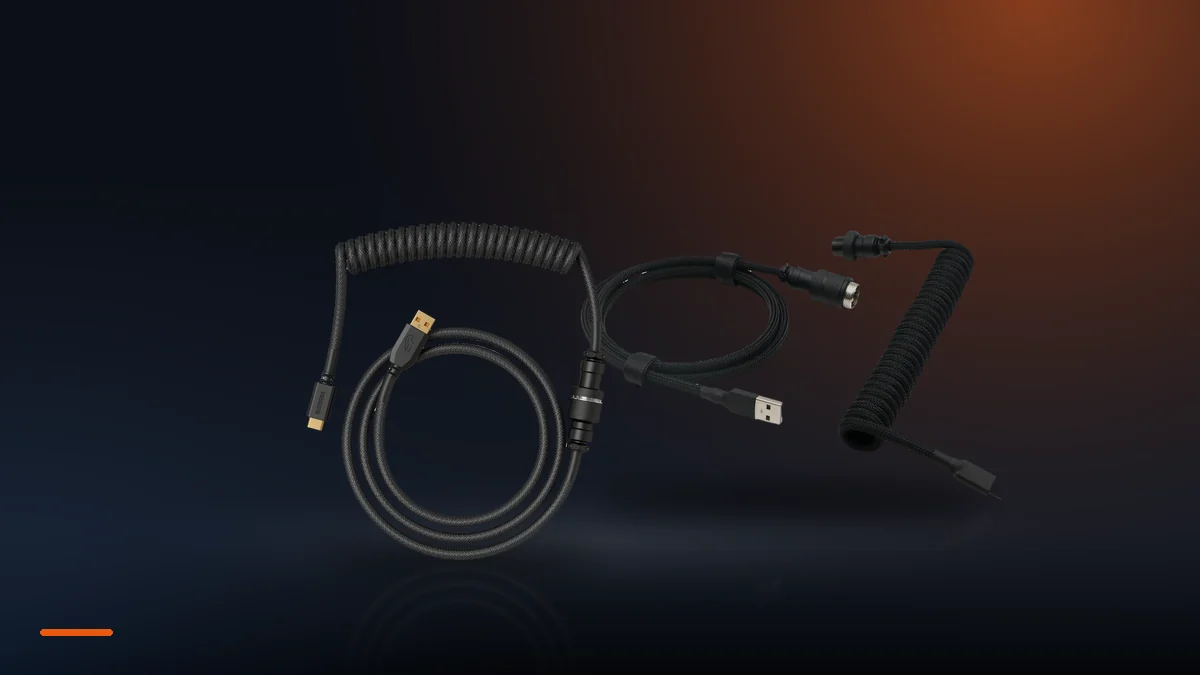
Best coiled keyboard cables overview
| Product | Best for | Key specs | Price |
|---|---|---|---|
1 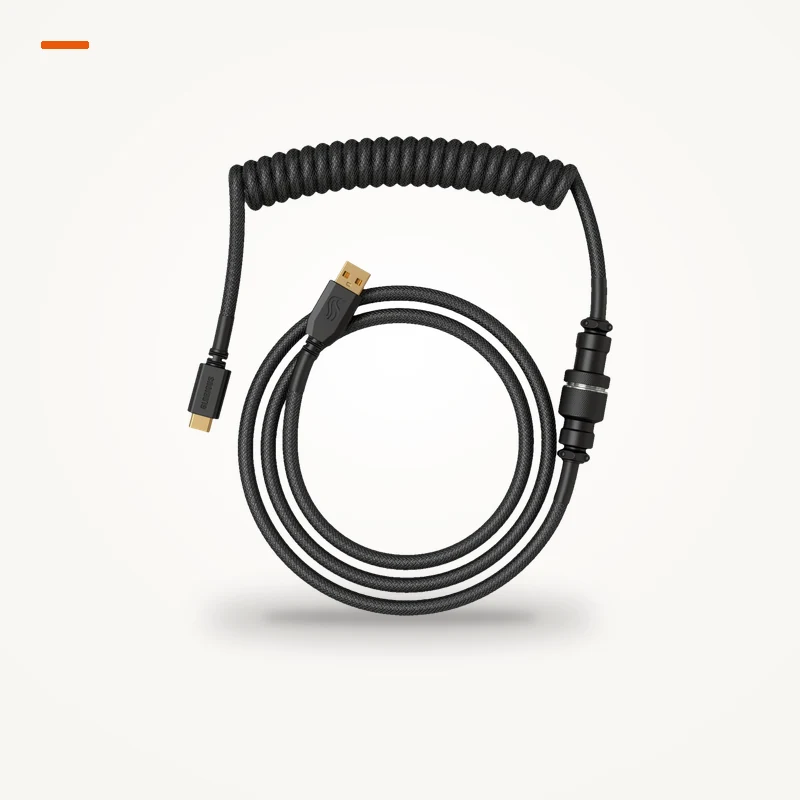 Glorious Coiled USB-C Keyboard Cable |
Best overall |
|
Check Price |
2 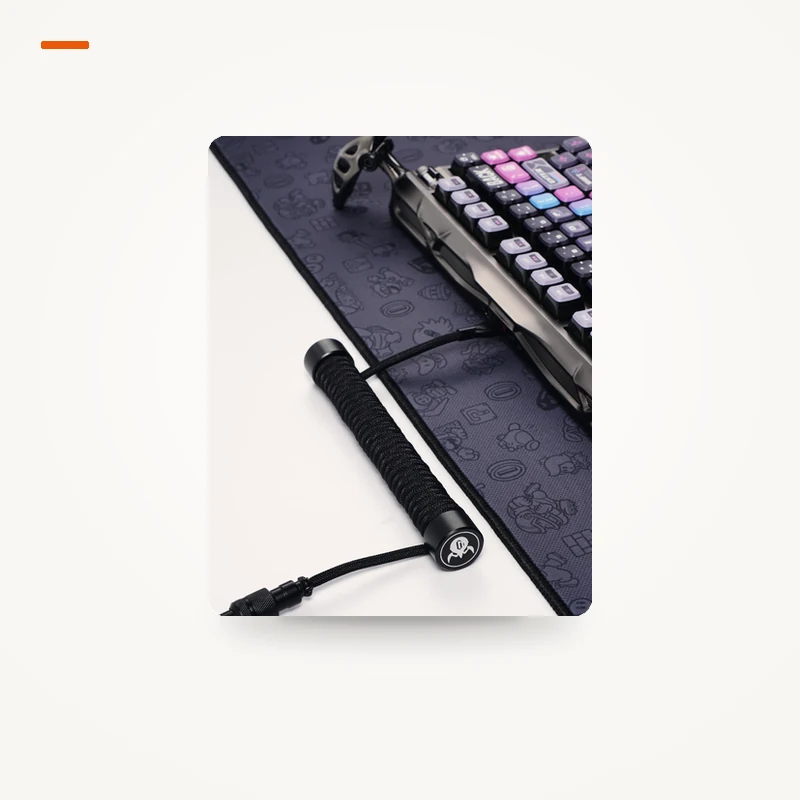 GravaStar Coiled Aviator USB Cable |
Longest reach |
|
Check Price |
3 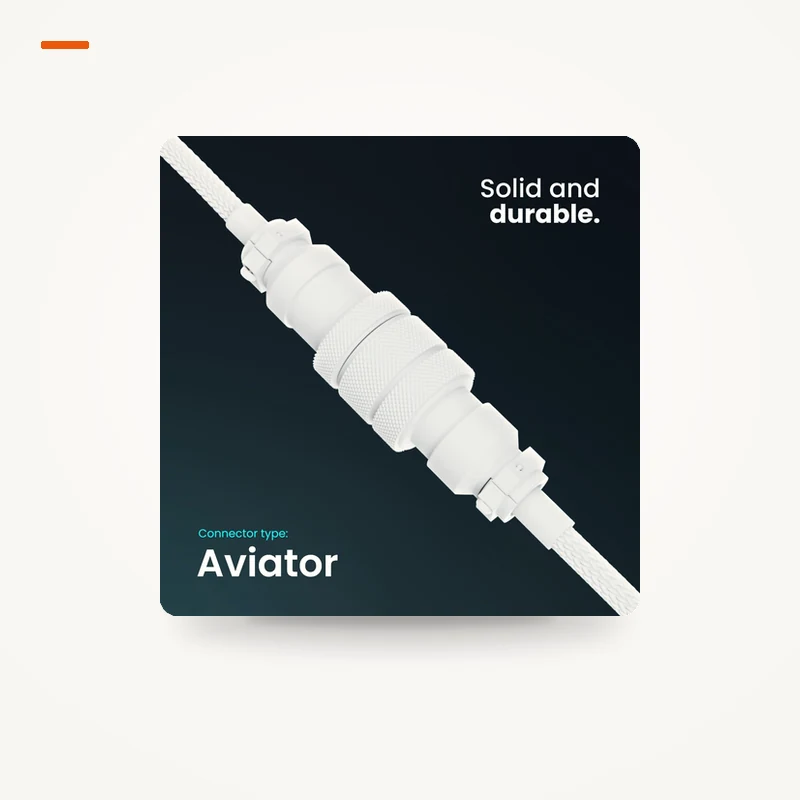 PWNAGE Ultra Custom Coiled Aviator USB-C Cable |
Best hand-coiled |
|
Check Price |
4 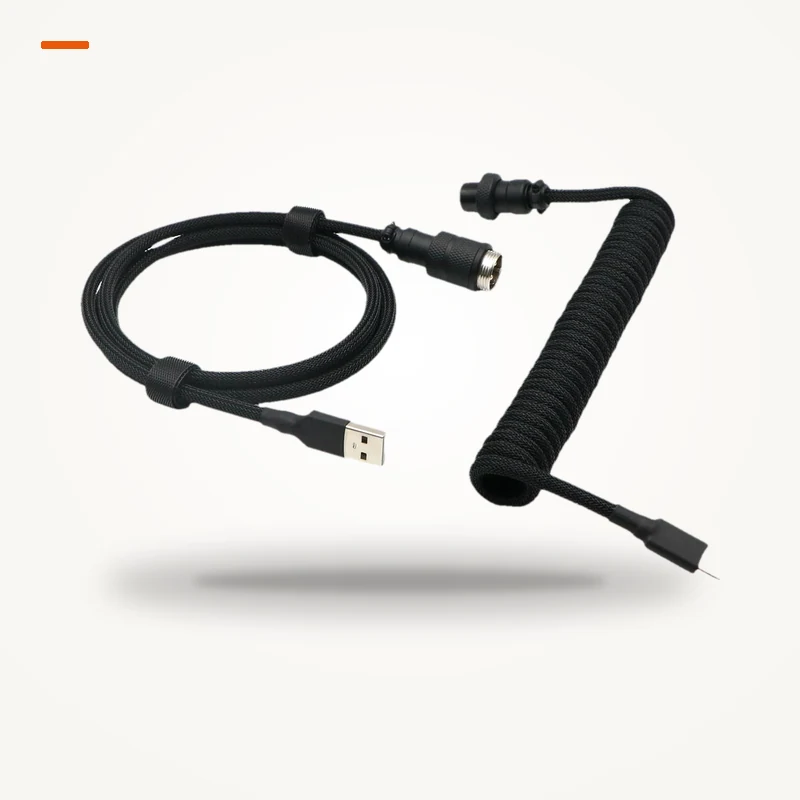 KCSJXF Pro Coiled Keyboard Cable |
Best budget pick |
|
Check Price |
Anatomy of a coiled keyboard cable
::table|Part|What it does
Keyboard end|Plugs into the keyboard, usually USB-C on modern boards; a 90-degree plug runs the cable sideways
Coil|A tightly wound section that stores slack and gives the classic custom look
Aviator connector|A screw-on or push-fit metal connector that splits the cable so you can unplug the keyboard side
Straight section|The plain run back to the computer
Host end|Plugs into the computer, usually USB-A
Sleeving|Braided outer layers; double sleeving adds a second, often translucent, layer
::
How to choose a coiled keyboard cable
Check your keyboard’s port
Almost every modern mechanical keyboard uses USB-C, and all four cables here have a USB-C keyboard end. Older boards may use mini-USB or micro-USB, so check before ordering. Also check how deep the port is recessed; a bulky plug may not fit some cases.
Total length
Measure from your keyboard to the USB port you’ll use, following the route the cable will take. A 1.5 m cable is fine for a laptop or a hub on the desk; a computer on the floor may need 1.8 m. Remember the coil uses some of the length.
Aviator type
Aviators come in 4-pin and 5-pin versions; GX16 is a common 5-pin style. For a single cable you buy as one piece, the pin count doesn’t matter much, because both halves come together. It matters if you plan to mix halves from different cables, so stick with one type.
Coil length and direction
A longer coil looks more dramatic but adds bulk. A reverse coil curls back on itself, which some people prefer for the look. Whichever you choose, route it so it doesn’t pull on the keyboard.
Data and charging
Most keyboard cables are USB 2.0, which is plenty for a keyboard. If your keyboard has a USB passthrough port or you want to charge a wireless keyboard quickly, check the listing’s data and power ratings.
The best coiled keyboard cables reviewed
1. Glorious Coiled USB-C Keyboard Cable — best coiled keyboard cable overall
Who it’s for: Anyone with a USB-C mechanical keyboard who wants a tidy, branded cable from a big keyboard maker.
Glorious makes the GMMK keyboards, and this cable is listed as compatible with the GMMK Pro, GMMK 2 and most USB-C keyboards. The keyboard end is USB-C with a 90-degree plug, so the cable runs along the side of the keyboard instead of sticking straight out the back.
A heavy-duty metal 5-pin aviator connector lets you unplug the keyboard part of the cable without unthreading the whole thing. The coil is 6 inches long and 25 mm across, and the whole cable is 4.5 feet including the coil, with double-braided sleeving and gold-plated USB 2.0 connectors. It was $19.99, sold by Amazon.com, on November 28, 2026.
Key specs: Coiled USB-C keyboard cable; 90-degree USB-C device end; gold-plated USB 2.0; heavy-duty metal 5-pin detachable aviator; 6″ coil, 25 mm coil diameter; 4.5 ft total length; double-braided sleeving; listed for GMMK Pro, GMMK 2 and most USB-C keyboards.
- Sold by Amazon
- 90-degree USB-C plug
- 5-pin metal aviator
- Clear coil specs
- 4.5 ft is on the short side
- USB 2.0 only
- Host end not stated on the listing
2. GravaStar Coiled Aviator USB Cable — longest coiled keyboard cable
Who it’s for: People whose computer sits under the desk or further away, who need more than 1.5 m of cable.
GravaStar’s cable runs from USB-A at the computer to USB-C at the keyboard, with a 4-pin aviator in between. The coil itself is 30 cm long and there’s a 150 cm straight section, giving 180 cm in total, which is the longest here.
The body uses TPU and EVA braiding, with aluminium foil, yarn mesh and fishline mesh layers listed for durability, and it’s rated for 5V/2A. GravaStar sells it as suitable for mechanical keyboards. It was $24.95, sold by GravaStar Flagship, on November 28, 2026.
Key specs: Coiled aviator keyboard cable; USB-A to USB-C; 4-pin aviator; 30 cm coil plus 150 cm straight cable (180 cm total); TPU and EVA braided body with aluminium foil, yarn mesh and fishline mesh; 5V/2A.
- 180 cm total length
- Long 30 cm coil
- Layered braided body
- Brand-name seller
- Most expensive here
- 4-pin aviator
- Plain colour options
3. PWNAGE Ultra Custom Coiled Aviator USB-C Cable — best hand-coiled keyboard cable
Who it’s for: Builders who want a hand-coiled, double-sleeved cable in a colour to match their keycaps.
PWNAGE, a gaming peripheral brand, sells its Ultra Custom cable as hand-coiled and double-sleeved, with a detachable metal aviator connector. It runs from USB-A to USB-C and measures 1.8 m, so it’s one of the longer options here.
The listing we checked was the pink version with white-on-white detailing, and PWNAGE lists it as FCC compliant. The listing is light on detail beyond that, so we haven’t given the coil length or aviator pin count. It was $19.99, sold by PWNAGE, on November 28, 2026.
Key specs: Coiled aviator USB-C keyboard cable; USB-A to USB-C; detachable metal aviator; 1.8 m; hand coiled; double sleeved; FCC compliant; colour shown: pink, white on white.
- Hand coiled
- 1.8 m length
- Double sleeved
- Sold by the brand
- Sparse listing details
- Colour choice varies by listing
- Coil length not stated
4. KCSJXF Pro Coiled Keyboard Cable — best cheap coiled keyboard cable
Who it’s for: People who want the classic custom-keyboard look of a reverse coil and GX16 aviator for less.
KCSJXF’s cable is hand-made and double-sleeved, with copper wire and aluminium shielding foil. It uses a reverse coil, which the seller says is made with a process that helps the coil keep its shape over time, and a 5-pin GX16 metal aviator connector.
It runs from USB-A to USB-C and is 5 feet long, and the seller lists it as compatible with most USB-C mechanical keyboards, with fast charging and data sync. It’s a lesser-known brand, so it’s best for buyers who prioritise price and looks. It was $19.99 (Prime member price), sold by KCSJXF, on November 28, 2026.
Key specs: Coiled keyboard cable; USB-A to USB-C; 5-pin GX16 metal aviator; 1.5 m (5 ft); hand-made and double-sleeved; reverse coil; copper wire with aluminium shielding foil; listed for most USB-C mechanical keyboards.
- GX16 5-pin aviator
- Reverse coil
- Double sleeved
- 5 ft length
- Lesser-known brand
- Prime member price
- No full specs on materials
Coiled keyboard cables compared
| Cable | Connectors | Aviator | Length | Price (Nov 28) |
|---|---|---|---|---|
| Glorious | USB-C (90°) at keyboard | Metal 5-pin | 4.5 ft (6″ coil) | $19.99 |
| GravaStar | USB-A to USB-C | 4-pin | 180 cm (30 cm coil) | $24.95 |
| PWNAGE Ultra Custom | USB-A to USB-C | Metal aviator | 1.8 m | $19.99 |
| KCSJXF Pro | USB-A to USB-C | 5-pin GX16 | 1.5 m | $19.99 (Prime) |
Which coiled cable fits you?
| If you… | Choose | Why |
|---|---|---|
| Want a safe, well-documented choice | Glorious | Sold by Amazon, clear specs |
| Need the longest cable | GravaStar | 180 cm total |
| Want a hand-coiled cable | PWNAGE Ultra Custom | Hand coiled, double sleeved |
| Want the reverse-coil look | KCSJXF Pro | Reverse coil with GX16 aviator |
How to route a coiled cable neatly
- Plan the route. Decide where the coil will sit, usually just behind or beside the keyboard, and where the straight section will run.
- Plug in the keyboard end first. With a 90-degree plug, point it in the direction the cable will run.
- Let the coil hang freely. Don’t stretch it tight; a coil under tension pulls on the keyboard and can lose its shape.
- Hide the straight section. Run it along the back edge of the desk or through a cable tray, and clip it so it doesn’t drag. If you use a wired mouse, a mouse bungee keeps that cable out of the way too.
- Use the aviator. Disconnect at the aviator when you move the keyboard, rather than pulling the USB-C plug every time.
Are coiled cables worth it?
A coiled cable won’t make you type faster, and it doesn’t change how a keyboard feels. It’s about looks and tidiness. If you’ve built your own board, perhaps from a barebones kit with custom keycaps, a matching cable completes it. If you’d rather have no cable at all, see our comparison of wired vs wireless keyboards.
Troubleshooting a new keyboard cable
If your keyboard doesn’t respond after you switch cables, work through these checks before assuming the cable is faulty:
- Push the USB-C plug fully home. Thick plugs on sleeved cables can stop short of the contacts in a deeply recessed port. If it won’t seat, the plug may be too wide for your case.
- Check the aviator. Make sure both halves are fully pushed together and, on screw-type connectors, tightened. A loose aviator is the most common cause of a keyboard dropping out.
- Try another USB port. Plug straight into the computer rather than a hub or monitor port to rule those out.
- Flip the USB-C plug. USB-C is reversible, but a slightly worn port can be fussier one way round.
- Test with the original cable. If the keyboard works on its original cable but not the new one, contact the seller about a replacement.
To keep a coiled cable looking good, avoid stretching the coil to its limit, don’t wrap the cable tightly around the keyboard when you travel, and wipe the sleeving with a dry cloth rather than soaking it.
FAQ
What is an aviator connector on a keyboard cable?
It’s a metal connector, borrowed from aviation equipment, that splits the cable into two parts. It lets you disconnect the keyboard quickly and adds a custom look.
Do coiled cables affect keyboard performance?
No. A keyboard needs very little bandwidth, and a working USB 2.0 cable carries everything it sends.
Will a coiled cable work with my keyboard?
If your keyboard has a USB-C port and the plug fits the port’s recess, it should. Check the keyboard’s port type and depth first.
Can I use a coiled cable with a wireless keyboard?
Yes, for wired use or charging, as long as the keyboard has a USB-C port. Check the cable’s power rating if fast charging matters.
Why are some coils reversed?
A reverse coil is wound the opposite way so it curls back on itself. It’s mostly a matter of looks.
Is 4-pin or 5-pin better?
Neither is better for a keyboard. Just don’t mix halves from 4-pin and 5-pin cables.
Final verdict
The Glorious Coiled USB-C cable is the best coiled keyboard cable for most people, with a 90-degree plug, a metal 5-pin aviator and clear specs, sold by Amazon. GravaStar’s 180 cm cable is the one to get if your computer is further away, PWNAGE’s Ultra Custom suits builders who want a hand-coiled cable, and KCSJXF’s reverse-coiled GX16 cable is the budget pick. For the rest of your desk, our desk setup guide and cable management guide will help everything look as tidy as the keyboard.

Experience is what matters at the end!!
Hi! This is Jacob Jay – founder of Keyboardgear.com! From childhood to adulthood, I’ve always remained passionate about IT, and the revolution in this industry, especially gaming on the PC can’t go out of my way. Since I’m an enthusiastic gamer, and I love to experience various gaming accessories, particularly mechanical keyboards, that really boost my gaming adventure manifolds. So, my nerve cells hit me to transfer my experiences into word form and share with others to identify the ideal keyboards perfectly fit for their gaming modes.
I know very well how hard it is to find the high-quality items available on the internet that ought to be exactly the same as seen as on the screen. But the counterfeiters have ruined the user’s trust. As I have passed all such situations, I’m obliged to deliver the genuinity and express the same as what I am saying.
So, now, I’m working on the mission to provide very helpful and frankly but trustworthy reviews and guides about various mechanical keyboards, mouses, and other gaming accessories as per my personal experiences and sound knowledge.