

Keyboard Gear earns from qualifying purchases through Amazon links.
For a mover that physically moves your own mouse, the TECH8 USA Mega Disc is the best pick, with adjustable activity and a 1–2 hour auto-off timer. The TECKNET USB jiggler is the best plug-in option, with three modes for under $7, and WFB’s 2-pack is the cheapest. Before using any jiggler on a work computer, check your employer’s policy, and consider your system’s free keep-awake settings first.
Computers go to sleep, lock the screen and mark you “away” after a few minutes without input. That’s sensible most of the time, but annoying when you’re downloading a big file, running a long render, reading a long document or presenting from a laptop. A mouse jiggler keeps the computer active by moving the cursor, either by physically moving your mouse or by acting as a second mouse.
This guide compares five mouse jigglers sold on Amazon US: three physical movers and two USB plug-ins. We checked availability and prices on Amazon US on November 28, 2026, and specs come from the manufacturers’ listings. We haven’t tested these devices ourselves, and we don’t repeat sellers’ claims that their devices are “undetectable”; see the section on workplace rules below.
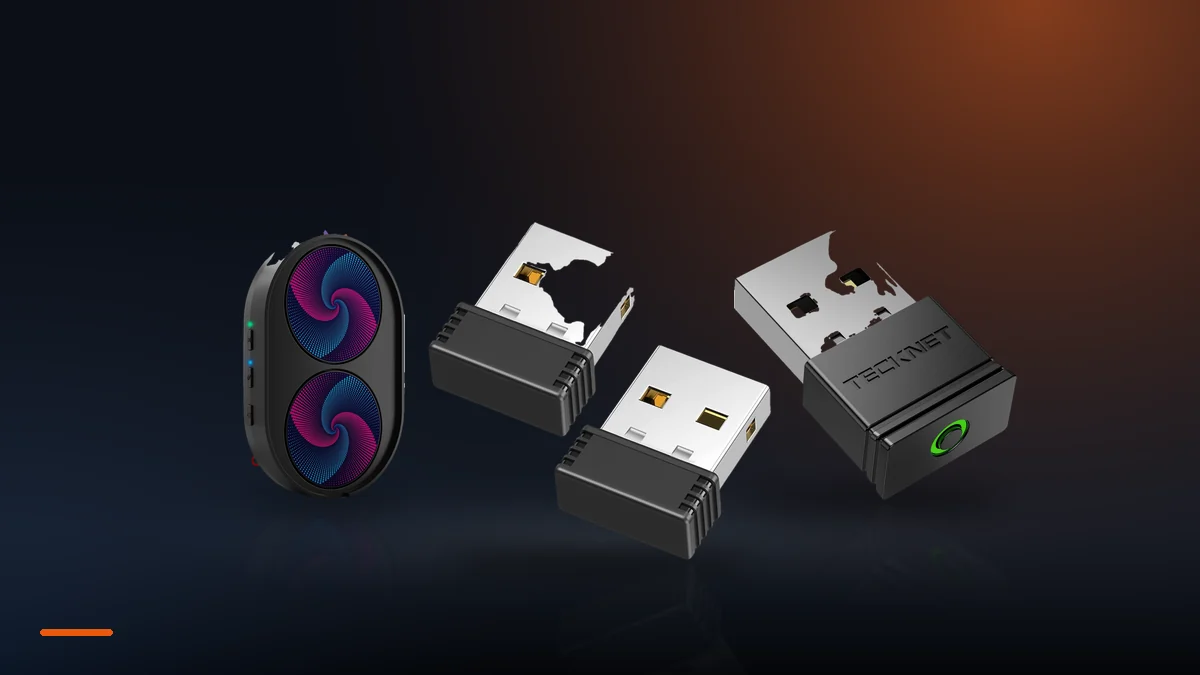
Best mouse jigglers overview
| Product | Best for | Key specs | Price |
|---|---|---|---|
1 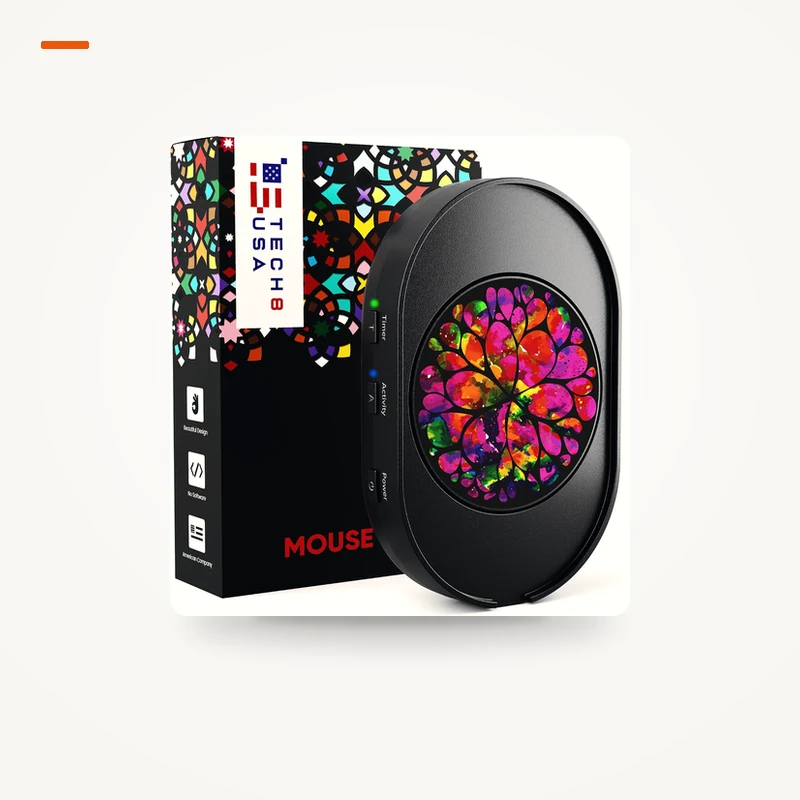 TECH8 USA Mega Disc Mouse Mover |
Best physical mover |
|
Check Price |
2 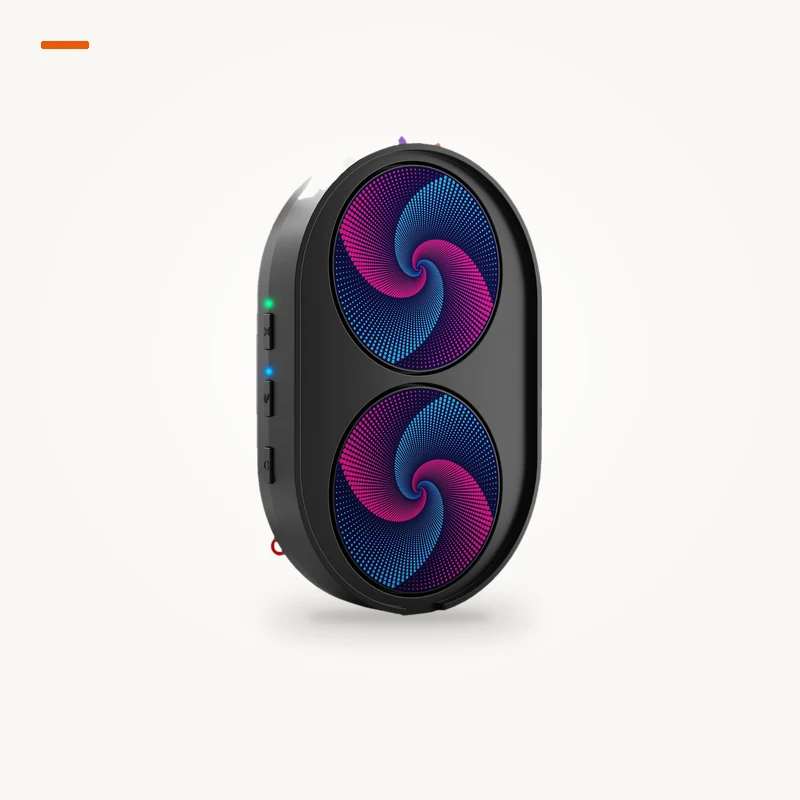 TECH8 USA Dual Disc Mouse Mover |
Best for varied movement |
|
Check Price |
3 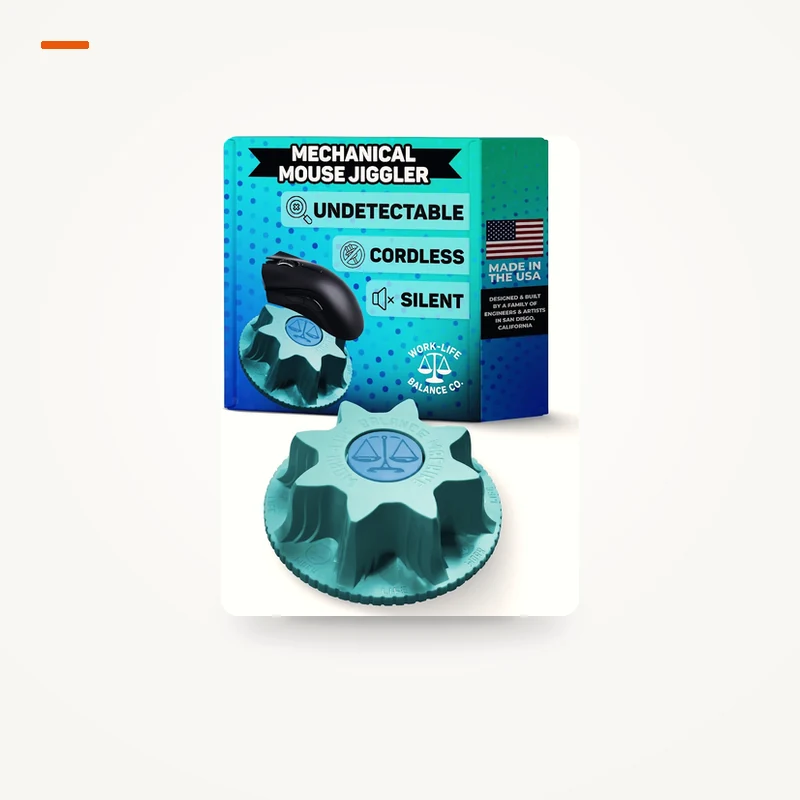 Work-Life Balance Mechanical Mouse Jiggler (Battery) |
Best cordless |
|
Check Price |
4 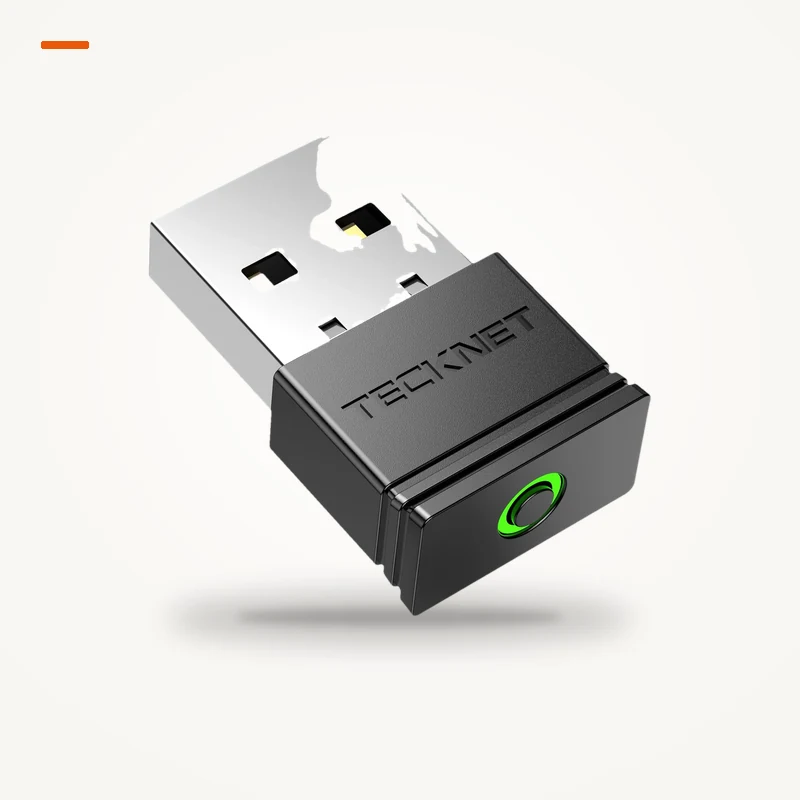 TECKNET USB Mouse Jiggler (3 Modes) |
Best USB jiggler |
|
Check Price |
5 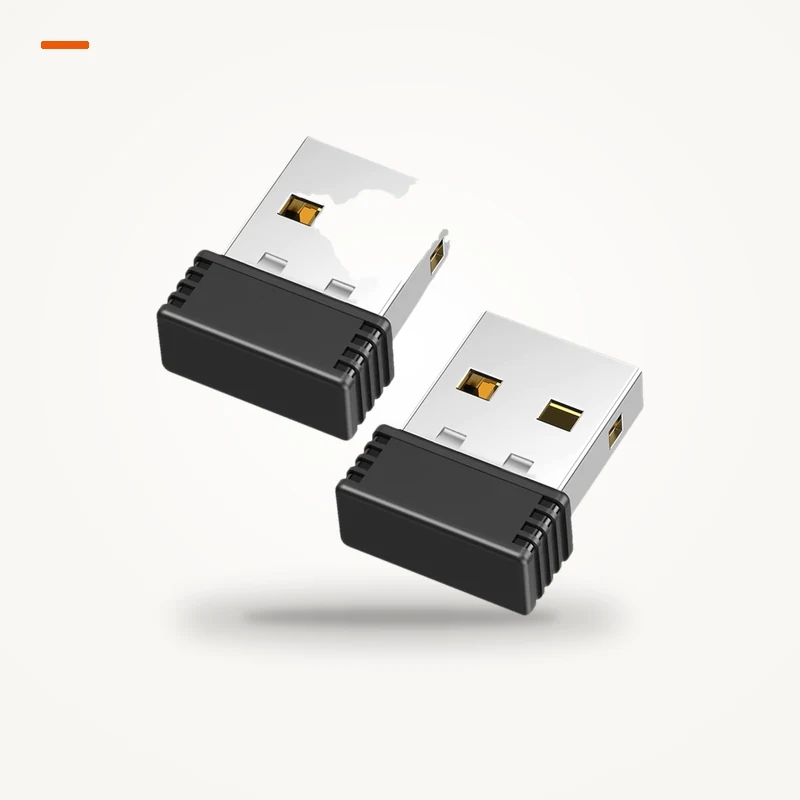 WFB USB Mouse Jiggler (2-Pack) |
Best budget 2-pack |
|
Check Price |
Physical movers vs USB jigglers
::table|Physical mover|USB jiggler
How it works|Moves your actual mouse on a rotating platform|Plugs in and acts as a second mouse
Software|None|None
Your mouse|Tied up on the platform while it runs|Free to use as normal
Power|USB, wall charger or battery|The USB port it’s plugged into
Desk space|Needs room for the platform and mouse|Almost none
Works with|Optical mice (check trackballs and some mice)|Any computer with a free USB-A port
::
Physical movers make sense if you’d rather not plug anything into the computer, or if you only want the computer awake while you’re away from the desk. USB jigglers are smaller and let you keep working, which suits presentations and long reads.
How to choose a mouse jiggler
Movement style
Some jigglers make tiny one- or two-pixel movements that you won’t notice while working. Others move the pointer visibly or randomly. If you plan to use the computer while the jiggler runs, choose a tiny-movement mode.
Timers and settings
A timer that turns the jiggler off automatically is useful for downloads and renders, so the computer can sleep normally afterwards. TECH8’s movers include one; most USB jigglers just run until you unplug them.
Power and ports
Physical movers need power from USB, a wall charger or a battery. USB jigglers need a free USB-A port; on a USB-C-only laptop, you’ll need an adapter.
Mouse compatibility
Physical movers rely on your mouse’s optical sensor seeing movement on the rotating disc; our guide to optical vs laser mice explains how sensors track. They generally won’t work with trackballs and may struggle with unusual mice. Check the listing if you use a vertical or very large mouse.
The best mouse jigglers reviewed
1. TECH8 USA Mega Disc Mouse Mover — best physical mouse mover
Who it’s for: People who want a mover that physically moves their own mouse, with a timer so it turns itself off.
TECH8’s Mega Disc mover is a small platform you rest your mouse on. A large rotating disc moves the mouse itself, so the computer sees ordinary mouse movement without any software or extra device plugged in as a mouse. A cradle stops the mouse sliding off, and the large disc is designed to work with most mouse shapes.
Adjustable activity levels change how often it moves, and an auto-off timer shuts it down after one to two hours, which is handy for a long download or render. It runs from a USB port or a 5V wall charger, with an on/off LED. It was $18.99, sold by Tech8 USA, on November 28, 2026.
Key specs: Physical disc mouse mover; no software; large disc and cradle for most mice; adjustable activity levels; auto-off timer after 1–2 hours; on/off LED; powered by USB port or 5V wall charger.
- Moves your real mouse
- Auto-off timer
- Adjustable activity
- Fits most mice
- Needs power
- Takes desk space
- Your mouse is tied up while it runs
2. TECH8 USA Dual Disc Mouse Mover — best dual disc mouse mover
Who it’s for: Anyone who wants TECH8’s timer and activity settings with a two-disc design.
TECH8’s Dual Disc mover works like the Mega Disc, but uses two discs, which the company says gives more randomised cursor movement and suits all mouse types. Your mouse sits in a cradle on top, so there’s still no software or extra USB device.
It has the same adjustable activity levels, one-to-two-hour auto-off timer and LED indicator, and runs from USB or a 5V charger. It was $19.99, sold by Tech8 USA, on November 28, 2026.
Key specs: Physical two-disc mouse mover; no software; cradle to hold the mouse; adjustable activity levels; auto-off timer after 1–2 hours; on/off LED; USB or 5V wall charger power.
- Two-disc movement
- Auto-off timer
- No software
- Works with most mice
- Needs power
- Larger footprint
- Your mouse is tied up while it runs
3. Work-Life Balance Mechanical Mouse Jiggler (Battery) — best cordless mouse jiggler
Who it’s for: People who want a mover with no cable and no USB connection at all.
This mechanical jiggler from Work-Life Balance Corporation runs on an AA battery rather than USB power, so there’s no cable to plug in. You pull the battery strip to start it, rest your optical mouse on the rotating platform, and it moves the mouse to keep the computer active. The listing claims up to two years of use from the battery.
It works with optical wired and wireless mice and comes in a gift box. It’s simple, with no timer or activity settings. It was $18.99, sold by Work-Life Balance Corporation, on November 28, 2026, with 14 left in stock.
Key specs: Physical rotating mouse mover; AA battery powered, no USB or cable; up to 2 years of battery life listed; works with optical wired and wireless mice; no software; gift box.
- No cable or USB
- Long listed battery life
- Silent mechanical design
- Simple to use
- No timer or settings
- Optical mice only
- Third-party seller
4. TECKNET USB Mouse Jiggler (3 Modes) — best USB mouse jiggler
Who it’s for: Anyone who wants a tiny plug-in jiggler that leaves their real mouse free to use.
TECKNET’s jiggler is a small USB stick that your computer sees as a standard USB mouse. It has three modes: one moves the pointer a single pixel every three seconds, so you can keep using your normal mouse; another moves it within a fixed rectangle; and the third makes random, variable-speed movements across the screen.
You switch modes with one button, and a small colour LED shows which mode is running. There’s no software to install. It was $6.70 (Prime member price), sold by electralink, on November 28, 2026.
Key specs: USB plug-in jiggler recognised as a standard USB mouse; 3 modes (1-pixel move every 3 seconds, fixed rectangle, random variable-speed); one-button mode switching; colour LED mode indicator; plug and play, no software.
- Tiny and cheap
- Three modes
- Leaves your mouse free
- No software
- Uses a USB-A port
- Shows up as a device
- Third-party seller
5. WFB USB Mouse Jiggler (2-Pack) — best cheap mouse jiggler
Who it’s for: People who want a spare for a second computer, or the cheapest possible option.
WFB’s jigglers come as a pair of small USB sticks that register as a 2.4G mouse when plugged in. They nudge the cursor by just one or two pixels, so you can keep typing, editing or presenting while one is running without the pointer wandering off.
No driver is needed; the computer may briefly show that it’s installing a mouse. WFB lists compatibility with Windows, macOS and Android. Two in a box makes it easy to keep one on a laptop and one on a desktop. It was $7.98 for the pair, sold by ZDX STORE, on November 28, 2026.
Key specs: Pack of 2 USB jigglers; recognised as a 2.4G mouse; moves the cursor 1–2 pixels; no driver needed; listed for Windows, macOS and Android.
- Two in the pack
- Very low price
- Tiny 1–2 pixel movement
- No software
- Uses a USB-A port
- Single mode
- Third-party seller
Mouse jigglers compared
| Jiggler | Type | Power | Settings | Price (Nov 28) |
|---|---|---|---|---|
| TECH8 Mega Disc | Physical | USB or 5V charger | Activity levels, 1–2 hr timer | $18.99 |
| TECH8 Dual Disc | Physical, two discs | USB or 5V charger | Activity levels, 1–2 hr timer | $19.99 |
| Work-Life Balance mechanical | Physical | AA battery | None | $18.99 |
| TECKNET | USB plug-in | USB port | 3 modes, LED | $6.70 (Prime) |
| WFB 2-pack | USB plug-in | USB port | Single mode | $7.98 for two |
Which mouse jiggler fits you?
| If you… | Choose | Why |
|---|---|---|
| Want a mover with a timer | TECH8 Mega Disc | Moves your mouse, turns itself off |
| Want more varied movement | TECH8 Dual Disc | Two discs, same timer |
| Don’t want any cable | Work-Life Balance mechanical | Runs on an AA battery |
| Want to keep using your mouse | TECKNET | 1-pixel mode, three modes |
| Need two, cheaply | WFB 2-pack | Two USB jigglers for under $8 |
Try the free built-in options first
You may not need a gadget at all:
- Windows: open Settings > System > Power (or Power & battery) and change when the screen turns off and the PC sleeps. Microsoft’s free PowerToys also includes Awake, which keeps the PC awake on demand or for a set time.
- Mac: change sleep and display settings in System Settings (under Lock Screen and Displays or Battery, depending on your Mac). The built-in Terminal command `caffeinate` keeps a Mac awake until you stop it.
- Presentations: most presentation apps keep the screen on while a slideshow runs.
These options are free, don’t need a USB port and are easy to undo. A jiggler is mainly useful when you can’t change the settings, such as on a managed computer, or when you want a physical switch.
Check your workplace rules
On a work computer, sleep, lock and status settings are often set by your employer for security reasons, and a jiggler doesn’t change what’s expected of you. Many companies have policies on keeping devices unlocked or appearing active. Sellers often describe their jigglers as “undetectable”, but there’s no guarantee of that, and it isn’t a reason to break a policy. If you need a computer to stay awake for a legitimate task, like a long upload, ask your IT team; they can often adjust the settings for you.
Leaving a computer unlocked and unattended is also a security risk at home or in shared spaces. Lock your screen when you step away from anything sensitive.
FAQ
What does a mouse jiggler do?
It moves the mouse pointer periodically so the computer thinks it’s in use and doesn’t sleep, lock or show you as away.
Do mouse jigglers work on Mac?
Physical movers work with any computer, because they just move your mouse, wired or wireless; see wired vs wireless mice. USB jigglers generally work on Macs with a USB-A port or adapter; check the listing.
Can I use my computer while a jiggler is running?
With a USB jiggler in a tiny-movement mode, yes. With a physical mover, your mouse is on the platform, so you’d need to lift it off.
Are mouse jigglers safe?
Physical movers don’t connect to the computer at all. USB jigglers act as a mouse. Buy from reputable sellers and avoid plugging unknown USB devices into sensitive or managed computers.
Is there a software alternative?
Yes. Windows sleep settings and PowerToys Awake, or the Mac’s sleep settings and caffeinate command, keep a computer awake without hardware.
Final verdict
The TECH8 USA Mega Disc is the best mouse jiggler if you want to physically move your own mouse with a timer, and the Dual Disc is its two-disc sibling. The battery-powered Work-Life Balance mover needs no cable at all. For a plug-in option that leaves your mouse free, the TECKNET jiggler is the best value, and WFB’s 2-pack is the cheapest. If you’re also shopping for a quiet mouse to use alongside one, see our best silent mouse picks, and our best wireless mouse guide covers everyday options.

Experience is what matters at the end!!
Hi! This is Jacob Jay – founder of Keyboardgear.com! From childhood to adulthood, I’ve always remained passionate about IT, and the revolution in this industry, especially gaming on the PC can’t go out of my way. Since I’m an enthusiastic gamer, and I love to experience various gaming accessories, particularly mechanical keyboards, that really boost my gaming adventure manifolds. So, my nerve cells hit me to transfer my experiences into word form and share with others to identify the ideal keyboards perfectly fit for their gaming modes.
I know very well how hard it is to find the high-quality items available on the internet that ought to be exactly the same as seen as on the screen. But the counterfeiters have ruined the user’s trust. As I have passed all such situations, I’m obliged to deliver the genuinity and express the same as what I am saying.
So, now, I’m working on the mission to provide very helpful and frankly but trustworthy reviews and guides about various mechanical keyboards, mouses, and other gaming accessories as per my personal experiences and sound knowledge.